-
-
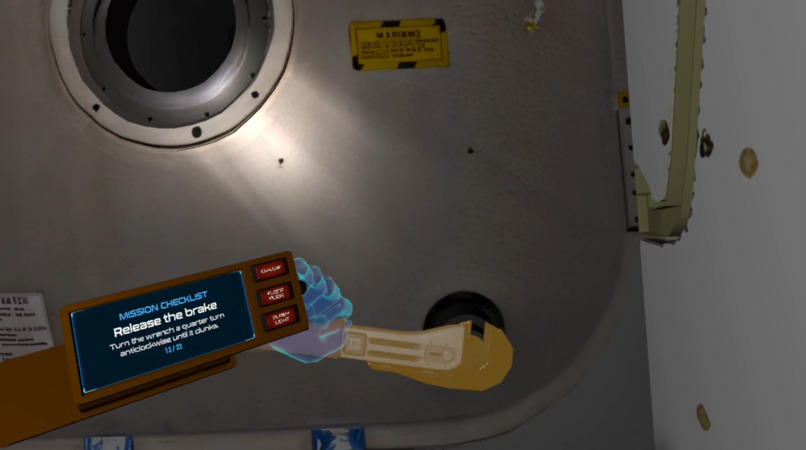
Releasing a Stuck Module
-
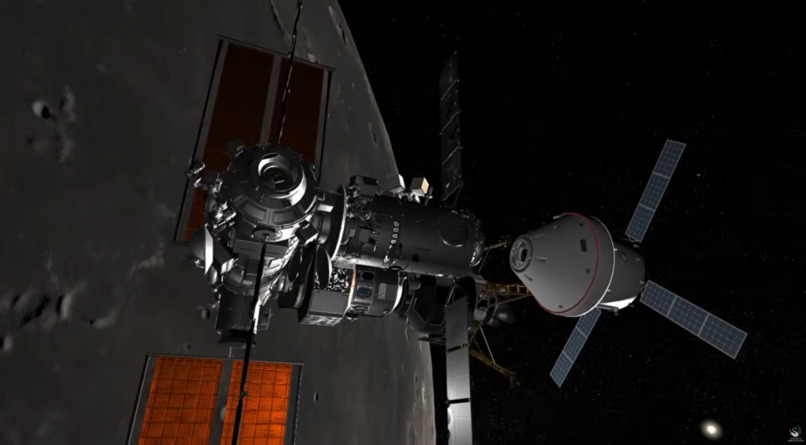
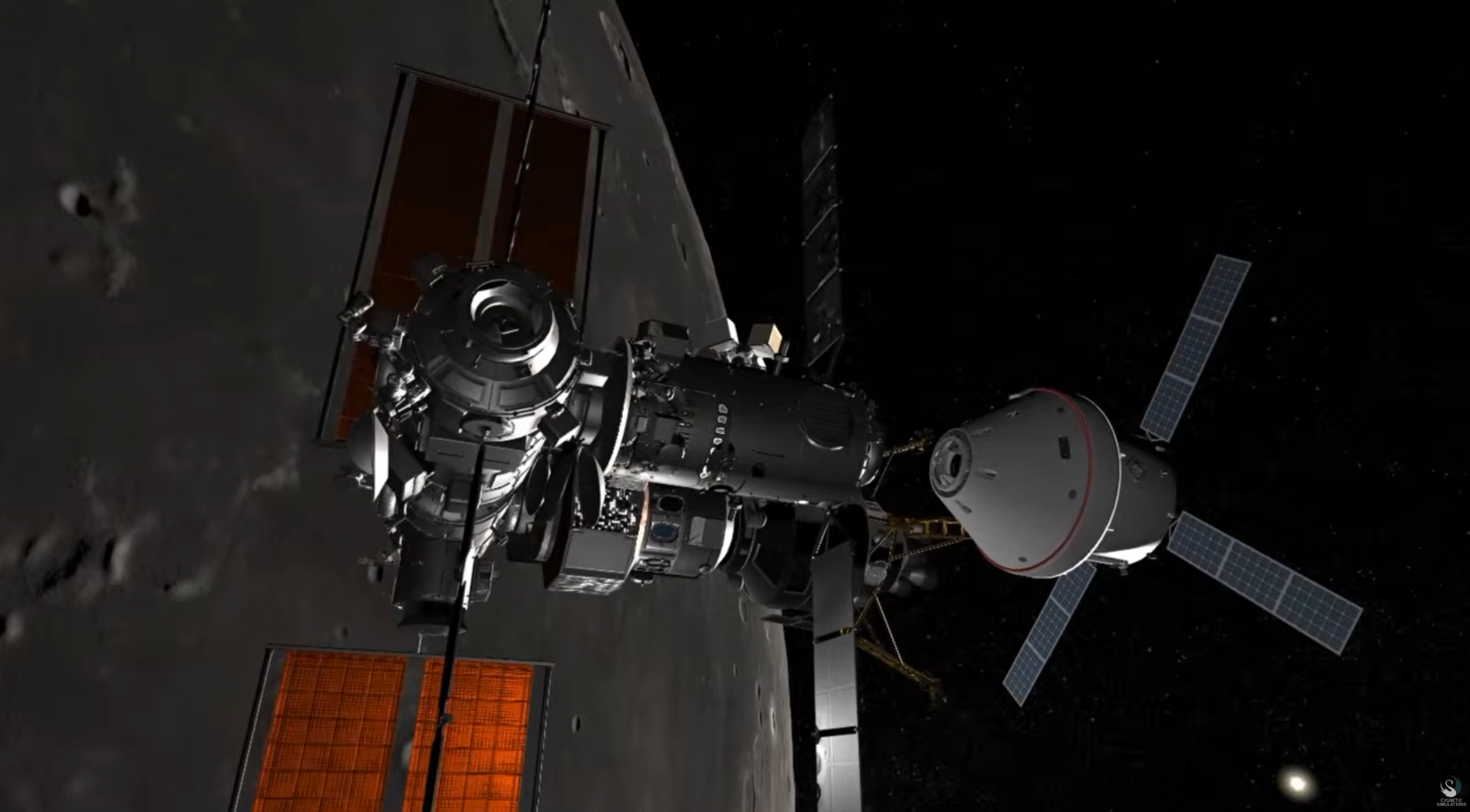
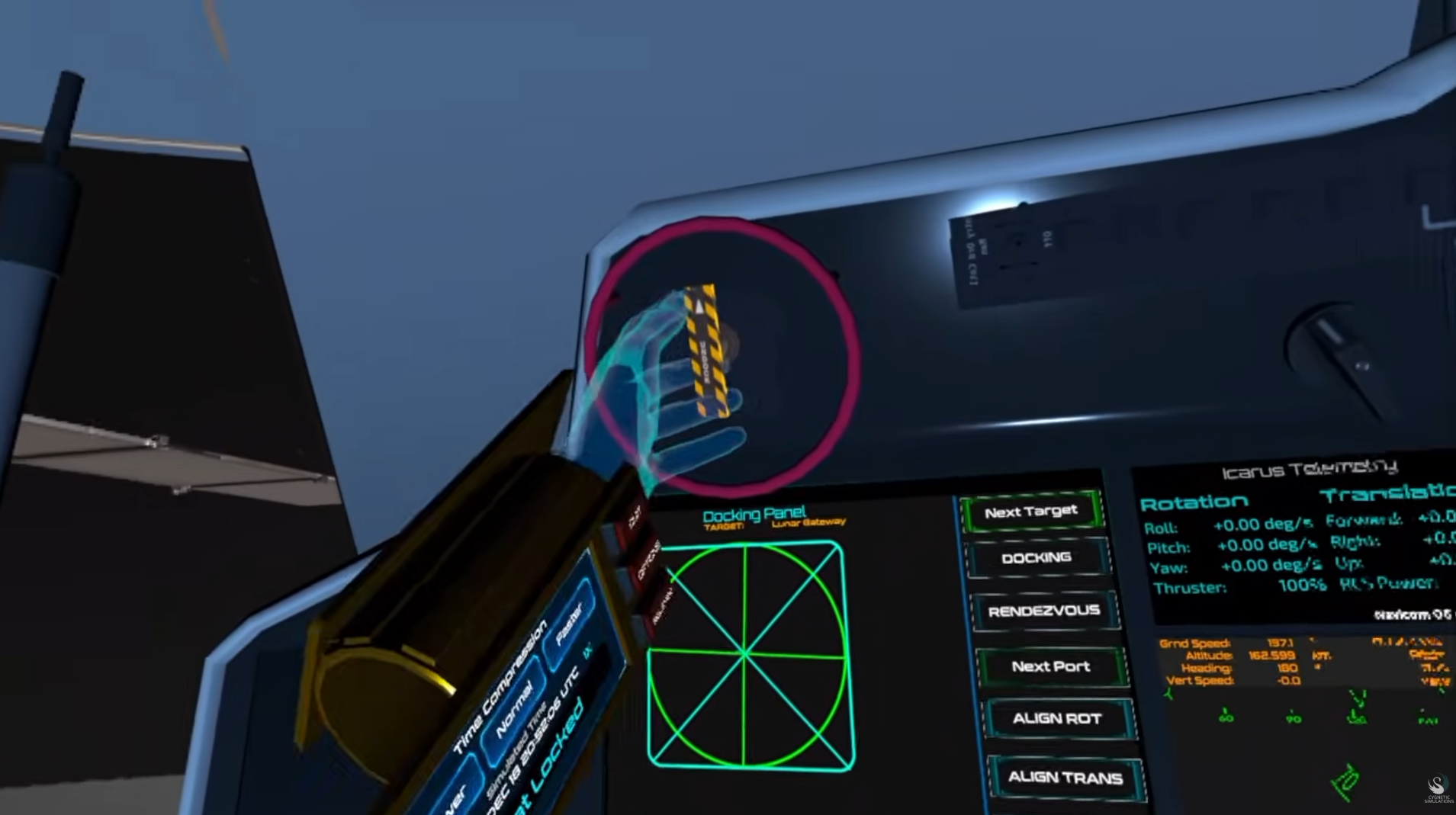
Orion docking with Lunar Gateway
-
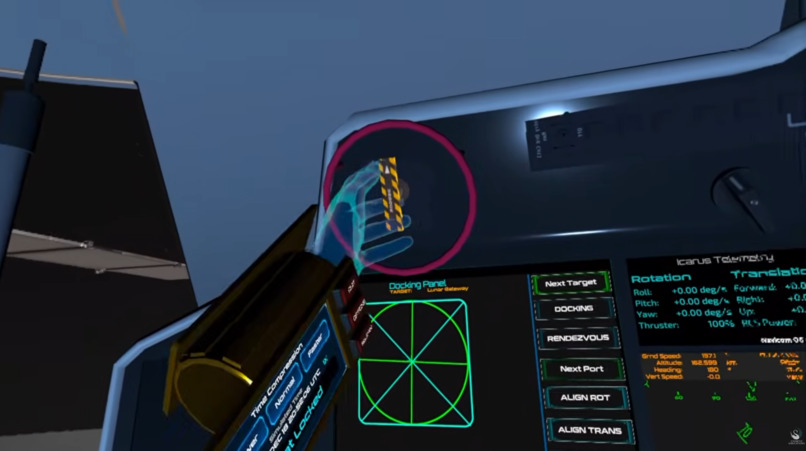
Pulling the undocking Lever
-
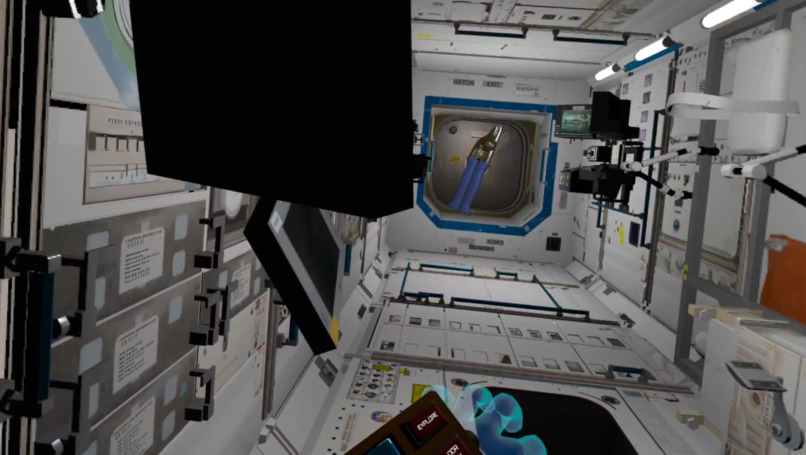
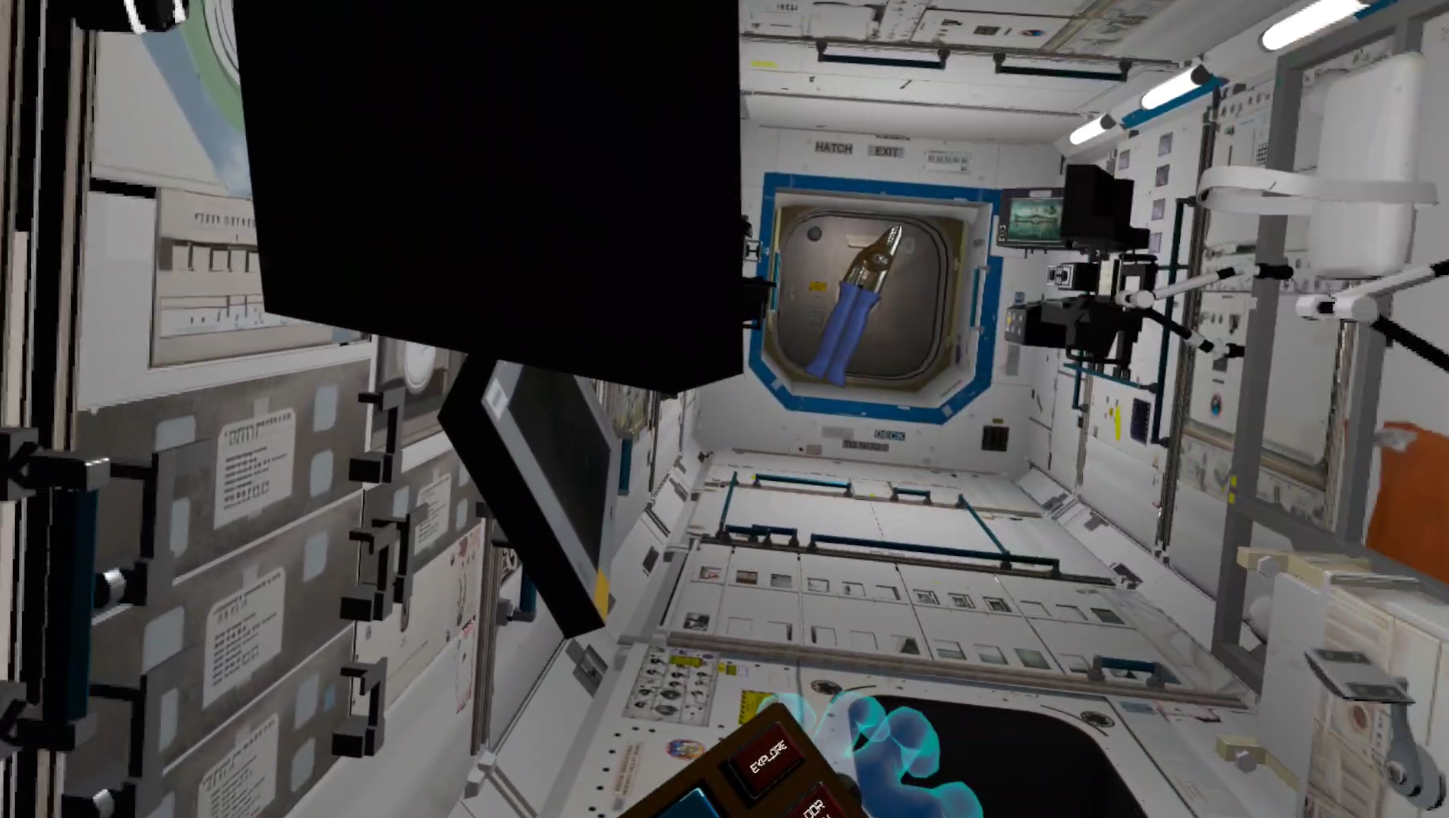
Entering the Lab Modules
-
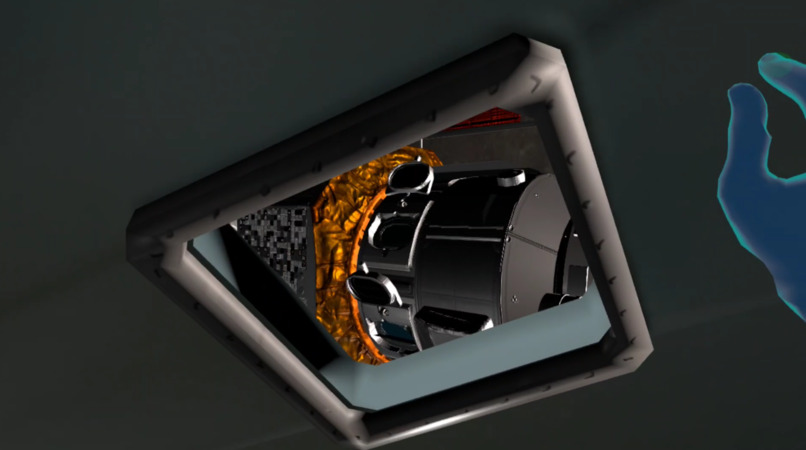
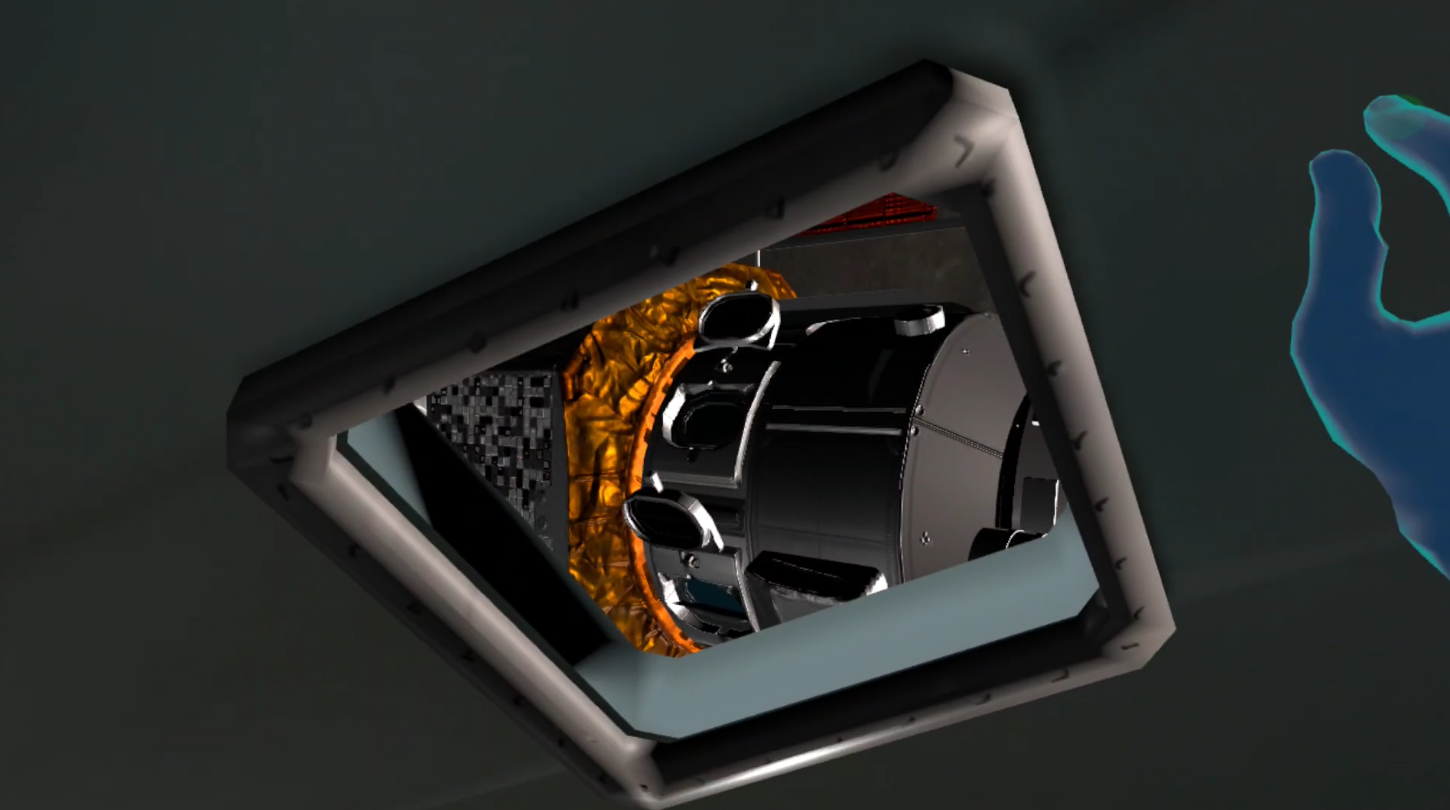
Looking At The Station From the Orion Cockpit
-
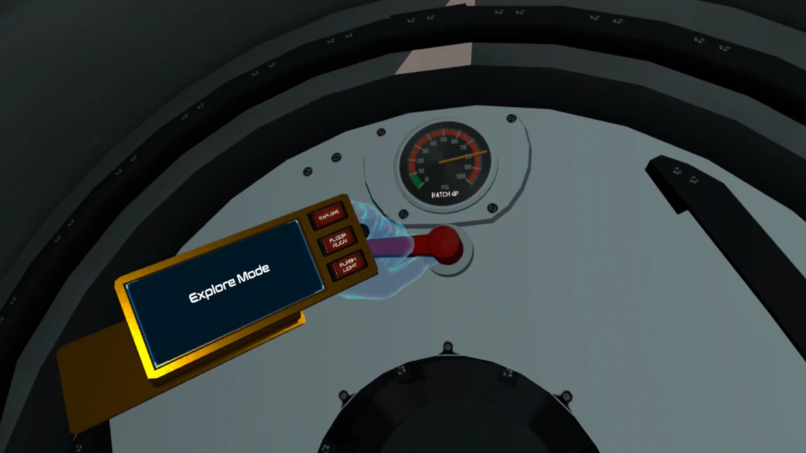
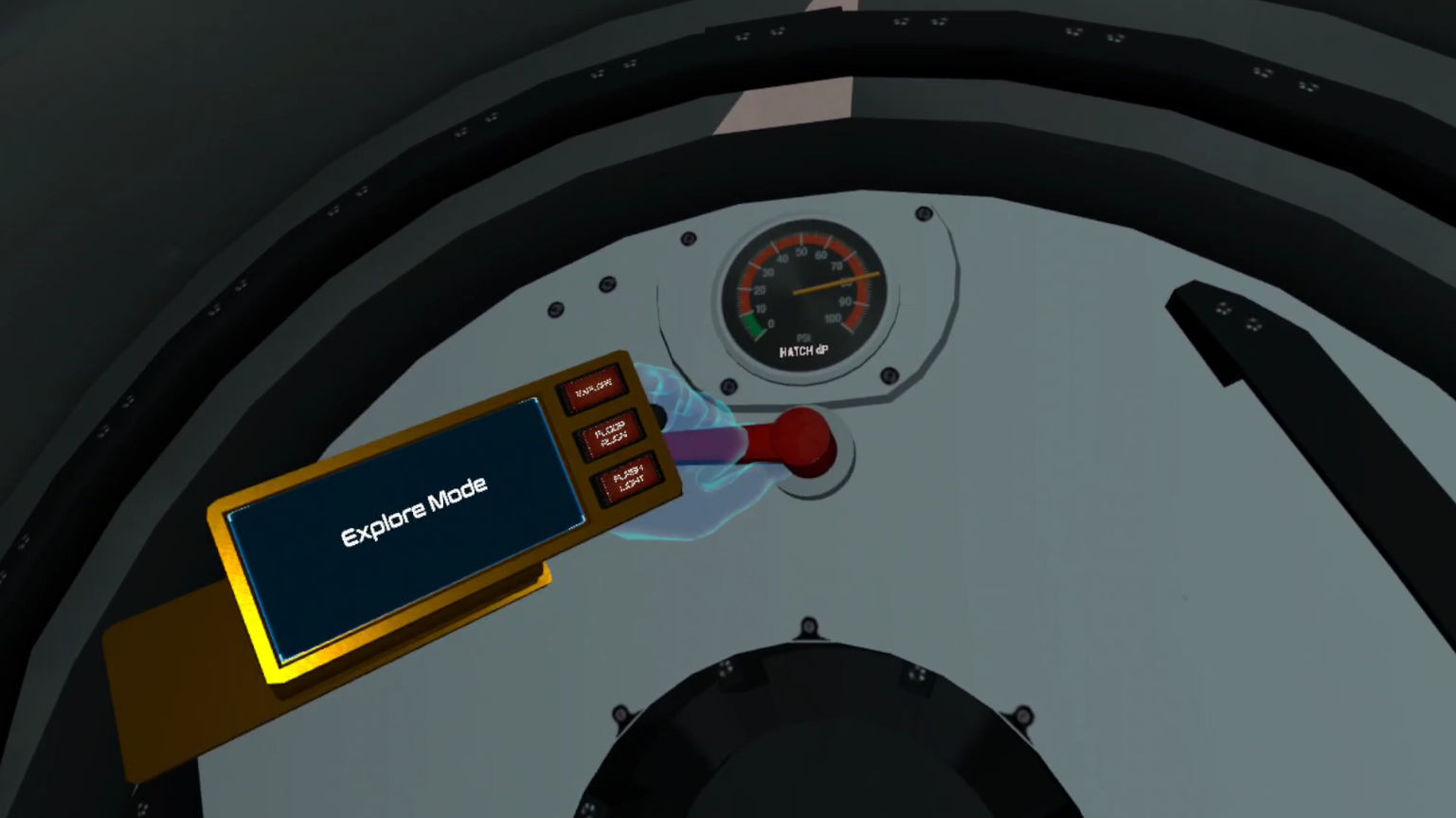
Equalizing Vestibule Pressure Prior To Hatch Opening
Inspiration
I began working on an early VR spaceflight simulator in 2013 on an Oculus DK1, after years of playing Martin Schweiger's Orbiter and modding in its add-on community. Orbiter proved that real orbital mechanics can be the fun part, yet serious sims lived behind flat monitors while VR games treated space as a backdrop. I wanted to step inside the cockpit and reach for the switches myself. When hand tracking arrived on Quest in 2019, that finally became possible.
I built solo through years of false starts. Standalone headsets with hand tracking finally made that vision possible, and accessible beyond high-end PCs, so it can reach living rooms and classrooms alike. My goal is to give players orbital literacy (an intuitive, hands-on feel for momentum and orbits) while letting them experience something few people ever will: actually being in space.
What it does
Orbital Operations is a hands-first VR simulation of life and work in lunar orbit, built for Meta Quest. The first scenario, Artemis: Lunar Orbit, puts you aboard the Lunar Gateway orbital station with an Orion capsule and a mildly futuristic lunar lander docked to it.
- Zero-G movement with your own hands. Pinch or make a fist on a handrail, hatch rim or wall and pull yourself along. Push off with your palm and you keep drifting at that speed until you catch something. There's no thumbstick flying and no artificial drag.
- A station you operate, not just look at. Power up dark modules and watch the displays boot. Equalize cabin pressure with a valve before a hatch will open. Swing hinged hatches and slide pocket doors. Flip light switches, stow loose cargo and find tools in a closet.
- Physical cockpits. Every control is a real 3D object you press, turn, slide or pull with your fingers: push buttons with real travel, dials, flip switches, and an undock lever that stays locked until the ship is ready.
- A real sky. The Sun, Earth and Moon are placed using NASA/JPL SPICE ephemeris data for the simulation's date and time. The ships and station move in real orbits, and the Moon's terrain and color come from Lunar Reconnaissance Orbiter elevation data and imagery. A wrist menu lets you speed up or slow down simulation time.
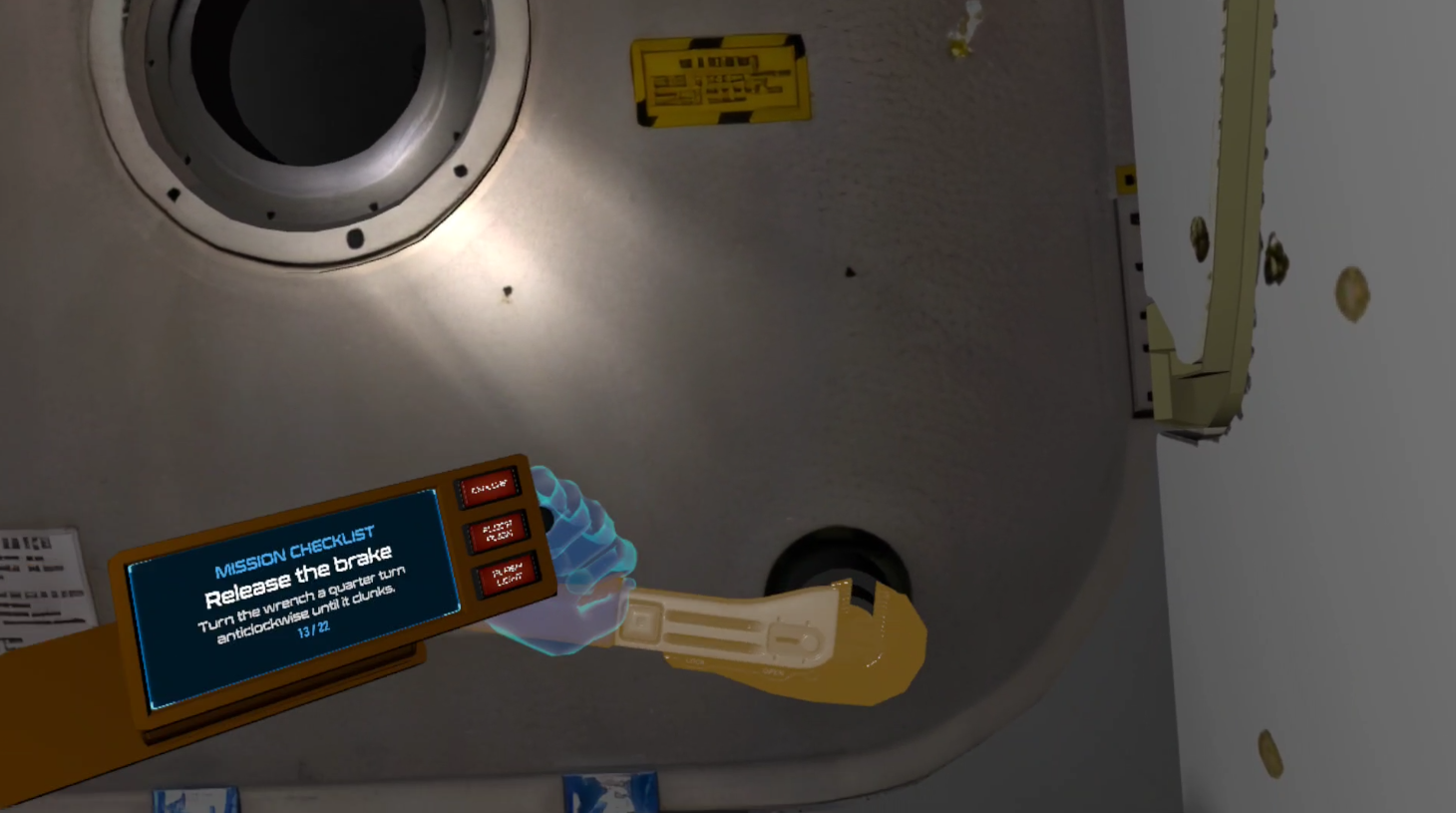
- Guided, not hand-held. A hands-on tutorial teaches pinch, fist grab, the wrist menu and the wrist flashlight. A physical mission checklist and objective markers then walk you through preparing the lander and undocking.
How I built it
I built Orbital Operations solo in Meta's fork of Unreal Engine 5.7, using C++, Blueprints, the Meta XR plugin and Quest hand tracking. I started with the Meta Interaction SDK, but its interactions assume a fixed floor and tracking space. In orbit, the player's frame of reference is a ship that is moving and rotating. So I wrote my own interaction layer in C++ (poke buttons, levers, valves, hatches, grabbable props and zero-G movement) that works relative to whatever ship you're inside.
Zero-G locomotion. The player isn't simulated as a physics body. Instead, the player is a momentum-carrying pawn, and their hands are the only source of force:
- Grab and launch: while you hold on, your body moves opposite to your hand. When you let go, you launch at your recent peak hand speed, capped at 4 m/s. With no damping, that velocity stays with you. It's Newton's first law in practice: $$\vec{v}{\text{release}} = -k \cdot \max{t-0.15\,\text{s} \le \tau \le t} \lVert \vec{v}_{\text{hand}}(\tau) \rVert \cdot \hat{d}, \qquad \frac{d\vec{v}}{dt} = 0 \text{ until you touch something}$$
- Palm pushes use a friction cone. How much of your palm's slide along a wall carries into your motion is limited by how hard you press into the wall. A firm angled shove sends you off at an angle; a light brush slips.
- Hand-tracking noise is filtered with a One-Euro filter, so a held hand stays steady but fast pulls don't lag.
Tactile controls. The buttons, sliders, dials and hinges are custom components, not UI widgets:
- Press and release thresholds sit at different depths (press at 60% of travel, release at 20%), so a trembling finger can't make a button chatter.
- A head-direction focus gate ignores presses on controls you aren't looking at, so a hand reaching past a panel doesn't trigger it.
- Hand pushback stops your virtual hand at the surface of hulls and panels instead of letting it sink through.
Real ephemeris. NASA NAIF SPICE kernels are bundled with the game and queried to place the Sun, Earth and Moon at the simulation's time. Spacecraft orbits in the Moon's frame drive an orbit display that shows periapsis and apoapsis.
A solar system on a phone chip. Orbital Operations renders planets and spacecraft at real scale and in their real positions on Quest's forward mobile renderer, with no post-processing. That scale broke assumptions the mobile renderer makes. Local lights failed far from the world origin, so I patched Meta's engine fork. Docked spacecraft packed more lights into one view than Android's default per-tile limit allows, so I raised that limit. The Moon's surface detail is baked from NASA LRO elevation data so that it holds up from orbit down to landing. Standard optimizations (dynamic resolution, LODs, occlusion culling and instancing) keep it at frame rate.
Challenges I ran into
No floor to stand on. Off-the-shelf VR interaction assumes a fixed tracking floor. In orbit, your frame of reference is a ship that moves and rotates, so every press, grab and push has to be worked out relative to the ship you're inside. That's why I replaced Meta's Interaction SDK with my own interaction layer.
Planet-scale coordinates on a mobile GPU. A Moon-sized world puts the station far from the engine's origin. Floating-point precision that far out made buttons jitter, made precise interactions pop, and made local lights misbehave on mobile. I moved the interaction math into local frames to reduce the jitter, and patched the engine's mobile lighting path.
Making bare-finger presses reliable. Early buttons fired when a hand only approached them, bounced on release, or got pressed by a hand reaching past. I added a gap between the press and release depths, an overshoot window so that pushing too far doesn't count as a release, and a focus gate that ignores buttons you aren't looking at. With no haptics, making a button feel right took more iteration than any other system in the game.
Losing hand tracking mid-maneuver. Hands often drop out of tracking exactly when you need them, like when you reach behind a panel or push off a wall beside you. A held grip rides out short tracking losses (about 0.15 s), palm pushes still work at low tracking confidence, and new grabs can only start within your field of view. You won't let go of a handrail just because the cameras lost sight of your fingers.
Comfort in zero G. Movement comes mainly from your own hands, so what you feel and what you see mostly agree. Stick turning eases in and out to avoid sudden rotation. Cockpits give you a fixed seat, and you can switch between floating and strapped in. Fades use in-world geometry, because a post-process-free mobile renderer can't use screen effects. Floating through hatches meant handling head bumps on hatch rims gently, with a small edge assist so you slide through instead of stopping dead.
Fitting the Moon on a headset. Real lunar elevation and color data is huge. I baked, compressed and budgeted 16K textures to fit in a standalone headset's memory.
Accomplishments that I'm proud of
Interaction built for moving spacecraft. Every button, lever, valve, hatch and floating prop works relative to the ship you're inside (your local frame of reference), not the world. You can flip a switch, crank a hatch or catch a drifting wrench while the ship moves and rotates, all with bare hands.
A real solar system on a standalone headset. The Sun, Earth and Moon sit at their true positions from NASA SPICE data. The lunar surface is baked from NASA LRO elevation data and holds up from orbit down to landing. It all runs at a stable frame rate on Quest's mobile chip, with no PC attached.
Fixing the engine, not working around it. When mobile lighting broke at planetary distances, I patched Meta's Unreal Engine fork myself.
Procedures, not menus. You fly a mission by doing real tasks: power up the cockpit, equalize pressure before opening a hatch, brake a bolt with a wrench, dock and undock. A checklist and objective markers guide you, and live orbit, docking and telemetry displays show what's happening. You learn how spaceflight works by doing it.
Comfortable zero-G movement. You get around by pushing off walls and pulling yourself along handrails, with no thumbstick flying, and it stays comfortable.
One developer, start to finish. Design, C++, Blueprints, art integration, engine patches and Quest optimization are all my own work.
What's next for Orbital Operations
Failures and emergencies. You'll diagnose and fix problems by following procedures: a slow cabin leak, a saturated CO₂ scrubber, a power fault, or a solar storm warning that sends you to the most shielded part of the station. Real astronauts train this way. It's also where immersion teaches best, because you remember what you fixed with your own hands.
Keeping the crew alive. You'll track and manage oxygen, CO₂, cabin pressure, temperature and radiation dose, along with power, thermal control and consumables, all on the cockpit displays. These are the systems that fail in emergencies, and they build on the power-up sequence and hatch pressure equalizer already in the game.
Cooperative crews. Several players share one mission and split the roles. One flies the lander while another runs the station, or one reads the checklist while the other works the panel. The ship-relative interaction layer already gives every player a common frame of reference. Shared emergencies are where co-op works best, because no one can fix everything alone.
Casual and realistic modes. The same missions at two levels of depth. Casual mode guides you, gives you assists and forgives mistakes, so anyone can pick it up. Realistic mode uses real consumables, real fuel budgets and full procedures. Players move from one to the other as they learn.
Missions past, present and future. Fly historic and upcoming missions, such as Artemis, on their real dates, with the Earth, Moon and Sun where they actually were. The SPICE data already places every body correctly for any date. After that come near-future scenarios grounded in real plans, such as a lunar base, a crewed Mars transit and asteroid operations.
Further out. Interplanetary transfers, more accurate landing physics, and a guided autopilot for complex maneuvers that builds on the automatic docking approach. Also more Gateway modules, a full airlock cycle, and spacewalks that use the same handrail movement you use inside.
NOTE: Select spacecraft 3D models and ephemeris datasets courtesy of NASA (public domain, modified by the developer; not endorsed by NASA).
Built With
- c++
- maya
- meta-xr-sdk
- naif
- perforce
- spice
- unreal-engine