Inspiration
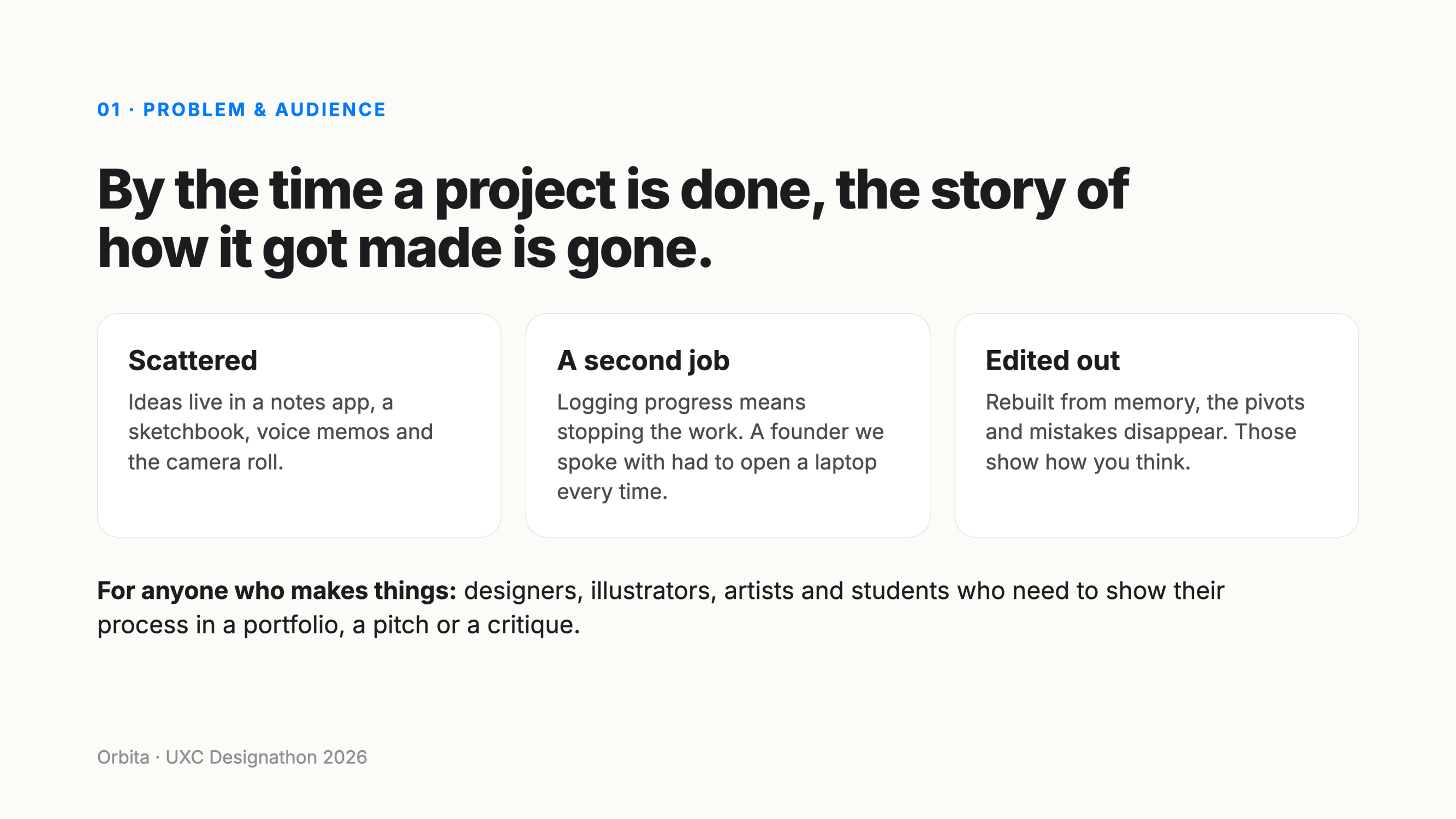
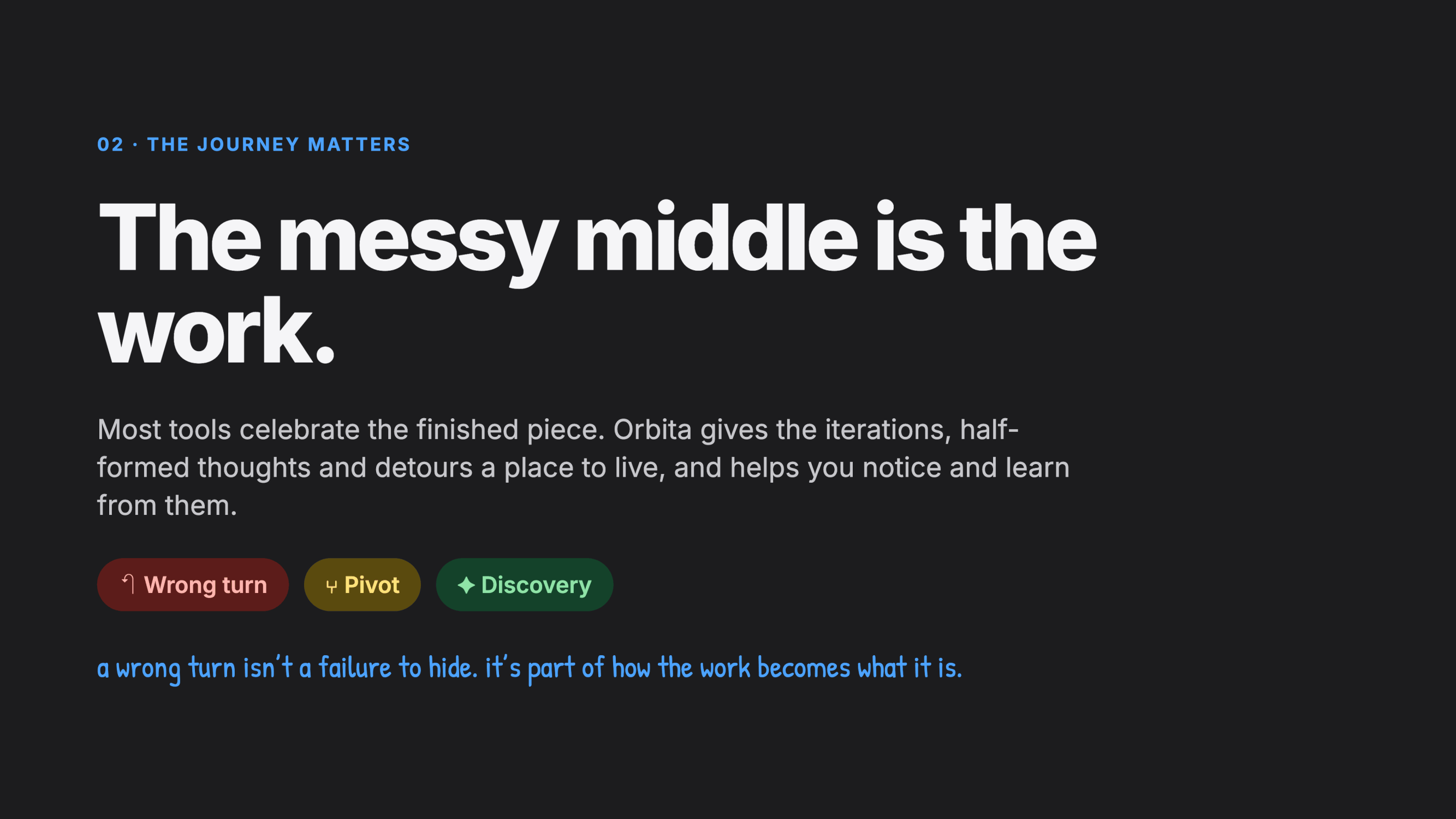
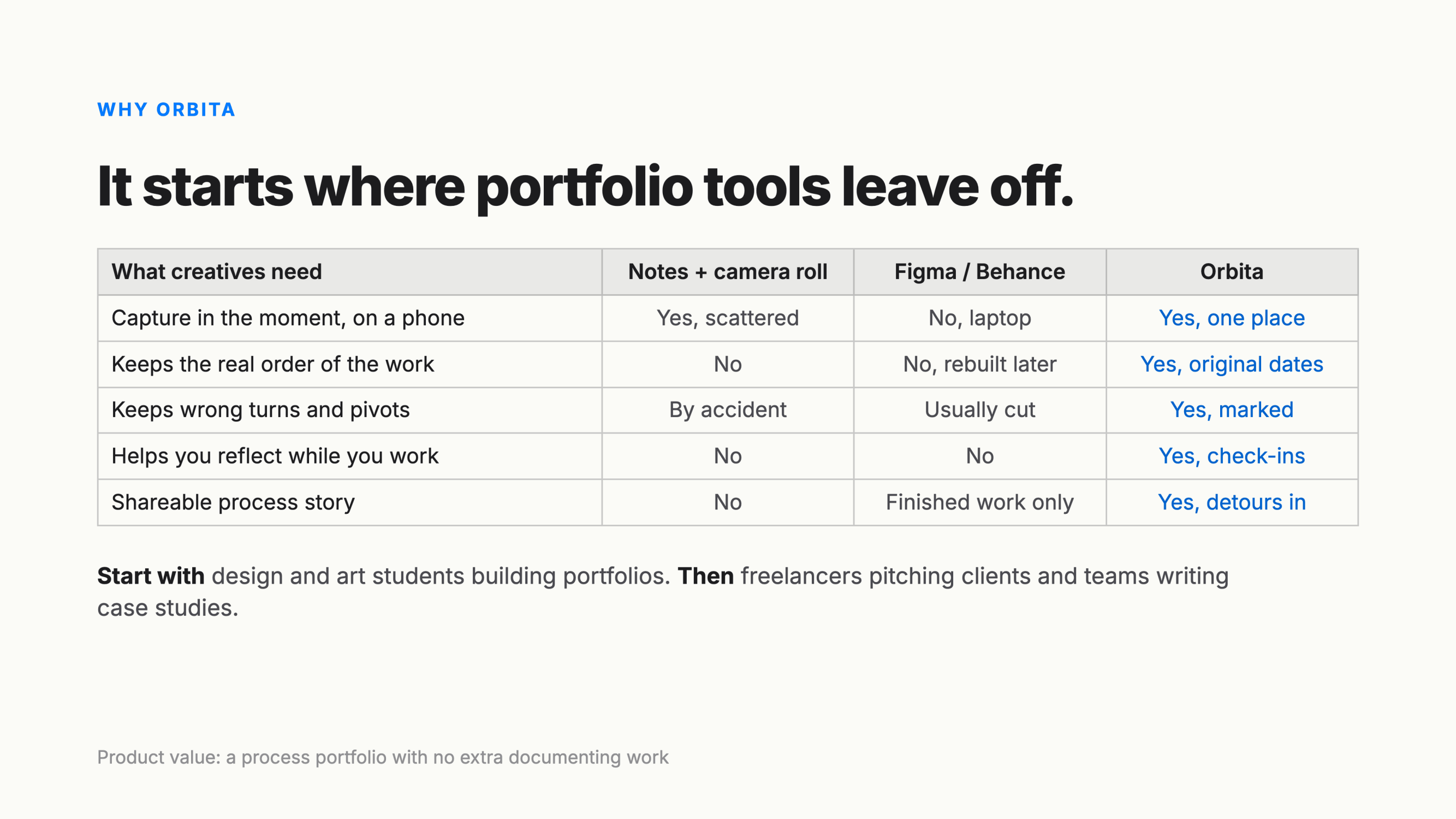
It started with a startup founder's frustration. Every time they wanted to log progress, they had to stop, open a laptop and rebuild what happened from memory. Tools like Figma and Behance aren't built for the phone, and they only show the finished piece. We realized this happens to every creative. Ideas land in a notes app, a sketchbook, voice memos and the camera roll. By the time a project is done, the story of how it got made is gone. The parts that get lost first, the pivots and the wrong turns, are the ones that show how you think. The prompt, The Journey Matters, put a name to it: the messy middle is the work.
What it does
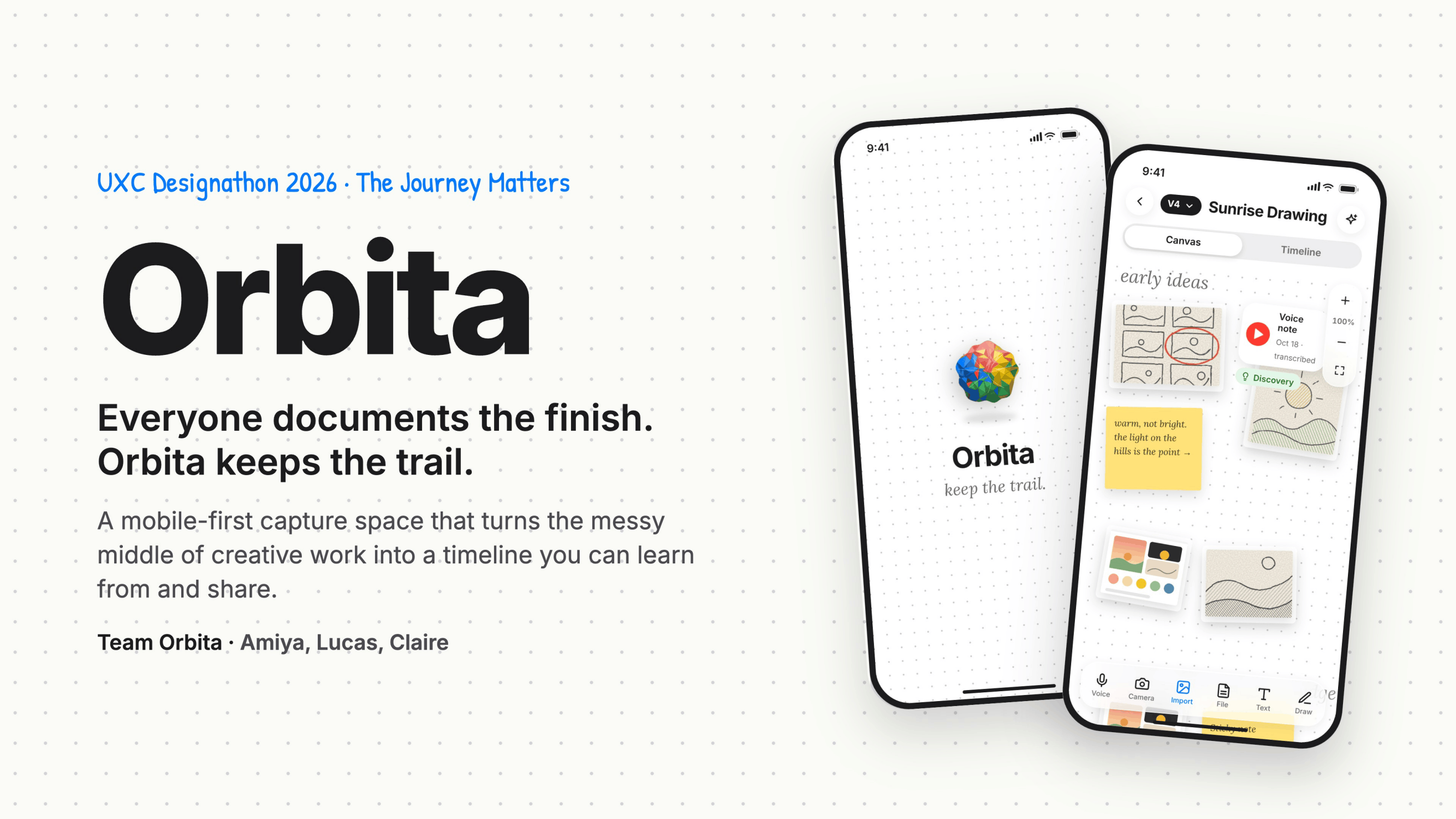
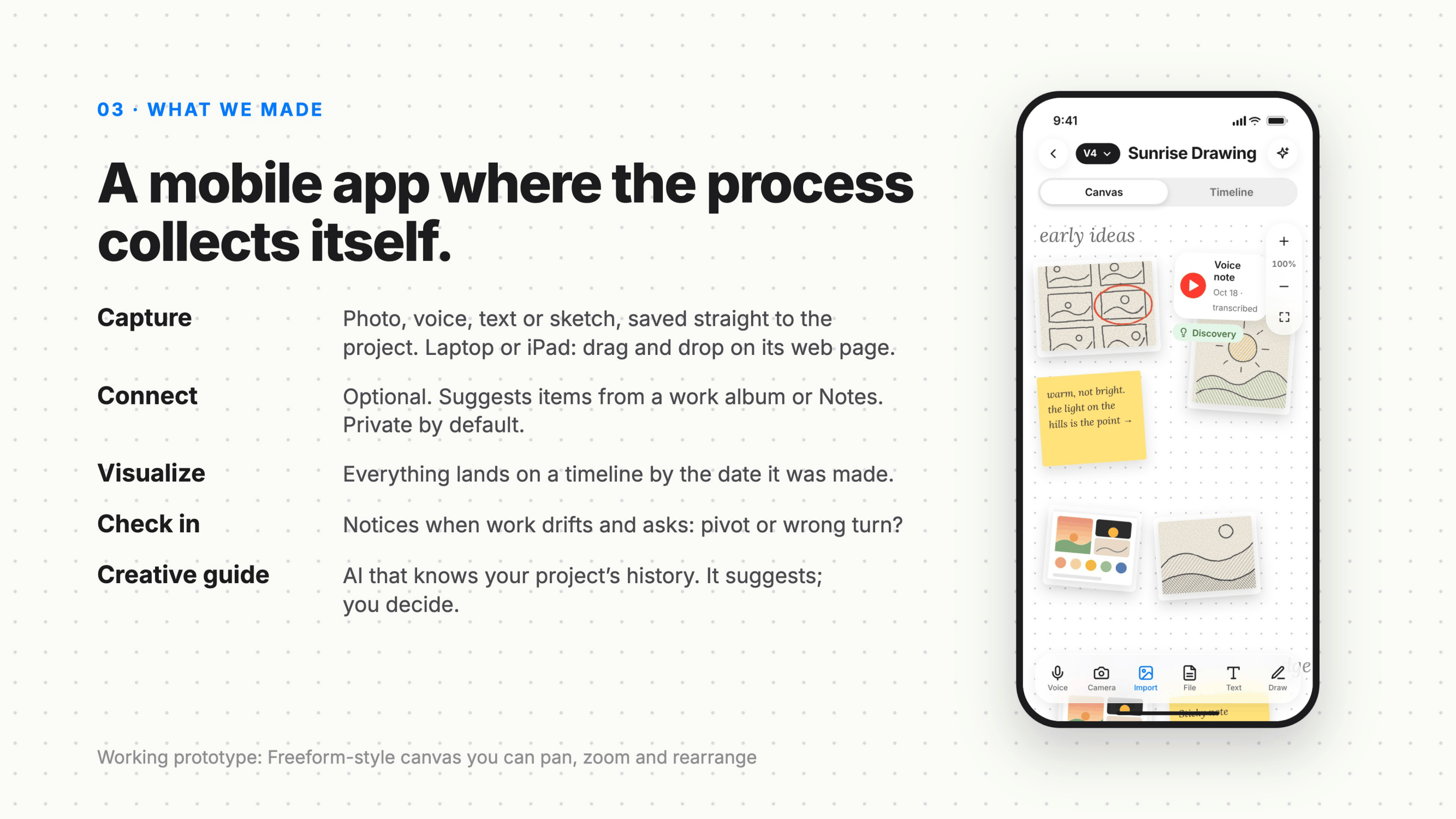
Orbita is a mobile-first capture space where your process collects itself.
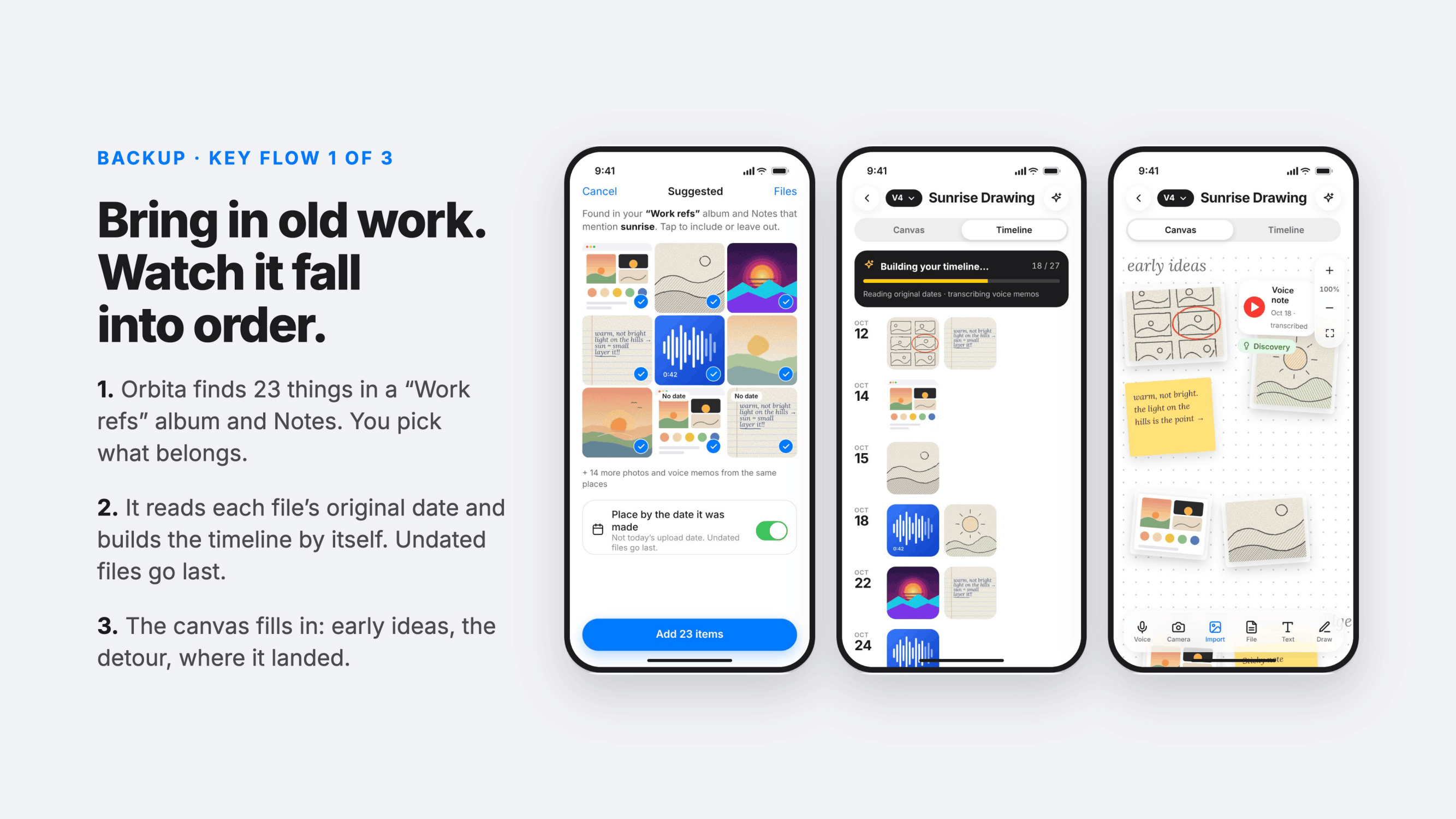
- Capture a photo, voice note, text or sketch, saved straight to the project. On a laptop or iPad, drag and drop works too.
- Connect (optional): Orbita can suggest items from a work album or Notes. It's private by default, and nothing is shared unless you export it.
- Visualize: everything lands on a timeline by the date it was actually made, and on a Freeform-style canvas you can pan, zoom and rearrange.
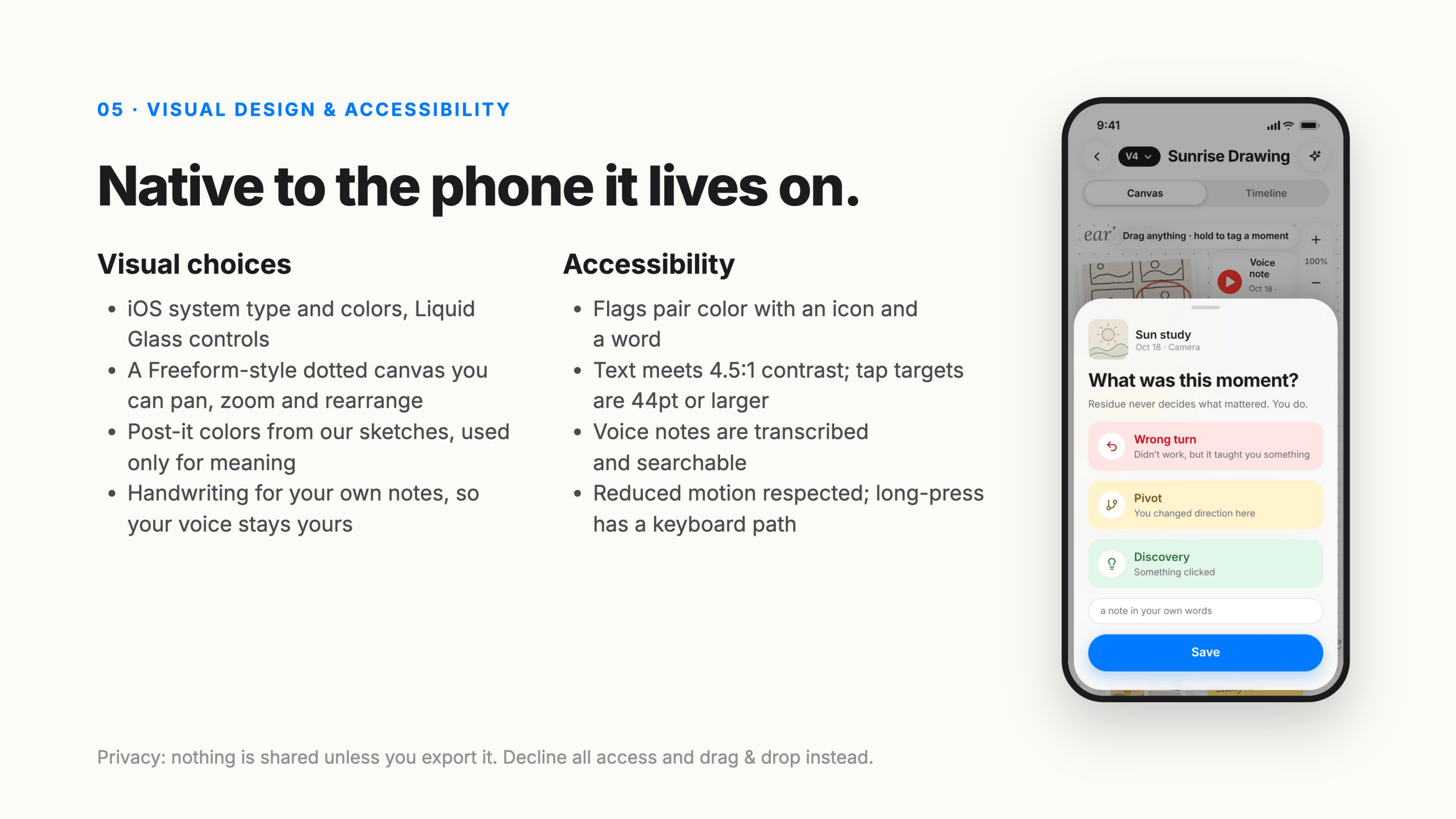
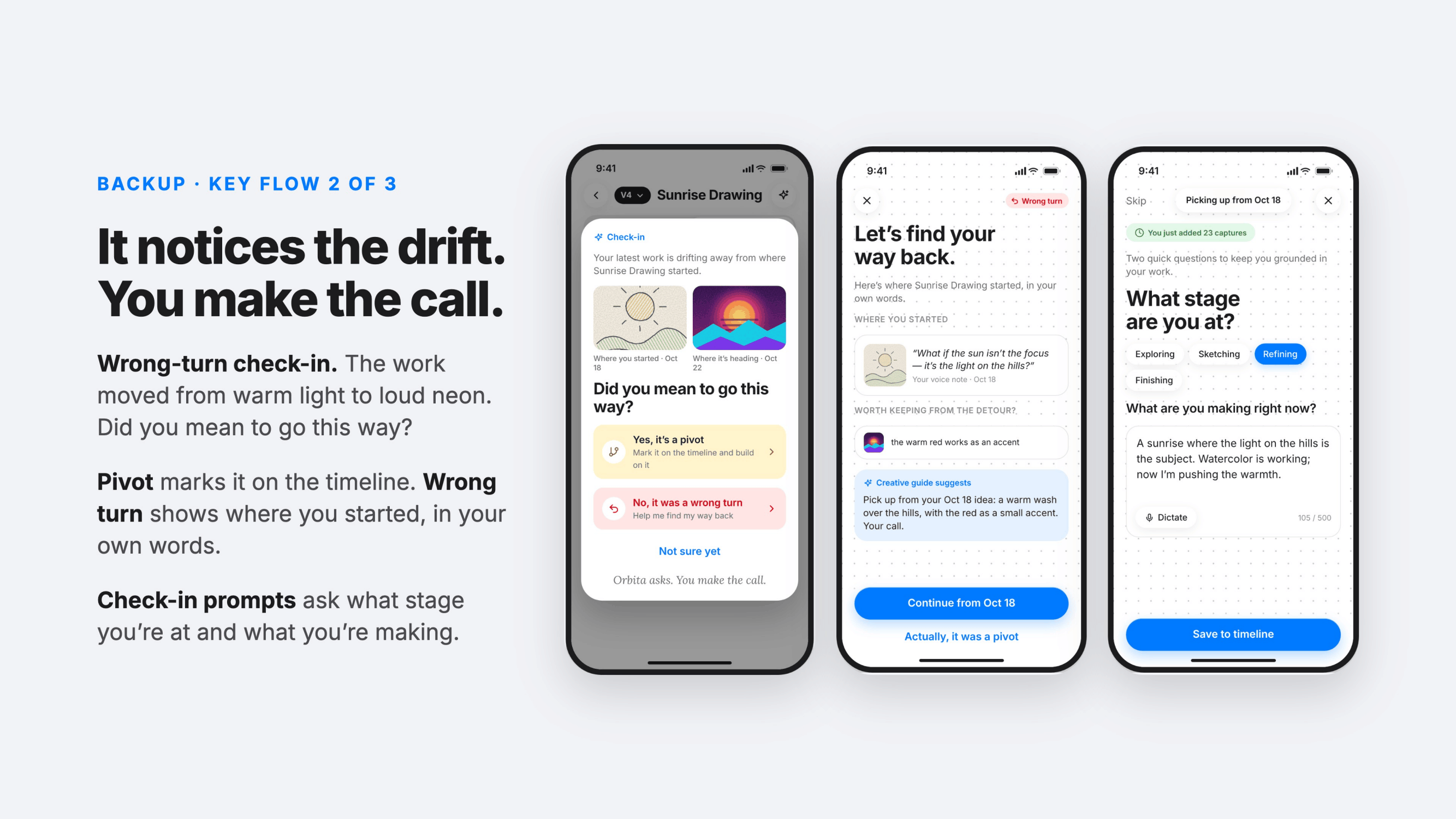
- Check in: when the work drifts from where it started, Orbita asks one question: did you mean to go this way? Mark it as a pivot, or call it a wrong turn and see where you began, in your own words.
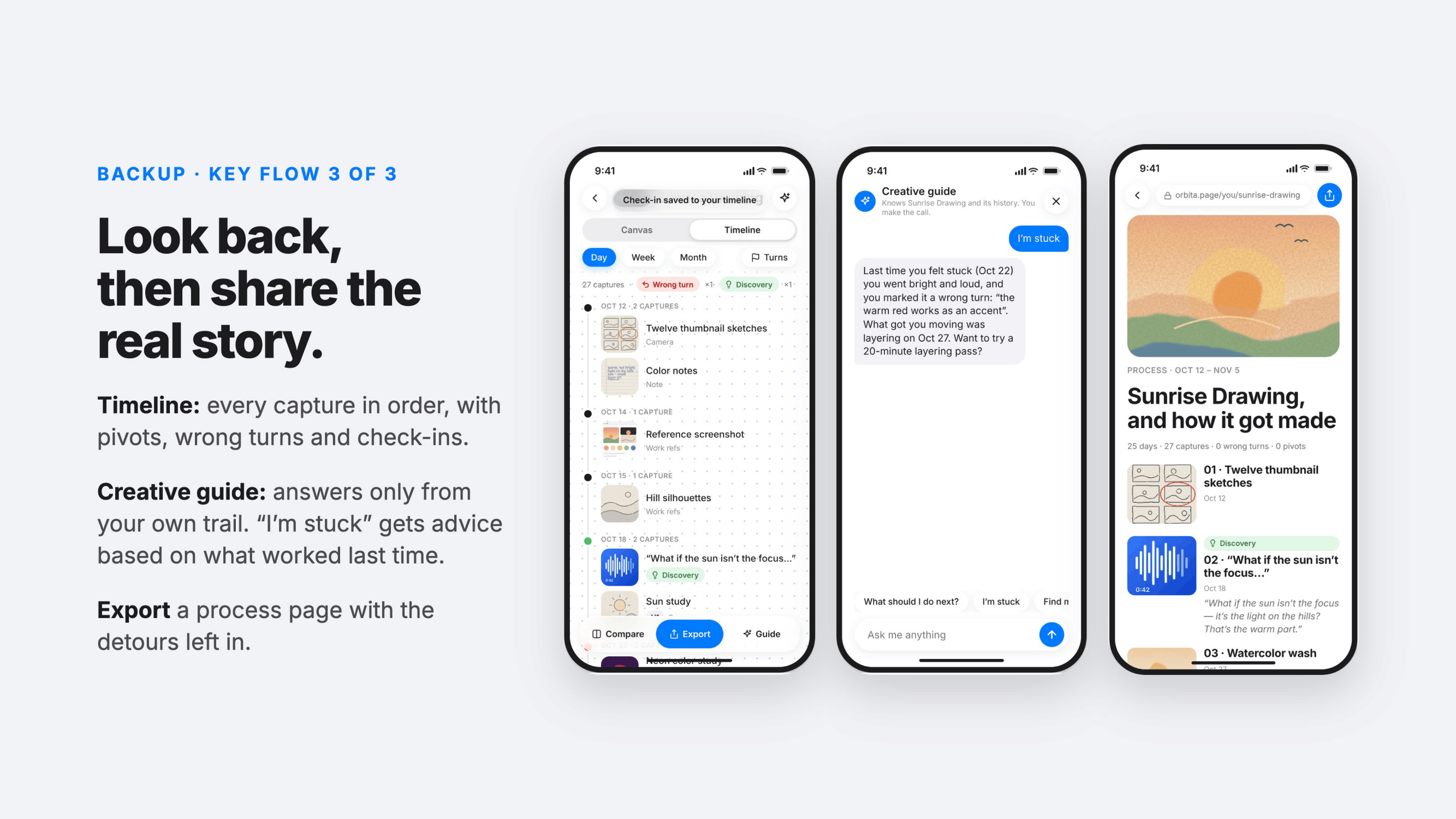
- Creative guide: an assistant that only knows your project's history. When you're stuck, it reminds you what worked last time. It suggests; you decide.
- Export a process page for your portfolio, with the detours left in.
How we built it
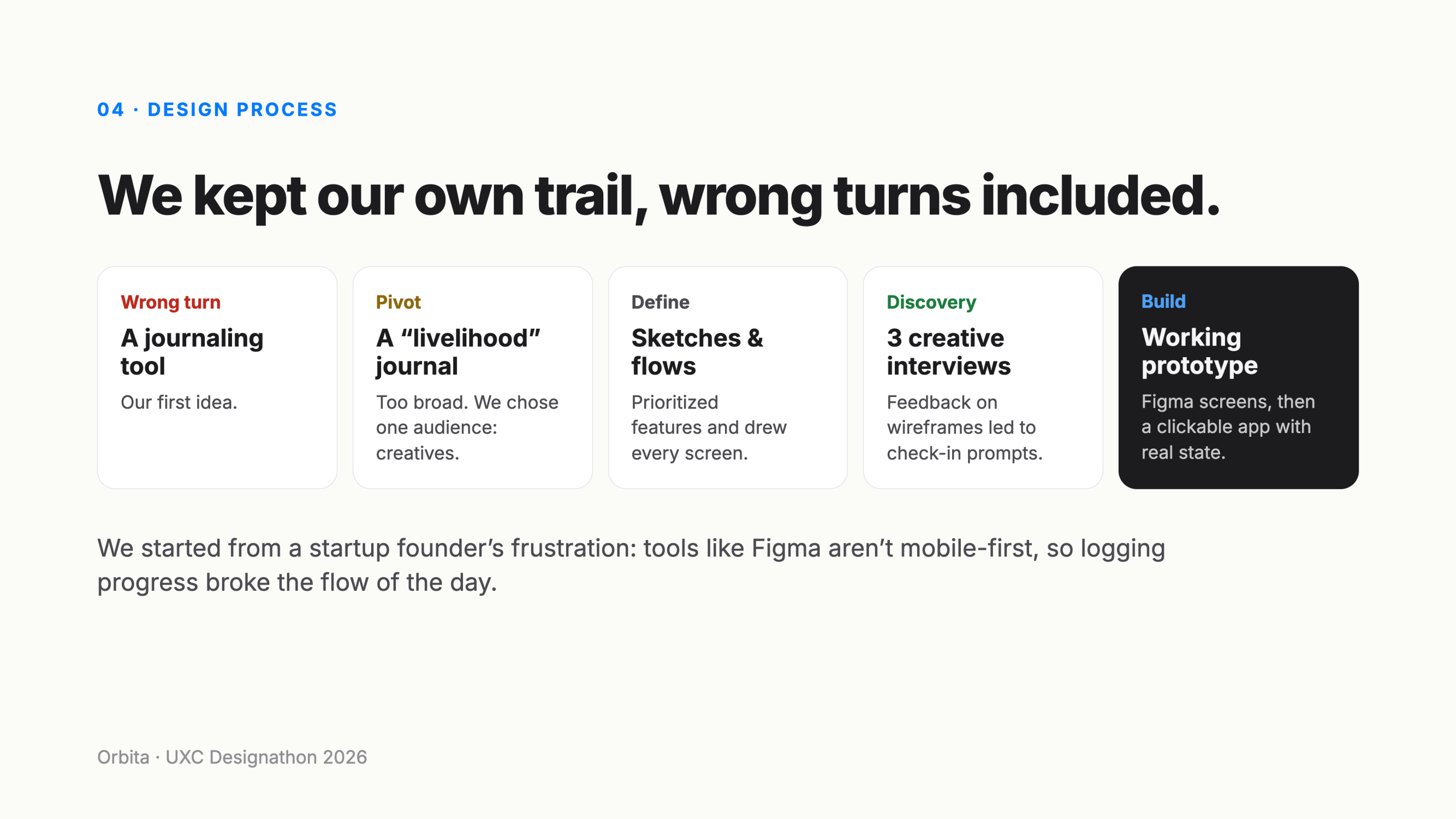
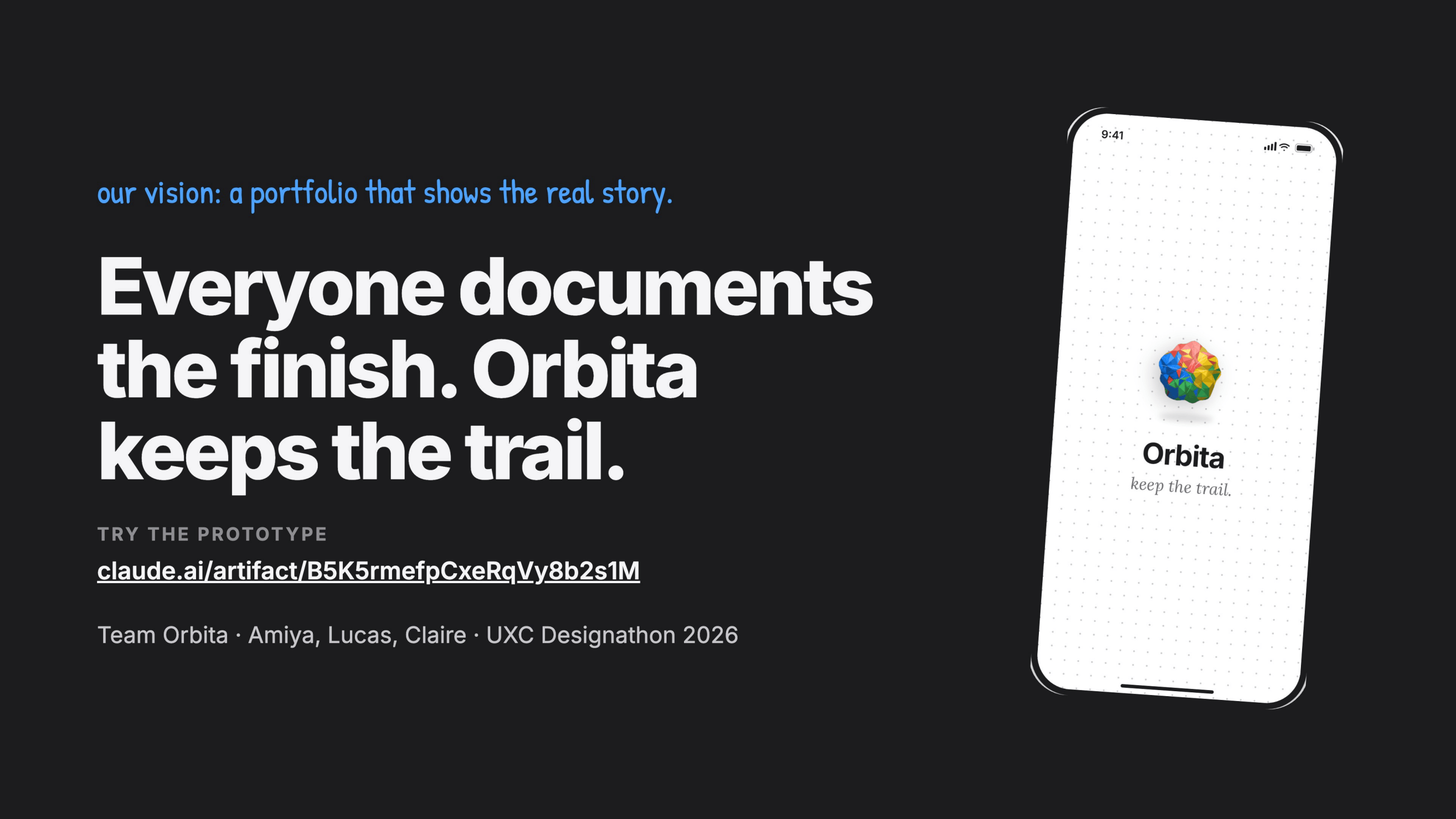
We followed our own process and kept the trail. We sketched every screen and flow on paper, prioritized features, and tested wireframes with three creatives. Their feedback led directly to the check-in prompts. Next we built the screens in Figma using native iOS patterns: system type and colors, Liquid Glass controls and a dotted Freeform-style canvas. Finally we turned the design into a working prototype in HTML, CSS and JavaScript with real state. The canvas is infinite and supports pan, pinch-zoom and drag. You can long-press any capture to flag it, switch between versions, and pin, delete and recover projects from Recently Deleted. The splash animation crumples scattered notes into a paper ball, generated in code.
Challenges we ran into
- Scope. Our first idea was a journaling tool, then a broad "livelihood" journal. Both were too wide, so we picked one audience: creatives.
- Assisting without taking over. An AI that decides what mattered would undo the point. Every check-in asks; it never decides.
- Gestures that feel native. Tap, drag and long-press do different things on the same canvas and home screen, so we kept tuning timings until each gesture felt like iOS.
- Making mess readable. We used color only to carry meaning, and always paired it with an icon and a word.
Accomplishments that we're proud of
- A working prototype, not just screens: you can capture, rearrange, flag, pin, delete and recover.
- A check-in flow that treats wrong turns as part of the story instead of failures to hide.
- A design that feels at home on an iPhone and stays accessible: 44pt tap targets, 4.5:1 text contrast, voice notes transcribed, and a tap alternative for every gesture.
What we learned
Showing creatives early wireframes changed the product more than any feature list did. We learned that "documenting your process" fails when it's a second job, so it has to happen while you work. We also learned that the hardest design decisions were about what Orbita shouldn't do: decide for you, share without asking, or hide the detours.
What's next for Orbita
- Testing with design and art students building portfolios, then with freelancers and teams writing case studies.
- A native SwiftUI build with on-device transcription and stronger privacy controls.
- Usability testing with VoiceOver users, plus a reduced-motion version of the animations.
- Process pages that can be embedded in Behance, personal sites and case studies.
Built With
- base44
- claude
- powerpoint
