-
-

Orbit
-
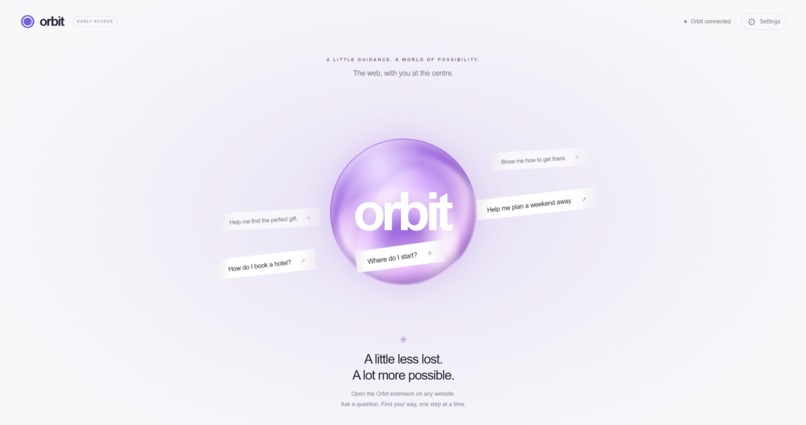
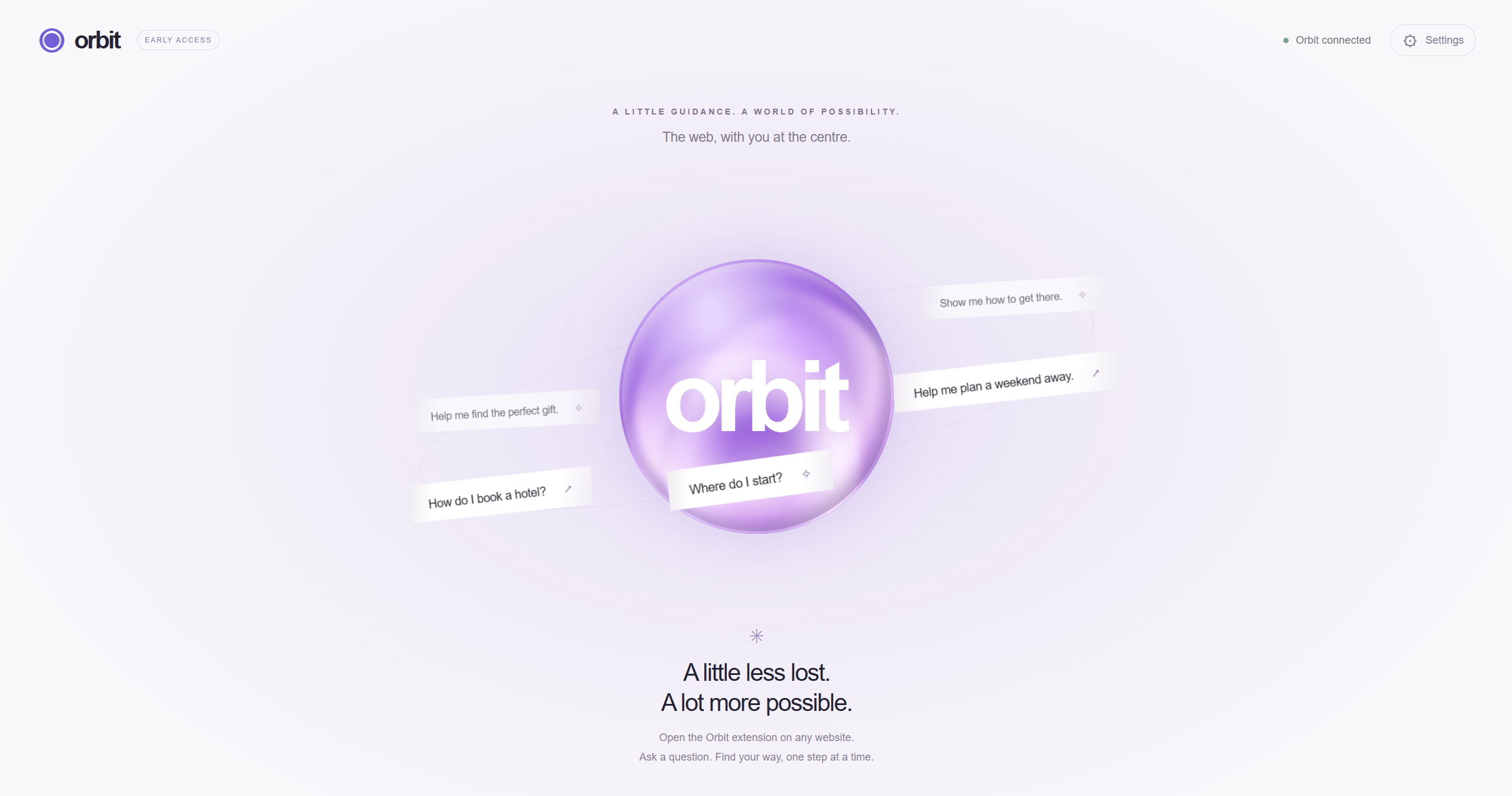
Orbit landing page
-
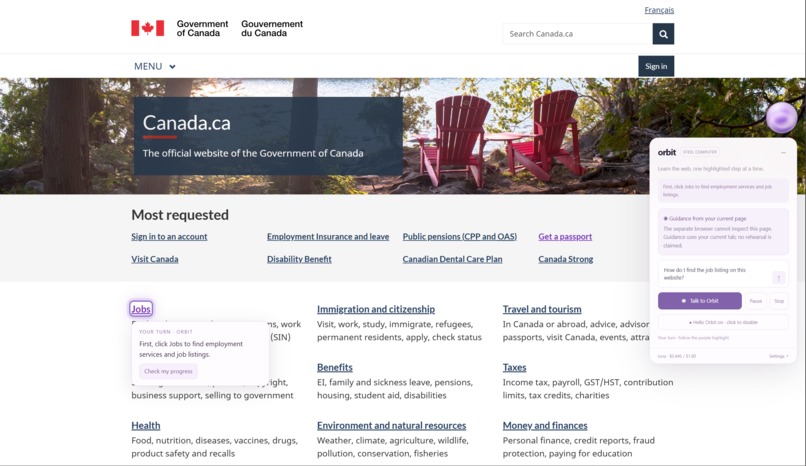
Finding website sections with Orbit
-
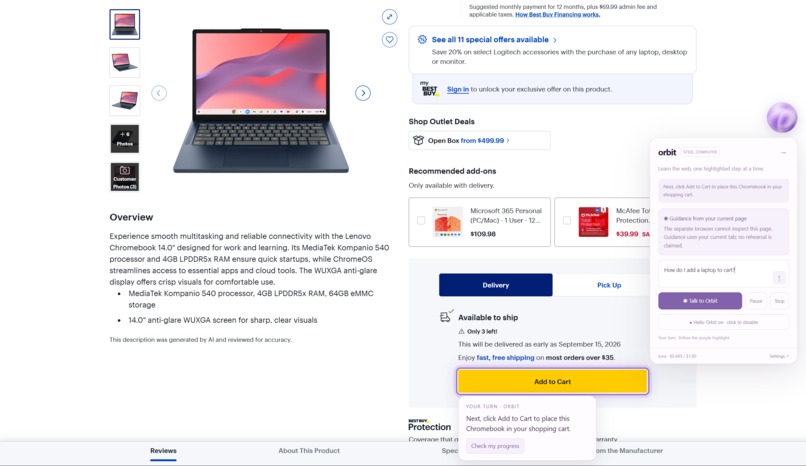
Performing tasks with Orbit

Inspiration
Not everyone knows how to use the web
You might know how to use Github. You may know how to program a full-stack application. You may know how to use APIs and set up servers. As tech-literate as you may be, there are people out there who struggle to use technology and the internet.
The internet is an amazing tool that opens a whole new world. You can order anything you want to your door, read almost any book you want, learn almost any subject you want. No one should be deprived of a great tool just because they don't understand how to use it.
So we set out to bridge that gap and allow everyone to easily learn how to use the web.
What it does
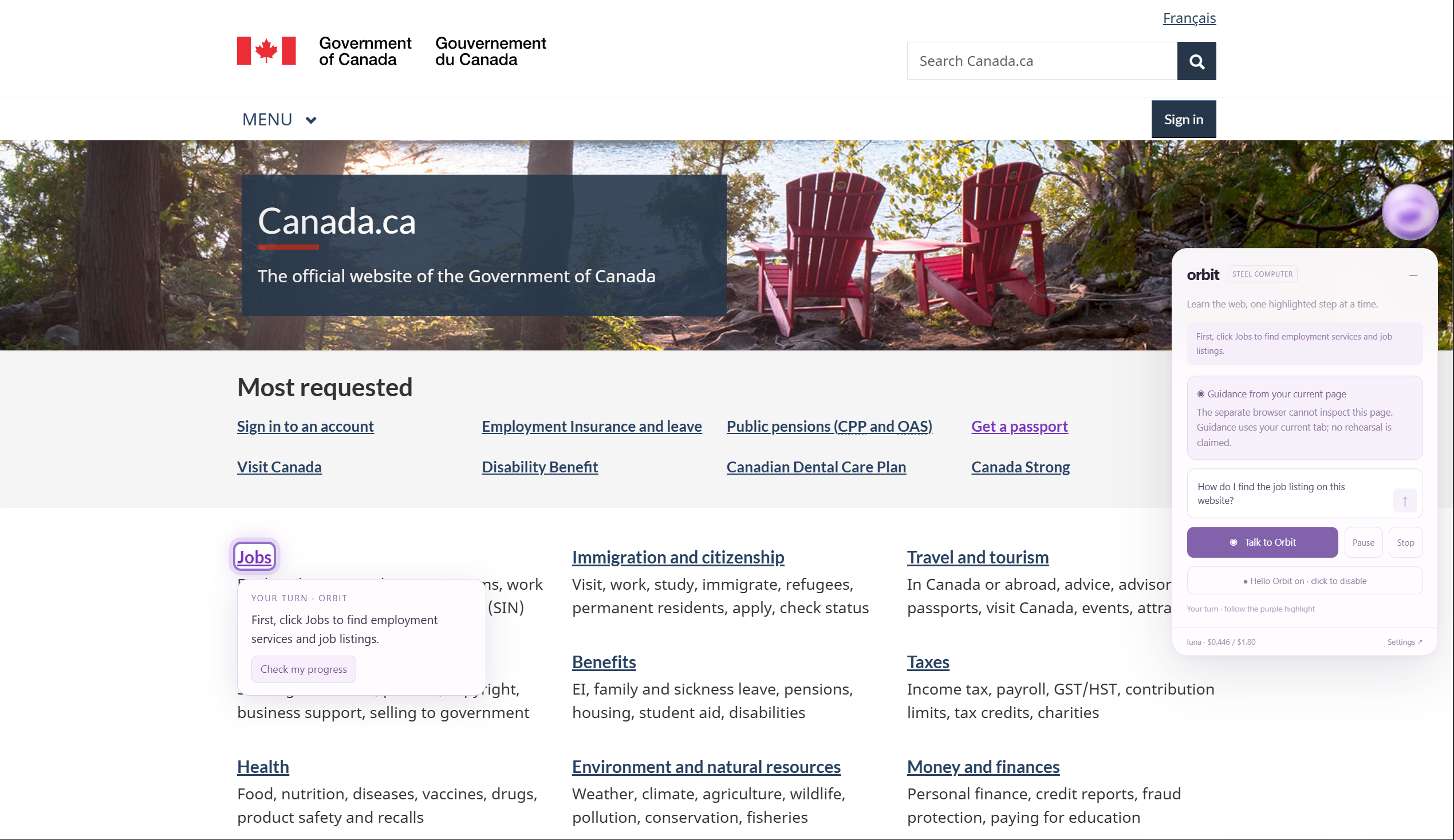
When you open a website, Orbit appears on the side as your helpful tutor. You can speak to Orbit by saying "Hello Orbit", or click on Orbit to use voice or text to input. Then, ask any question you have about navigating the site, how to use features, or even ask how to do a certain task. Some questions you could ask include:
- "How do I find the login page?"
- "How can I book a flight?"
- "How can I register for this event?"
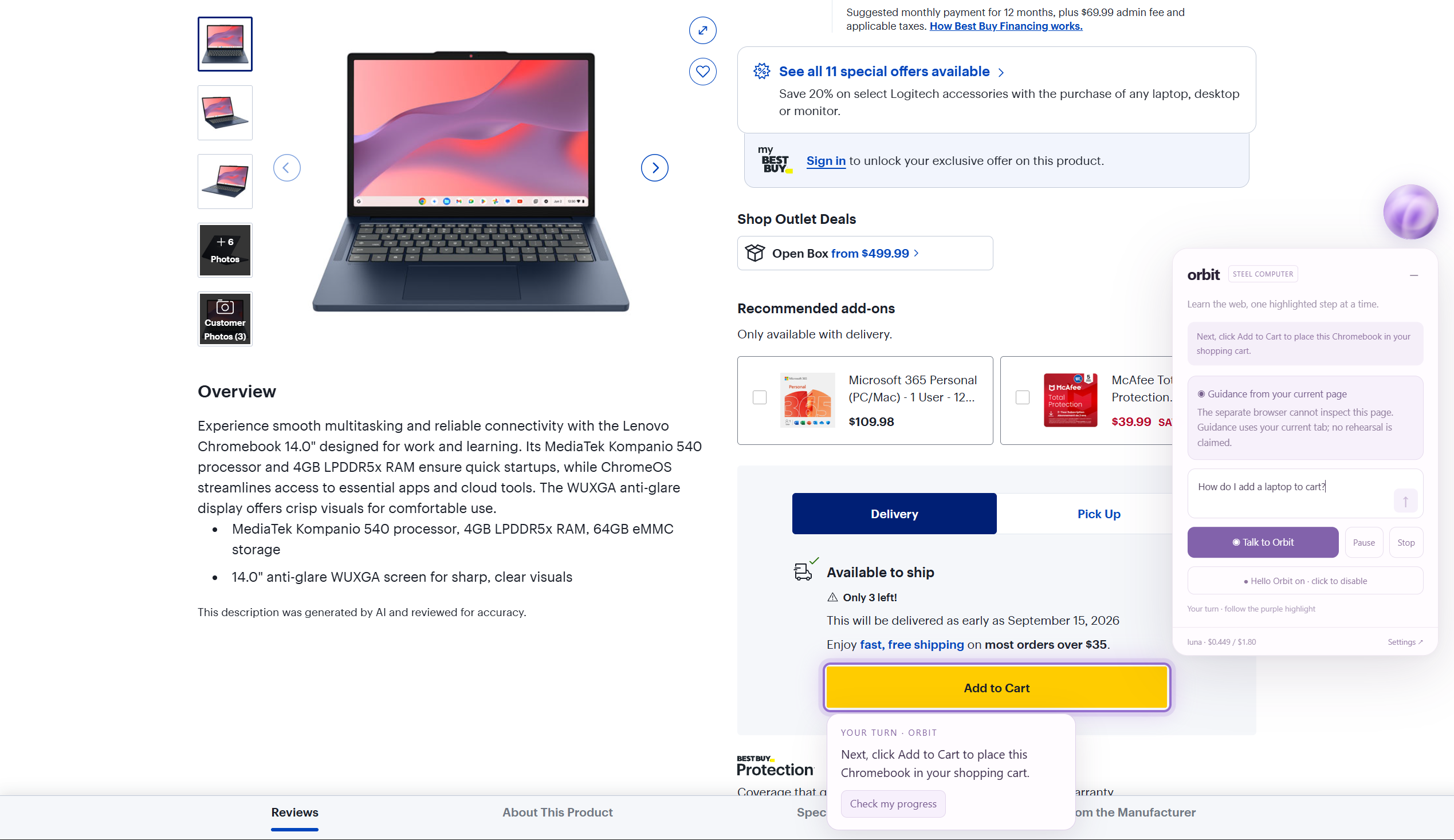
- "How do I this to cart?"
- "How can I find black cabinets for my kitchen?"
- "Where is the page for FAQs?"
Afterwards, Orbit begins working. Orbit won't take over and do the tasks for you. Like they say:
Give a man a fish, he eats for a day. Teach a man to fish, he eats for a lifetime
Orbit wasn't made to do the task for you, it was made to teach you how to use the internet.
So what does Orbit do? Instead, it'll highlight step-by-step on screen what you need to do. Every button, text field, and element you need to interact with will be highlighted on your screen with instructions on what to do. Follow the steps, and when you reach the end, you've learned how to do the exact thing you didn't know how to do like a minute ago!!!
How we built it
We built Orbit as a Chrome extension using JavaScript, HTML, and CSS, with a local Node.js server tying everything together.
When you ask Orbit a question, the extension creates a small map of the website you are currently viewing. It finds the buttons, links, text fields, menus, and nearby text that could help you complete your task. It can even look inside frames and hidden website components, while making sure not to read passwords.
Then, we use Steel Computer and Steel Browser to give Orbit a safe place to explore the public version of the website (basically like giving Orbit its own computer workstation). This browser is completely separate from yours, meaning it never receives your cookies, accounts, or login information. Using an OpenAI model, the agent looks at your question, what is visible in your real tab, and what it learned from its separate browser to choose the next step.
Instead of creating one giant list of instructions and hoping the website doesn't change, Orbit works one step at a time. It sends one instruction back to the extension, which finds the matching element and highlights it in purple. Once you complete the step, Orbit looks at the page again and decides what comes next. This means that if the website changes or you take a different path, Orbit can change its instructions too. Orbit uses its computer to use its browser, run requests that decide your next steps, and saves temporary navigation evidence.
For voice, we used Chrome's speech recognition to let you talk to Orbit and activate it by saying "Hello Orbit". Orbit can read its instructions aloud using your browser's built-in voices.
Most importantly, we designed every part of Orbit around keeping you in control. Orbit can look, explain, and highlight, but it will never click, type, or navigate for you.
Challenges we ran into
We ran into a few issues:
- The Steel Computer instances ran into bugs that caused Orbit to crash. This is expected that in its beta state, it is not very stable. We were forced to sometimes manually shut down the Steel Computers and wait for Orbit to make a fresh instance. The problem came from the Steel Computer getting stuck in a constant waking and pausing loop.
- We ran into issues when trying to make the TTS work. We attempted to use ElevenLabs Voice API for the TTS but it would not work. We ended up using just the default voices available in the browser.
- Getting the speech recognition to work had a lot of hiccups. While it isn't perfect even now, before there were a lot of instances where the voice recognition would not activate and would refuse to work no matter what.
- For a while we ran into a bug where we would hear two different TTS voices at the same time. However, that ended up being that we had an extra Orbit window open in the background... whoops
- Of course, AI isn't perfect, and a lot of times it failed to highlight the action that needed to be done by the user. While we rectified that, it isn't perfect even now.
Accomplishments that we're proud of
- Orbit seamlessly integrates into your web-browsing experience. It helps the you navigate websites with clear instruction, but doesn't get in your way when you're not using it.
- The UI and animation is very clean and visually impressive. The light purple theming works great with Orbit. We especially love the hovering Orbit icon on the side of your screen when browsing the web.
- It is very low-latency. With how much processing Orbit does (viewing your screen, exploring the pages on its own cloud computer, and then reporting back to show what your next step is) it still manages to be so quick.
- Finding a great use for Steel Computers. We wanted to use this brand new resource to see what it's capable of, and we feel our use highlights a great way Steel Computers can be utilized by agents.
What we learned
- We learned how to use Steel.dev tools to let AI agents browse the web and use their own computers, which can be a great tool to use in many different contexts and projects.
- We learned what goes into making a Chrome extension, which neither of us had done before.
- We learned how to adapt our ideas to come out with a great product while under the stress of a tight deadline and high expectations.
What's next for Orbit
There are a few next steps for Orbit to take it to the next level:
- Create an option to view a live demo of an agent performing the task you want to learn.
- Improve the agent model so that it can browse the web better, understand context more clearly, and therefore become a better teacher to the user.
- Get it prepared to upload to the Chrome Extension Store so that downloading and setting up is as easy as using Orbit itself.
Together with Orbit, there's nothing you can't do!
Built With
- css
- html
- javascript
- openai
- python
- steel.dev


Log in or sign up for Devpost to join the conversation.