-
-
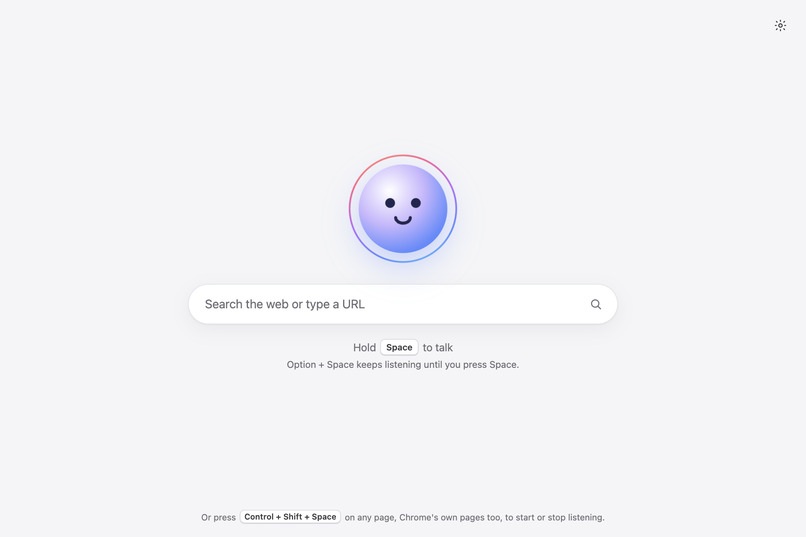
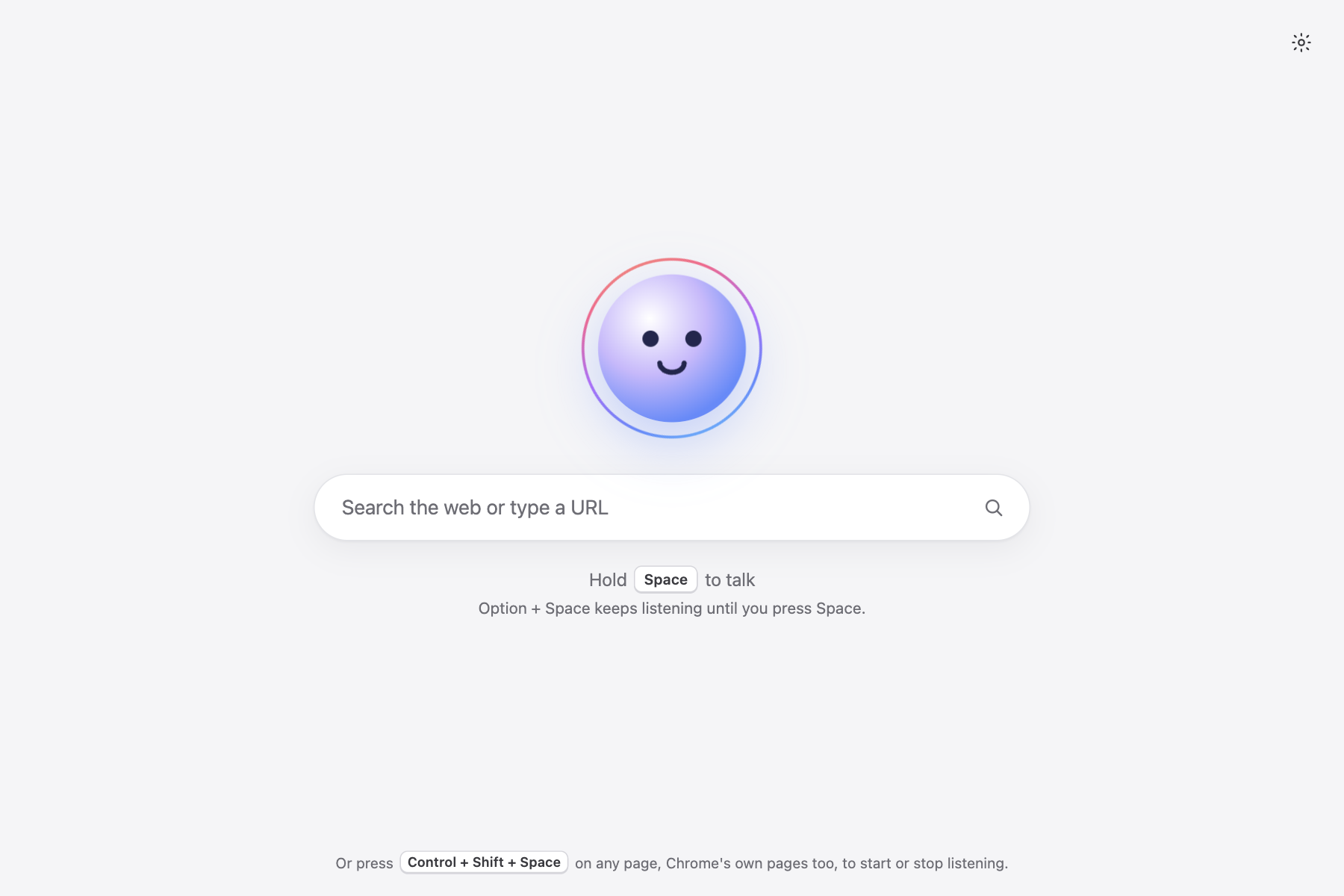
Open a new tab and Orbi is there. Hold Space and say what you want.
-
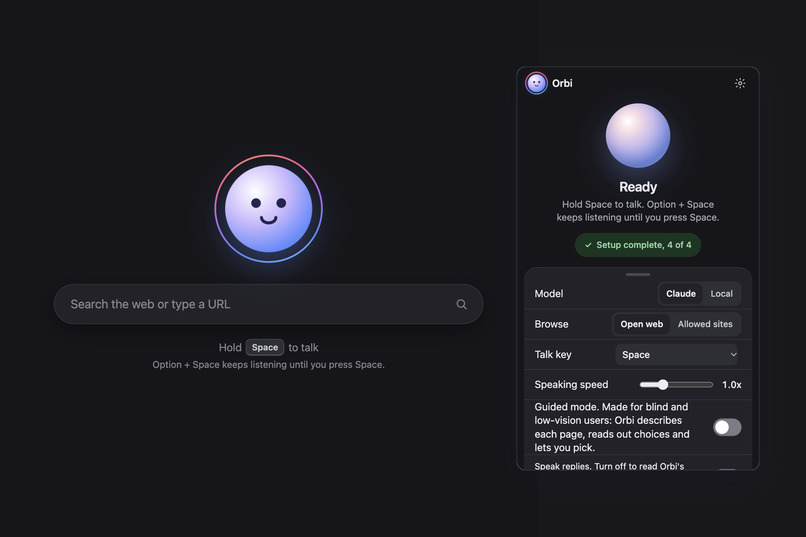
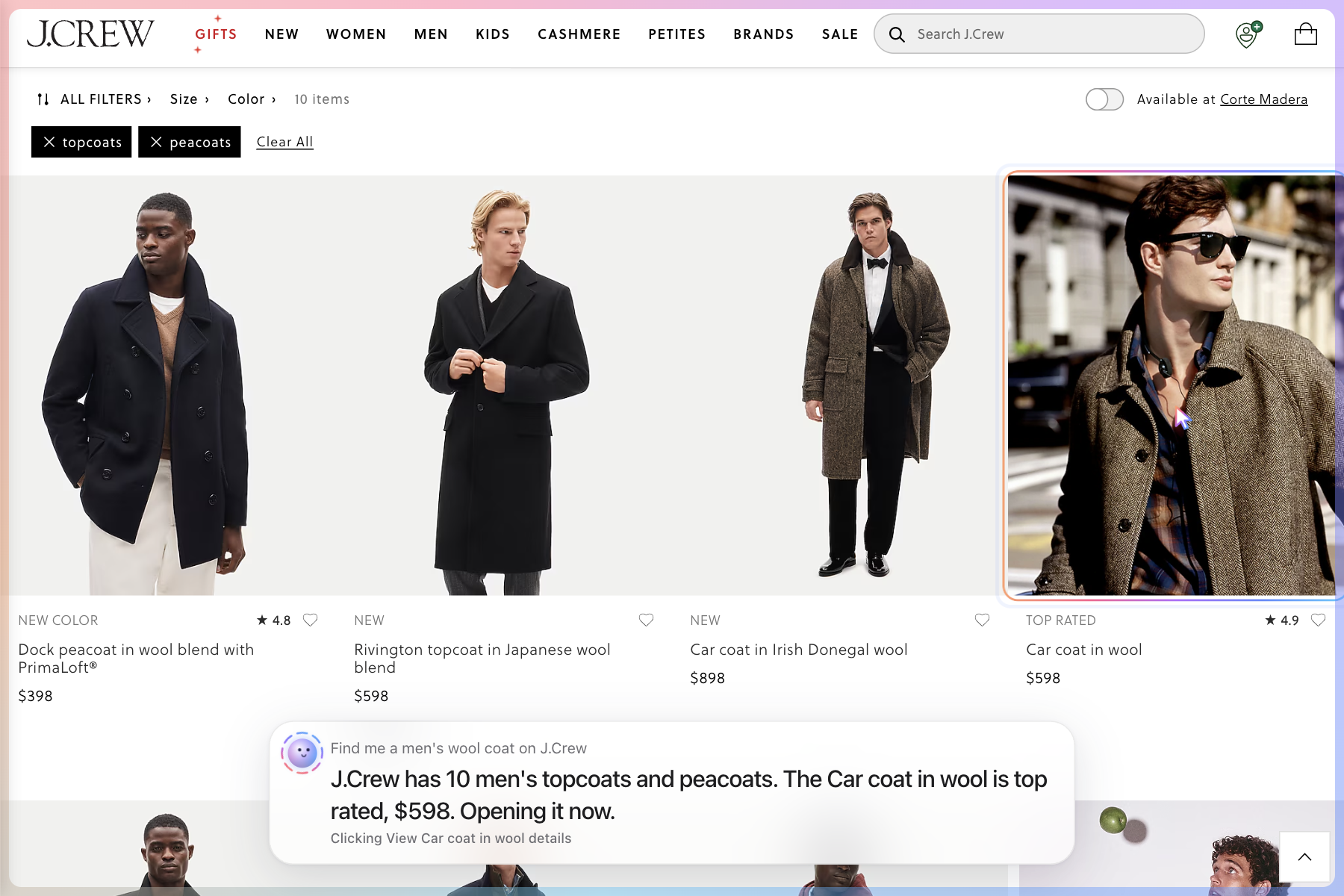
Ask for a men's wool coat. Orbi finds J.Crew's topcoats, names one with its price, and clicks it for you.
-
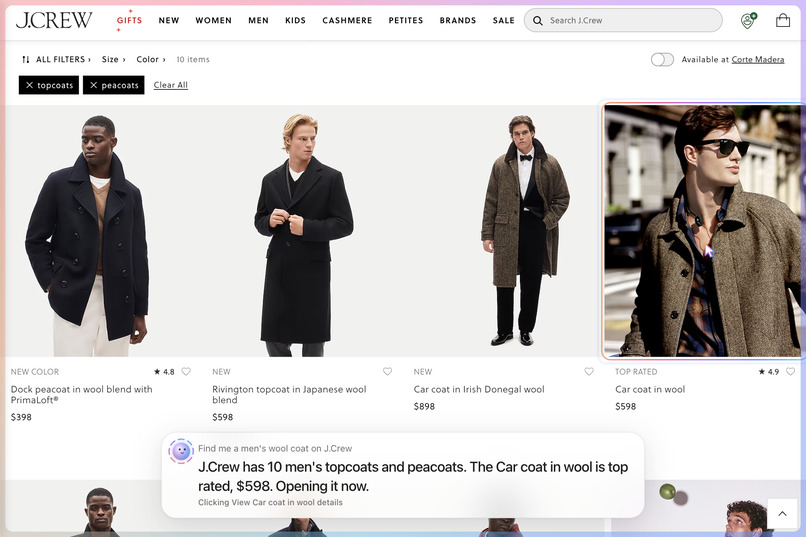
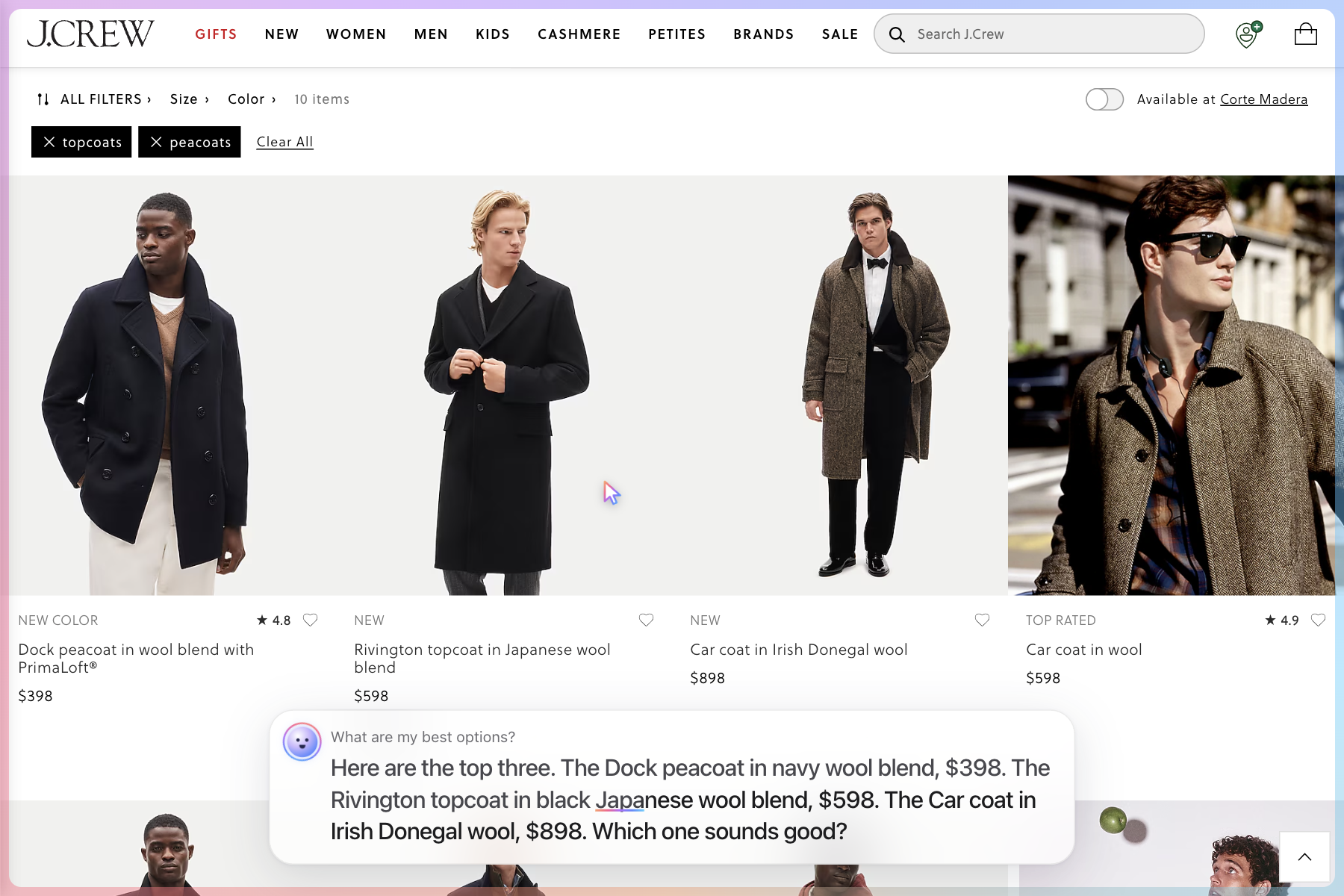
Guided mode reads out the top three coats with names and prices, then lets you pick by voice.
-
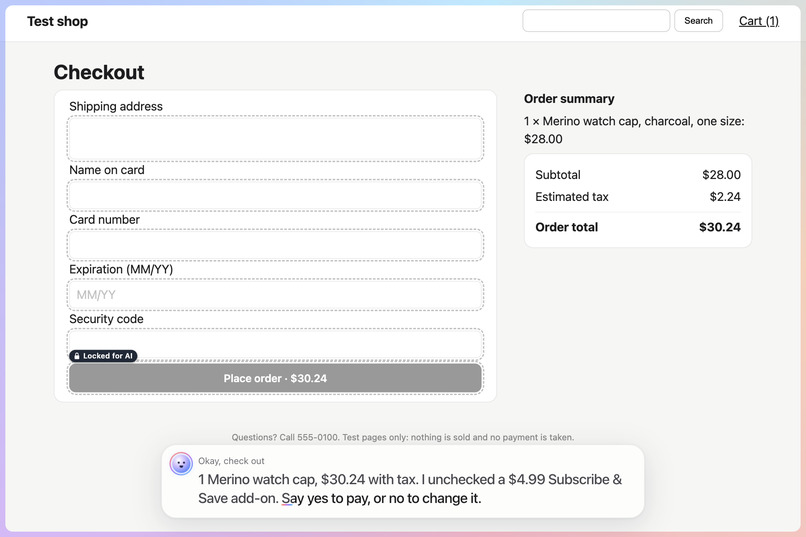
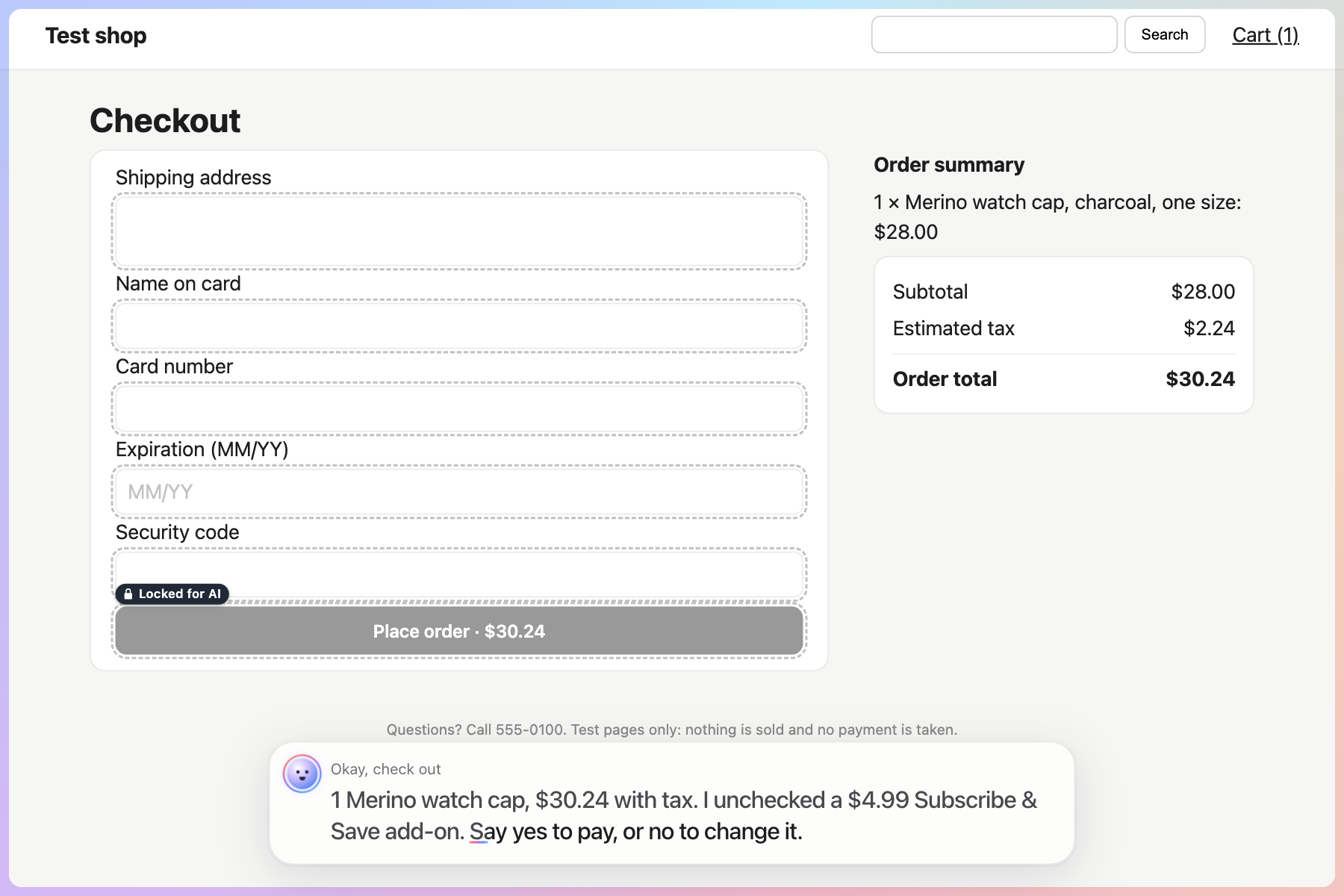
Before paying, Orbi reads back the total, unchecks sneaky add-ons, and waits for your yes. Pay buttons stay locked.
-
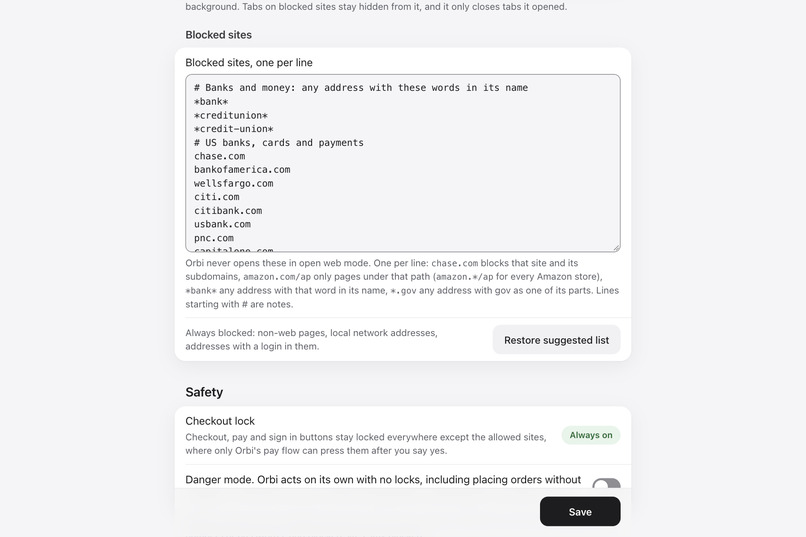
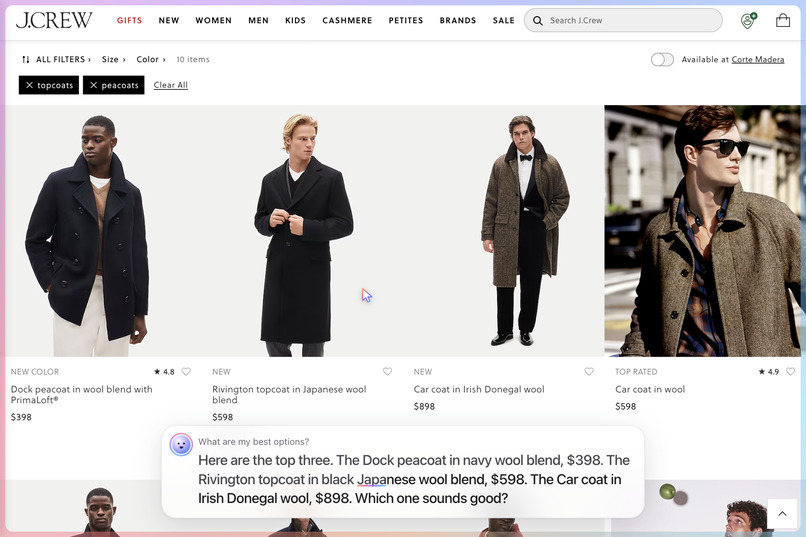
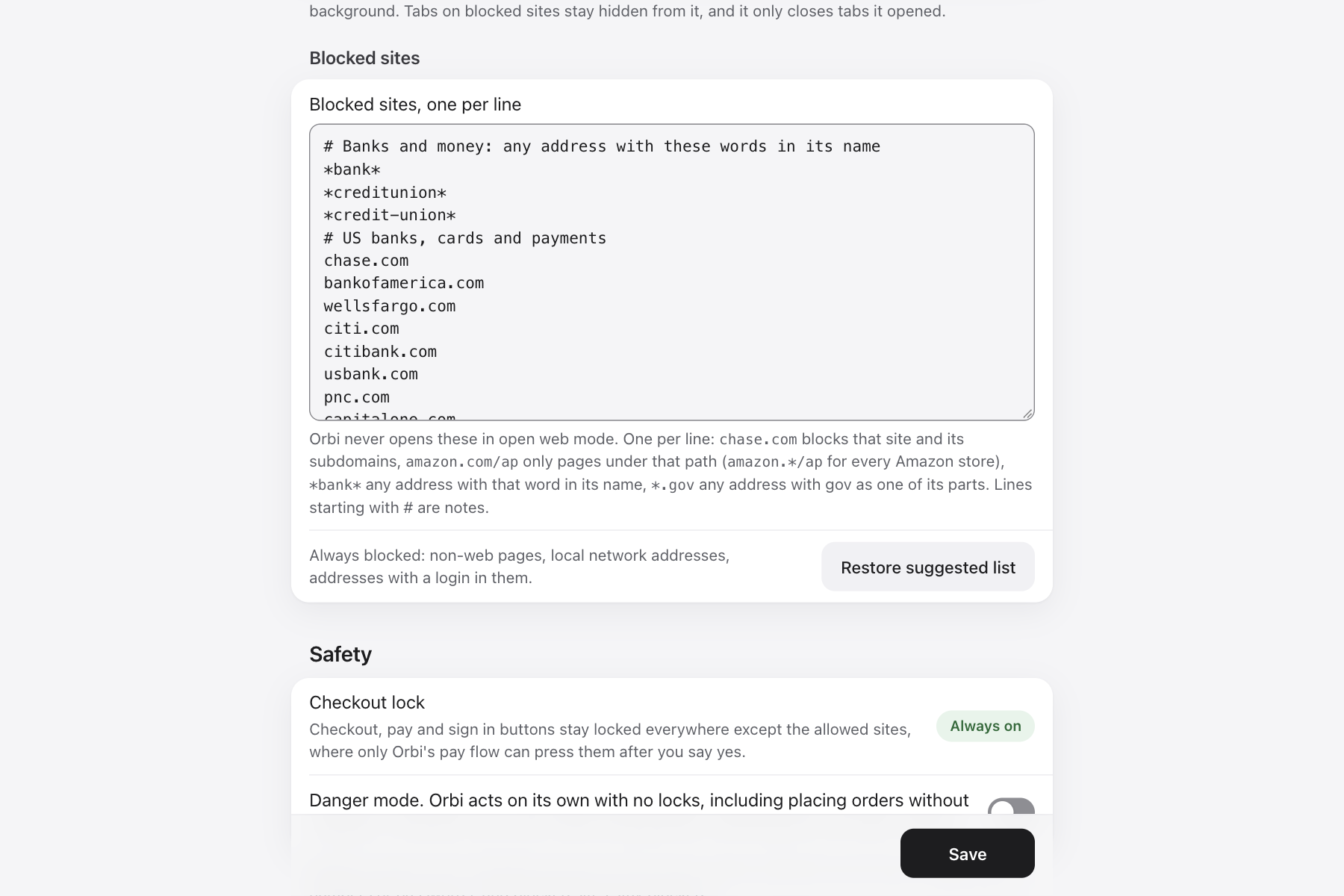
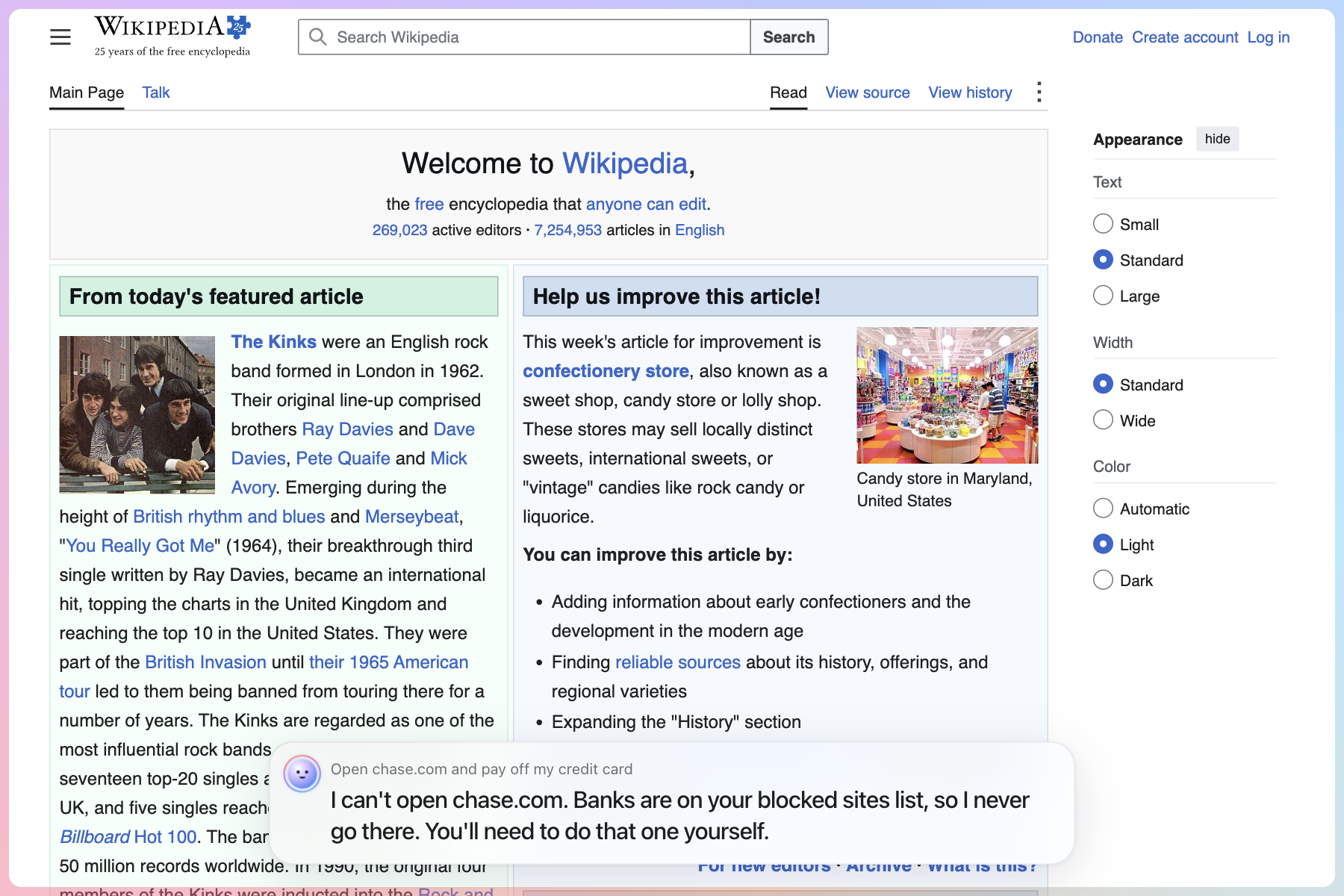
Banks stay off-limits. Ask Orbi to open chase.com and it says no, because it is on your blocked list.
-
You control the blocked sites list. Banks, cards and payments come blocked by default.
-
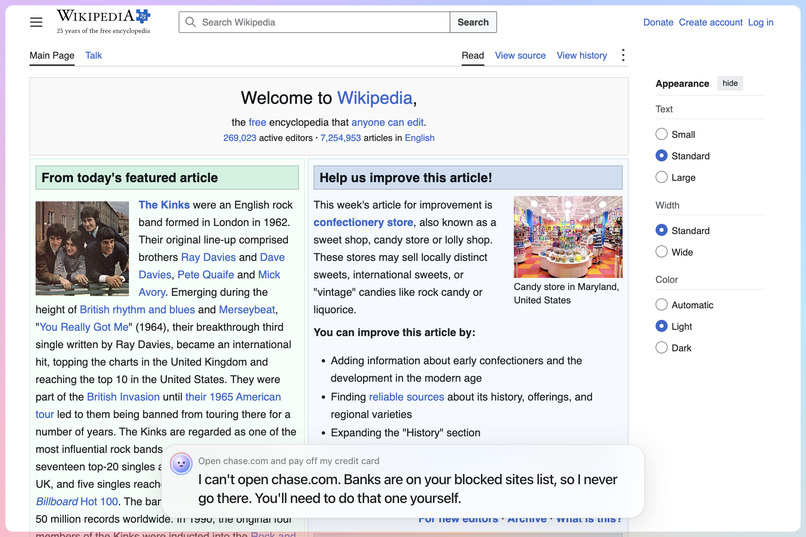
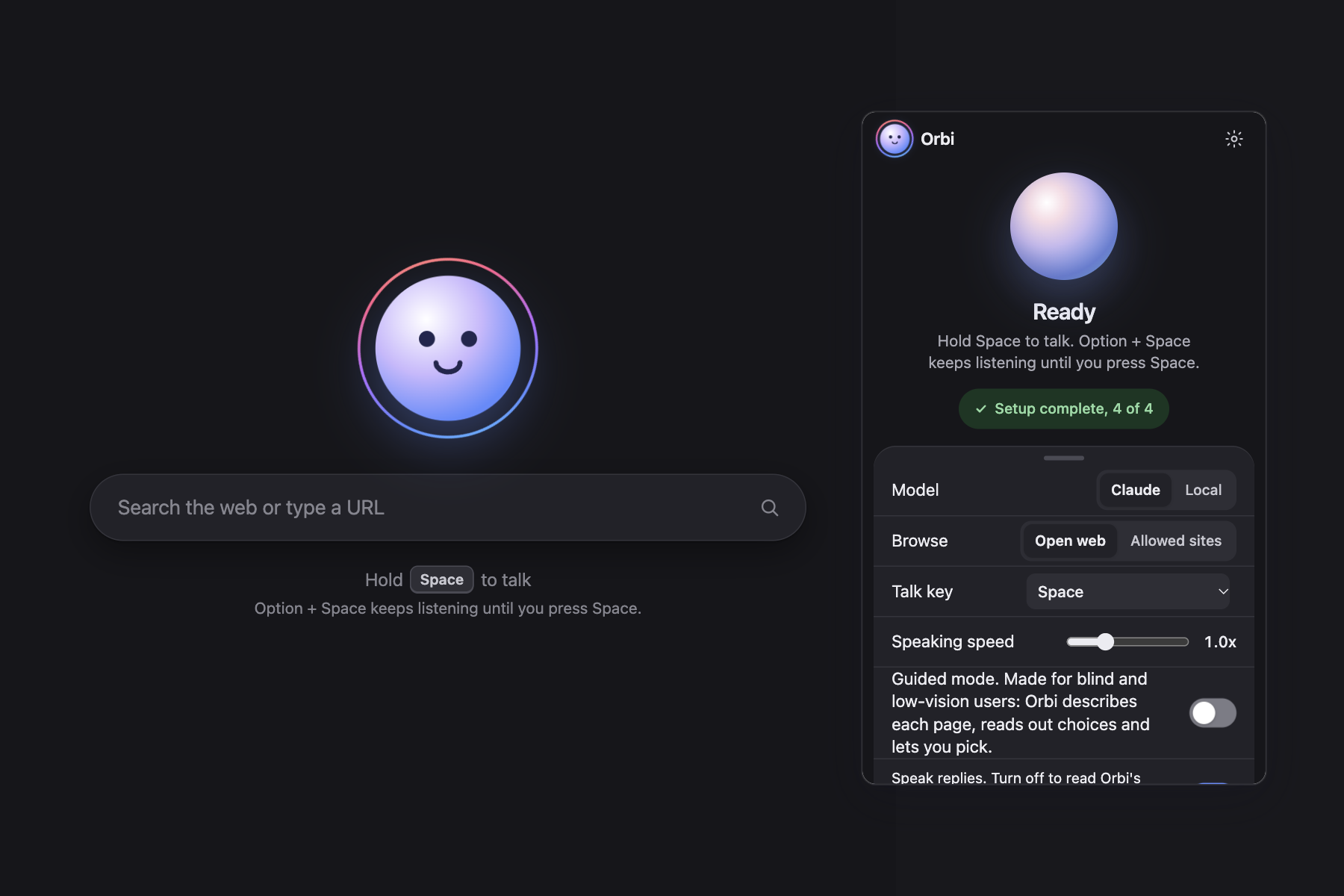
The popup: switch between Claude and a local model, choose open web or allowed sites, turn on Guided mode.
-
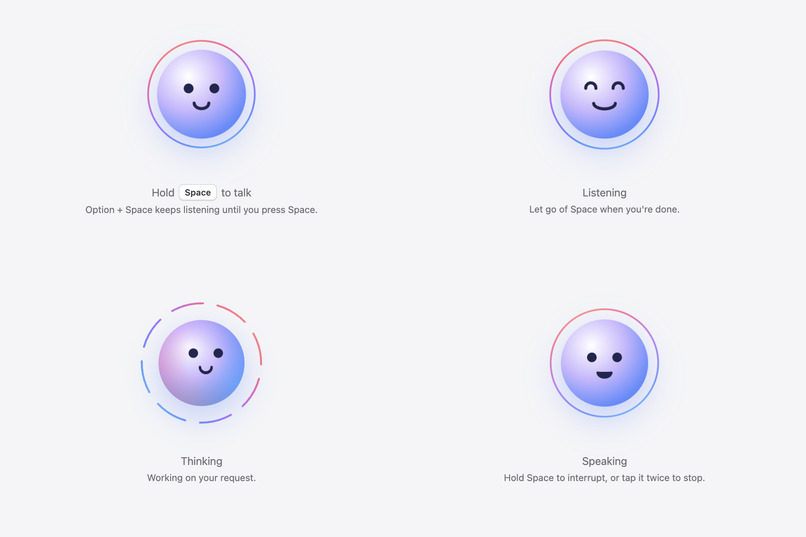
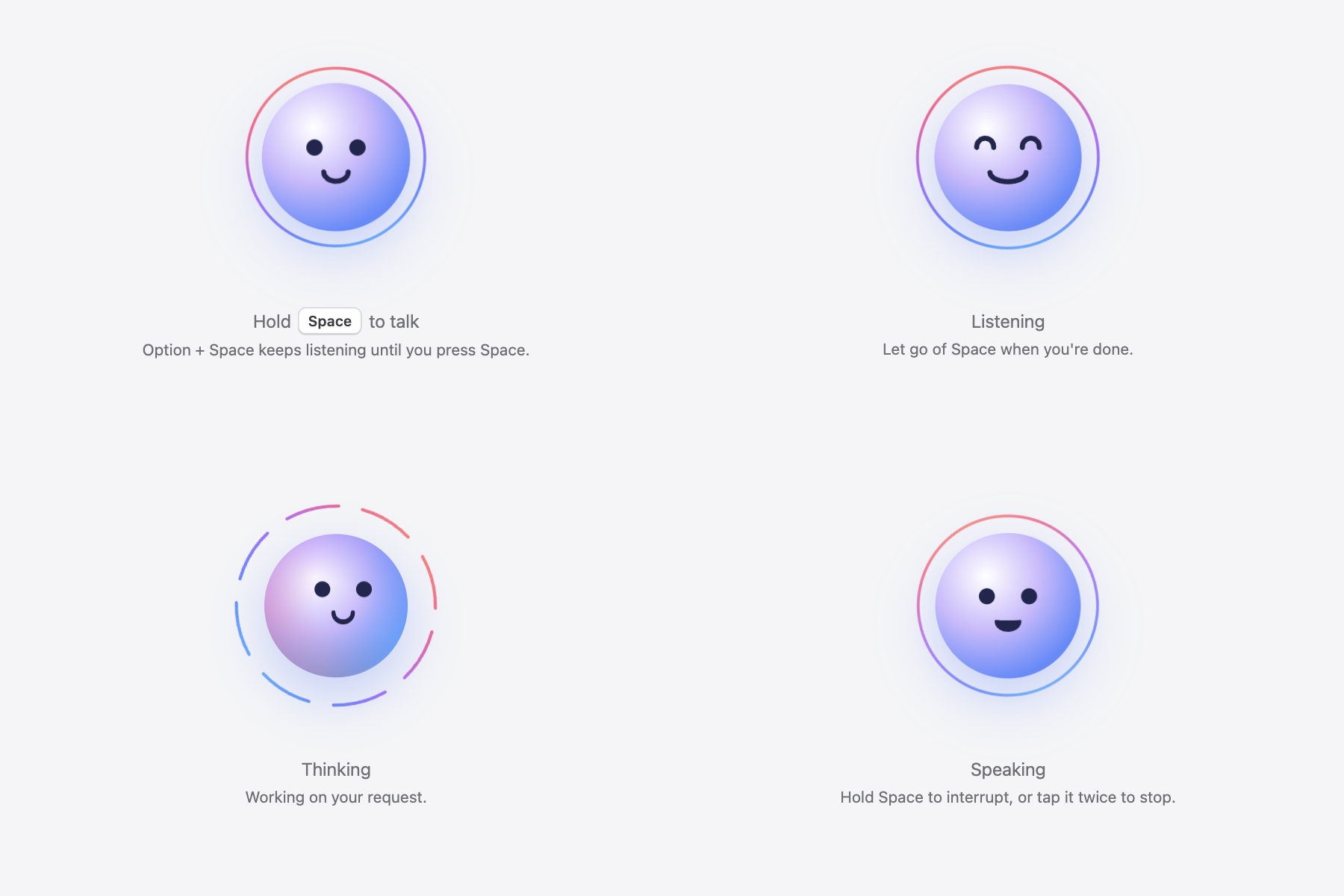
Orbi's face shows what it is doing: ready, listening, thinking with its ring split into arcs, and speaking.
-
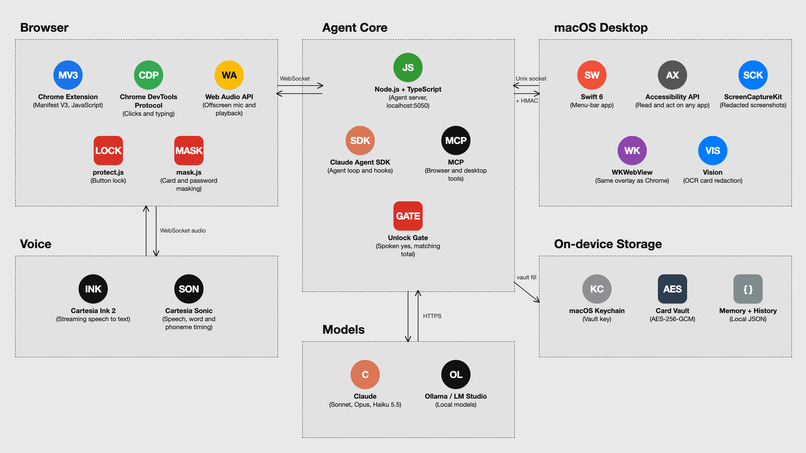
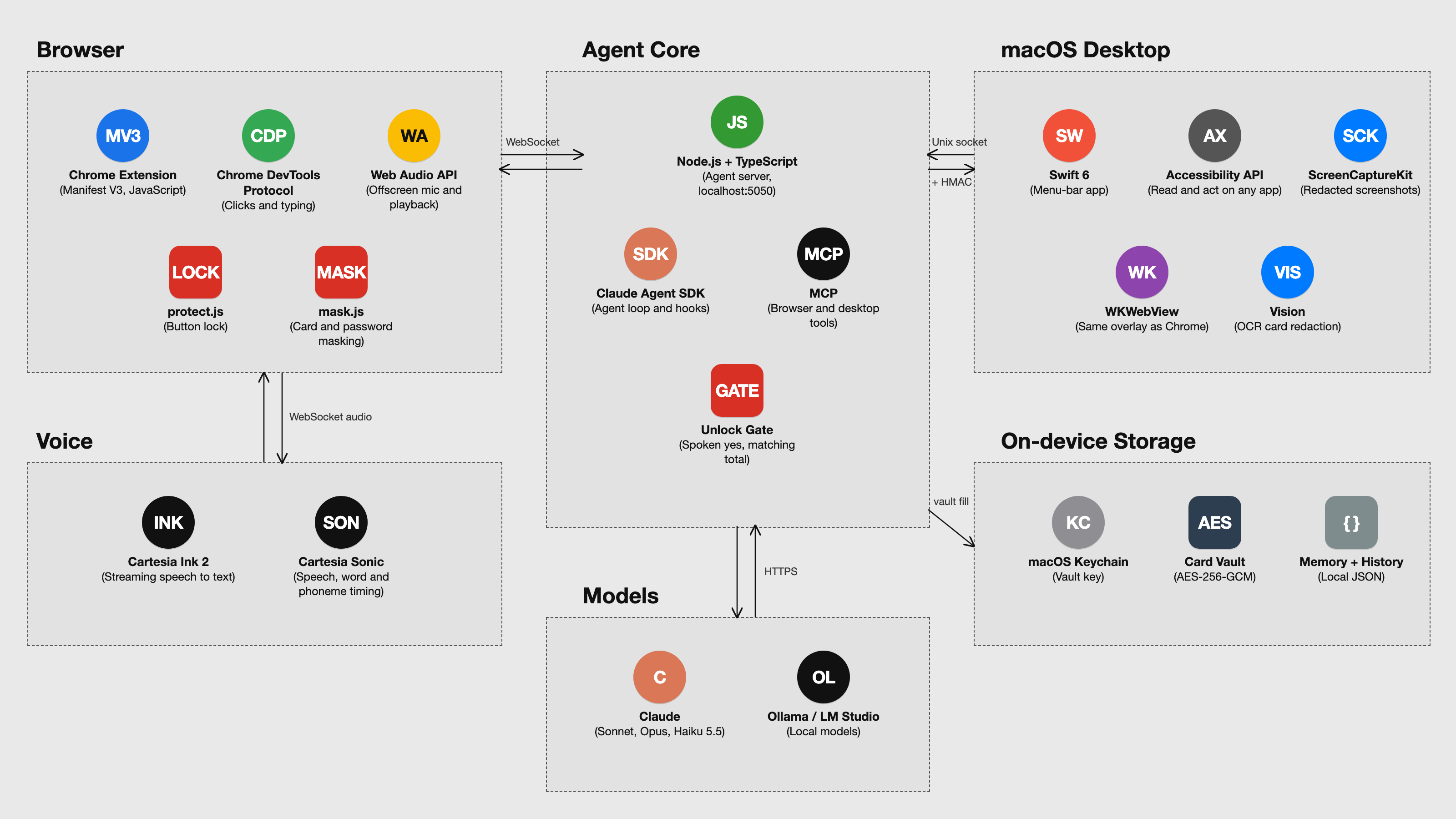
Tech stack: Chrome extension, agent core, macOS desktop app, voice, models and on-device storage, and how they connect.
Why it started
About 43 million people are blind, and another 295 million live with moderate or severe vision loss (Lancet Global Health, 2020). Most of them use the web through a screen reader, which reads the page aloud one element at a time. That only works when the site was built for it, and most aren't: in 2025, WebAIM found detectable accessibility failures on 94.8% of the top million home pages, about 51 errors per page.
On a shopping site, that sounds like "button, button, button". Icons with no labels, a size picker built from unlabeled divs, a pop-up that steals focus, and somewhere in there is the thing you came to buy. A sighted person glances at it and clicks. A screen reader user tabs through it, guessing.
That was the motivation, and it's still the center of the project. Orbi started as a shopping assistant for blind and low-vision people: say what you want, and let something that can see the page do the looking and the clicking.
It turned out the same agent could read the news, search, fill in a form or find a recipe, so it grew into a voice agent for the whole browser that anyone can use. But every design choice was made by ear first.
What it is
Orbi lets you control your whole browser by holding the space bar and talking. You don't type anything. You say what you want, like "find me a men's wool coat under $200" or "read me the top story on Hacker News", and it does it in your own Chrome.
It remembers things about you, like your size and what you've bought before, so you don't have to repeat yourself. It's a lot faster than clicking through menus, and it can work on something in one tab while you do something else.
The main thing is that you don't have to learn anything. If you can talk, you can use it. That's why it works for blind people, and for older people who never got comfortable with websites. They just say what they want.
Features
- Guided mode, for blind and low-vision users. On each new page it says what the page is and what matters on it. It reads the top three choices (search results, products, links), one sentence each with the detail that sets them apart, and lets you pick. It describes images, colors and layout in words, never says "the one on the left", and confirms every step it takes.
- Voice that feels like a conversation. Cartesia Ink 2 streams your speech while you hold Space, and Cartesia Sonic answers out loud. Hold Space mid-sentence and it stops within about 20 ms. Subtitles light up word by word from Sonic's timestamps, and an orb face mouths its words.
- You can watch it work. A soft spectrum ring marks the tab it's using, and its own arrow cursor moves and types with human rhythm, so a sighted helper can follow along.
- Memory and past purchases. Say "I wear a medium" once and Orbi remembers it for good, without you having to say "remember". If you later say "I wear a large now", it updates. Orbi keeps a short record of what you've bought, so it can say "last time you got a medium here" or notice you already own something similar.
- Shopping advice from the web. It looks up the store's loyalty perks, promo codes, prices elsewhere, return policies and reviews, and tells you what matters in one sentence.
- Works everywhere in Chrome. It replaces the new tab page and Chrome's error page, where extensions normally can't run, so you can talk from any screen.
- Your choice of model. Claude by default, or a local model through Ollama or LM Studio, with the same tools and the same safety checks.
Trust, safety and responsible AI
A voice agent with your browser is only useful if you can trust it, and the people Orbi is built for can't double-check the screen. So the safety lives in code, not in the prompt:
- It can't spend your money without you. Place order, Pay, wallets, Subscribe and Sign in are locked: every agent click, key press and form change is checked before it's sent, and refused if the check can't run. Saying "take me to checkout" unlocks just that one button, once.
- Consent is spoken and specific. Before paying, Orbi reads back the item and total, and only an explicit "yes" goes through. If the total on the page changes afterwards, it asks again. One yes pays once.
- The AI never sees your card or passwords. Card fields and anything that looks like a card number are masked before page text reaches the model. Cards are stored encrypted on your computer (AES-256-GCM, with the key in the macOS Keychain), and Orbi's own code fills the card you said yes to; the model only hears the last four digits.
- Web pages can't give it orders. Page text, reviews and search results are treated as data, never instructions, so "ignore previous instructions" in a review does nothing. Search queries that contain personal details are refused.
- Sensitive sites are off limits. An editable blocklist covers banks, email, password managers, and government and health portals. CAPTCHAs always go to you.
- Privacy by default. The agent runs on your computer. Memory and purchase history stay on your machine and turn off with one switch, and you can run everything on a local model so no page leaves your computer.
- Transparent by design. It says what it's doing as it does it, the ring and cursor show where it's acting, and Danger mode (no locks, no spoken yes, for people who want a free agent) is an explicit opt-in that still keeps masking, the blocklist and the CAPTCHA hand-off.
Who it's for, and why it can't go wrong
Orbi is for blind and low-vision people who shop online on their own, and older adults who can't keep up with how websites work. Both groups hit the same wall: a checkout they can't see or don't understand, so they either give up or wait for someone to help.
Claude does the hard part: it reads a messy page, figures out what matters, and acts on it. It's also how I built Orbi, pairing with Claude Code all weekend. I designed around the ways Claude could hurt these users. It could misread a price, so payment needs a read-back and a matching total. A page could try to hijack it, so page text is never treated as instructions. It could act without asking, so risky buttons are locked in code. It could overwhelm someone listening, so Guided mode caps choices at three, in short sentences.
How I'll measure impact. I'll run sessions with blind and older users on everyday tasks (find a product, compare a few, check out, read a page) and track:
- how many tasks they finish with no sighted help, compared to their screen reader or usual way
- how long each task takes
- how often they have to ask someone or give up
- mistakes at checkout (wrong item, size or total)
- whether they keep using it week to week
Does it work
The full loop works end to end: talk, act in the real browser, answer out loud, and pay with a spoken yes on test checkouts. What I can measure today: holding Space cuts Orbi off within about 20 ms, a list of results becomes three spoken sentences, and buying something takes one request and one "yes" instead of tabbing through an unlabeled checkout. To be clear about what's real: the runs on real stores (like catching that a size was sold out and offering a similar item in stock) were simulations with a second Claude playing the shopper, and they stopped at the cart. Payment uses test cards only. I haven't tested with blind or older users yet; that's the first thing I want to do next.
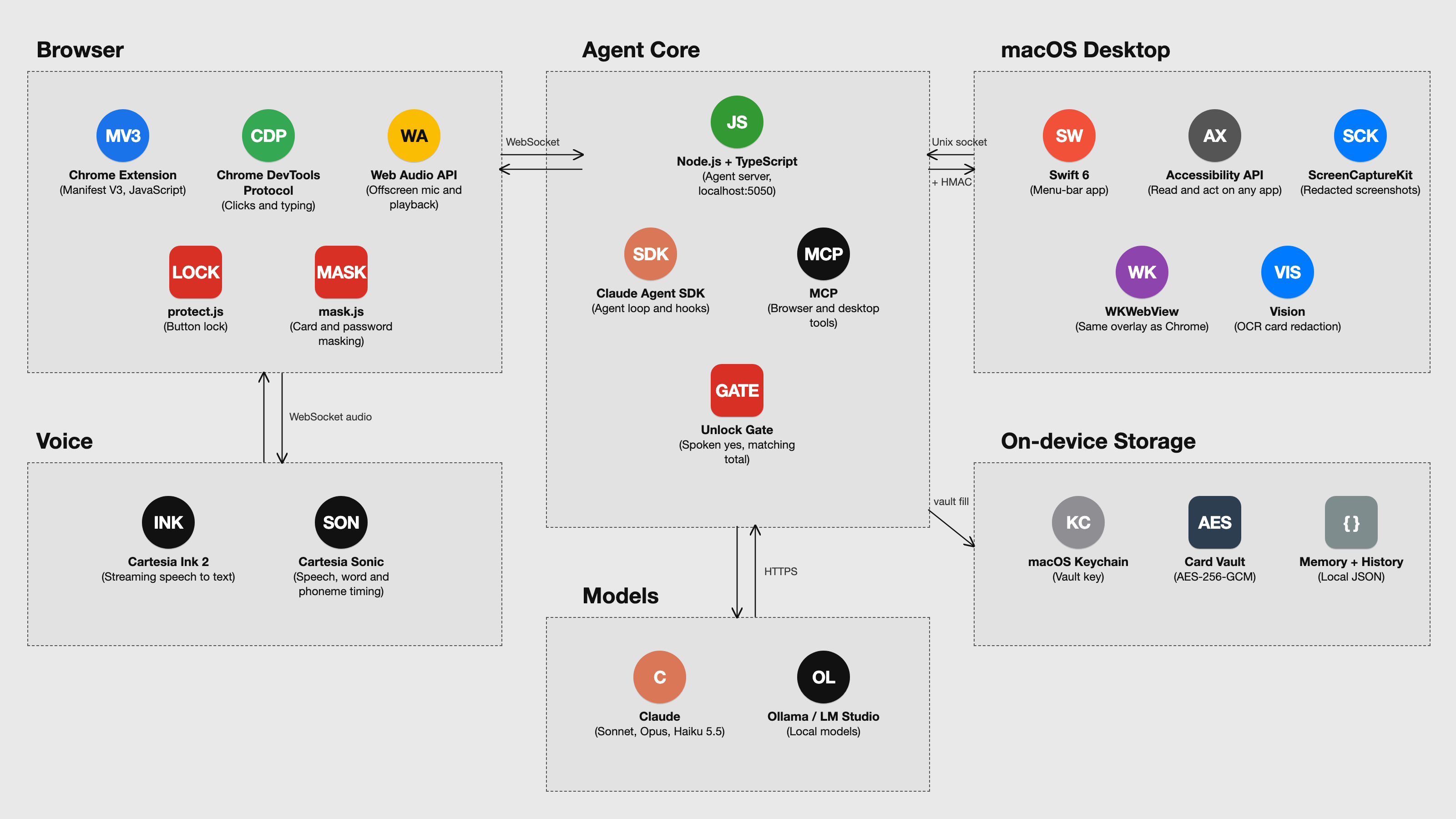
How it's built: a Chrome MV3 extension that enforces the locks and blocklist on every call, a local Node server on the Claude Agent SDK (Claude Sonnet), Cartesia Ink 2 and Sonic over WebSockets, and actions played over the Chrome DevTools Protocol. I built it solo over the weekend, pairing with Claude Code.
Path to production: a one-command installer for people who bring their own keys, then real sessions with blind and older users measuring task completion and time against their usual screen reader or a helper, Touch ID before paying, and network tokens scoped to one merchant and amount so even Orbi's own code never holds a real card number.
Built With
- anthropic
- cartesia-ink-2
- cartesia-sonic
- chrome
- chrome-devtools-protocol
- claude
- claude-agent-sdk
- javascript
- macos-keychain
- manifest-v3
- node.js
- open-claude-in-chrome
- typescript
- web-audio-api
- websockets

Log in or sign up for Devpost to join the conversation.