-
-
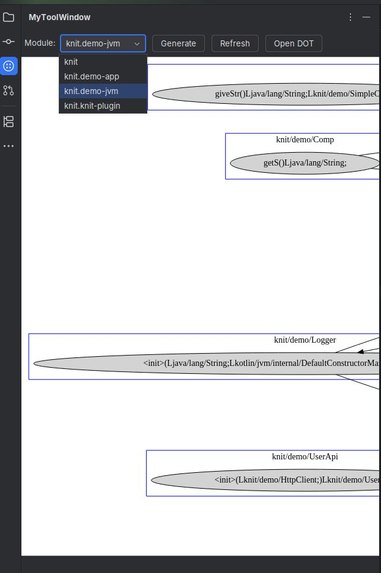
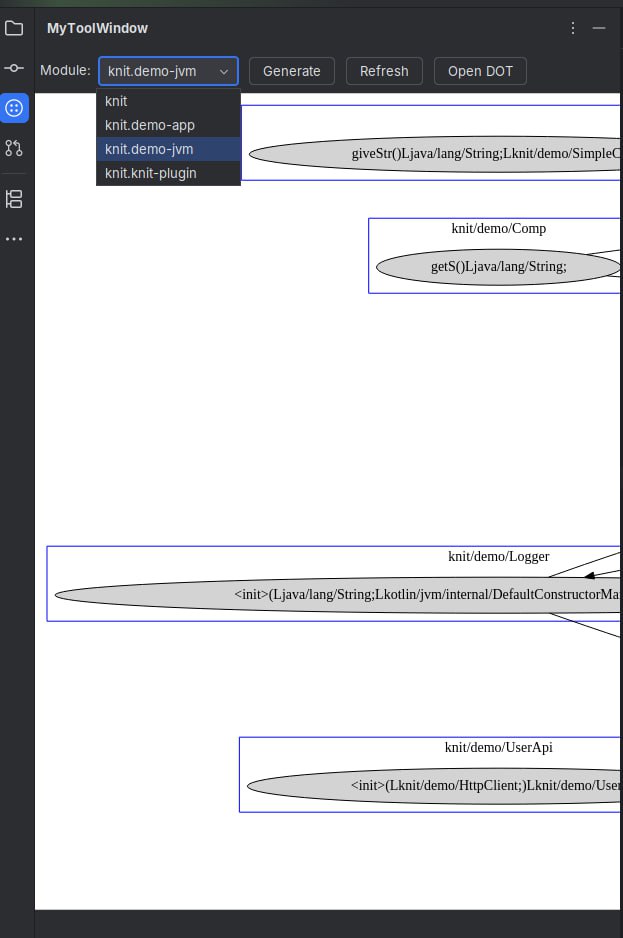
Tool Window graph display and options
-
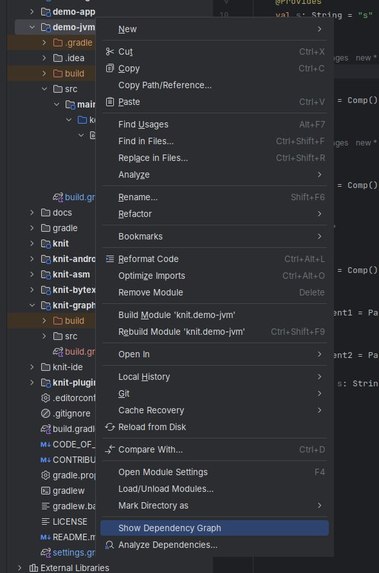
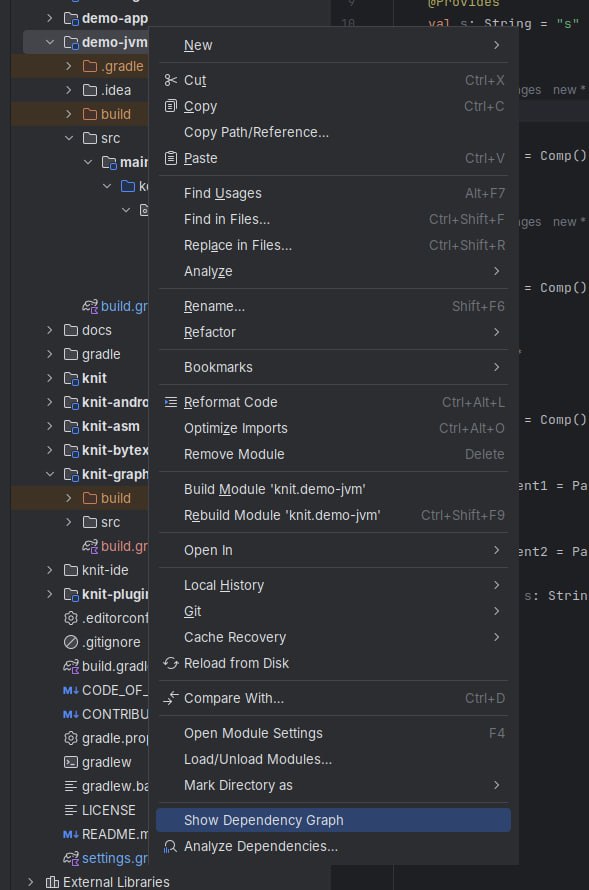
Our "Show Dependency Graph" context menu button
-
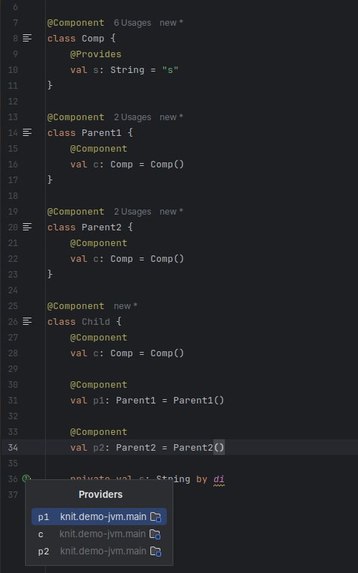
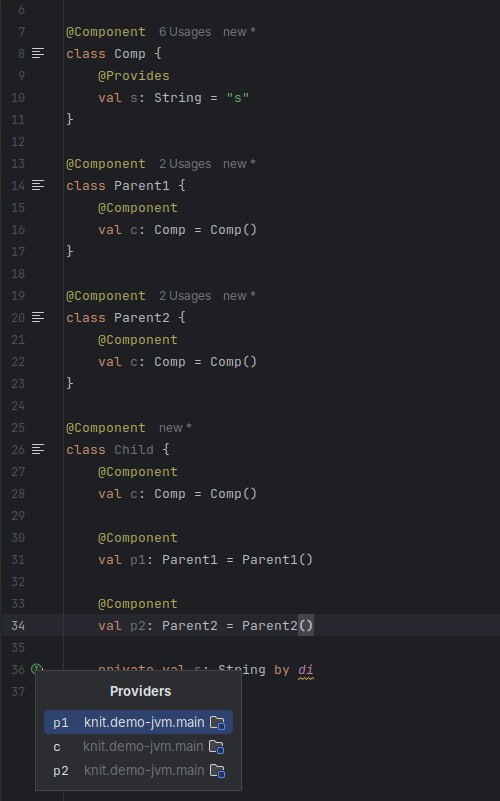
View providers within the gutter
Inspiration
The goal of Orange Jam is to make projects that use TikTok’s Knit have more visibility into their dependency relationships. By integrating this functionality directly into IntelliJ IDEs as a plugin, we aim to provide seamless, developer-friendly insight into how modules and classes interact without leaving the editor. Since IDEA is a popular IDE for Kotlin, this makes the tooling immediately usable by existing Knit projects.
What it does
Orange Jam is an IntelliJ plugin that analyses and visualises the dependency graph of modules that use Knit. Developers can:
- Generate and view the full dependency graph of a selected module using the sidebar
- Right-click a Gradle module to generate the module-level dependency graph
- Use editor gutters to:
- Jump directly to a provider for a given consumer
- View the subgraph of relevant dependencies connected to the current provider or consumer class
All of this happens inside the editor, enhancing the developer’s workflow without switching context.
How we built it
We built Orange Jam using the IntelliJ Plugin SDK and Graphviz. Breakdown:
- We scan the project for modules that depend on tiktok.knit
- We analyse compiled class files using ASM to extract dependency data via Knit’s internal InjectionBinder
- This data is used to construct a dependency graph
- We export the graph to .dot (Graphviz) format and render it as .png or .svg for display in the IDE
- We add UI hooks into IntelliJ, including tool windows that appear when you click on our sidebar button, context menu actions, and editor gutter icons. This makes it accessible for developers interact with the graph and jump around relevant code :D
Challenges we ran into
- Intellij Plugin APIs have scarce documentation, we had to do a lot of trial and error to figure out how to integrate everything
- Understanding Knit’s internal InjectionBinder mechanism and how to use it safely on compiled bytecode
- Designing a workflow that feels natural inside IntelliJ, including where and how to trigger visualisations
- Embedding an interactive SVG in the IntelliJ tool window via JCEF and wiring it to Kotlin handlers
Limitations
- The plugin relies on the project being built before it can generate the visualisation. In large codebases where builds take a long time, this introduces a delay that may affect the seamlessness of the workflow.
- Cross-class dependency navigation is not yet supported. Clicking on a method currently only works within the same class for now.
Accomplishments that we're proud of
- Clean integration into the IntelliJ UI
- Clickable visualisations that let you jump directly to code from a graph node
- Supporting both full module views and focused subgraphs inline
- Managed to make SVG in tool window clickable and navigate to the specific method in the class file
What we learned
- How to build and package an IntelliJ plugin
- How to analyse JVM bytecode with ASM
- How dependency injection frameworks like Knit resolve and bind components internally
What's next for Orange Jam
- Improve support for cross-class navigation by resolving and jumping to method definitions across class boundaries.
- Enhance the interactivity of our SVG visualisation (or find a better format)
- Add search and filter features to help developers explore large graphs more efficiently.
- Improve error handling and fallback behavior for projects that have not been built yet.
- Polish layout and styling of the visual graph to better reflect real-world DI patterns.
- Package and publish the plugin for broader use in the Kotlin/IntelliJ (e.g. Android Studio) ecosystem
Built With
- asm
- graphviz
- intellij-idea
- knit
- kotlin

Log in or sign up for Devpost to join the conversation.