Inspiration
Every trader has been there: you're watching a chart, price is at a key level, and you need a second opinion fast. Not a chatbot you have to describe the chart to. Not a forum post. Just a sharp analyst looking at the same screen you are, ready to answer in seconds.
That's the gap Oracle fills. We wanted to build something that felt like having a professional trader sitting next to you one who can see exactly what you see and give you a straight answer without you having to explain anything. Get an instant, grounded response based on the actual chart in front of you not hallucinated prices or generic advice.
What it does
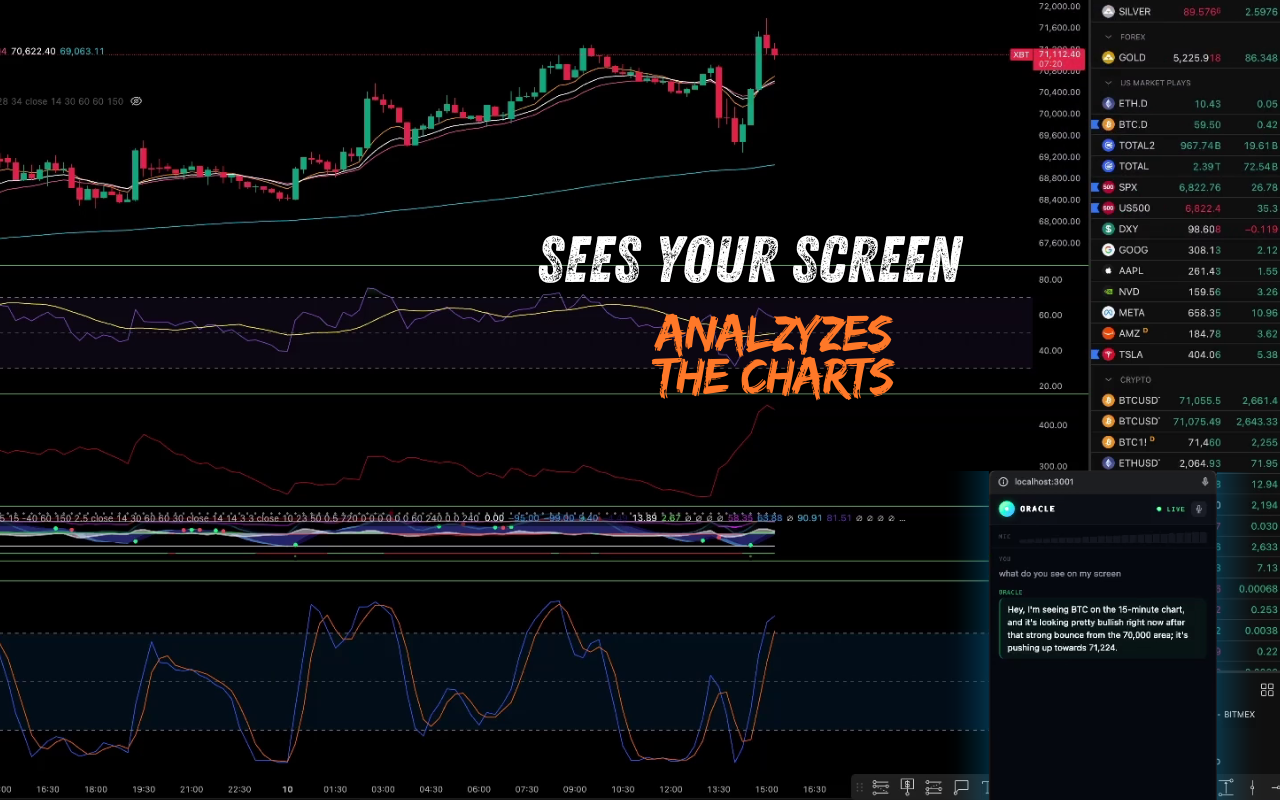
Oracle is a real-time AI trading analyst that watches your screen and answers voice questions.
- Share your screen - Oracle captures your trading terminal (TradingView, Binance, any chart) at 3 FPS
- Ask naturally - enable the mic and just speak: "Is this a good entry?" or "Where's my stop?"
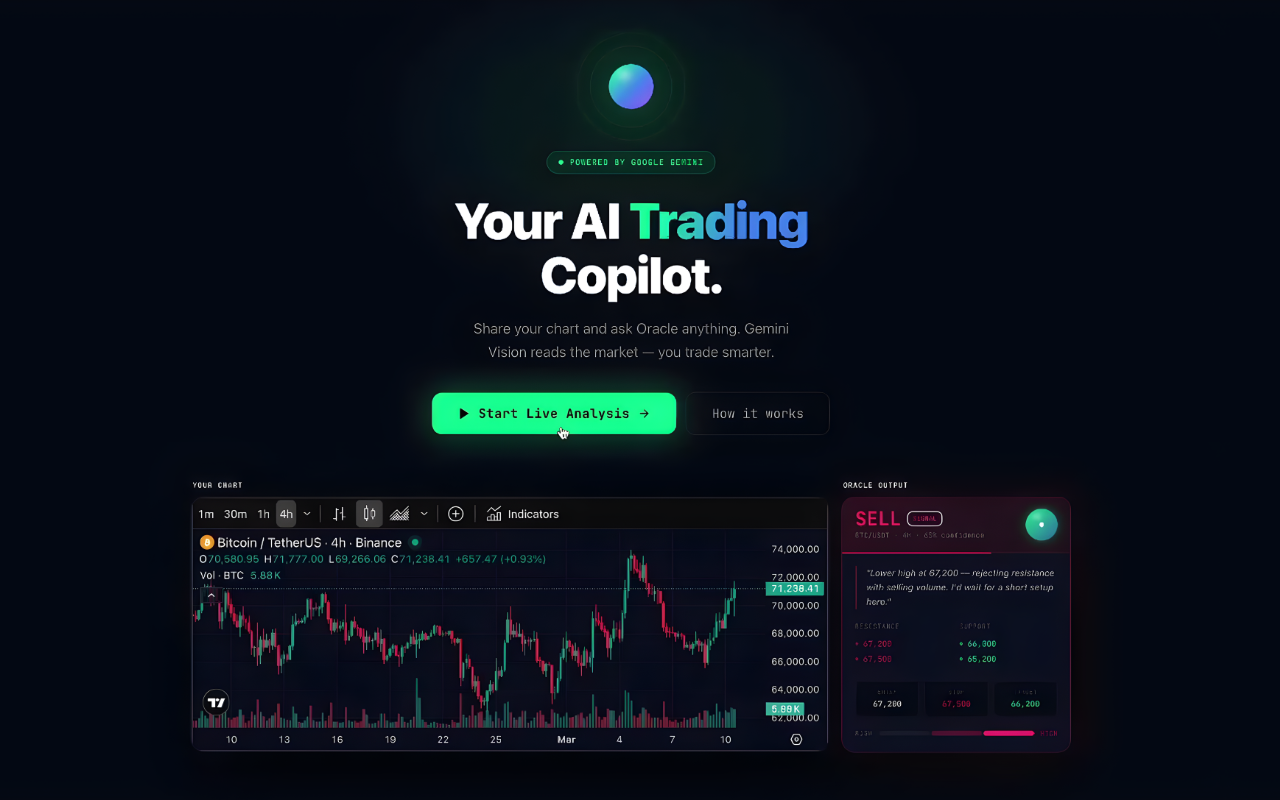
- Get instant analysis - Oracle reads the actual ticker and price from your chart, identifies trend direction, key support/resistance levels, and gives a definitive trade call with a confidence score
- Switch charts, Oracle adapts - move from BTC to ETH with no re-setup; Oracle identifies the new asset from the screenshot automatically
- Voice + text - Oracle speaks its analysis aloud and displays it in a structured sidebar panel
- Floating PiP window - minimize Oracle and keep it as a floating overlay while TradingView fills your screen
The analysis panel shows: trend badge (BULLISH/BEARISH/SIDEWAYS), key resistance and support levels, a recommendation card (BUY/SELL/WAIT) with confidence percentage, and risk assessment.
How I built it
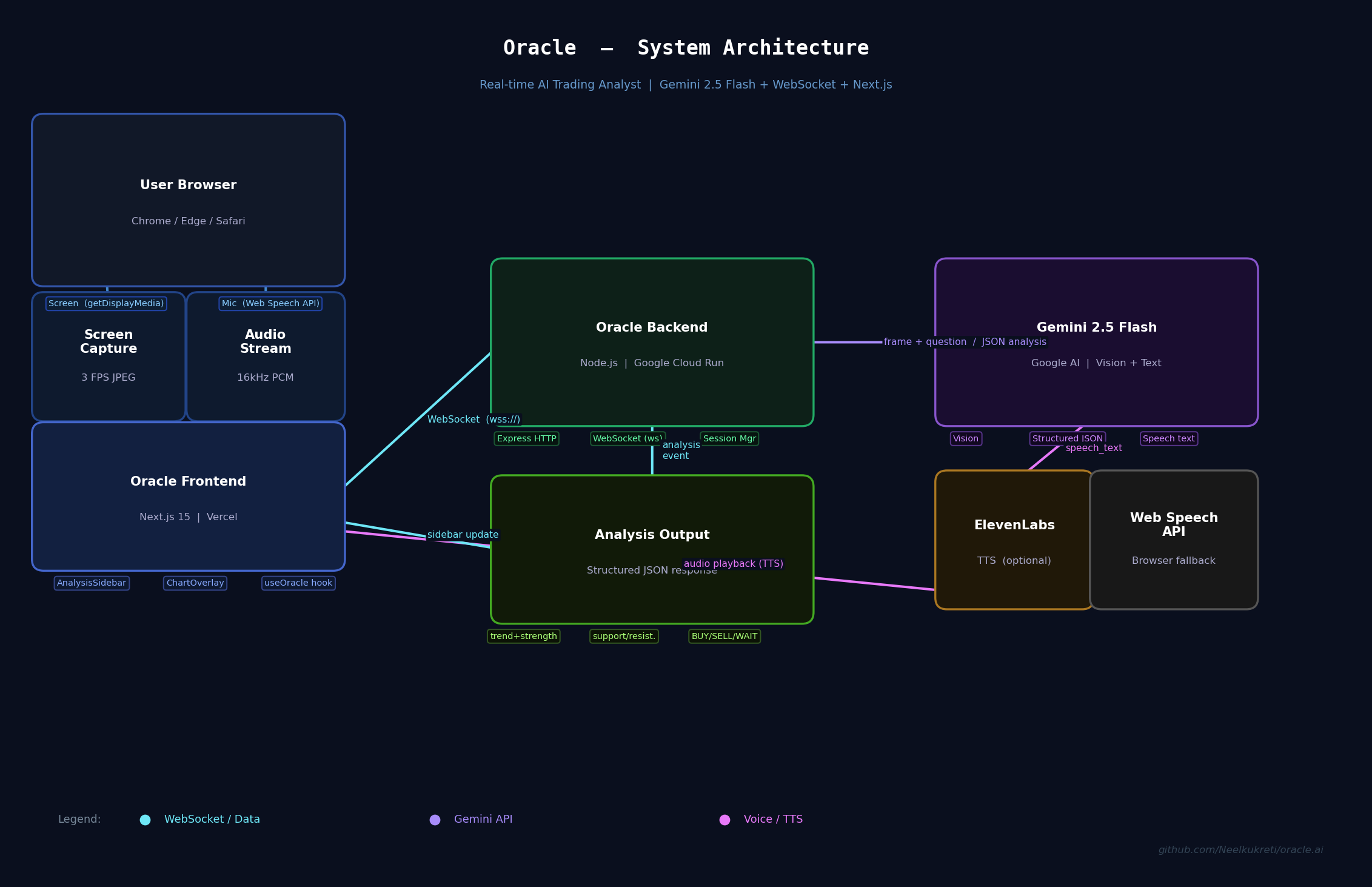
Backend — Node.js + Express + WebSocket server, deployed on Google Cloud Run
The backend maintains a persistent WebSocket session per user. When a question arrives, it:
- Attaches the latest captured frame as a JPEG inline image
- Optionally enriches with live technical indicators (RSI, MACD, EMA, Bollinger Bands) via a TAAPI proxy
- Sends everything to Gemini 2.5 Flash via the @google/genai SDK (Google GenAI SDK) with a carefully engineered system prompt
- Parses the structured JSON response and streams
speech_text+analysisevents back to the frontend
The system prompt enforces strict rules: Oracle must read prices and tickers directly from the screenshot — never guess, never hallucinate. If it can't clearly read something, it says so.
Frontend — Next.js 15 + TypeScript + Tailwind CSS, deployed on Vercel
ScreenShare.tsx— usesgetDisplayMedia()to capture screen frames via canvas at configurable FPSAudioVoice.tsx— Web Speech API for always-on voice recognition with exponential backoff on network errors and a text fallback when voice degradesuseOracle.ts— WebSocket lifecycle hook with ElevenLabs TTS (falls back to browser speech synthesis),isSpeakingstate to prevent feedback loops, and a 1.5s cooldown after Oracle finishes speaking before mic input resumesAnalysisSidebar.tsx— structured analysis display with animated trend badges and confidence bars- Document Picture-in-Picture API for the floating overlay window
Key technical challenge solved: Gemini sometimes returns truncated JSON when the response is long. We implemented a 4-layer parsing fallback: direct JSON parse → markdown fence extraction → outermost {...} extraction → regex speech field extraction from partial JSON. The speech field is always near the top of the response, so even truncated output yields a valid voice response.
Challenges we ran into
1. Oracle hearing itself (feedback loop)
Oracle's TTS was being captured by the microphone, transcribed, and sent back as a new question — causing an infinite loop of Oracle responding to its own answers. Fixed by tracking isSpeaking state with a 1.5s cooldown after speech ends before mic input resumes.
2. Hallucinated prices Early versions of Oracle would confidently state prices from the TAAPI indicator context rather than reading the chart image. A trader on ETH would hear Oracle describe BTC prices. Fixed by restructuring the prompt so the screenshot is the absolute source of truth and TAAPI data is explicitly labeled as supplementary — only to be used if the symbol matches what's visible on screen.
3. Truncated JSON from Gemini
With maxOutputTokens: 2048, Gemini would frequently cut off the JSON mid-string, causing the frontend to receive no speech at all and appear stuck. Raised to 8192 and added multi-layer fallback parsing.
4. Stuck "Analyzing chart..." state
Multiple failure paths could result in onSpeech never being called, leaving the UI frozen. Fixed with a speechSent flag in the backend (always fires a fallback speech), plus a 30-second safety timeout and error-status clearing on the frontend.
5. Wake word unreliability Initial design used a "Hey Jack" wake word. In practice, speech recognition would miss it under 30% of the time due to background noise and mic sensitivity variance. Replaced with always-on listening — the mic stays active during a session and every final transcript is sent to Oracle.
Accomplishments that we're proud of
- Sub-3 second end-to-end latency from voice question to spoken response, including screen capture, Gemini multimodal inference, and TTS
- Zero hallucination guardrails — Oracle refuses to state prices it cannot read from the chart and explicitly says so when the image is unclear
- Seamless asset switching — no re-configuration needed when switching between BTC, ETH, or any other instrument; Oracle reads the ticker from the screenshot every time
- Production-grade reliability — exponential backoff on speech recognition errors, multi-layer JSON fallback parsing, always-fires speech safety net, and connection state management
- Document PiP overlay — Oracle runs as a floating window over any trading platform, keeping the full chart visible without alt-tabbing
What we learned
- Gemini's vision is genuinely impressive at reading text from screenshots — it correctly identifies tickers, prices, and chart patterns even from JPEG-compressed frames at 70% quality
- Prompt engineering for financial context is different — vague prompts produce hedged, useless responses ("I'd wait for confirmation"). Specific rules ("give a DEFINITIVE answer with NFA disclaimer") produce actionable output
- Multi-modal latency is the hard constraint — the entire UX has to be designed around a 2–3 second response window. Anything that adds latency (streaming frames to backend, large image sizes, model warm-up) has to be carefully managed
- Feedback loops in voice-AI products are subtle — the TTS-to-mic loop wasn't obvious until we saw it in production. The 1.5s cooldown pattern is now a standard part of our voice AI toolkit
maxOutputTokensmatters more than you'd think for structured JSON responses — hitting the limit mid-object is a silent failure that's hard to debug
What's next for Oracle
- Gemini Live API — migrate from request/response to true streaming with the Live API for real-time analysis as price moves, not just on-demand questions
- Multi-timeframe awareness — Oracle currently sees one frame; next step is sending the 1H and 4H charts simultaneously for confluence analysis
- Broker integration — connect to broker APIs (Alpaca, Interactive Brokers) so Oracle can execute the trades it recommends, not just describe them
- Pattern recognition alerts — proactive notifications when Oracle detects a breakout, reversal pattern, or key level test — without the user having to ask
- Backtesting mode — replay historical chart data through Oracle to validate its analysis quality over time
- Mobile — adapt the floating PiP concept for a mobile overlay that works on trading apps
Built With
- css
- elevenlabs
- express.js
- framer
- gemini
- node.js
- tailwind
- typescript

Log in or sign up for Devpost to join the conversation.