-
-

OptiCusor Icon
-
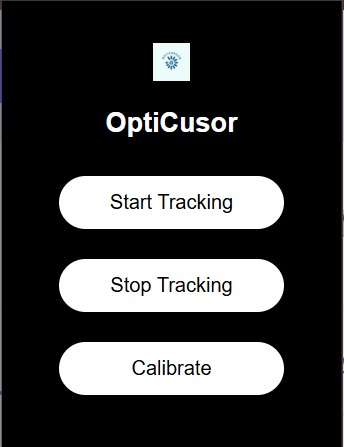
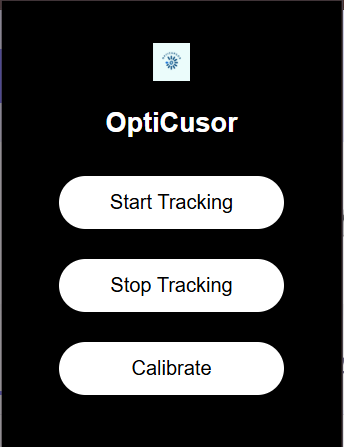
OptiCursor Popup

Inspiration
The inspiration for this project comes from my uncle, who was in a devastating car accident that left him paralyzed from the waist up. Before the accident, he was an independent, hardworking man who loved using technology for both work and leisure. But after the incident, something as simple as navigating a computer screen became a frustrating and nearly impossible task. Watching him struggle to communicate, work, and browse the internet made me realize how much we take traditional input devices—like a mouse and keyboard—for granted. I wanted to create something that could restore his independence and give him back the ability to interact with the digital world on his own terms. This is how OptiCursor was born—a tool designed to help people like my uncle control their computers using only their eyes.
What it does
OptiCursor is a Chrome extension that enables users to navigate and interact with a webpage using eye-tracking technology. By leveraging WebGazer.js and FaceMesh.js, it maps a users facial features, locates the eyes and ridges, detects where a user is looking, and moves a virtual cursor accordingly. Users can scroll up and down by gazing at specific areas of the screen, and they can click on buttons, links, and interactive elements by fixating on them for a set amount of time. This tool is designed to empower individuals with limited dexterity, making web browsing more accessible and seamless without the need for physical input devices.
How we built it
We built OptiCursor using JavaScript, WebGazer.js, and FaceMesh.js. Open-source eye-tracking libraries that run directly in the browser. The project involved several key steps:
Eye-Tracking Calibration: We implemented a calibration process to improve tracking accuracy, requiring users to look at specific points on the screen.
Cursor Control: We developed a virtual cursor that follows the user’s gaze in real time.
Scrolling Mechanism: By detecting gaze at the top and bottom of the screen, we enabled smooth scrolling functionality.
Click Detection: We created a gaze-based clicking mechanism that activates when a user maintains focus on an interactive element for a set duration.
Challenges we ran into
Building OptiCursor came with several challenges:
Accuracy Issues: Initially, the gaze detection was inconsistent, making it difficult to precisely click on small elements.
False Positives: Users unintentionally triggered clicks just by looking at an element momentarily, so we had to fine-tune the gaze-hold duration.
Performance Optimization: Eye-tracking in a browser can be resource-intensive, so we worked on optimizing performance to prevent lag.
Cross-Device Compatibility: Different screen sizes and lighting conditions affected tracking accuracy, requiring adjustments to make the system more adaptable.
Accomplishments that we're proud of
Successfully implementing an intuitive, hands-free way to navigate the web using only eye movement.
Making web accessibility more inclusive for individuals with motor impairments.
Seeing in real time our project idea coming to life and being able to move a cursor with eye movement.
What we learned
This project was a valuable learning experience in multiple areas:
Human-Computer Interaction (HCI): Designing an interface that relies entirely on gaze input required rethinking traditional interaction models.
WebGazer.js, FaceMesh.js and Eye-Tracking Tech: We gained a deep understanding of how browser-based eye tracking works and its limitations.
User Accessibility Needs: We learned how small UI/UX changes can significantly impact usability for individuals with disabilities.
What's next for OptiCursor
Better Accuracy: Further refining the calibration process to improve precision.
Voice Integration: Adding voice commands as an alternative input method for hybrid accessibility.
Customizable Sensitivity Settings: Allowing users to adjust gaze duration thresholds and cursor movement sensitivity.
Multi-Platform Support: Expanding beyond Chrome to work on other browsers and even standalone applications.
Machine Learning Enhancements: Using AI to predict user intent and improve click accuracy.
Offline Functionality
Zoom in and Zoom out features
Conclusion
OptiCursor started as a passion project, inspired by my uncle’s struggle, but it has the potential to help countless others who face similar challenges. With continued development and user feedback, we hope to make digital accessibility even more intuitive and empowering for everyone.

Log in or sign up for Devpost to join the conversation.