-
-
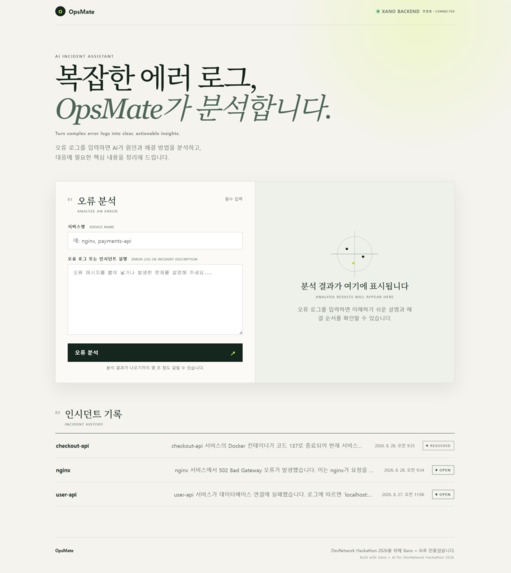
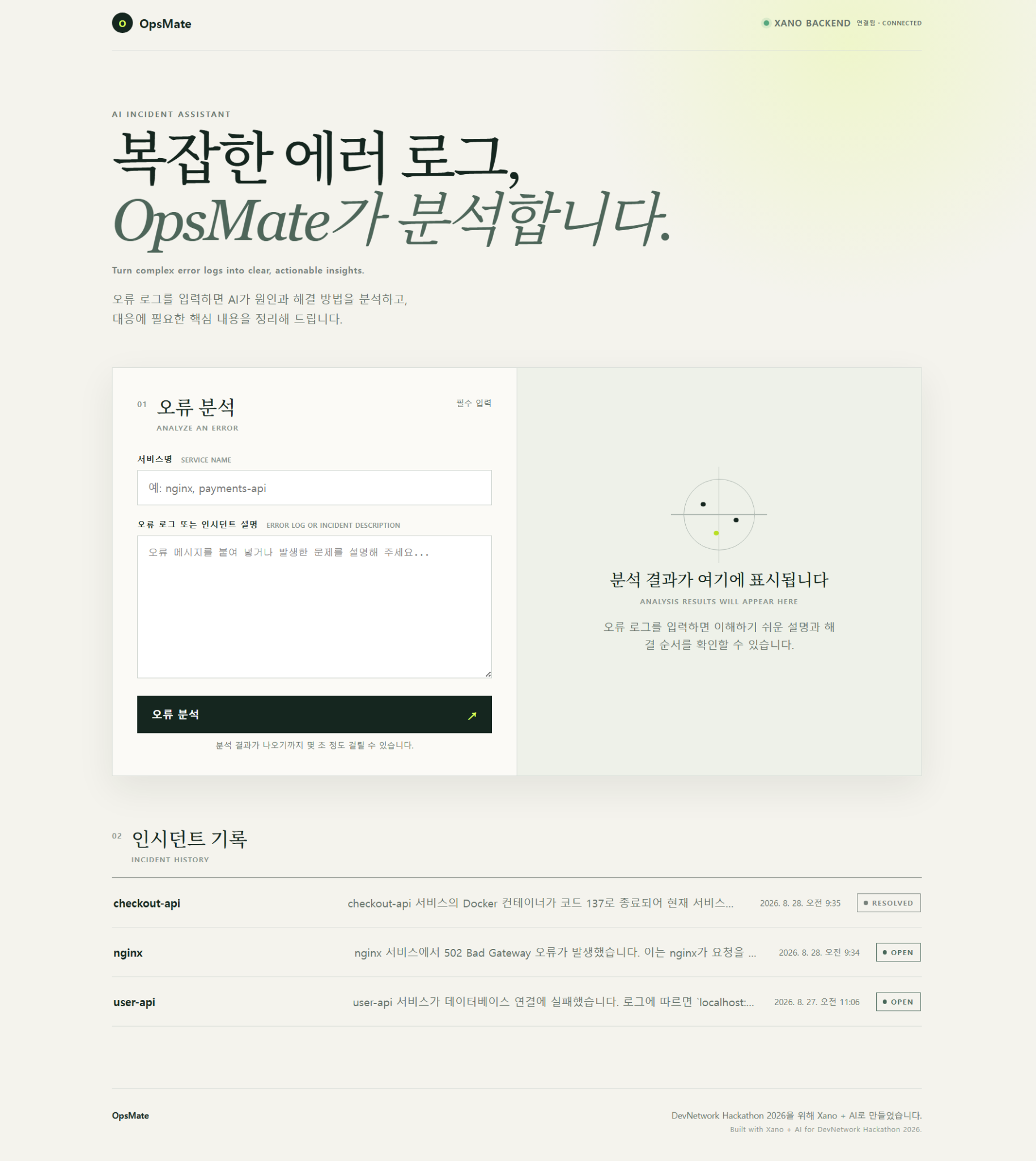
OpsMate Overview — Analyze error logs with AI and manage persistent incident history in one place.
-
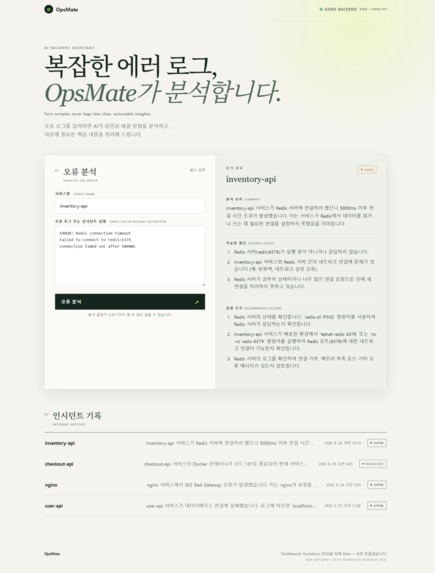
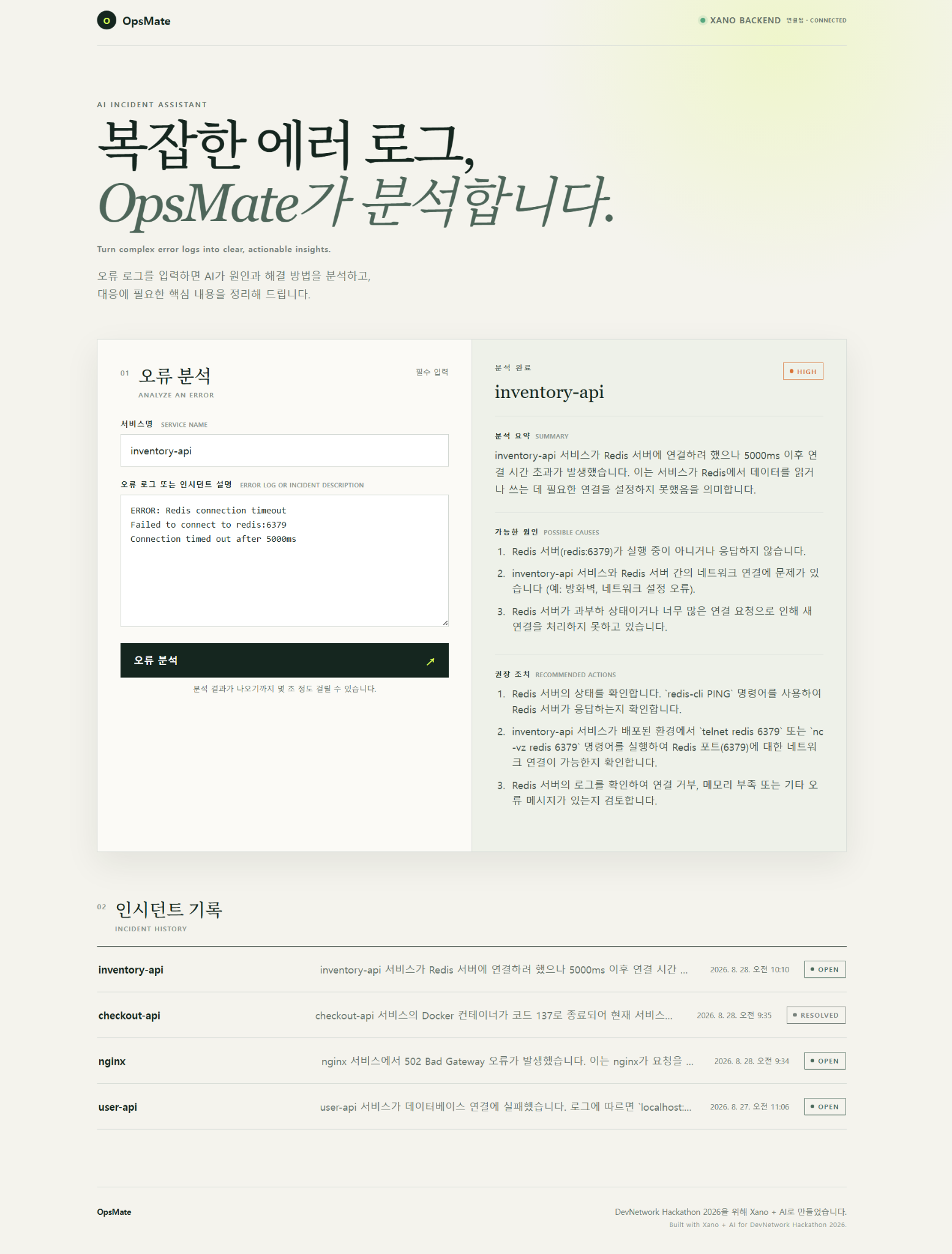
AI Incident Analysis — OpsMate turns a Redis connection error into a structured summary, possible causes, recommended actions, and severity.
-
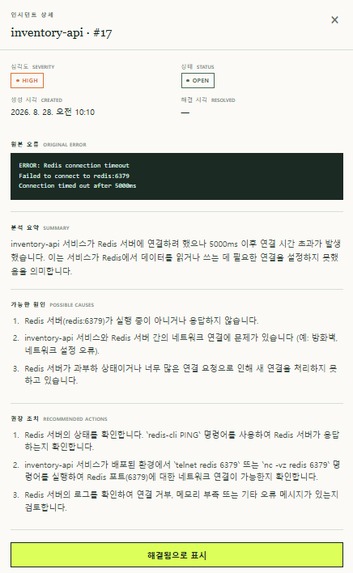
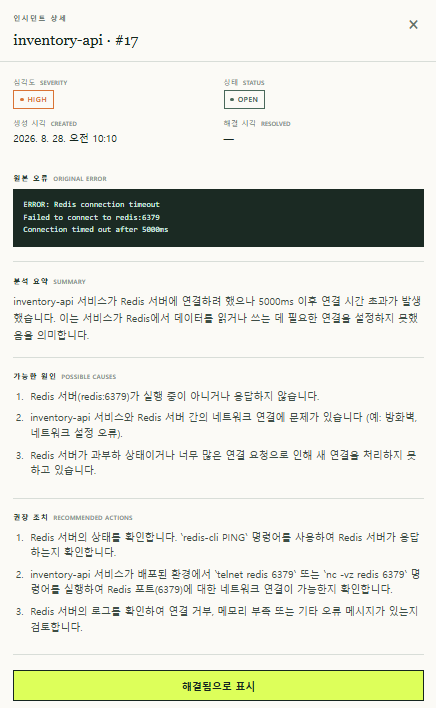
Persistent Incident Detail — AI analysis and the original error are stored in Xano and can be retrieved from Incident History.
-
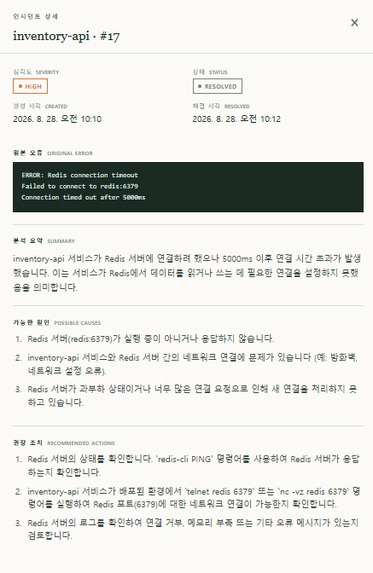
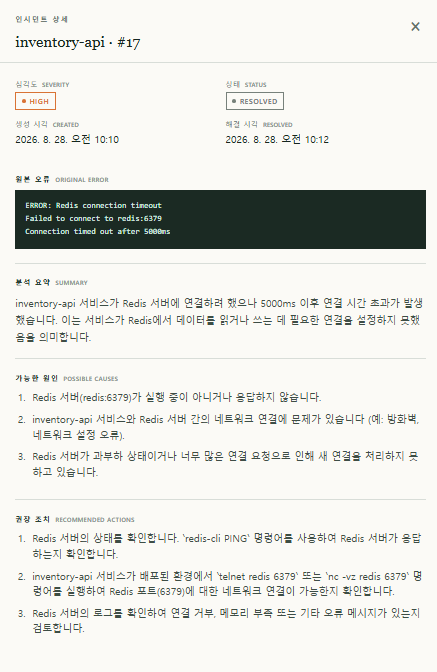
Resolution Tracking — An incident can be marked as resolved while preserving its analysis and recording the resolution time.
Inspiration
Incident management and observability tools are essential at scale, but their dashboards, terminology, and configuration can overwhelm beginners, students, solo developers, and small teams.
When a developer encounters a 502 response, a database connection timeout, or a stopped container, the first question is often not “Which dashboard should I configure?” but simply: “What does this mean, and what should I check next?”
We built OpsMate to make that first response immediate and approachable, then carry it into a lightweight incident management workflow.
OpsMate is not intended to replace a general-purpose LLM. Instead, it turns one-off AI troubleshooting into a structured, persistent, and trackable Incident workflow powered by Xano.
What it does
A user enters a service name and pastes an error log or incident description. OpsMate analyzes the input and returns:
- A beginner-friendly summary
- Possible causes
- Recommended diagnostic and recovery actions
- A severity classification
The result does not disappear after the AI response. Xano validates and stores it as an Incident.
Users can then view previous incidents, reopen their stored analysis, track OPEN and RESOLVED states, and record when an incident was resolved.
In short:
Error Log → AI Analysis → Structured Incident → Persistent History → Resolution Tracking
How we built it
Xano is the core backend of OpsMate, not just an API proxy.
The frontend sends incident data to a Xano REST API. Xano then:
- Validates the input
- Runs the Xano AI Agent
- Parses and validates the structured AI result
- Stores the complete Incident in the Xano database
- Exposes the stored data through REST endpoints
- Handles incident status changes and resolution timestamps
The frontend is a lightweight responsive single-page application built with HTML, CSS, and JavaScript and deployed using Xano Static Hosting.
Codex accelerated development by assisting with XanoScript, frontend implementation, testing, debugging, and Git workflow. Xano remains the core runtime for the database, REST API, business logic, AI workflow, persistence, and deployment.
Why not just use a general-purpose LLM?
A developer can paste an error log into a general-purpose LLM and ask what went wrong. OpsMate does not claim that an LLM cannot perform that analysis.
The difference is what happens after the answer.
OpsMate turns AI troubleshooting into an operational record by connecting structured analysis with severity classification, validation, database persistence, incident history, OPEN/RESOLVED state management, and a stable resolution timestamp.
The value is not a “better AI model.” It is a consistent Incident Management Workflow built around AI.
Challenges we ran into
One important integration challenge was understanding the exact object returned by ai.agent.run.
The generated text is wrapped inside a result field. Attempting to JSON-decode the entire response caused a backend error. We inspected the live response, updated the workflow to parse result, validated its structure and severity, and retested database persistence.
We also made incident resolution idempotent: resolving an already resolved Incident does not overwrite its original resolved_at timestamp.
Accomplishments that we're proud of
- Built the complete input → AI → database workflow inside Xano
- Integrated AI analysis with persistent Incident management
- Validated structured AI output before database persistence
- Built a live public frontend covering the Incident lifecycle
- Implemented persistent History and OPEN/RESOLVED tracking
- Tested backend failures, persistence, and the deployed browser experience
- Completed the MVP without a paid external AI integration
What we learned
We learned that building a useful AI workflow requires more than a prompt.
Structured output contracts, validation, persistence rules, business logic, and predictable failure behavior are what turn an AI response into a usable application workflow.
We also learned how Xano can bring the database, APIs, AI execution, backend logic, and deployment together in one stack.
What's next for OpsMate
Future versions could add authentication and per-user data isolation, pagination for larger incident histories, provider fallback, team collaboration, and integrations with monitoring tools.
The priority will remain the same: keeping incident response approachable for developers and small teams without turning OpsMate into another complex operations dashboard.
Built With
- ai
- automation
- cloud
- css
- devops
- html
- javascript
- xano

Log in or sign up for Devpost to join the conversation.