Inspiration
Ops-heavy solo builders and small teams lose time, money, and prize eligibility when important messages arrive in too many places. A Devpost organizer note, a Slack mention, a billing warning, an account recovery notice, and a prize-paperwork email can all look like ordinary notifications until a deadline is missed.
Ops Signal Router is built for that specific operator: someone who is shipping deadline-heavy work, cannot afford a missed stopline, and needs Slack to say what changed, why it matters, and what to do next.
What it does
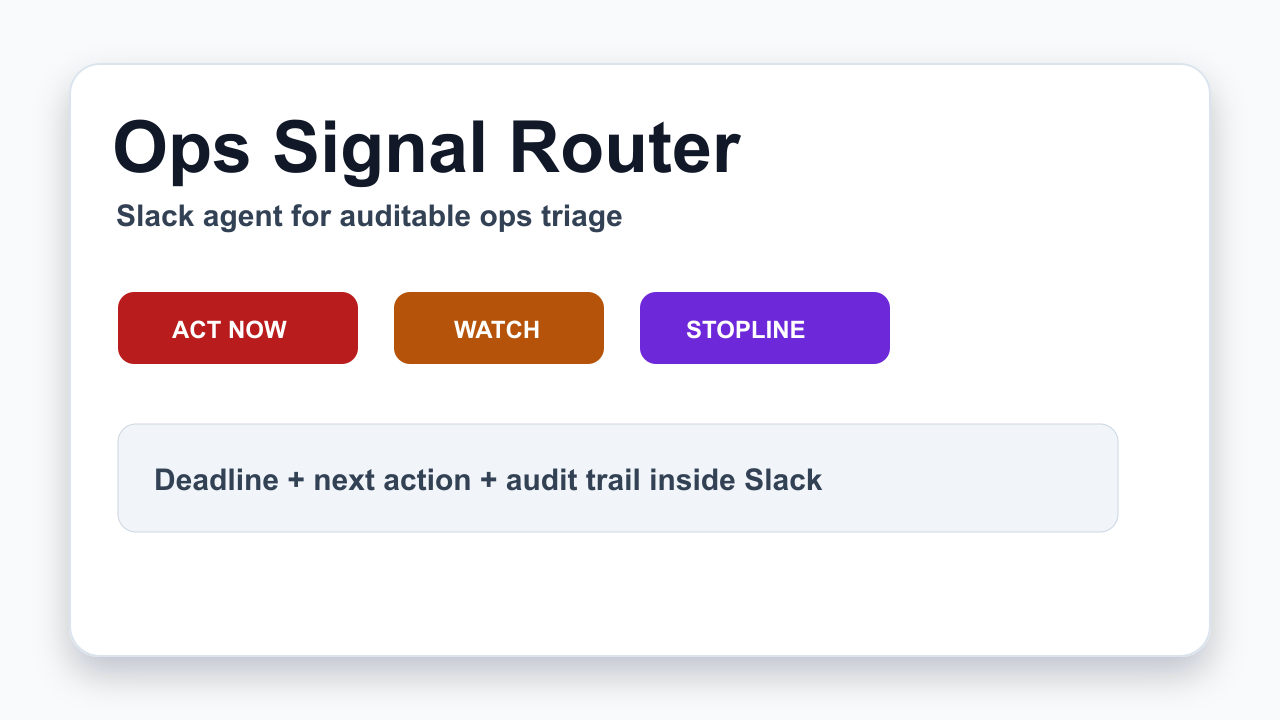
Ops Signal Router turns scattered operational messages into Slack action cards. Each card gives the reviewer:
- the routing tier: ACT_NOW, WATCH, WAITING, STOPLINE, or HANDLED
- the subject that needs attention
- the source and sender
- detected deadlines
- a short next action
- an audit reason trail
The point is not to make another notification feed. The point is to make one reviewable operational decision surface before a deadline, payment boundary, account recovery step, or external-send risk slips through.
How AI is used
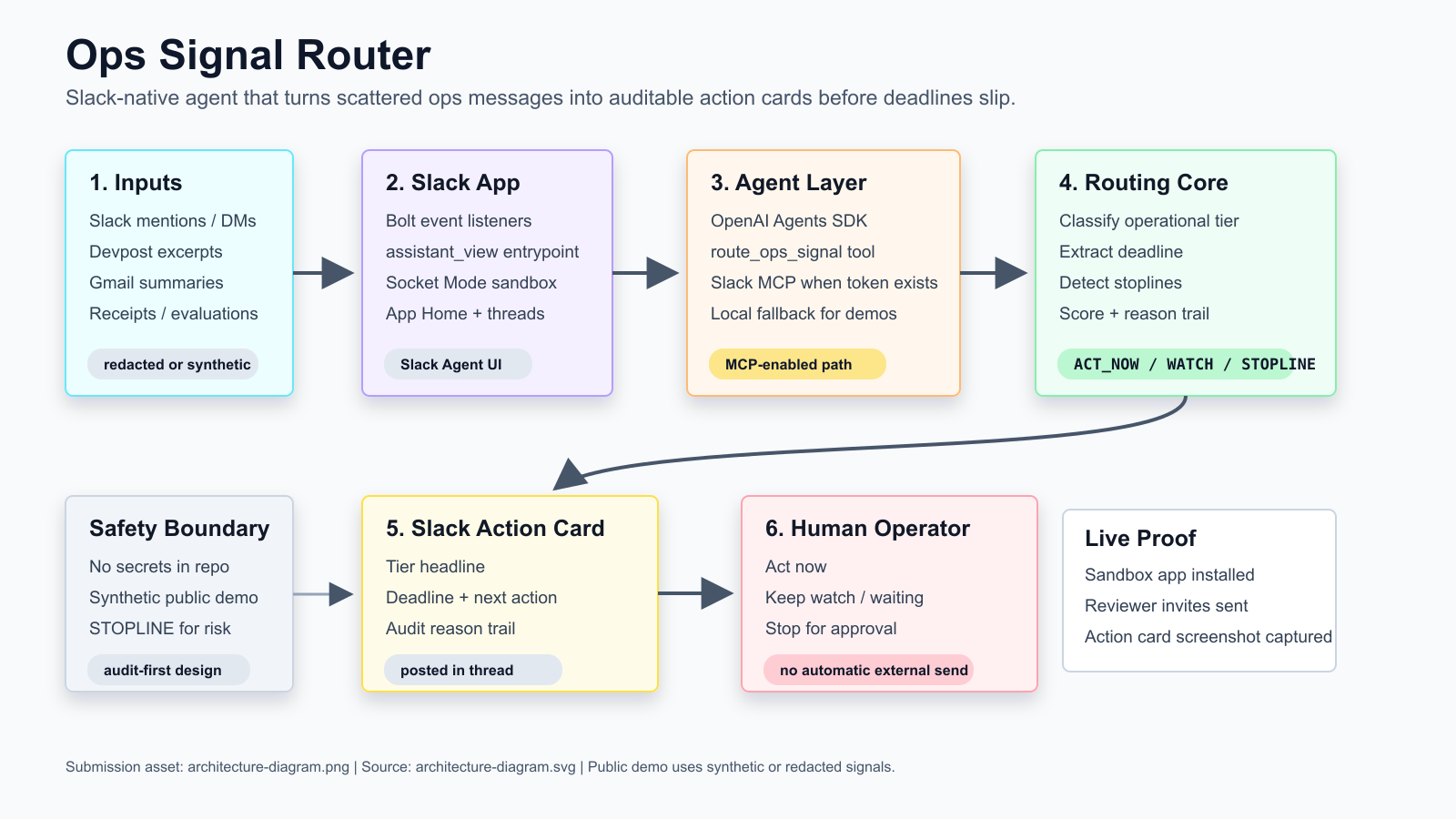
The AI layer is used as an operations triage assistant, not as an uncontrolled actor. The Slack app uses the OpenAI Agents SDK to wrap the shared route_ops_signal tool. Slack MCP is enabled and the agent connects to Slack MCP when a Slack user token is available, so the agent can work inside Slack-native context. For clear classify and triage requests, a deterministic local routing path keeps the demo reliable and auditable.
High-risk items are deliberately routed to STOPLINE instead of being executed automatically. That includes payment or billing changes, account recovery, terms acceptance, external sending, and anything requiring the human project lead's approval.
How I built it
I built a public JavaScript/Node.js routing core, a GitHub Pages reviewer demo, and a Slack Agent Builder sandbox app. The Slack app uses Bolt event listeners for mentions, DMs, and assistant threads, exposes an assistant_view, and returns compact Slack action cards. The public demo uses synthetic and redacted operational messages only.
The repository also includes a Devpost proof package: architecture diagram, YouTube demo on PETOPIA AI, Slack sandbox URL, public demo link, tests, and verification scripts.
Challenges I ran into
The main challenge was making the product useful without leaking private operational data. Real hackathon and account-recovery workflows contain sensitive mail, billing, and identity details, so the public demo had to prove the workflow with redacted examples and synthetic signals.
The second challenge was reliability. Judges need a working demo, so the app keeps a deterministic local route for obvious classify requests while still showing how Slack Agent Builder, assistant surfaces, Slack MCP, and the OpenAI Agents SDK fit together.
Accomplishments that I'm proud of
- Working Slack developer sandbox and installed app
- Reviewer sandbox invites prepared for the required accounts
- Live Slack action-card proof captured in the sandbox
- Public GitHub Pages demo with five operational signals
- Architecture diagram and under-three-minute demo video
- Root verification, agent tests, type check, and dependency audit passing
- No private Gmail, billing, account recovery, or prize-payout content committed to the public repo
What I learned
An operations agent is only useful if it shows its reasoning and stops at the right boundary. The best result is not "AI did everything." The best result is "AI found the risky signal, explained why it matters, and made the next human decision easier."
What's next for Ops Signal Router
Next I would deploy the Slack runner on durable infrastructure, add Gmail and Devpost ingestion through explicit user-approved connectors, add per-project routing policies, and create an action-owner ledger so every ACT_NOW or STOPLINE card can be tracked from first signal to final resolution.
Built With
- ai-agent
- github
- javascript
- node.js
- openai-agents-sdk
- operations-triage
- slack-agent-builder
- slack-assistant-view
- slack-bolt
- slack-mcp

Log in or sign up for Devpost to join the conversation.