-
-
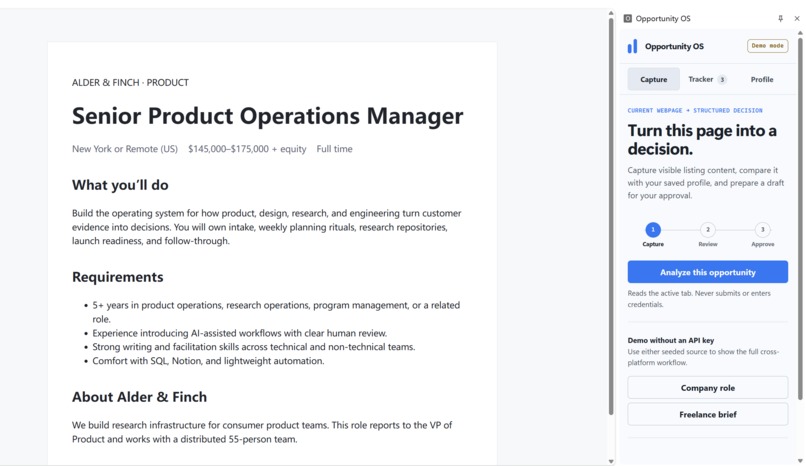
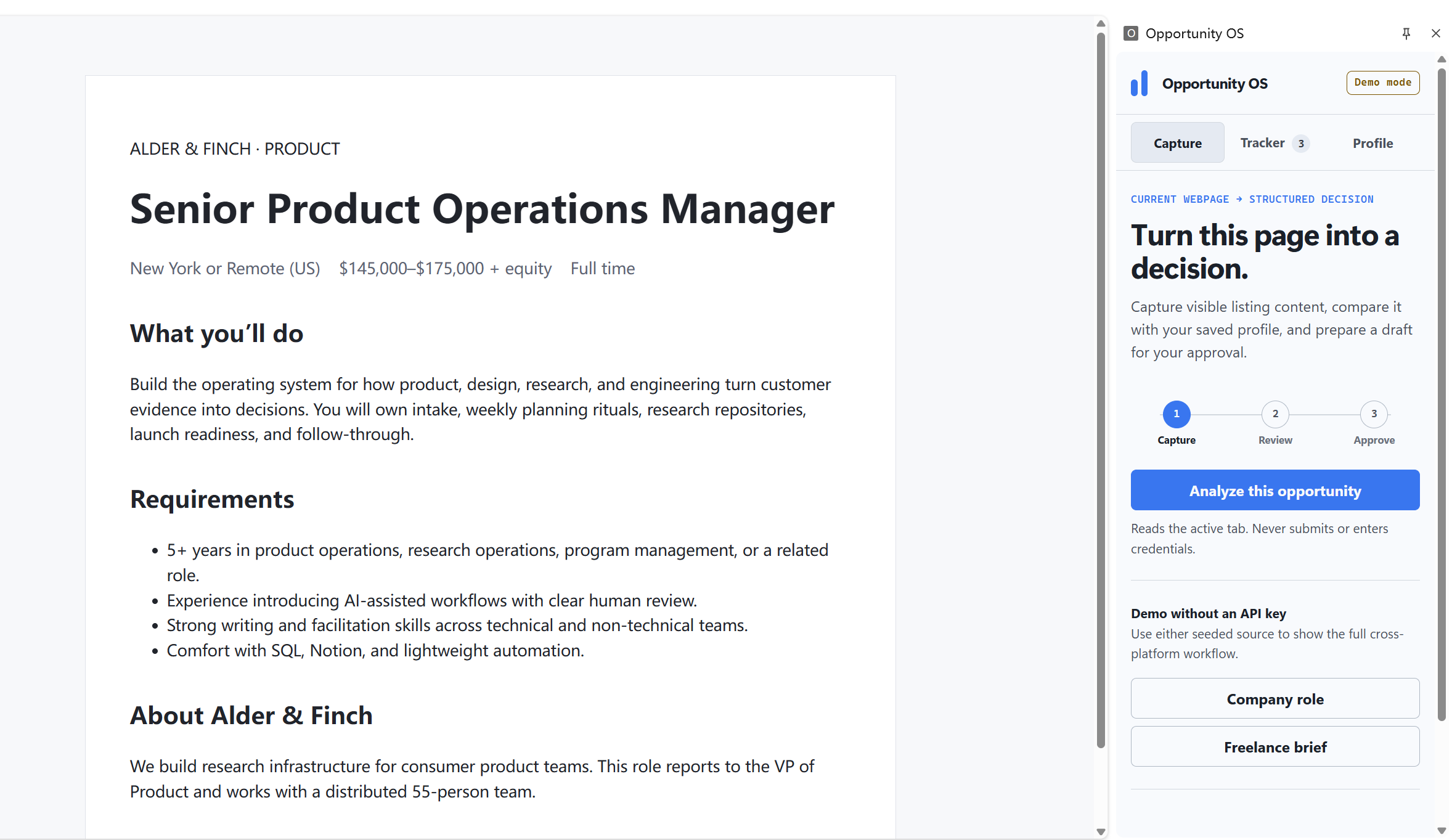
Opportunity OS captures a live job listing in Chrome and turns it into a structured, human-reviewed application decision.
Inspiration
Opportunity OS started with a problem in my own job search. I kept copying listings into AI chats, comparing them with my background, drafting proposals, and trying to remember why I had chosen to apply for one opportunity but skip another.
After doing this over and over, I realized that writing was only part of the work. A lot of my time went into collecting the same context and repeating the same decisions.
I wanted to automate those repetitive steps without letting the tool make the final decision or send anything on my behalf.
What it does
Opportunity OS is a local-first Chrome copilot for job and freelance applications.
When I am viewing a listing, I can open the extension and ask it to analyze the current page. It reads the visible content and extracts details such as the role, company or client, compensation, location, requirements, and responsibilities.
It then compares the listing with a candidate profile that I can edit. The result includes:
a match score and an Apply, Review, or Skip recommendation;
evidence from both the listing and my profile;
possible risks and missing information;
an assessment of whether the opportunity is worth pursuing;
a draft proposal or cover letter;
suggestions for tailoring my CV using facts already in my profile;
questions I may want to ask the employer or client.
Once I have reviewed the result, I can save the opportunity to a local tracker. Nothing is submitted automatically. I still decide whether to apply, edit the draft, or skip the opportunity.
How we built it
The project consists of a Manifest V3 Chrome extension and a local Node.js server. The extension has a persistent side panel and can capture visible content from different listing websites. Candidate information and application records stay in Chrome local storage.
The server turns the captured listing into structured data and returns the analysis in a consistent format. It includes a strict JSON schema, a deterministic demo engine that works without an API key, and optional integration with the GPT-5.6 Responses API.
I used Codex with GPT-5.6 to turn my manual process into the extension, server, interface, analysis schema, sample listings, documentation, and automated tests. Codex handled much of the implementation and verification. I decided how the workflow should behave, what counted as valid candidate evidence, and where human approval was required.
Challenges we ran into
The hardest part was making the extension useful across different job and freelance platforms. Each site structures its listings differently, so I could not depend on one set of page selectors or one fixed layout.
Safety was another practical concern. The system needed to treat captured webpage content as untrusted input and avoid making up qualifications. API credentials also had to remain outside the extension.
I was particularly careful with the approval step. In Opportunity OS, "Approve" means that the user accepts the analysis and saves it to the tracker. It never means "Submit application."
The project also needed to be easy to test. I added a deterministic demo mode so the full workflow remains reproducible without an API key, while keeping GPT-5.6 available as an optional server integration.
Accomplishments that we're proud of
Built a working Chrome extension and local Node.js server.
Tested the same workflow with company roles and freelance projects.
Replaced the fictional sample profile with my own factual candidate information.
Ran the extension against a real freelance listing.
Added a human approval step and a local application tracker.
Passed all 11 automated tests and project checks.
Published the source code and documentation in a public GitHub repository.
What we learned
I started this project thinking mainly about saving time on applications. While building it, I found that the decision support was more useful than simply generating more applications. Seeing why an opportunity matched, where the risks were, and what information was missing helped me make better choices before writing anything.
Working with Codex also forced me to examine a process I had previously handled from memory. To build the product, I had to turn that informal routine into clear steps, data structures, safety rules, and approval points.
What's next for Opportunity OS
I would like to add an inbox that collects opportunities from saved searches and job alert emails. Other possible additions include better support for individual platforms, reusable CV versions, and form filling that pauses for approval before entering information.
The broader direction is a cross-platform assistant that can help with opportunity discovery and application preparation. Any action outside the local system would still require clear approval from the user.
Built With
- chrome
- chrome-local-storage
- codex
- css
- gpt-5.6
- html
- javascript
- json-schema
- manifest-v3
- node.js
- openai-responses-api
