-
-
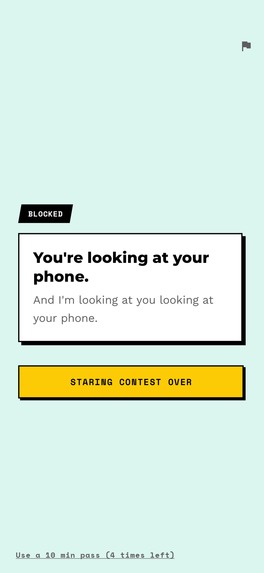
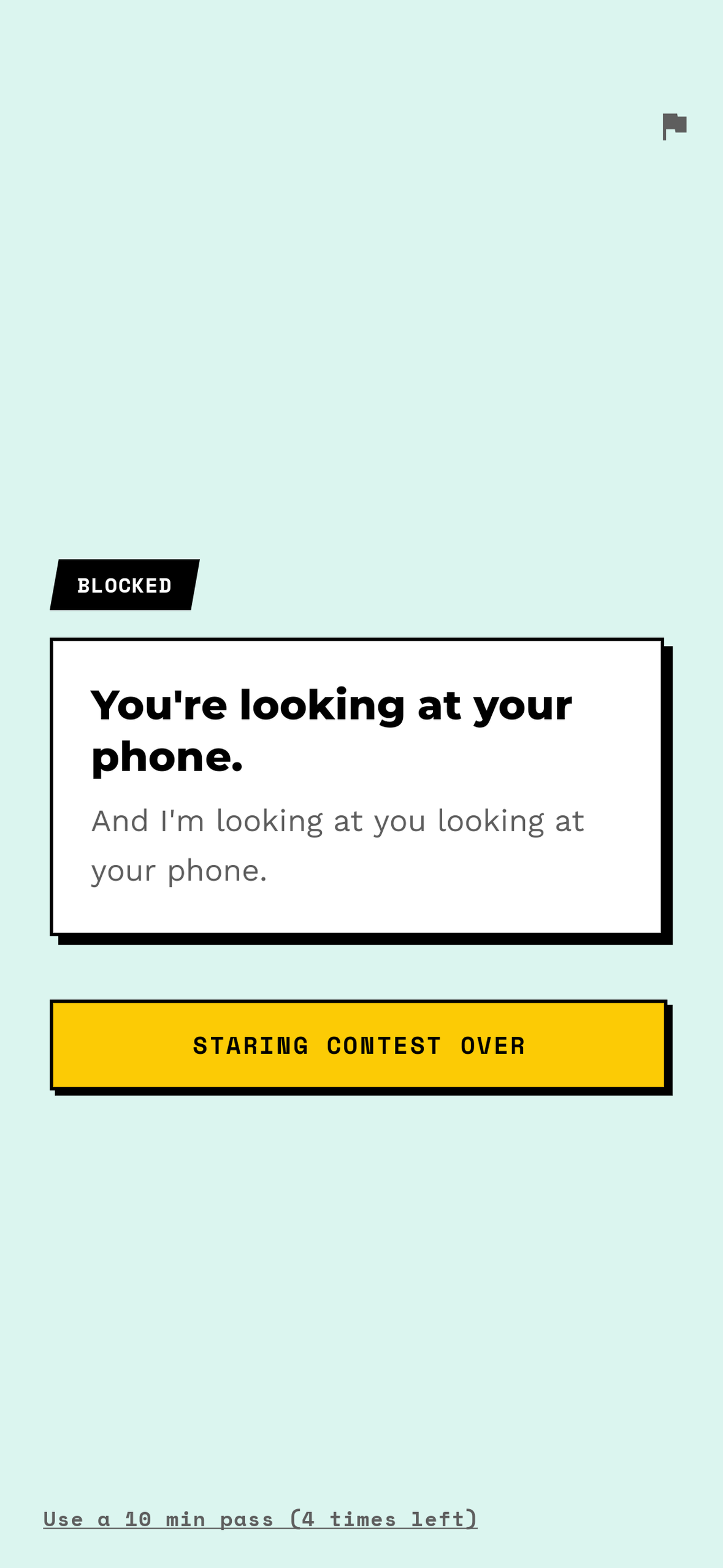
Every block draws a different card — 1,500 across 10 cultural regions, in four tones. No button on this screen opens the app.
-
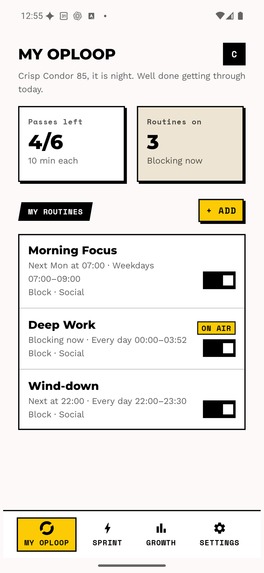
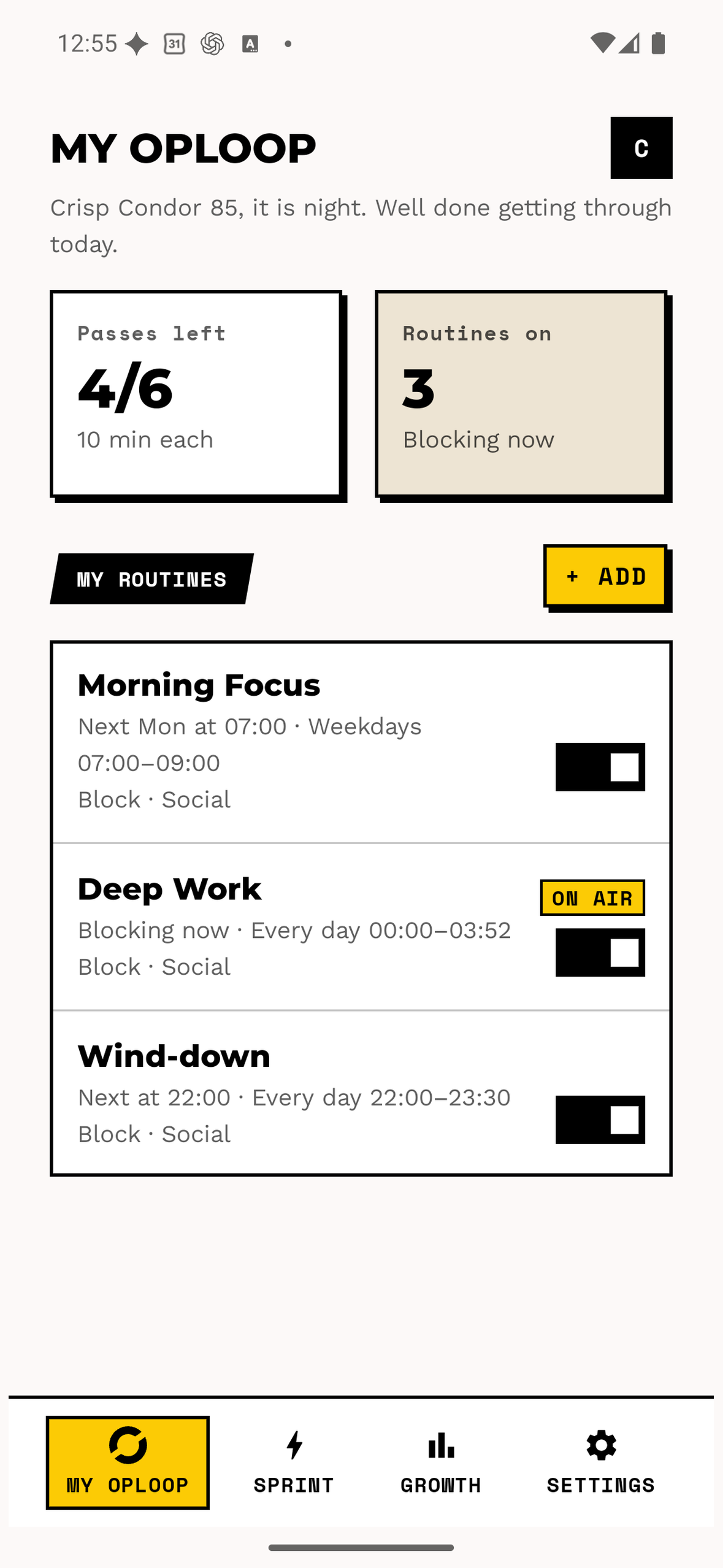
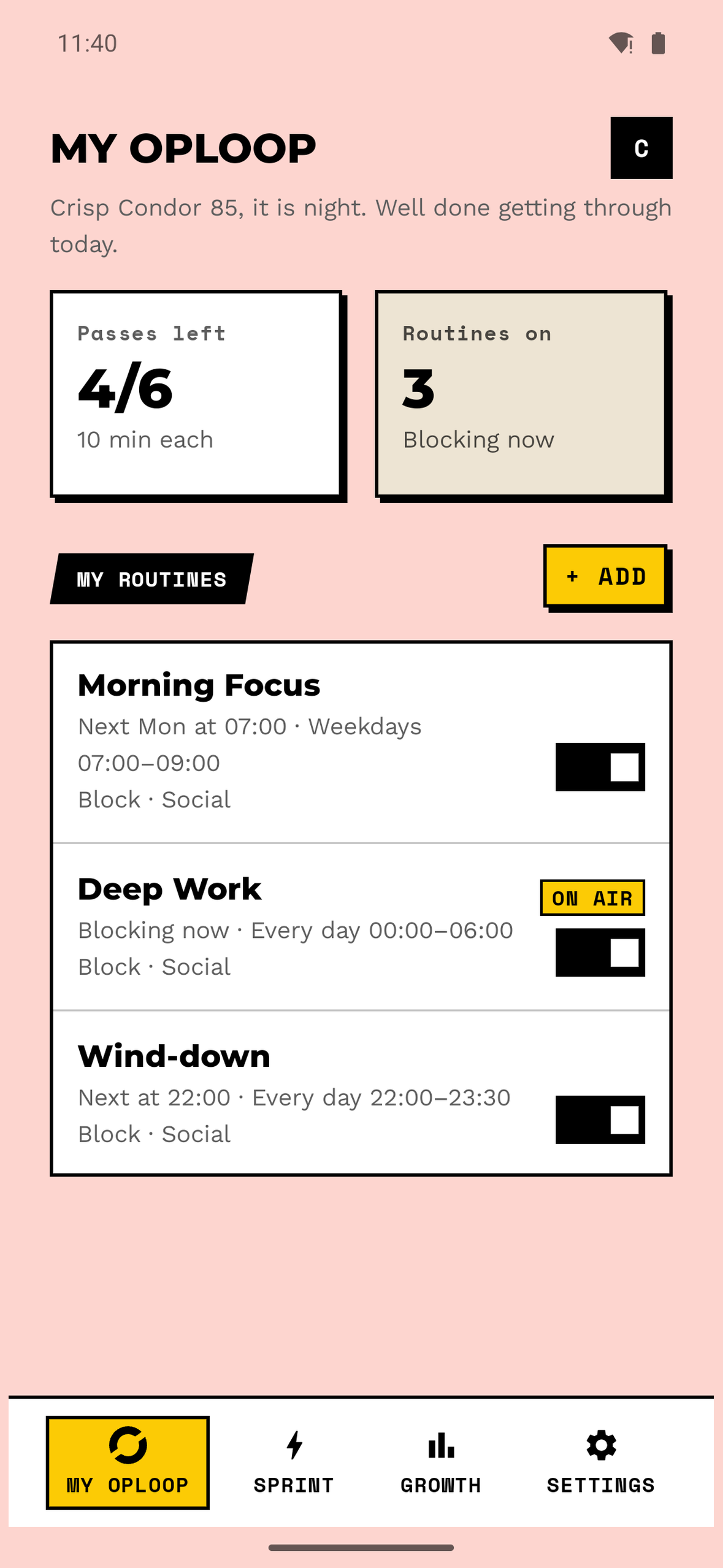
My OpLoop. A routine is when + which apps + how hard + what tone + what escape. You set the rhythm once.
-
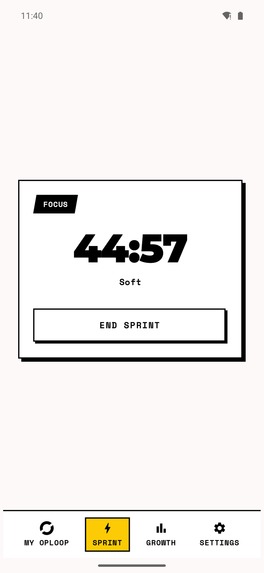
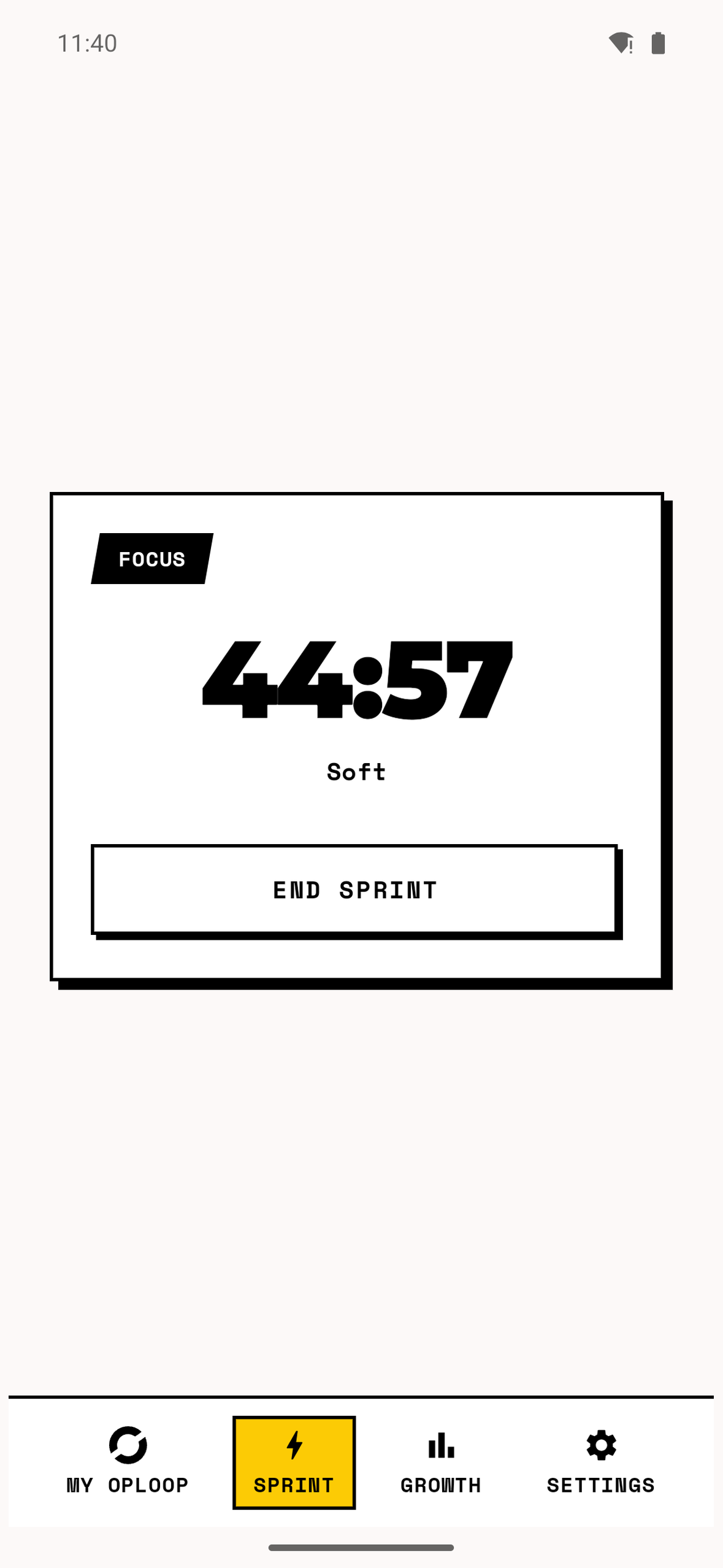
A Sprint running. Soft, Deep, or Lockdown — and Lockdown holds until the timer ends, including across a reboot.
-
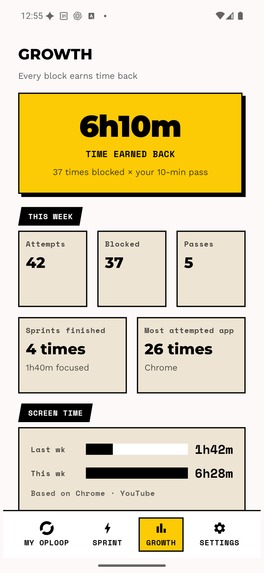
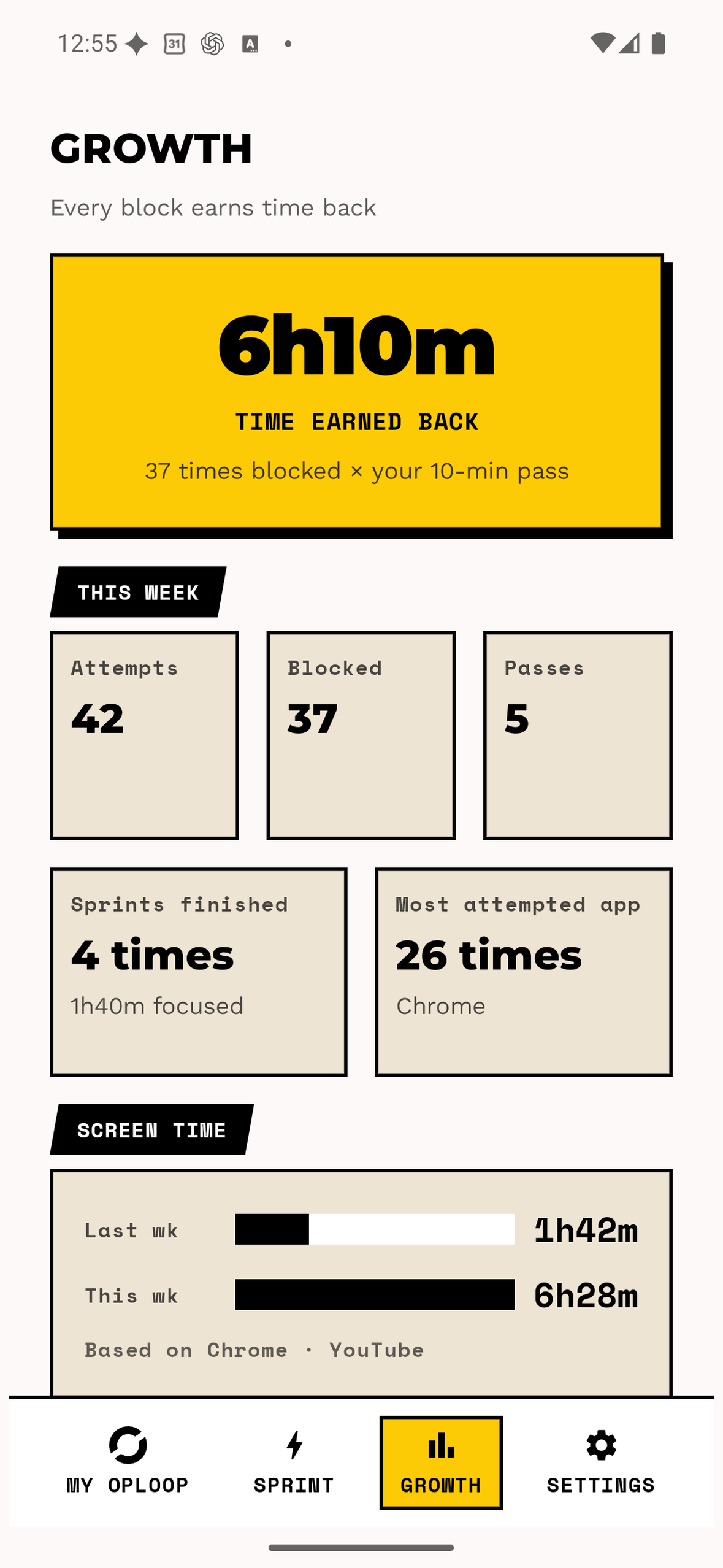
Growth. Time earned back and blocks that held, keyed on an OpLoop day that starts at your own reset hour, not midnight.
-
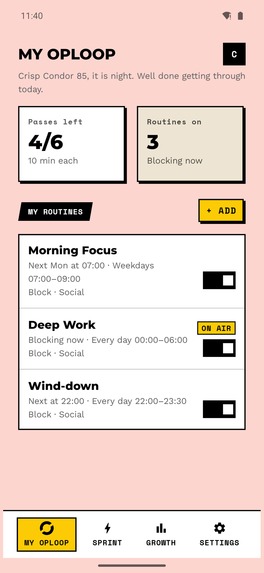
The same home on one of five grounds. The ground moves; the black frame and the accent yellow never do.
What OpLoop is
OpLoop is an Android app blocker. You choose the apps and the hours, and when you open one of them anyway, OpLoop closes it with a block screen that talks back. There are 1,500 of those screens across 10 locale packs, each written for its own region instead of translated, in four tones: a nudge, a calm line, an unhinged joke, and loop_cut, where you drag across the screen and slash the loop mark in half. Being stopped forty times a day shouldn't feel like failing forty times a day.
Blocking was never the hard part, though. Keeping the promise behind the block is. A blocker asks you to keep that promise alone, and the only person who can quietly switch it off is you. So in late September we added Circles.
Circles: challenges you keep together
A challenge is one shared rule ("no Instagram or YouTube for three days", "no Shorts or Reels for a week"), one start date, and everyone who joined keeping it at the same time. Joining is the declaration. You hold a five-second oath, your character drops into the participant list, and everyone in the challenge can see you're in. People keep promises better when others can see them, and Circles is built around that rather than around willpower.
- The rule blocks for you. When you join, the challenge's rule becomes a blocking routine on your phone automatically: all day, every day of the challenge, with no passes. There is nothing to configure.
- One result: PASS or FAIL. The app doesn't grade how well you did. It only checks whether the declaration was broken: quitting, signing out, uninstalling, changing the clock or time zone, leaving blocking off for 30 minutes, or going offline for 12 hours. Reach the end and PASS is automatic.
- You can always leave. Quitting takes a five-second hold on the challenge screen and counts as a FAIL. The commitment is one you chose, and you can walk away from it.
- Others see your status, never your usage. Participants see a nickname, a character and a status: waiting, running, PASS or FAIL. Screen time, app usage and block counts stay on the phone.
- One challenge for the whole world. Each participant runs on their own day boundary, so the same challenge works in every time zone.
- What you earn is cosmetic. PASS earns points, and points buy characters and colours for your profile. Nothing you earn can make a block weaker.
There are three kinds of challenge:
- Official challenges open every Monday and Friday. Anyone can join, and the app-blocking ones are free.
- Private challenges hold up to 10 people: a family, a group of friends, a small team. You set the rule, pick the apps and share an invite link. A friend who installs OpLoop from that link lands straight in the challenge.
- Community challenges hold up to 100: a class, a club, a study group, or a creator and their audience. They open once you share a public post about running one.
There is no ranking and no usage number anywhere in Circles. When app blockers go social they usually compare people, with screen-time leaderboards and streaks. Circles only has a shared rule, a public declaration and a result. PASS gets a card you can share; FAIL doesn't.
Everyday blocking
- Routines. When, which apps, how strict, what tone and what escape. Set a morning focus block or an evening wind-down once, and OpLoop turns it on and off.
- Sprint. A focus session that starts right now. Soft blocks what you picked, Deep blocks everything except what you allow, and Lockdown holds until the timer ends, even through a reboot: the session lives in device-protected storage, and a cover goes up 0.6 seconds after the process starts, before the phone is first unlocked.
- Shorts and Reels only (Pro). Block just the short-form feed of YouTube or Instagram and keep the rest of the app. Detection only checks whether certain view IDs exist. Nothing is stored or sent.
- Growth. Time earned back and blocks that held, this week against last, counted on an "OpLoop day" that starts at your own reset time.
One rule for the block screen
No button on the block screen can open the blocked app. Every response button closes it. The temporary pass is a separate corner control in a different style, kept apart from the button row. A rewarded ad never unlocks a blocked app either; it only unlocks a stricter block.
How it looks
Industrial brutalism: 2px black borders, hard shadows with zero blur, section tags skewed -10° with their text set upright, and one accent yellow that matches the app icon's background exactly. In Circles, yellow has a single meaning: you're in.
How it's built
Kotlin and Jetpack Compose, minSdk 26, targetSdk 36. Every blocking decision is a pure function with tests around it, and the Android layer only feeds it a snapshot. A challenge's routine goes through exactly the same decision path as any other routine. Circles creates and removes routines but never judges blocks itself.
Circles runs on Supabase (Postgres, Edge Functions and pg_cron). Only the server moves a participation from one state to the next. The phone reports facts: every four hours it sends the clock, time zone, install time and whether blocking is on, with no usage data. Results are judged on the device you joined from, so a tablet in a drawer can't fail you, while the block itself follows your account to every device.
OpLoop never makes a network call at block time. RevenueCat entitlements are mirrored into a local tier so the SDK stays off the decision path, and the mirror only writes confirmed answers, so a failed refresh can never downgrade anyone. Pro covers Shorts and Reels rules, Lockdown, creating Private and Community challenges, and running up to five challenges at once instead of one.
Where it is
Live on Google Play in 177 countries, in 7 UI languages (English, Korean, Japanese, German, French, Spanish and Italian) with 10 card locale packs. The first public release was on September 2, 2026, and Circles went live at the end of September.

Log in or sign up for Devpost to join the conversation.