-
-
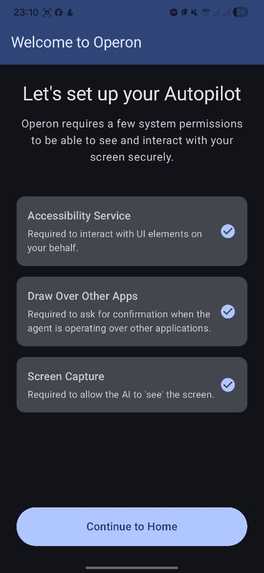
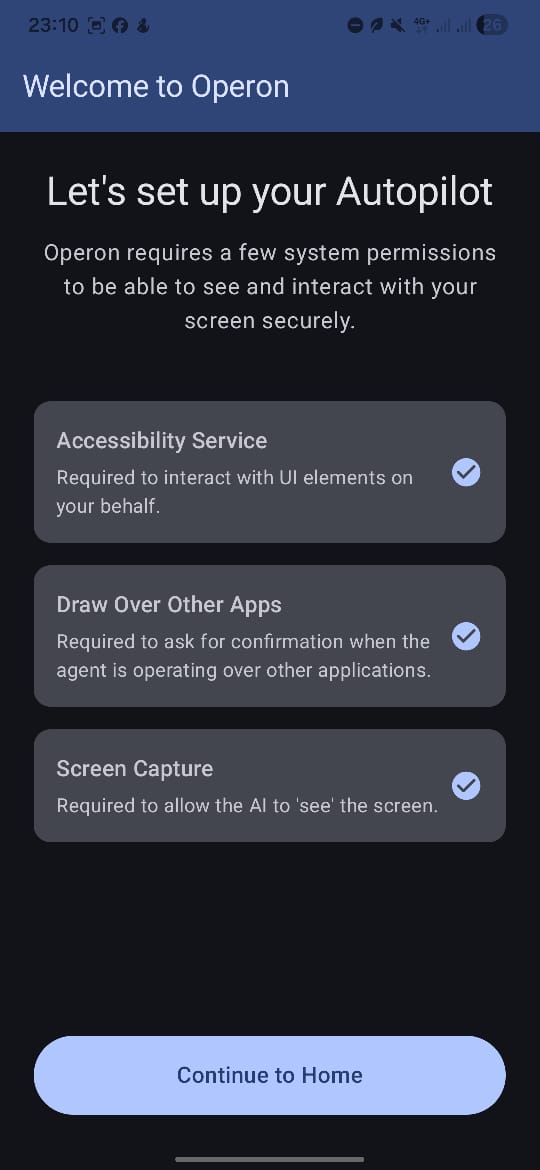
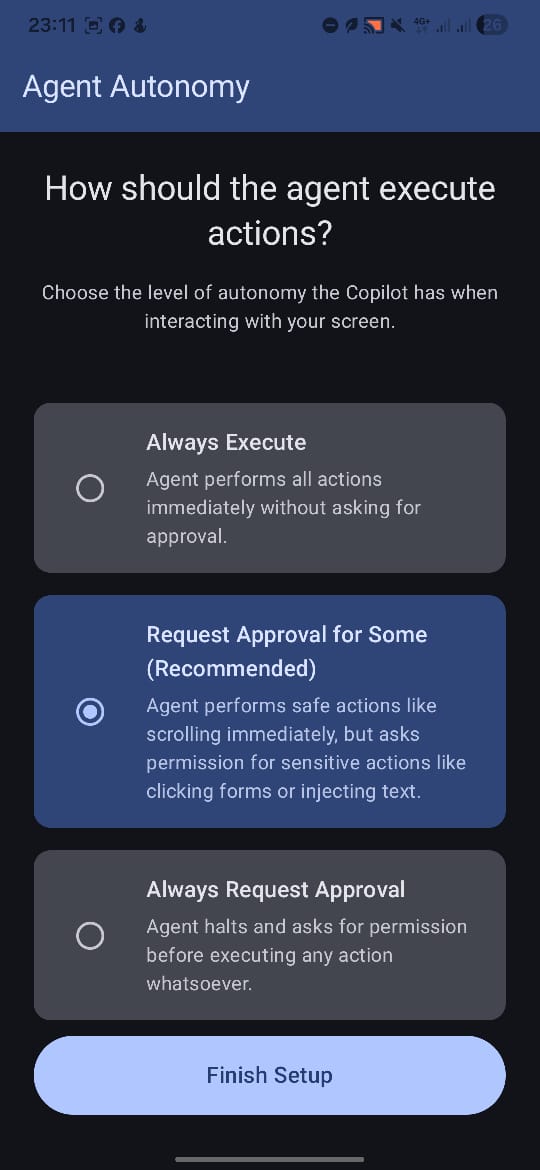
Onboarding screen 1
-
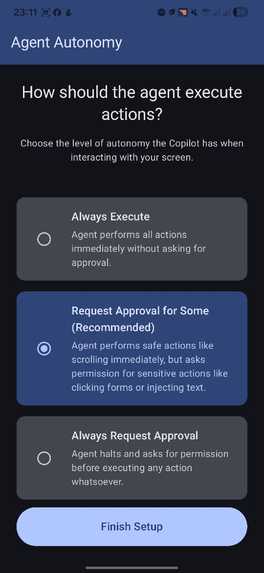
Onboarding screen 2
-
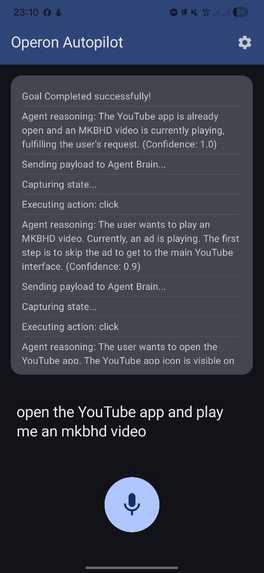
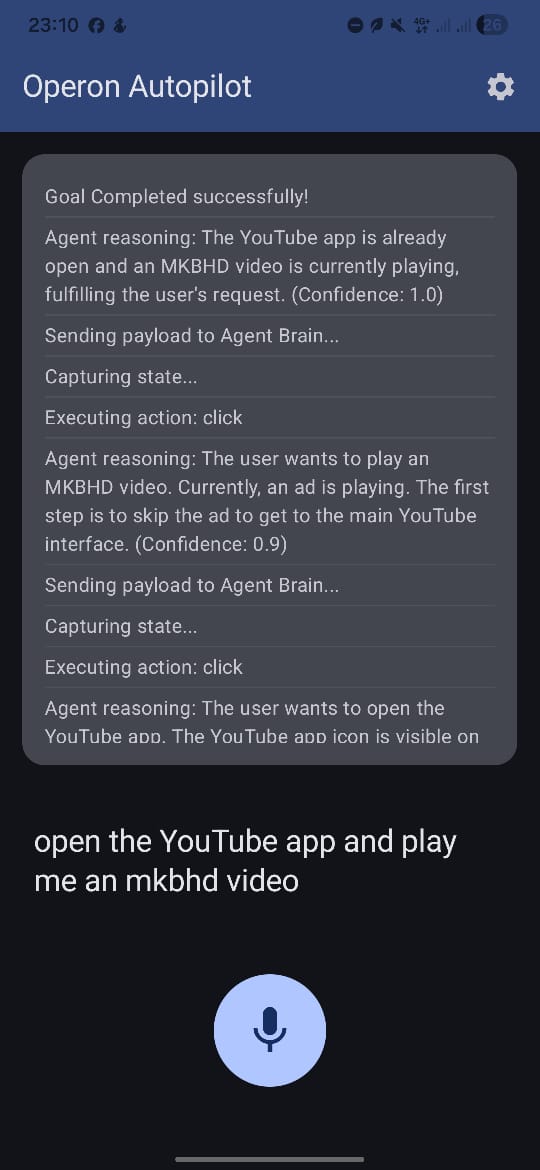
Agent action logs
-

Architecture Diagram

Operon: The Generalized Android AI Agent
Inspiration
The mobile experience is still largely fragmented. While I have "smart" assistants, they often fail to bridge the gaps between disparate apps without explicit integrations. I was inspired to build Operon to create a truly generalized AI Copilot - one that can "see" and "interact" with any Android application just as a human would, turning my smartphone into an autonomous powerhouse.
What it does
Operon acts as a bridge between my goals and my device's interface. By leveraging the Gemini 2.5 Flash and Pro models, it:
- Sees: Captures real-time visual screenshots and structural UI trees.
- Reasons: Understands the context of the screen and plans the next step to achieve my goal.
- Acts: Executes native clicks, scrolls, and text inputs through the Android Accessibility Service.
- Safeguards: Employs a unique Global Overlay system to ask for my approval before taking sensitive or committal actions (like sending a message or making a purchase).
How we built it
Operon is built on a split architecture:
- Operon-Mobile: A native Android app I developed with Jetpack Compose. It utilizes the
AccessibilityServicefor layout parsing and event injection, and theMediaProjectionAPI for high-frequency screen capture. - Operon-Backend: A TypeScript/Express server hosted securely on Google Cloud Run, interfacing with Google Cloud Vertex AI. It processes multi-modal inputs (screenshots + JSON UI trees) and returns structured JSON instructions for the device to follow.
- The Loop: I implemented a continuous reasoning loop that ensures the agent verifies the result of its previous action before proceeding to the next one.
Architecture Overview
The system operates in a closed continuous loop:
- State Capture:
Operon-Mobiletakes a real-time screenshot (viaMediaProjection) and a structural UI layout tree (viaAccessibilityService). - Analysis: The payload is sent to
Operon-Backend. - Reasoning: The backend constructs a prompt including the user's goal, the UI JSON tree, and the base64 screenshot. Gemini evaluates the state and outputs a strict JSON instruction.
- Execution: The Android app parses the JSON action (e.g.,
clickat boundsX,Y,input_text"hello",home,scroll) and executes it using the Accessibility API. - Approval: For highly sensitive actions (e.g., "submit", "send message", "delete"), the agent pauses and spawns a Global Overlay over your current app to request manual approval before proceeding.

Challenges we ran into
- Prompt Engineering: This was one of the biggest hurdles. I had to put in a lot of work to get the prompts right, ensuring they were precise enough to produce the structured JSON output required for reliable automation without losing the creative reasoning power of the LLM.
- UI Tree Complexity: Handling massive, nested UI trees in modern apps required significant optimization to stay within LLM token limits while maintaining context.
- Latency: Achieving a "snappy" feeling required balancing the use of Gemini Pro (for complex reasoning) and Gemini Flash (for faster navigation).
- Security & Permissions: Android's security model for Accessibility and MediaProjection is strict. I spent a lot of time designing an onboarding flow that builds user trust.
- Precision: Translating LLM-suggested actions into exact screen coordinates across different device resolutions and aspect ratios.
Accomplishments that we're proud of
- The Global Overlay: Building a seamless, system-level approval dialog that pops up over any app was a significant technical hurdle.
- Continuous Reasoning: Creating a robust feedback loop where the agent can self-correct if a click doesn't produce the expected result.
- Zero-Integration Automation: Successfully automating apps that have no public APIs, proving the power of vision-based agents.
What we learned
- Multimodal Nuances: I discovered that combining raw visual data with structural metadata (the UI tree) makes the agent significantly more reliable than using either alone.
- The Power of Gemini: The ability of Gemini 2.5 to handle long-context UI trees and high-resolution screenshots simultaneously was a game-changer for my architecture.
- Mobile Guardrails: I learned that user confidence is more important than pure autonomy; the "Semi-Autonomous" mode became my most valuable feature.
What's next for Operon
- Scheduled Automations: I plan to implement a scheduling engine where complex actions can be queued to execute at a specific time or in response to system triggers.
- Multi-Modal Interaction: Integrating voice commands and audio feedback for a hands-free navigation experience.
- On-Device Reasoning: Investigating ways to move part of the reasoning loop to the device (using Gemini Nano) for lower latency and offline support.
- Personalized Context: Allowing Operon to learn from my habits to anticipate needs and suggest proactive automations.
Built With
- accessibilityservice
- android
- android-studio
- antigravity
- cloud-run
- datastore
- firestore
- gemini
- jetpack-compose
- kotlin
- mediaprojection
- node.js
- typescript
- windowmanager

Log in or sign up for Devpost to join the conversation.