-
-
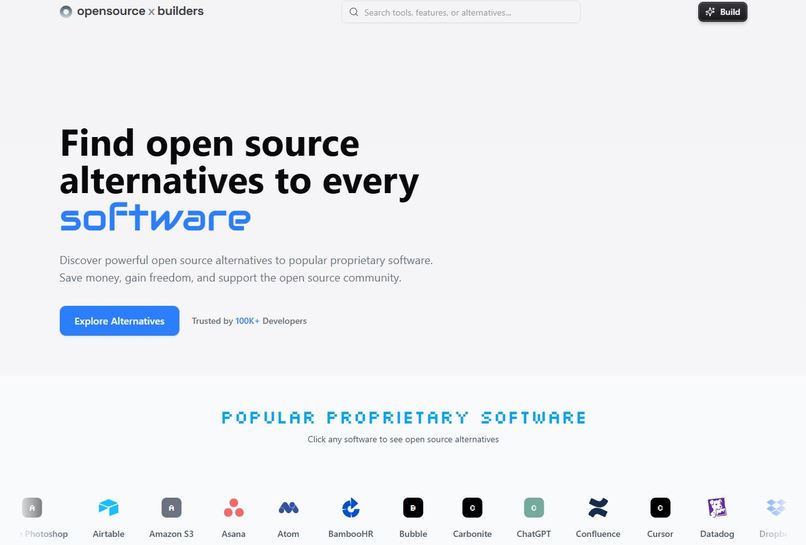
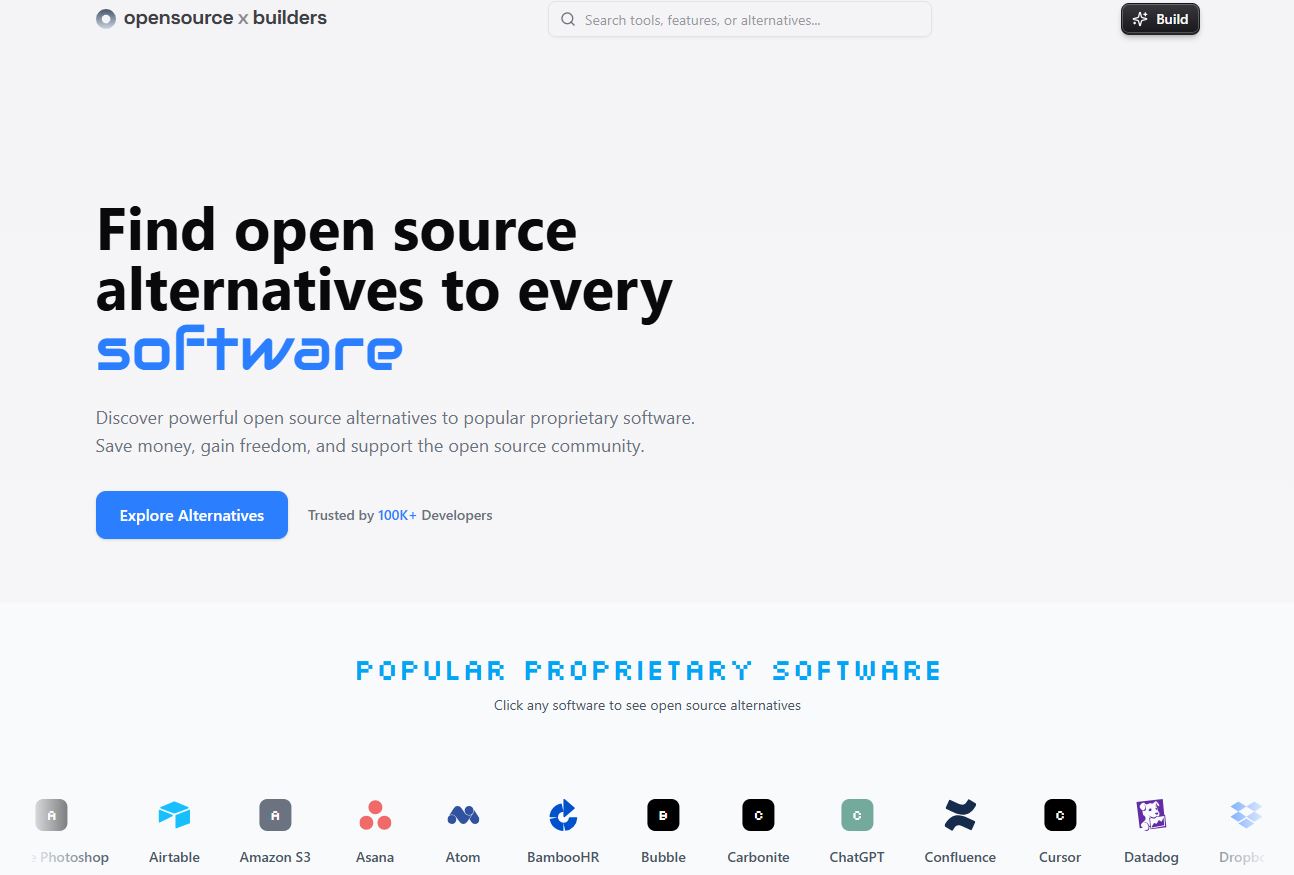
Homepage showing our mission: find open-source alternatives to any software. Clean UI, search bar, and Build button for easy access.
-
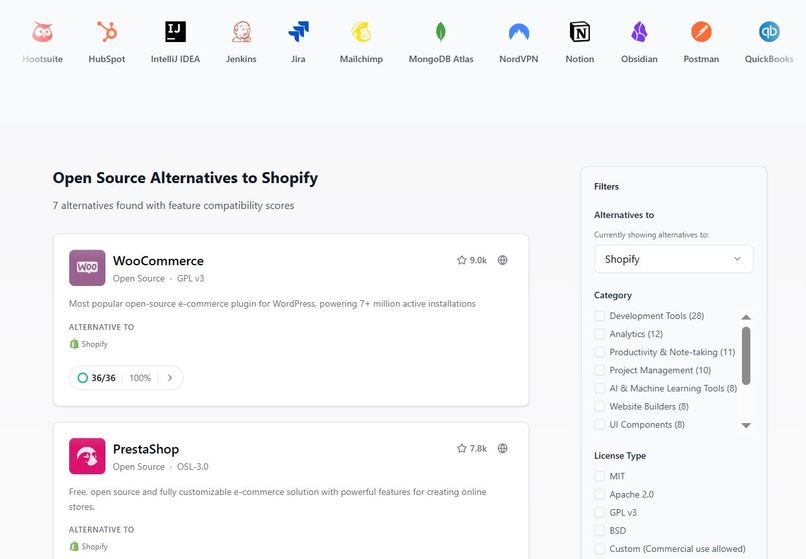
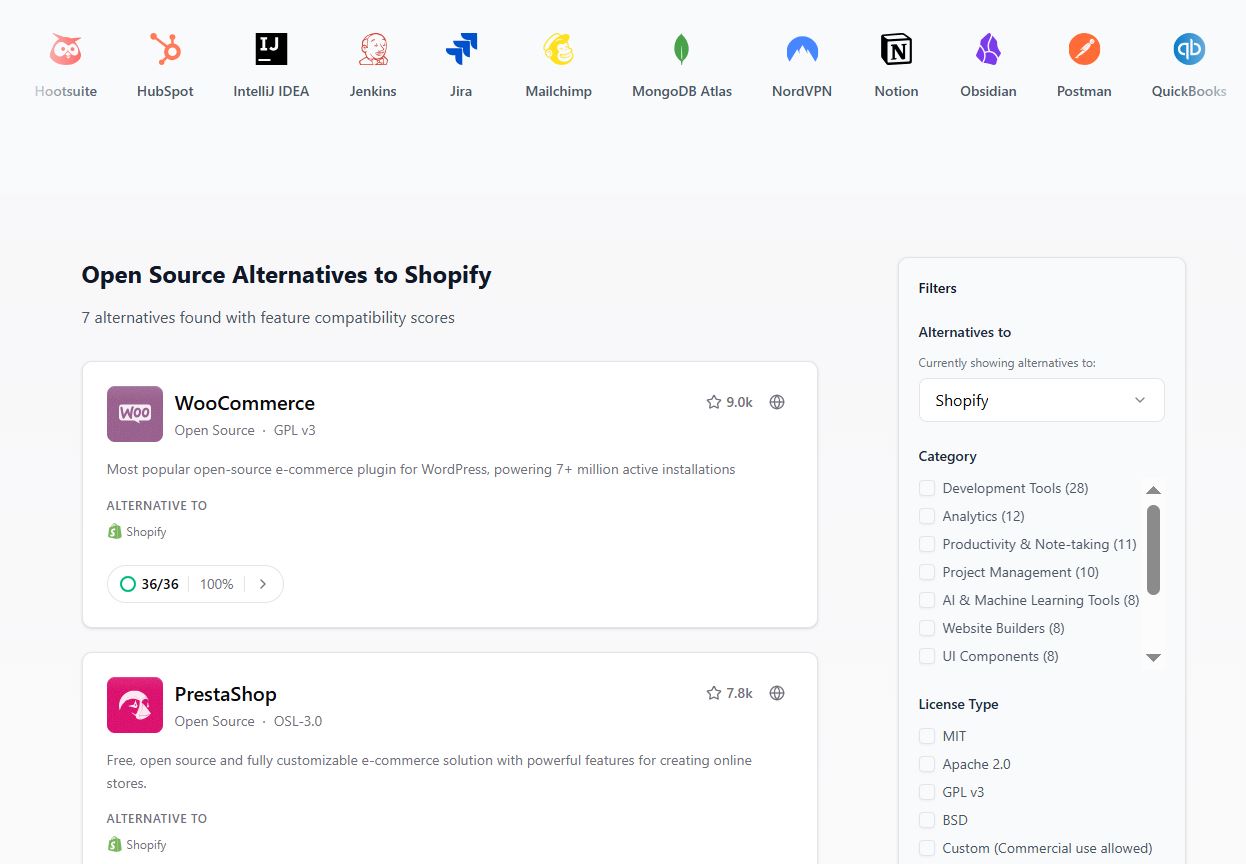
Discover open-source Shopify alternatives with filters, feature scores, and detailed listings like WooCommerce and PrestaShop.
-
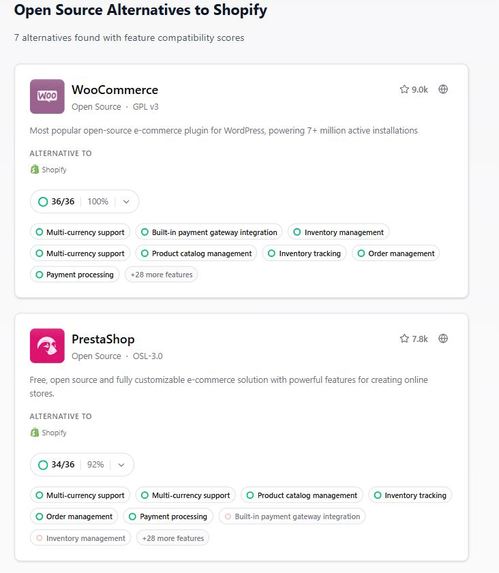
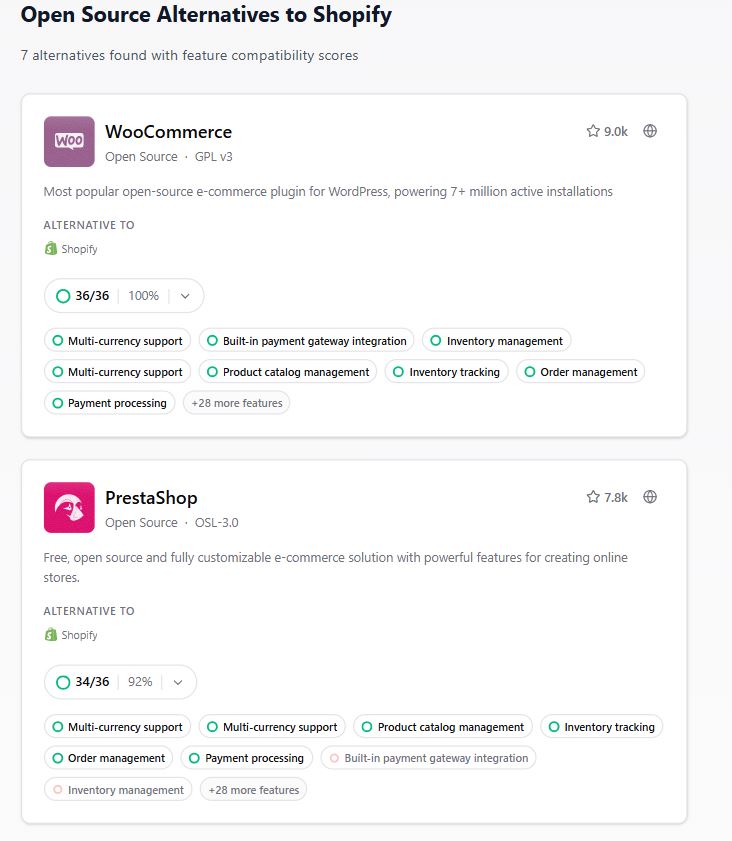
Detailed feature comparison for Shopify alternatives. WooCommerce scores 100%, PrestaShop follows with 92% and 30+ features.
-
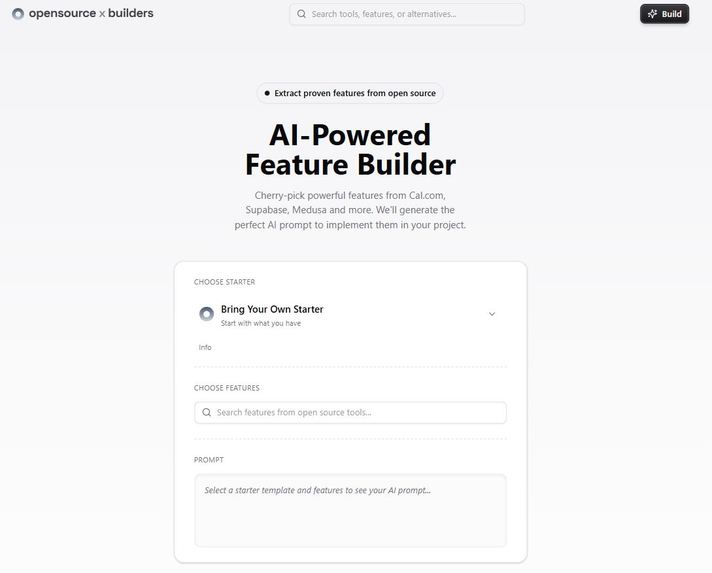
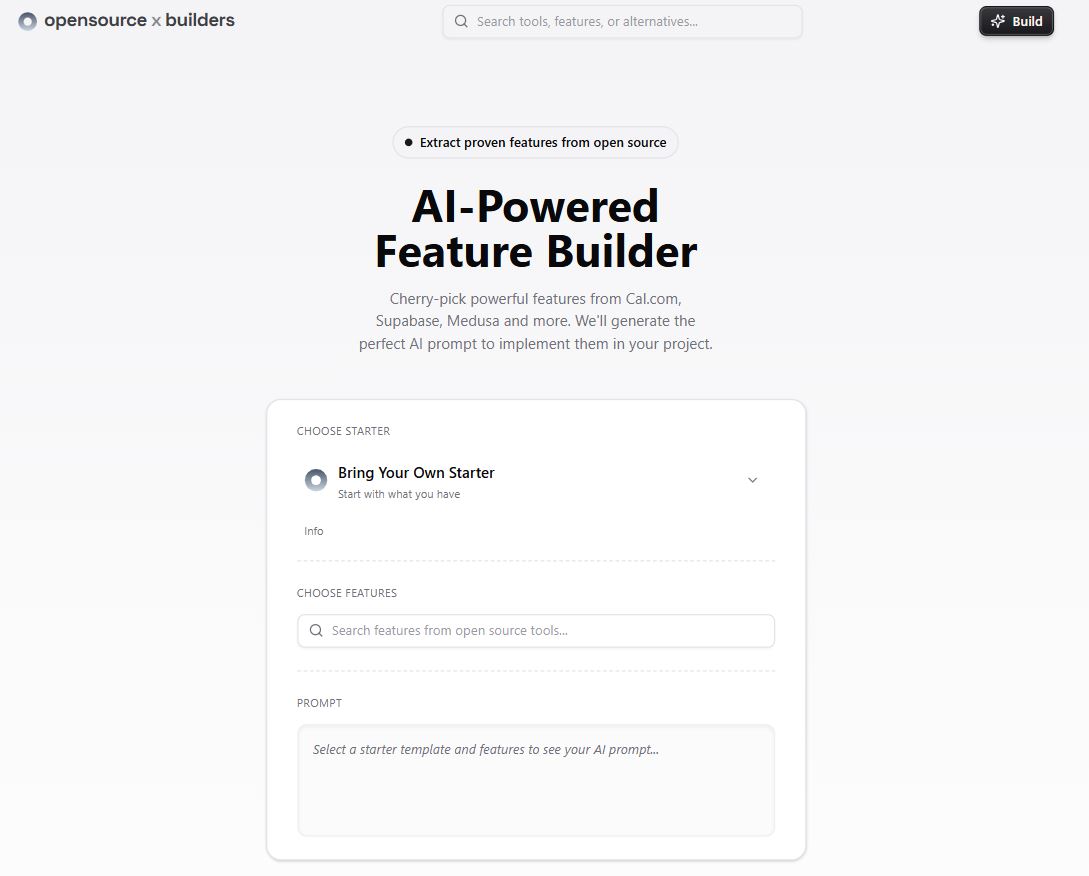
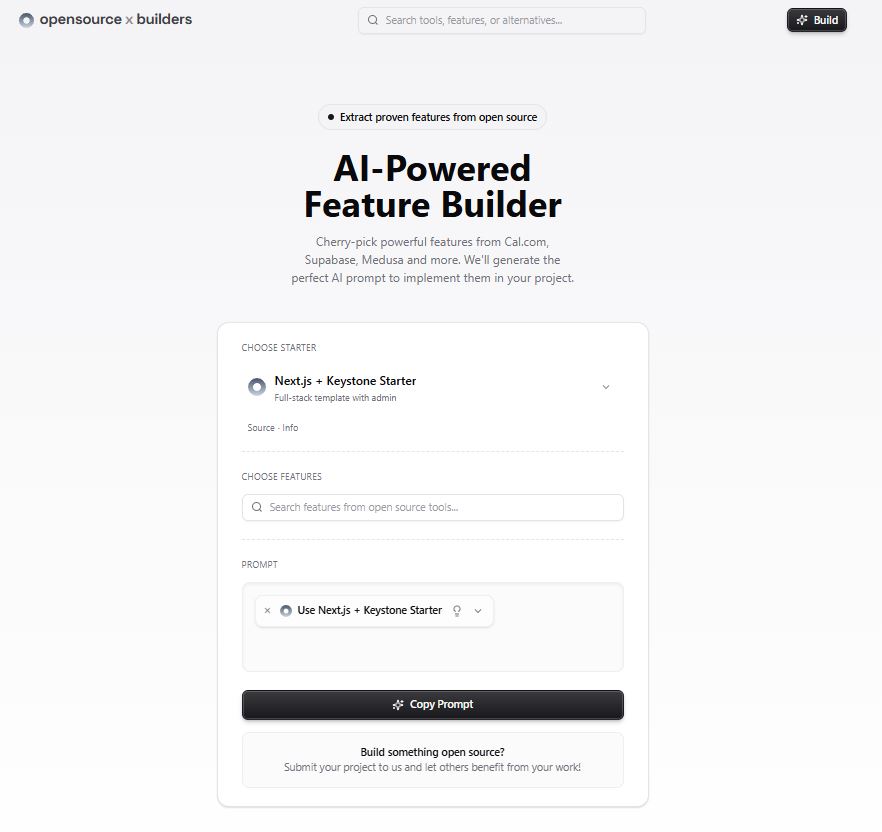
AI-Powered Feature Builder lets users select open-source features and auto-generate prompts to build apps with any AI model.
-
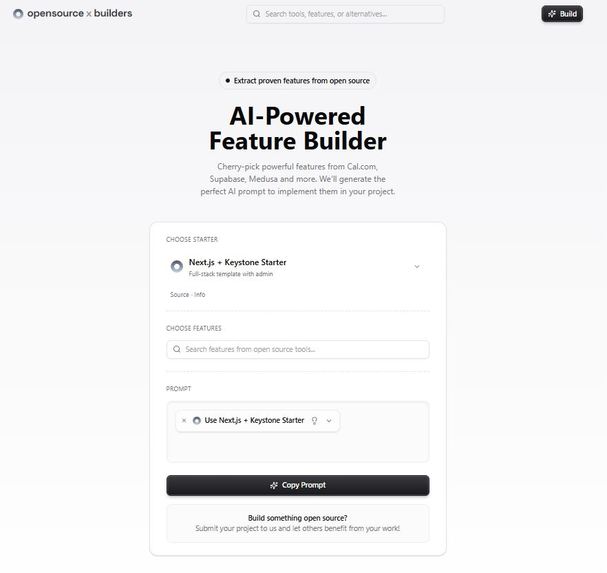
Select a starter like Next.js + Keystone, add features, and instantly generate a copyable AI prompt to build your app—no code needed.
Inspiration
Our journey with opensource.builders began over a year ago when I started my coding adventure. Like many beginners, I found myself navigating the overwhelming world of GitHub and open-source software while trying to build tools for my company. As I explored repositories, I was struck not just by the quantity of available tools, but by their exceptional quality and the passionate developers behind them. These weren’t well-funded corporations, they were everyday developers solving real problems, often problems they personally faced, and choosing to share their solutions with the world for free. What inspired me most was this “I can build it better” mindset, combined with the collaborative spirit of the open-source community. This led me to create the first version of opensource.builders to help surface these hidden gems. Recently, while mentoring a new developer, I witnessed the same journey unfold. My mentee discovered the world of open source and fell in love with the community, the quality of projects, and the collaborative spirit. Their enthusiasm reignited my passion for the project and convinced me it was time to completely revamp opensource.builders. Together, we realized we needed a better way to not just discover these tools, but to actually understand and implement their powerful features. That’s when we built our Interactive Prompt Builder, a revolutionary feature that lets you extract proven functionality from open-source tools and get AI-ready implementation prompts.
What it does
Opensource.builders is a discovery and implementation platform that helps individuals and teams:
1.) Discover free, open-source alternatives to paid commercial software 2.) Extract specific features from tools like Cal.com, Supabase, Medusa, and more 3.) Generate AI-ready prompts to implement these features in your own projects 4.) Learn from proven open-source implementations
Our Interactive Prompt Builder is the standout feature that sets us apart. Users can:
1.) Choose from curated starter templates (Next.js + Keystone.js) 2.) Search and select specific features from open-source tools 3.) Get detailed, context-aware AI prompts that tell AI assistants exactly how to implement these features 4.) Access direct links to source code for open-source tools 5.) Get research guidance for proprietary tool alternatives
Think of it as your compass and implementation guide in the world of open software. Whether you’re looking for a free version of Photoshop, Notion, Salesforce, or Slack, we’ve got you covered with not just discovery, but actual implementation guidance.
How we built it
We built opensource.builders as a modern, full-stack application using cutting-edge technologies: Core Architecture:
1.) Next.js 15 (App Router) - Our primary framework providing both frontend and backend capabilities 2.) Keystone.js 6 - Headless CMS and GraphQL API system that we’ve deeply integrated into Next.js 3.) PostgreSQL - Robust database for storing tools, features, categories, and user data 4.) Tailwind CSS - For modern, responsive styling throughout the application
Custom Integration: 1..) We created a unique architecture that combines Keystone.js’s powerful admin system directly into Next.js 2.) Completely rewrote Keystone’s default Emotion CSS styling to use Tailwind CSS 3.) Built a custom server-side rendered dashboard that integrates seamlessly with Next.js pages 4.) Created a unified authentication system spanning both the public site and admin dashboard
Key Components: 1.) GraphQL API - Auto-generated from Keystone schemas with custom resolvers 2.) Interactive Prompt Builder - Custom React components with real-time search and feature selection 3.) Multi-model Search - Advanced search across tools, features, and alternatives 4.) Responsive Design - Mobile-first approach with Radix UI components 5.) Real-time Updates - Using SWR for optimistic updates and caching
Data Management: 1.) Comprehensive schema covering tools, features, categories, alternatives, and user roles 2.) Permission-based access control for different user types 3.) Automated GitHub integration for repository statistics 4.) Content management system for easy tool and feature curation
The platform itself is completely open-source, allowing users to fork it and create their own curated directories of tools.
Challenges we ran into
1.) Architecture Complexity: Integrating Keystone.js deeply into Next.js required extensive customization. We had to override default behaviors and create custom rendering pipelines.
2.) Styling Migration: Converting Keystone’s Emotion CSS system to work seamlessly with Tailwind required rewriting significant portions of the admin interface.
3.) Search Performance: Building multi-model search across tools, features, and alternatives while maintaining fast response times required careful query optimization.
4.) AI Prompt Generation: Creating context-aware prompts that provide enough detail for AI assistants while remaining readable and actionable was an iterative process.
5.) Data Quality: Curating and maintaining accurate information about hundreds of open-source tools, their features, and relationships required building automated systems and manual curation workflows
Accomplishments that we're proud of
1.) Interactive Prompt Builder: Created a revolutionary feature that bridges the gap between discovering open-source tools and actually implementing their features in your own projects.
2.) Comprehensive Database: Curated over 150+ open-source tools across 20+ categories with detailed feature mappings and alternative relationships.
3.) Seamless Integration: Successfully merged Keystone.js’s powerful backend capabilities with Next.js’s modern frontend, creating a unified development experience.
4.) Open-Source Commitment: Made the entire platform open-source, allowing developers to fork and create their own tool directories.
5.) AI-Powered Implementation: Developed intelligent prompt generation that understands the difference between open-source tools (direct code access) and proprietary alternatives (research-based implementation).
6.) Mobile-First Design: Built a completely responsive experience that works seamlessly across all devices.
What we learned
1.) Open-source developers are enablers: One well-documented repository can empower thousands of other developers
2.) Implementation matters as much as discovery: Finding a tool is only half the battle; understanding how to implement its features is equally important
3.) AI can bridge knowledge gaps: Well-crafted prompts can help developers implement complex features they might not understand fully
4.) Community is everything: The most successful open-source projects combine technical excellence with strong community engagement
5.) Architecture decisions have long-term impact: Our choice to deeply integrate Keystone.js with Next.js created complexity but resulted in a unique, powerful platform
What's next for Opensource.builders
1.) Enhanced Build Page: Expand our Interactive Prompt Builder with AI-powered prompt enhancement and feature conflict detection
2.) GitHub Integration: Link features directly to specific code files and functions in GitHub repositories, making the implementation guidance even more precise
3.) Project Health Scores: Implement automated scoring based on commit activity, issue response times, documentation quality, and community engagement
4.) AI Supercharging: Integrate AI to pre-process and enhance prompts before users feed them to their preferred AI assistants
5.) Community Submissions: Build a robust system for developers to submit their own open-source projects with automated feature detection
6.) Curated Startup Stack: Create comprehensive guides showing how to build entire businesses using only open-source tools
7.) Global Expansion: Translate the platform into multiple languages to serve international developer communities
Built With
- framermotion
- graphql
- keystone.js6
- next.js15
- postgresql
- prisma
- radixui
- swr
- tailwindcss
- typescript
- vercel


Log in or sign up for Devpost to join the conversation.