-
-
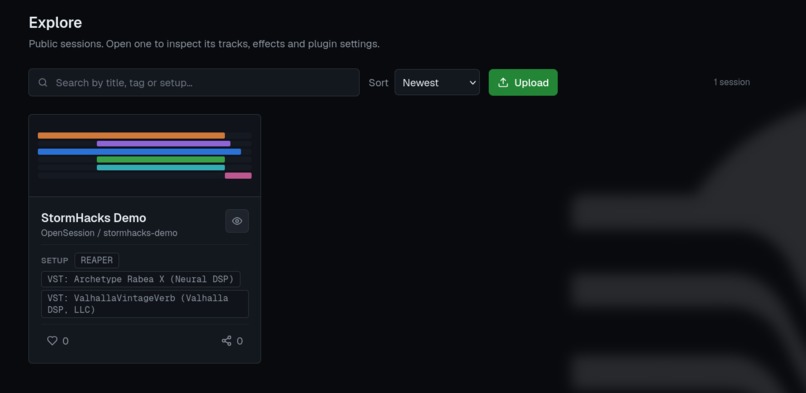
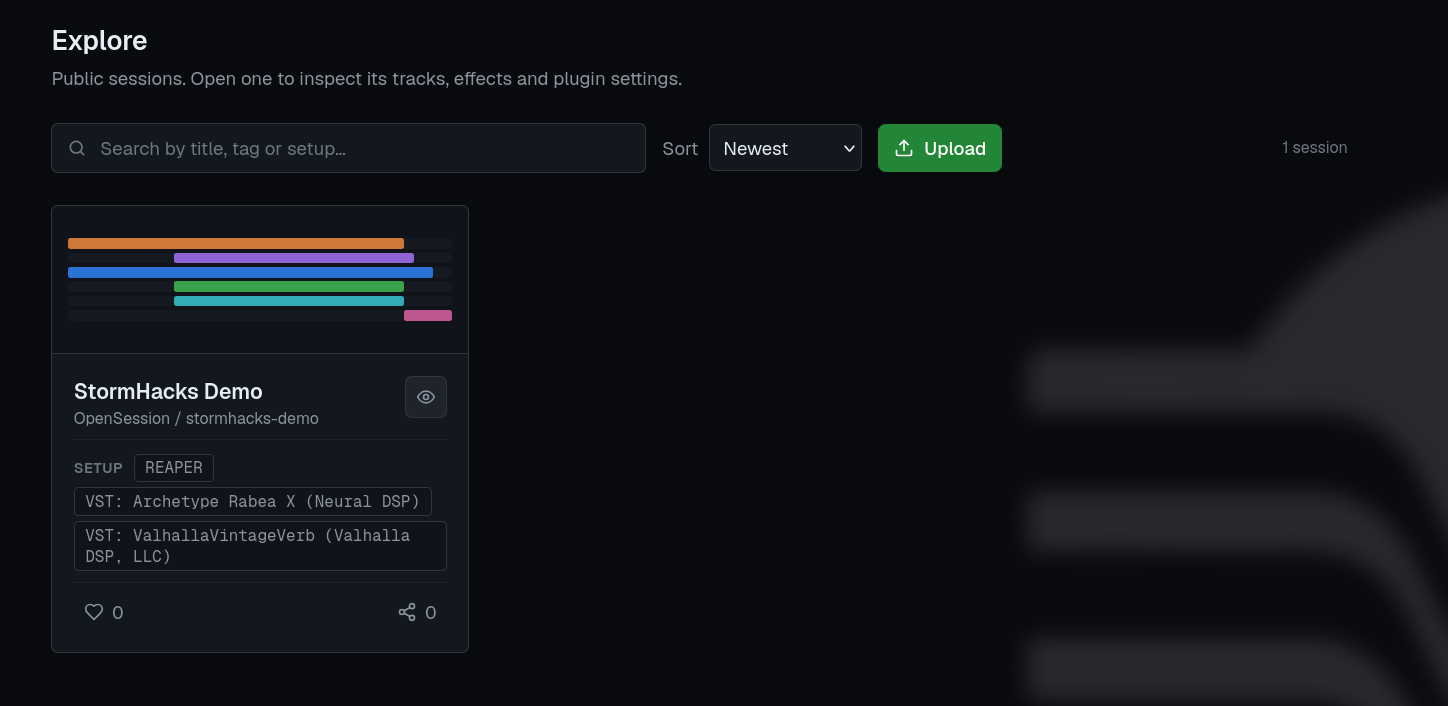
Discover sessions and see the tools behind the sound.
-
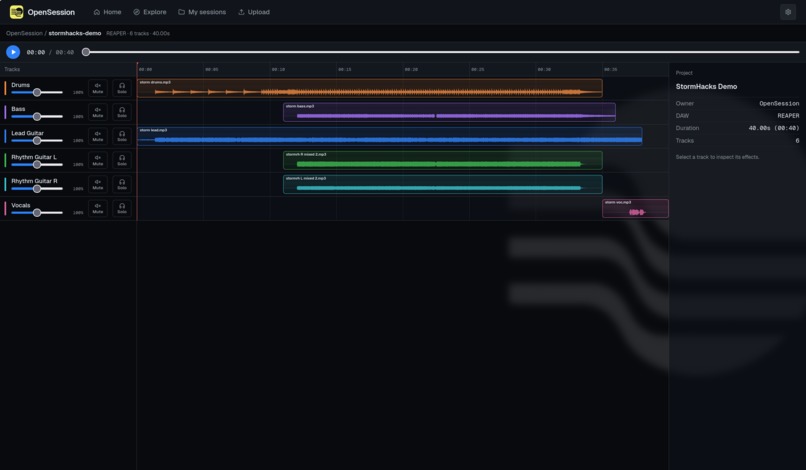
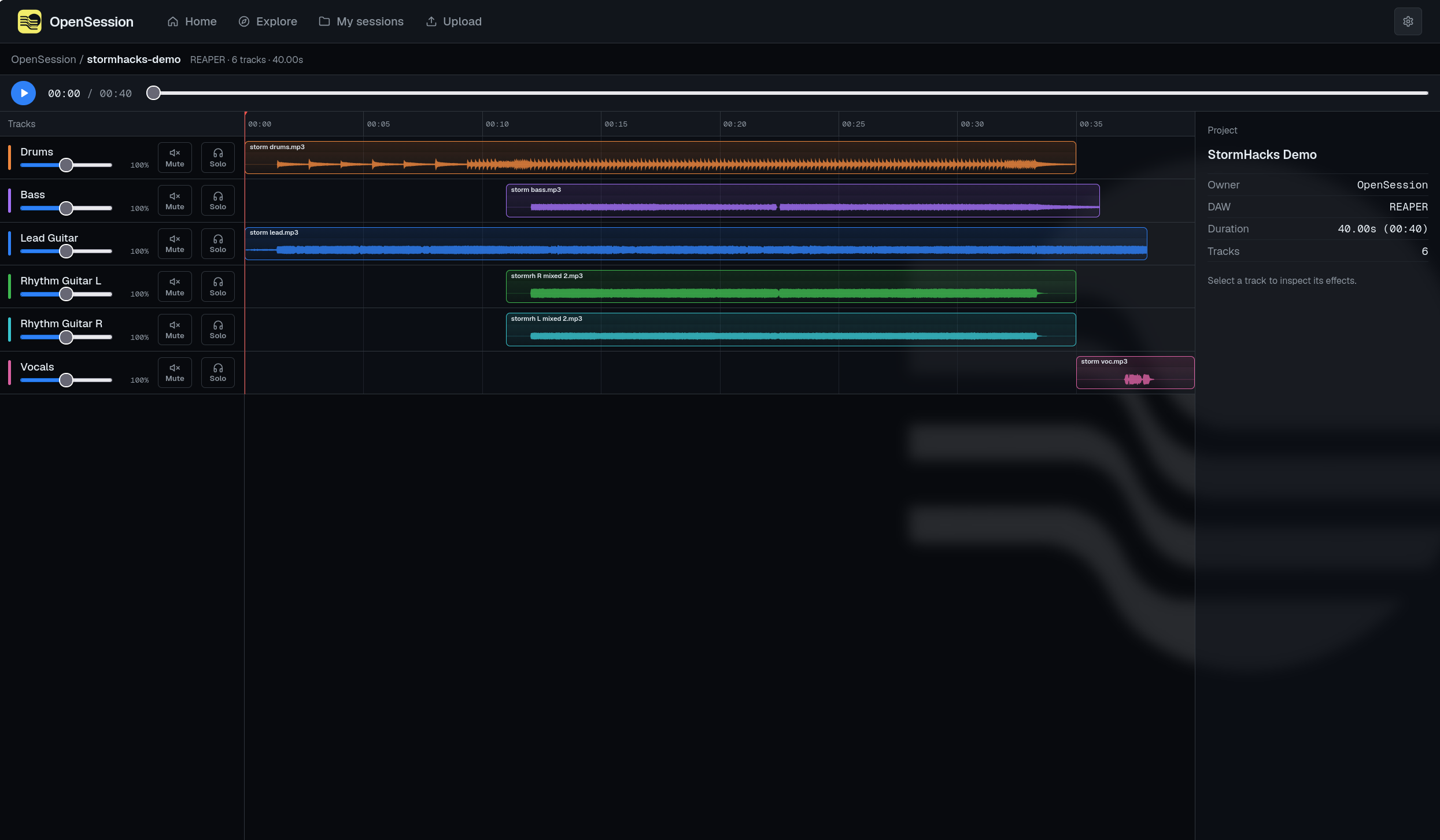
Explore a real production session with synchronized playback, waveforms, and individual track controls.
-
Don’t just hear the song. Open the session.
-
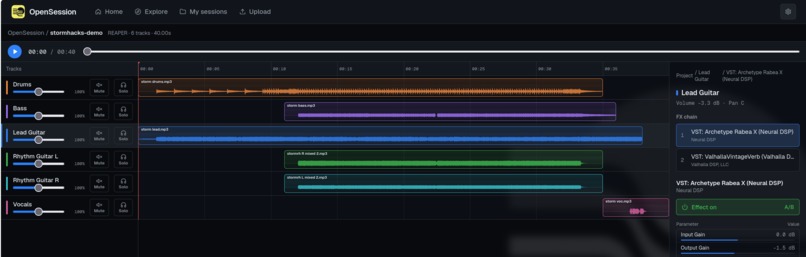
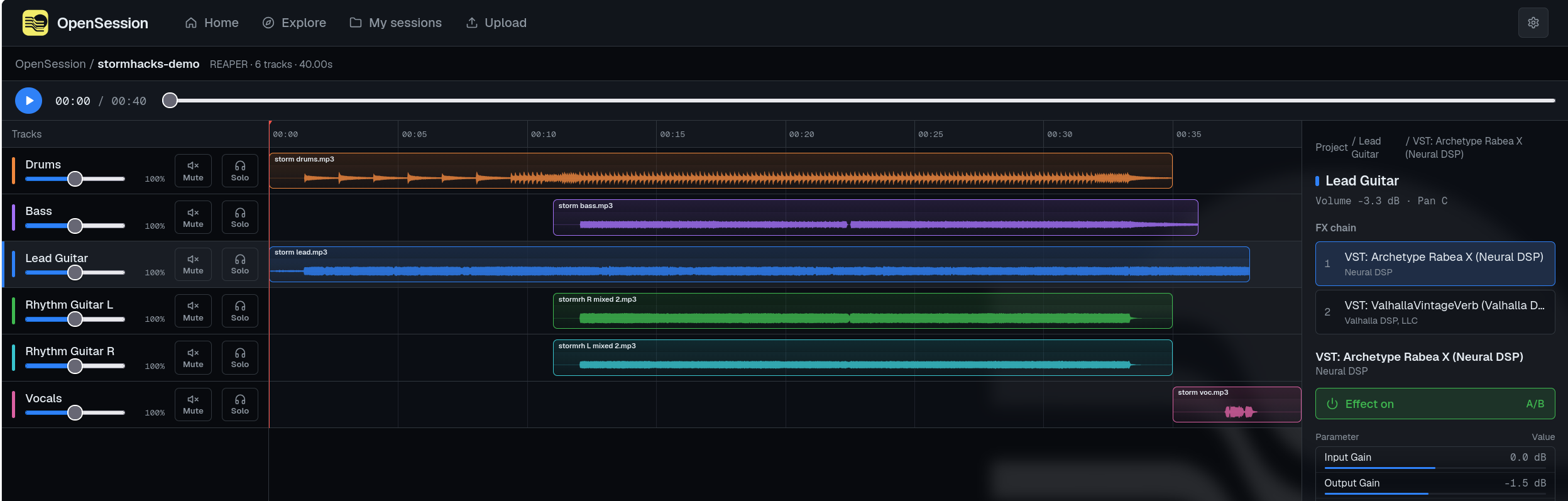
Inspect the plugin chain and switch effects on or off to hear their contribution.
Inspiration
When you hear a guitar tone you love, the finished song tells you very little about how it was made. Which effects shaped it? What settings did the producer use? What does the track sound like without them?
As musicians and developers, we wanted to make those decisions easier to explore. Software developers can share source code so others can learn from their work. Music producers deserve a similarly accessible way to share the process behind the sound.
That inspired OpenSession — “GitHub for music production.”
Don’t just hear the song. Open the session.
What it does
OpenSession turns a music production session into something you can explore in your browser.
A creator exports a package from REAPER containing audio stems and structured session data. A listener can then:
- Play all tracks in sync, pause, resume, and seek.
- Solo individual instruments, mute tracks, and adjust their playback volume.
- Explore a timeline with real clip positions and audio waveforms.
- Inspect FX chains and exported plugin parameters.
- Compare supported effects ON and OFF while the rest of the song keeps playing.
- Open another exported package directly from their computer.
Our main demo contains six tracks: drums, bass, lead guitar, two rhythm guitars, and vocals. On the lead guitar, listeners can compare Neural DSP Archetype: Rabea and Valhalla VintageVerb individually, or bypass both together.
The browser plays pre-rendered effect variants, so listeners can hear these comparisons without installing REAPER or owning the plugins.
How we built it
We built the interface with Next.js, React, TypeScript, and Tailwind CSS, with a Lua exporter for REAPER.
The exporter captures track and item metadata, FX chains, and plugin parameters. It renders full-length stems and supported bypass variants, then connects everything through a shared session.json contract.
Playback uses a single Web Audio API AudioContext. Each track has its own GainNode, and every source starts against the same audio clock. When the listener changes an effect, we replace only that track’s source at the corresponding playback position.
Waveforms come from the decoded audio itself. We cache the normal and bypass variants, allowing the visualization to respond to effect changes and volume adjustments without decoding the audio again.
Local import uses the same viewer and audio engine as the bundled demo. Files are read in the browser, with no account or server upload required.
Challenges we ran into
Keeping everything synchronized. Starting several audio files independently was not reliable enough. We needed shared scheduling and careful source recreation because Web Audio source nodes are one-shot. Pause, resume, seek, and effect switching all had to preserve the same project timeline.
Making A/B comparisons honest. Disabling an amp simulator and disabling a reverb produce different signals. Disabling both requires its own render. We built explicit mappings between plugin IDs and audio variants instead of pretending the browser could execute those plugins.
Moving beyond one carefully prepared demo. Our first exporter recognized specific track names. Testing a second project exposed that limitation: the audio played, but effect controls were missing. We changed detection to inspect each track’s FX chain, allowing arbitrary track names.
Integrating the team’s work. The exporter, interface, and player were developed separately. A shared schema, an isolated integration branch, and incremental testing helped us connect them while preserving working features.
Accomplishments that we’re proud of
We built a complete path from a real REAPER project to an interactive browser session.
The part we are most excited about is hearing a production decision in context: solo the lead guitar, remove the reverb, compare the amp processing, then bring the full arrangement back in - all without restarting the song.
We also tested a second, longer project, added per-track volume controls and responsive waveforms, and developed automated checks for playback behavior, package validation, and waveform handling.
What we learned
Audio correctness is about timing and state as much as sound. A control can look simple while requiring careful handling of scheduling, gain, cleanup, and asynchronous loading.
We also learned the value of testing with a second real project. It revealed assumptions that our original demo could not expose.
Most importantly, we learned that making a creative process inspectable can be useful without reproducing an entire DAW. A focused listening experience can help people understand decisions that are usually hidden inside a project file.
What’s next for OpenSession
We want to support more effects and DAWs, improve package portability, and make sharing sessions easier.
Our current prototype focuses on browser playback, inspection, and local package import. Public publishing, persistent libraries, and version history are future steps toward the larger vision: a place where producers can share both their music and how they made it.
Built With
- github
- lua
- next.js
- node.js
- react
- reaper
- reascript
- tailwind-css
- typescript
- vercel
- web-audio-api

Log in or sign up for Devpost to join the conversation.