-
-
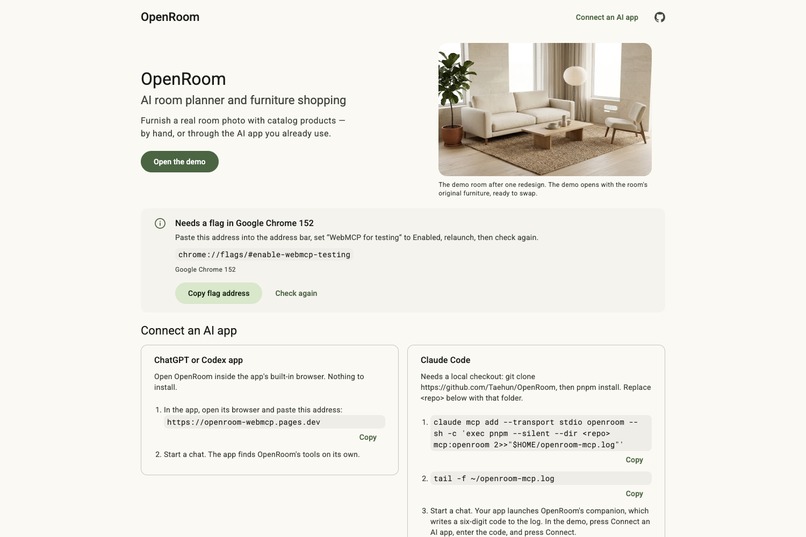
AI room planning and furniture shopping through WebMCP.
-
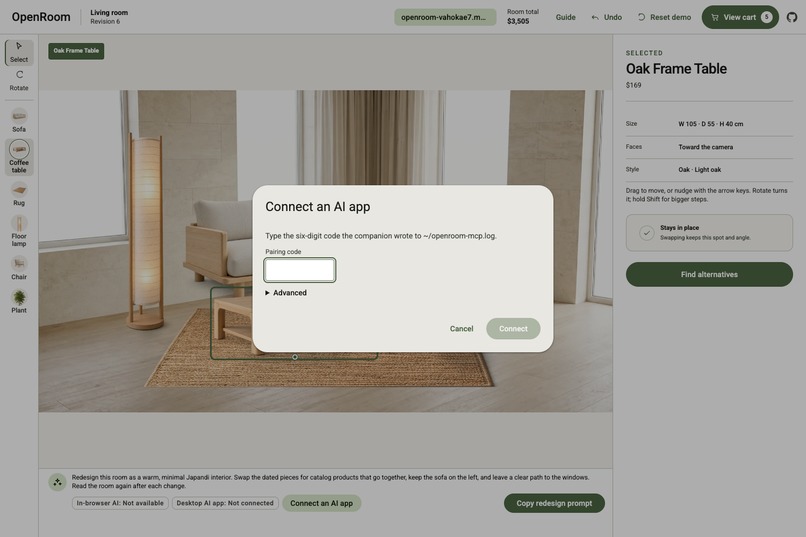
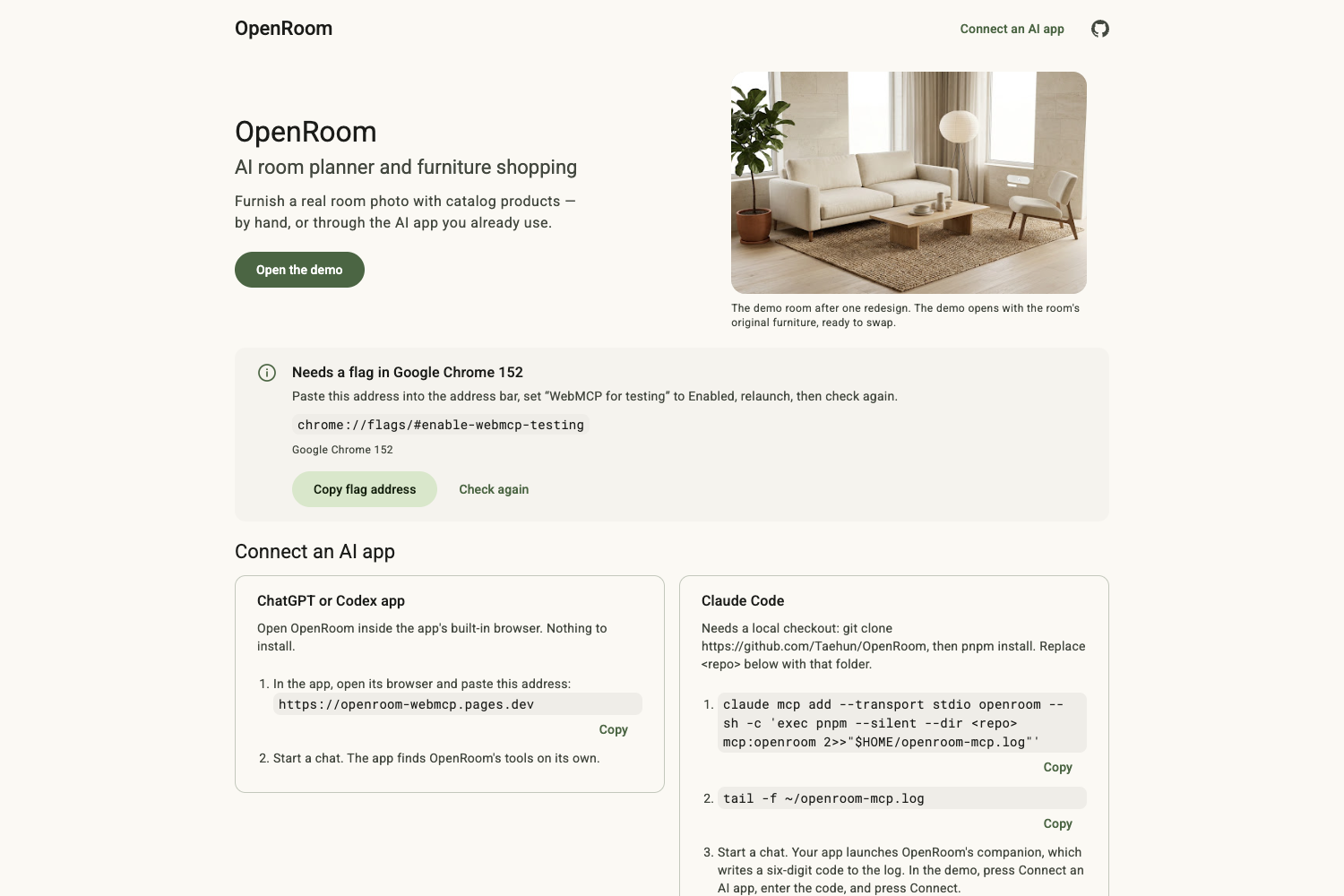
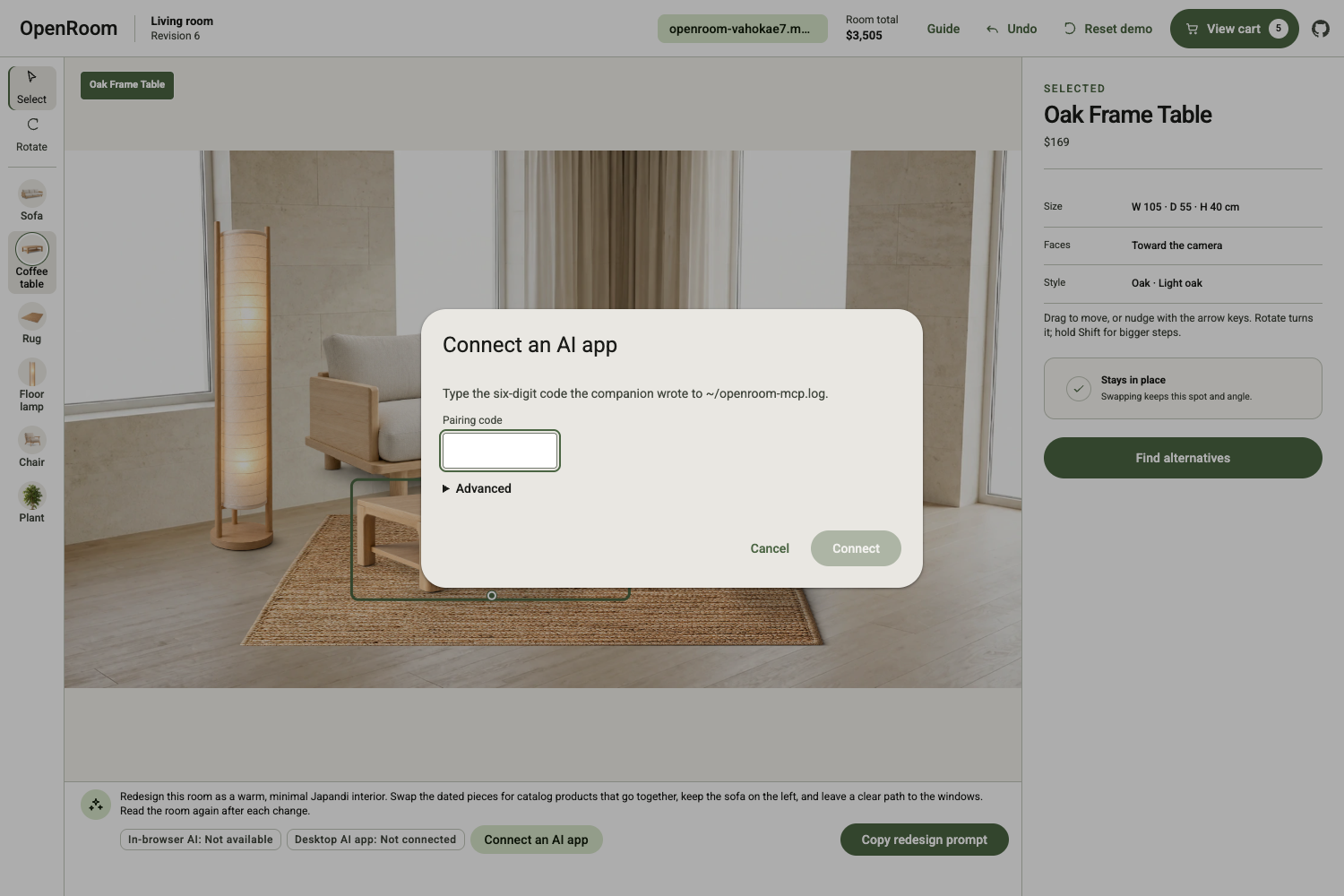
Securely connect Claude Code or another desktop MCP client.
-
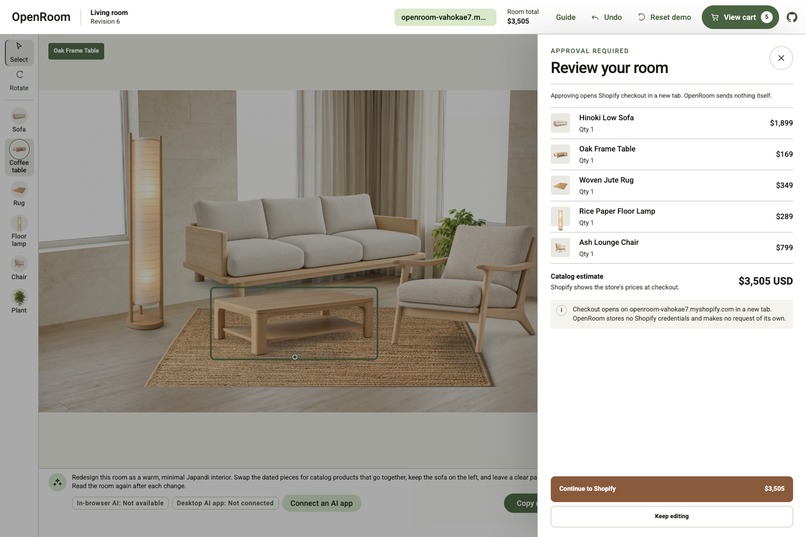
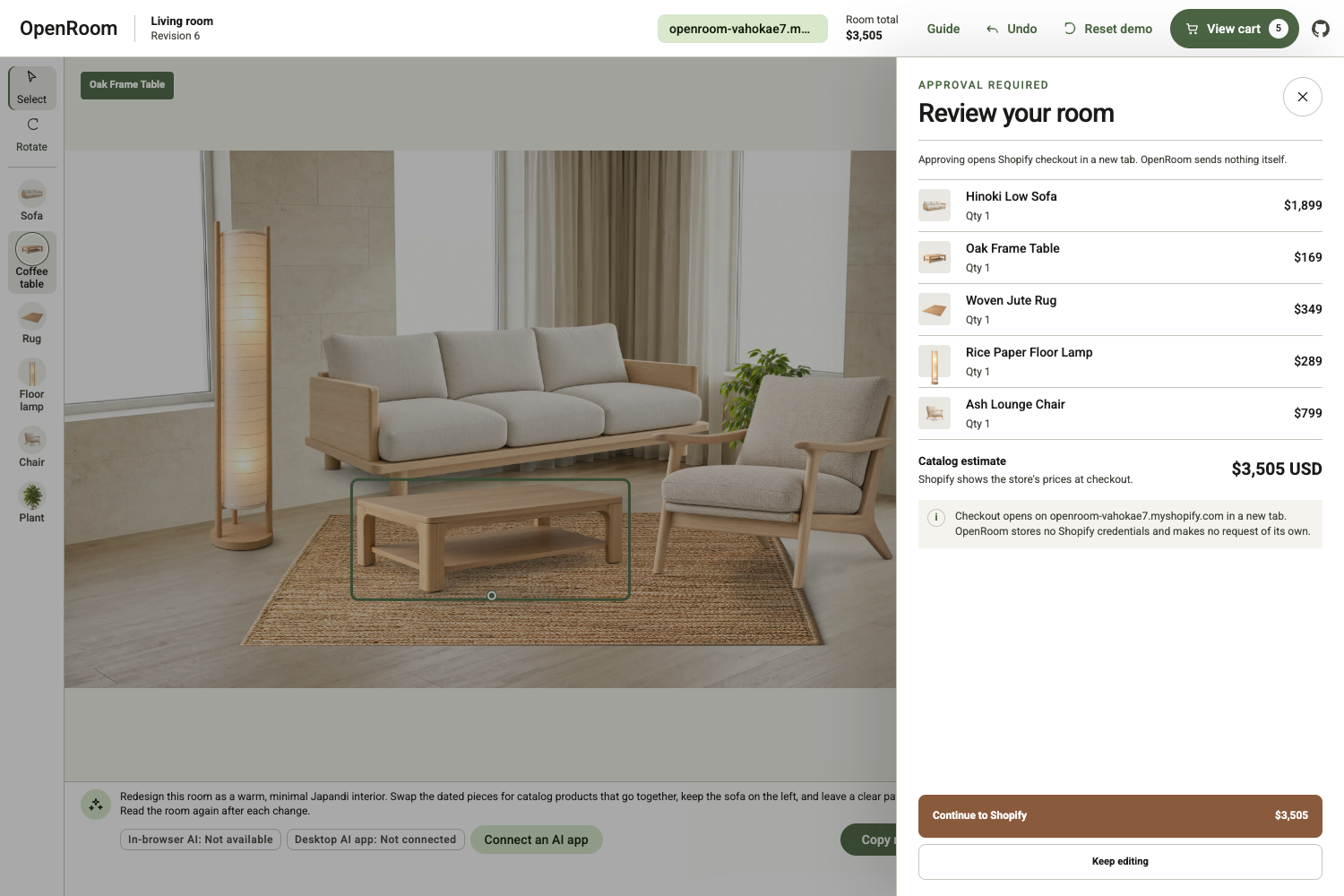
Review the room and approve its products before Shopify checkout.
-
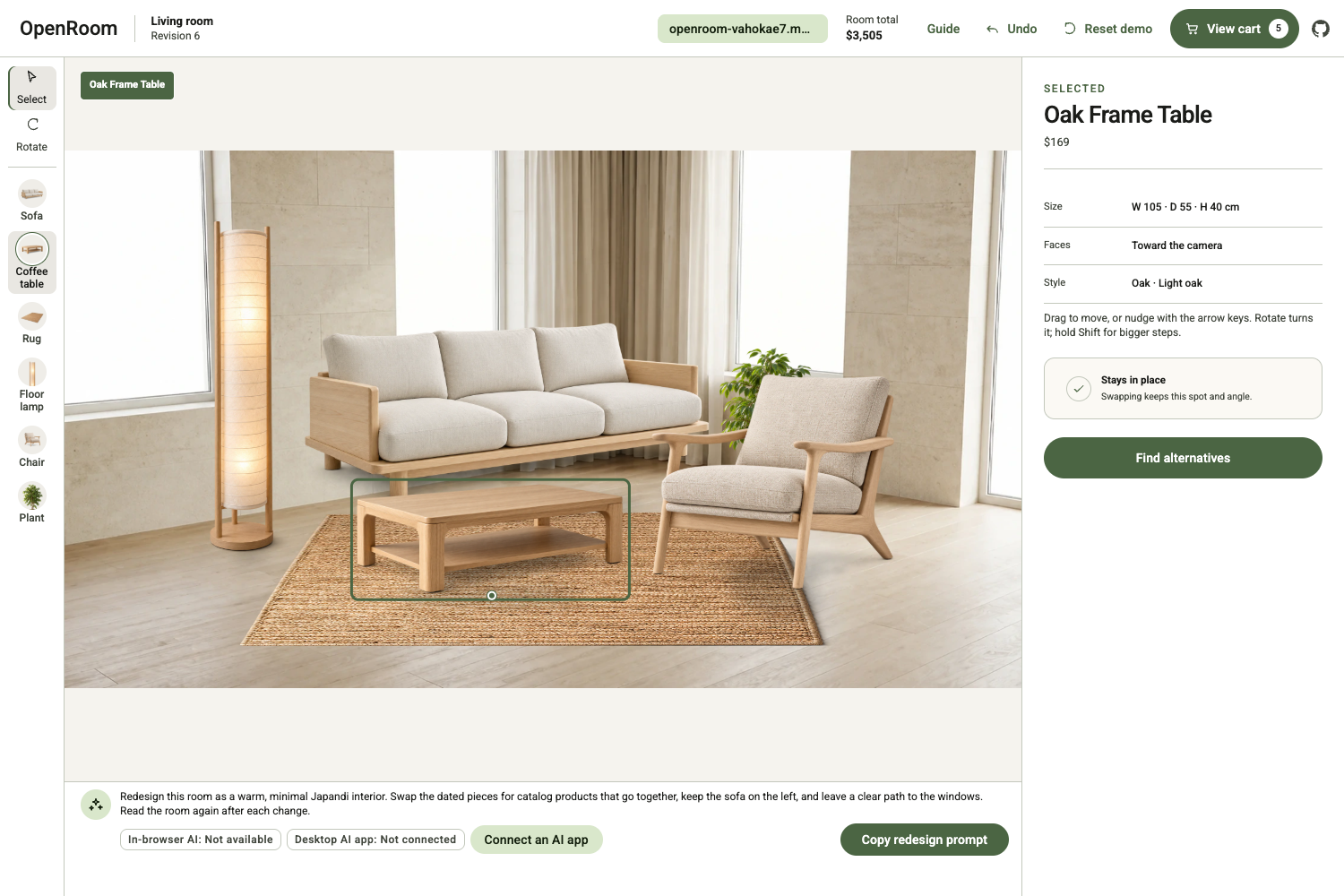
A Japandi redesign created with coordinated catalog products.
-
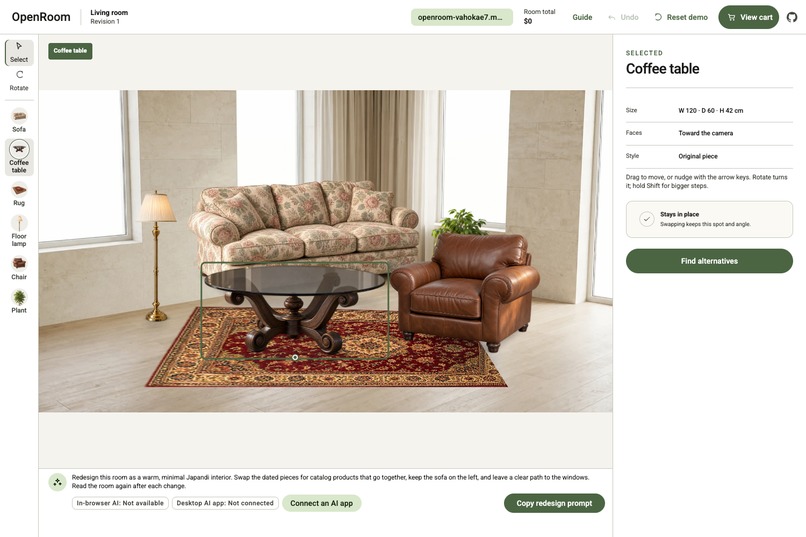
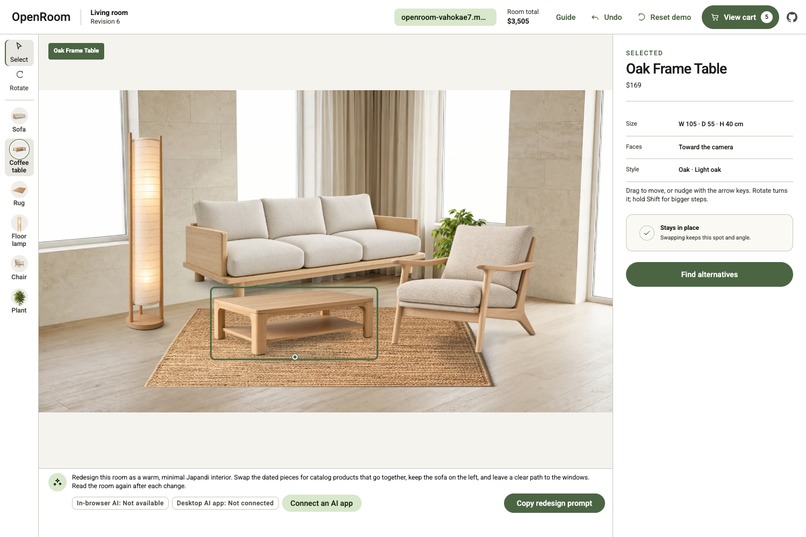
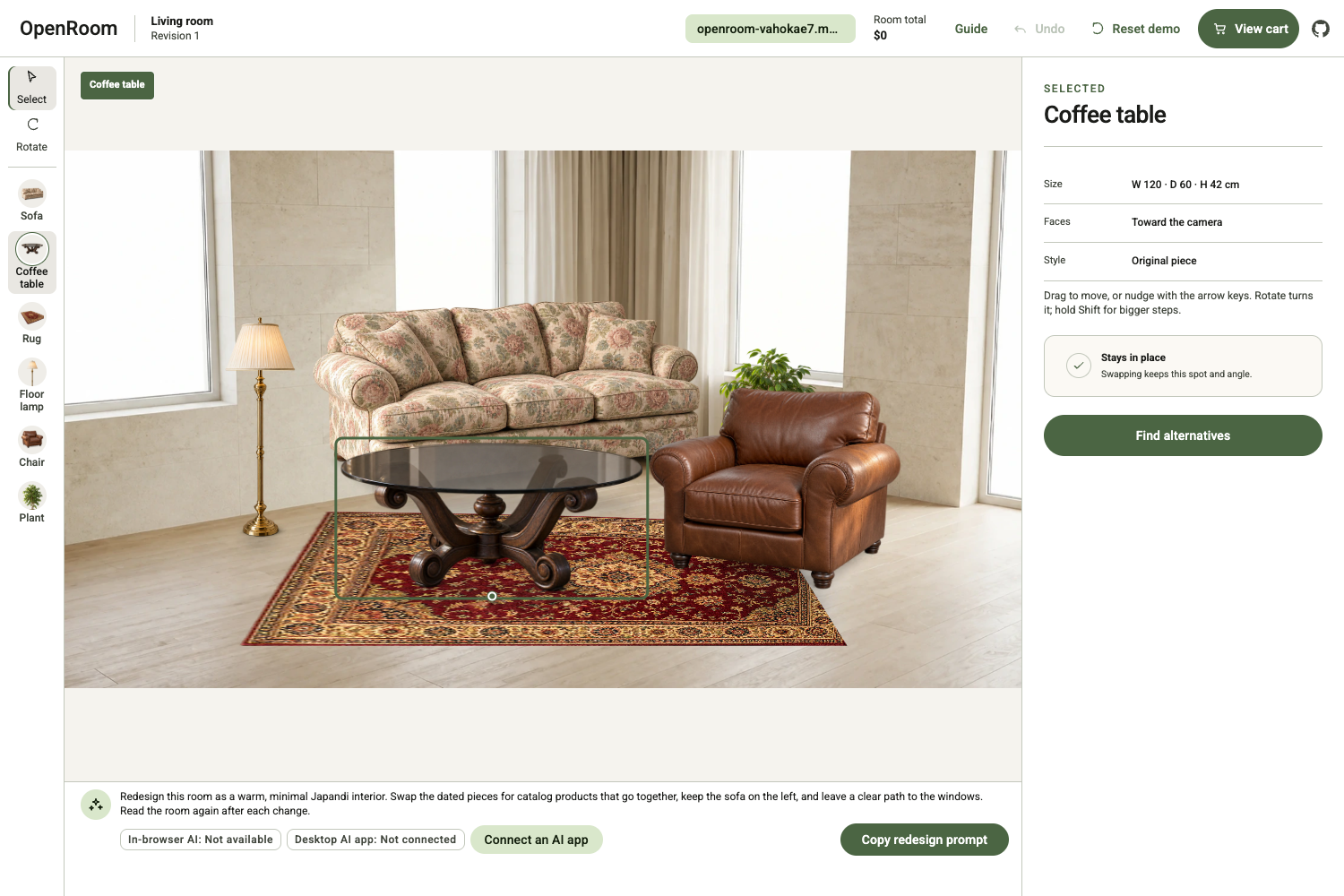
The original room, ready for human or AI-assisted redesign.
-
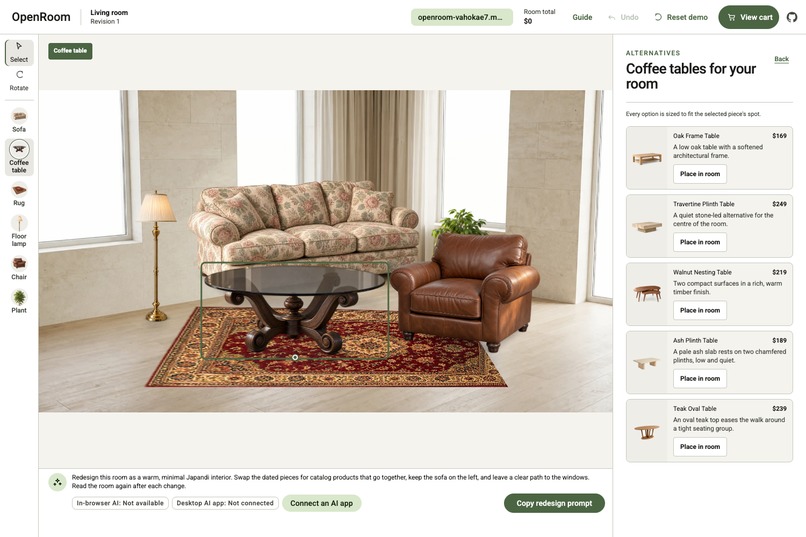
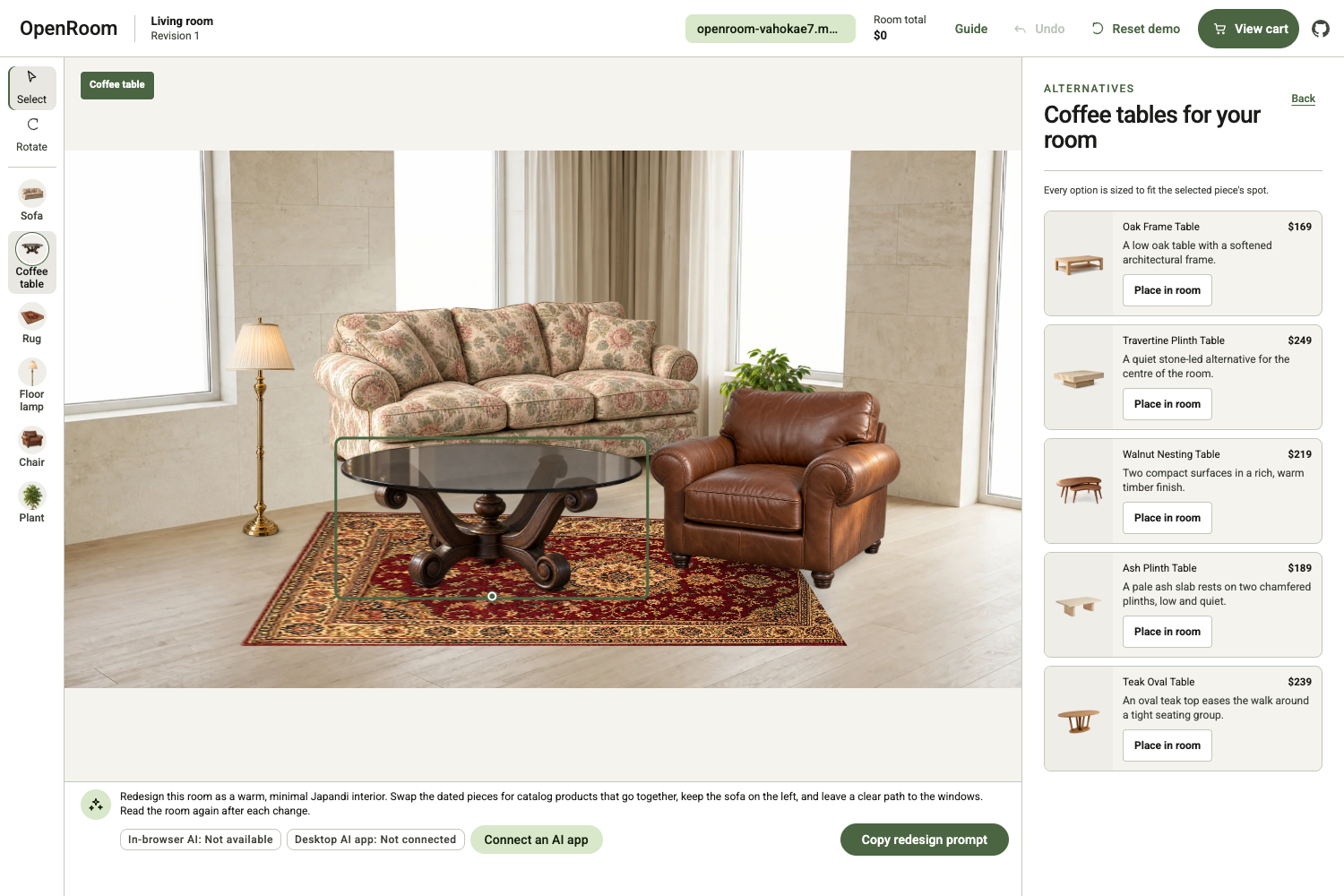
Browse and place true-scale catalog furniture directly in the room.
Inspiration
Planning a room is still a fragmented experience. Inspiration may begin in an AI conversation, but the room layout, product catalog, and checkout usually live in separate tools. The AI can suggest what to buy, yet it cannot see the current room, understand which object is selected, or safely make changes alongside the user.
We built OpenRoom around a simple question: what if the room itself could become a shared workspace for people and AI?
WebMCP made it possible to treat the web page as more than something an AI can describe. OpenRoom exposes a small set of safe, structured actions that let an AI inspect and edit the same room the user is viewing. Our goal was not to add another chatbot to a shopping site, but to create a human-and-AI design surface where every action remains visible, reversible, and under the user’s control.
What it does
OpenRoom is a photo-based room planner connected to a furniture shopping experience.
The current demo begins with a calibrated room photograph and a set of mismatched furniture. A person can select, move, rotate, replace, undo, and reset individual pieces. An AI app can work on the same live scene through six focused tools:
- get_scene
- get_selection
- search_products
- replace_object
- move_object
- add_scene_to_cart
The catalog contains 43 products across eight furniture categories. Products are placed using real-world dimensions, constrained to the room’s usable floor, and rendered with perspective-aware scale, depth ordering, alternate photographed views, and contact shadows. OpenRoom can also represent relationships such as a table lamp standing on a table.
WebMCP-capable browsers can call the tools directly. Desktop AI clients can reach the same tools through OpenRoom’s local MCP companion, which pairs with the active browser tab and executes every command against the same live scene.
When the room is ready, OpenRoom prepares a local approval sheet. A person can continue through a Shopify cart permalink, while an AI agent can receive mapped cart lines and the store’s UCP MCP endpoint. OpenRoom stores no Shopify credentials and never performs an external cart write on the user’s behalf.
How we built it
OpenRoom is built with Next.js, React, TypeScript, Zustand, Immer, and Zod.
At its center is one validated Scene model measured in real-world meters. Human interactions, native WebMCP calls, and local MCP calls all go through the same revision-aware command and history layer. This prevents the UI and the AI from developing separate versions of the room.
Instead of relying on a 3D renderer or generating a new image after every edit, we built a deterministic photo compositor with ordinary DOM layers. A calibrated projection maps room coordinates onto the photograph’s floor plane. Product dimensions determine visual size, registered anchors keep cutouts grounded, and separate layers handle rugs, shadows, furniture, selection, and controls. Furniture images and alternate views are produced offline and checked into the project, so the application makes no runtime image-model calls.
For agent access, we created a transport-neutral manifest for the six tools. Native WebMCP registers that manifest through document.modelContext. The local MCP companion exposes the same manifest over MCP stdio and forwards calls through a paired, loopback-only browser relay. The companion stores no copy of the room.
Commerce follows the same minimal approach. OpenRoom uses a public Shopify store domain, static product-to-variant mappings, cart permalinks, and the store’s own UCP MCP endpoint. The application remains a static deployment on Cloudflare Pages, with no application backend or commerce token.
Challenges we ran into
The first major challenge was making a two-dimensional photograph behave like a spatial editor. The Scene needed to remain measured in meters while the image used perspective. We had to calibrate the visible floor, project rotated furniture footprints, keep every object on usable floor space, preserve realistic relative scale, and handle special cases such as rugs and furniture stacked on other furniture.
The second challenge was safe co-editing. A person might change the selection or undo a command while an AI is preparing its next action. Every mutation therefore includes the expected scene revision and state version. Stale commands fail without changing the room, forcing the agent to read the latest state before continuing.
Connecting desktop MCP clients to state held inside a browser tab was another difficult boundary. We built a local relay that listens only on 127.0.0.1, uses an expiring single-use pairing code, checks exact origins and manifest identity, and forwards only the six approved tools.
We also explored a browser-side WebGPU image harmonizer. One candidate failed its licensing requirements, while another took a median of 86 seconds against an eight-second target and introduced visible artifacts without improving the composition. We decided not to ship it. That experiment led us back to a faster, more predictable photo compositor.
Finally, commerce had to remain useful without quietly crossing the user’s trust boundary. We designed checkout so OpenRoom prepares the cart data and opens a visible approval step, while the person or their chosen AI client performs the final action.
Accomplishments that we're proud of
We are proud that OpenRoom makes the same room genuinely co-editable by a person and an AI. There is no hidden agent-only state and no second implementation of the editing logic.
We also built one consistent six-tool contract across native WebMCP and the local MCP companion. Both paths share the same schemas, validation, handlers, scene history, and approval flow.
The finished experience combines true-scale photo placement, collision-aware movement, alternate furniture views, accessible pointer and keyboard controls, deterministic catalog search, and Shopify handoff without requiring an application backend, a commerce access token, or runtime image generation.
Most importantly, OpenRoom remains useful without an AI connection. The human editor is the primary experience, and AI adds another way to operate it rather than replacing it.
What we learned
We learned that an agent-enabled interface is not simply a chatbot embedded in a web page. It is a stateful product with a small, explicit action surface, clear error recovery, and visible consequences.
A single source of truth was essential. Once people and agents shared the same validated Scene and command history, actions became easier to test, explain, undo, and trust.
We also learned that visual quality does not always require a generative model. Careful calibration, real dimensions, correct view selection, silhouettes, shadows, and layering produced a faster and more repeatable experience than the browser-side model we tested.
Finally, approval is not just a security mechanism. In a shopping workflow, showing exactly what will happen before anything leaves the application is part of the product experience.
What's next for OpenRoom
The biggest next step is letting people bring their own room photographs. That will require room calibration, object and floor analysis, and a clear workflow for correcting uncertain measurements.
We also have a deterministic natural-placement solver in the repository that is currently intentionally disconnected from the product. We want to reintroduce it through a transparent, reversible experience where users can preview an arrangement, understand what changed, and undo it in one step.
Beyond that, we plan to expand room types and catalog coverage, add more photographed views, improve mobile editing, and deepen integration with Shopify and other stores that expose standard agent commerce tools. We also want to grow the evaluation suite around longer human-and-AI design journeys, especially interruptions, stale state, partial redesigns, and checkout handoffs.
Built With
- agentic-commerce
- ai-agents
- chatgpt
- claude-code
- cloudflare-pages
- google-gemini
- google-stitch
- model-context-protocol-(mcp)
- next.js
- node.js
- openai-codex
- react
- shopify
- typescript
- universal-commerce-protocol-(ucp)
- webmcp

