-
-
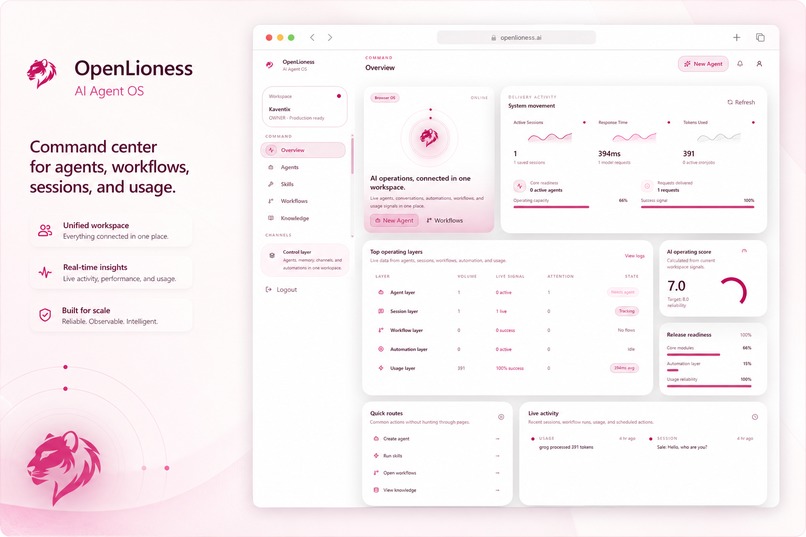
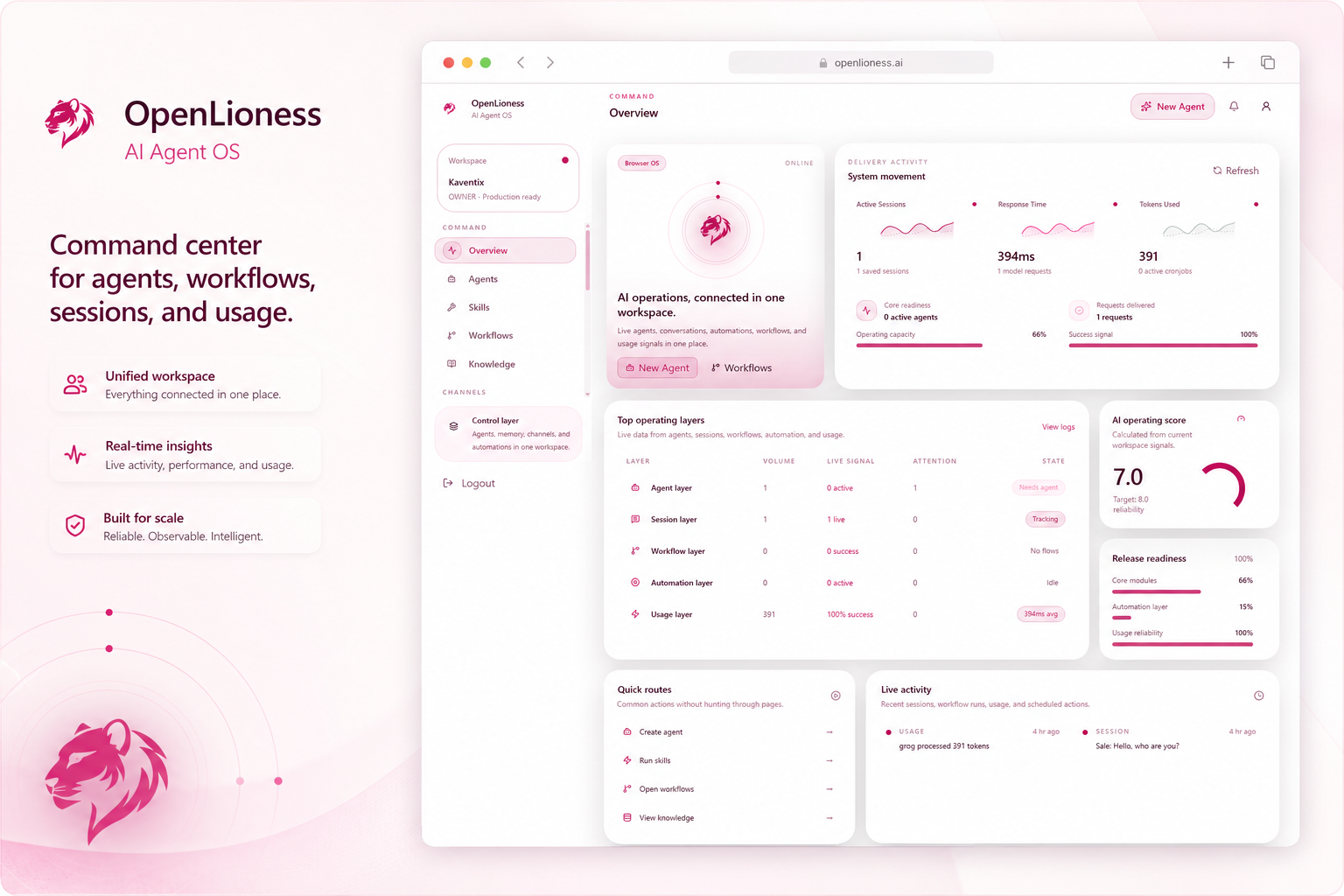
OpenLioness dashboard overview — manage agents, workflows, knowledge, sessions, and AI operations from one unified workspace.
-
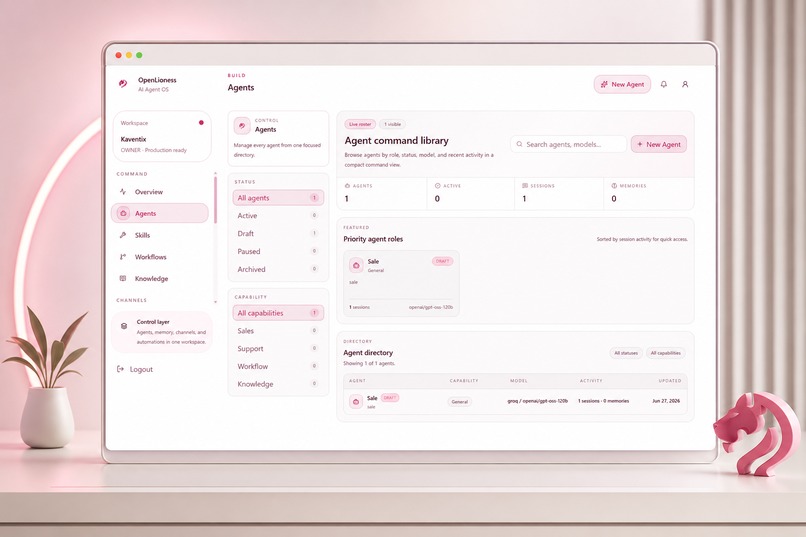
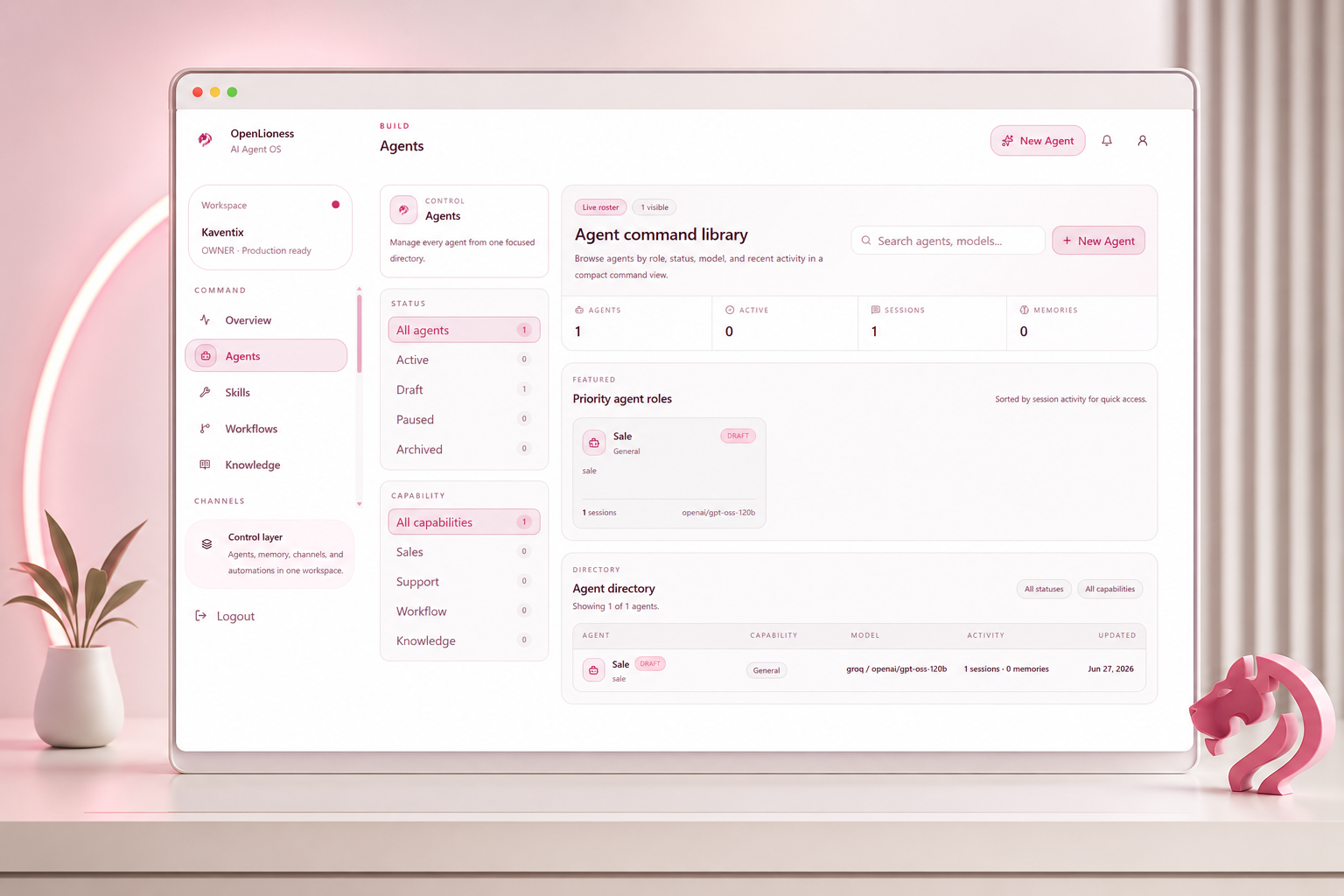
Agent command library — create, manage, and monitor AI agents with provider models, sessions, capabilities, and activity.
-
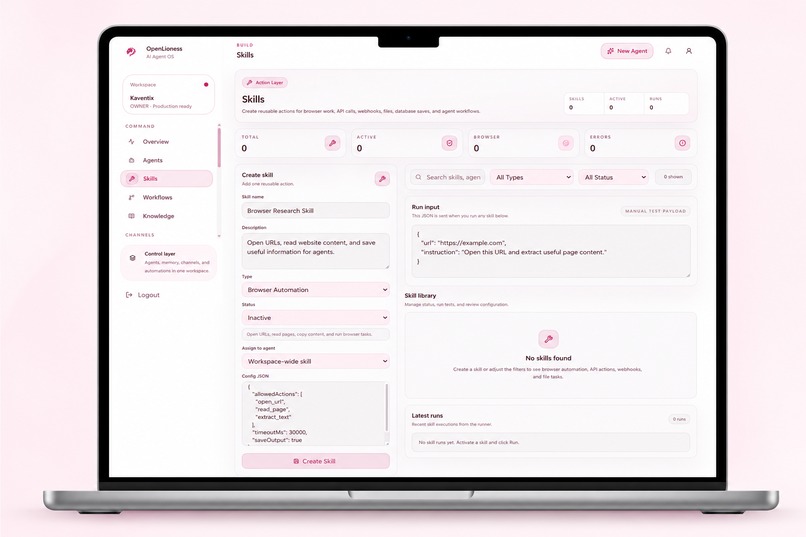
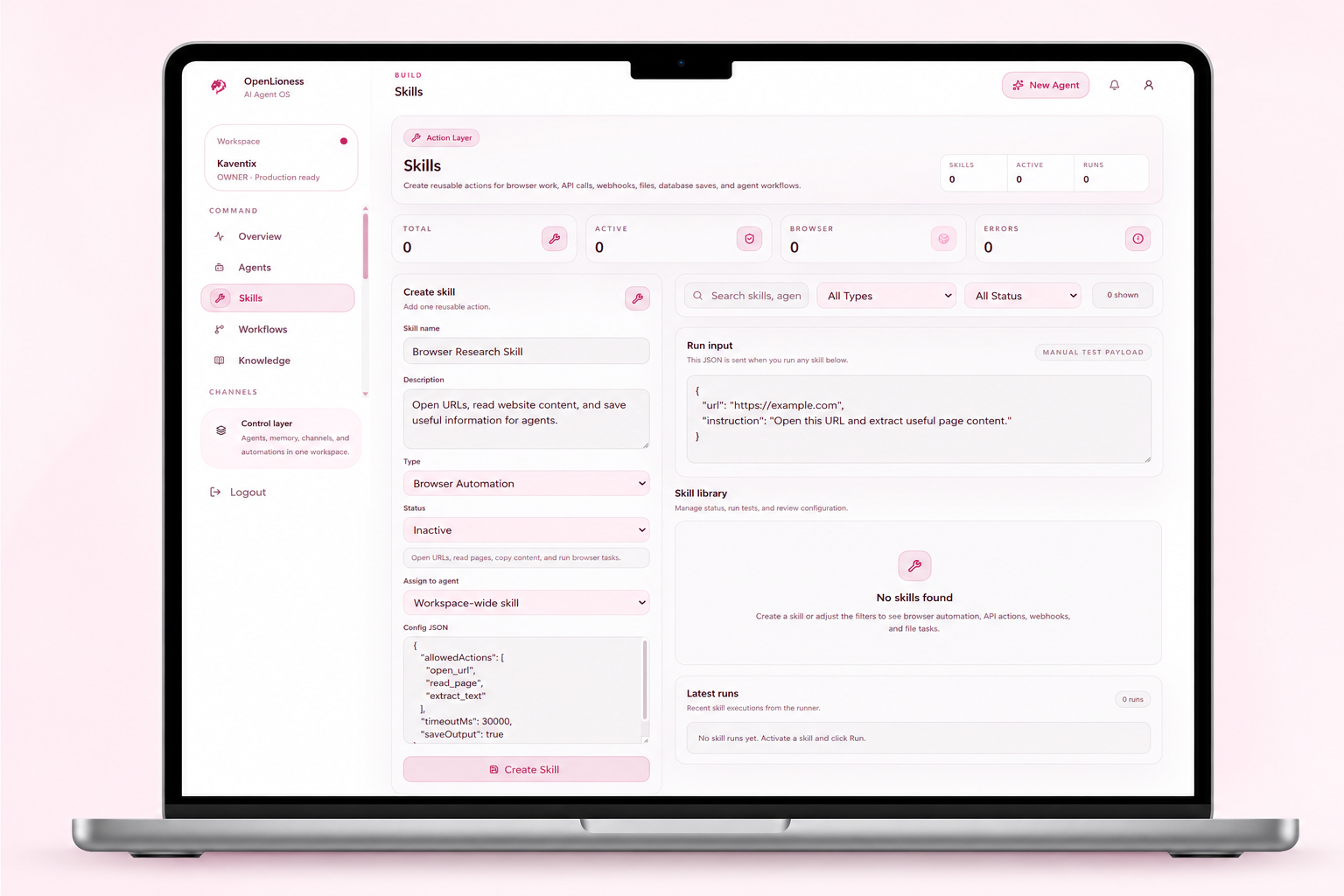
Skills builder — create reusable actions for browser automation, API calls, webhooks, files, and workflows
-
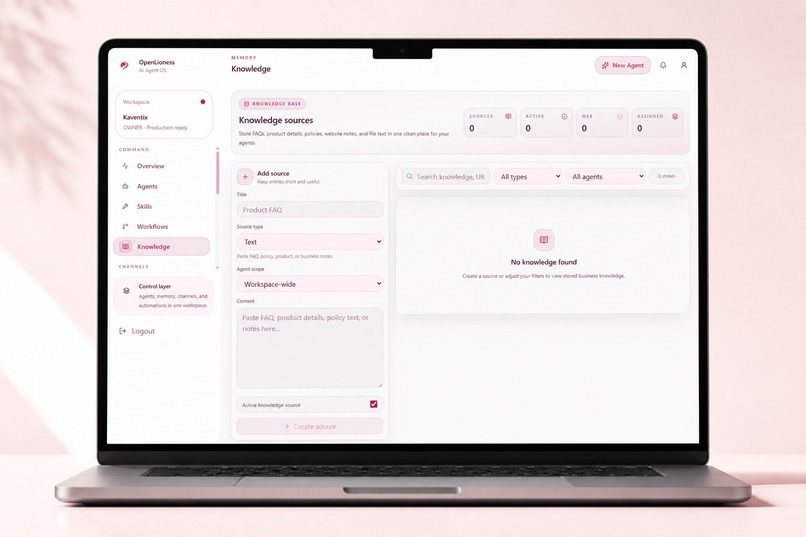
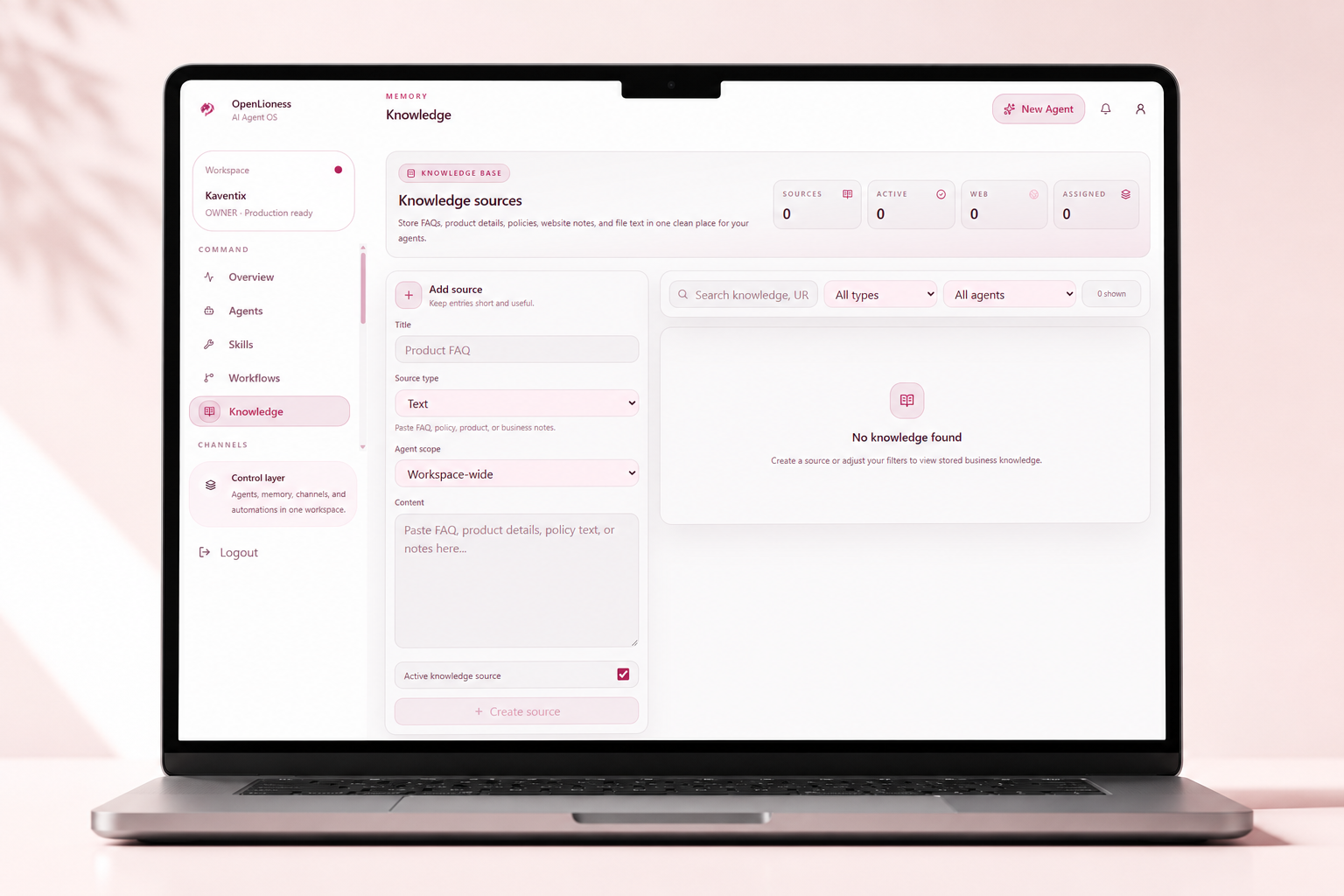
Knowledge base — add FAQs, product details, policies, and website notes
Inspiration
OpenLioness was inspired by a simple problem: businesses want to use AI agents, but most teams do not have one clean place to create, configure, deploy, monitor, and improve those agents.
Many companies are experimenting with AI, but their workflows are scattered across chat tools, API keys, dashboards, logs, automations, and manual setup. I wanted to build a browser-based AI Agent Operating System where a business can manage its AI workforce from one secure workspace.
OpenLioness is designed for B2B teams, agencies, SaaS companies, service businesses, and founders who want to deploy AI agents for customer support, lead capture, sales assistance, internal workflows, and automation.
What it does
OpenLioness is a browser-based AI Agent OS and AI workforce platform.
Users can:
- Register and log in securely
- Create and manage workspaces
- Add their own AI provider keys using a BYOK model
- Store provider keys in encrypted form
- Create and configure AI agents
- Add knowledge sources for trusted business context
- Configure a website widget channel
- Capture sessions and leads
- Create skills and workflows
- Schedule cronjobs and automations
- Review usage analytics
- Monitor logs and system activity
- Manage workspace and account settings
The current build focuses on the core dashboard experience and website widget channel. Some future capabilities, such as desktop automation and additional messaging channels, are marked as coming soon.
Testing Instructions
Live Application: https://openlioness-web.vercel.app
Demo Account
Email: [email protected]
Password: password
After signing in, you can explore the dashboard, AI agents, workflows, and other available features. The application is fully functional for evaluation and no additional setup is required.
How I built it
OpenLioness is built as a full-stack monorepo.
The frontend is a Next.js application deployed on Vercel. It includes the landing pages, authentication screens, onboarding flow, dashboard, agents, channels, sessions, leads, skills, workflows, cronjobs, usage analytics, logs, and settings pages.
The backend is a NestJS API deployed on AWS EC2. It handles authentication, workspace logic, agent management, encrypted provider keys, sessions, leads, channels, logs, usage data, and Prisma database access.
The database layer uses Amazon RDS PostgreSQL with Prisma ORM. The backend connects to the database through a secure AWS VPC connection. The API is served through Nginx as a reverse proxy, managed with PM2, and exposed over HTTPS using Certbot and a temporary sslip.io hostname.
The production flow is:
User Browser → Vercel Next.js Frontend → HTTPS API Request → AWS EC2 → Nginx Reverse Proxy → NestJS API → Prisma ORM → Amazon RDS PostgreSQL
Challenges I faced
One of the biggest challenges was deploying the project end-to-end for the first time on AWS.
I had to configure an EC2 server, install Node.js, Nginx, PM2, Git, PostgreSQL client tools, and Certbot, then clone the correct GitHub branch, build the NestJS backend, configure environment variables, run Prisma migrations, and keep the API running in production.
Another challenge was database networking. My first database was created in a different VPC from the EC2 instance, so the backend could not connect to it. I fixed this by recreating the database in the same VPC as the EC2 instance and using the RDS “Connect to EC2 compute resource” flow.
I also had to handle HTTPS because the Vercel frontend is served over HTTPS, and browsers can block insecure HTTP API calls. I solved this by enabling HTTPS on the backend API using Certbot and a temporary sslip.io domain.
What I learned
I learned how to deploy a real full-stack SaaS application using Vercel and AWS infrastructure, including:
- Deploying a Next.js frontend on Vercel
- Running a NestJS backend on AWS EC2
- Managing Node.js apps with PM2
- Using Nginx as a reverse proxy
- Setting up HTTPS with Certbot
- Connecting EC2 to an AWS managed PostgreSQL database
- Running Prisma migrations in production
- Debugging VPC and security group issues
- Handling frontend-to-backend production environment variables
What’s next
Next, I want to improve OpenLioness by:
- Moving from the temporary sslip.io hostname to a real domain
- Adding an Elastic IP or load balancer for stable production networking
- Migrating the database layer to Aurora PostgreSQL
- Adding S3-backed file storage for knowledge files
- Adding more production monitoring and CloudWatch alarms
- Expanding channels such as Slack, WhatsApp, Telegram, email, and public API
- Completing desktop automation and runtime features
- Adding a marketplace for reusable agents, skills, and templates
OpenLioness is already working as a functional AI agent management dashboard, and the long-term goal is to turn it into a production-ready AI workforce platform for real businesses.
Built With
- amazon-rds-postgresql
- api
- aws-ec2
- aws-security-groups
- aws-vpc
- byok
- certbot
- encrypted
- framer-motion
- github
- jwt-authentication
- nestjs
- next.js
- nginx
- node.js
- pm2
- postgresql
- prisma-orm
- react
- shadcn-ui
- tailwind-css
- typescript
- vercel


Log in or sign up for Devpost to join the conversation.