-
-
OpenDesk Logo Design
-
Front Page
-
Available Classrooms @ Cathy
Inspiration
As students at Pitt, we know all too well the struggles of walking onto campus thinking you would go get some work done in a nice and quiet space, only to be met with filled seats on our favorite study spots, with no alternatives in sight. With an ever-growing number of students on campus, this problem is only bound to get worse. We wanted to change that. We wanted to create a solution to aid and simplify our search for a nice place to study, putting more of a focus on the stuff that matters, learning.
What it does
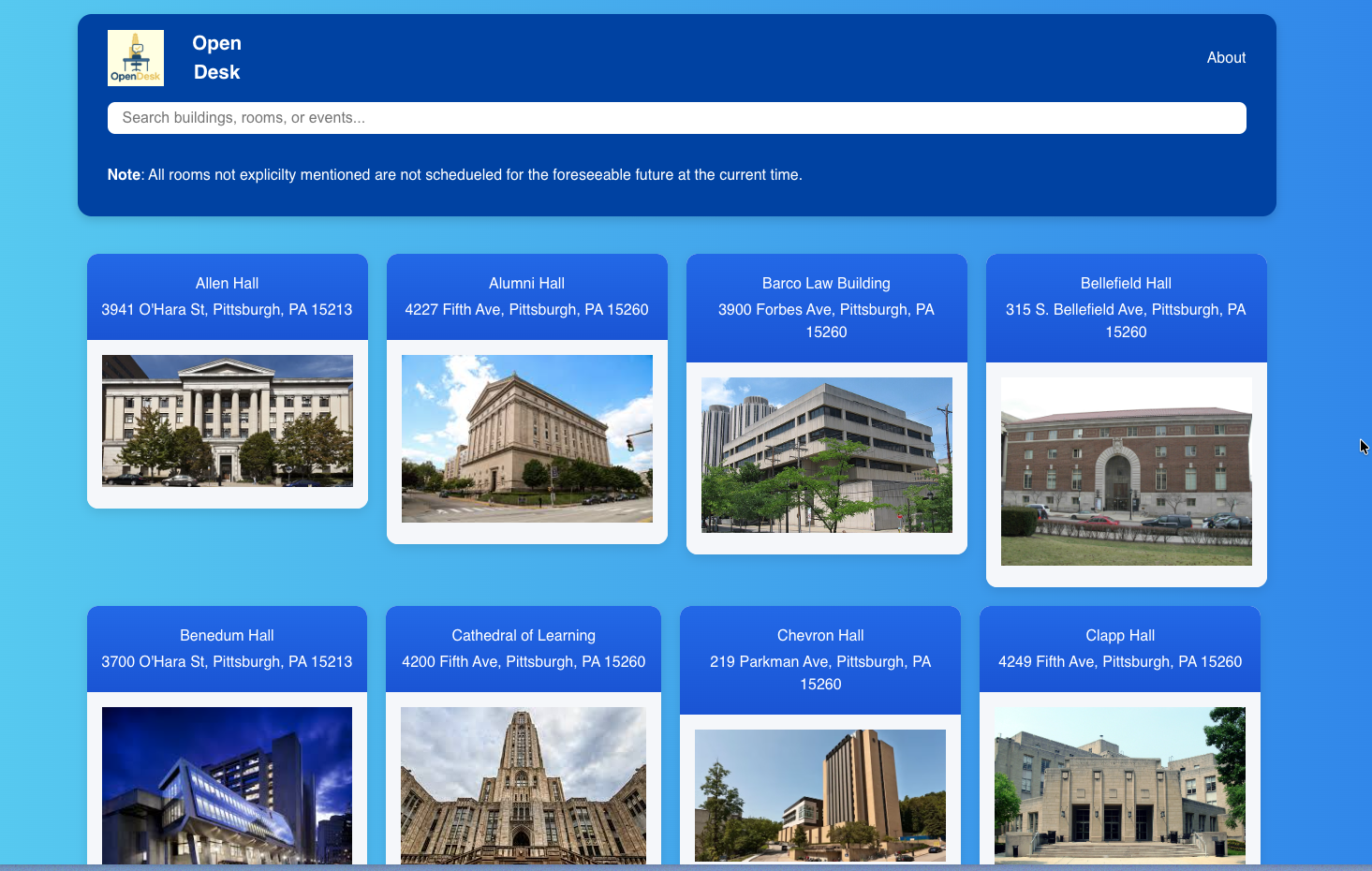
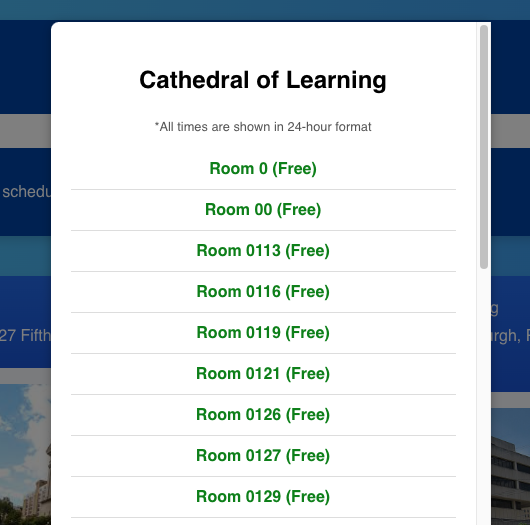
This project is a web-based site that lets users select any academic building around campus and instantly view which rooms are occupied or not, making it much easier to find a spot to study. By cleaning and utilizing data obtained from 25Live, we are able to pass it off to our Flask server, which provides active data to the front end.
How we built it
- Gathering Data: we first gather room information data through 25Live. This data is gathered via webscraping using BeautifulSoup and downloaded as both raw .ics files and .json files. Once the data is fetched, it is compiled and cleaned into flattened JSON in order to be used by the system.
- The backend is a Flask server. It provides data to the frontend through API endpoints. Additionally, it builds the frontend automatically when the server starts
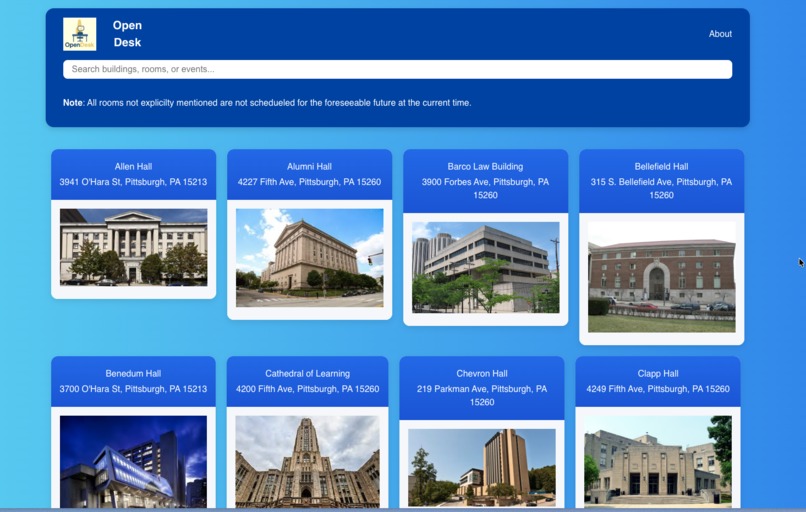
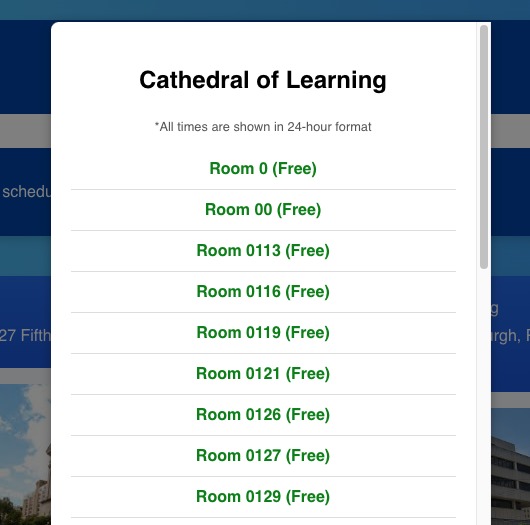
- The frontend is written in React and shows card components with pieces of information provided by the backend. The cards additionally display both the image and address of each academic building on campus. When the cards are clicked, they provide the user with a list of rooms that display either green for unoccupied or red for occupied rooms for an extended amount of time (ex: Construction). Upon clicking the room number, the user will be informed of when the room will be open, or until when the room will be open.
Challenges we ran into
Some challenges we ran into along the way included getting the large data set into a workable condition. It took quite a bit of time to parse and clean the data to a point where it could be used to service the frontend. Additionally, because our team had no database experience, we decided to store all of our data in JSON rather than in a database; loading such massive amounts of data on startup without slowing the site down too much was an issue. Finally, being under such an immense amount of pressure to deliver a working product in 24 hours pushed our team to the limit. There were moments when we felt as if the project was too complicated for us to do, but we persevered and completed it regardless. As this was our first hackathon ever, both together as a team, but also in general, we struggled during the initial planning stage of the project, and were also simply not prepared for a nearly 14-hour coding segment.
Accomplishments that we're proud of
We are very proud that we were able to put together a working product in such a short amount of time. We are also very proud that something we made would be able to help our community in such a wide variety of ways. As a team, we are very glad to have taken the first step of our careers to participate in a hackathon as large as SteelHacks and are very thankful for both the technical and leadership skills we have gathered from attending.
What we learned
We learned a lot from this project. Firstly, we learned that it is extremely important to have a solid plan with worked-out roles before stepping into a project. Having plans saves precious time when you are in a situation like this. Secondly, we learned that it is important to take breaks. Being engrossed in your work for hours on end can be detrimental to your mental state. Taking a few breaks or walking away from your work for a few minutes when you get frustrated helps you to have a clear mind to continue working. Finally, we learned that perseverance and determination will get you to where you need to go.
What's next for OpenDesk
Looking ahead, we hope to expand the functionality of our project, potentially adding new features that would allow users to "check into" open rooms for a period of time, and real-time analytics and insights to help campus administration make better use of spaces around campus. Other features that we had on our radar were: Live Campus Heatmaps, Classroom Amenities + Classroom Information, and publishing!
- Live Campus Heatmaps: Displays information regarding the most popular hours + locations around campus. This was one of our intentions for providing a wider range of accessibility tools for those who are typically not catered to by most product design intentions. This serves as a bridge to helping those with physical disabilities cross campus better and or prepare to avoid heavy traffic areas for safety.
- Classroom Amentities + Classroom Information: As our primary focus stands, we are intending to cater towards our users of Pitt students. By adding additional updates in the future, we can allow users to better use our application, which will feature more information regarding what type of amenities the classroom may have (ex: AC, whiteboards, desktops, etc.)
Built With
- beautiful-soup
- chatgpt
- css
- flask
- html
- javascript
- jupyter
- python
- r
- react
- vite


Log in or sign up for Devpost to join the conversation.