Inspiration
I am learning OpenCV with opencv.org. They have a section in the course how to set up an enironment for learning opencv and they are using IntelliJ (PyCharm). When I set it up, I noticed, that there is no quick documentation for the opencv commands in IntelliJ. I asked them how to set it up and they told me, that there is no way. So I created a plugin for PyCharm. Then I created an extension for VSCode, because VSCode is my favourite IDE.
What it does
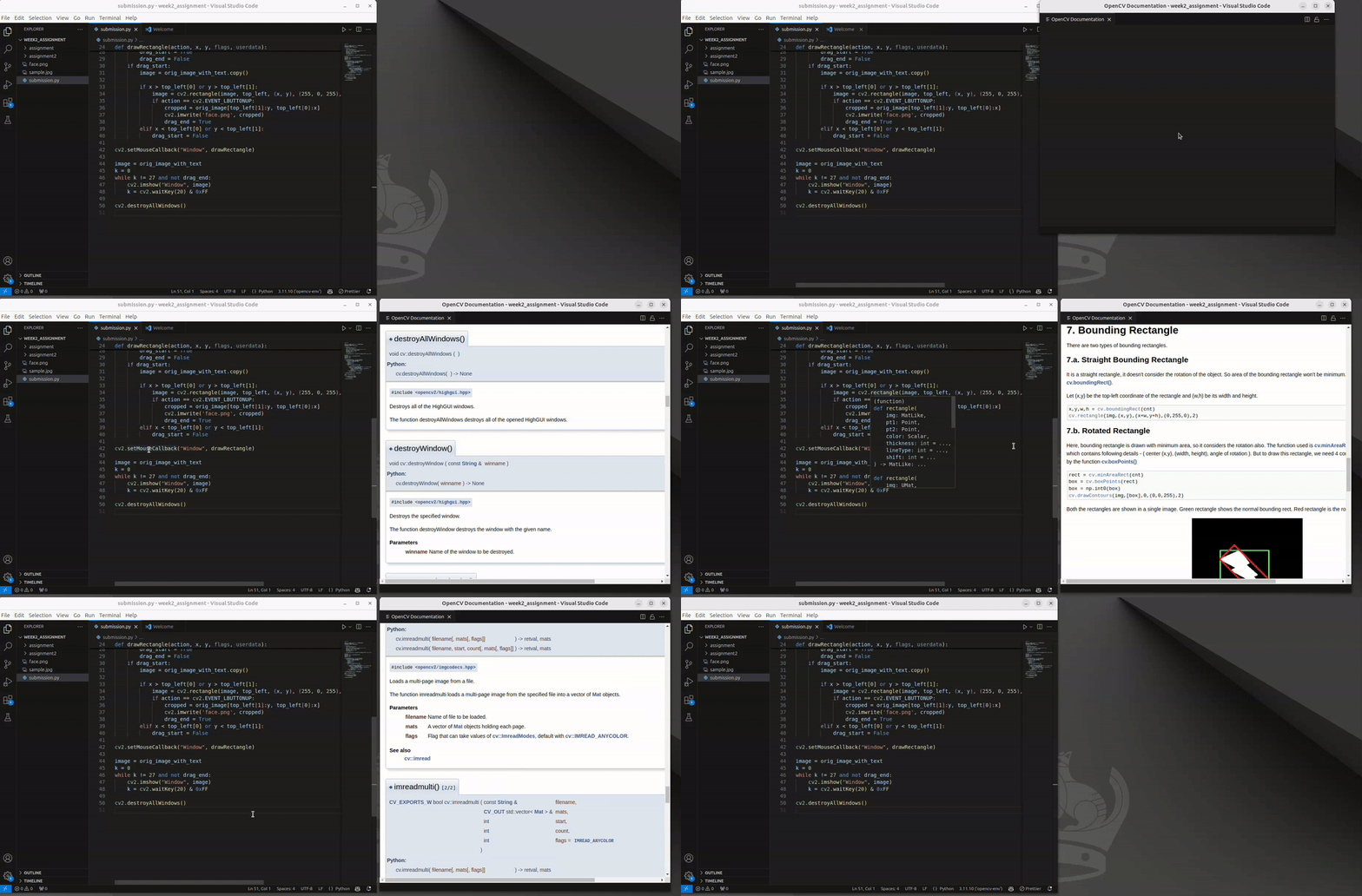
The extension checks the command below the cursor and goes to the internet for displaying the appropriate page and section from https://docs.opencv.org/4.x/index.html.
How we built it
It was easy with the help of CoPilot. I have never did an extension for VSCode (nor a plugin for IntelliJ) and it went quite well. There were some dead-ends.
Challenges we ran into
The documentaion for opencv was created with doxygen. I checked the webpage and I noticed, that there is a "search" feature on the page. I checked how it works. For every keyword/word/etc. there are more then one url with a hash. These urls are stored in 20+ index files. So I first downloaded all the indexes, glued them together and picked up the first URLs and stored these keyword url pairs in my index file. The extension first goes to my index file where the key is the keyword then provides the URL for VSCode. First I tried to programatically download the page and provide it to vscode to display it. But the URL in the page did not work. So I managed to get vscode to download the page by itself with the help of an iframe. This idea came from copilot. I just aksed, how can I get vscode to download the page.
Accomplishments that we're proud of
This is a working and useful extension. I use it daily.
What we learned
- How to use github copilot with VSCode
- How to create an extension for VSCode
- How to use marketplace
What's next for OpenCVDoc
Use some Azure services:
- For downloading opencv source
- Building the documentation with a "server side search"
- Providing the documentation for the internet
- Using this documentation from the plugin
- Checking if users clicks to other places in the documentation so I could make the index file smarter. Now it sometimes uses an unoptimal url for the documentation, so the users not always get what they want. I think, I could make better indexes with some machine learning.
- I can make the extension smarter to check the surroundings of the keyword to give better help.
- I can let the extension to use the appropriate version of documentation. Now it uses always the 4.10.0 and I have to refresh it manually.
Built With
- extension
- typescript
- vscode

Log in or sign up for Devpost to join the conversation.