-
-
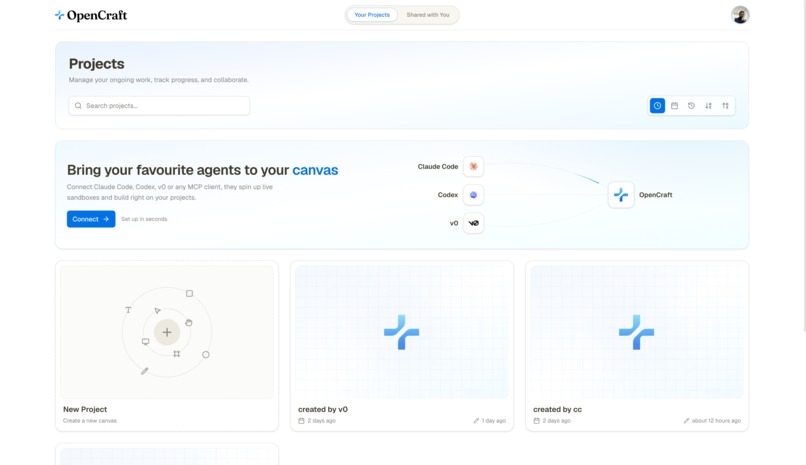
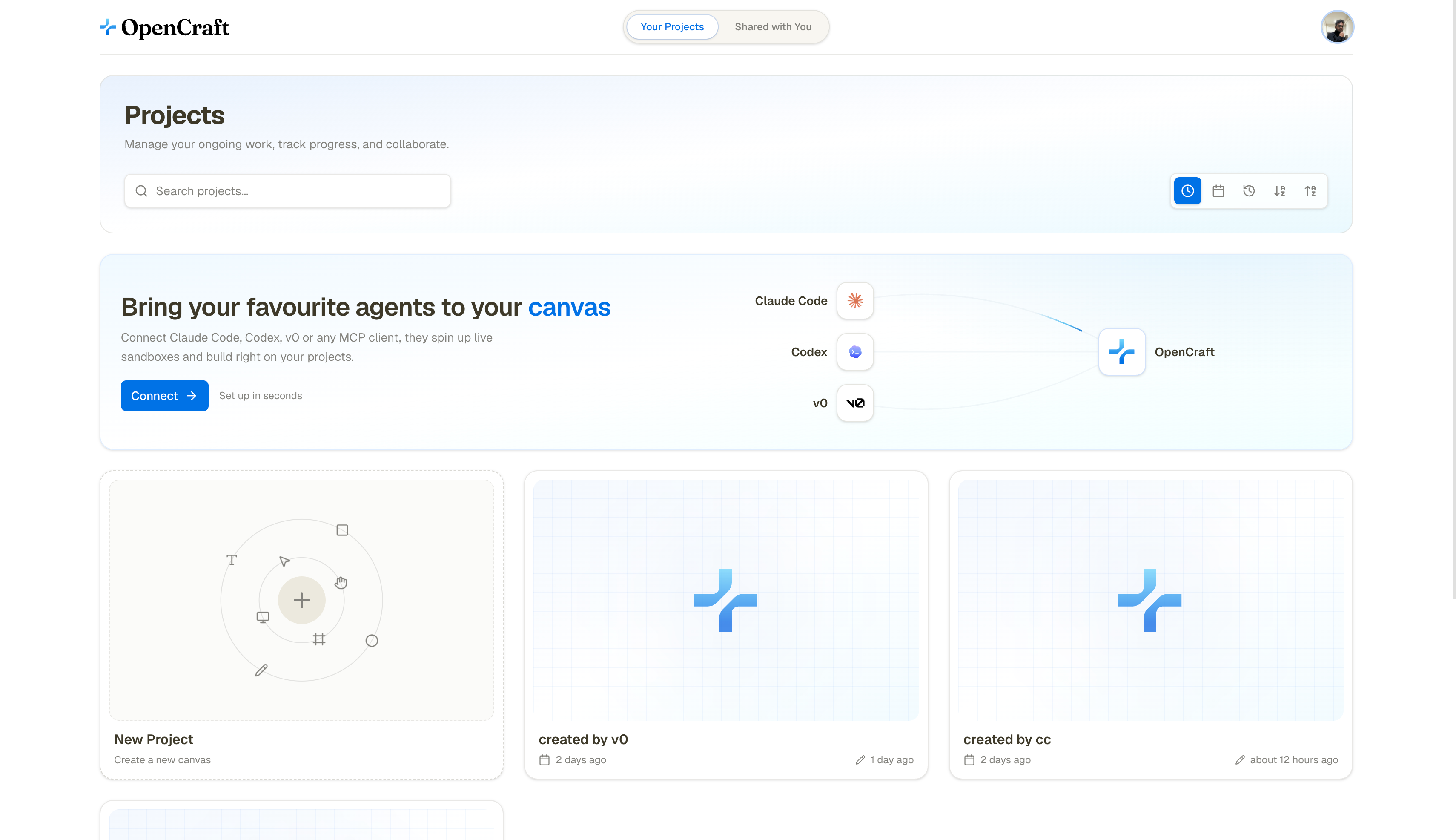
Dashboard
-
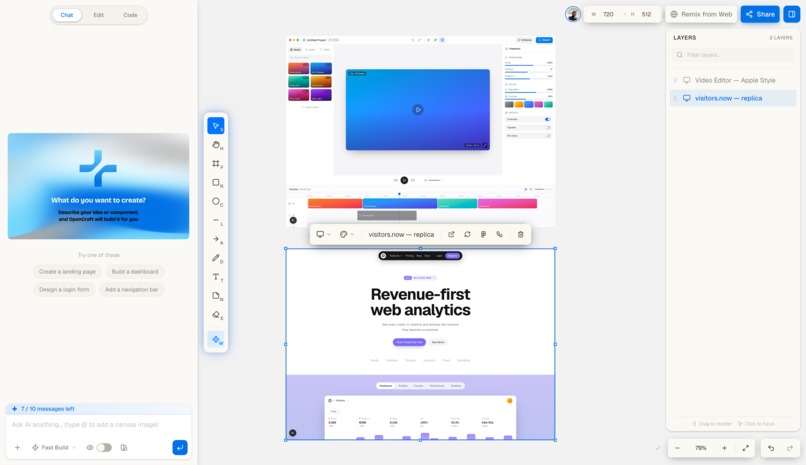
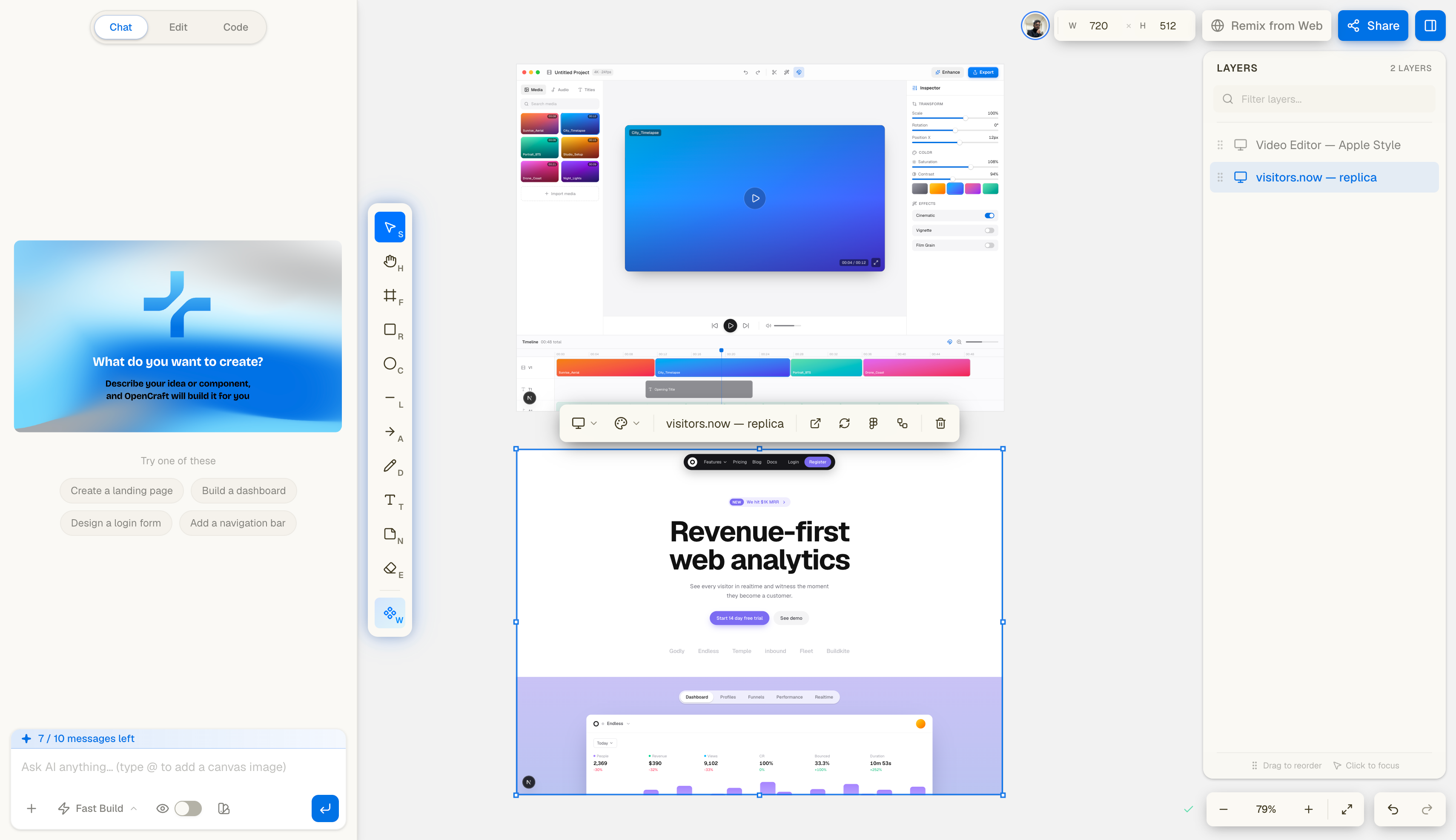
Design Canvas
-
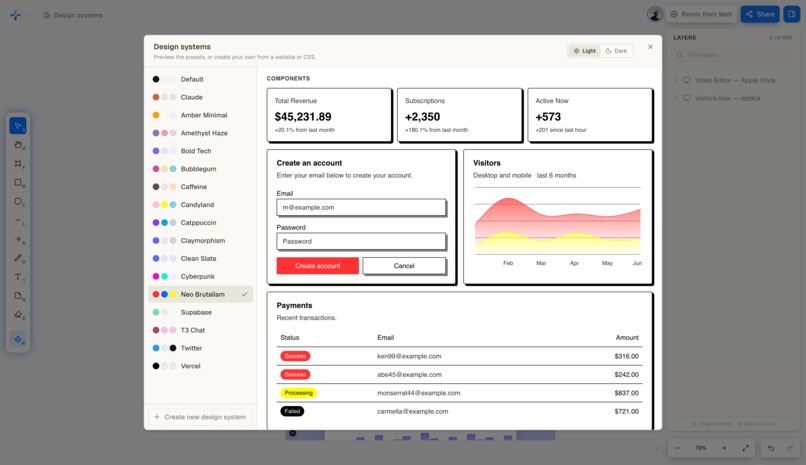
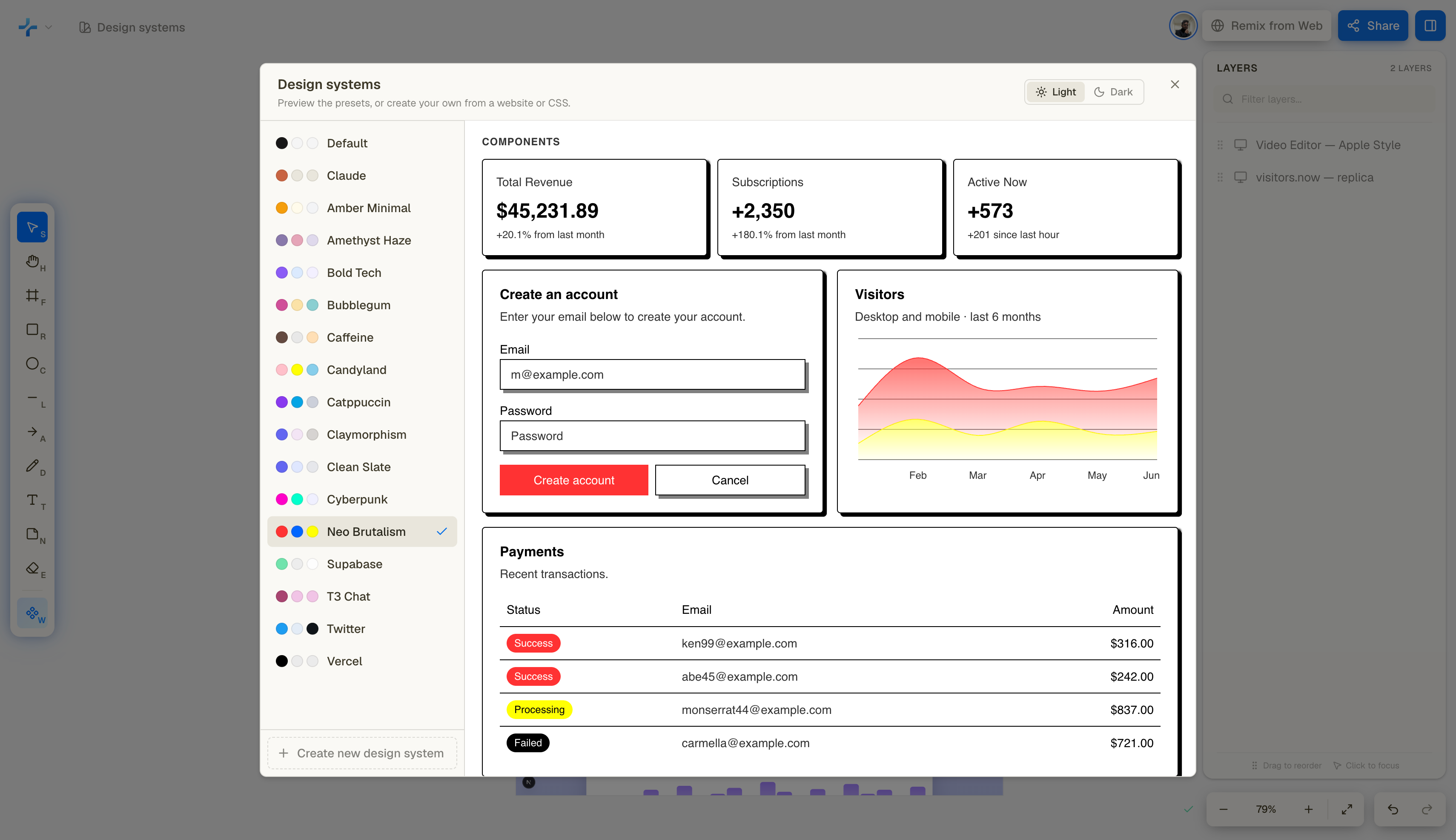
Design Systems
-
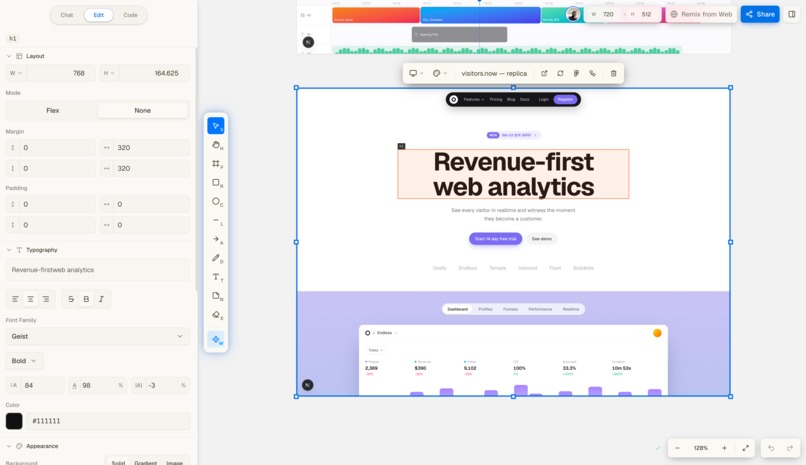
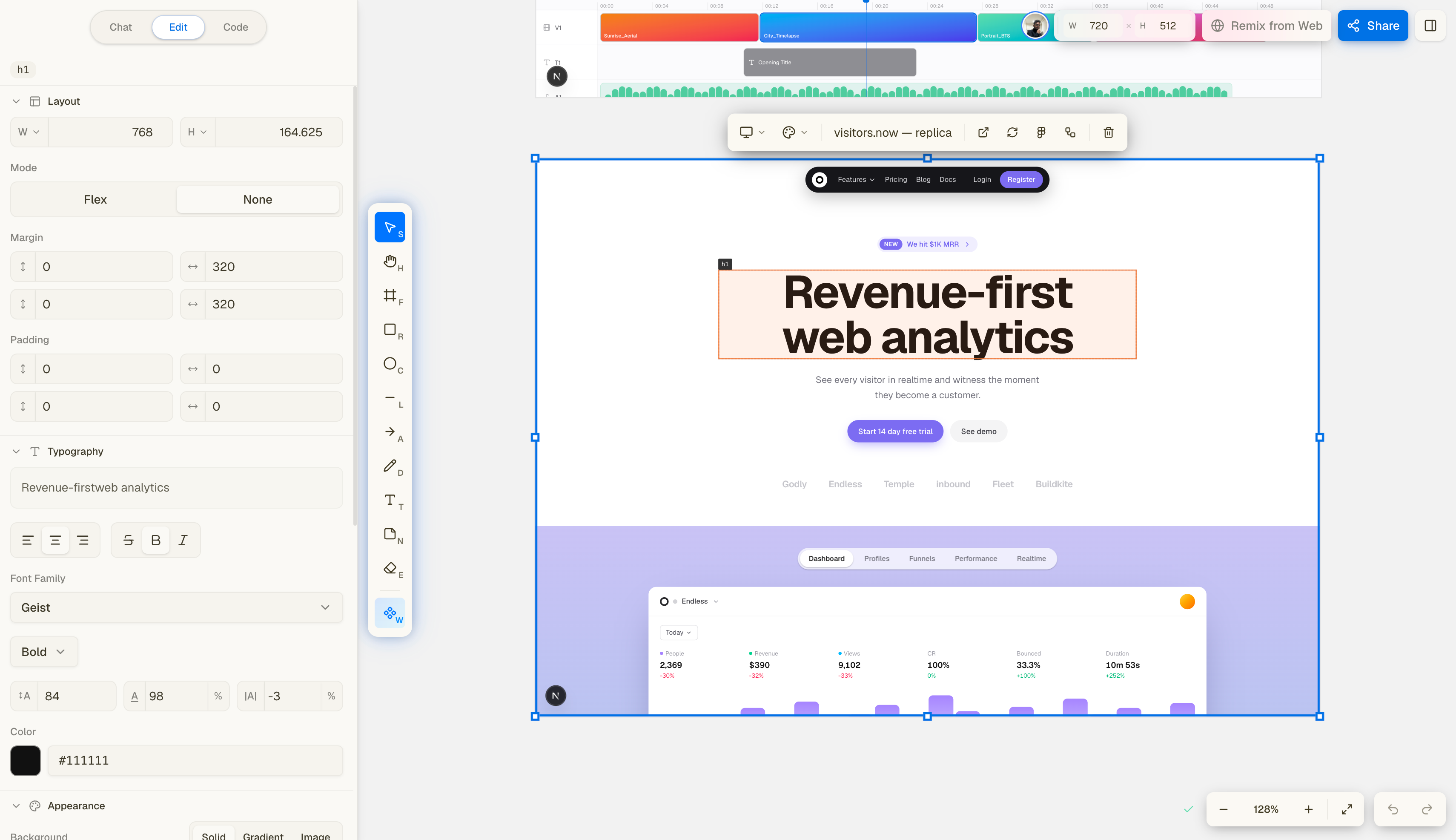
CSS Editor
-
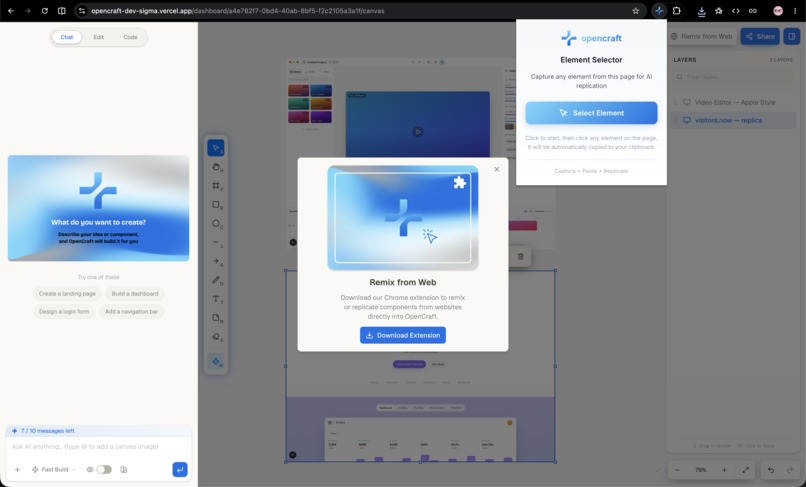
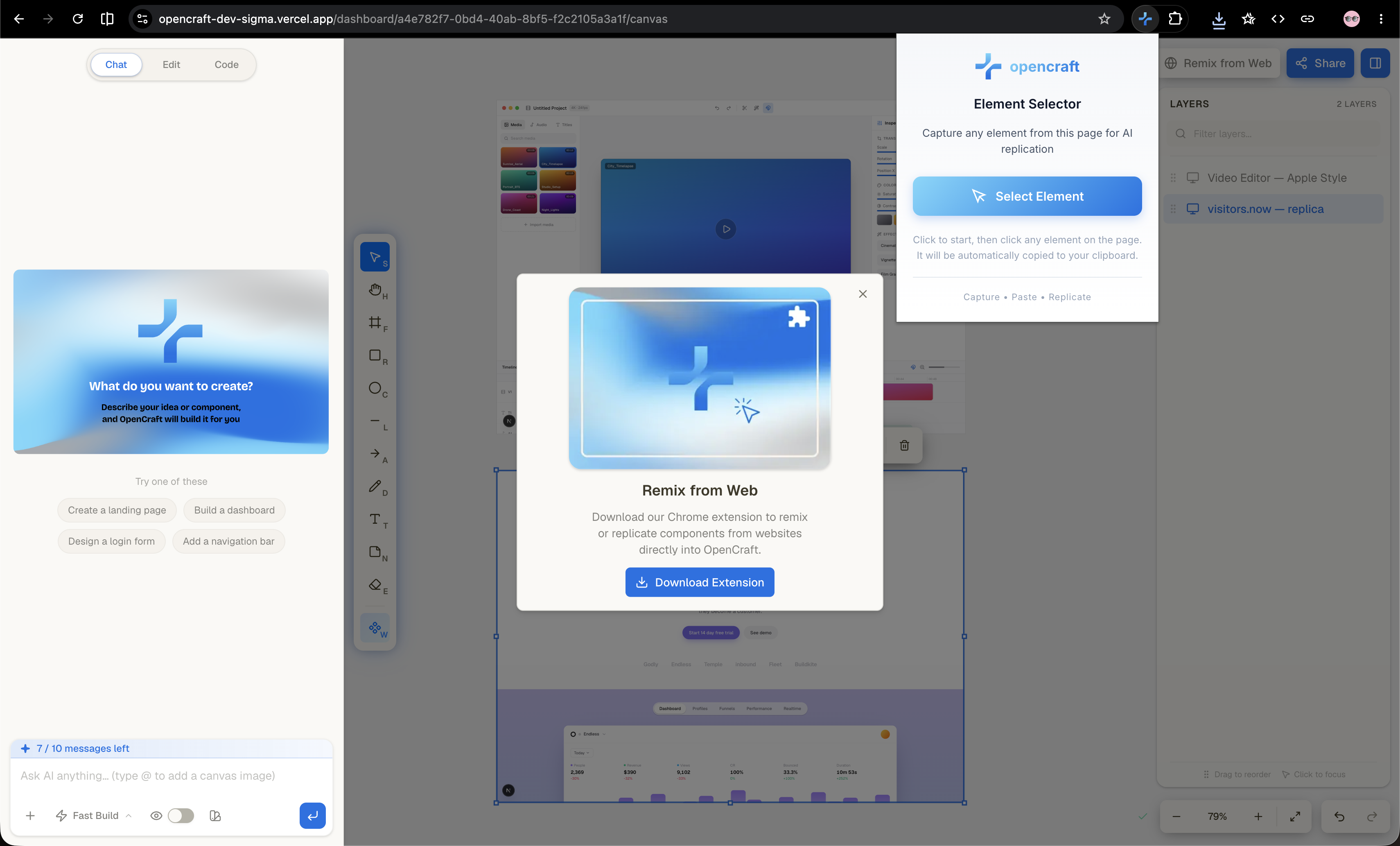
Remix Chrome Extension
-
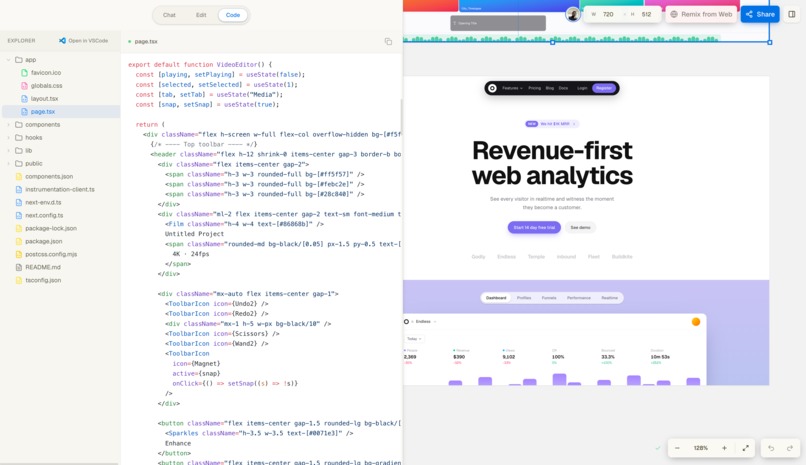
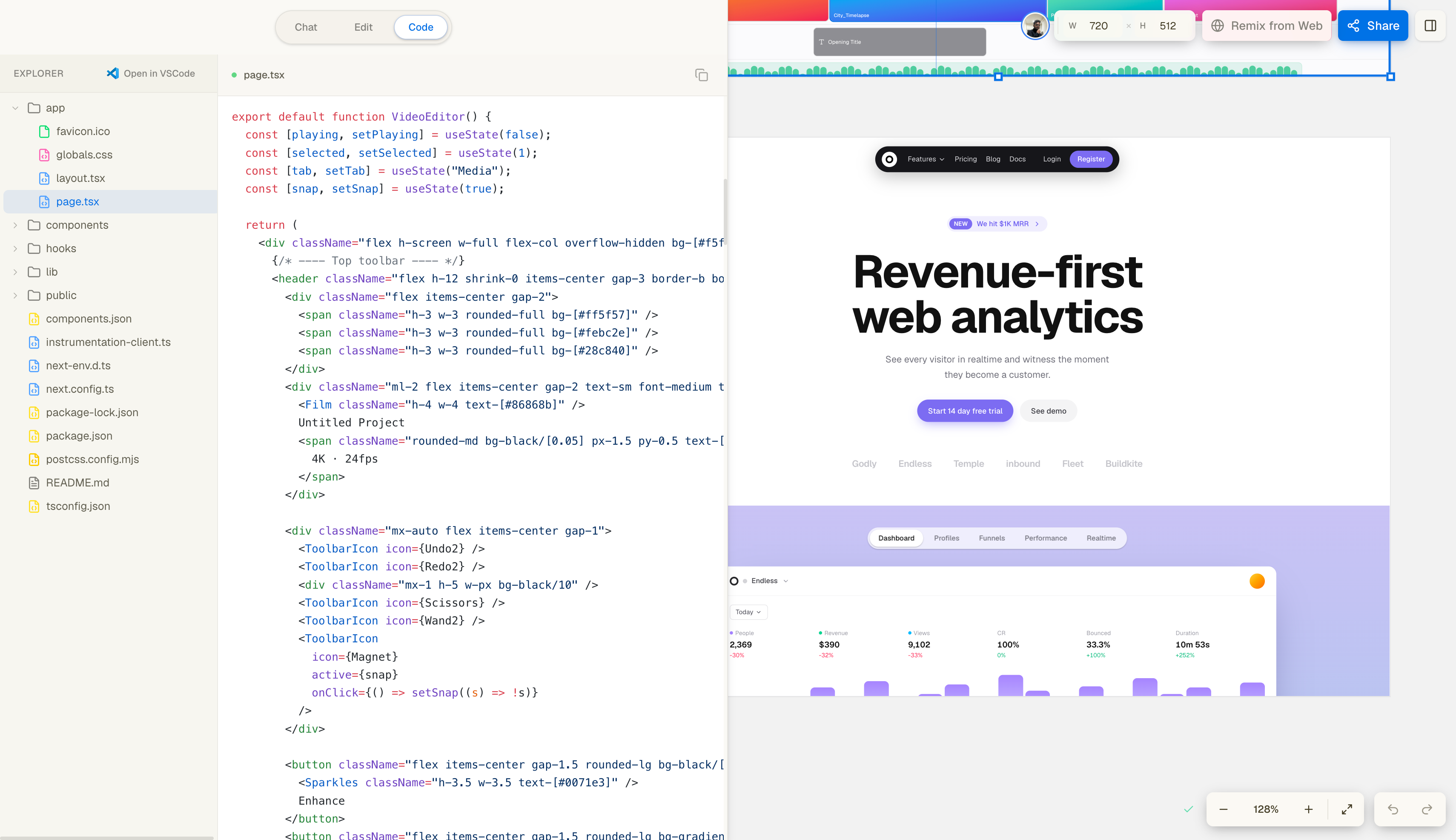
Code Explorer
-
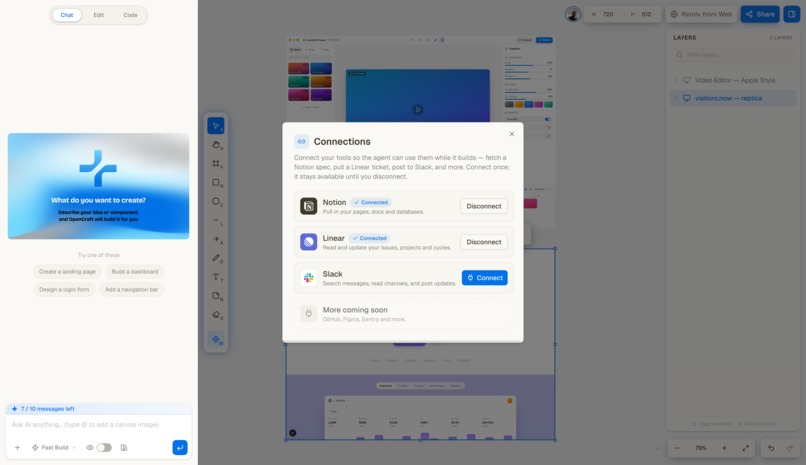
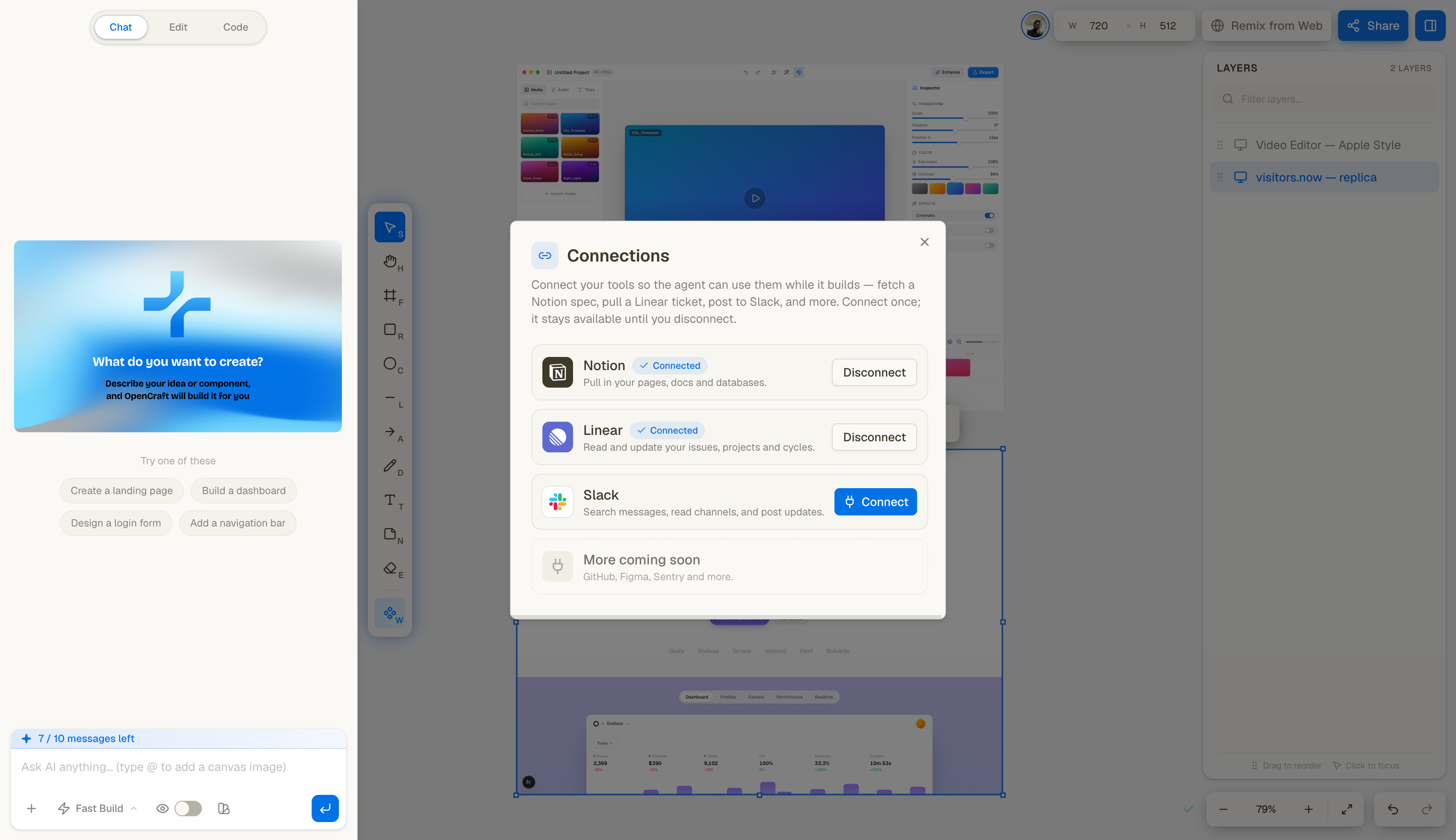
Integrations
-
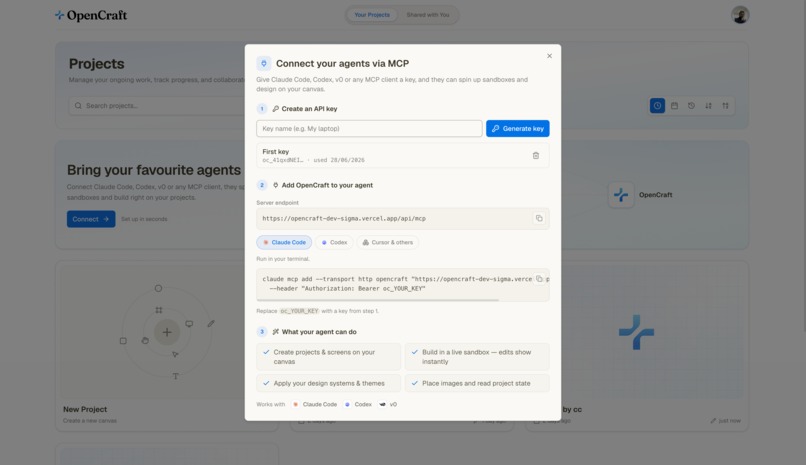
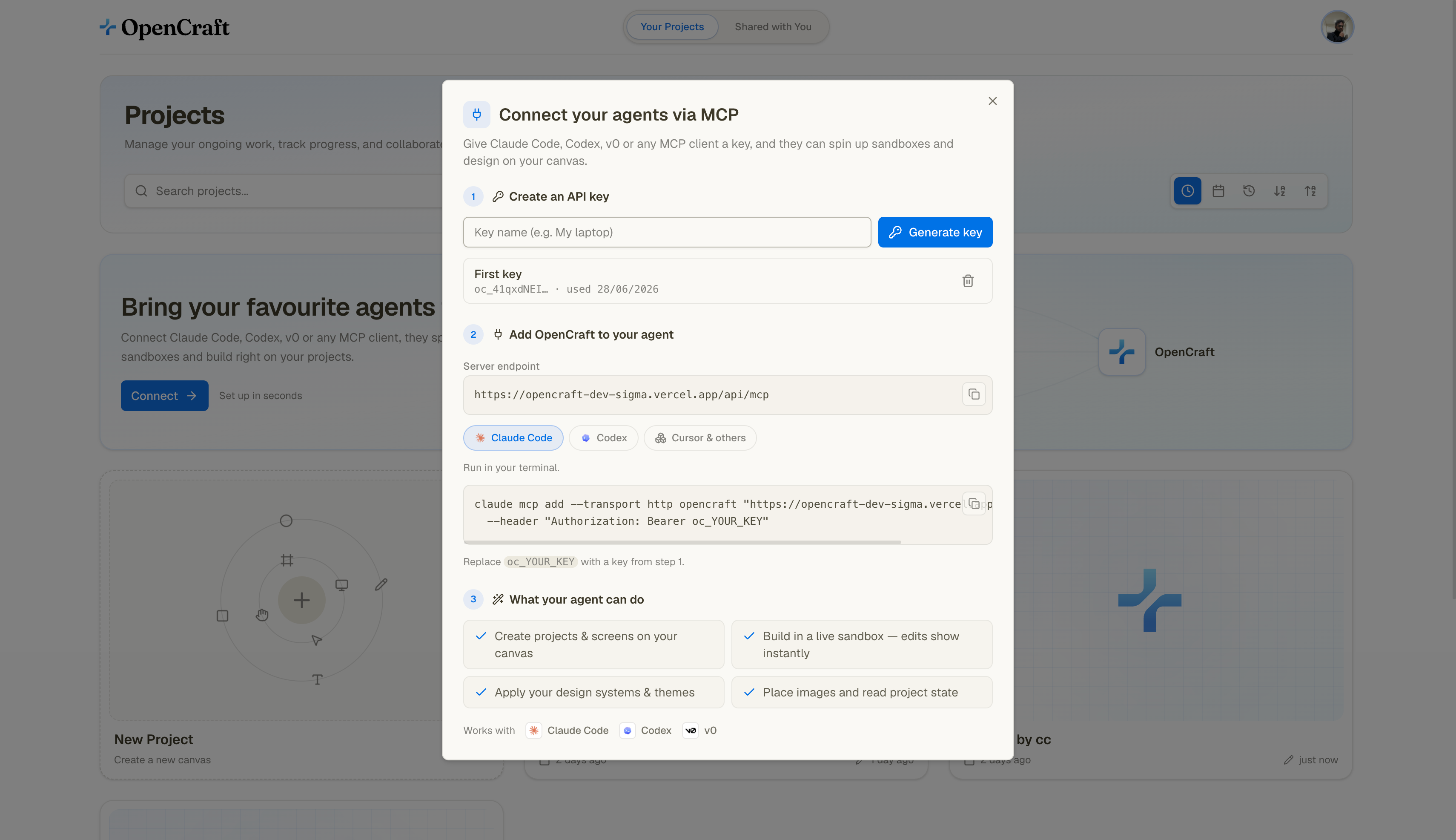
MCP
.png)
Inspiration
Every team we know loses time in the same place. A designer makes screens in Figma, hands them off, and a developer rebuilds them in code. The handoff is slow, details get lost, and by the time the build matches the design, the design has already changed.
The new wave of AI builders helped a little, but they all felt like working alone. You type a prompt, you get one file or a throwaway preview, and there is nowhere for the rest of your team to actually work with you. Designers, developers, and PMs were still stuck in separate tools.
We wanted one place where a whole team could sit on the same canvas, sketch an idea, ask an agent to build it, and watch real running screens appear together. Not pictures of an app. The actual app. That idea became OpenCraft.
What it does
OpenCraft is a shared workspace for building frontend. You open a project, drop a screen onto an infinite canvas, describe what you want in plain language, and an agent builds a working Next.js app for that screen. Your teammates see the same canvas update live while it happens.
Here is what is inside.
Infinite canvas. Everything lives on a zoomable canvas. Screens, frames, images, sticky notes, and drawings all sit together, so you can plan a product and build it in the same space.
An AI UI coding agent. You prompt, it builds. The agent writes a real component tree, installs packages, and produces a running app instead of a static mockup. Later prompts edit the same screen.
Live multiplayer. Several people can work on one canvas at once. You see everyone's cursors, selections, and changes instantly. Projects have roles (viewer, editor, owner) so teams can control who can do what.
Live preview in real sandboxes. Every screen runs in its own cloud sandbox with a real dev server. What you see on the canvas is the actual app running, with hot reload, not a screenshot.
Design systems. Pick a theme, or bring your own by importing a design system from a URL or pasting in CSS. Apply it across screens and switch between light and dark. Agencies can keep a separate look for each client.
Flows. Build apps with more than one screen, where the screens share a sandbox and live at different routes, so you can prototype a whole product and not just a single page.
Remix from the web. Our Chrome extension lets you capture any page or component you find while browsing and send it straight into OpenCraft. The agent rebuilds it as clean code on your canvas, so anything you like online becomes a starting point you can remix and make your own.
Your tools, connected. Connect Notion, Linear, and Slack, and the agent can pull your real specs, issues, and context instead of guessing, and act on them when you ask.
Open by API. OpenCraft is also an MCP server. External agents and IDEs can drive a sandbox through our API with scoped keys, so OpenCraft fits into workflows you already have.
An agent that checks itself. In visual mode the agent takes a screenshot of its own work, reads the console, and fixes layout and runtime issues before it calls itself done.
Export. Download the generated code whenever you are ready to take it further. Or just copy your design to figma.
It is built for product teams, startups, and agencies who want to get from idea to working frontend without the usual handoff, while still being something a single designer or developer can pick up and use on their own.
How we built it
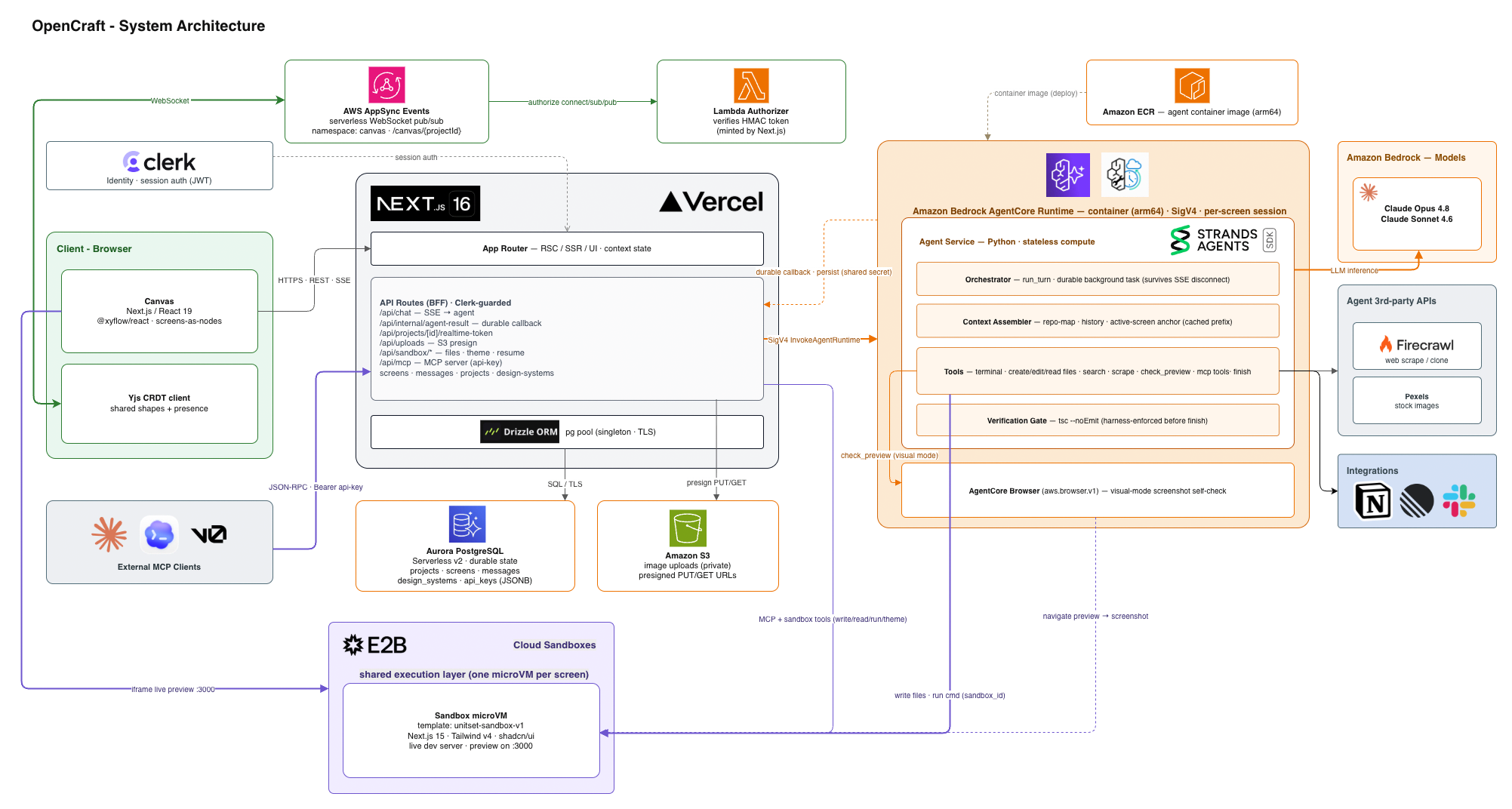
OpenCraft runs almost entirely on AWS, with the frontend on Vercel. Three things happen at the same time: people collaborating in real time, data being stored and read, and an agent generating apps. We kept those three concerns separate so each one could stay simple.
The canvas and real time collaboration
The frontend is Next.js 16 on Vercel with a canvas built on React Flow. The shared state of the canvas, meaning every shape, every screen, and who is editing what, is a Yjs document. Yjs is a CRDT, so edits from different people merge cleanly without conflicts.
To sync that document we used AWS AppSync Events, a serverless WebSocket service. Each project gets its own channel. When you move a shape, the change goes out as a small binary update, AppSync fans it out to everyone else on the project, and their canvas applies it. Cursors and selections ride the same channel. Access is guarded by a Lambda authorizer that checks a short lived signed token we mint on the server, so only people with access to a project can join its channel. We defined all of this realtime infrastructure with AWS CDK.
The data layer
All durable state lives in one Amazon Aurora PostgreSQL database, reached through Drizzle ORM. Only our Next.js backend talks to the database. It acts as the single front door, which keeps the data layer easy to reason about and easier to secure.
Uploaded images go to Amazon S3. The browser asks our backend for a short lived signed URL and uploads straight to S3, so large files never pass through our server.
The agent
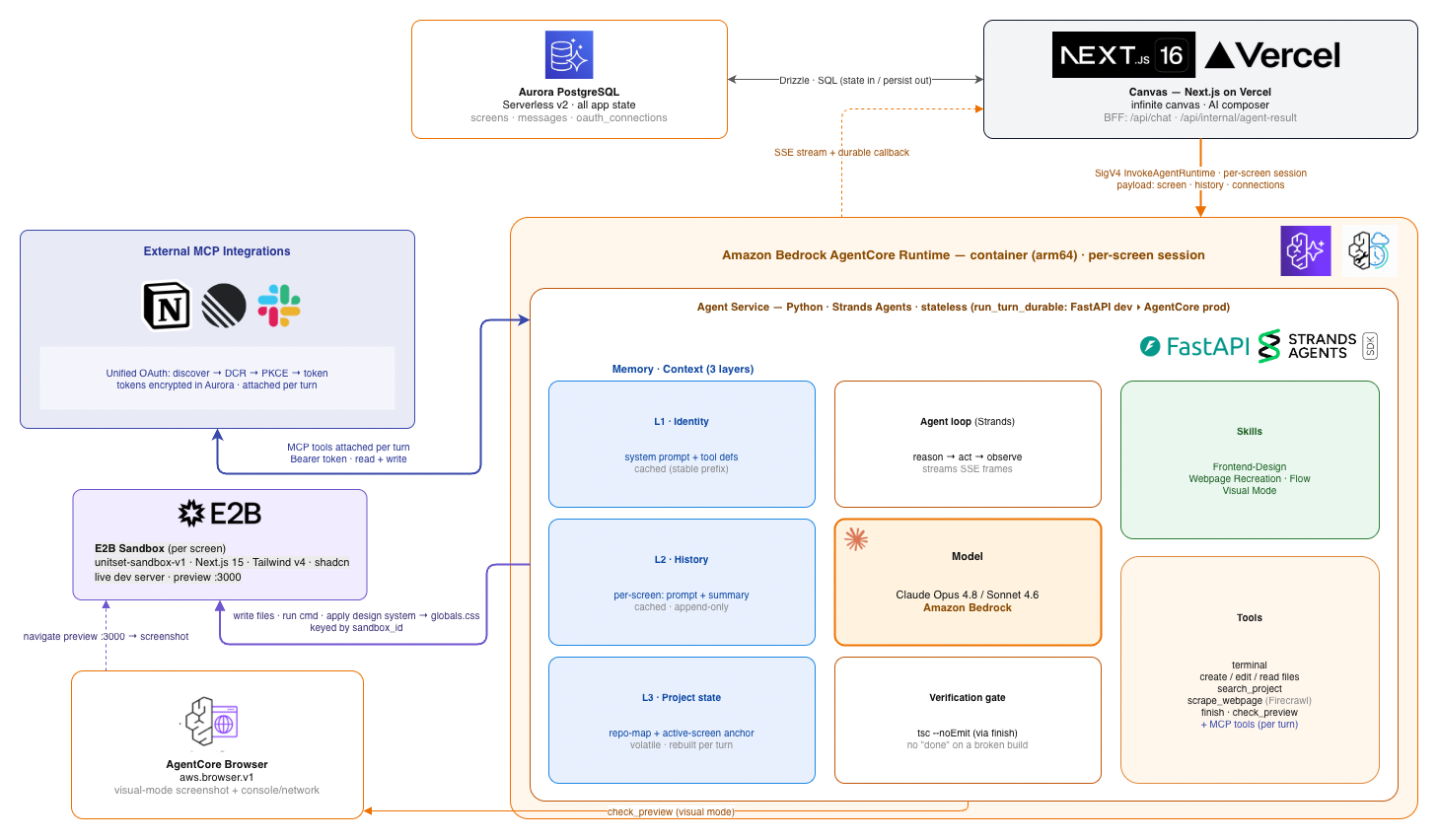
The agent is a Python service running on Amazon Bedrock AgentCore Runtime. It is built on the Strands Agents framework.
When you send a prompt, our backend invokes the agent for that one screen as its own session. We pass it everything it needs for the turn: the current screen, the chat history, and any connected integrations. The agent never touches the database itself. It is completely stateless. It reads state from what we send and writes results back through a callback, which means a generation still finishes even if you close the tab.
The agent has a small set of tools: a terminal, file create, edit, and read, a project search, and a web scraper. On top of those it has skills, which are pieces of expertise, like front end design judgment, cloning a page from a URL, and building flows. Two things keep its output honest. Before it can call itself done, a verification step runs a TypeScript type check, so it cannot finish on a broken build. And in visual mode it drives a headless browser through AWS AgentCore Browser to screenshot the running preview and fix what it sees.
We paid a lot of attention to context. Instead of stuffing the whole codebase into every prompt, the agent gets a small map of the project, with each file as one line, the history of the conversation, and a note about which screen it is editing. Most of that is cached, so a follow up edit costs a couple thousand tokens instead of a hundred thousand, and the cost stays flat as a project grows.
The sandboxes
Every screen runs in its own E2B sandbox, which is a fast micro VM with a real Next.js dev server inside. We bake our own template so each sandbox already has Next.js, Tailwind, and shadcn ready to go. The agent writes files and runs commands inside the sandbox, the design system is applied by writing the theme into the app, and the preview is served back to the canvas. Because each screen is its own session and its own sandbox, many people can generate many screens at the same time without stepping on each other.
How the integrations work
Connecting a tool like Notion, Linear or Slack uses a standard OAuth flow, and OpenCraft itself acts as a client to those services' own MCP servers. When you run a turn with a connection active, the agent gets that service's tools attached for the turn, using your token, so it can read your real data and make changes when you ask.
Why we chose Aurora PostgreSQL
This was the most deliberate decision in the project, so it is worth explaining.
Our data is unusual in one way. A single row can be large. One screen stores the entire generated app as JSON, and one project stores the whole canvas as JSON. These are not small records. They can run well past the 400 KB limit that DynamoDB puts on a single item. Postgres stores values like this natively. It compresses them and keeps them out of the main row automatically, and a single value can be up to a gigabyte, so a few megabytes is routine.
Size alone is not why we picked Postgres, because you could always push a big blob into S3 and keep a pointer to it. The real reason is that we needed two things in the same place: large documents and real relational structure. Our data is a graph. A project owns screens, a screen owns messages, and projects have members with roles. We rely on foreign keys with cascade deletes, so removing a project cleans up everything under it with no application code, and we use a self referencing key for flow screens. We also lean on plain SQL for the team side of the product, like listing a user's projects or checking who has access. That is exactly what a relational database is good at.
We looked at the other AWS options honestly. DynamoDB is a great key value store, but our items are too big for it and our access is relational, so it was the wrong shape. Aurora DSQL is built for writing to many regions at once, which we do not need, and it drops foreign key constraints, which we depend on, so it was out too. Aurora PostgreSQL Serverless v2 gave us document storage and relational integrity in one transactional store, and it scales down toward nothing when idle and bursts during generation, which suits a workload like ours.
Challenges we ran into
Real time collaboration on a serverless backend was the hardest part. AWS AppSync Events is new, so there was not much prior work to copy from. We had to design how a Yjs CRDT rides over it, how clients ignore their own echoed updates, how presence is broadcast, and how we authorize a connection with a signed token and a Lambda authorizer. Getting all of that to feel instant took real work.
Keeping the agent cheap was the next one. Our first version sent too much context every turn, and the cost grew with the project. We rebuilt the context model around a small project map plus history plus an anchor for the active screen, which kept the cost flat and the edits precise.
Making the agent stateless so it could live on Bedrock AgentCore meant moving all state out of the agent. State sits in the sandbox and in Aurora, and the agent reports back through a durable callback. We had to make that callback survive a user closing the tab in the middle of a generation.
Sandbox lifecycle had a lot of small sharp edges. Pausing and resuming micro VMs, sharing one sandbox across the screens in a flow, and applying a theme before generation without breaking hot reload all took iteration. The sandbox template itself was fiddly, since the normal shadcn setup did not work cleanly inside it and we had to bake it in by hand.
Accomplishments that we're proud of
Multiplayer that actually works. Multiple people can sit on the same canvas, see each other's cursors, and watch screens generate live, all on a fully serverless AWS backend.
An agent that ships running apps instead of mockups, and that checks its own work with a type check and a screenshot before it says it is done.
A clean stateless agent on Bedrock AgentCore that runs each screen as its own session, so generations happen in parallel.
One Aurora database that models the entire product, from the canvas to the chat history to the design systems, with real relationships and automatic cleanup.
And the fact that OpenCraft is open at both ends. It connects out to your Notion, Linear, and Slack, and it exposes its own MCP server so other agents can build on top of it.
What we learned
AppSync Events turned out to be a great fit for syncing a CRDT once we got the auth model right.
Context engineering mattered more than model choice for a tool like this. The project map approach was the single biggest win for speed and cost.
Postgres JSONB is underrated. You really can keep big documents and clean relational structure in the same database, and it saved us from building a second storage system.
A stateless agent with a durable callback is a tidy pattern for long running generation. It made the agent easy to deploy and hard to break.
And choosing a database on purpose, with reasons you can say out loud, is worth the time. It shaped the whole backend.
What's next for OpenCraft
More connectors and adding the tools teams ask for most.
A marketplace for components, where designers publish the pieces they build and other teams reuse them, so good work gets shared instead of rebuilt.
Automated UI tests that the agent writes for the screens it builds, so a generated app comes with checks that keep it working as it changes.
More ways to ship, like opening a pull request on GitHub or deploying a screen straight to Vercel.
Pricing built for how teams actually grow, from a free tier for one person, to seats for a team, to an agency plan for people who manage many brands.
And a few production hardening tasks we already have on the list, like tightening database network access and locking down storage rules.
Built With
- amazon-web-services
- nextjs
- strands-sdk
- vercel


Log in or sign up for Devpost to join the conversation.