-
-
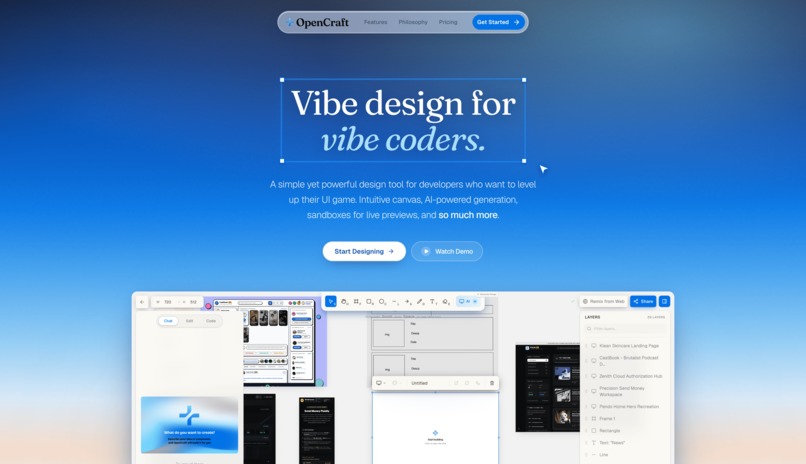
Landing Page
-
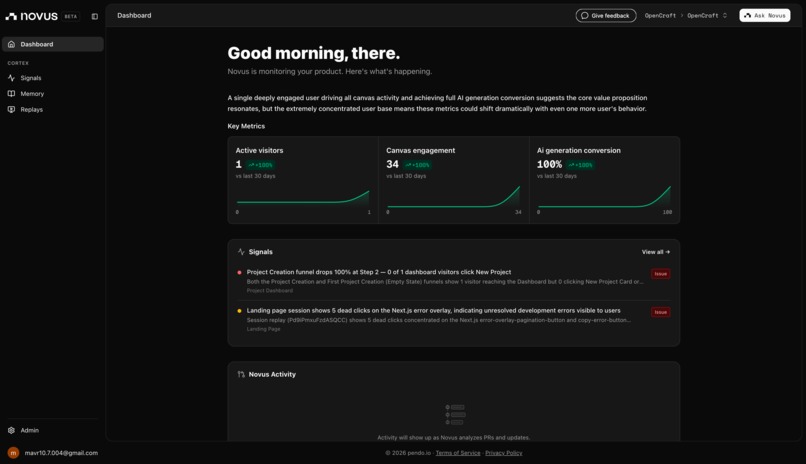
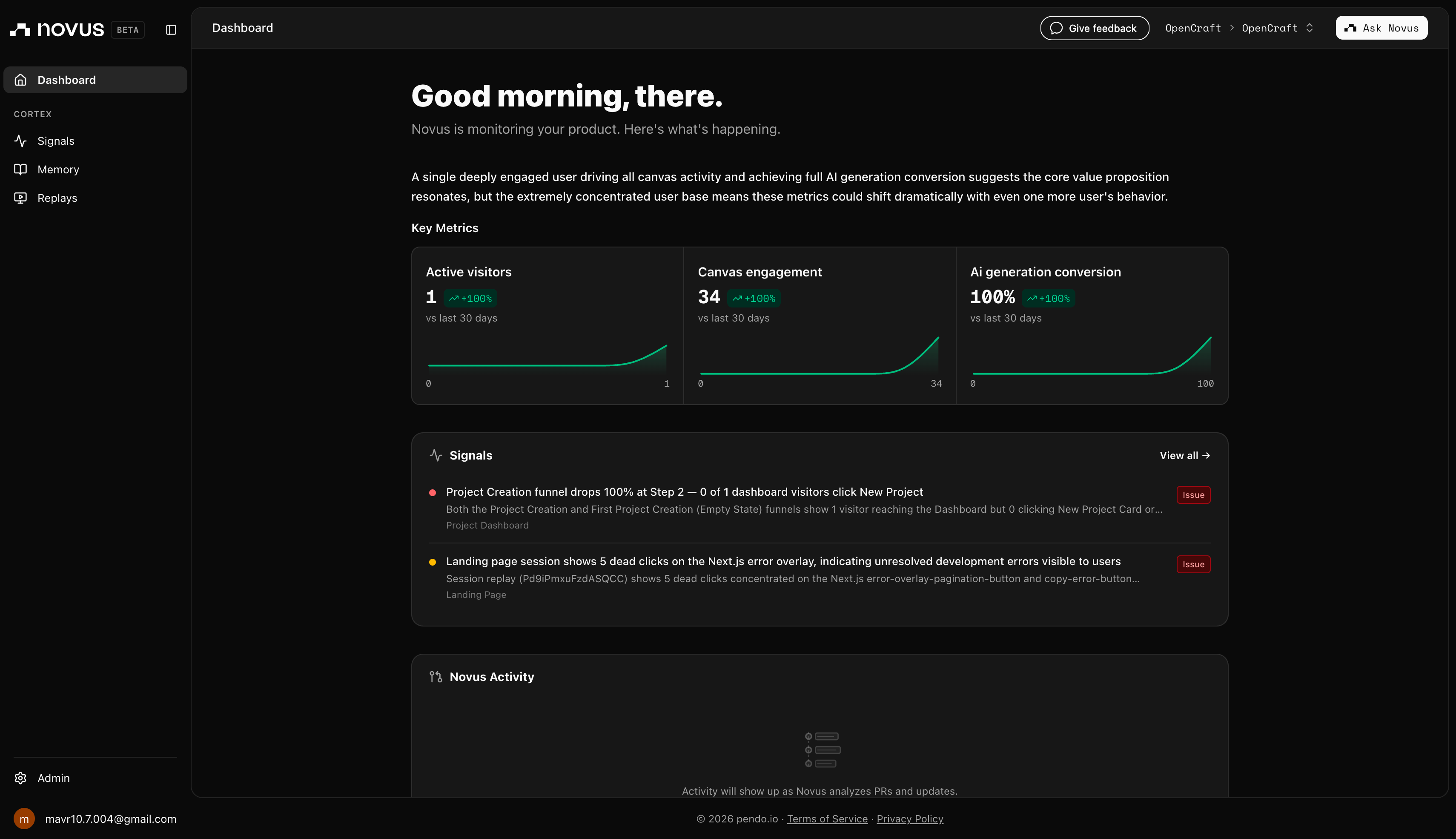
Novus Dashboard
-
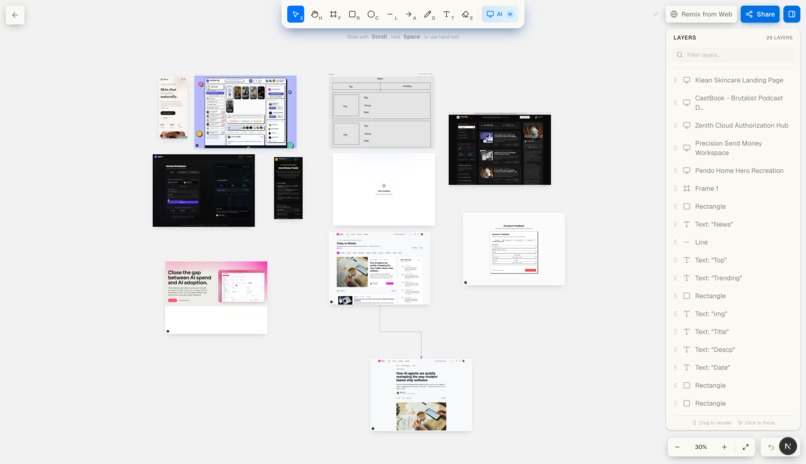
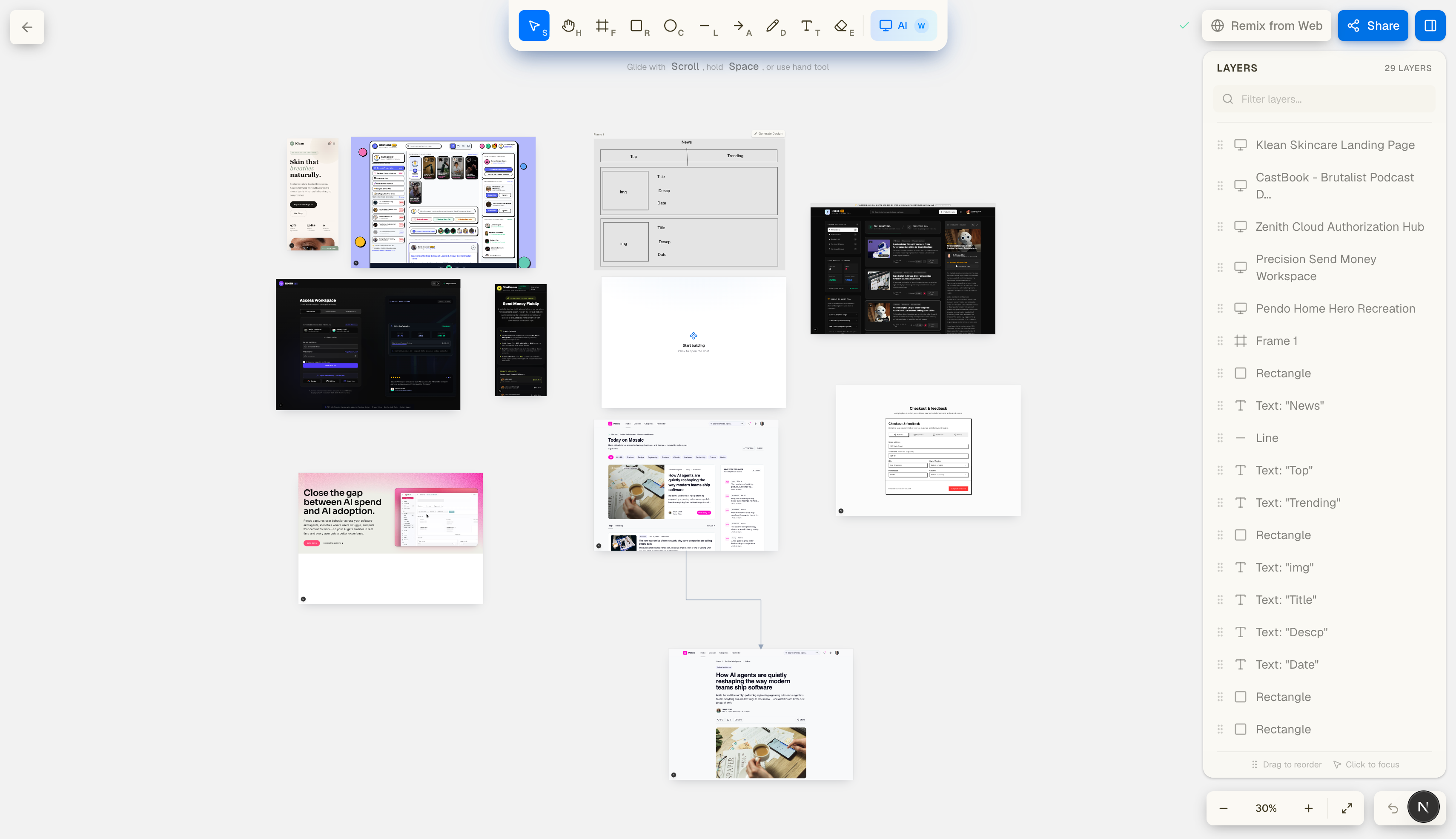
Infinite Canvas
-
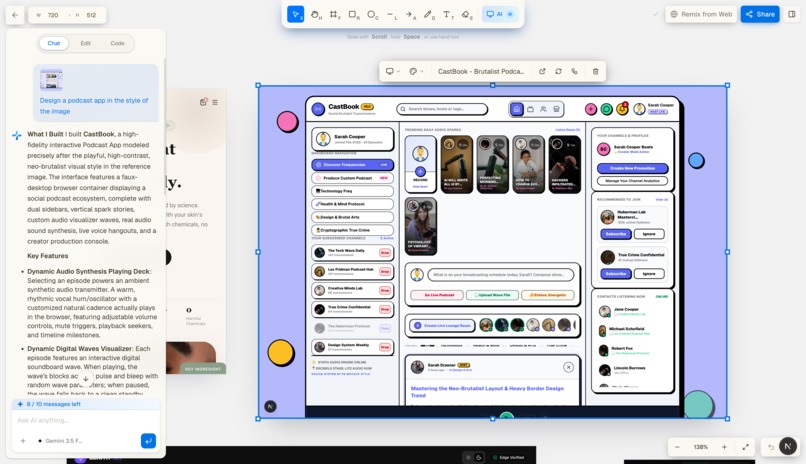
Design with AI
-
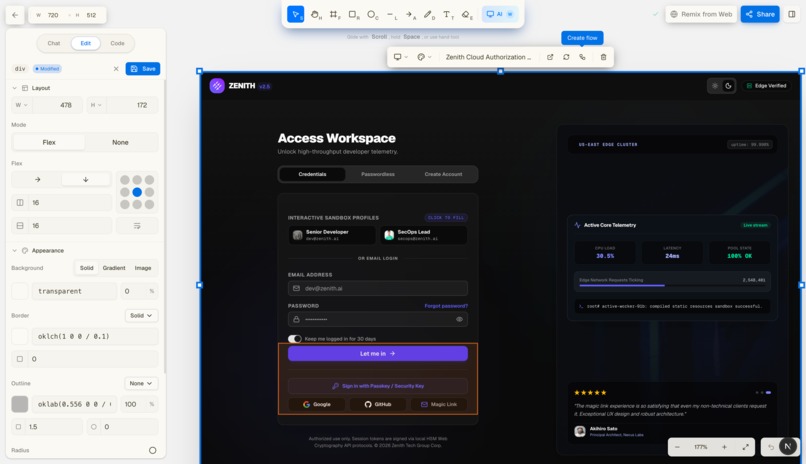
Precise Editing
-
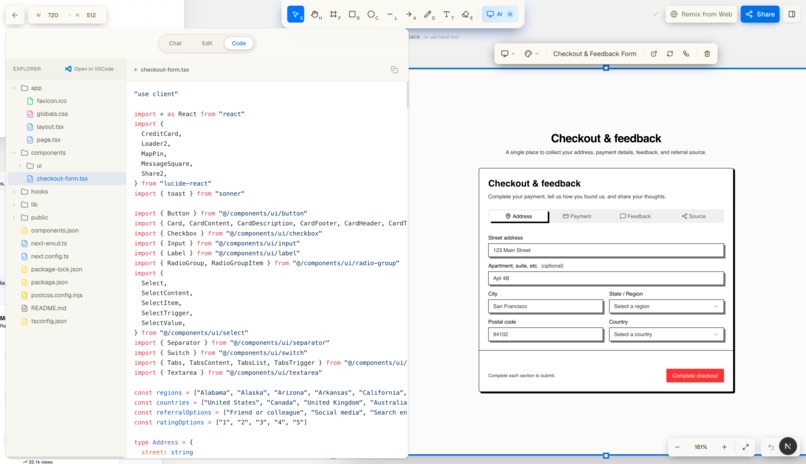
Design Themes
-
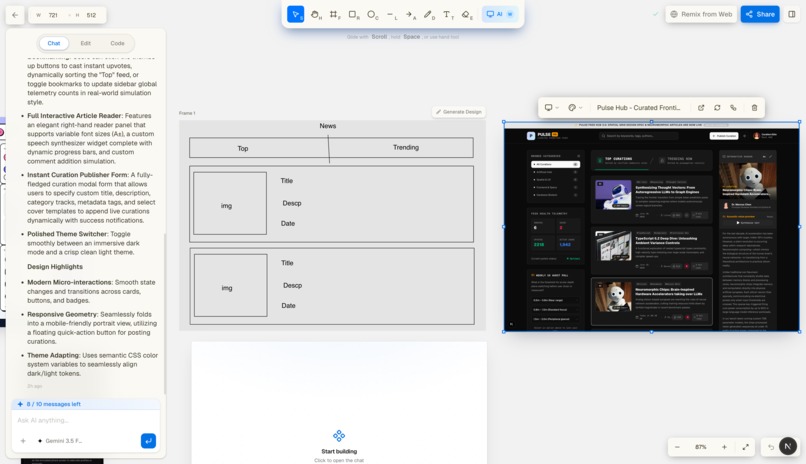
Sketch to Design
-
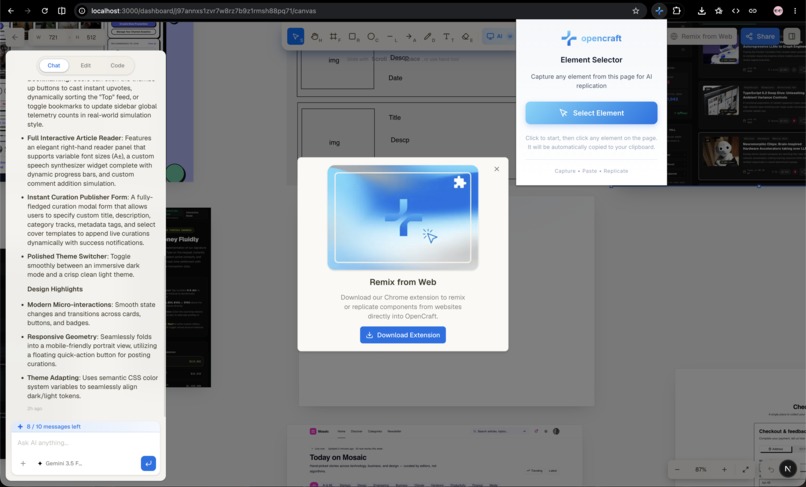
Remix Extension
-
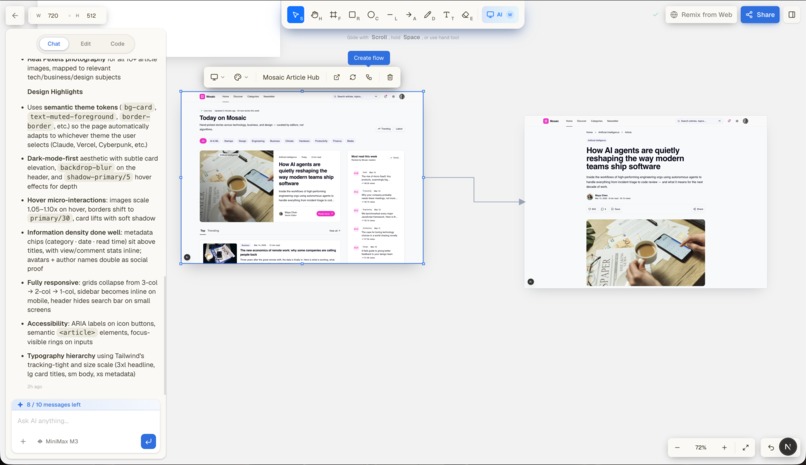
Flows
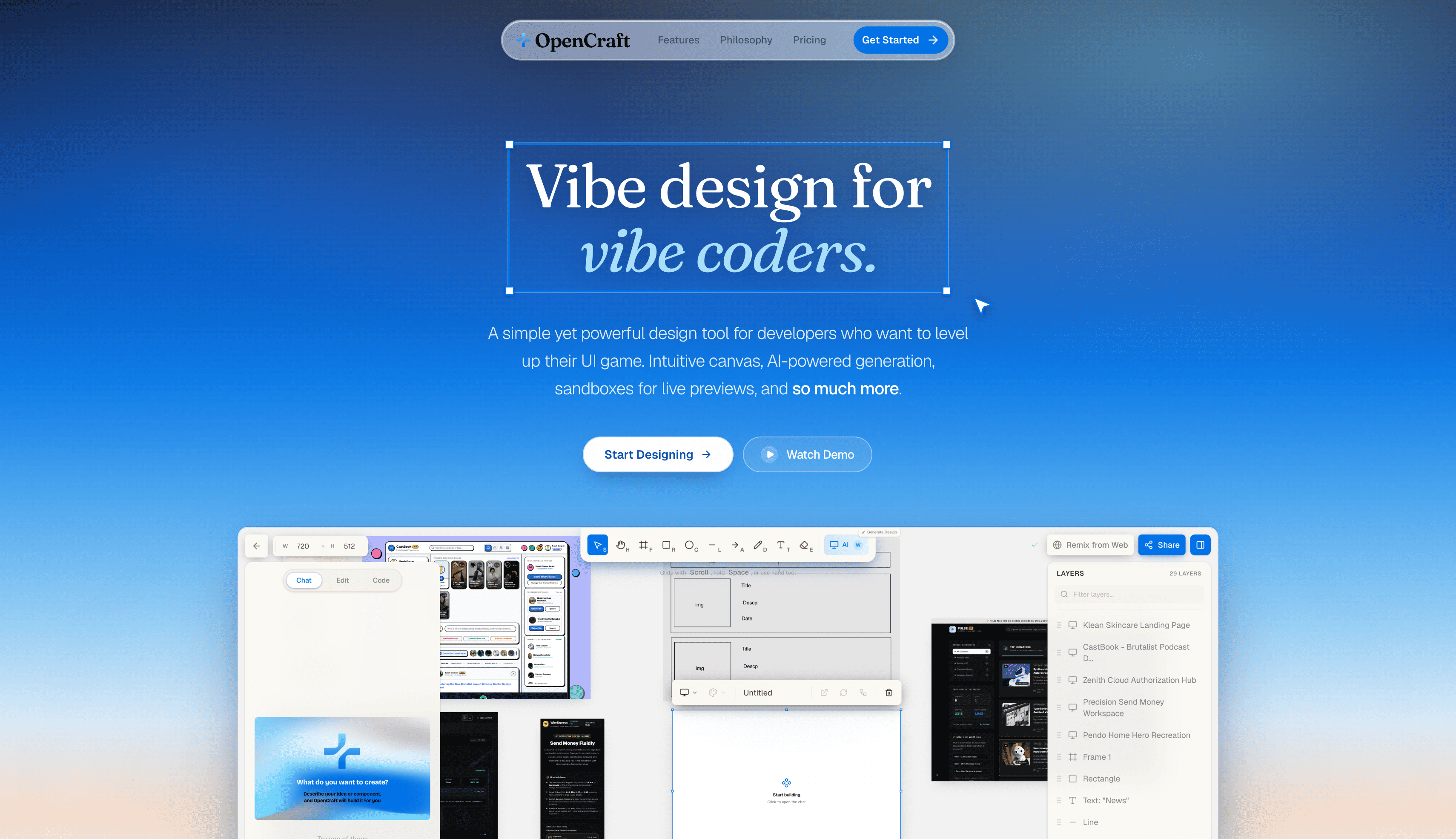
🎨 OpenCraft : Beautiful Web Design, Without the Hard Part
.png)
💡 Inspiration
Designing for the web today means juggling a dozen disconnected tools: Figma for mockups, an IDE for code, online sandboxes for previews, AI tools for snippets, plus endless scraping, screen-capturing, and copying CSS for inspiration. Every handoff loses intent, and every tab switch slows you down.
And in the age of AI, we're drowning in AI slop generic, soulless, copy-paste interfaces that all look the same. We believe design shouldn't be that hard, and good design shouldn't be reserved for people who've mastered six different apps.
We built OpenCraft on a simple belief: anyone should be able to craft beautiful, intentional web interfaces and ship them as real, production-ready code. It's a vibe design tool for the web, where sketching, generating, remixing, editing, and shipping all happen in one unified environment.
⚡ What It Does
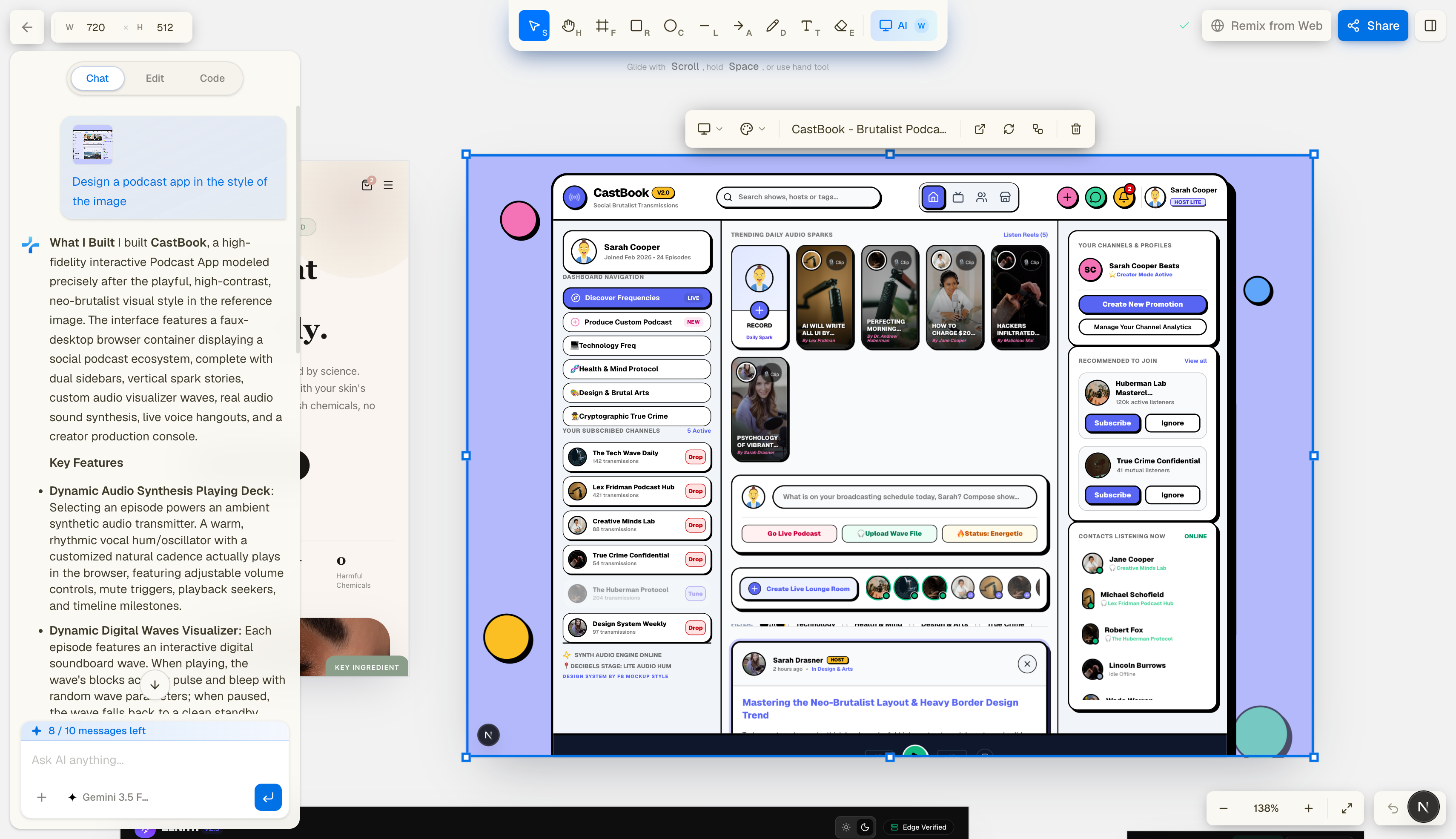
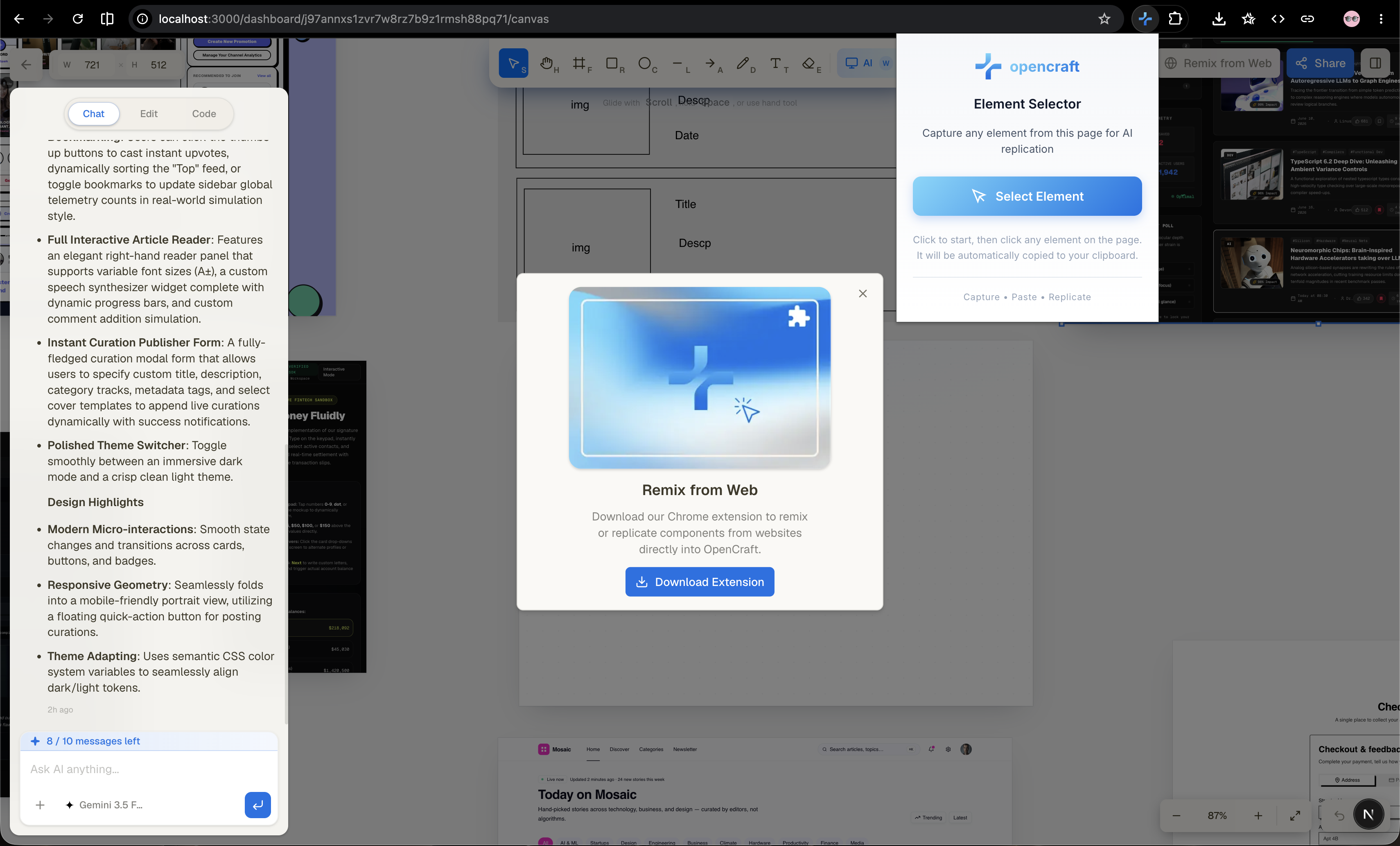
OpenCraft is an AI-powered design-to-code platform with a full canvas, live sandboxes, vision-powered generation, multi-screen flows, a browser extension, and a professional visual editor.
In one sentence:
Sketch it, describe it, or capture it from any website, OpenCraft turns it into production-ready code.
Key abilities
- 🎨 Infinite canvas with drawing tools: frames, shapes, freehand, text
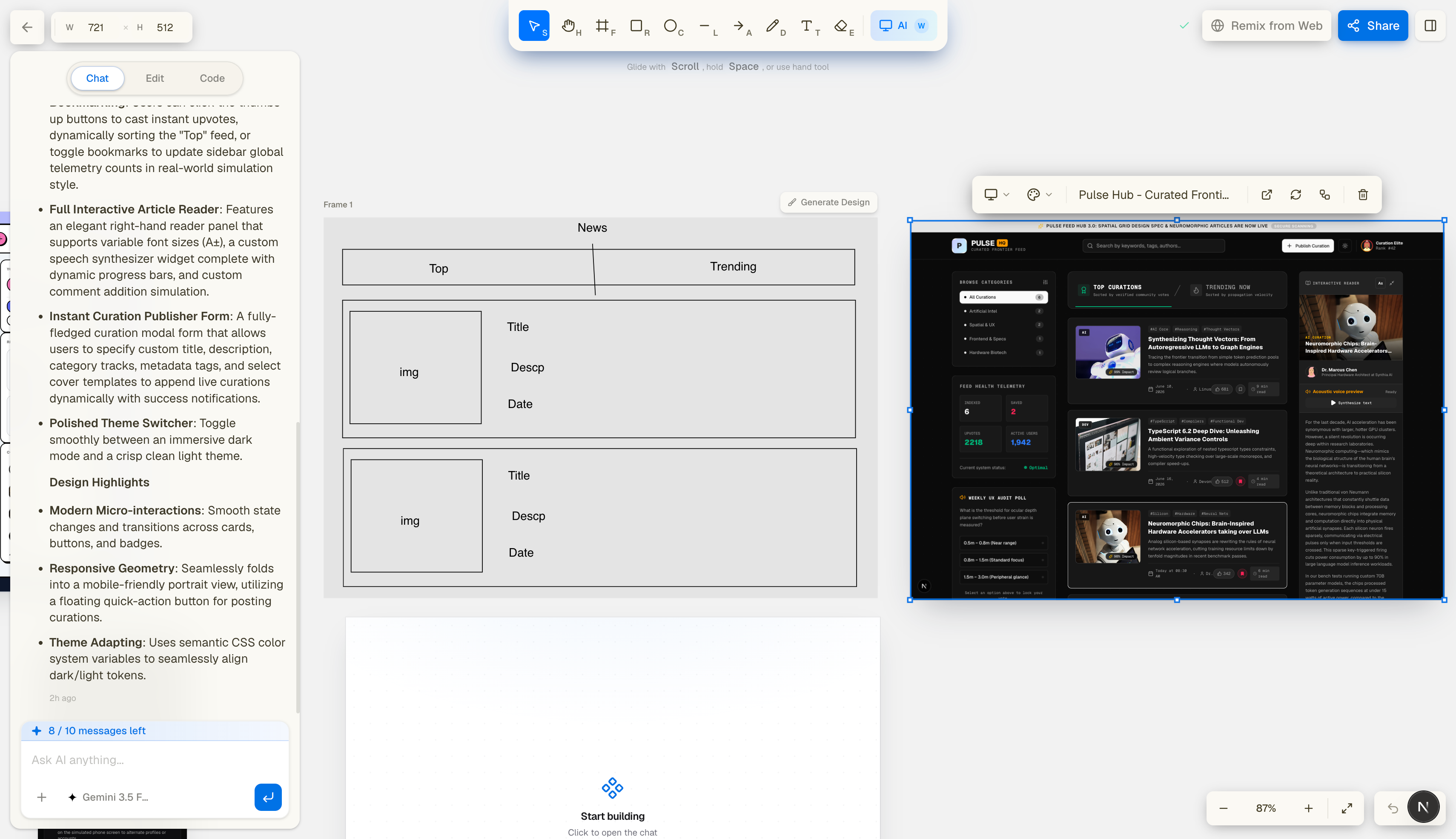
- ✏️ Wireframe → UI generation with AI agents
- 🤖 Chat-based component/page creation (Kimi K2.7 Code, Gemini 3.5 Flash, MiniMax M3)
- 🖼️ Vision reference support (upload any screenshot)
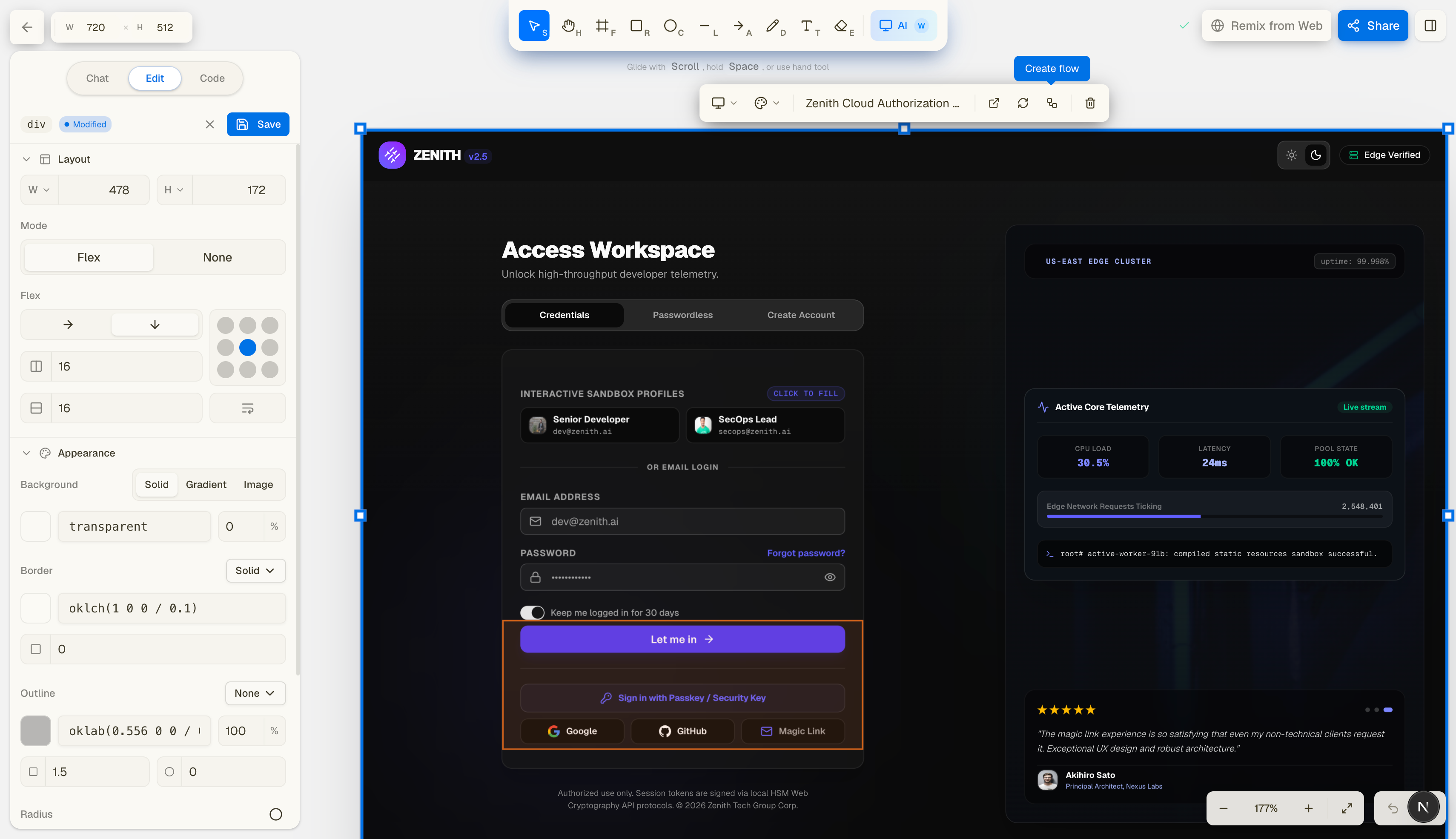
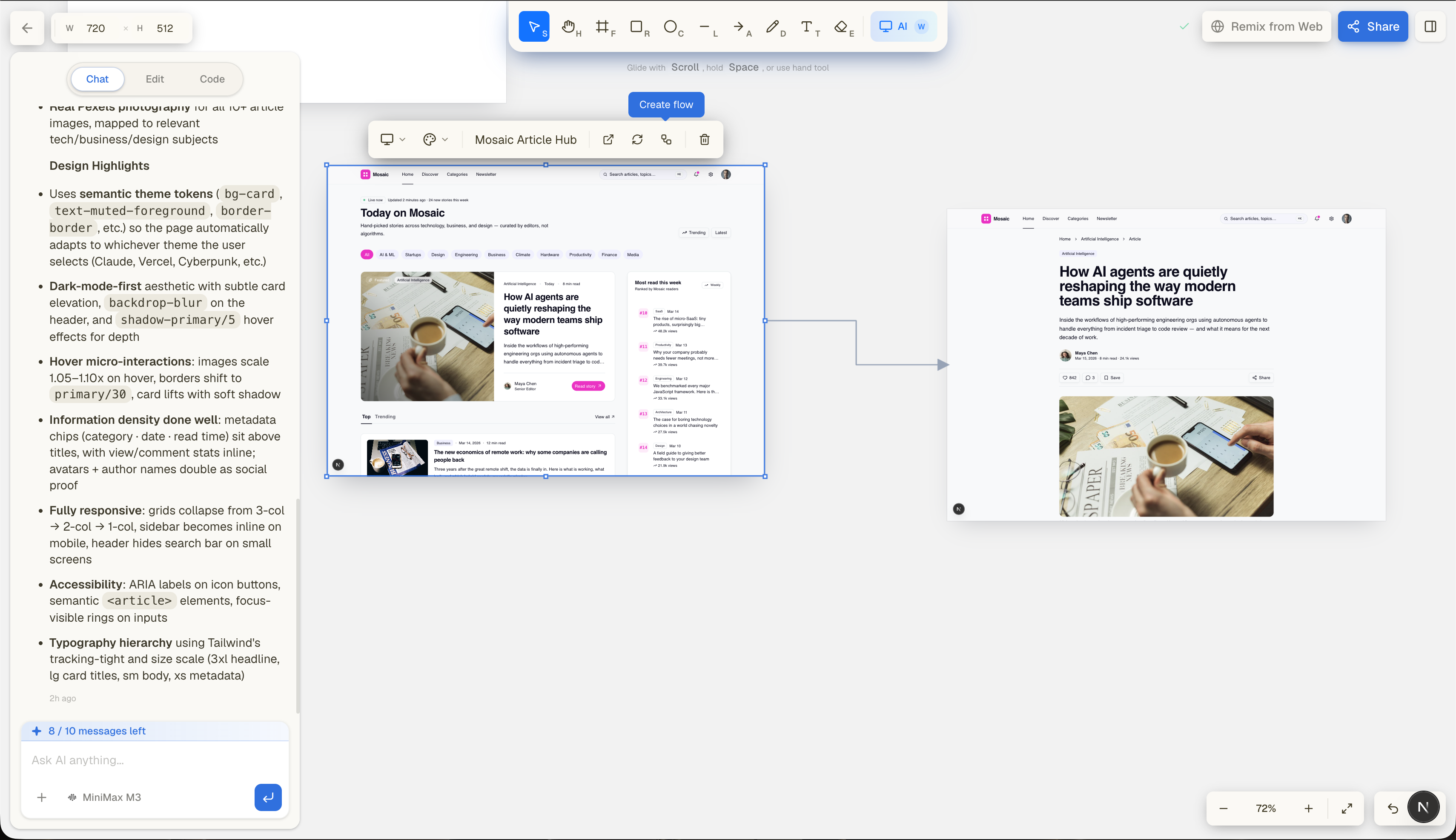
- 🔗 Flows : chain screens into a navigable, multi-page product, all sharing one sandbox and design system
- 🌐 Website recreation : paste a URL and rebuild any live page with our Firecrawl-powered agent
- 🔁 Live sandboxes (Next.js dev servers running per-screen)
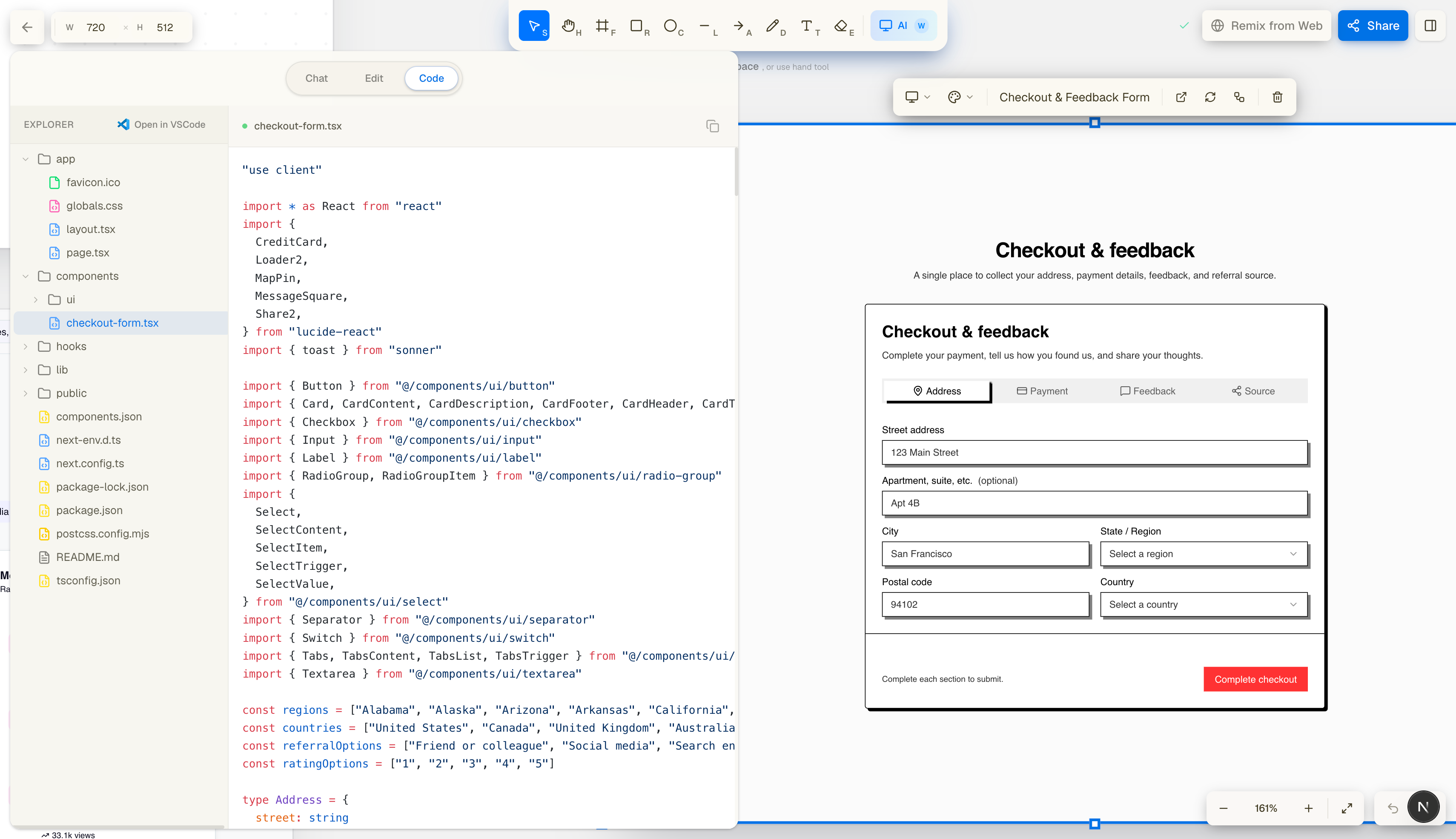
- 🧰 Visual edit mode with click-to-style + Tailwind mapping
- 💻 Code explorer with full project structure
- 🧩 Remix the Web browser extension : select any element on any site and replicate it inside OpenCraft
- 📨 Collaborative sharing, screen-by-screen
- 🎨 Theming engine for generated UI (Vercel, Cyberpunk, Claude, etc.)
OpenCraft folds Figma, your IDE, online sandboxes, and AI snippet tools into one place so you spend your time designing, not switching tabs.
🧱 How We Built It
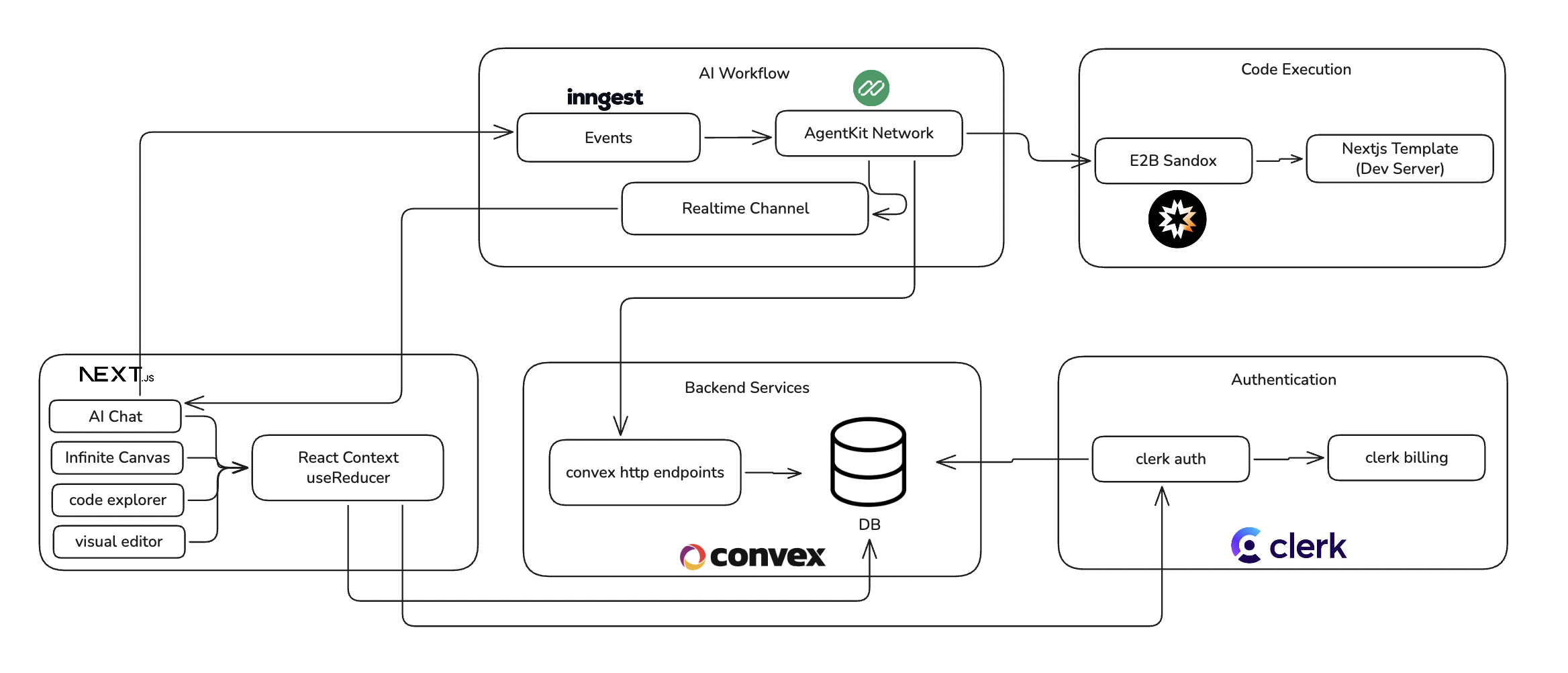
High-Level Architecture
Core Systems & Tech Stack
- Next.js 16 + React 19 for the full application
- Convex for real-time sync, projects, screens, and messages
- E2B sandboxes to host per-screen dev servers
- Inngest + AgentKit for our multi-step, tool-using AI workflow
- OpenRouter for multi-model access (Kimi K2.7 Code, Gemini 3.5 Flash, MiniMax M3)
- Firecrawl for live website scraping and recreation
- Clerk for authentication and credit-based billing
- ShadCN + Radix for consistent UI
- Tailwind 4 for clean utility-first styling
- Custom canvas engine built using reducers, refs, and RAF-throttling
- Browser extension (Manifest v3) for DOM capturing
- CSS → Tailwind mapper built in-house for the visual editor
Our AI workflow
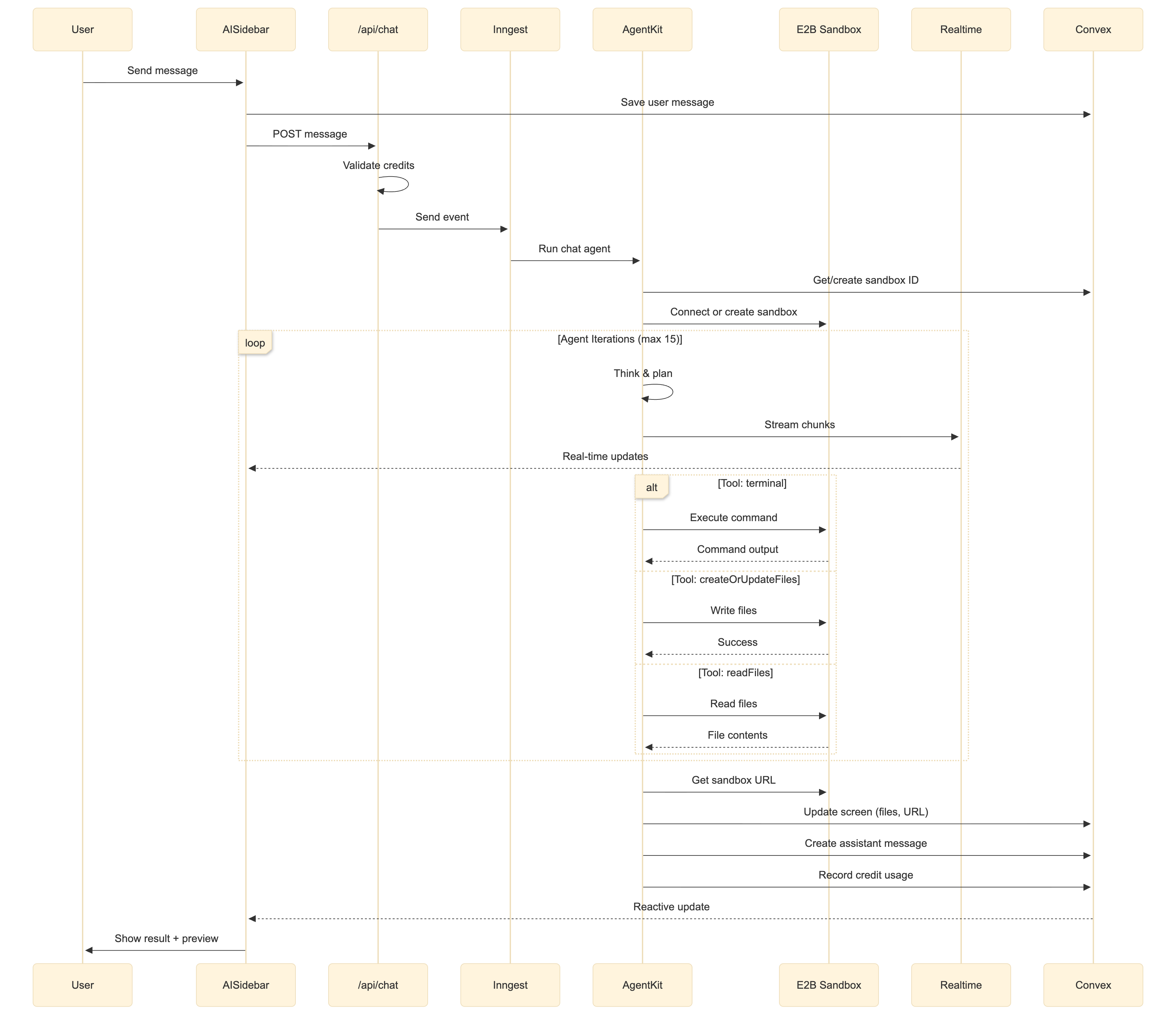
Each screen has its own sandbox, file system, chat history, and live preview. Our agent is a UI coding specialist with a focused tool network terminal for sandbox commands, createOrUpdateFiles and readFiles for project files, and scrapeWebpage for pulling in live websites running across reasoning-capable models via OpenRouter.
Flows : Prototype Entire Products, Not Just Screens
Most AI design tools stop at a single screen. Flows lets you chain screens into a real, navigable product.
From any generated screen, click Create Flow, describe the next page (e.g. "a checkout page"), and OpenCraft spins up a new route inside the same running app. Flow children reuse the parent's sandbox, theme, components, and design system so your second, third, and fourth pages stay visually consistent automatically. The agent adds new routes (like app/checkout/page.tsx) instead of overwriting existing pages, and bound connector arrows link each page back to its parent on the canvas, giving you a live map of your product's navigation.
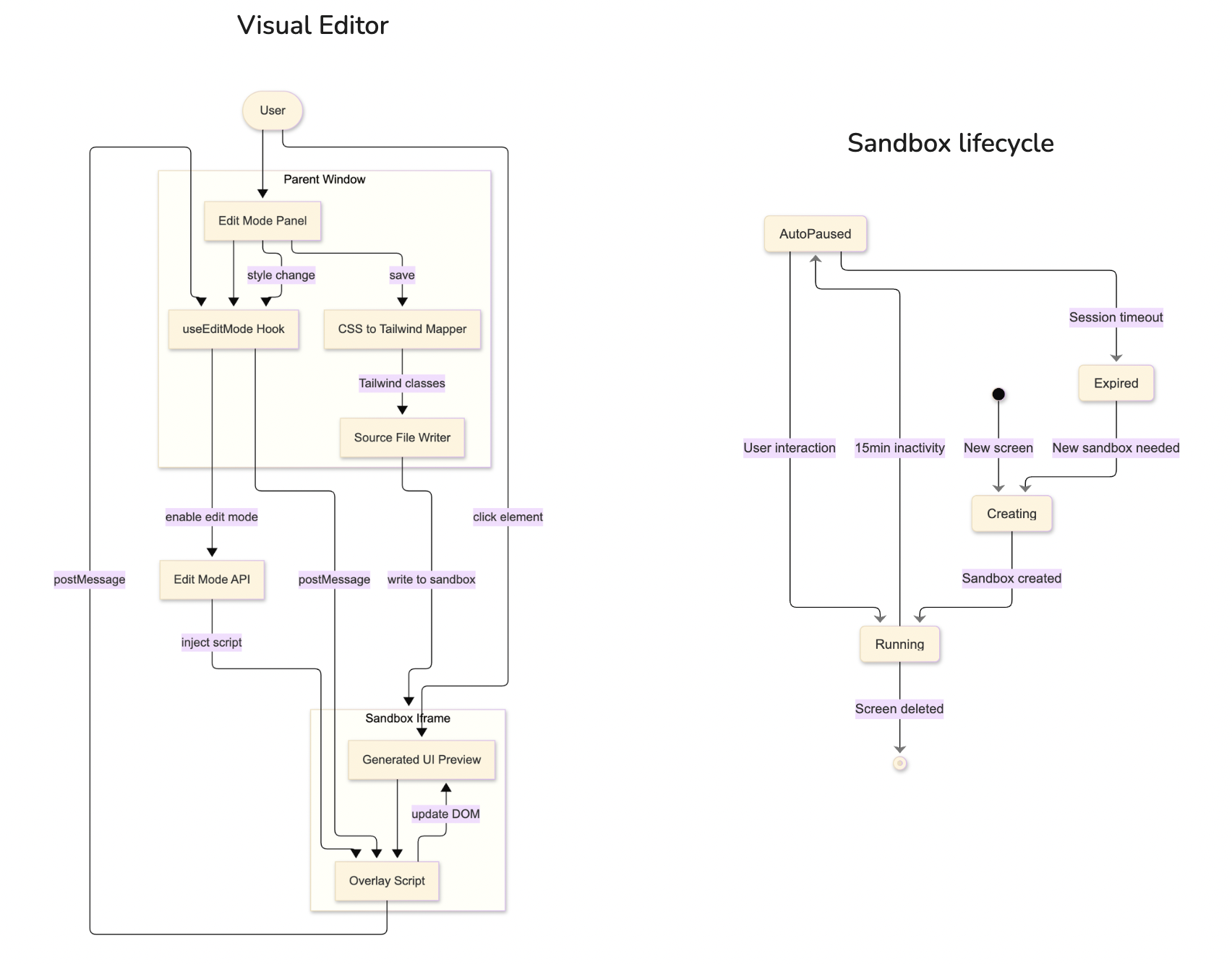
Sandbox lifecycle & Visual Editor Architecture
Browser Extension
The OpenCraft Browser Extension allows you to capture any HTML element from any website and replicate it using AI.
Features
- Visual Element Selection: Hover over elements to highlight them with an orange outline
- One-Click Capture: Click to capture the element's HTML, computed CSS styles, and metadata
- Auto-Copy to Clipboard: Captured data is automatically encoded and copied
- Size Validation: Elements over 100KB show a warning to select smaller components
- Keyboard Support: Press Escape to cancel selection mode
🧗 Challenges We Ran Into
🧠 1. Stable Vision → Code Generation
Getting multi-model support with consistent results across Kimi K2.7 Code, Gemini 3.5 Flash, and MiniMax M3 was wildly difficult. We solved it by:
- Multi-pass prompting
- System-level constraints
- Sanitizing UI structure before writing files
- Persisting reasoning state across tool calls through a custom OpenRouter proxy
🔗 2. Multi-Page Flows in a Shared Sandbox
With Flows, multiple screens live inside one running Next.js app. The agent had to add brand-new routes without overwriting existing pages, inherit the parent's theme, and reuse the existing component library — all while the canvas kept connector arrows bound to the right screens.
🪟 3. Running Sandboxes Inside the Canvas
Running multiple concurrent Next.js dev servers, each isolated, each synced with AI output — and embedding them back into the canvas — required custom runtime overrides and build hooks in E2B.
🖌️ 4. Re-render Bottlenecks on Canvas
Freehand drawing was laggy at first. We fixed this with:
- RAF throttling
- State normalization
- Reducer segmentation (viewport vs shapes)
- Separate refs for interaction state
🔌 5. Browser Extension DOM Extraction
Capturing outerHTML + computed CSS for all descendants while keeping size under 100 KB required:
- Tree traversal optimizations
- Style deduping
- Custom encoder for clipboard sharing
🧵 6. Visual Editor Sync
Updating styles inside the iframe and writing the correct Tailwind classes back to source files was tricky. We built a custom mapping layer.
🏆 Accomplishments We're Proud Of
🧩 1. A Truly Unified Design Studio
OpenCraft brings together what used to be six separate tools:
- A canvas engine
- An AI agent
- Multiple LLMs
- Live sandboxes
- A browser extension
- A visual Tailwind editor
- A real-time backend
- Multi-screen Flows into one coherent product.
⚙️ 2. Developer-First, Anti-Slop Design Philosophy
OpenCraft avoids the “AI slop” of bloated design tools — it focuses purely on clean, intentional design-to-code generation that anyone can use.
👁️ 3. Vision-Powered UI Creation
Drawing a rough sketch and seeing it transform into a real UI is magical.
🧩 4. Remix-the-Web Extension
Selecting a button from Amazon or a card from Spotify and instantly reconstructing it in OpenCraft is game-changing.
🔗 5. Flows: Full Product Prototyping
Going from a single screen to a connected, multi-page product — with shared theming and components — in just a few clicks.
🚀 6. End-to-End Workflow
Sketch → Generate → Edit visually → Inspect code → Export → Share. All inside one environment. No tool switching.
📚 What We Learned
- AI agents become dramatically more reliable when paired with tool networks instead of raw text output.
- Designers and developers don’t want bloated “do everything” tools — they want focused tools that do one part exceptionally well.
- Vision is far more powerful when combined with canvas semantics (knowing shapes/types gives models more structure).
- Building a full design tool pushes the limits of React performance — careful reducer design matters.
- Running multiple Next.js dev servers is surprisingly hard — but extremely powerful once stable.
🔮 What’s Next for OpenCraft
- 🧭 Multi-user live collaboration (like Figma multiplayer)
- 📦 Marketplace for AI-generated components
- 🧪 Automated UI testing generation
- 🎥 Timeline panel for design history / AI diffs
- 🧱 Export to React Native / SwiftUI
- 🧠 Local-first AI model support for private generation
- 🌐 Chrome extension → “full page to component library” mode
OpenCraft is just getting started on a mission to make beautiful web design simple enough for everyone.
Built With
- agentkit
- clerk
- convex
- e2b
- firecrawl
- inngest
- nextjs
- novus
- react
- react-context
- shadcn
- tailwind
- typescript

Log in or sign up for Devpost to join the conversation.