-
-
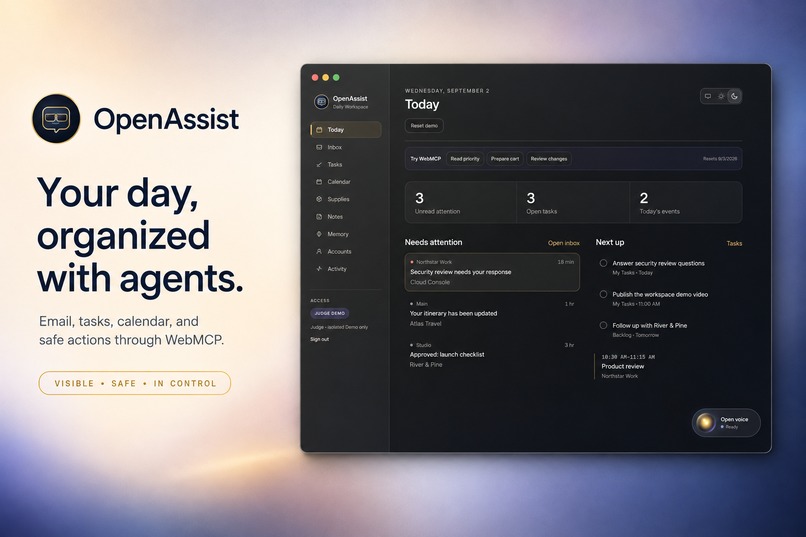
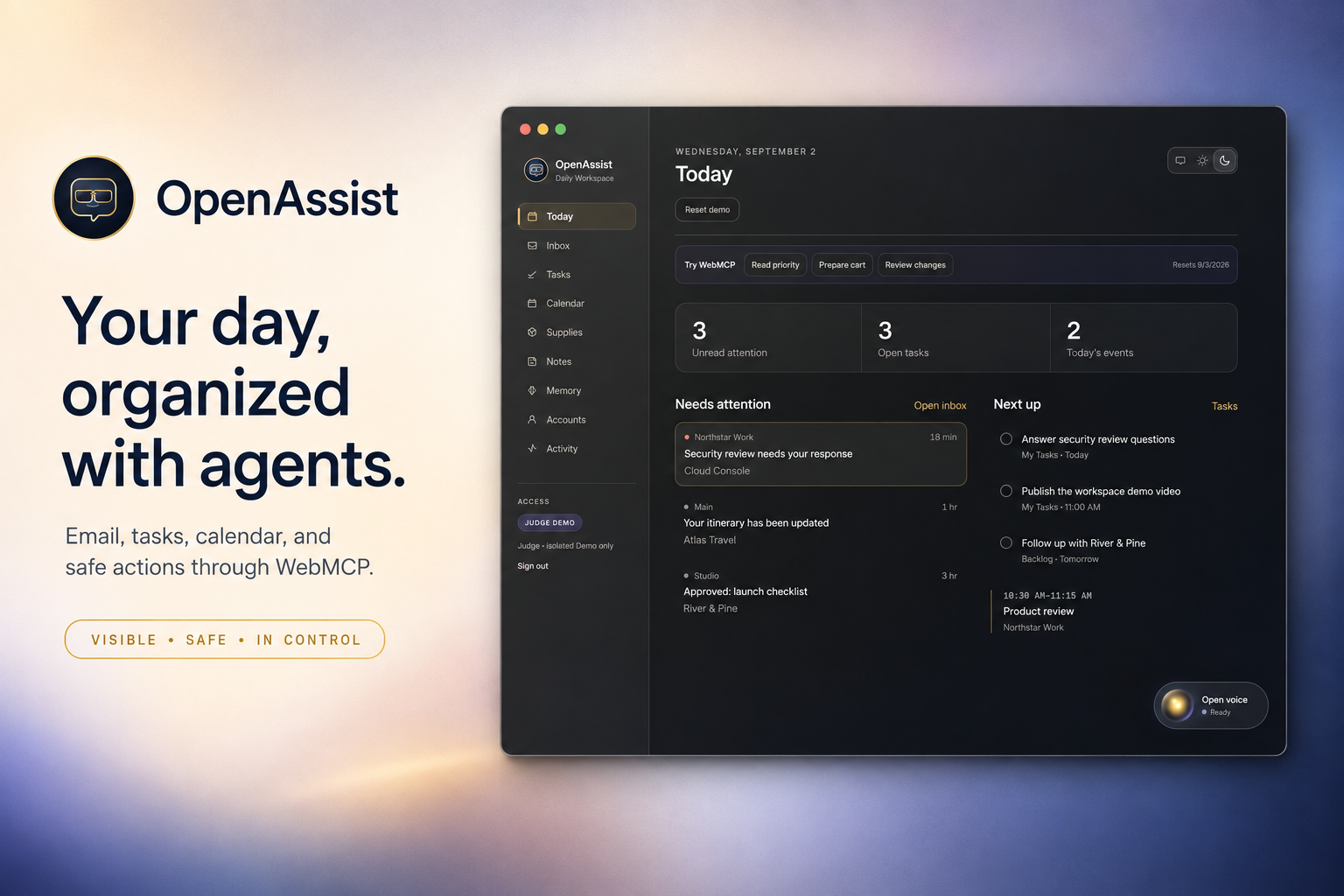
OpenAssist turns scattered work into one visible, voice-enabled WebMCP workspace.
-
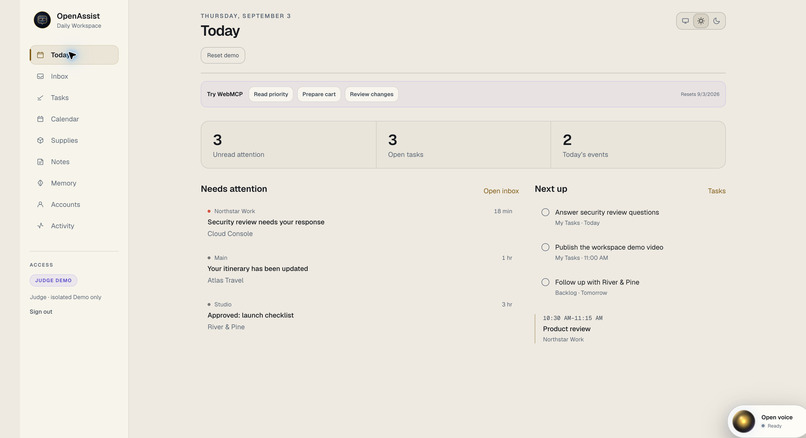
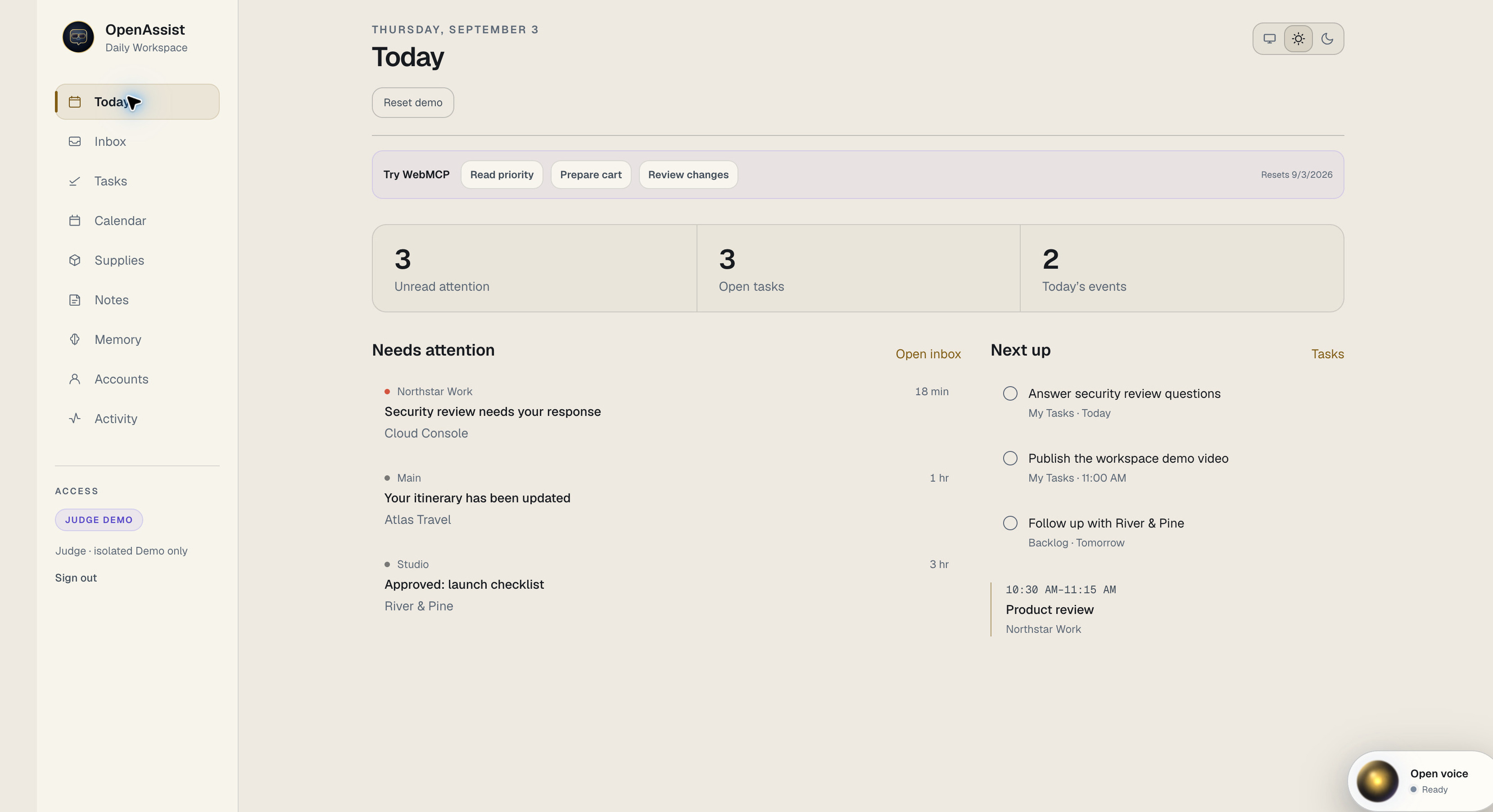
OpenAssist brings email, tasks, and calendar into one calm WebMCP workspace.
-
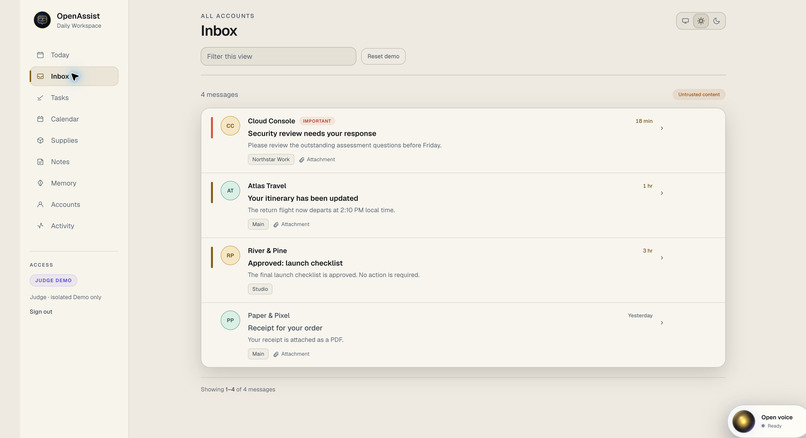
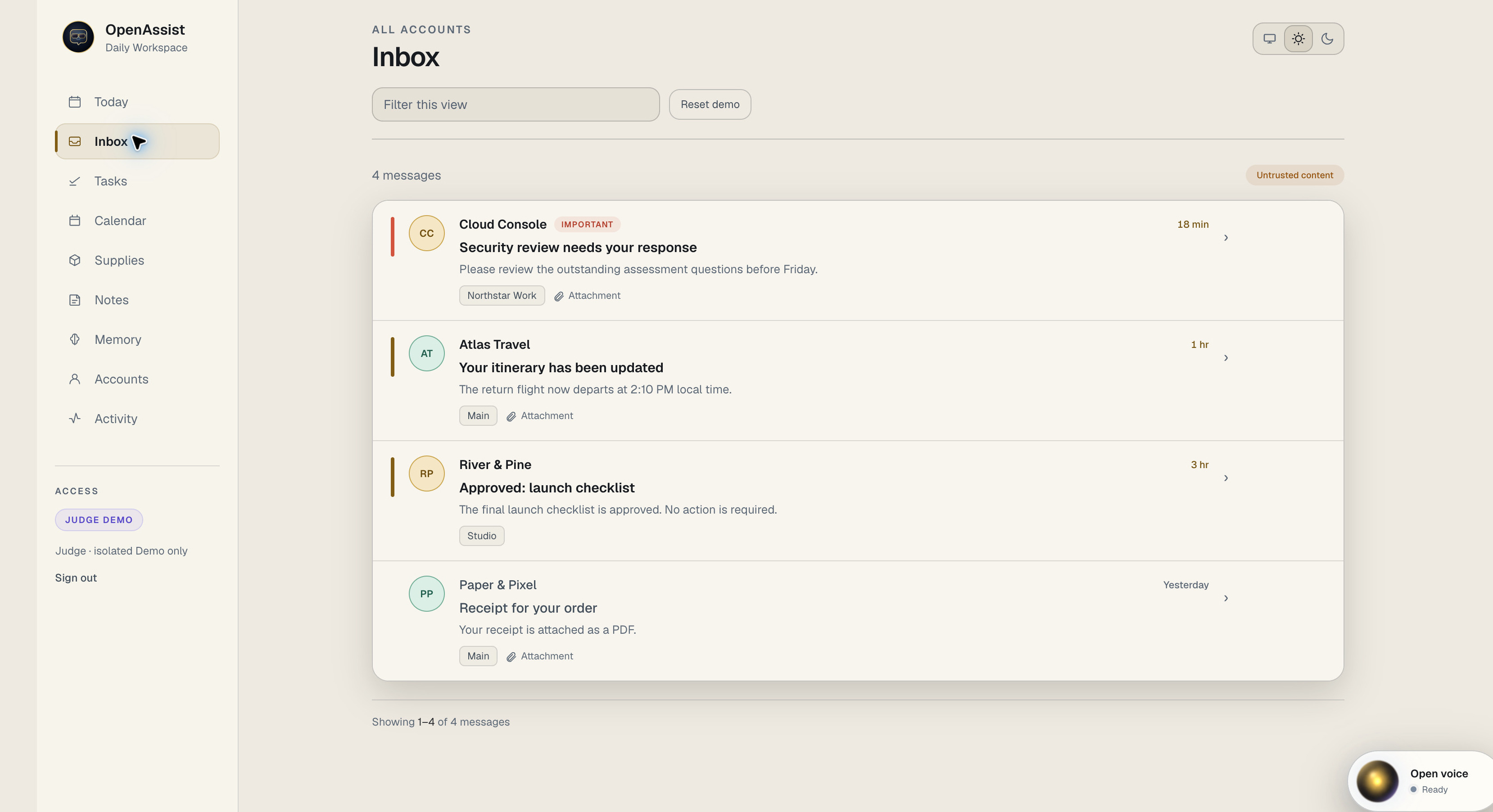
A clear multi-account inbox keeps urgent mail visible while treating external content as untrusted.
-
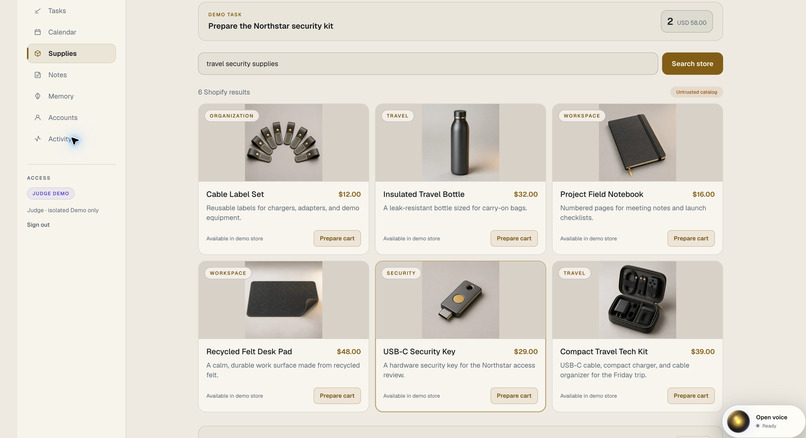
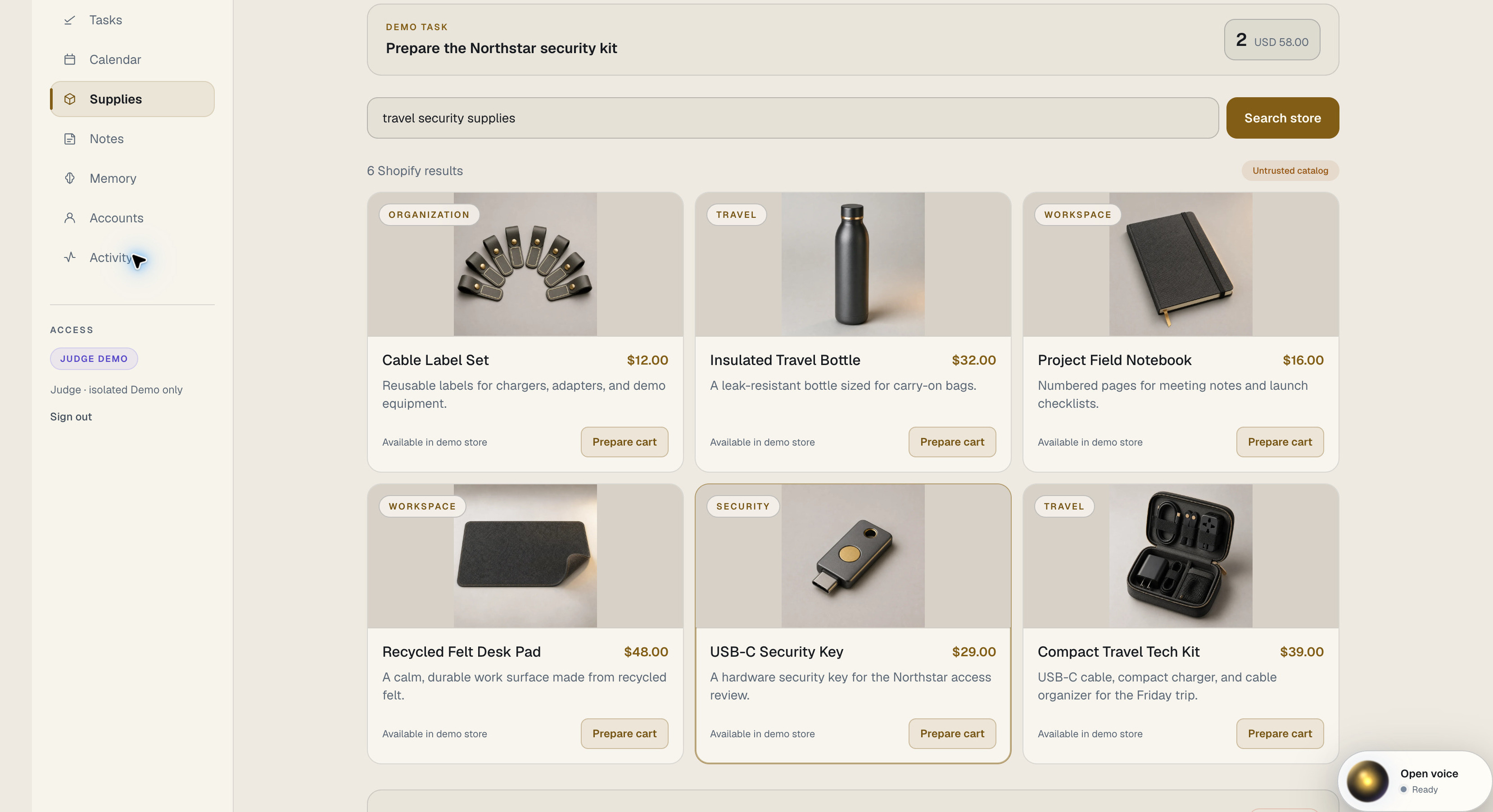
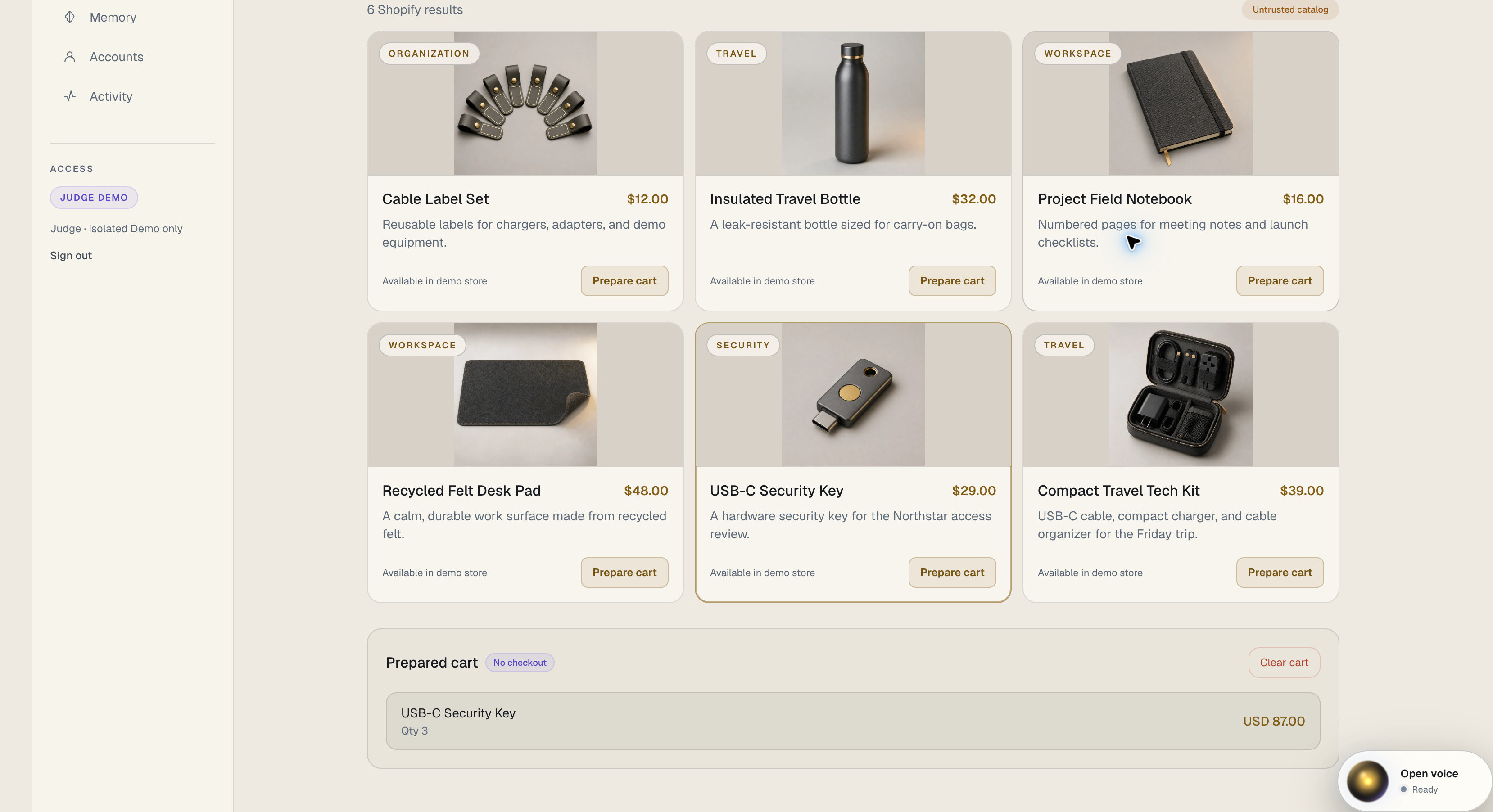
A Shopify catalog gives the agent structured product search with visual results.
-
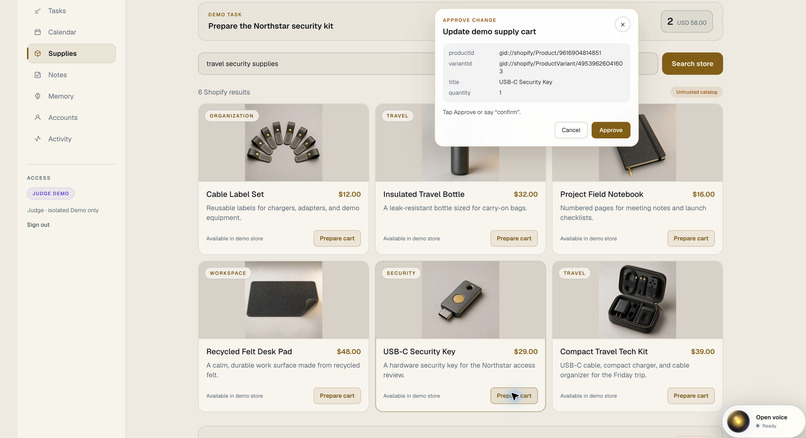
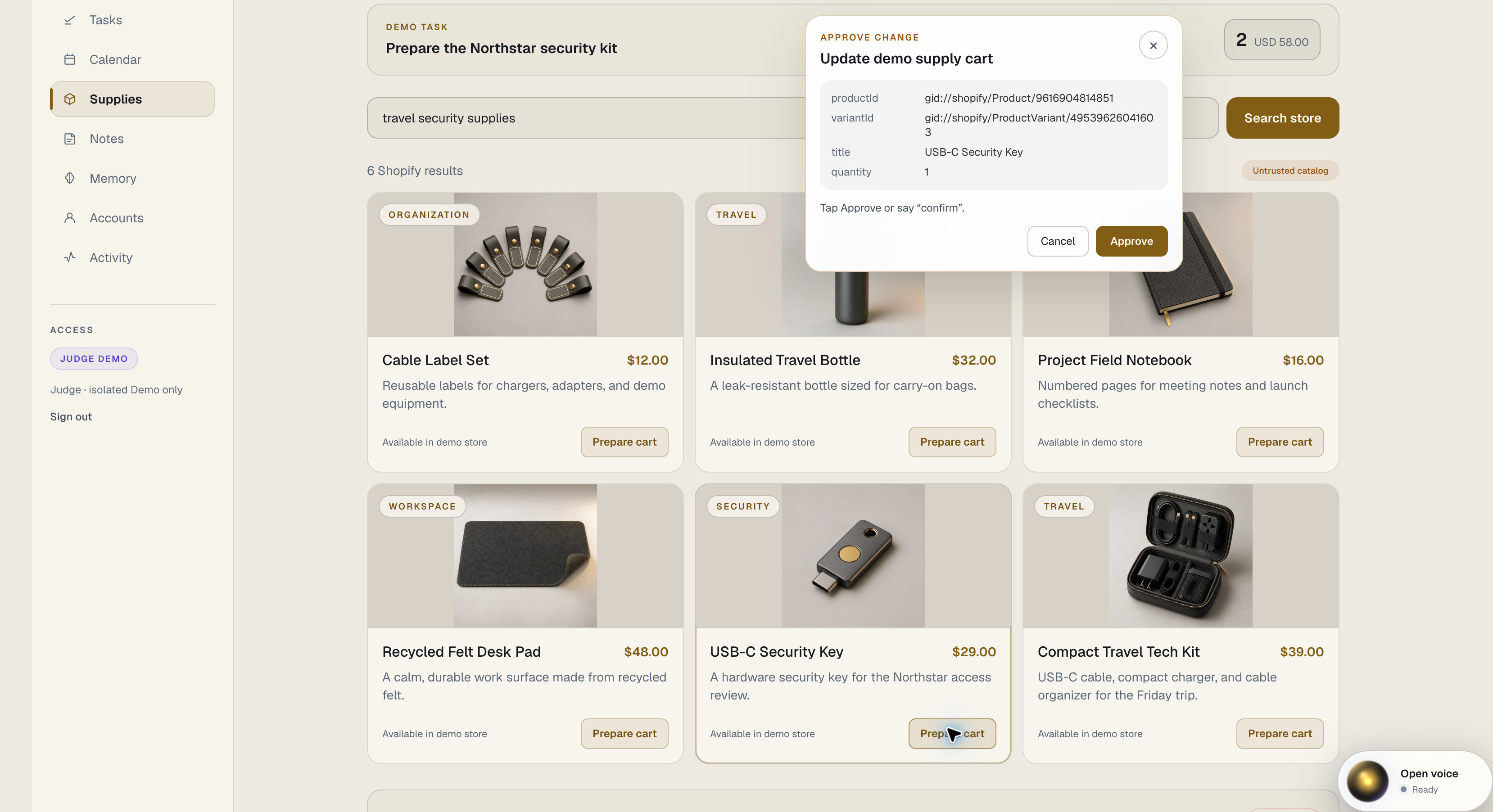
Every change pauses at an exact preview before anything is applied.
-
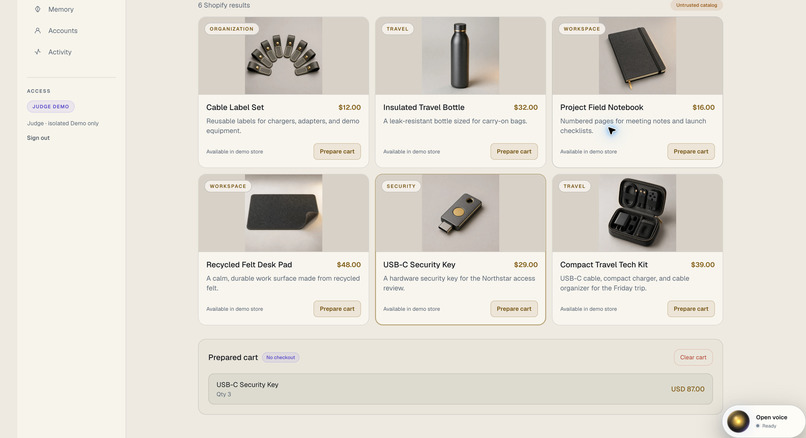
The approved cart update is executed once, read back, and visibly verified.
-
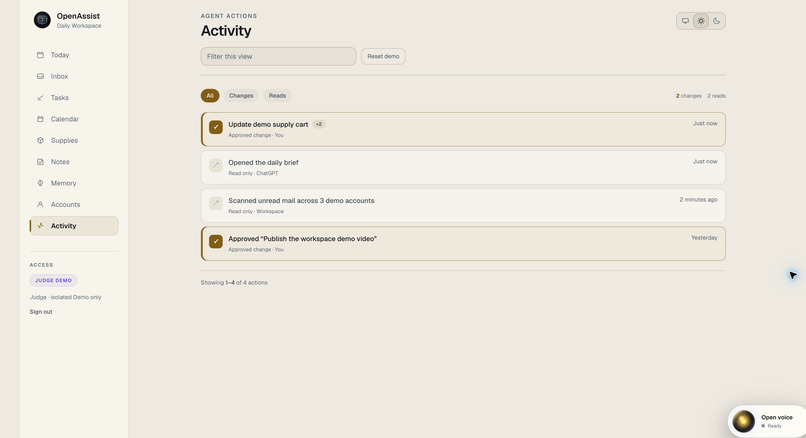
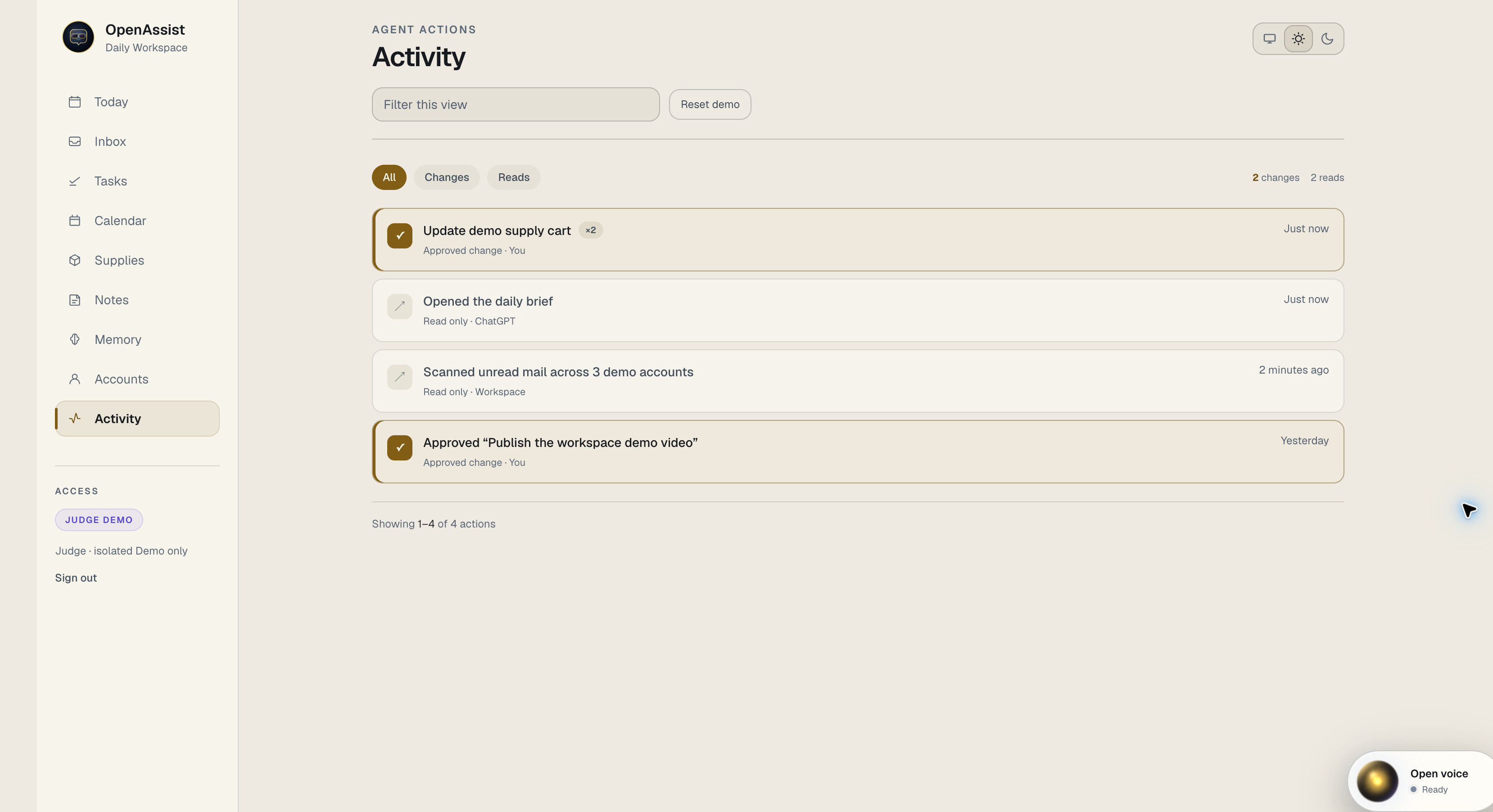
The activity view separates agent reads from user-approved changes for a complete audit trail.
-
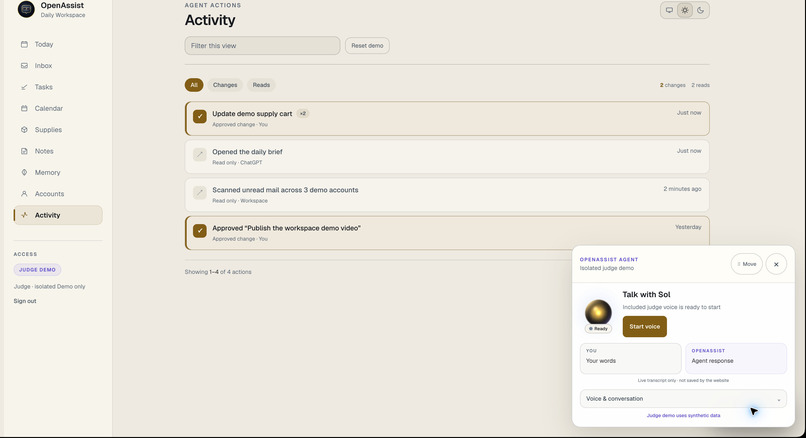
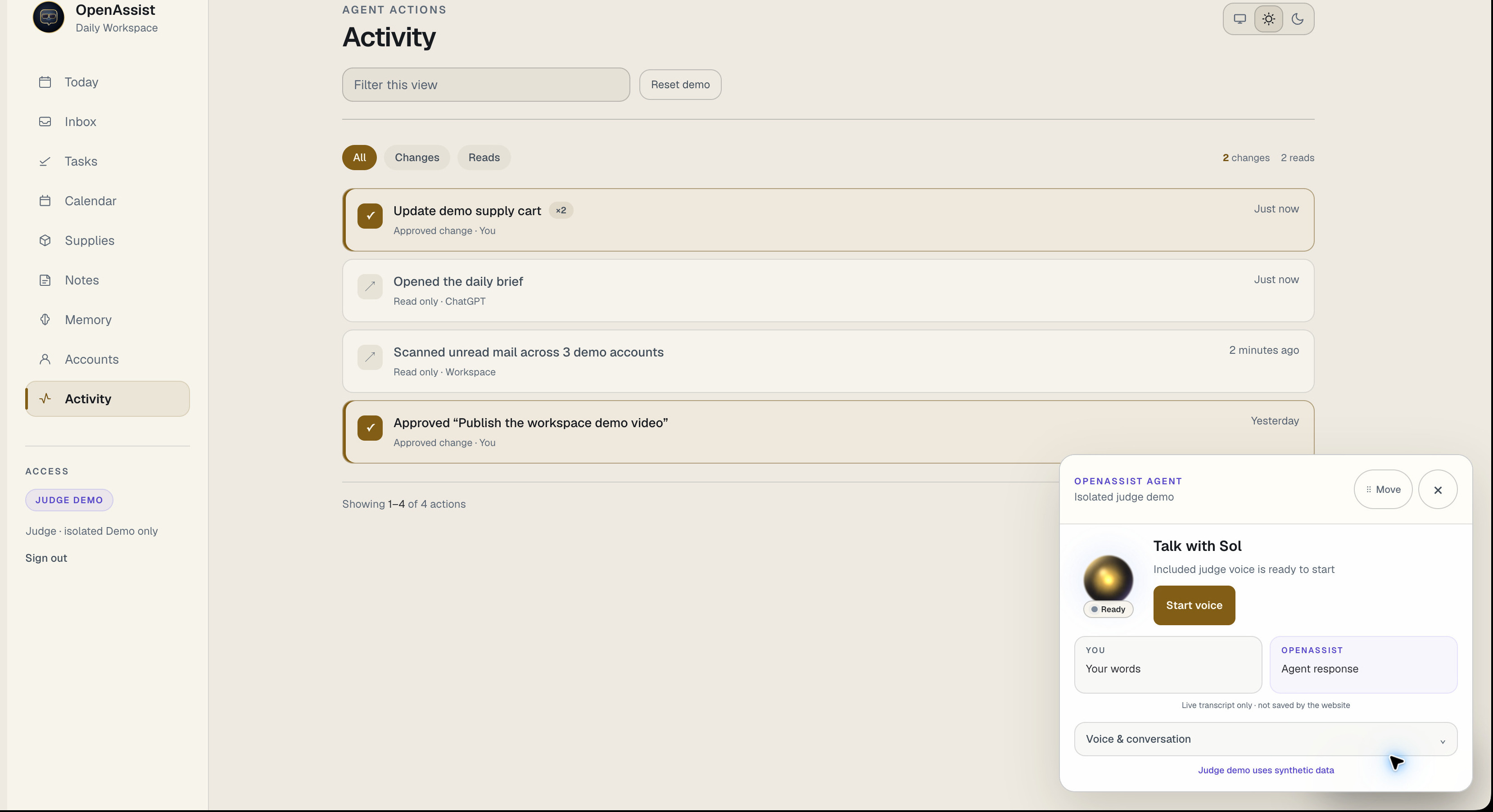
The movable voice agent uses the same WebMCP tools while the workspace stays visible.
Inspiration
My work is spread across several accounts, inboxes, task lists, calendars, notes, ideas, and projects. I wanted one calm place that could organize my day, remember useful context, and let agents help without hiding what they are doing.
What it does
OpenAssist Daily Workspace brings email, tasks, calendar, notes, memory, accounts, and activity into one clear workspace.
The public judge workspace uses safe synthetic data. In normal use, the OpenAssist ChatGPT app connects Gmail, Tasks, Calendar, Drive, and other Google services, bringing a user's information into this same workspace. Through WebMCP, an agent can search, focus, organize, and act on that information while the user sees the result. Changes remain behind clear approvals.
The Shopify example uses the same WebMCP approach. The agent can search the connected catalog, show product images and details, and prepare a cart action for approval.
Why WebMCP
Without WebMCP, an agent has to guess how a page works or use a separate system the user cannot see. OpenAssist exposes clear tools for the actions available on the page, so the person and agent share the same context.
Reads happen immediately. Changes first show an exact preview. The user approves the action, OpenAssist runs it once, verifies the result, and records it in Activity. Email, attachments, and website content are treated as untrusted and cannot approve actions.
How I built it
The ChatGPT Site uses document.modelContext.registerTool and a shared registry for tool schemas, safety rules, demo behavior, and private Workspace mappings.
The site is hosted on ChatGPT Sites. Cloudflare Workers and D1 provide isolated demo storage. The private workspace connects to OpenAssist Workspace and Composio-managed Google services without copying private Google content into the demo database.
The voice agent runs in an isolated Cloudflare Container using Codex and my ChatGPT subscription for the demonstration. It calls the same WebMCP tools as the browser, so every result, preview, approval, and completed action remains visible in the workspace.
Challenges
The biggest technical challenge was streaming Codex voice from an isolated Cloudflare Container into the live site while keeping the browser, voice session, and WebMCP tool results in sync. A spoken request had to reach Codex, call the correct site tool, update the visible workspace, show any required approval, and return a spoken response without losing context. I also had to keep judge data separate from private data and prevent email or other outside content from becoming instructions.
Accomplishments
OpenAssist gives the agent useful tools while keeping every important action visible. The same interface works for personal daily planning and for demonstrating safe actions across connected services.
What I learned
An agent-friendly website needs more than automation. People and agents need a shared view, clear limits, and visible proof of what changed.
What's next
I want OpenAssist to become a practical second brain that organizes projects and research, remembers useful context, plans active work, and helps people safely assign prepared work to agents.
Built With
- chatgpt
- cloudflare
- shopify
- typescript
- webmcp

Log in or sign up for Devpost to join the conversation.