-
-
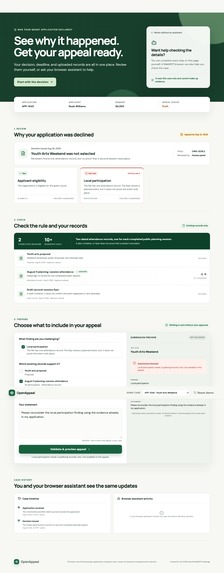
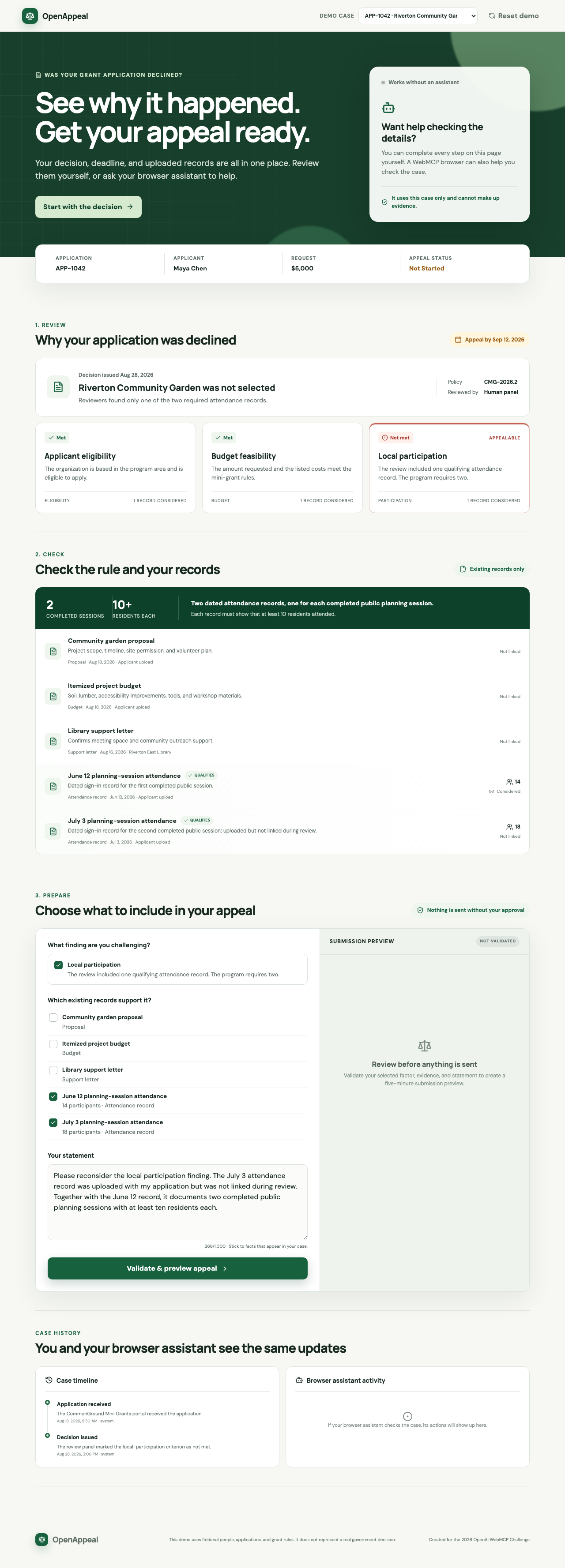
OpenAppeal shows the decision, appeal deadline, evidence rules, uploaded records, and appeal form on one page.
-
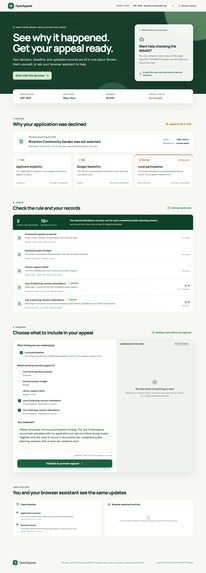
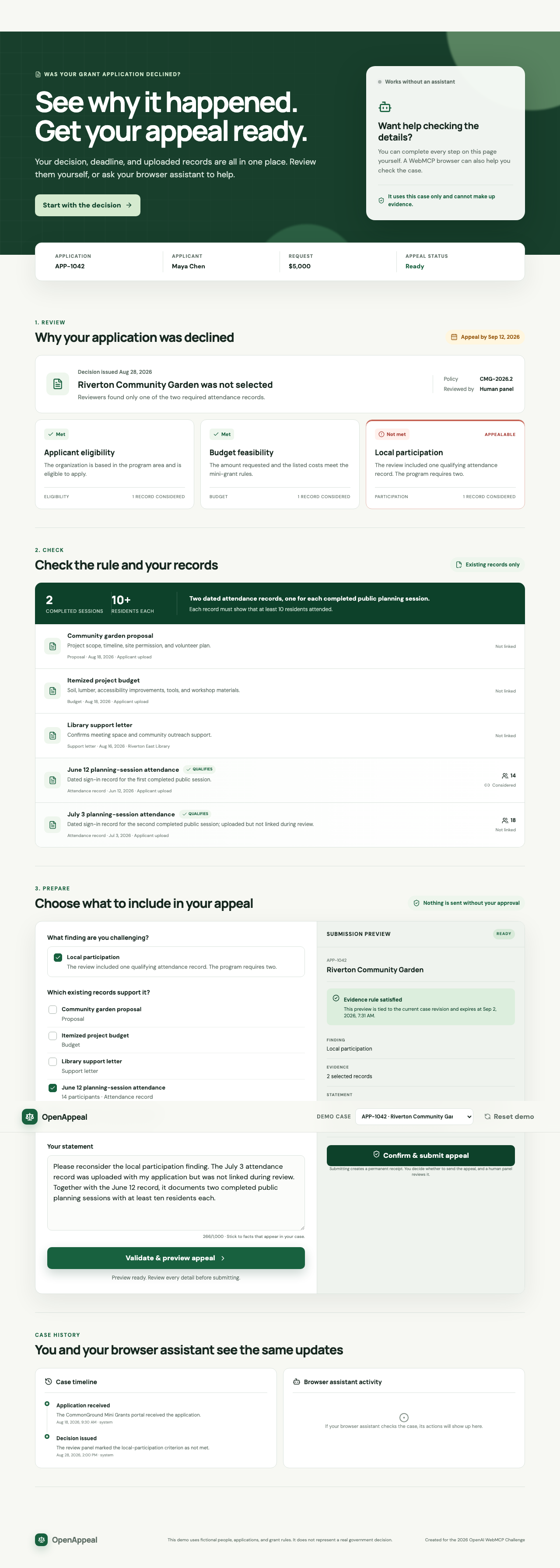
The browser assistant found an overlooked attendance record and prepared a valid appeal preview using records already in the case.
-
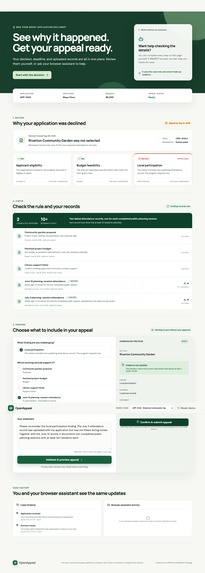
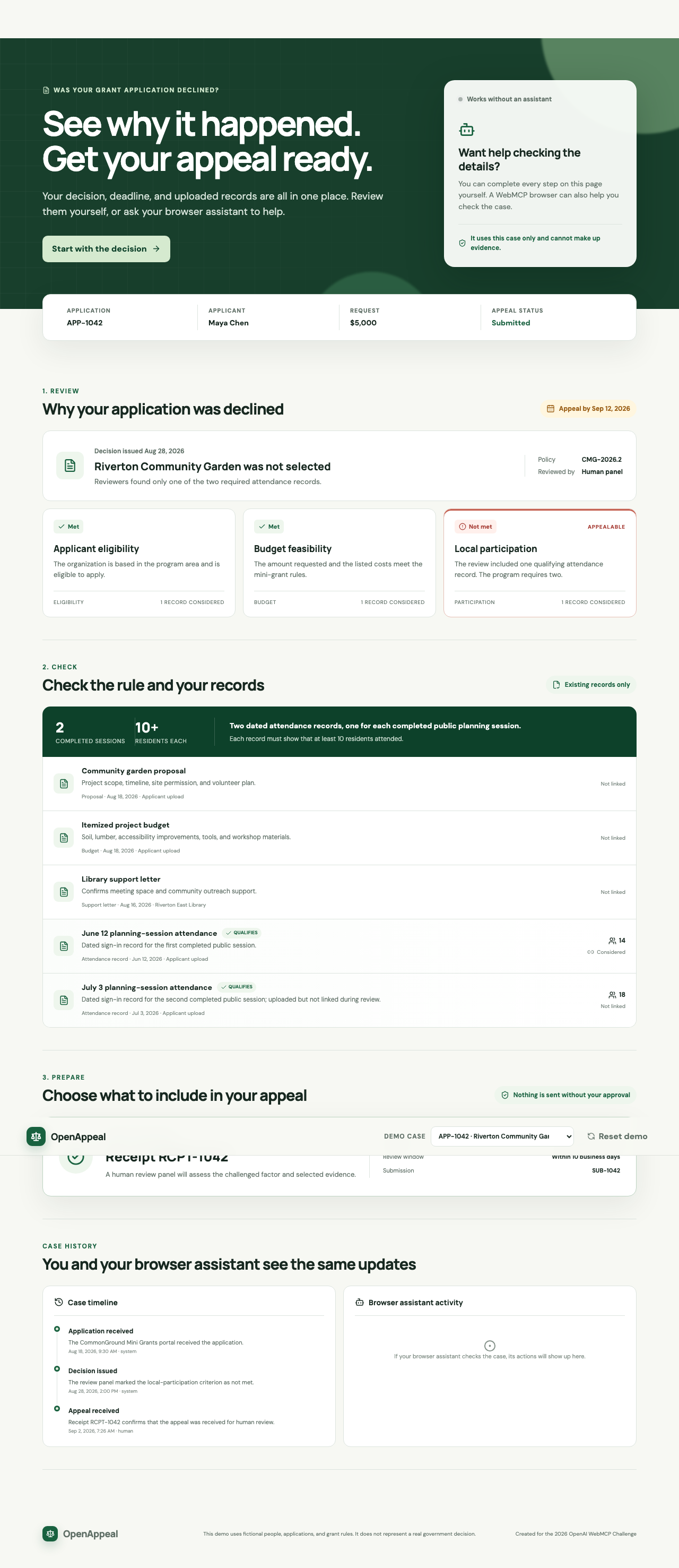
After the applicant confirms submission, OpenAppeal updates the case and returns a receipt with the next review step.
-
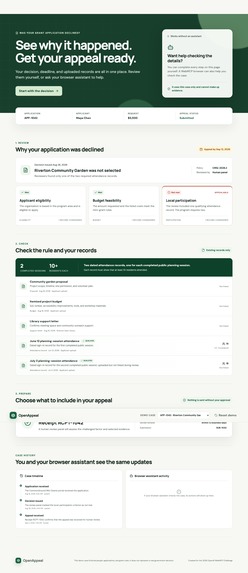
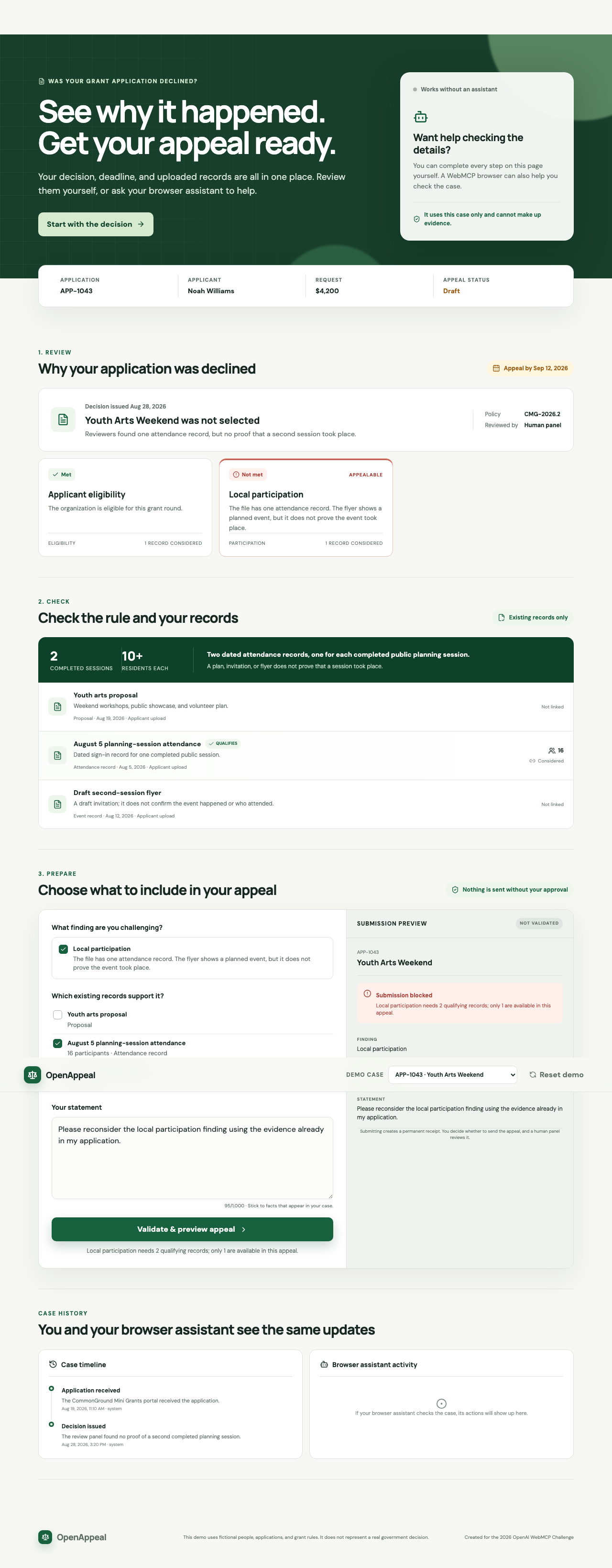
OpenAppeal blocks the second case because one attendance record and a flyer do not prove that two sessions took place.
Inspiration
A rejection notice often tells someone what happened without making the next step clear. The reason, appeal deadline, evidence rules, and uploaded records may be spread across several pages.
We built OpenAppeal to show how a website and a browser assistant can help someone understand a decision without taking control away from them.
What it does
OpenAppeal is a fictional community-grant appeal portal.
The applicant can:
- See why their application was declined.
- Check the appeal deadline.
- Review each decision factor.
- See which records were considered.
- Find records that may have been overlooked.
- Prepare and review an appeal.
- Submit the appeal and receive a receipt.
The main demo case follows Maya Chen. Reviewers found only one attendance record for her community garden application, but the grant required two. OpenAppeal finds a second valid record that was already uploaded but not connected to the relevant decision factor.
The second demo case has one attendance record and a flyer. A flyer does not prove that the second meeting happened, so OpenAppeal blocks the appeal preview and explains what is missing.
Why WebMCP
A general assistant can read text on a page, but it may not know which records belong to the case, which rules apply, or whether an action succeeded.
OpenAppeal registers eight WebMCP tools directly on the website. These tools let a browser assistant:
- Read the decision.
- List the decision factors.
- Check the evidence requirements.
- Compare existing records with the rule.
- Read the case timeline.
- Prepare an appeal preview.
- Submit an approved preview.
- Retrieve the appeal receipt.
The browser assistant and the applicant use the same case data and application logic. Every tool call appears in the activity section of the page.
Human control
The browser assistant can inspect records and prepare a preview, but it cannot decide the appeal or submit it without confirmation.
The applicant sees the exact statement and selected evidence before anything is sent. A separate confirmation is required for submission, and a human review panel remains responsible for the final decision.
How we built it
OpenAppeal is a static Next.js and React application written in TypeScript.
We used:
document.modelContext.registerToolto register eight WebMCP tools.- Zod for input and stored-state validation.
- A shared command layer for both page controls and WebMCP actions.
- Revision-bound preview tokens that expire after five minutes.
- Idempotent submission to prevent duplicate appeals.
- React and local storage for visible shared state.
- Vitest for unit and integration testing.
- Playwright for complete browser workflows.
- GitHub Actions and GitHub Pages for deployment.
The application uses fictional local data, so judges do not need an account, API key, or login credentials.
Challenges
The main challenge was deciding which actions were safe for a browser assistant.
Reading a decision is low risk, but submitting an appeal has consequences. We separated preview from submission, required explicit confirmation, and made assistant activity visible on the page.
We also created a refusal case to confirm that the application would not turn weak evidence into a false claim.
What we learned
WebMCP is most useful when a task depends on information that only the website can confirm.
Instead of guessing from the screen, the browser assistant receives a small set of documented actions. The website still controls validation, state changes, and receipts, while the applicant stays informed and makes the final choice.
What's next
A production version would add secure sign-in, server-side authorization, document uploads, multilingual explanations, and separate views for applicants and reviewers.
Final appeal decisions would continue to be made by accountable human reviewers.
Built With
- actions
- css
- github
- html5
- lucide
- next.js
- pages
- playwright
- react
- tailwind
- typescript
- vitest
- webmcp
- zod

Log in or sign up for Devpost to join the conversation.