-
-
Open Shelf: PayPal shops, ready for AI agents
-
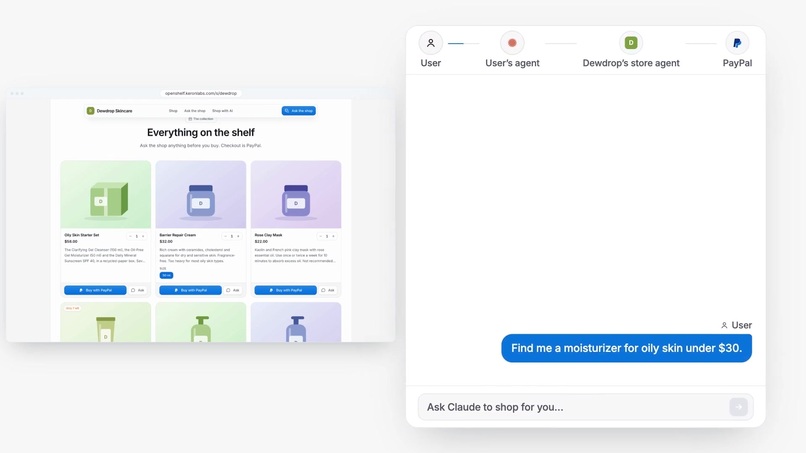
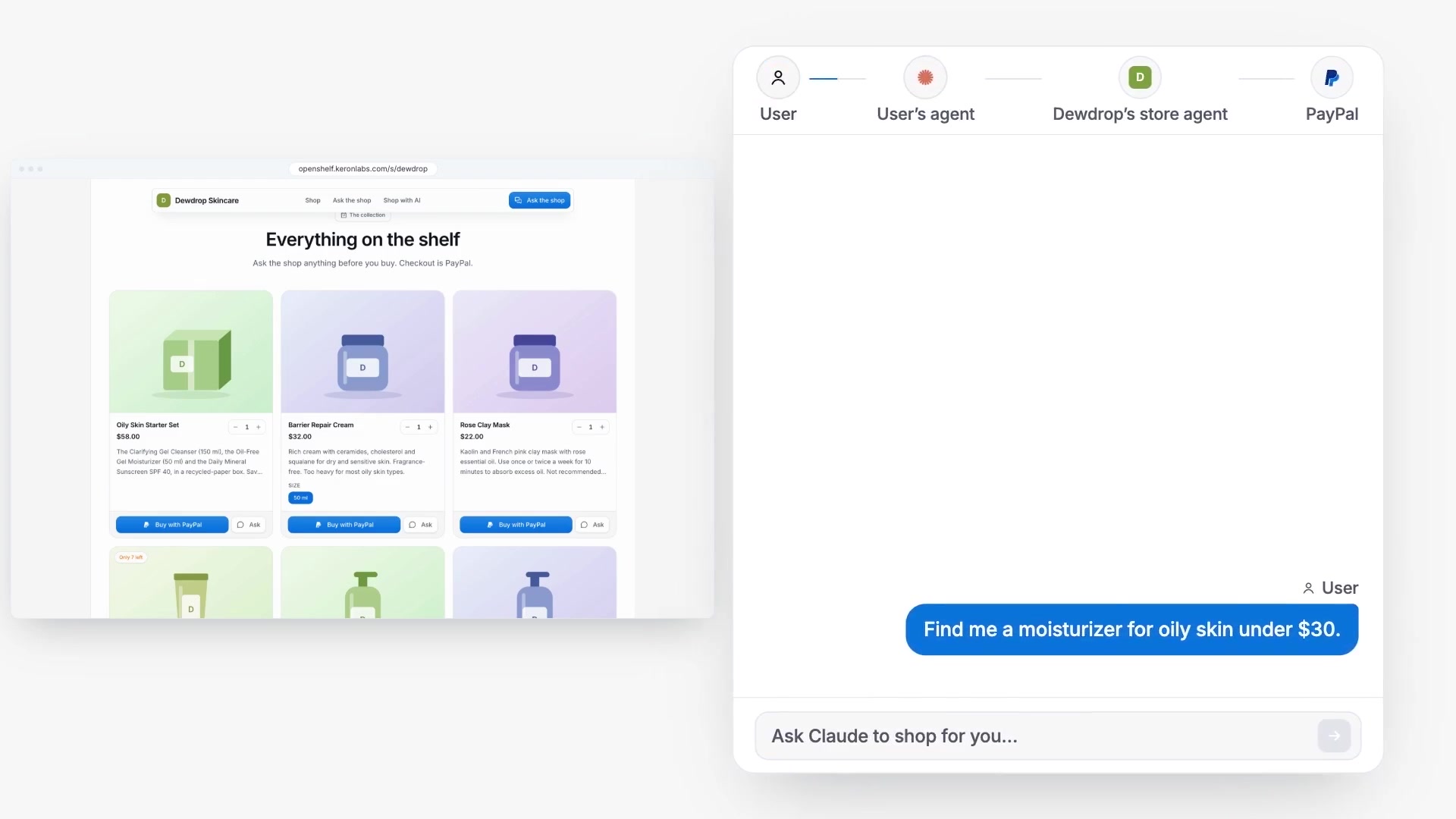
A shopper's agent asks for oily-skin picks
-
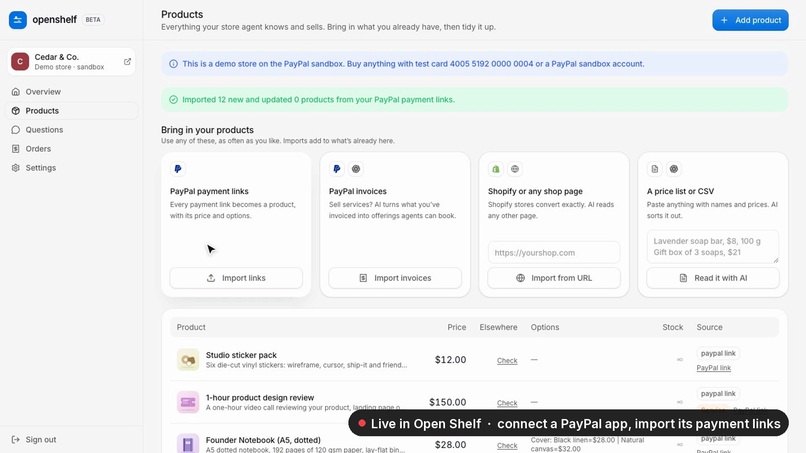
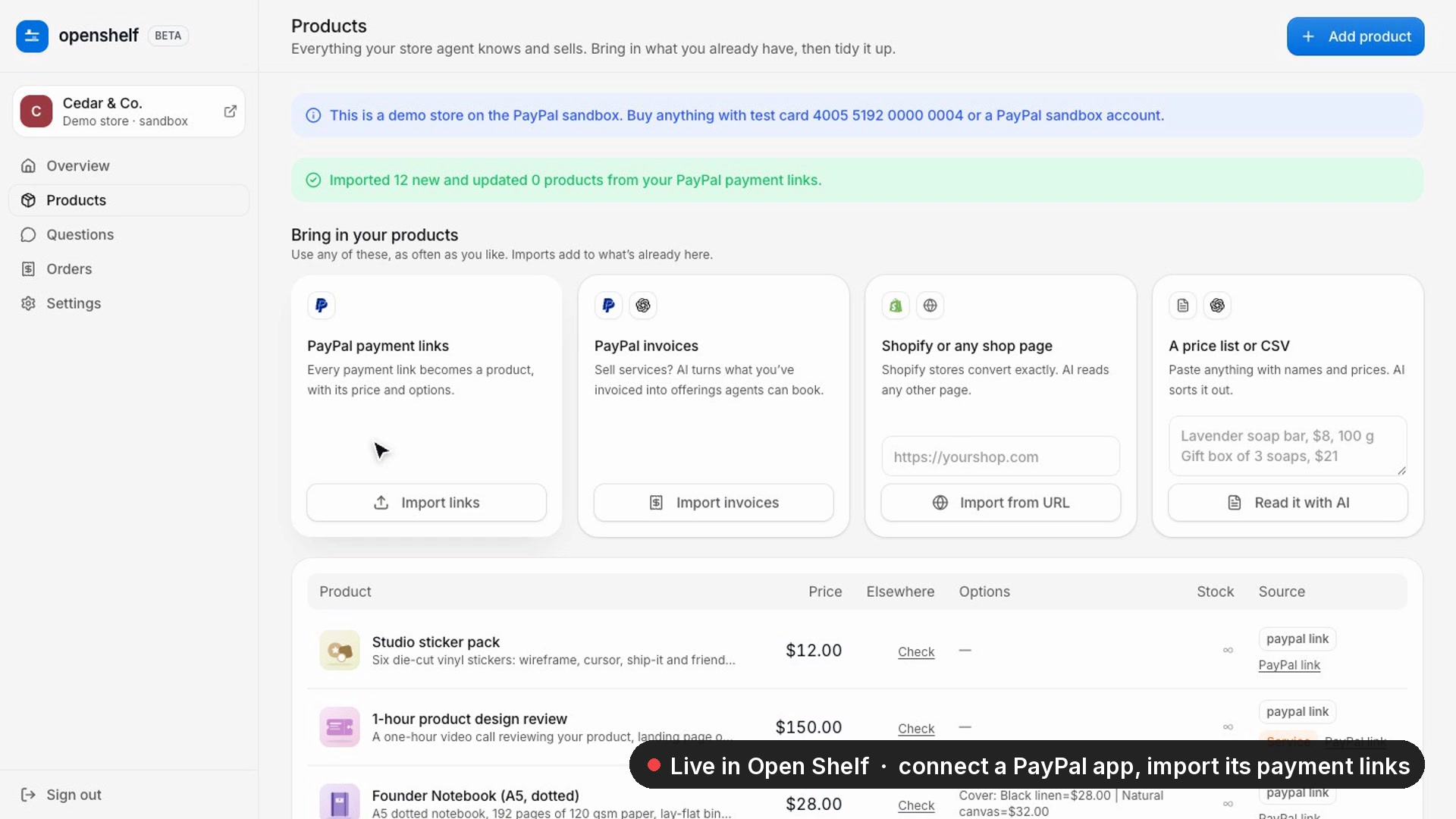
Live: connect PayPal, import payment links
-
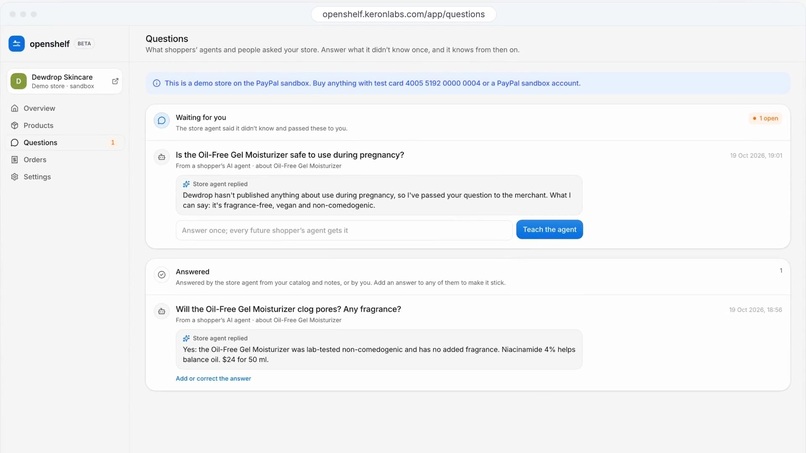
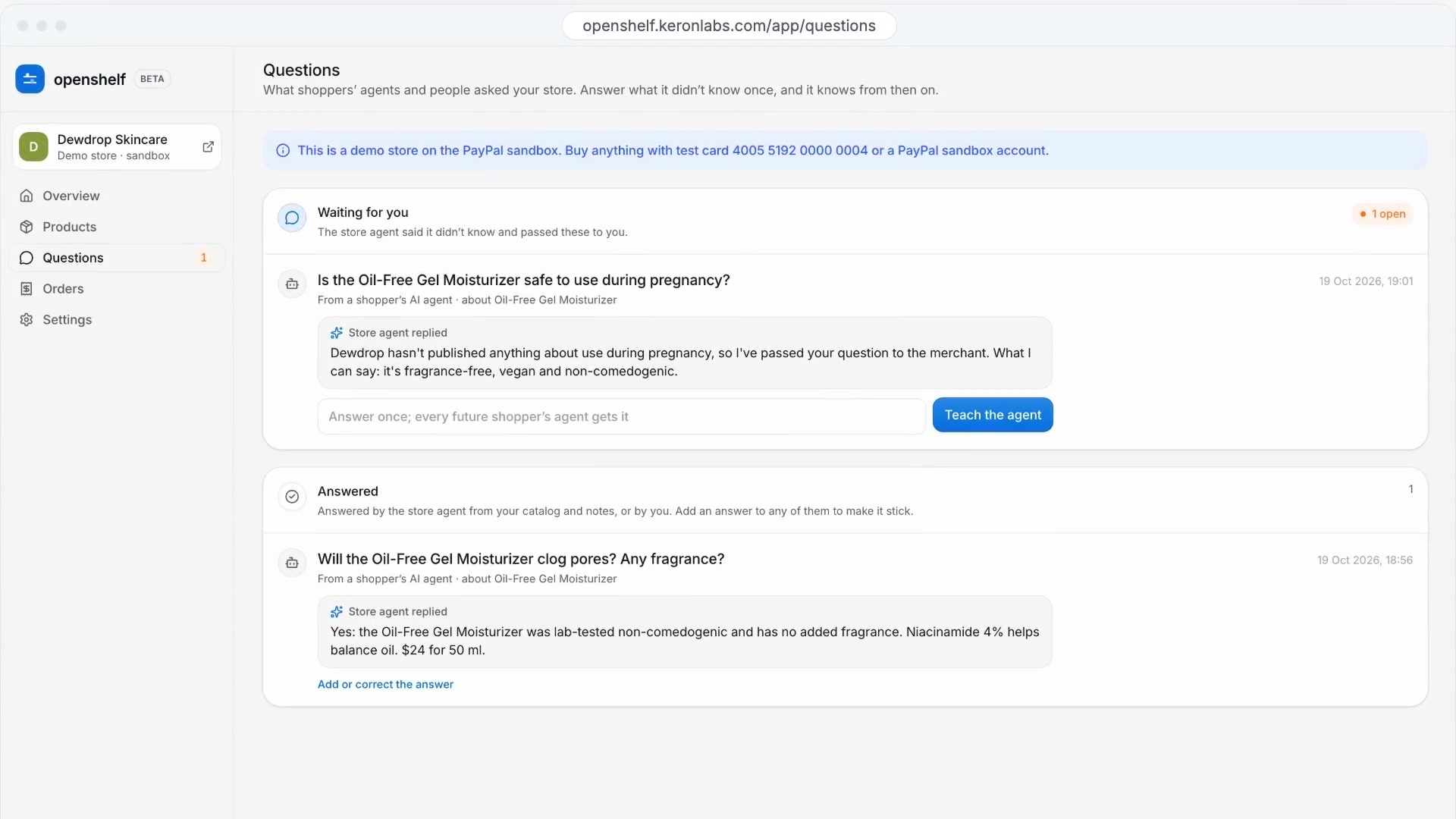
Unanswered questions land with the merchant
-
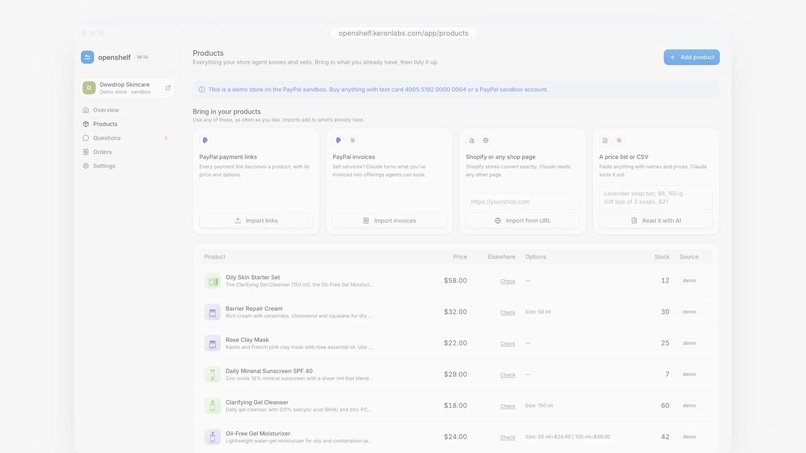
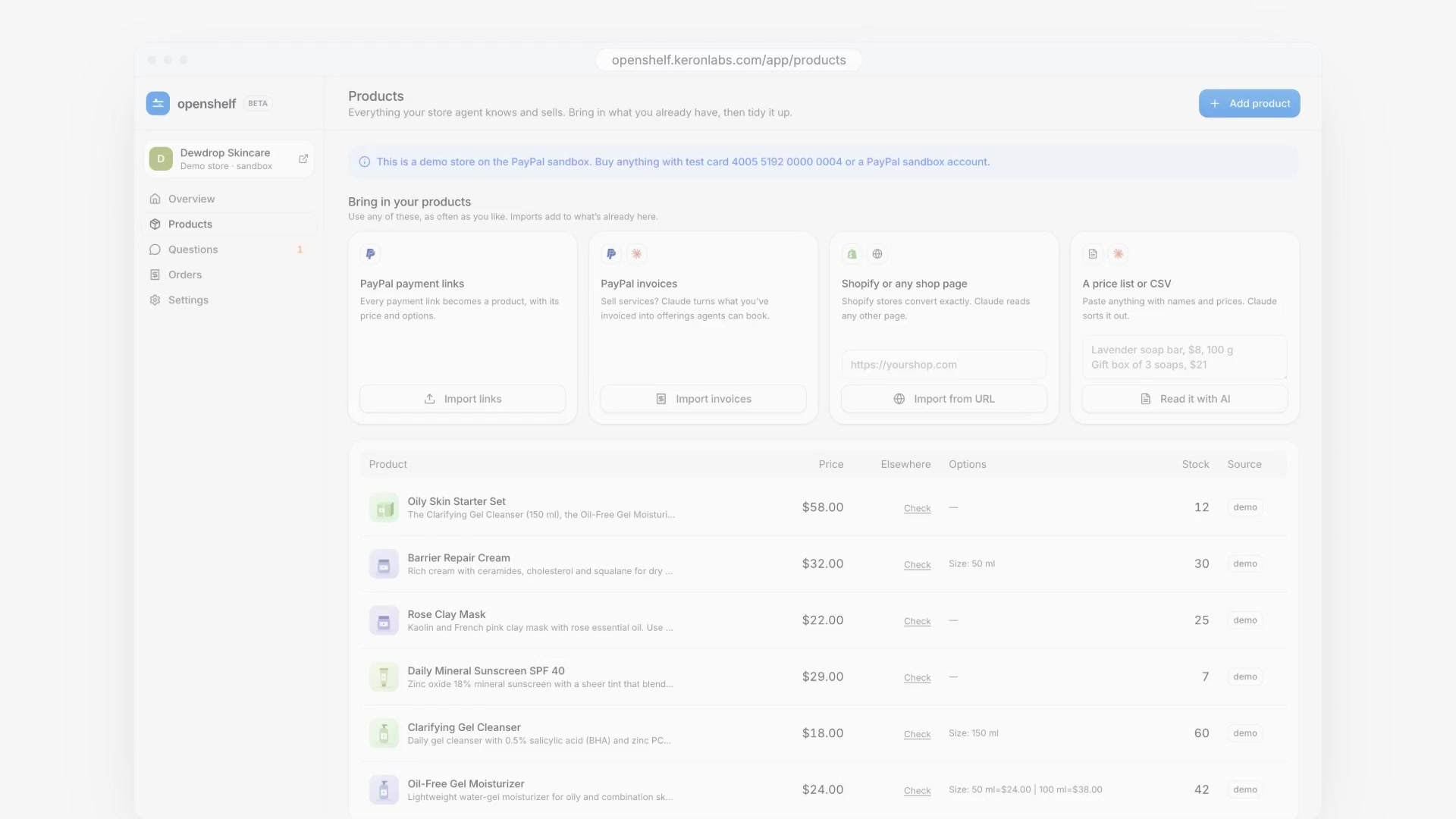
Bring products in from PayPal, Shopify or text
-
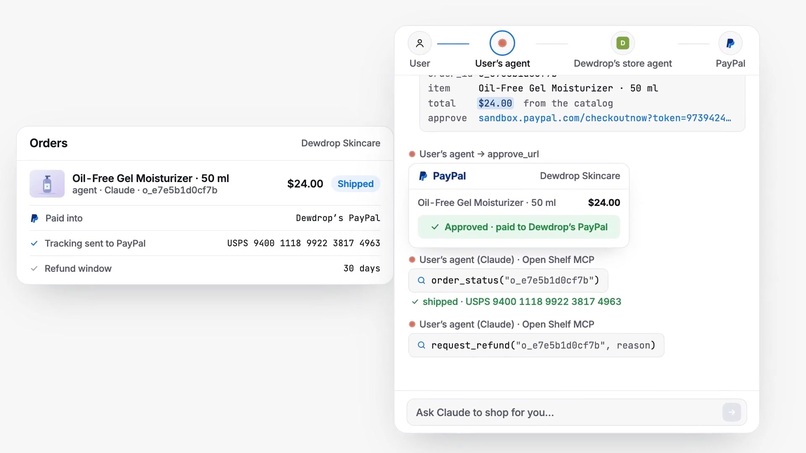
Tracking and refunds go through PayPal
-
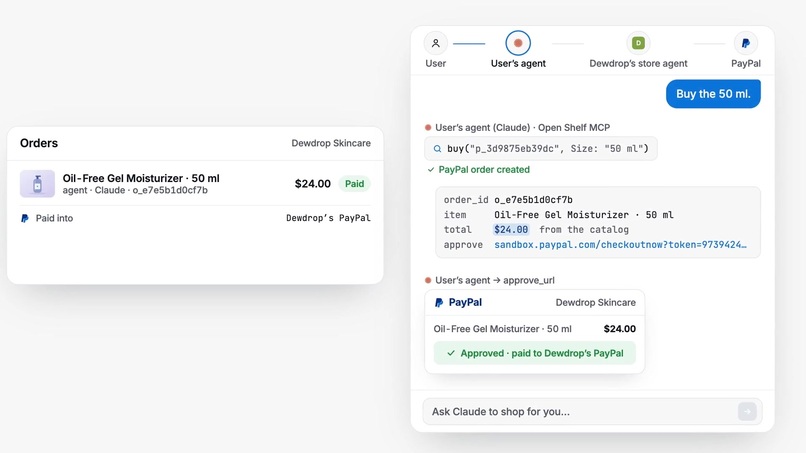
The agent buys, the shopper approves in PayPal
Inspiration
Shoppers are starting to send AI agents to find and buy things for them. PayPal's own agentic commerce programs (Agent Ready, Store Sync) need approval and cover only US physical goods for now. A seller whose whole store is a few PayPal payment links shared on Instagram can't be found by an agent, can't answer its questions and can't take its order.
What it does
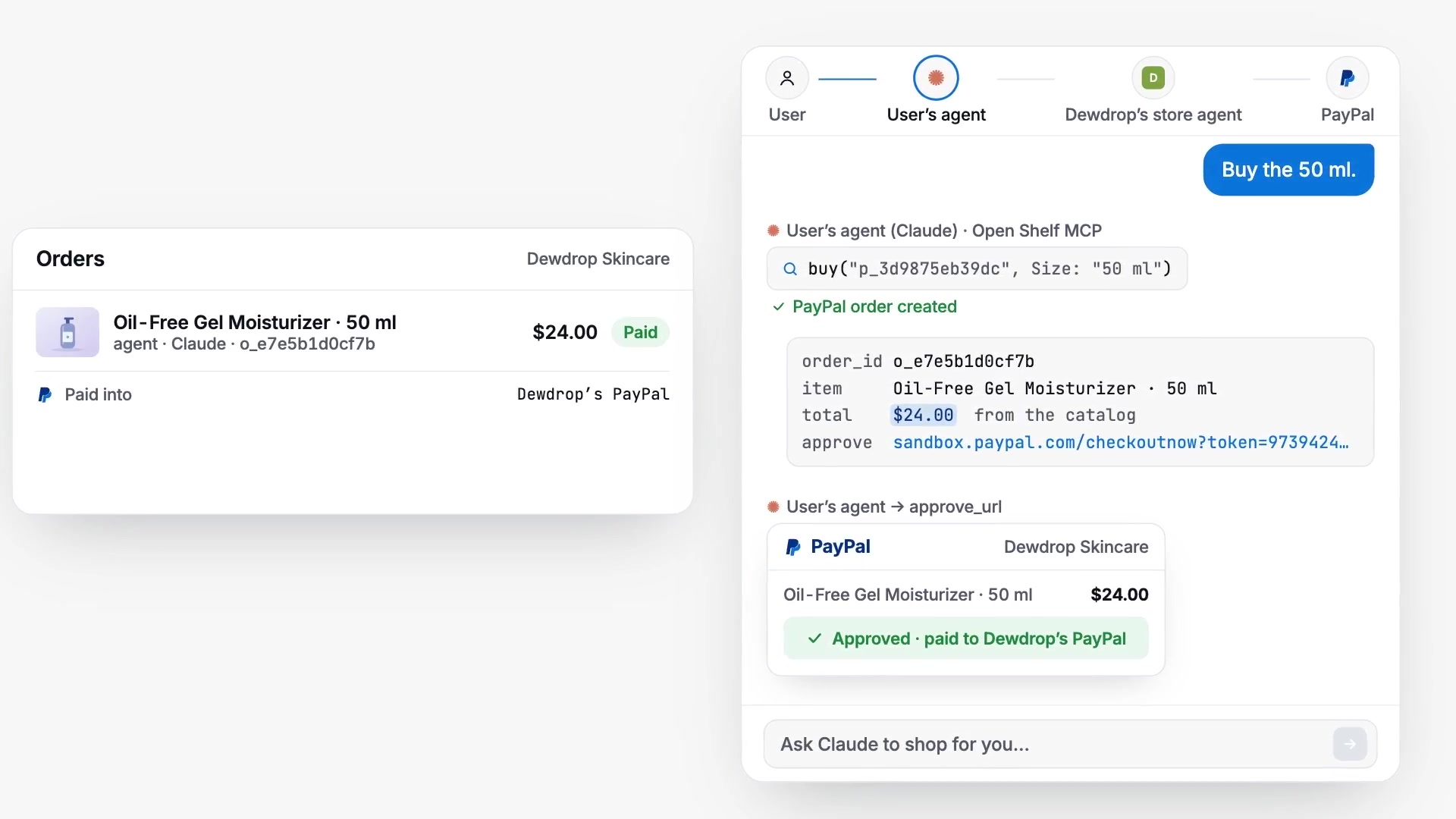
A merchant logs in with PayPal and can sell straight away, with no API keys. Orders are created with their PayPal account as the payee, so the money lands there directly. To bring a shop in, they can import their PayPal payment links, convert a Shopify store from its public products.json, have an AI model read any product page, or paste a price list or CSV.
Every store gets its own store agent. It answers from the catalog, the merchant's notes and answers the merchant has given before. When it doesn't know something, it tells the shopper the shop hasn't published that and puts the question in the merchant's inbox. The merchant answers once, and every later shopper's agent gets that answer.
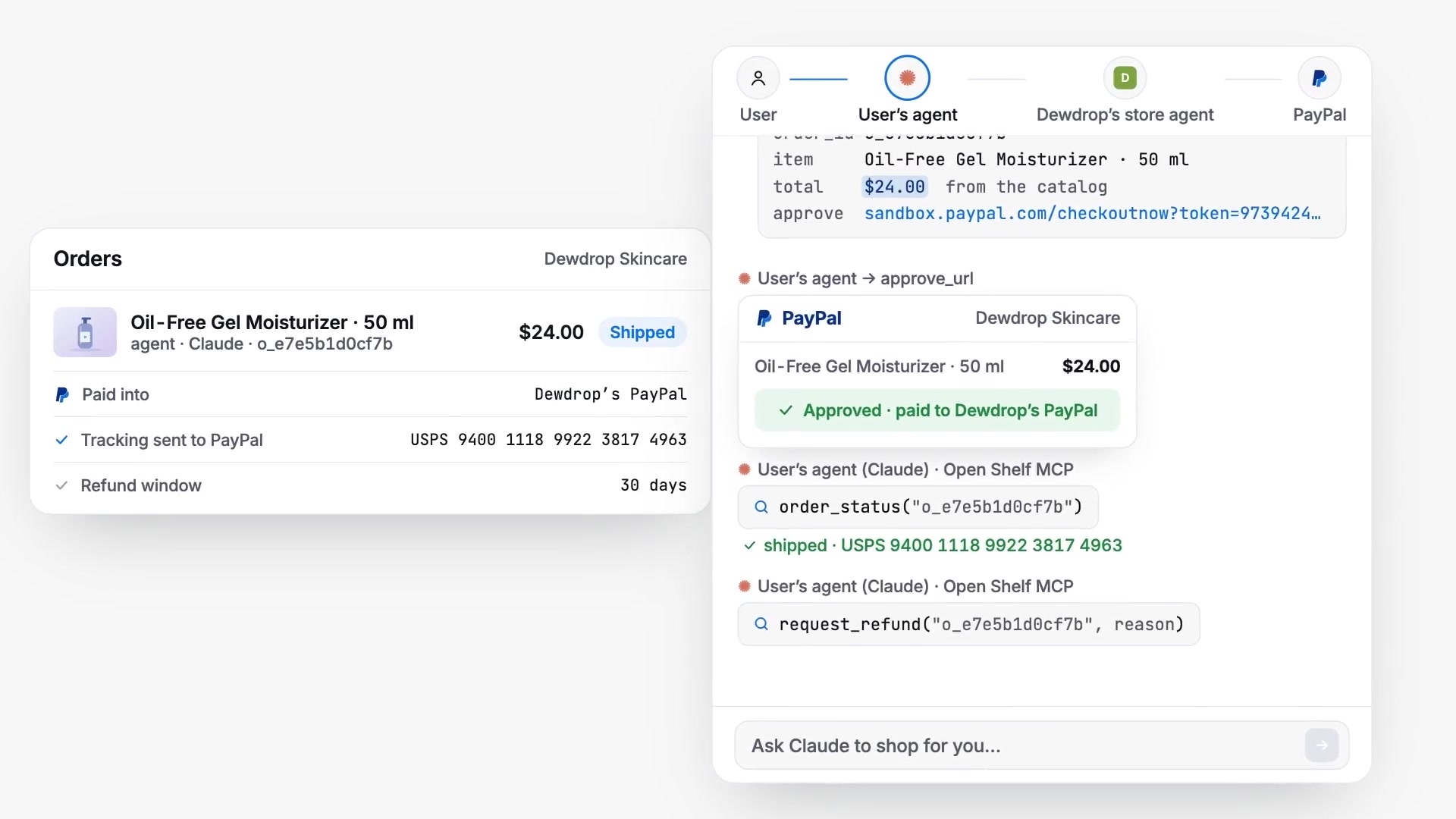
Shoppers' agents connect to one MCP server covering every listed store. Its tools list stores, search products, fetch a product, ask a store, buy, check an order and request a refund. A purchase returns a PayPal approval link, so nobody is charged until they approve, and prices always come from the catalog rather than from the agent. People get a web storefront with the same "Ask the store" chat, and agents that read pages instead of calling tools get an llms.txt per store.
After a sale the merchant adds a tracking number, which goes to PayPal and shows up when the agent checks the order. Refunds inside the store's window go back through PayPal.
Stores can also be listed on Channel3, whose connect page switches on distribution to ChatGPT, Google, Microsoft Copilot, Perplexity and PayPal. Every product has its own page with schema.org Product and Offer data, so crawlers can read it and buyers still check out with PayPal.
How I built it
Open Shelf is Next.js 15 on Cloudflare Workers (through OpenNext), with D1 for data and a Workers rate limiter on the AI routes. Creating, reading and capturing orders, sending tracking and refunding all go through APIMatic's PayPal Server SDK. I wrote that code with Claude Code and APIMatic's context plugin installed, and the plugin caught things the types don't show. One SDK client per PayPal app has to be reused because it caches its OAuth token. The default timeout of 0 means wait forever, so it is set explicitly. The SDK's axios transport is switched to fetch, which lets it run on Workers without Node's http module. Payment links, invoicing and webhook verification use PayPal REST directly.
The store agent is an OpenAI model (gpt-5.4-mini by default) that returns structured output with the answer, the product ids it recommends and whether it actually answered. When it didn't, the question goes to the merchant.
AI tools used
OpenAI (gpt-5.4-mini) is each store's agent: it answers shoppers and their agents from the merchant's published catalog and notes, with structured output that routes unanswered questions to the merchant. The same model turns any product page into a typed catalog during import. Claude Code, with APIMatic's PayPal Server SDK context plugin, wrote the PayPal SDK integration. Shoppers bring their own agent (Claude, ChatGPT or any MCP client) to shop through Open Shelf's MCP tools.
Challenges I ran into
A sale can complete in three places: the PayPal return page, the webhook, or an agent calling order_status. Each sale had to complete exactly once and take stock once. A conditional update handles the stock, and a double capture that comes back as ORDER_ALREADY_CAPTURED returns the existing capture.
Try it
Open https://openshelf.keronlabs.com and click Try the demo store. You get your own copy of a demo skincare shop on a sandbox PayPal app, with no sign-up. To pay, choose Pay with Credit or Debit Card at PayPal and use the sandbox Visa 4005 5192 0000 0004 with any future expiry, CVV 123 and any US address.
To shop as an agent, add https://openshelf.keronlabs.com/mcp as a custom connector in Claude and ask: "Find me something from Dewdrop for oily skin under $30, check it won't clog pores, and buy it." The README has the full steps for judges, including the merchant side.
Built With
- alignui
- apimatic
- better-auth
- channel3
- cloudflare-d1
- cloudflare-workers
- mcp
- next.js
- openai
- opennext
- paypal
- paypal-server-sdk
- tailwindcss
- typescript
