-
-
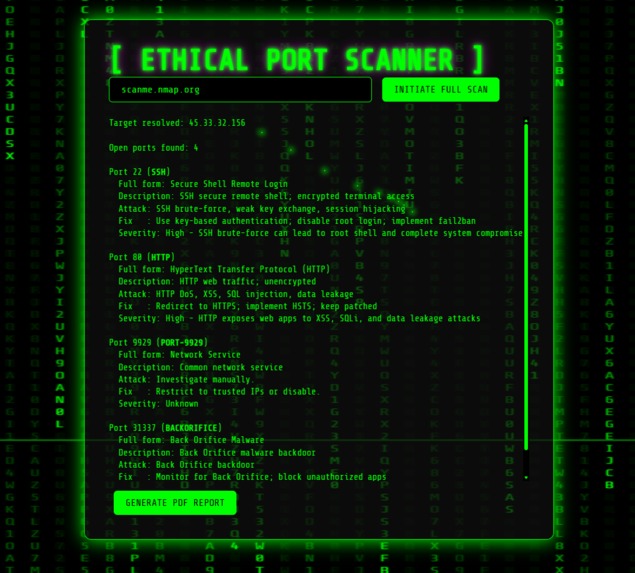
Demo Output: Shows detected open ports, service names, risk levels, attack vectors, and recommended fixes generated by the scanner.
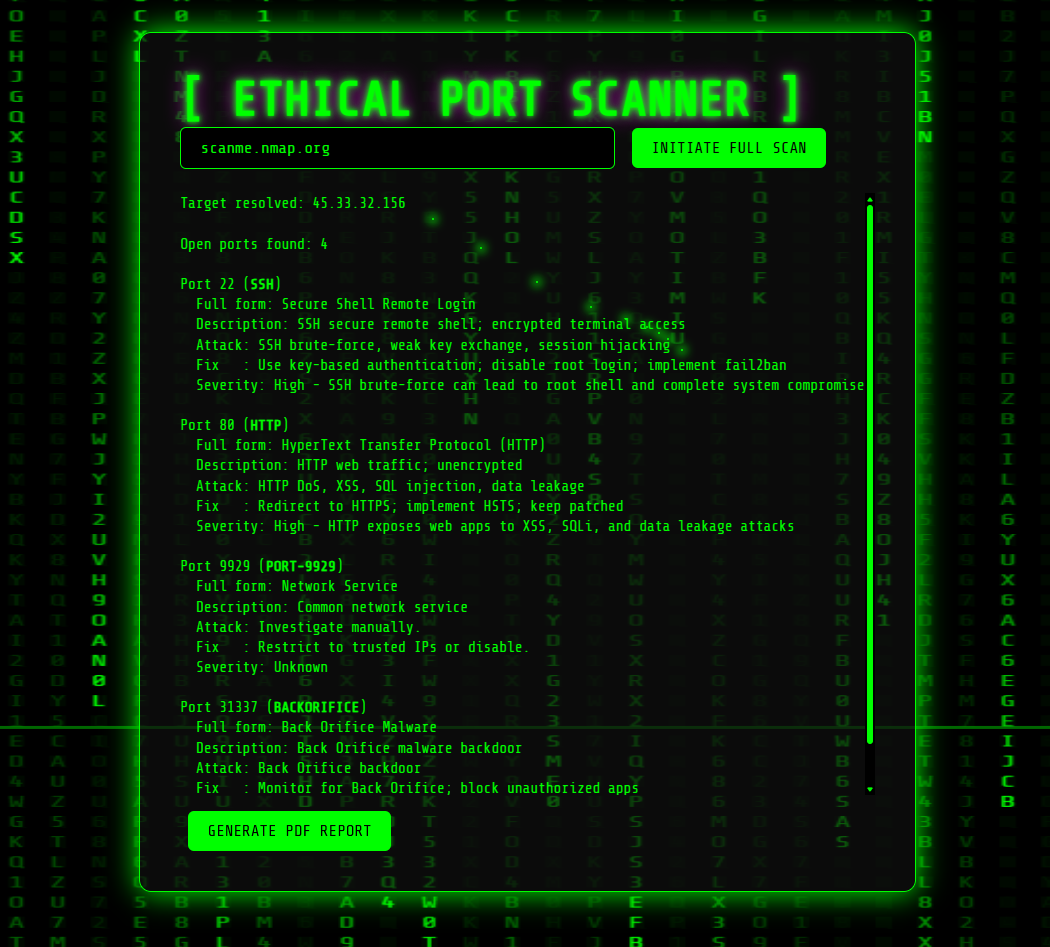
About the Project — Open-Port Reaper
Inspiration
While working with security tools in Kali Linux and developing my own network scanner scripts, I noticed a gap between fast port-scanning tools and tools that provide clear, actionable explanations. Most scanners display open ports but do not explain risks, potential attack methods, or recommended fixes. I wanted to build a lightweight tool that combines speed with practical security insights and generates clean reports suitable for analysis or documentation.
How I Built It
I developed the scanner using Python and AsyncIO to allow thousands of concurrent port checks. A Flask web interface was added to make the tool accessible through a browser instead of running purely from the terminal. Each detected service is mapped to a description, common attack methods, and possible mitigation steps. The results are processed and exported into a structured PDF report. The project was designed to run efficiently across all major operating systems, including Linux, Windows, and macOS.
What I Learned
During this project, I improved my understanding of asynchronous programming, non-blocking socket operations, and concurrent network scanning. I learned how to structure a Flask application, manage background processes, and integrate a reporting system that exports clean PDFs. I also strengthened my knowledge of common network services, their associated vulnerabilities, and how to communicate security information clearly.
Challenges Faced
One major challenge was balancing scan speed with accuracy while checking all 65,535 ports. Managing inconsistent network responses, timeouts, and closed connections required careful exception handling to prevent false results. Integrating PDF generation in a way that maintained clean formatting and readability also took significant effort. Ensuring the web interface stayed responsive while long-running scans executed in the background was another technical hurdle. Additionally, creating structured security insights—such as mapping services to risk levels, common attack methods, and recommended fixes—was time-consuming, as each port and service required accurate, well-researched explanations.
Result
The completed tool is an asynchronous full-range port scanner with a browser-based interface. It performs complete scans from ports 1–65,535, resolves the target automatically, and displays the number of open ports found. For each open port, the interface presents a detailed breakdown including the service name, full form, a clear description, common attack techniques, recommended fixes, and a severity assessment. The results are shown in a structured, terminal-style layout with smooth scrolling for readability. A built-in option allows users to generate a clean PDF report summarizing all findings. The tool combines rapid scanning with practical security insights, making it useful for learning, demonstrations, and basic reconnaissance tasks.

Log in or sign up for Devpost to join the conversation.