-
-
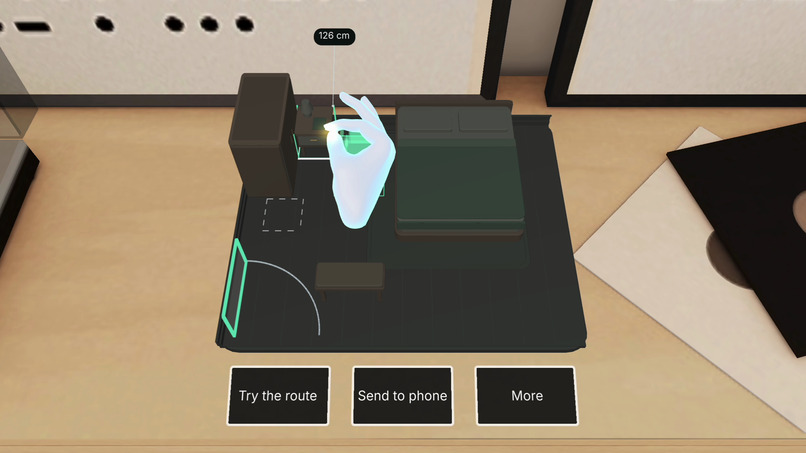
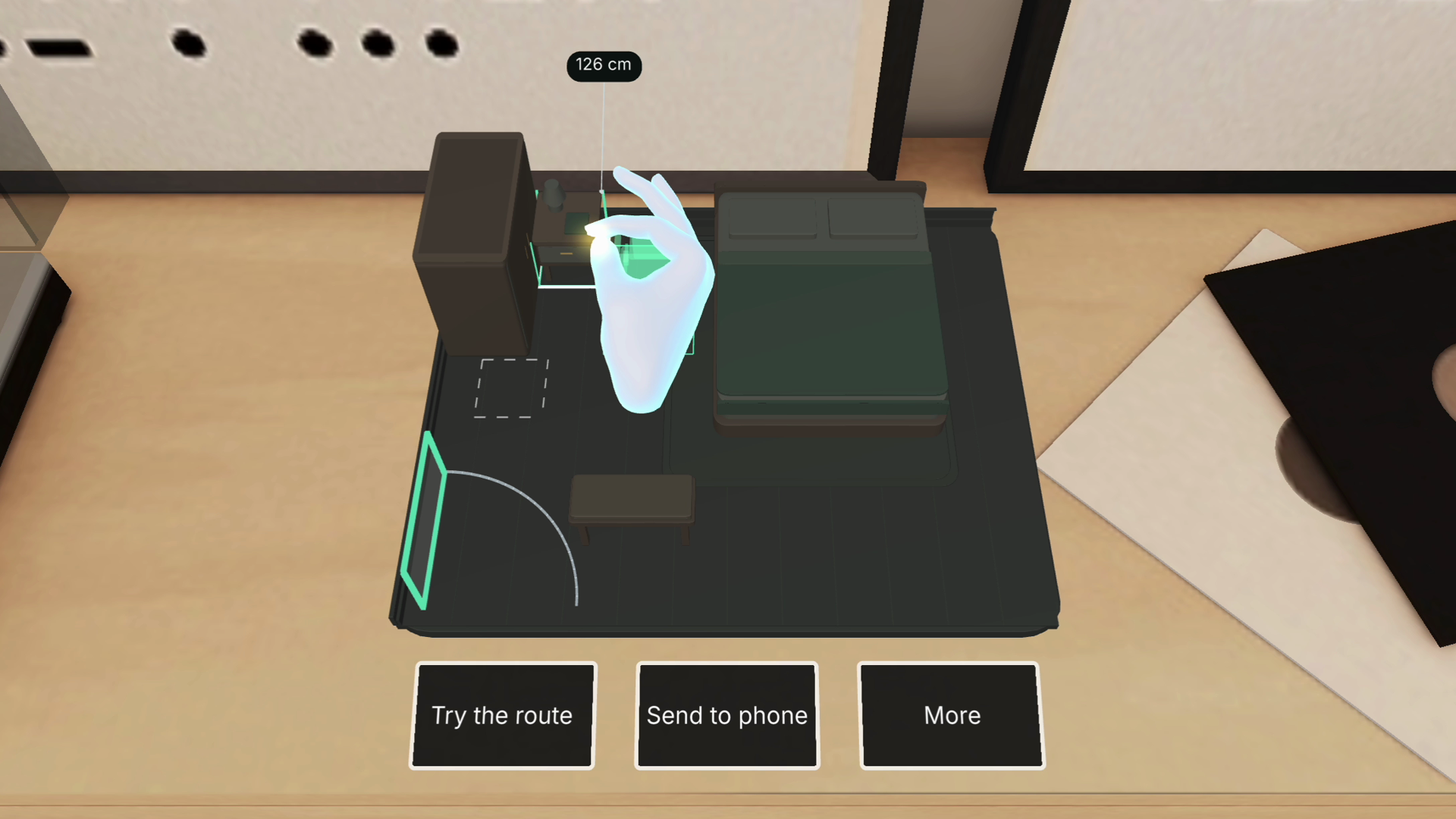
A pinch moves the table to its rear-edge snap. The original outline and 126 cm readout explain the change before release.
-
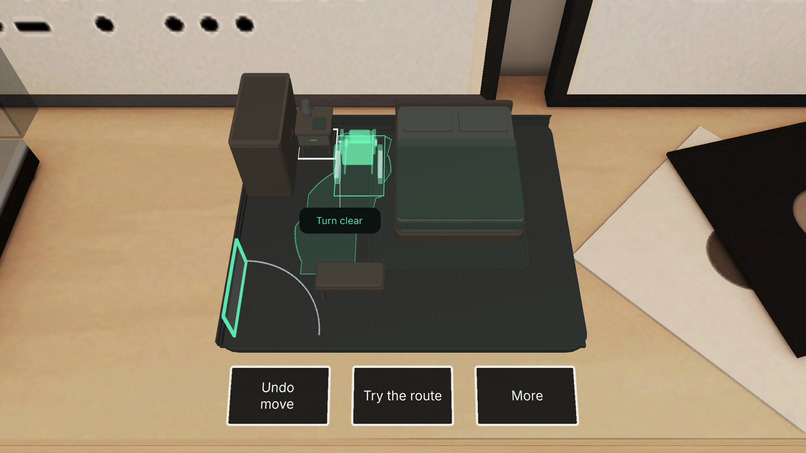
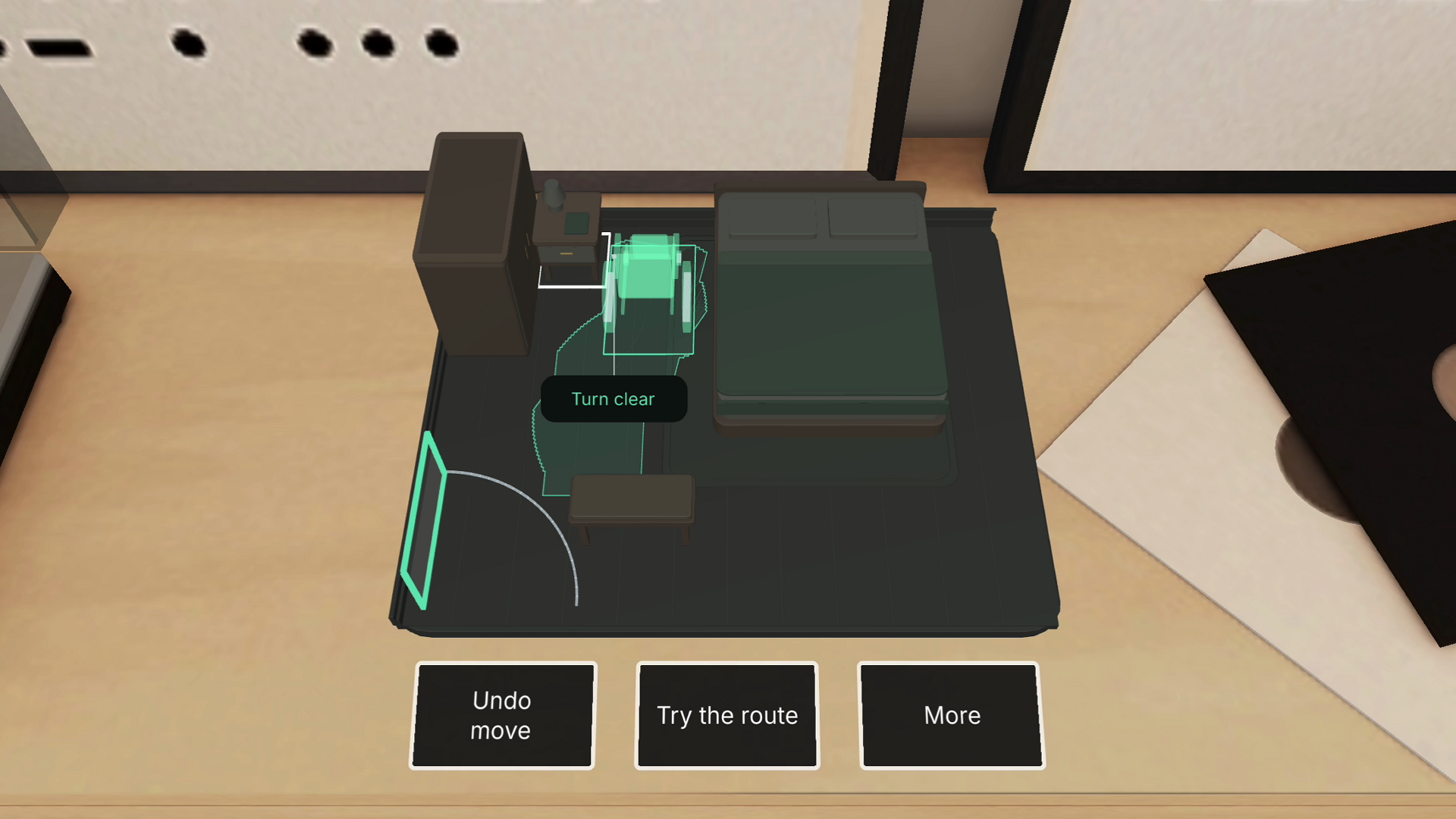
The table now aligns with the wardrobe. A fresh check confirms the chair turn and the separate door task. Lens Studio Preview.
-
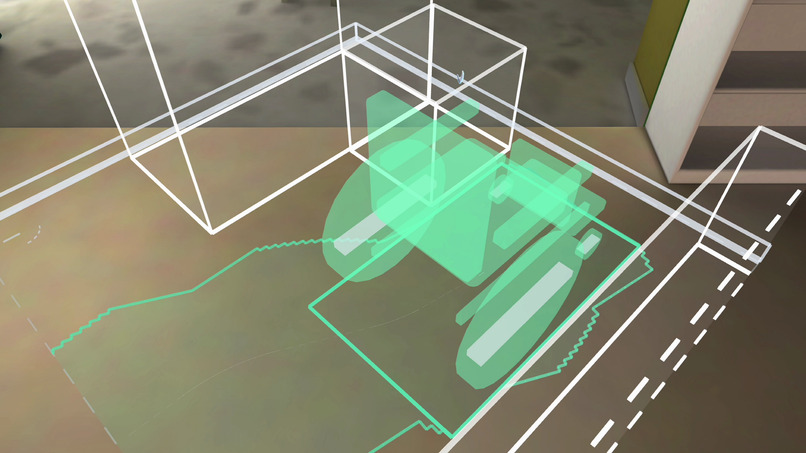
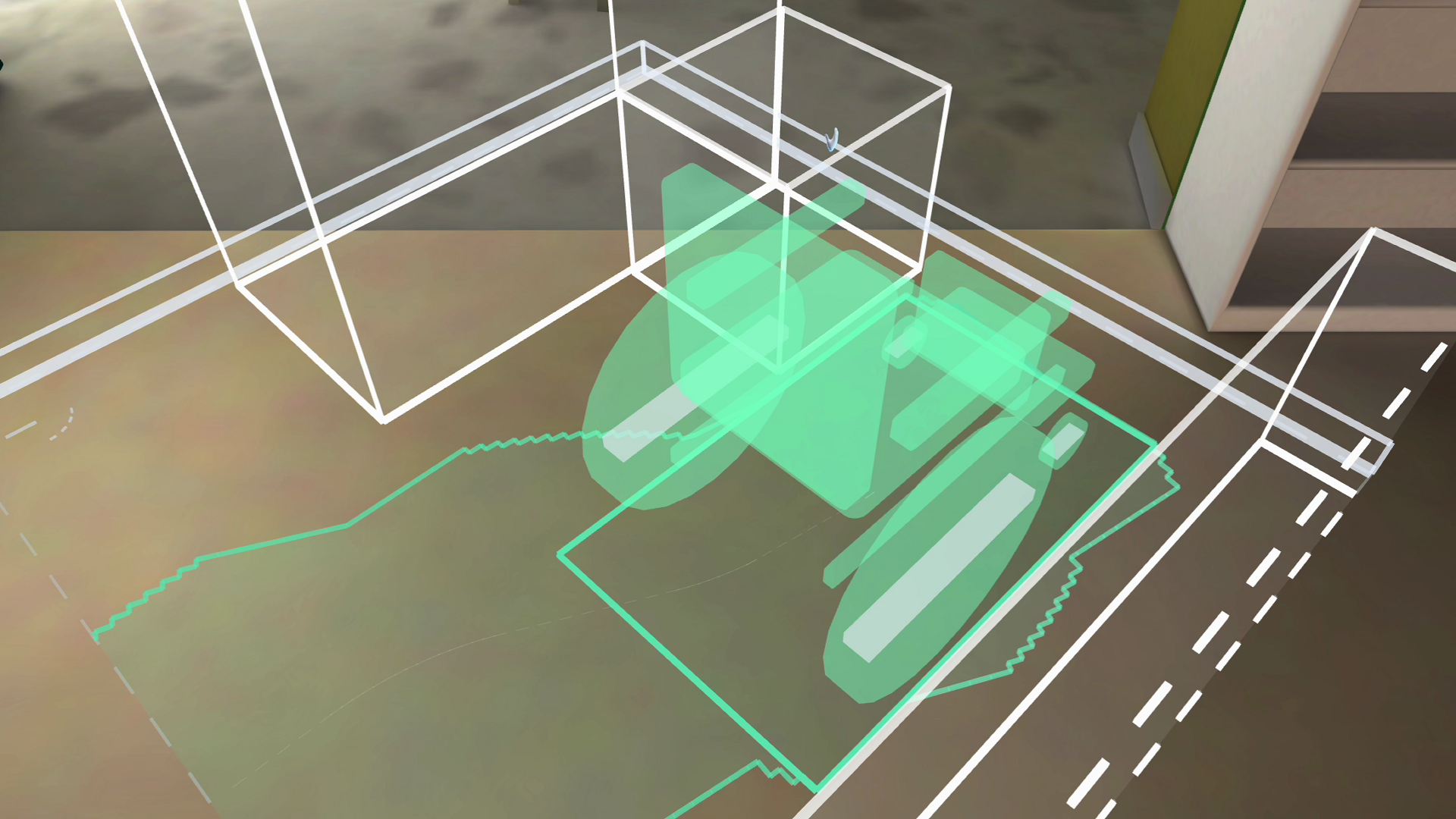
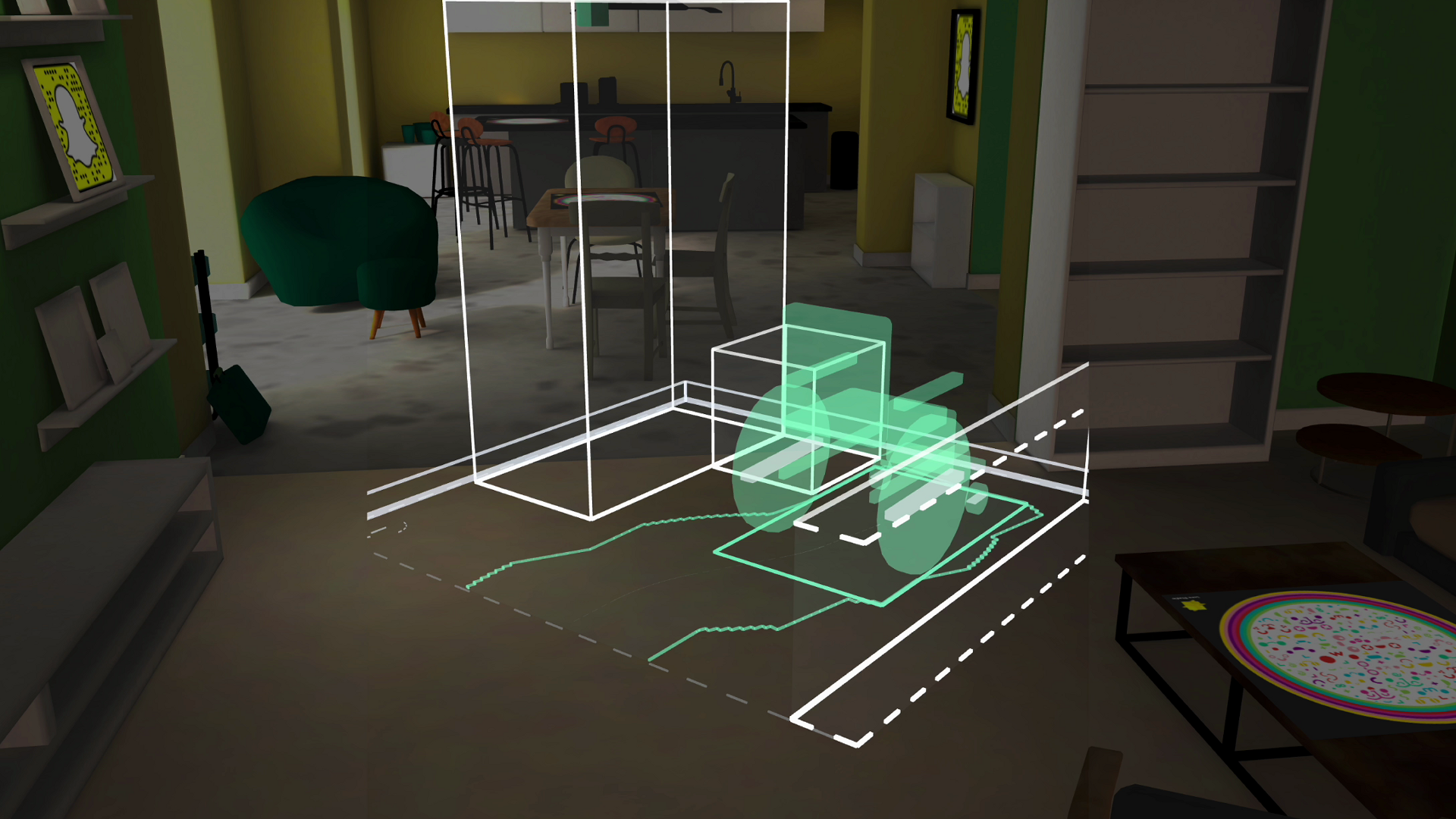
A closer view of the complete chair footprint moving through the checked bedside turn.
-
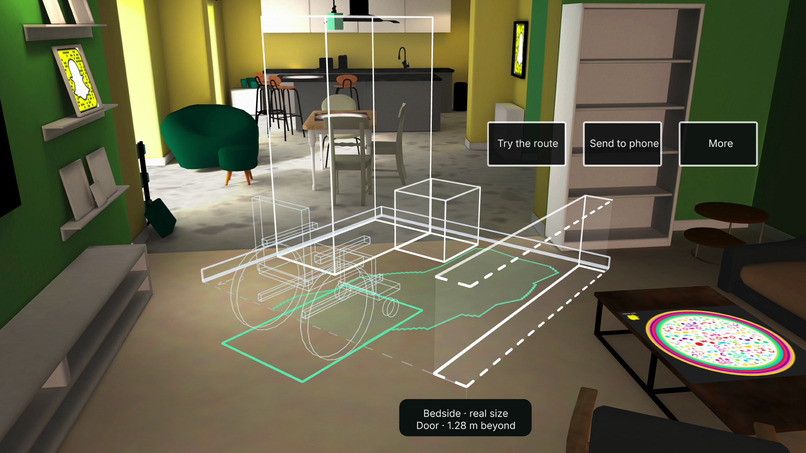
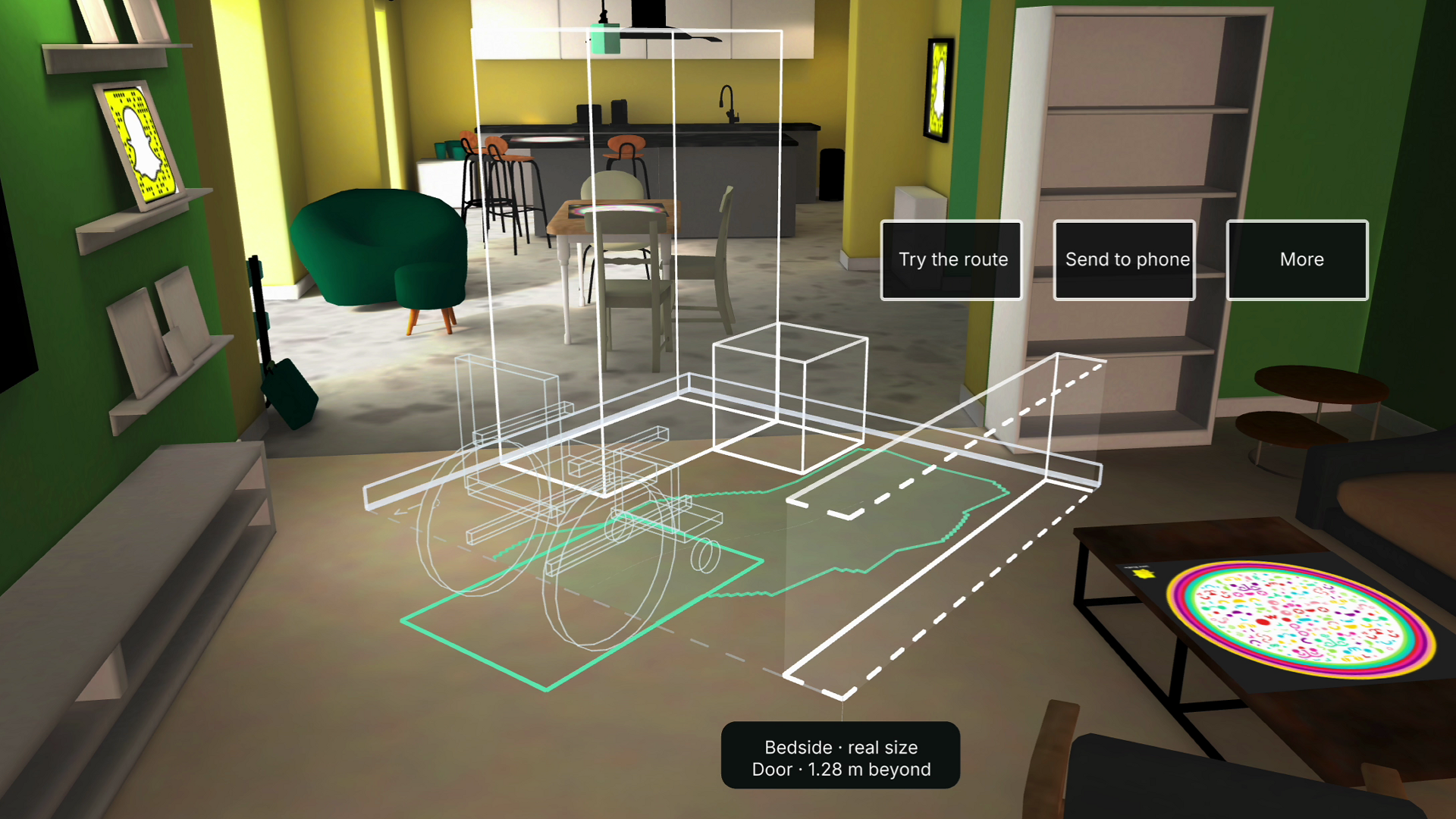
The same layout at true scale: a measured 2.2 by 2.0 m bedside corner, furniture outlines and a single route ribbon.
-
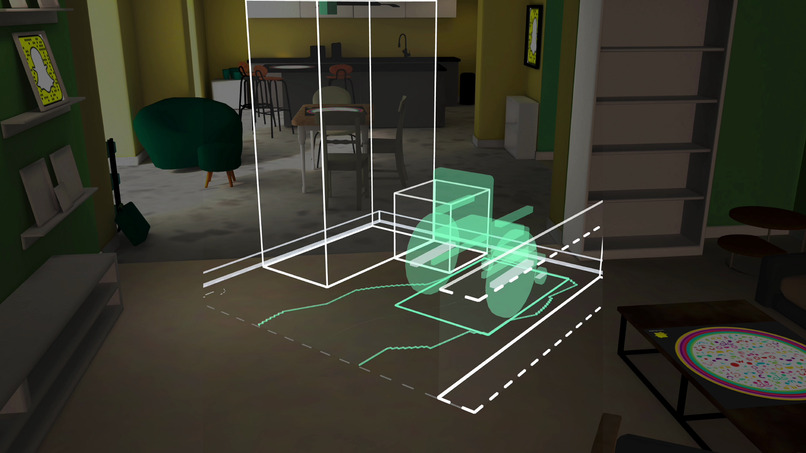
The checked route and furniture in the SPECS Center simulation.
Inspiration
Can a wheelchair turn beside this bed?
That question became the starting point for Open Door. A room can have enough space for furniture and still leave an awkward turn between the pieces. I wanted to make that movement visible before anyone has to lift a table, move a bench, or commit to a new arrangement.
My goal was a small, useful rehearsal: try a furniture move, see what it changes, and undo it just as easily. Glasses make sense here because the room can stay anchored while I look around it. The thing I am changing and the consequence of that change belong together in the space.
What it does
Open Door begins with a tabletop bedroom and an example wheelchair. The table blocks the bedside turn; a bench separately obstructs the door. Pinch the table, drag it, and release. An outline stays at its original position, while a centimetre readout shows how far it has moved. A valid release checks the changed layout and plays the chair's actual route.
The distinction between those two tasks matters. Moving the table can clear the chair's turn while the door remains blocked. Amber identifies an obstruction; a mint ribbon and moving chair show a checked route.
When I want help, Suggest fixes searches for up to three alternatives while keeping the chair dimensions, chosen gap and locked furniture unchanged. I can inspect one colored layout at a time, compare Before and After, and choose a result. The search prefers fewer moved pieces, then less movement. It also compares additional clearance, so the shortest move is not presented as the most forgiving choice.
In the final arrangement, I drag the table until its rear edge snaps into line with the wardrobe. Releasing it checks both tasks again. The earlier proposal's clearance claim is discarded because the room has changed.
Real size brings the same model to a measured indoor floor patch. A true-size bedside corner, furniture outlines and one route ribbon make the turn tangible. The chair stays visible when it travels beyond that displayed corner. Send to phone provides a QR link; the companion opens the model and checks it afresh.
How I built it
I used the Devpost Learn plan-lens framework to structure the original design brief, room task and Preview limits. Later design reviews helped me replace floating panels with surface staging, put chair settings on the chair, and make the real-size view a coherent indoor corner.
I built the Lens in Lens Studio 5.23.2, using CLAD and Lens Studio MCP for implementation, scene integration and native inspection. Spectacles Interaction Kit, UIKit and official hand hints provide the spatial interactions. LEAF scenarios exercise the actual interaction path with visible scripted hands.
A shared TypeScript engine checks the complete oriented chair footprint throughout its motion, plus the separate door sweep. Repair candidates arrive over HTTPS, then the Lens independently checks them before display and application. A newer edit or cancellation invalidates pending results. The Next.js companion handles detailed dimensions and downloads without replacing the native experience.
Challenges
The hardest problems appeared after the geometry worked. A correct label could cover the table. A hand could obscure the movement it was supposed to explain. A control that fit the desktop view could disappear in the narrower glasses simulation.
I repeatedly compared recorded Preview frames with actual object, camera and interaction state. That led to short leaders, clearer movement readouts, persistent interaction targets and no more than three UI controls at once. The three repair choices therefore appear one at a time, with Next and Cancel, instead of competing with the room.
Accomplishments
I am proud that the finished demonstration shows cause and effect: a useful drag, release, a changed turn, Undo, computed alternatives, a fresh rear-edge snap, and the same checked model at real size. The project includes 140 automated tests, native interaction checks, a complete Lens project and an independently checked QR handoff.
What I learned
Correct computation needs an understandable explanation. “Clear” means little if I cannot see which piece moved, which task passed, or what stayed fixed. Designing the recovery path was equally important: Undo, Cancel and honest small margins make experimentation easier to understand.
What's next
The current dimensions are entered examples, and testing uses Lens Studio Preview. A geometric pass is not accessibility certification. Next I want to test placement, tracking, readability and comfort on physical Spectacles with people who can judge this task from their own experience, then use that feedback to improve the rehearsal.
Watch the demonstration · Explore the project · Open the companion
Built With
- clad
- devpost-learn
- leaf
- lens-studio
- lens-studio-mcp
- nextjs
- react
- spectacles
- spectacles-interaction-kit
- spectacles-uikit
- three.js
- typescript
- vercel
