Open Design AI: The Reality Check for Vibe Coding
Inspiration
AI has completely changed how we build software. With tools like Cursor, Claude, and v0, developers can now generate entire application interfaces in a matter of hours. But there is a difference between an application that looks good and one that actually works.
A button might look perfect but do nothing when clicked. A form might accept input but fail to submit. A desktop layout might look impressive but break completely on mobile devices. Accessibility issues and broken navigation can easily go unnoticed.
We experienced these problems firsthand while working on a real client project. We could build features quickly, but testing them, identifying UI issues, and repeatedly addressing client feedback consumed significantly more time.
We realised that while AI had made software generation faster, quality assurance was still largely manual.
That led us to ask a simple question:
If AI can build an application, why can't AI independently test whether that application actually works?
That question inspired Open Design AI.
How We Built It
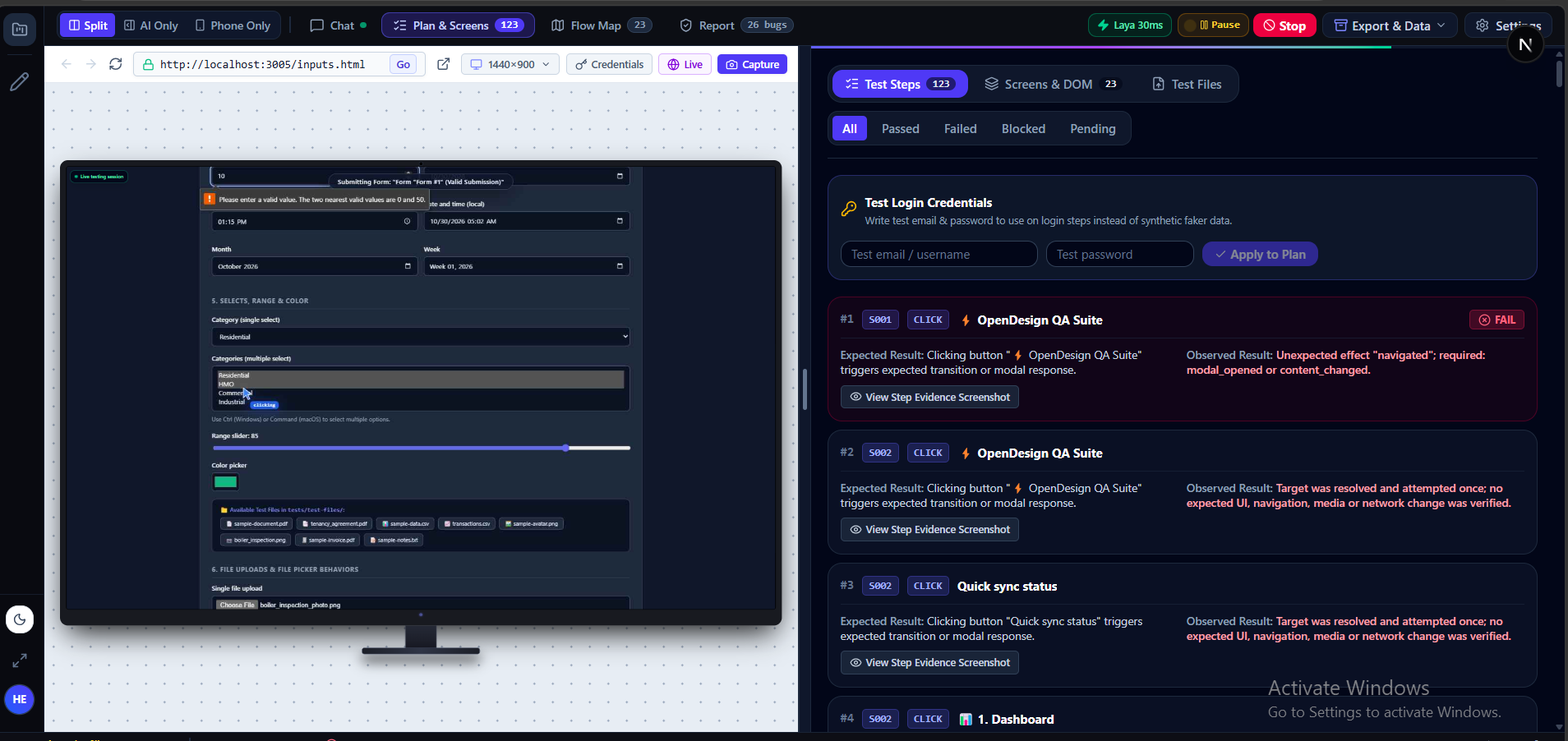
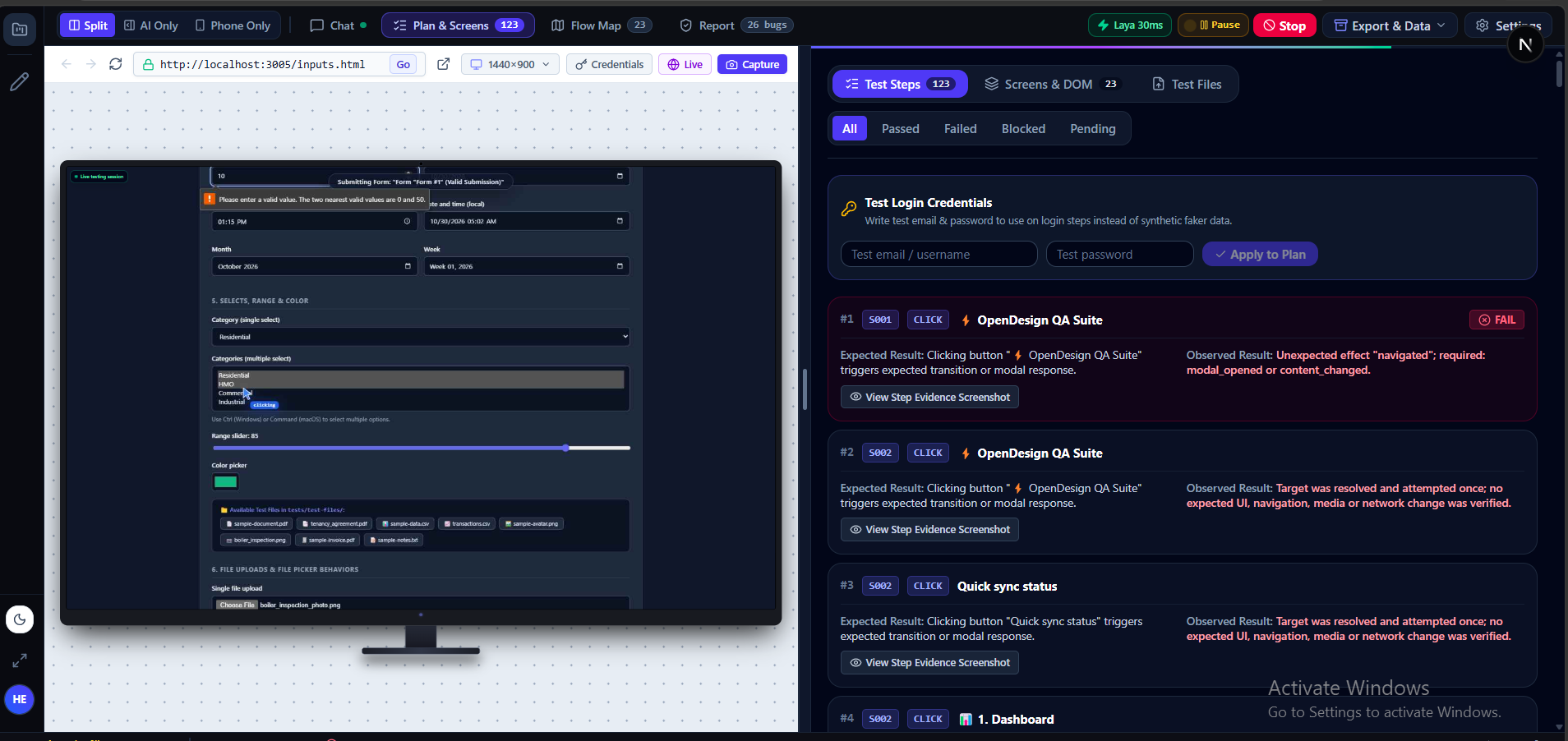
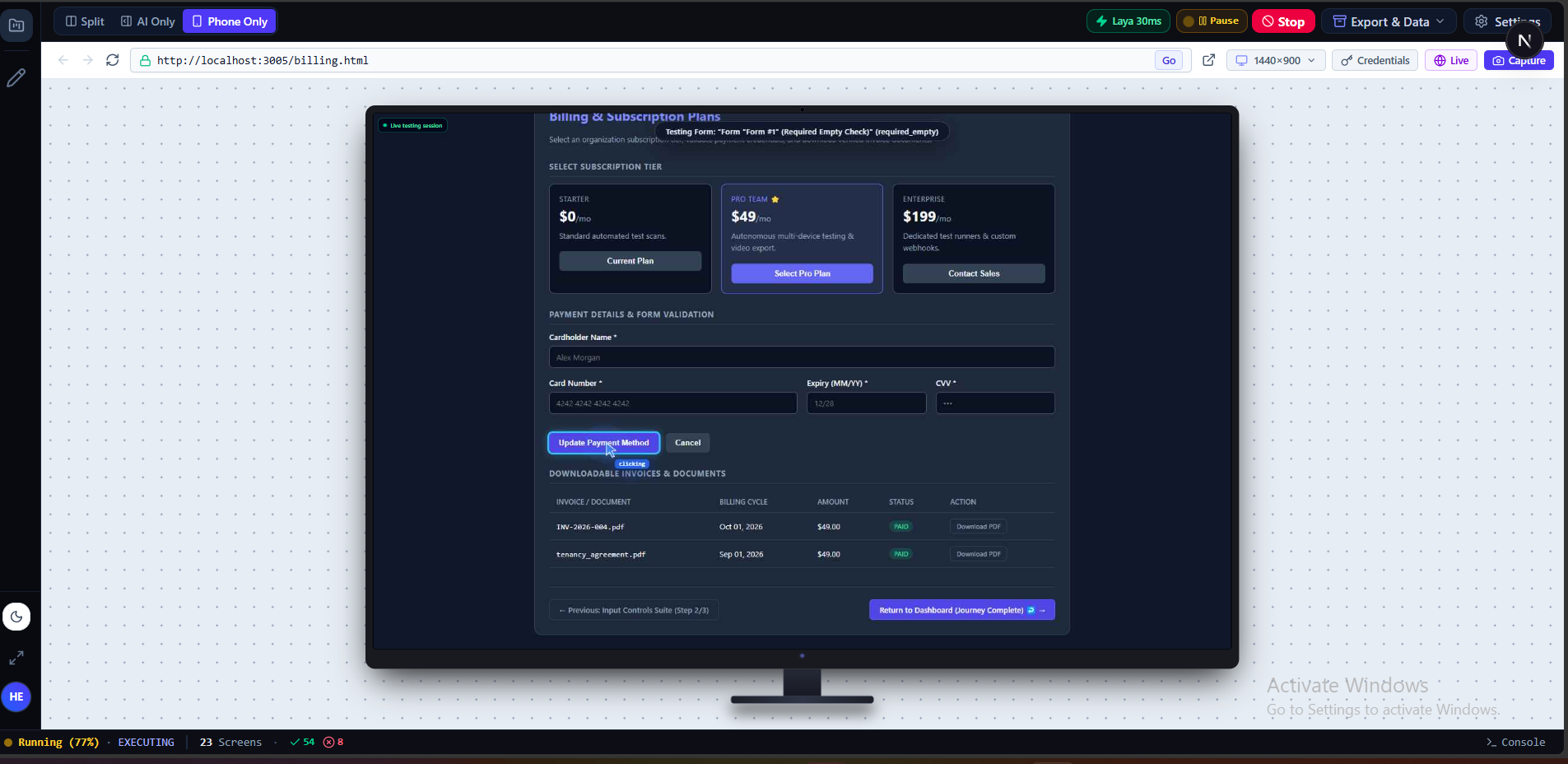
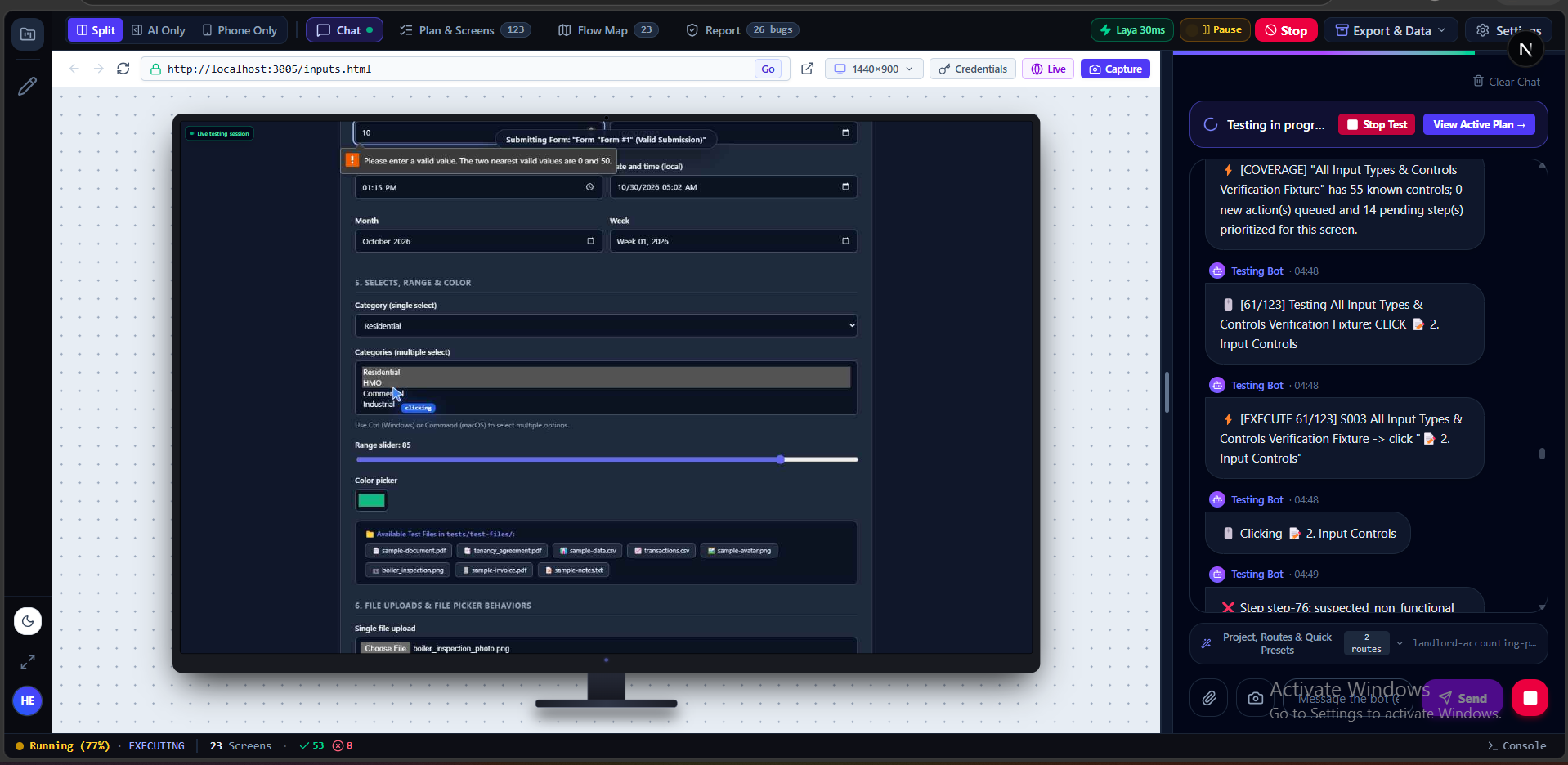
Open Design AI is an autonomous application testing and quality assurance platform that discovers, tests, analyses, and helps developers fix problems in their applications.
We designed an end-to-end pipeline consisting of six stages:
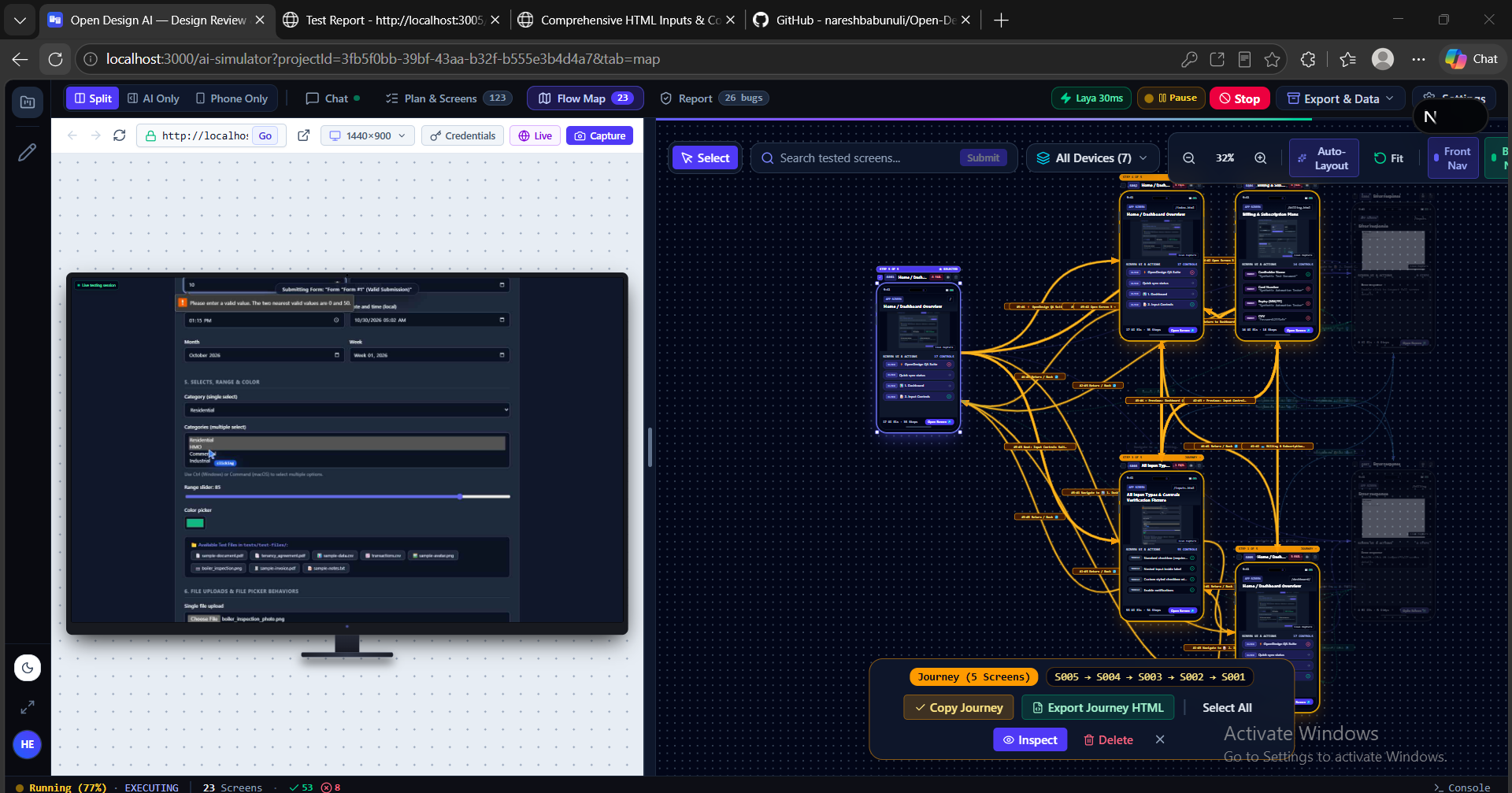
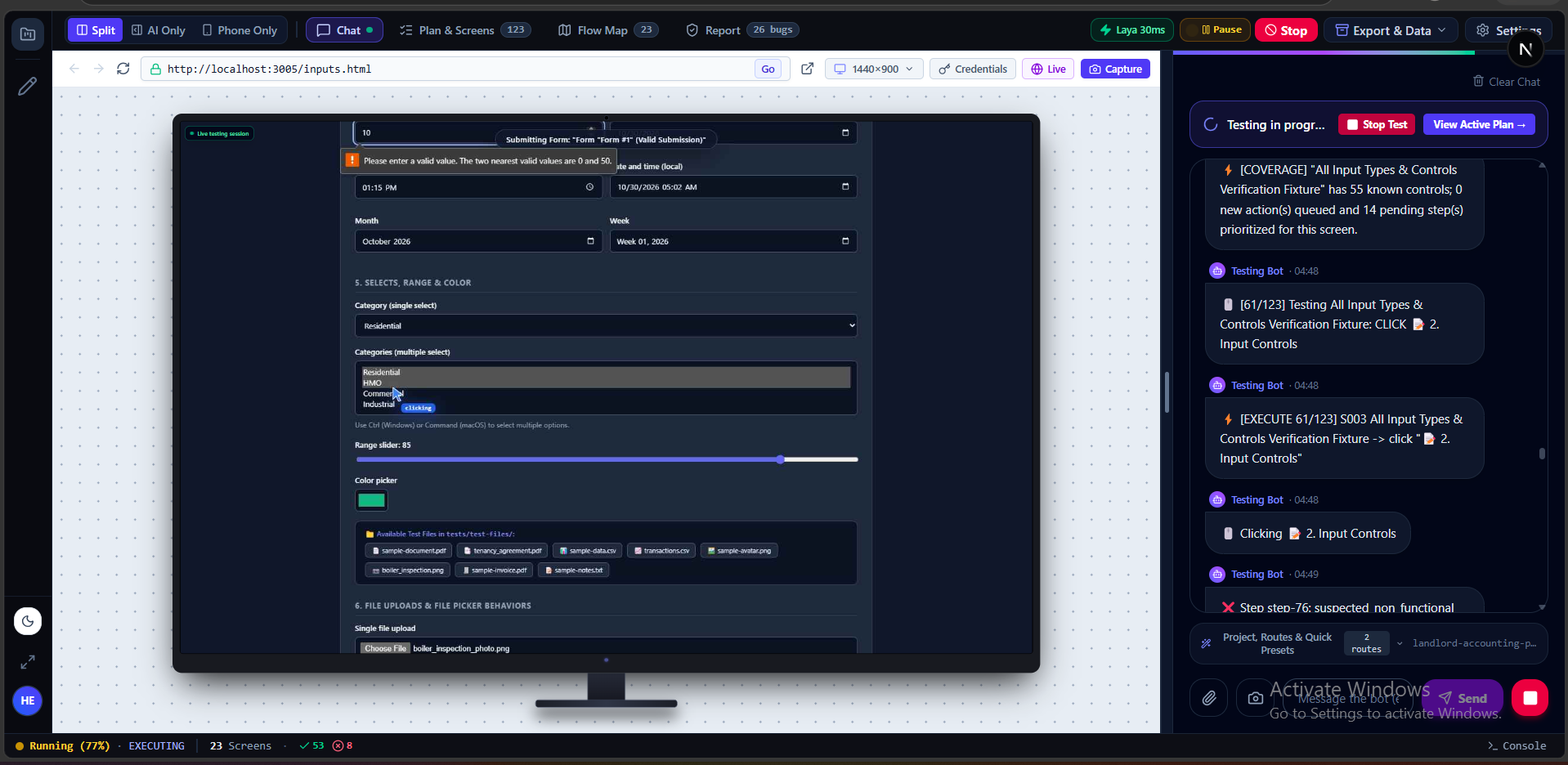
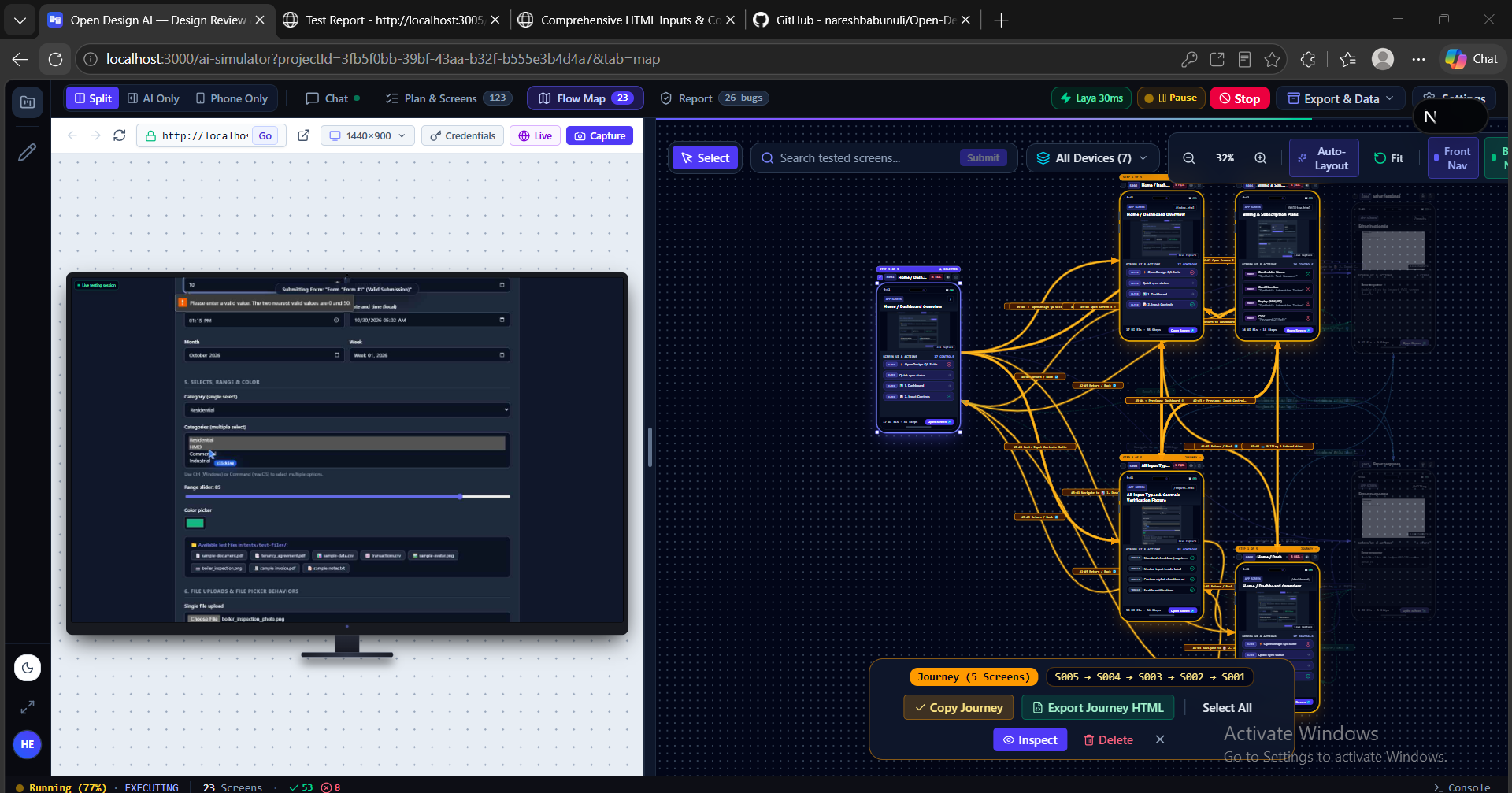
Discover: Launches a real browser, explores the application, identifies pages, interactive elements, forms, and navigation paths, and builds a structured application map.
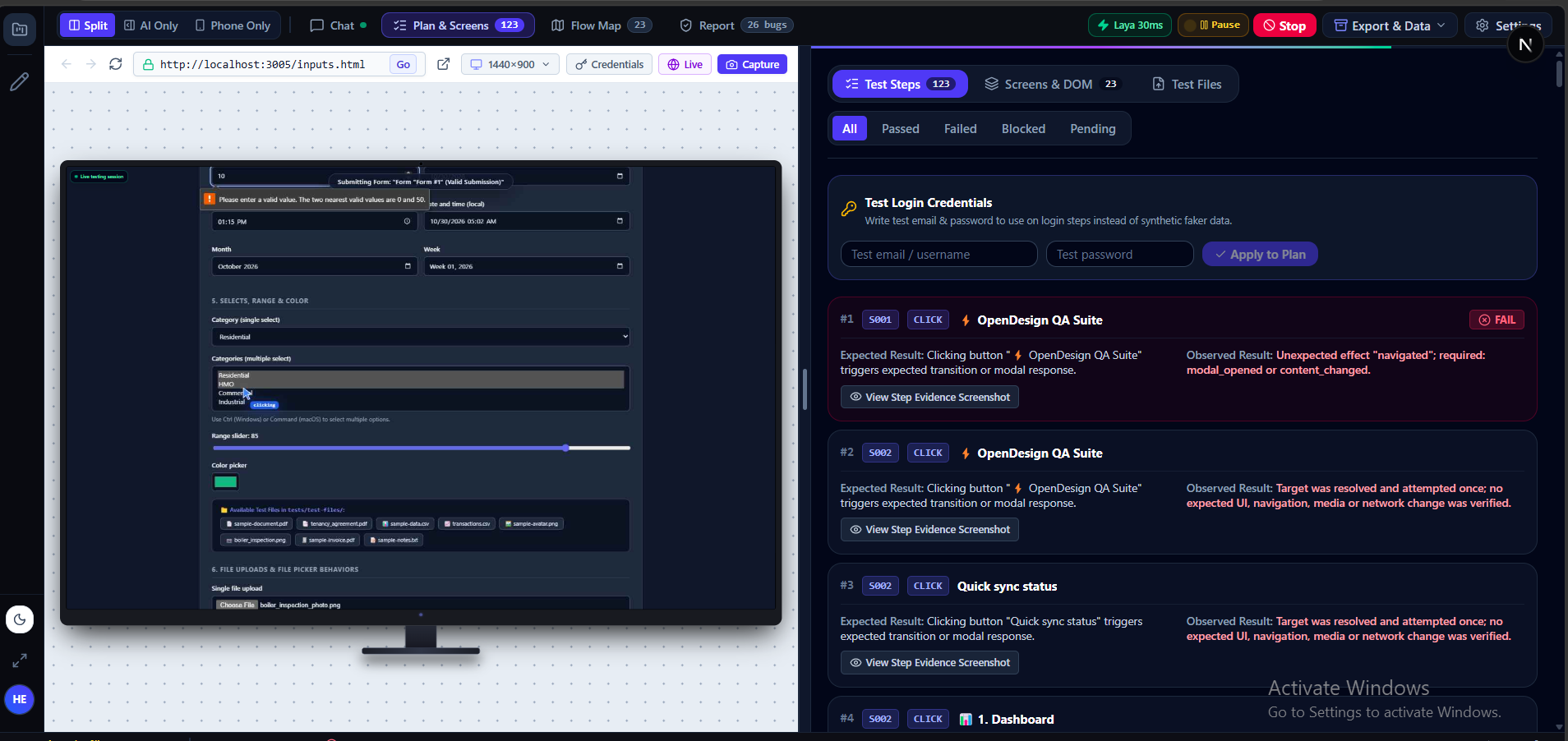
Plan: Generates structured testing workflows based on realistic user scenarios and different application roles, rather than relying entirely on predefined test scripts.
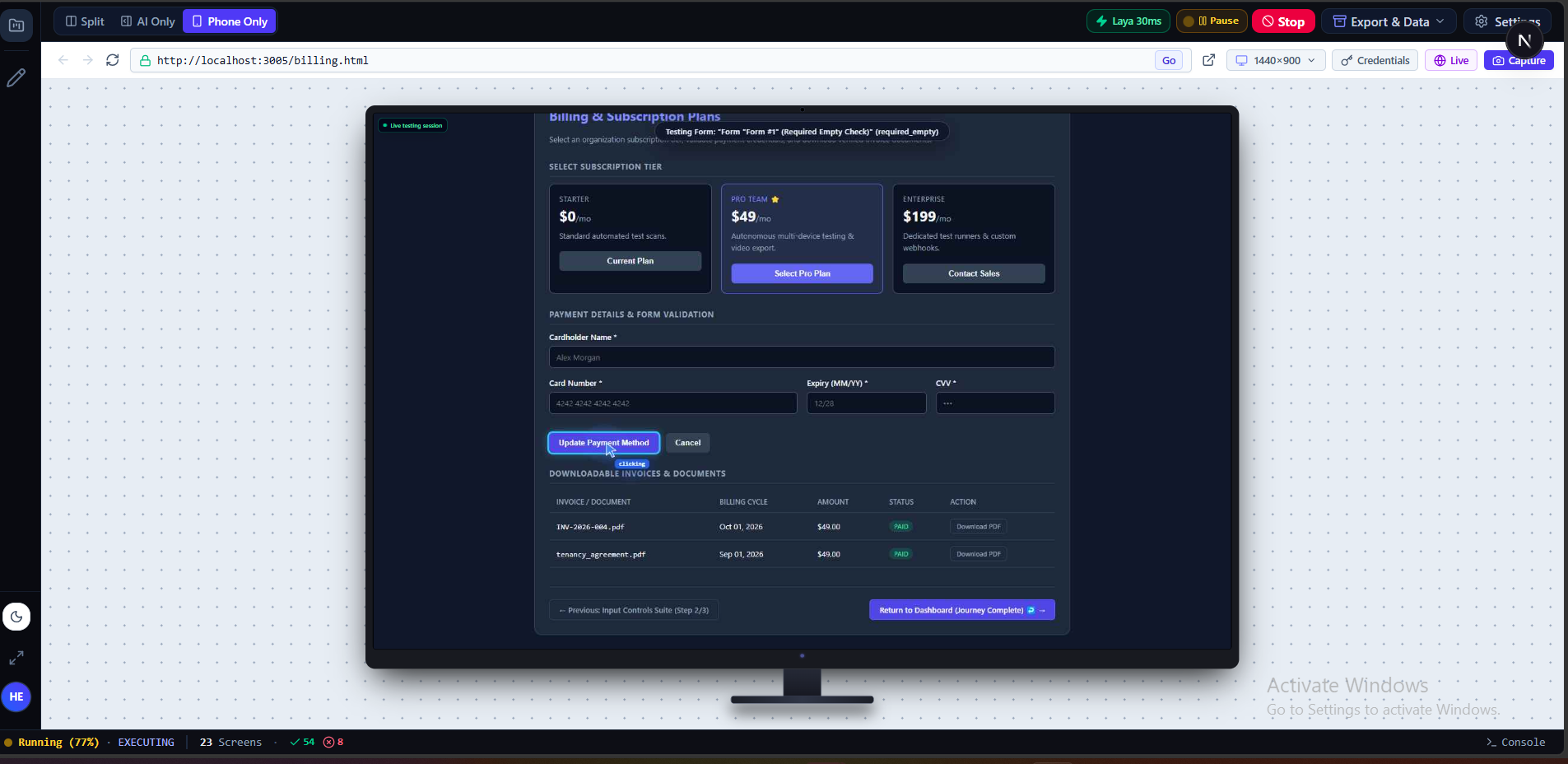
Execute: Interacts with the application through browser automation, clicking buttons, entering information, submitting forms, testing navigation, and checking application behaviour.
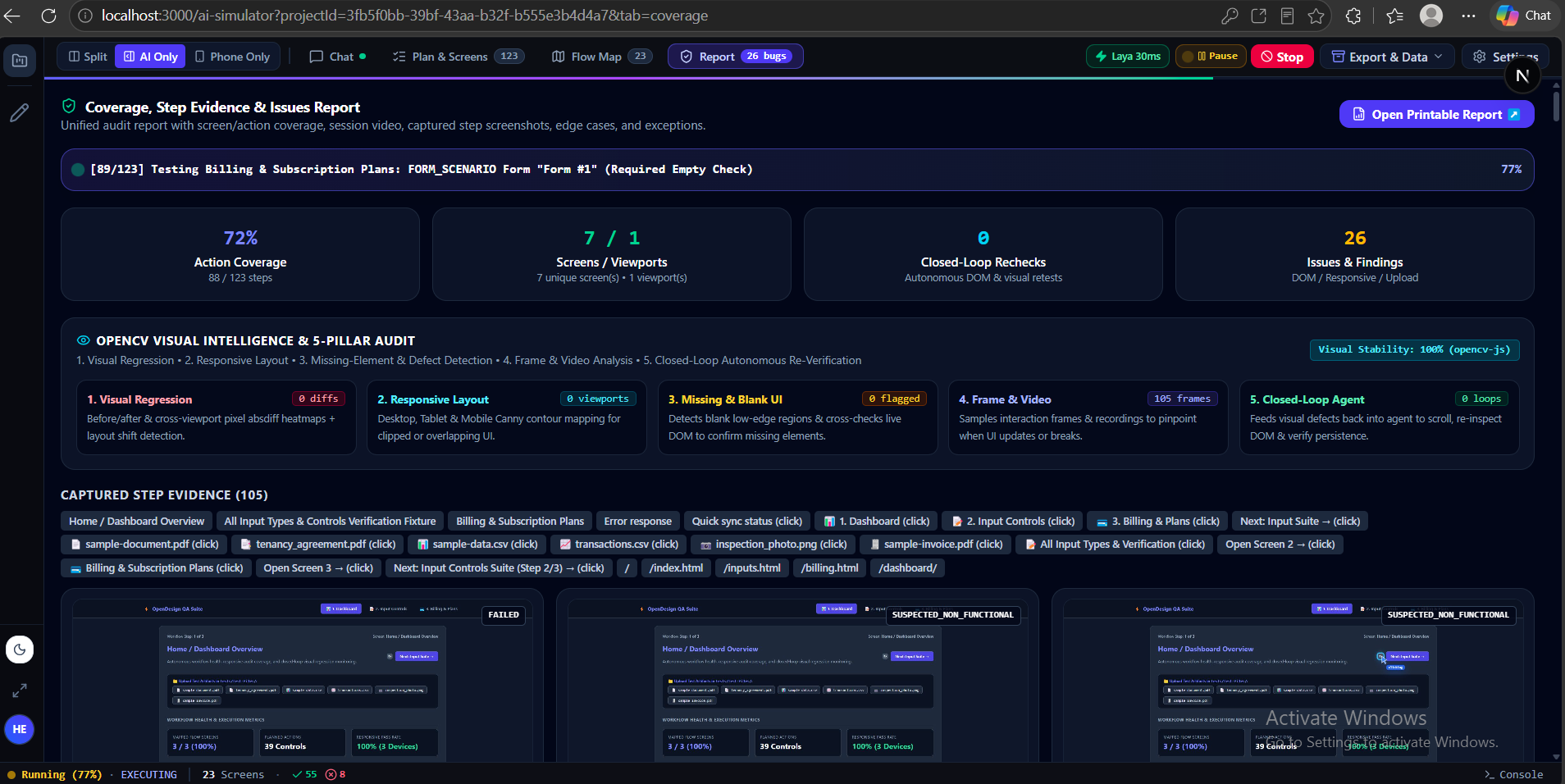
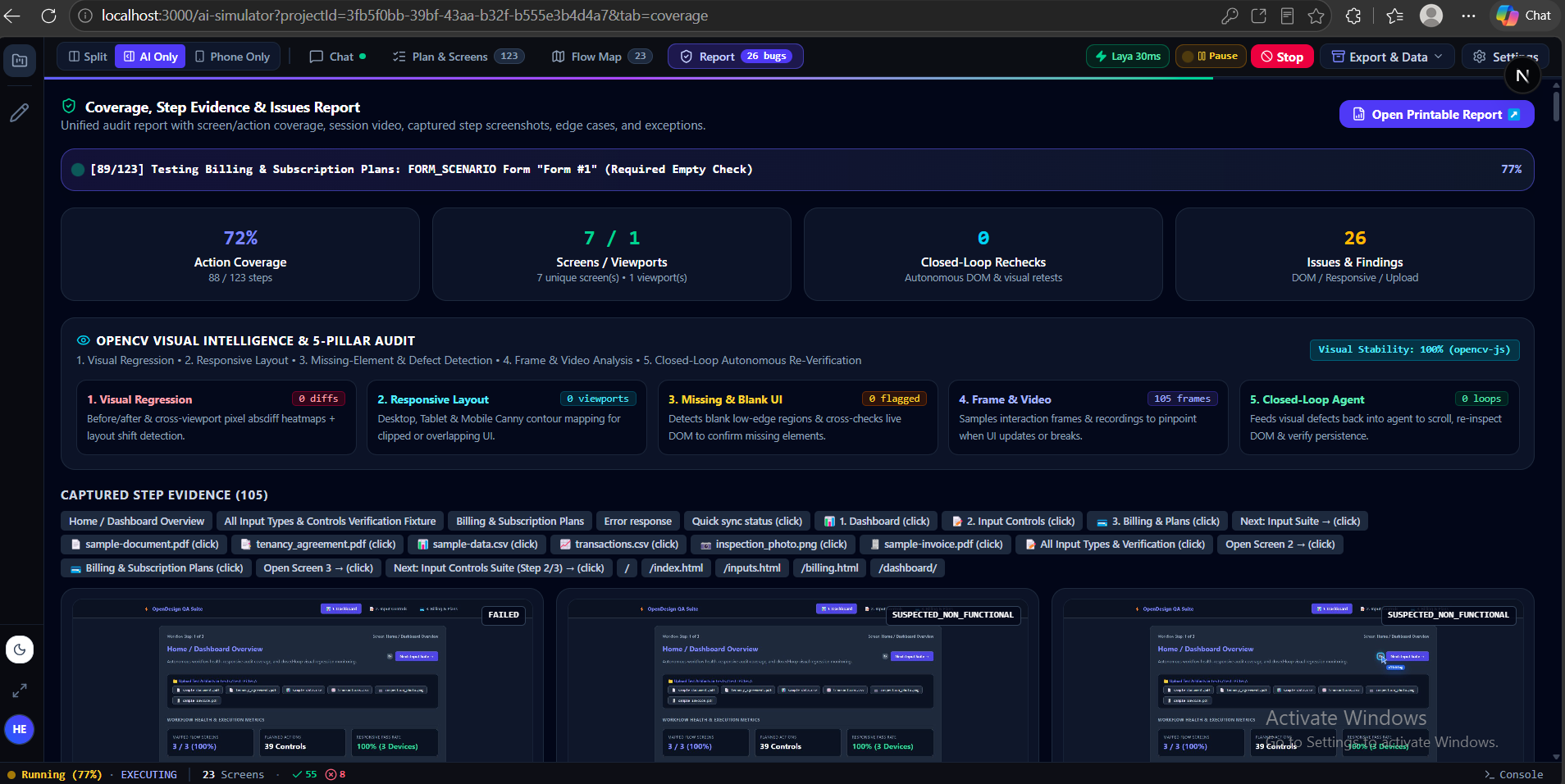
Analyse: Combines DOM inspection, OpenCV-based computer vision, and Laya Vision to identify functional and visual problems, including layout inconsistencies and interaction failures.
Report & Fix: Generates actionable reports containing detected issues, supporting evidence, expected versus actual behaviour, and suggested solutions. Developers can use the Copy AI Fix Prompt feature to transfer the findings directly into coding assistants such as Cursor or Copilot.
Verify: Re-runs the relevant tests after developers apply fixes to check whether the issues have been resolved without introducing new problems.
Technical Innovation: Efficient AI Inference
One of our biggest architectural decisions was to avoid sending every browser interaction and screenshot to a large language model.
Doing so would introduce unnecessary latency, inference costs, and token consumption.
Instead, we developed a multi-layer architecture:
- OpenCV: Handles local computer vision and image analysis, including visual comparisons, alignment checks, and image-based measurements without requiring LLM inference for every check.
- Laya Vision: Provides specialised visual understanding to support browser readiness checks and interaction decisions.
- NVIDIA Nemotron through Nebius Token Factory: Handles higher-level reasoning, structured test planning, and complex decision-making.
Our approach is to use lightweight processing for repetitive tasks and reserve larger AI models for decisions that genuinely require deeper reasoning.
This separation helps reduce unnecessary cloud inference while making the testing process more efficient.
Challenges We Faced
1. Distinguishing appearance from functionality
One of our biggest challenges was teaching the testing pipeline to distinguish between an element that simply responds to a click and one that performs its intended function. A button being clickable does not necessarily mean the feature works.
2. Handling real-world browser behaviour
Modern applications contain animations, popups, cookie banners, lazy-loaded components, and dynamic single-page application navigation. These behaviours frequently disrupt conventional automated testing workflows. Making browser interactions reliable required combining DOM inspection, browser automation, and visual understanding.
3. Turning findings into actionable fixes
We didn't want developers to receive another generic list of bugs. We wanted each finding to contain useful technical context, evidence, and a clear explanation of what needs to change. Developing a reporting structure that could translate testing results into useful repair prompts took several iterations.
4. Balancing intelligence, speed, and cost
Using a large model for every interaction would make autonomous testing unnecessarily expensive and slow. Designing the right balance between local computer vision, specialised visual reasoning, and cloud-based intelligence was one of our most important technical challenges.
What We're Proud Of
- Built an autonomous application discovery and testing pipeline.
- Combined real-browser automation, computer vision, and AI reasoning in one workflow.
- Developed structured testing reports with evidence and developer-ready AI repair prompts.
- Introduced a verification loop to check whether detected problems have actually been resolved.
- Designed a multi-layer architecture to minimise unnecessary cloud inference.
- Created a workflow that allows developers to test local development environments and staging applications.
Most importantly, we transformed a repetitive manual QA process into a structured workflow that helps developers discover problems and move towards fixing them faster.
What We Learned
We learned that generating an interface and building a reliable application are two very different things.
Visual quality, functionality, accessibility, and responsiveness must be evaluated together. Testing only the DOM or relying exclusively on screenshots provides an incomplete picture.
We also learned that bigger models are not always the answer. Combining specialised computer vision, lightweight visual reasoning, browser automation, and powerful reasoning models can produce a more practical and efficient architecture.
Another important lesson was that identifying a bug is only half the job. Making the findings understandable and actionable for developers is equally important.
What's Next?
We want Open Design AI to become part of the everyday software development lifecycle.
Our next priorities include:
- Git-Integrated Auto-PRs: Automatically create branches, apply suggested code changes, run verification tests, and submit pull requests.
- Design System Consistency: Compare applications against Figma designs and organisational design tokens to identify inconsistencies in colours, typography, and spacing.
- Continuous Testing: Integrate Open Design AI into GitHub Actions and CI/CD pipelines to identify regressions before applications reach production.
Our vision is simple: developers should be able to build software with AI, test it with AI, and deliver it with confidence.
Open Design AI closes the gap between generating software and knowing that it actually works.
Built With
- ai
- ai-agents
- automated-testing
- browser-automation
- computer-vision
- developer
- nebius-ai-cloud
- next.js
- nvidia
- puppeteer
- react
- typescript
- web-development
