-
-
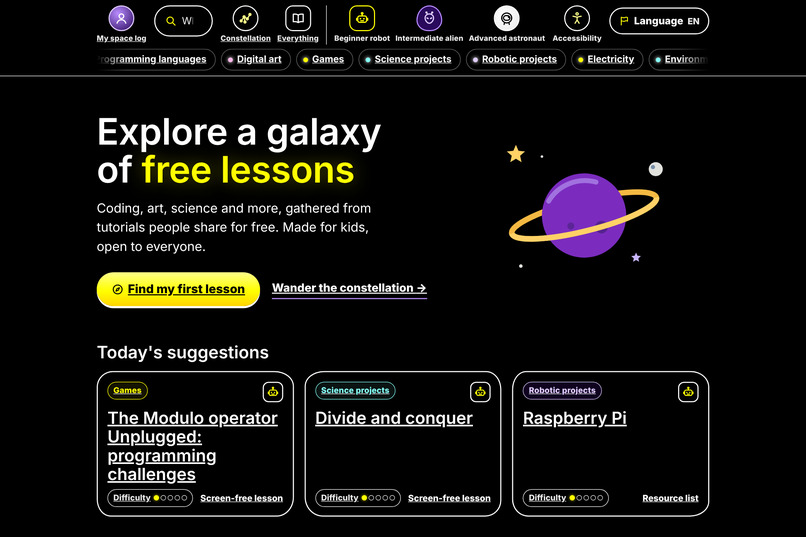
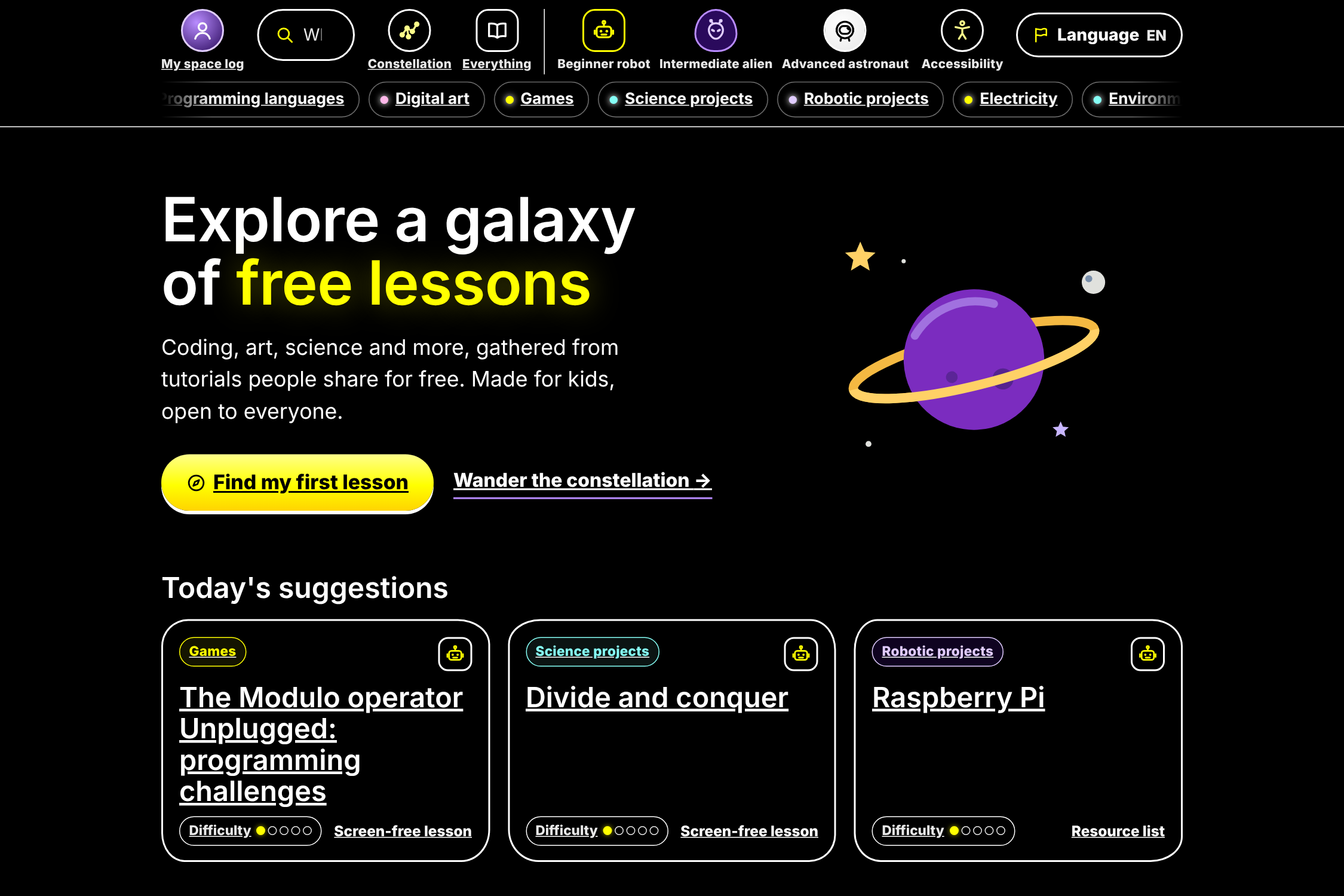
09-high-contrast.png High-contrast mode with larger text for low-vision readers.
-
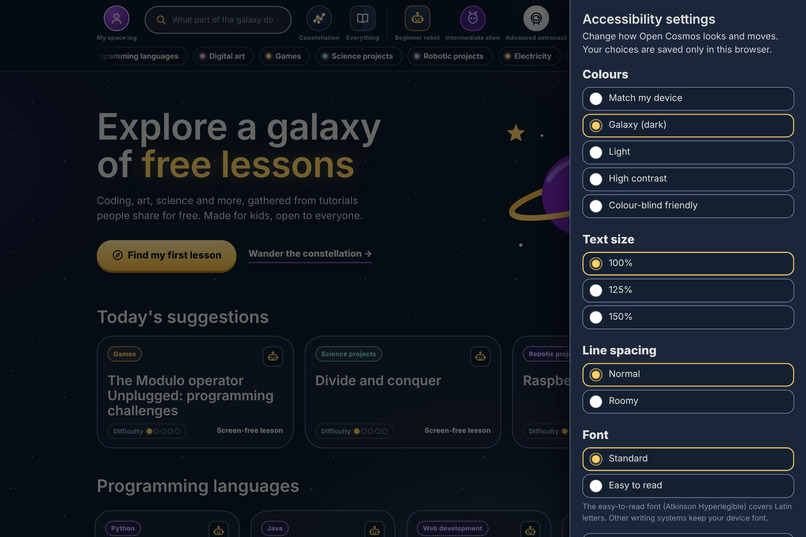
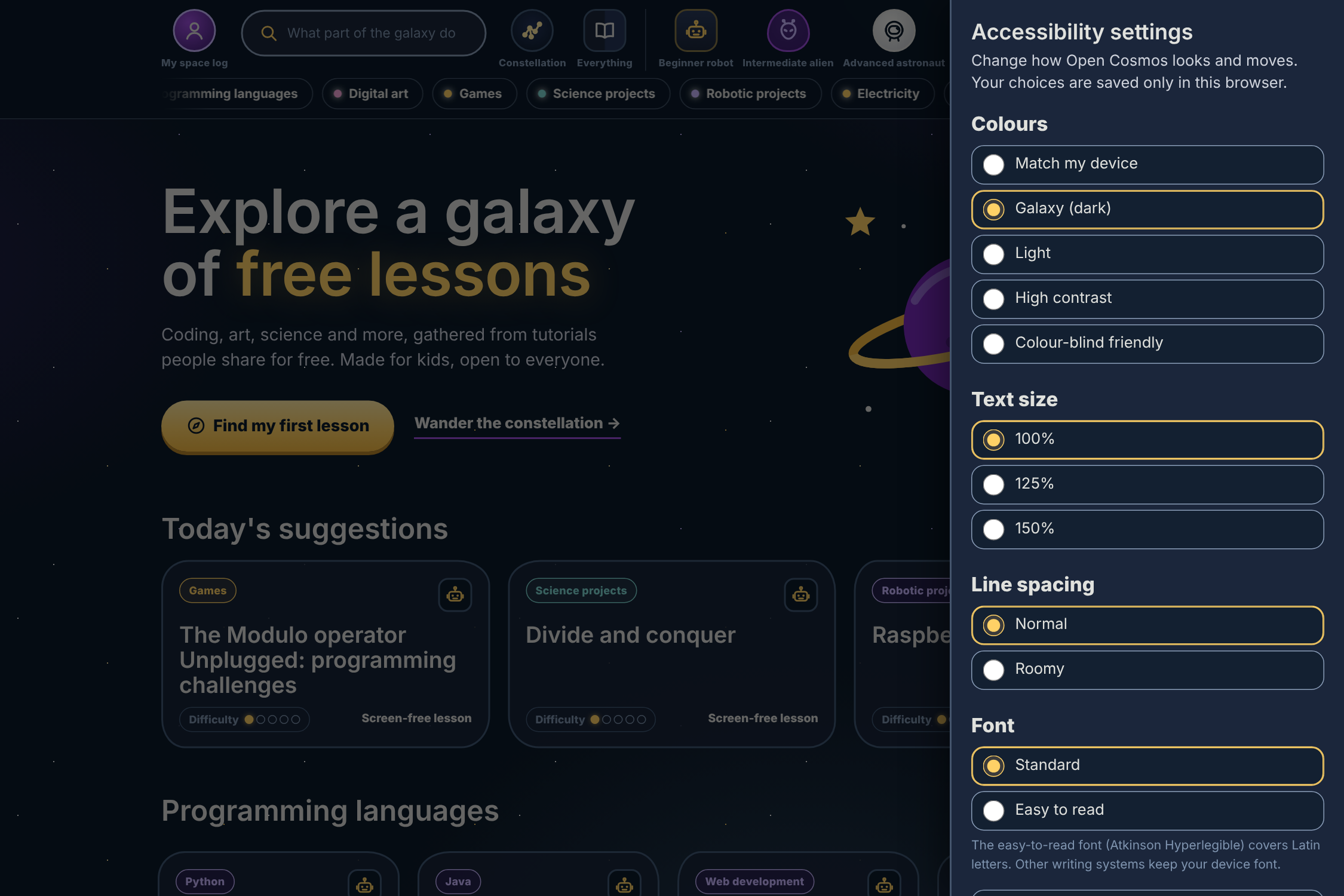
06-accessibility-panel.png Accessibility settings: colour modes, text size, spacing, a dyslexia-friendly font and reduced motion.
-
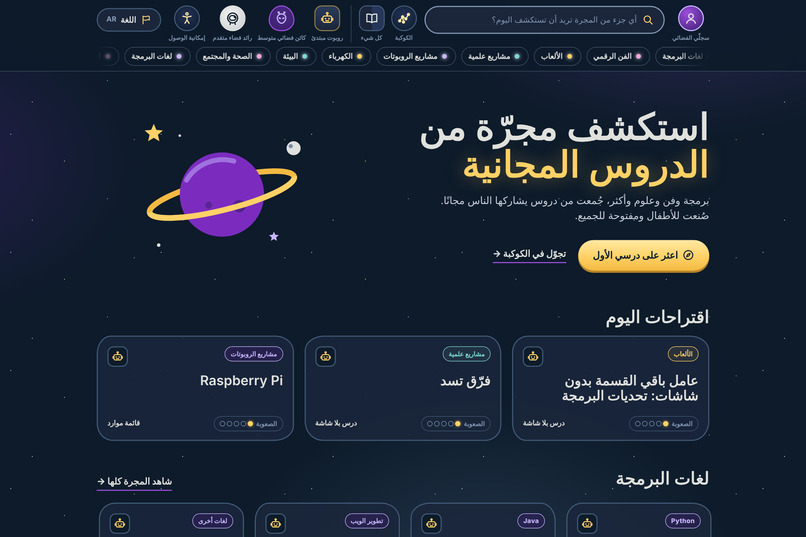
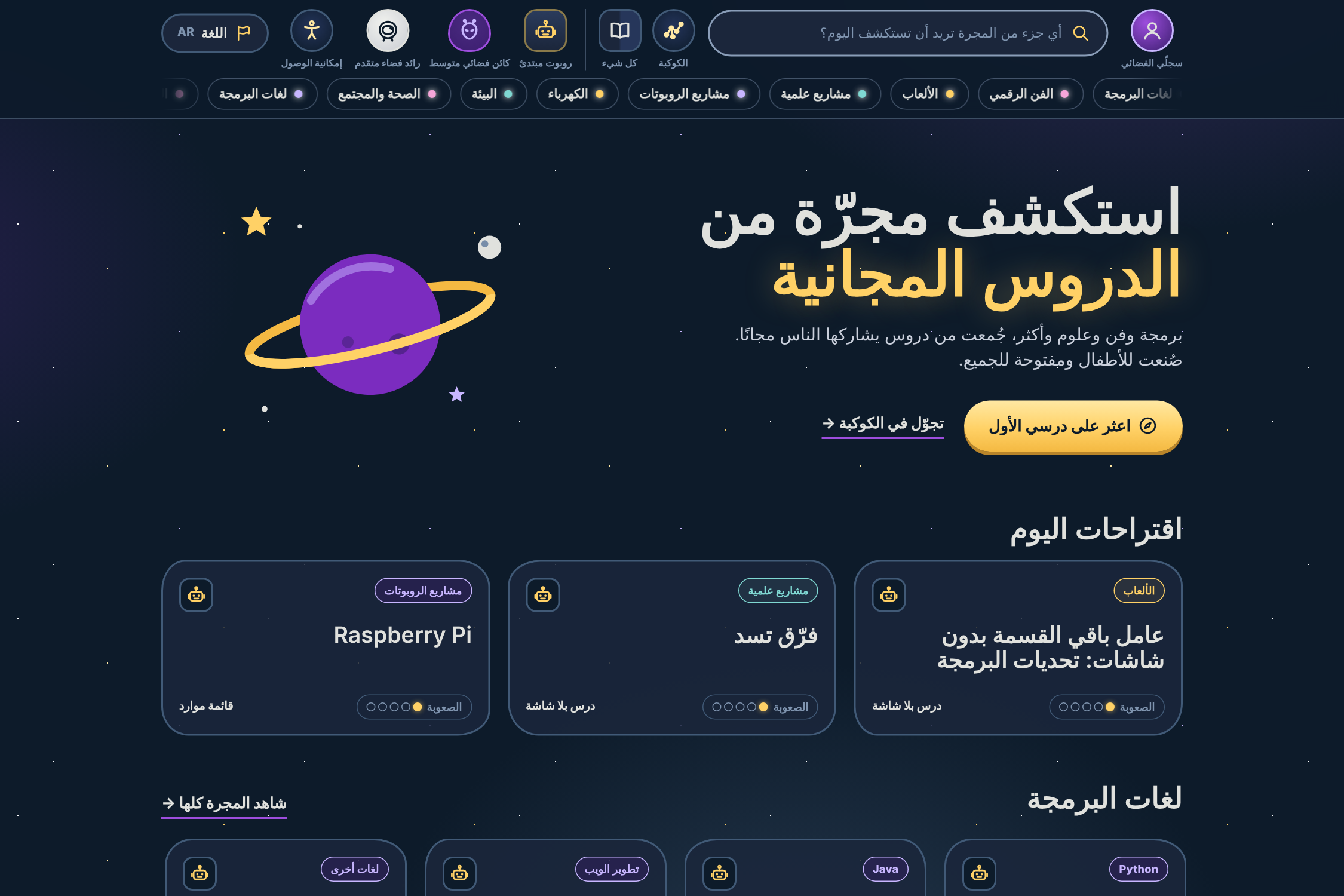
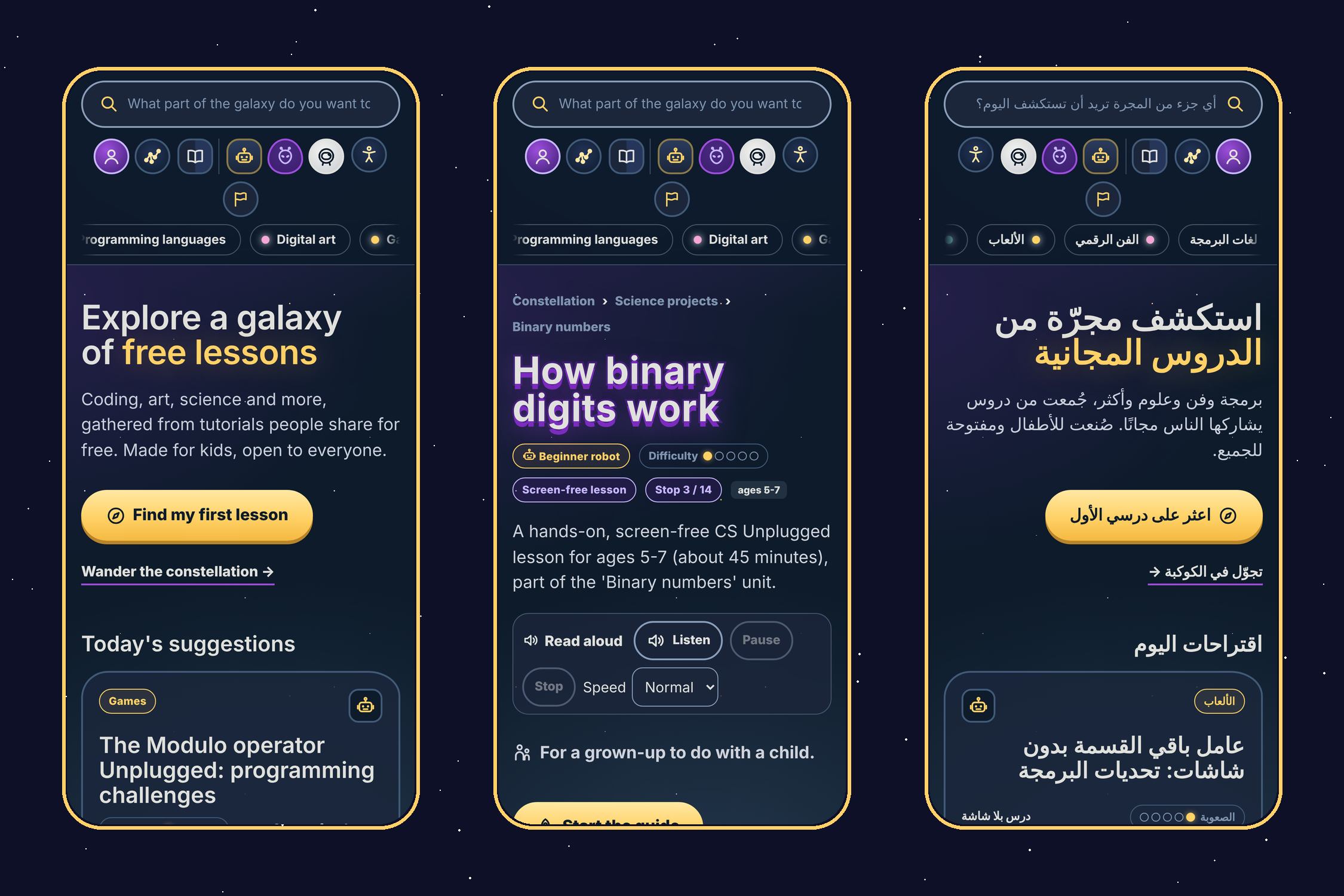
05-arabic-rtl.png Five languages, including right-to-left Arabic. Translations are labeled as AI-generated.
-
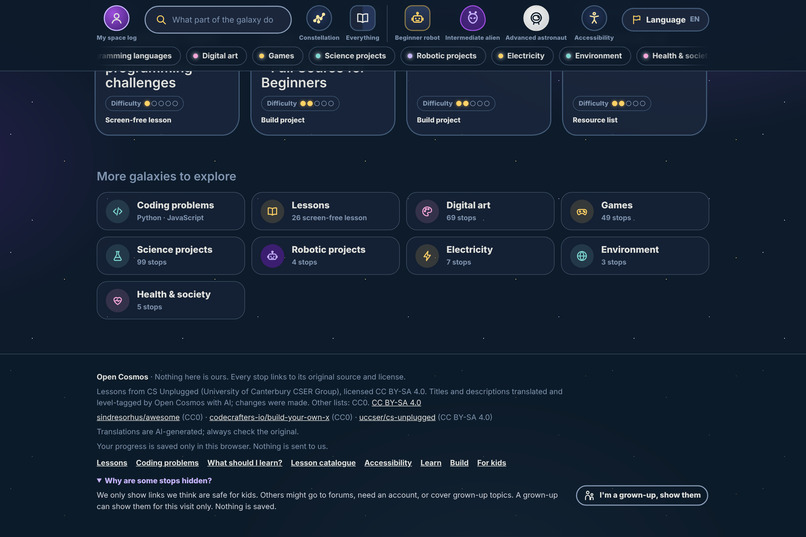
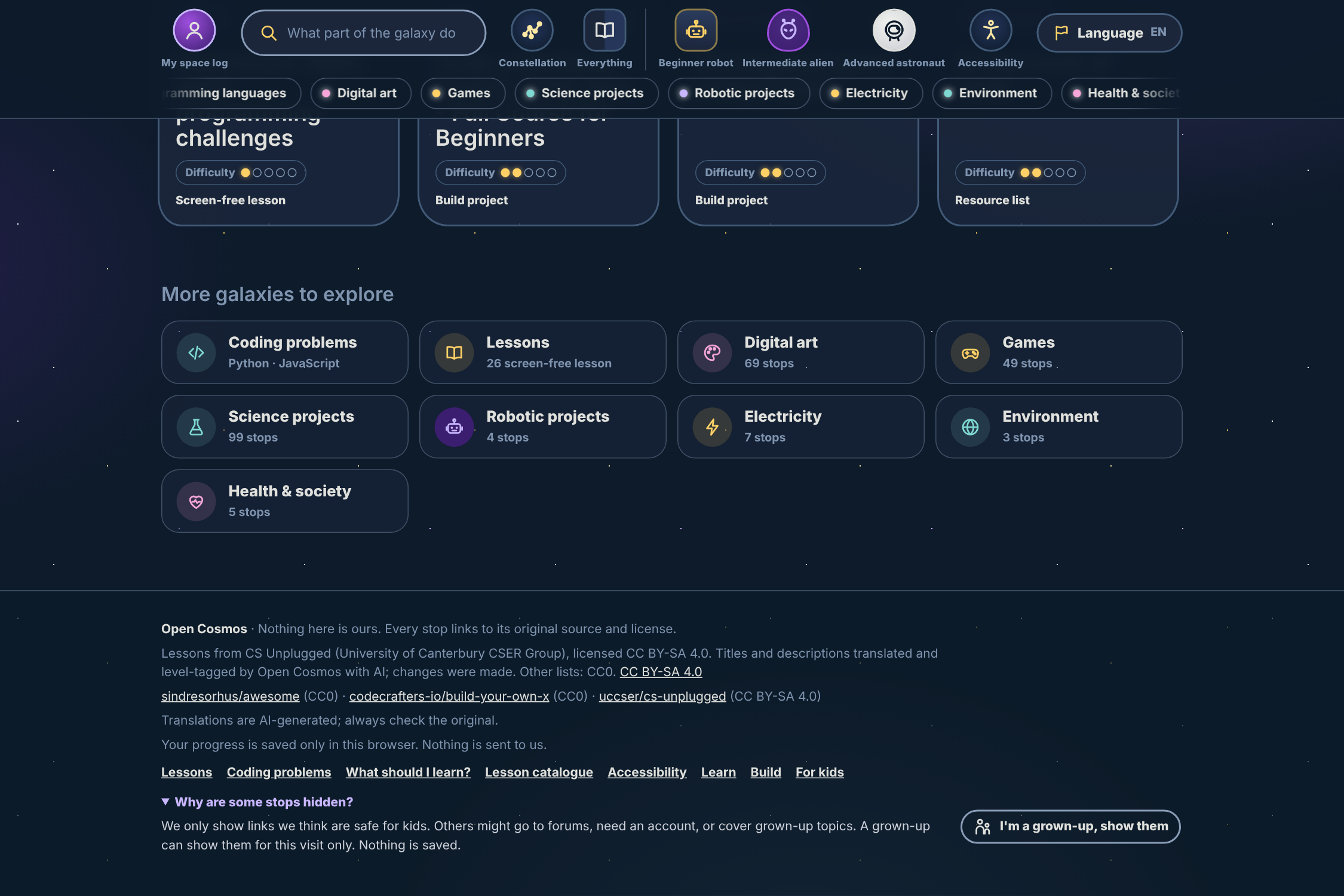
08-grown-up-gate.png Safe by default: risky links stay hidden unless a grown-up turns them on, for that visit only.
-
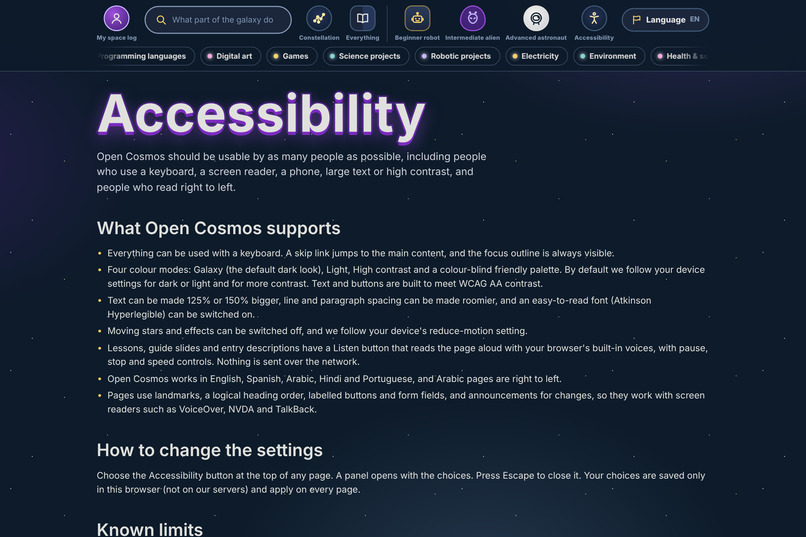
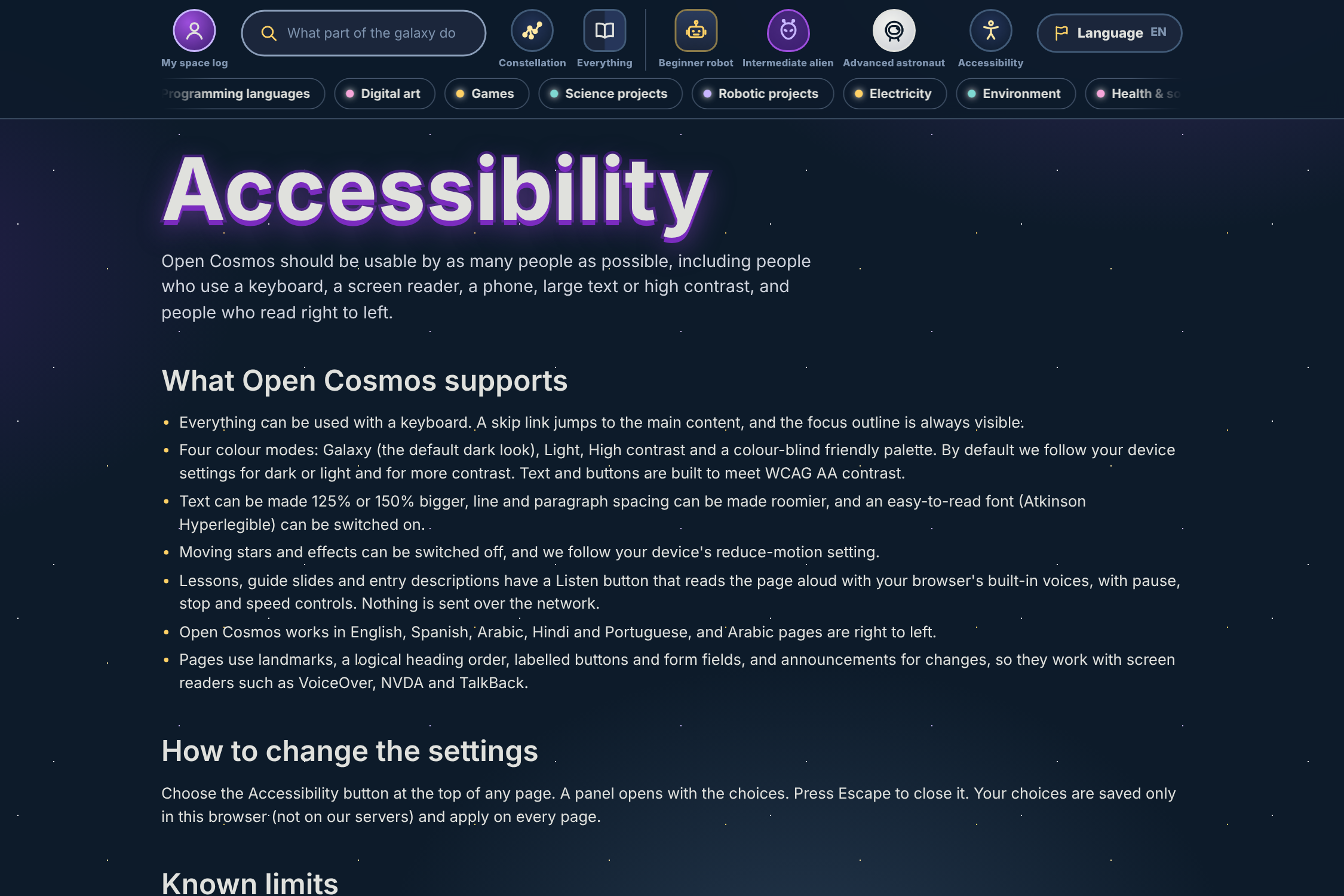
07-accessibility-page.png Our accessibility page explains the features and how we tested them.
-
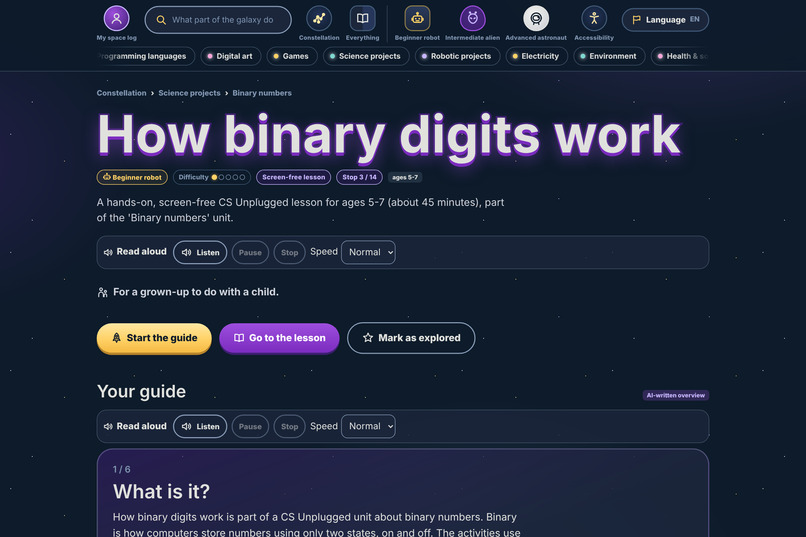
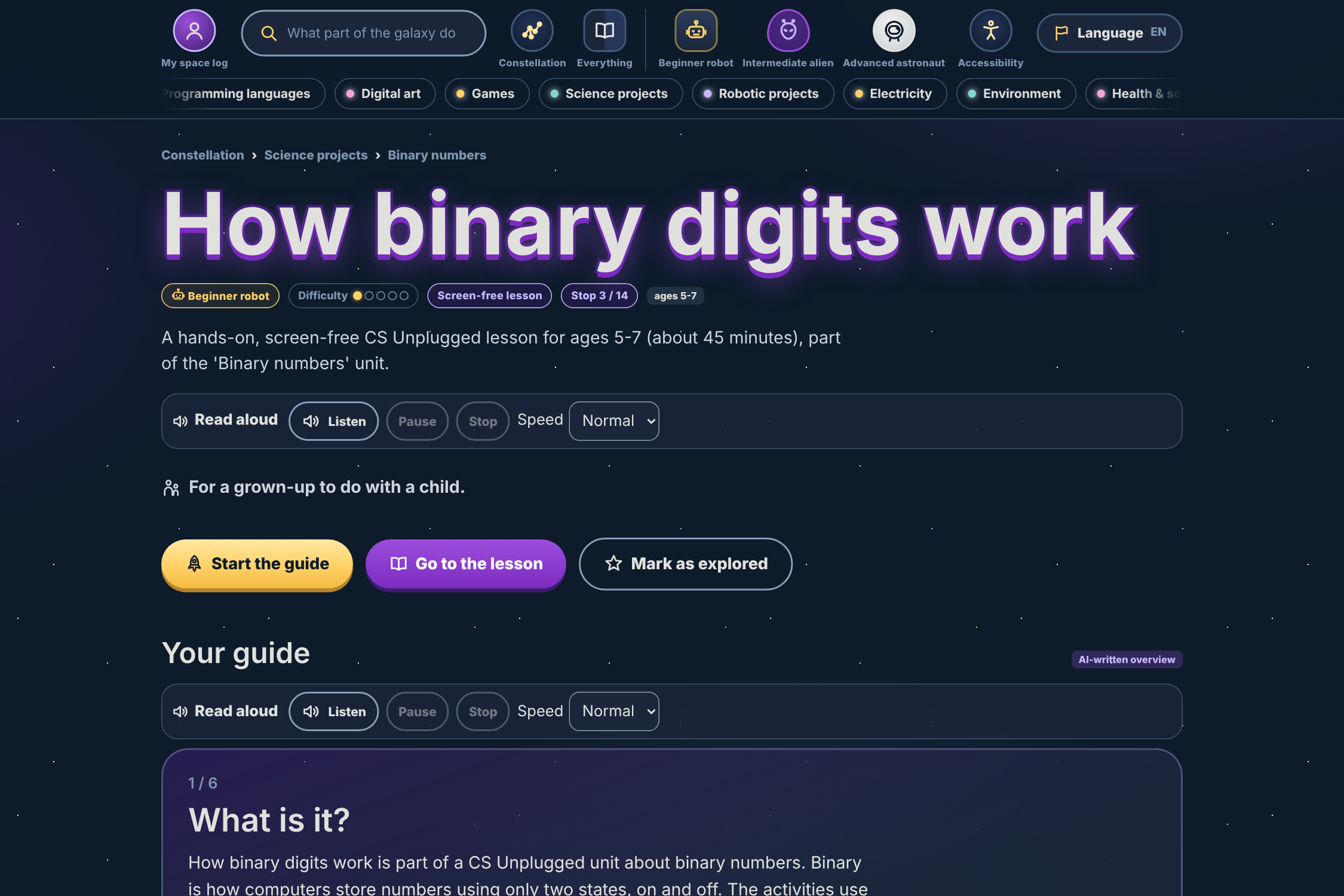
02-lesson.png Every lesson has a step-by-step guide, a read-aloud mode and a link to the original source.
-
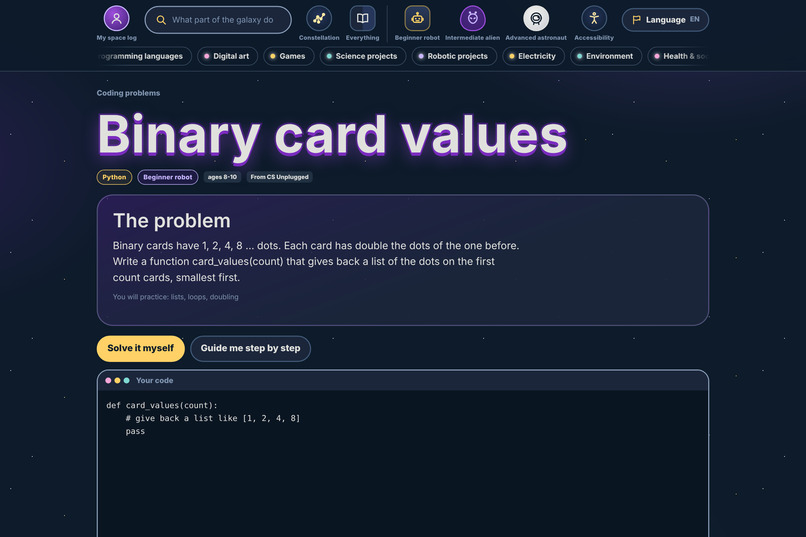
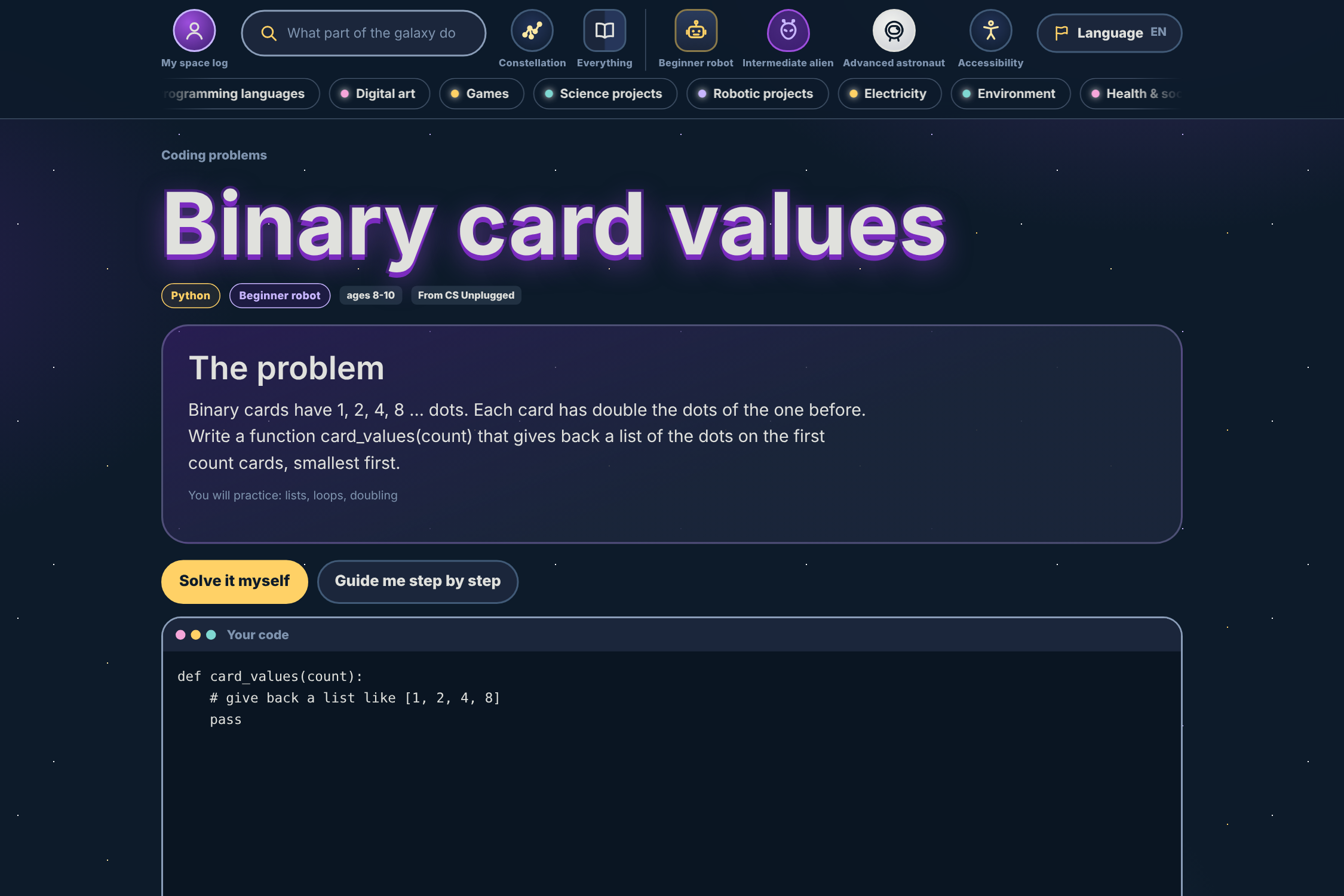
03-coding-problem.png Coding problems to practice Python and JavaScript right in the browser.
-
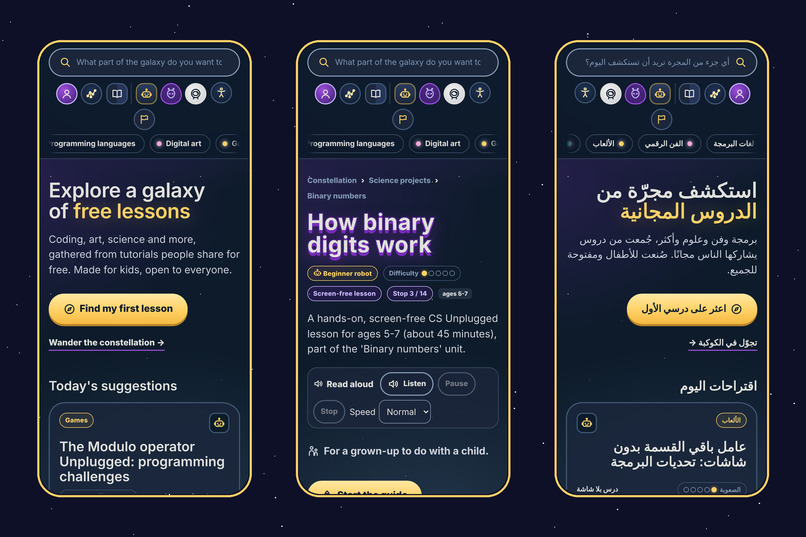
10-mobile.png Works on phones, in English and Arabic, with lessons, guides and read-aloud.
-
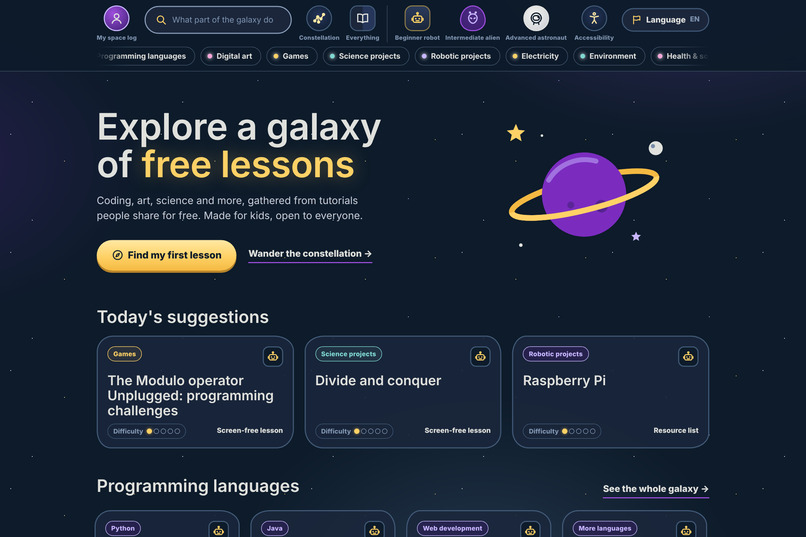
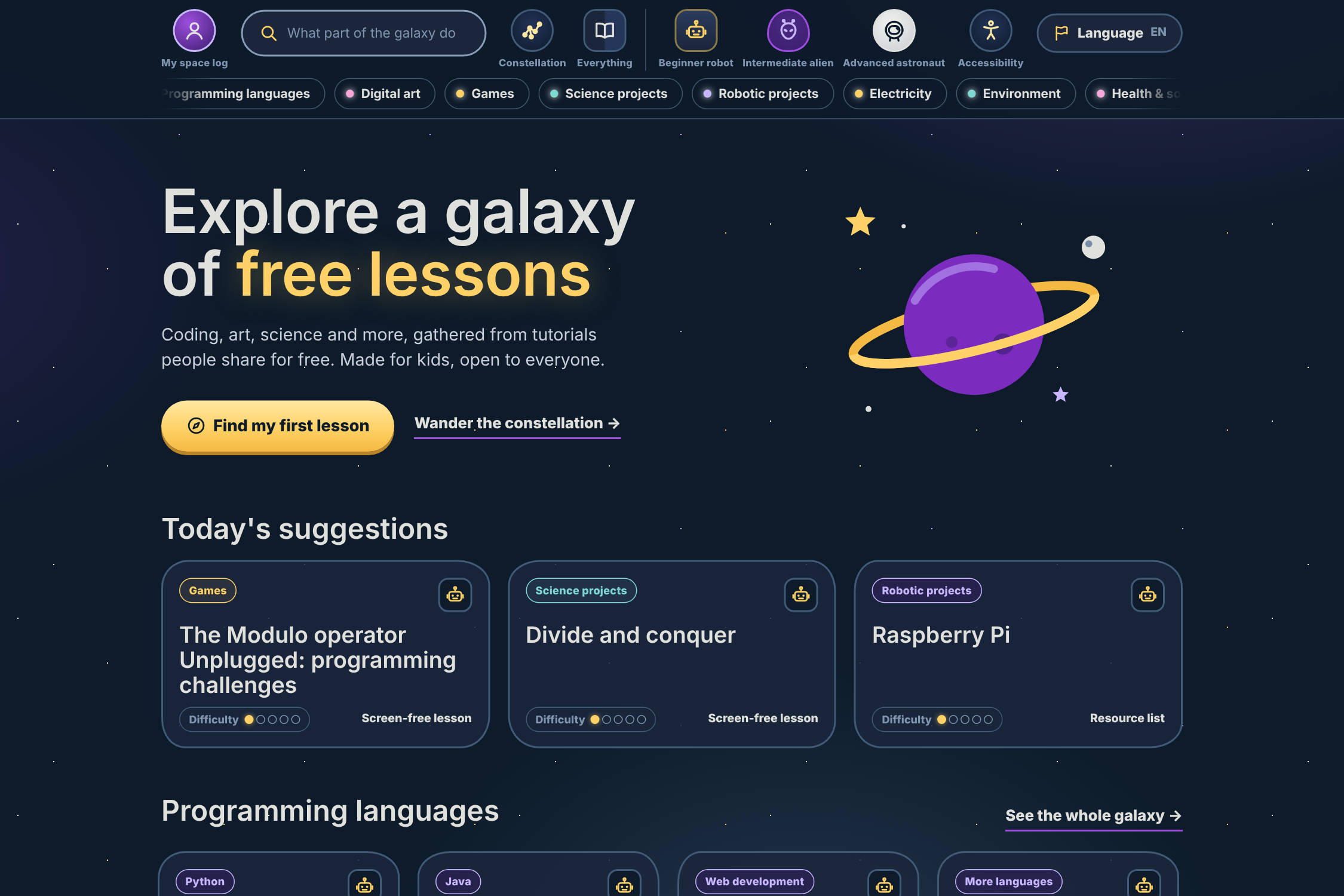
01-home.png Open Cosmos: a free, kid-safe galaxy of open lessons for ages 5-13.
-
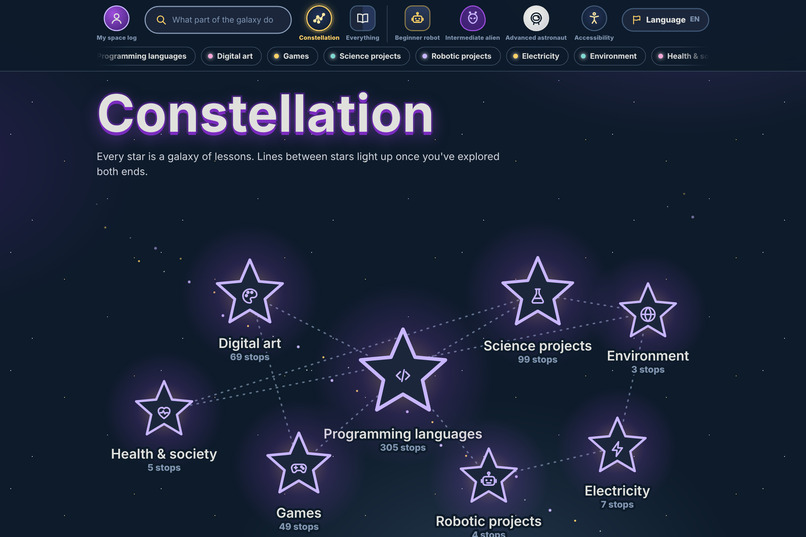
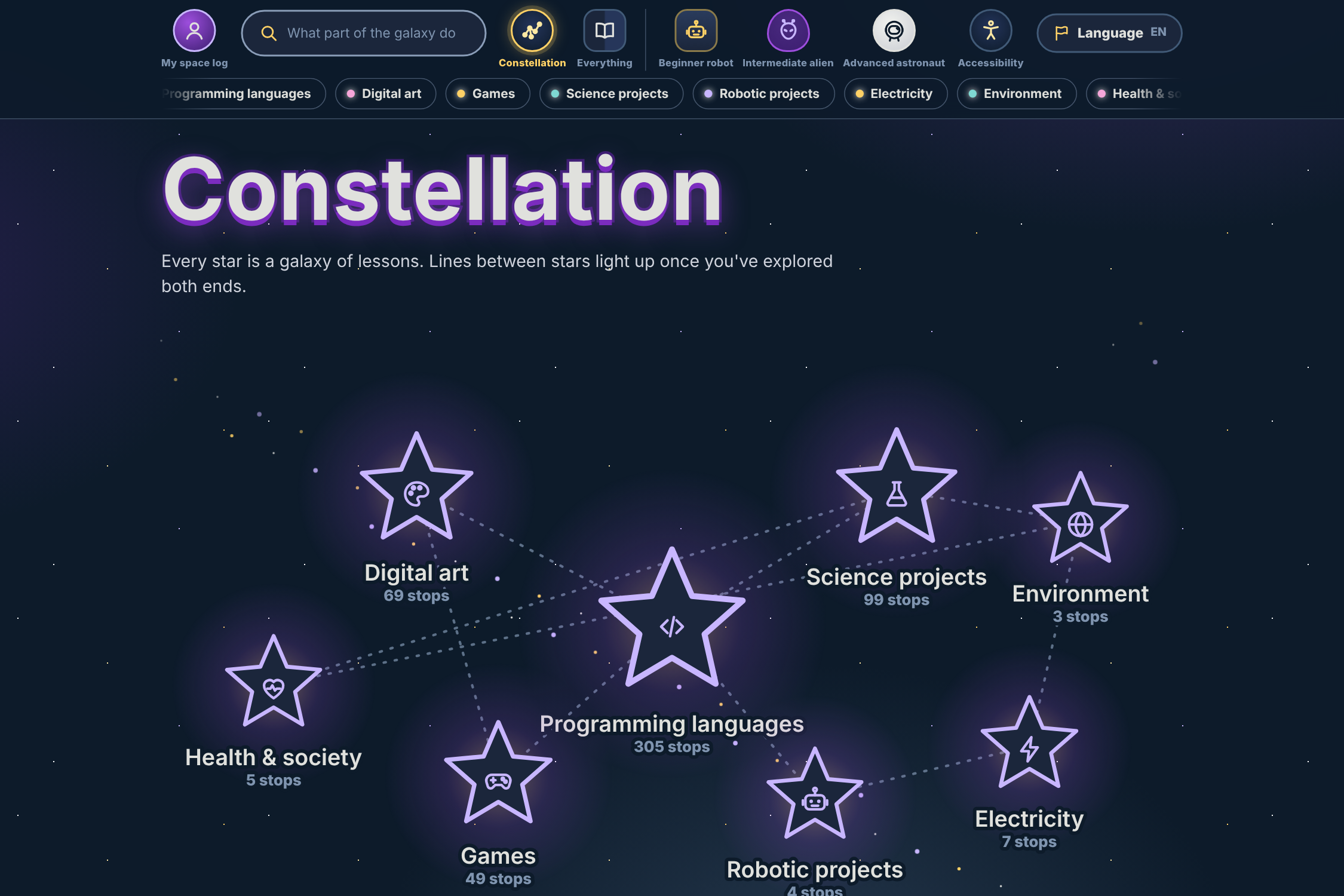
04-constellation.png The constellation: explore topics like art, games, science and robotics.
Inspiration
The internet is full of free ways to learn coding, art, science and robotics. But for a 7-year-old, it's also full of ads, unsafe links, unlabeled adult content, and tutorials written for people who already know the jargon. Children who don't speak English, who have a disability, or whose families can't pay for courses have it hardest.
For the Information Access track, we asked: what if there were a safe front door to all the free learning that already exists? Not another course platform, but a guide that points kids to the best open resources, tells grown-ups honestly what's safe, and works for everyone.
What it does
Open Cosmos is a free, multilingual guide to open learning for ages 5 to 13. Kids "explore a galaxy" of lessons in coding, digital art, games, science, robotics, electricity and more.
- Safety first. Every resource is sorted as kid-safe, ask-a-grown-up or adult-only. Adult-only items are never shown. A session-only "grown-up" toggle unlocks the middle tier. When the system is unsure, it chooses the safer tag.
- Five languages. English, Spanish, Arabic (with right-to-left layout), Hindi and Portuguese. AI-translated text is labeled as such.
- Guided, not just listed. Each topic has a guide with a recommended timeline and a link to the learning site. [26] adapted lessons from CS Unplugged (CC BY-SA 4.0) can be used directly, and coding problems let kids practice.
- No accounts, no tracking. Progress is saved only in the child's own browser.
- Accessible by design. Four colour modes, adjustable text size and spacing, the Atkinson Hyperlegible dyslexia-friendly font, reduced motion, and a read-aloud button. The pages are built to work with the screen reader a child already uses.
How we built it
We split the work four ways: Eren led data, safety and deployment, Brian handled AI and translations, Tobi the backend and Isabella the frontend and pitch.
- Data pipeline. We gathered open resource lists (CC0 and openly licensed sources) and categorized every entry instead of throwing the advanced ones away: age group, topic, level, license, and a safety tier with reasons. A tag can only be tightened by a later pass, never loosened.
- App. Flask and Jinja2, server-rendered, with the catalog stored as static JSON and mirrored in Supabase (Postgres with Row Level Security). If Supabase is unreachable, the app falls back to the bundled JSON, so it keeps working.
- Feedback. A grown-up feedback form writes to a Supabase table that the public key can only insert into, never read.
- Hosting. Deployed on Vercel, with secrets kept in server-side environment variables and a strict Content Security Policy.
- Accessibility testing. Every page in every language, colour mode and text setting ([1,115] page states) was checked with axe-core against WCAG 2.1 AA, with [0] violations at submission, and all four colour modes were checked for contrast. Automated tools catch only some problems, so we also welcome reports from anyone who finds a barrier.
Challenges
- Safety without censorship. Filtering out everything advanced would have made the app useless to teens, so we built tiers and a grown-up gate instead.
- Licensing. CS Unplugged is CC BY-SA 4.0, so adapted lessons and translations must carry attribution and the same license. We built that into the data and a NOTICE file.
- Staying free. We had no paid API budget, so the AI-written guides and translations were generated ahead of time and stored, not generated live.
- Real-world deployment bugs. Supabase tables needed explicit permissions as well as RLS, and our security policy blocked self-hosted fonts until we matched the rules in two places. Some work was nearly lost in a stash, which taught us to commit early and often.
- A 24-hour clock. Four people, one deadline, and a lot of languages.
What we learned
- Categorizing beats filtering when you care about both safety and access.
- A safe default (fail closed) is a design decision, not an afterthought.
- Privacy is easiest when you collect nothing. With no accounts and no tracking, there is almost nothing to leak.
- Accessibility needs real tests, not good intentions, and honest limits.
- Open licenses are a gift, and following them carefully is how we say thank you.
What's next
Add voices and more languages, let teachers and parents suggest resources for review, better the grown-up check and run user tests with real children and families.
Built With
- atkinson-hyperlegible
- axe-core
- claude-code
- cs-unplugged
- css3
- flask
- github
- html5
- i18n
- javascript
- jinja
- localstorage
- playwright
- postgresql
- python
- rest-api
- row-level-security
- supabase
- vercel
- wcag
- web-speech-api
