Inspiration
The inspiration for OnX came from how easy it is to lose focus online. You open one tab to help with a task, then a few clicks later you are on YouTube, Reddit, or another site that has nothing to do with what you were supposed to finish. We wanted to build something that does not just block websites blindly, but actually understands the task you are working on and helps keep your browser aligned with that goal.
What it does
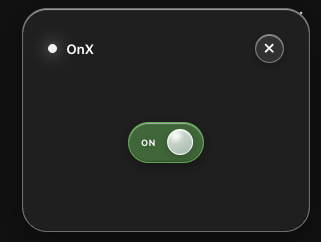
OnX is an AI focus assistant for Chrome. The user turns it on, enters the task they are working on, and OnX watches their active tabs, open websites, time spent, and visible page content. Every few minutes, agents check whether the current tab still matches the user’s task. If a page looks distracting or unrelated, OnX locks the tab with an in page overlay and gives the user a quick reality check to help them get back on task.
How we built it
We built OnX as a Chrome extension with a FastAPI backend and a LangGraph based agent workflow. The extension tracks tab activity, active pages, time spent, and visible content using Chrome extension APIs and content scripts. The backend receives browser context, stores session state, and runs an agent workflow that checks duration, relevance, and page content. GPT 5.6 is used to reason about whether the page supports the user’s current task or is likely a distraction. Codex helped us move faster by generating extension logic, debugging backend routes, refining LangGraph state flow, and improving the tab restriction system.
Challenges we ran into
One of the biggest challenges was designing the right workflow between the extension and the backend. Browser extensions do not work like normal websites because the backend cannot directly call into the extension unless the extension keeps a connection open or checks for commands. We also had to figure out how to track tab state reliably in Manifest V3, where the service worker can shut down when idle. Another challenge was reducing the amount of page text sent to the LLM so the system stayed fast and affordable.
Accomplishments that we're proud of
We are proud that OnX feels like a real product instead of just a demo. The extension can track active tabs, preserve state, collect visible content, send browser context to the backend, and lock distracting pages with a clean overlay. We are also proud of the agent workflow because it does more than block a fixed list of websites. It uses the user’s actual task and browsing behavior to decide whether a page is helpful or distracting.
What we learned
We learned how to build a full Chrome extension workflow using Manifest V3, content scripts, background service workers, and backend communication. We also learned how to structure an agentic workflow with LangGraph, how to separate browser state from agent decisions, and how to optimize LLM calls by sending only relevant snippets instead of entire pages. Most importantly, we learned that building a useful agent is less about one big prompt and more about designing the right system around the model.
What's next for OnX
Next, we want to make OnX more personalized and adaptive. We want users to set focus modes, customize how strict the agent should be, and choose between gentle reminders or hard truth messages. We also want to add better analytics, such as focus streaks, distraction patterns, and weekly summaries. Longer term, OnX could become a full browser focus layer that helps users stay aligned with their goals across school, work, and personal projects.
Built With
- fastapi
- javascript
- langgraph
- mv3
- rrweb
