📌 About the Project
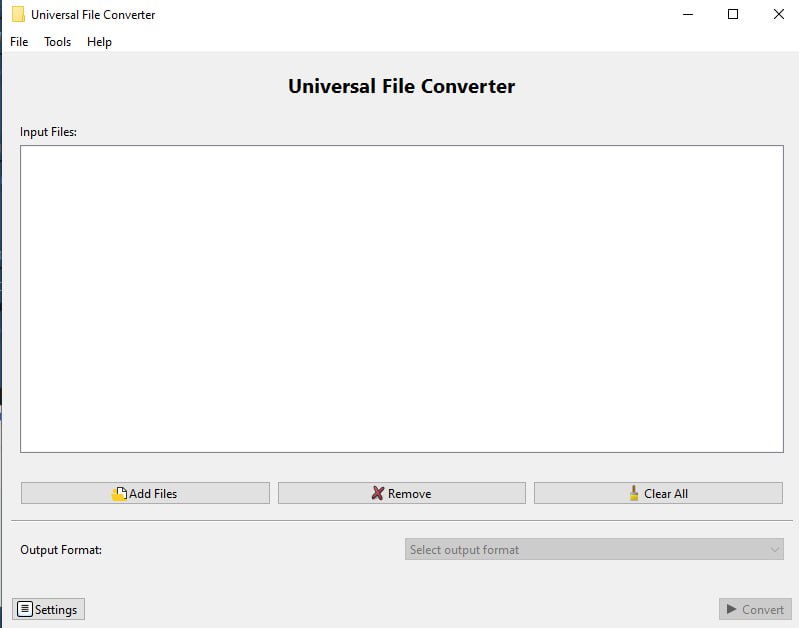
Our project is a multifunctional offline file converter — a desktop application that allows users to convert media files and documents between different formats, encodings, and extensions without requiring an internet connection. The tool supports a wide range of file types, including images, videos, audio files, text documents, and more, offering batch conversion, drag-and-drop interface, and format customization for both casual users and professionals.
The application was built during a hackathon by two developers using AI Bolt.new. Thanks to the tool's ability to generate clean and efficient code structures, we were able to implement the full feature set with no development blockers, allowing us to focus entirely on usability, speed, and offline performance.
💡 What Inspired Us
We were inspired by a recurring problem: people often need to convert files — from .mov to .mp4, .docx to .pdf, .wav to .mp3, or even re-encode text documents in a different character set — but many tools are either online-only, limited in scope, or full of ads and bloat. In situations where internet access is restricted (such as during travel or in sensitive environments), users are left without a reliable solution.
We wanted to create a tool that is:
- Offline-first and fast
- Supports multiple formats and media types
- Designed with a simple and unified interface
- Fully functional even without cloud integration or registration
🛠️ How We Built It
We developed the application during a hackathon, using AI Bolt.new to handle much of the repetitive and structural coding. This allowed us to:
- Scaffold a cross-platform desktop app using Electron
- Implement file type recognition and conversion pipelines
- Generate UI components and error-handling logic quickly
Focus on integration with open-source conversion libraries like FFmpeg, Pandoc, and LibreOffice CLI tools
Key Features:
Offline support for full file conversion
Image, video, audio, document, and text encoding support
Custom encoding and compression settings
Batch conversion with drag-and-drop interface
Simple UI with format suggestions and preview options
🤖 Development Experience
Using AI Bolt.new significantly improved our productivity. We didn’t face any bugs or architectural problems thanks to:
- Rapid component generation
- Smart code suggestions for file system operations and encoding logic
- Auto-generated logic flows for progress handling and error reporting
This allowed us to build a robust MVP in record time while maintaining high-quality code and a clean UX.
🧠 What We Learned
Through this project, we learned how to:
- Efficiently integrate various CLI tools for different media and document types
- Handle asynchronous operations and batch processes in desktop apps
- Design UI/UX for highly technical operations in a beginner-friendly way
- Use AI-powered tools not just for speed, but for maintainable and readable code
We also gained a deeper understanding of file structure intricacies, encoding mismatches, and the need for versatility in cross-format workflows.
🎯 Why This Project Matters
The need to convert files is universal, but most existing solutions:
- Depend on the internet
- Are cluttered with ads or locked behind paywalls
- Focus on just one type of file (audio, document, or image)
Our offline converter solves this by being:
- Reliable anywhere, anytime
- Multifunctional — all-in-one for media, text, and docs
- Efficient and intuitive, with no tracking, no upload limits, and full user control
It’s a tool built for students, professionals, travelers, and anyone who values freedom, privacy, and speed — without compromise.


Log in or sign up for Devpost to join the conversation.