-
-
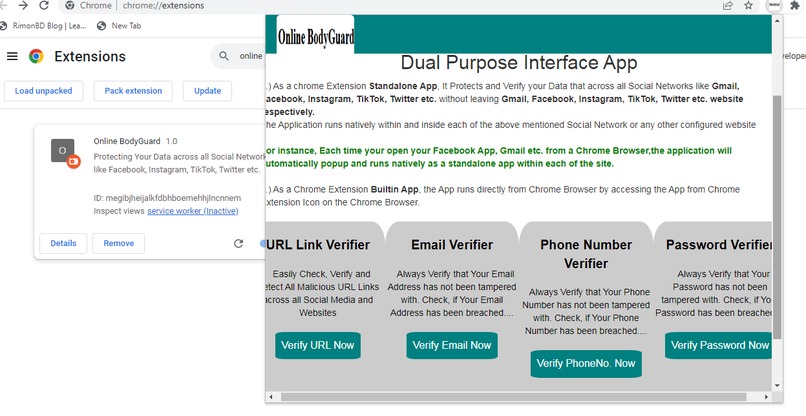
Application Builtin Dashboard
-
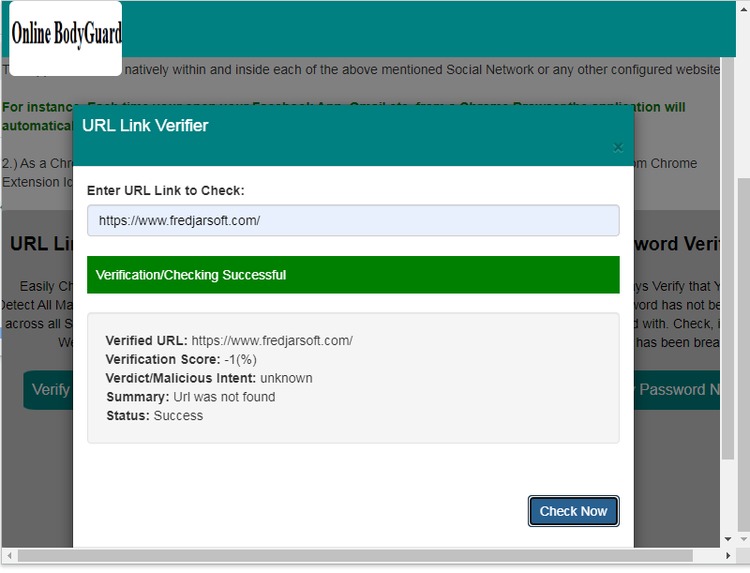
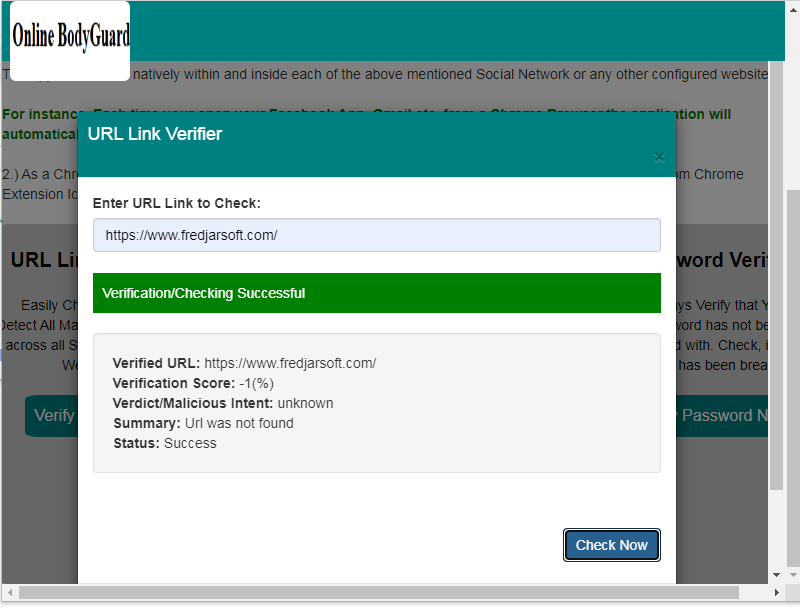
Url Link Verifier
-
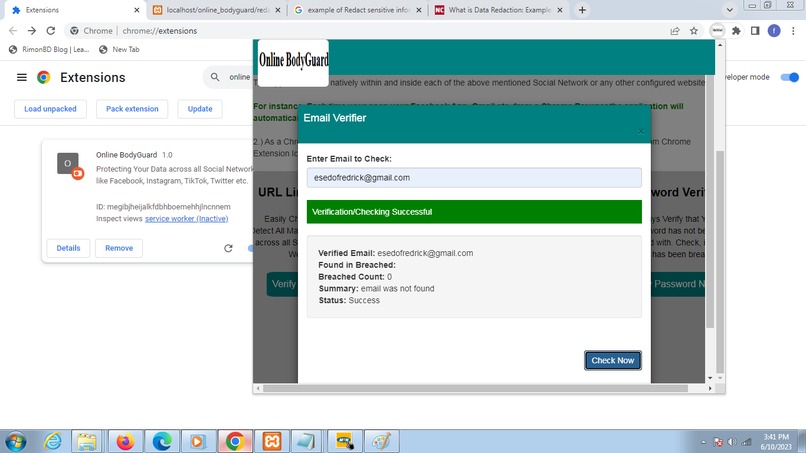
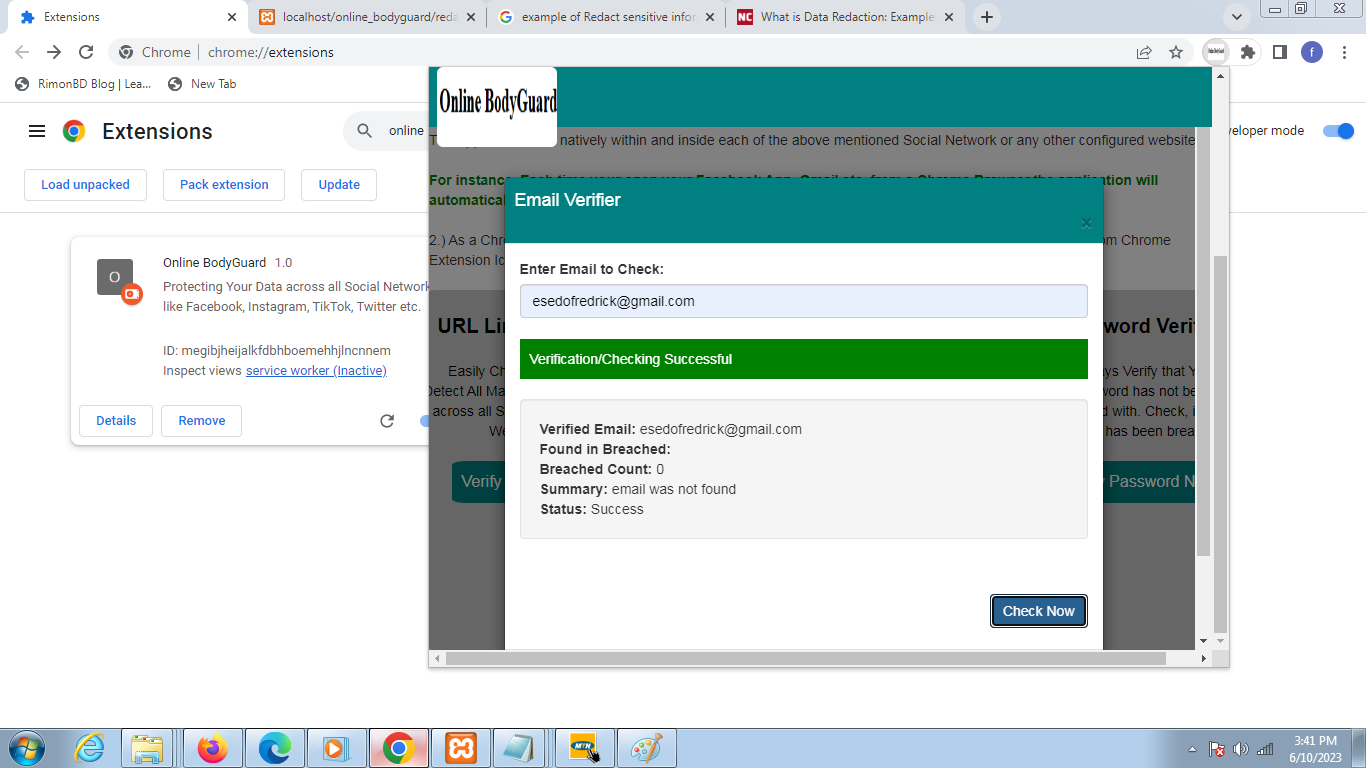
Email Address Verifier
-
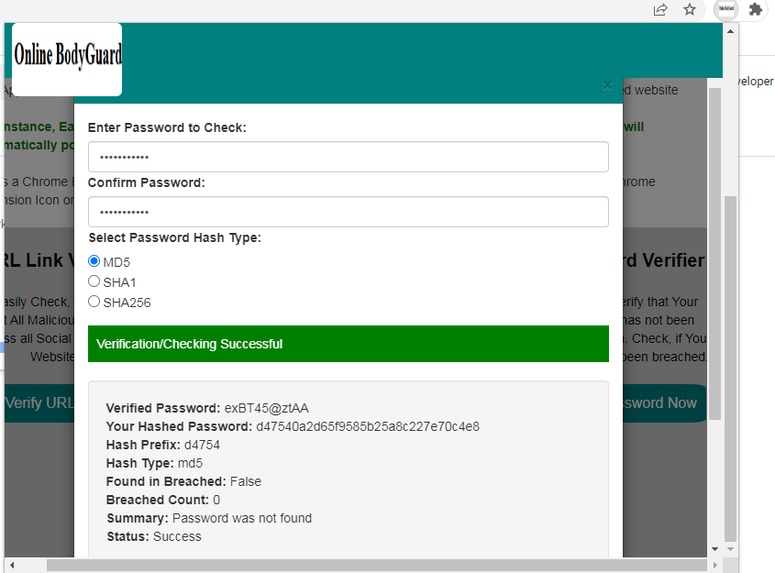
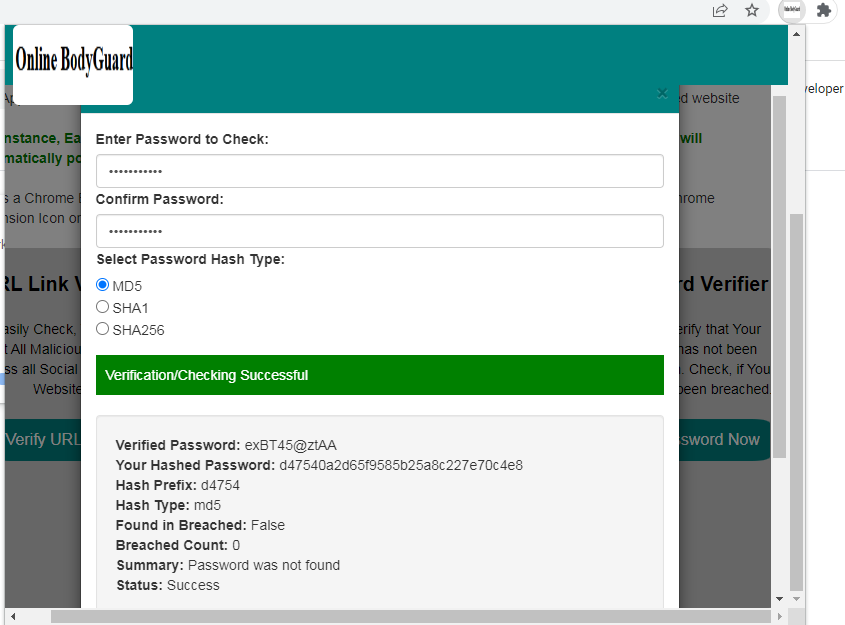
password Verifier
-
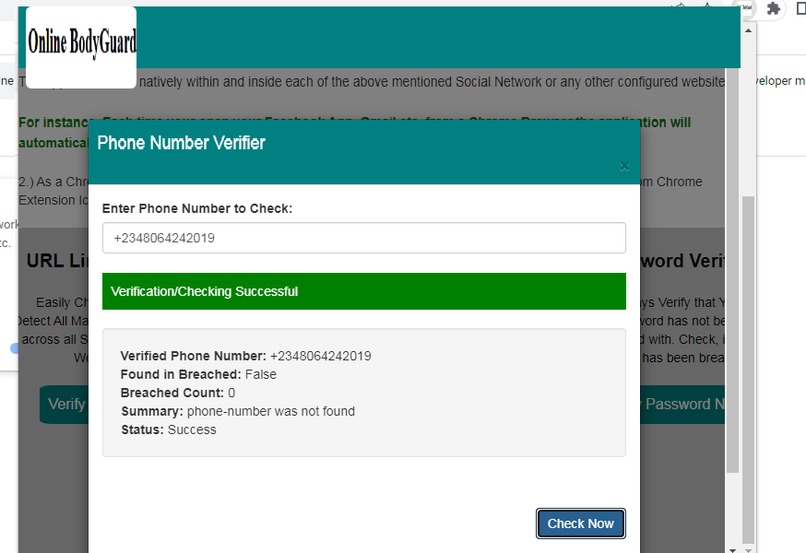
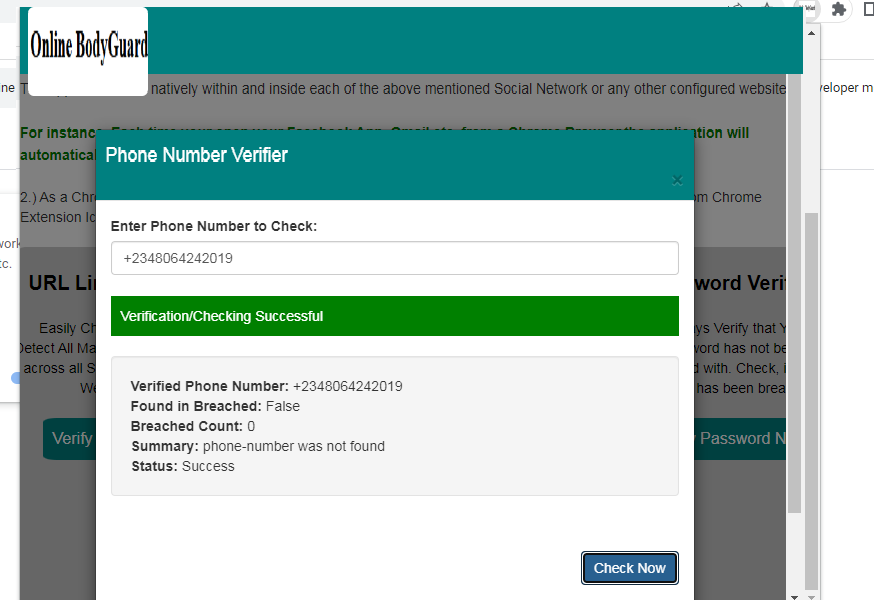
Phone Number Verifier
-
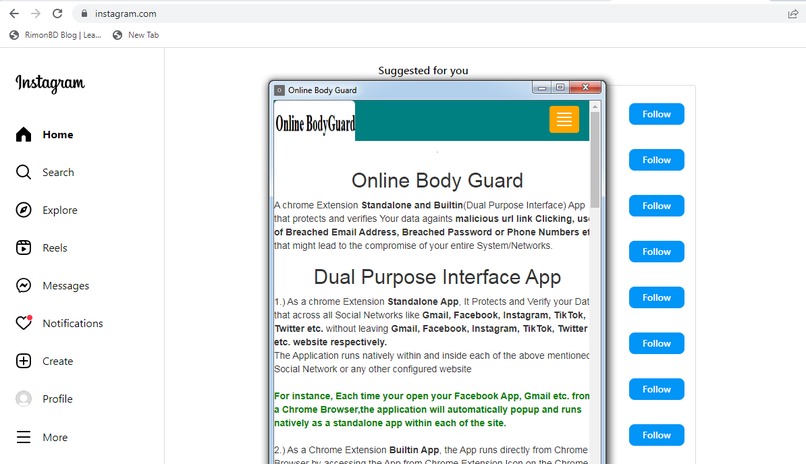
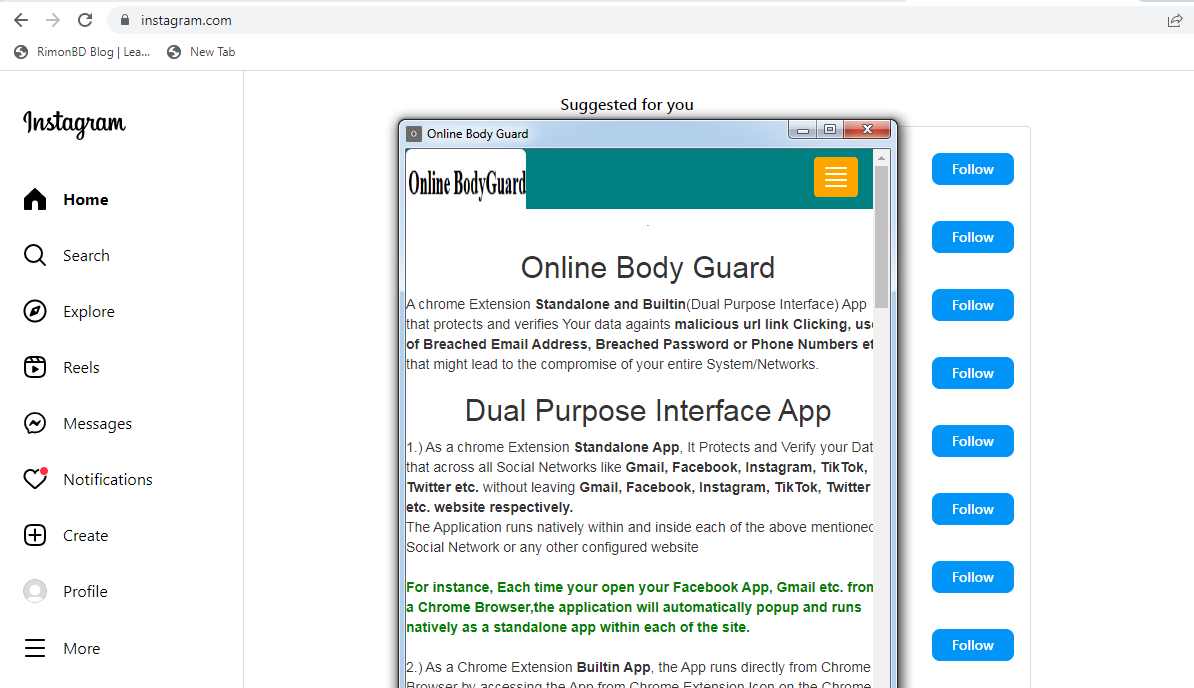
Application running natively as a standalone chrome extension app inside Instagram
-
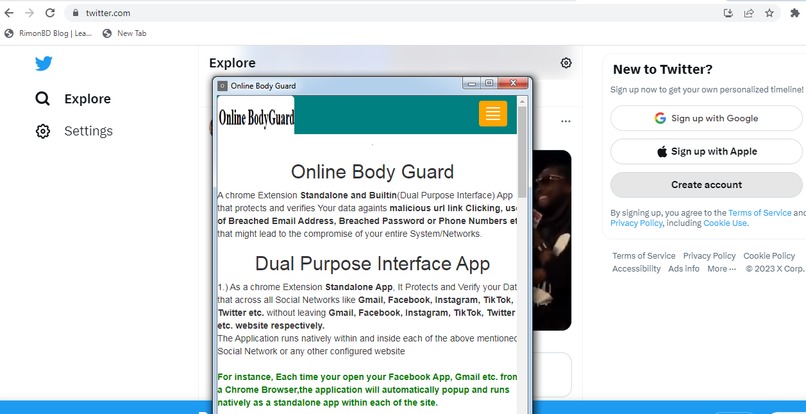
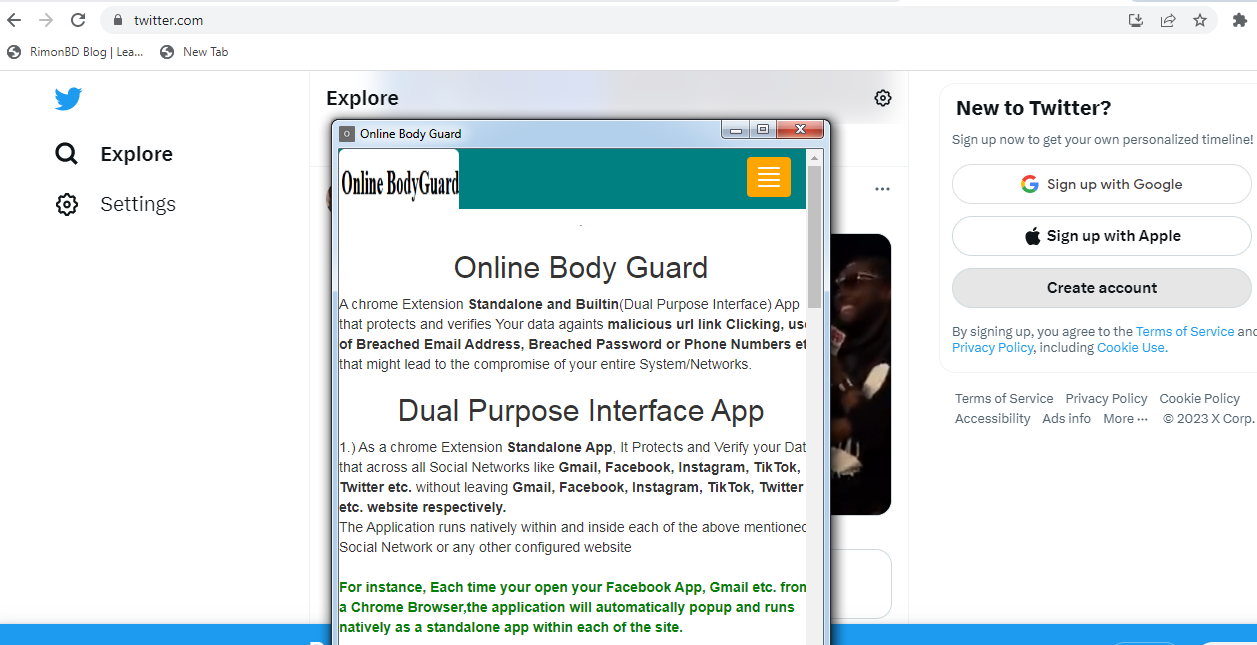
Application running natively as a standalone chrome extension app inside Twitter
Inspiration
One of the easiest Way Hackers get into Your System is by sending you a Malicious or fake Url Links Eg on Facebook, Gmail, Twitter, Tik Tok or about any other Web application asking you to Click it and When You Do Click the link,
You might be redirected to a malicious site where your Login Data, Phone Numbers, Email Address, Passwords, Credit Card info etc. might be stolen.
To be on a safe side, You will need to verify if the link is safe to Click or Malicious.
Again Most Users easily get hacked not knowing that their Phone Numbers, Login Email Address and Password has been compromised/Breached.
I Develop this Chrome Extension app as an Online Body Guard that protects and verifies Your data against malicious url link Clicking, use of Breached Email Address, Breached Password or Phone Numbers etc. that might lead to the compromise of your entire System/Networks.
What it does
A chrome Extension Standalone and Builtin(Dual Purpose Interface) App that protects and verifies Your data against malicious url link Clicking, use of Breached Email Address, Breached Password or Phone Numbers etc. that might lead to the compromise of your entire System/Networks.
The App has 4 major Components
1.)Url Verifier: This components Verifies/check if the supplied URL Link is Safe, Suspicious or Malicious
2.) Email Address Verifier: This components Verifies/check if the supplied Email Address is still Safe or it has been breached/compromised.
3.) Phone Number Verifier: This components Verifies/check if the supplied Phone Number is still Safe or it has been breached/compromised.
4.) Password Verifier: This components Verifies/check if the supplied Password Text is still Safe or it has been breached/compromised.
To use this Password Verifier, the user has to enter his/her plain text password and then select hash type(MD5, SHA1, SHA256). Based on the selected hash type, the application leverages php builtin hash functions Eg. MD5(Plain Text Password), SHA1(), SHA256() respectively to first hash the plain text password. The resultant Hashed Password and the 5 First Character hash_Prefix is then passed to the Password Verifier to check for compromised/breaches.
Dual Purpose Interface App
1.) As a chrome Extension Standalone App, It Protects and Verify your Data that across all Social Networks like Gmail, Facebook, Instagram, TikTok, Twitter etc. without leaving Gmail, Facebook, Instagram, TikTok, Twitter etc. website respectively.
The Application runs natively within and inside each of the above mentioned Social Network or any other configured website via Apps Chrome background.js file.
For instance, Each time your open your Facebook App, Gmail etc. from a Chrome Browser,the application will automatically popup and runs natively as a standalone app within each of the site.
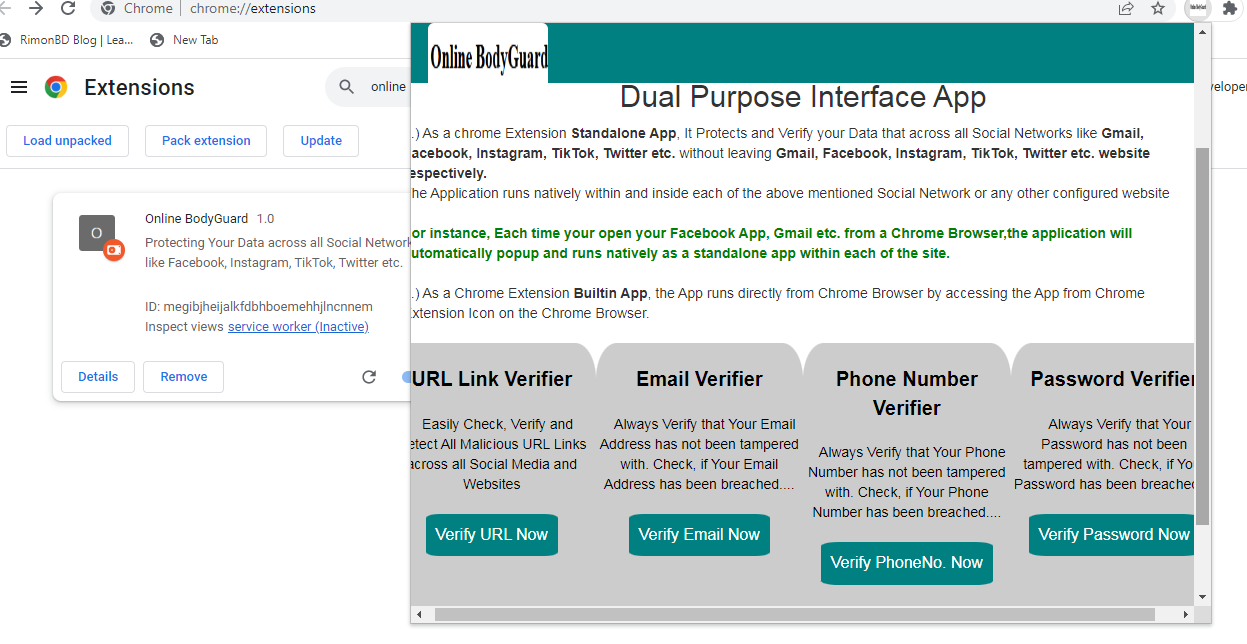
2.) As a Chrome Extension Builtin App, the App runs directly from Chrome Browser by accessing the App from Chrome Extension Icon on the Chrome Browser.
How to Install the App
Please visit our code at github. Access readme.txt files for installation updates
How to use the application.
Its a Chrome Extension App with Dual Purpose Interface. Technically once the App is installed and ready,
1.) As Chrome ExtensionBuilt-In App, User can initiate the app by clicking Chrome Extension Icon on the Chrome Browser and then select the app Online Body Guard
2.) As Chrome ExtensionStandalone App, Each time your open your Facebook, Gmail Instagram, Twitter App etc. from a Chrome Browser,the application will automatically popup and runs natively as a standalone app within each of the above listed site based on the Chrome App background.js file url configurations
chrome.webNavigation.onCompleted.addListener(
  async () => {
await chrome.windows.create({
    url: chrome.runtime.getURL('index.html'),
    width: 500,
    height: 600,
    type: 'popup'
  });

  },
  { url: [
    { urlMatches: 'https://www.gmail.com/' },
{ urlMatches: 'https://mail.google.com/*' },
{ urlMatches: 'https://web.facebook.com/' },
{ urlMatches: 'https://www.instagram.com/' },
{ urlMatches: 'https://twitter.com/' },
{ urlMatches: 'https://www.tiktok.com/*' },
  ] },
);
For instance, url https://twitter.com/ tells the Chrome Apps to run natively as a standalone app on that site each time the Url is accessed. To make the Chrome run natively on all twitter url, you should add asterisk to the url something like https://twitter.com/*.
You can try More URL Matching based on the Link where you want the Chrome to popup/run.
How we built it
I Built with Chrome Extension, Curl, Php, Jquery/Ajax, Bootstraps leveraging Pangea URL INTEL and USER INTEL API respectively
1.) Verification/Checking of URL Links for Malicious/Suspicious Intent leverages Pangea Url Intel API.
https://pangea.cloud/docs/api/url-intel#reputation
2.) Verification/Checking of Users Email Address, Phone Numbers, Password for data Breaches/compromise leverages Pangea User Intel API.
https://pangea.cloud/docs/api/user-intel#look-up-breached-users
https://pangea.cloud/docs/api/user-intel#look-up-breached-passwords
Open Source
MIT Licensed
https://opensource.org/license/mit/
What's next for Online Body Guard
Built With
- pangea-api
- php

Log in or sign up for Devpost to join the conversation.