-
-
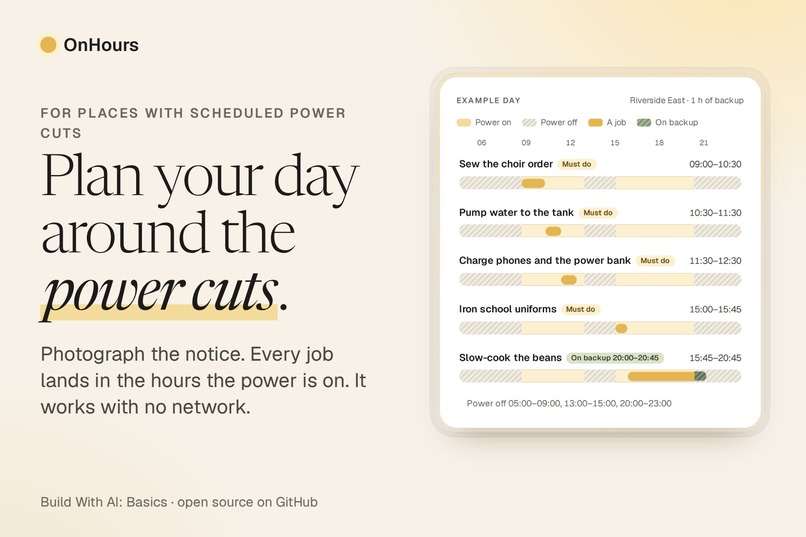
OnHours: photograph your power-cut notice and get a day plan that fits every job into the hours the power is on.
-
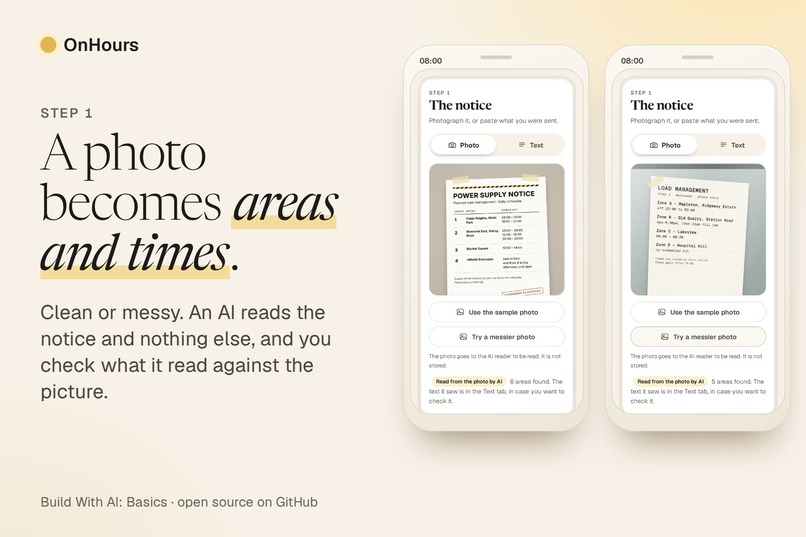
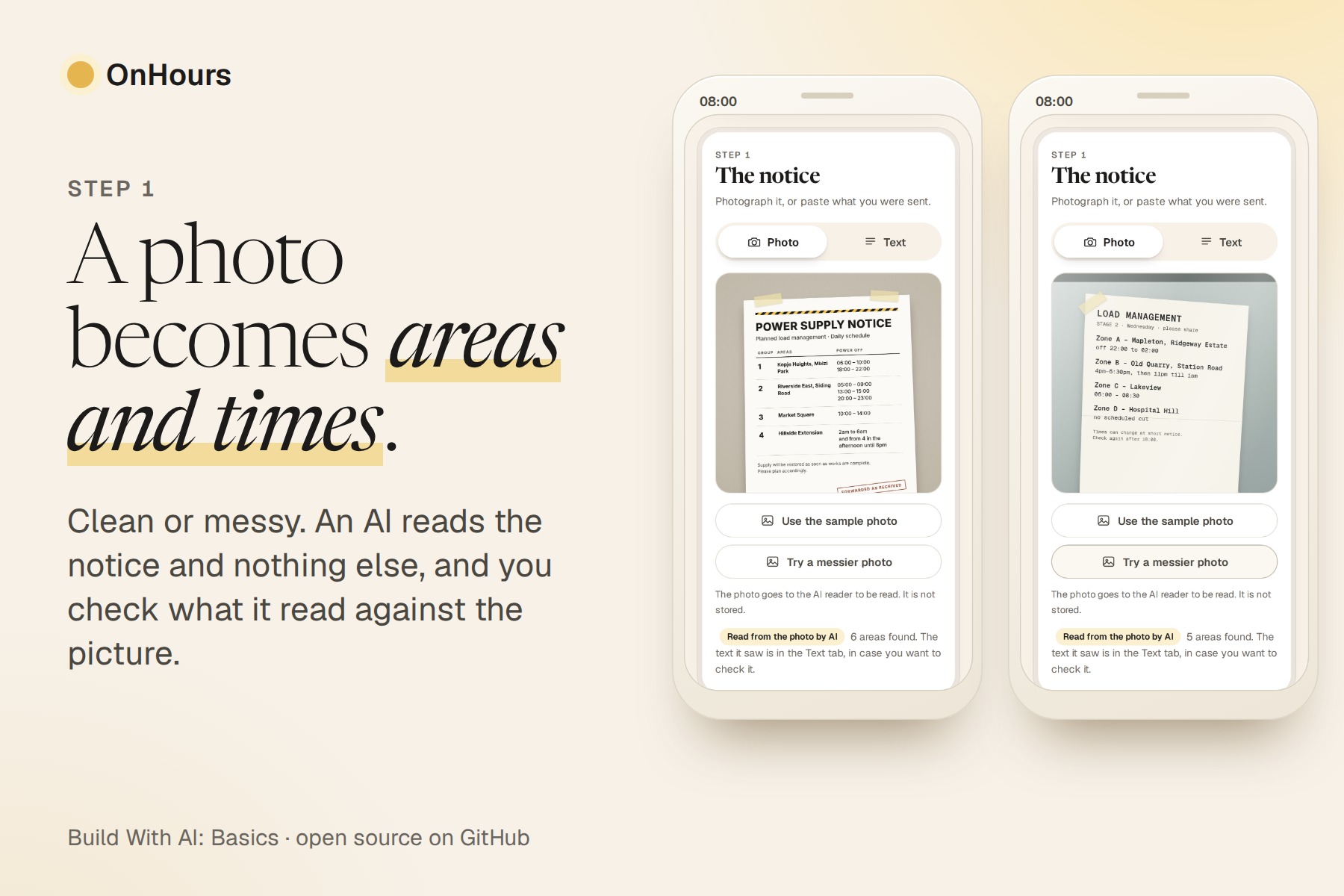
A clean photo and a messy one of a notice, both read by an AI model: every area and its outage times.
-
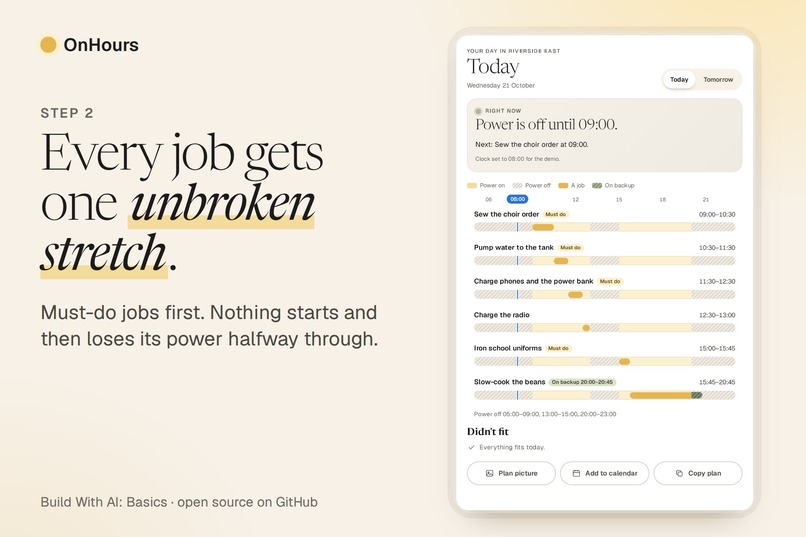
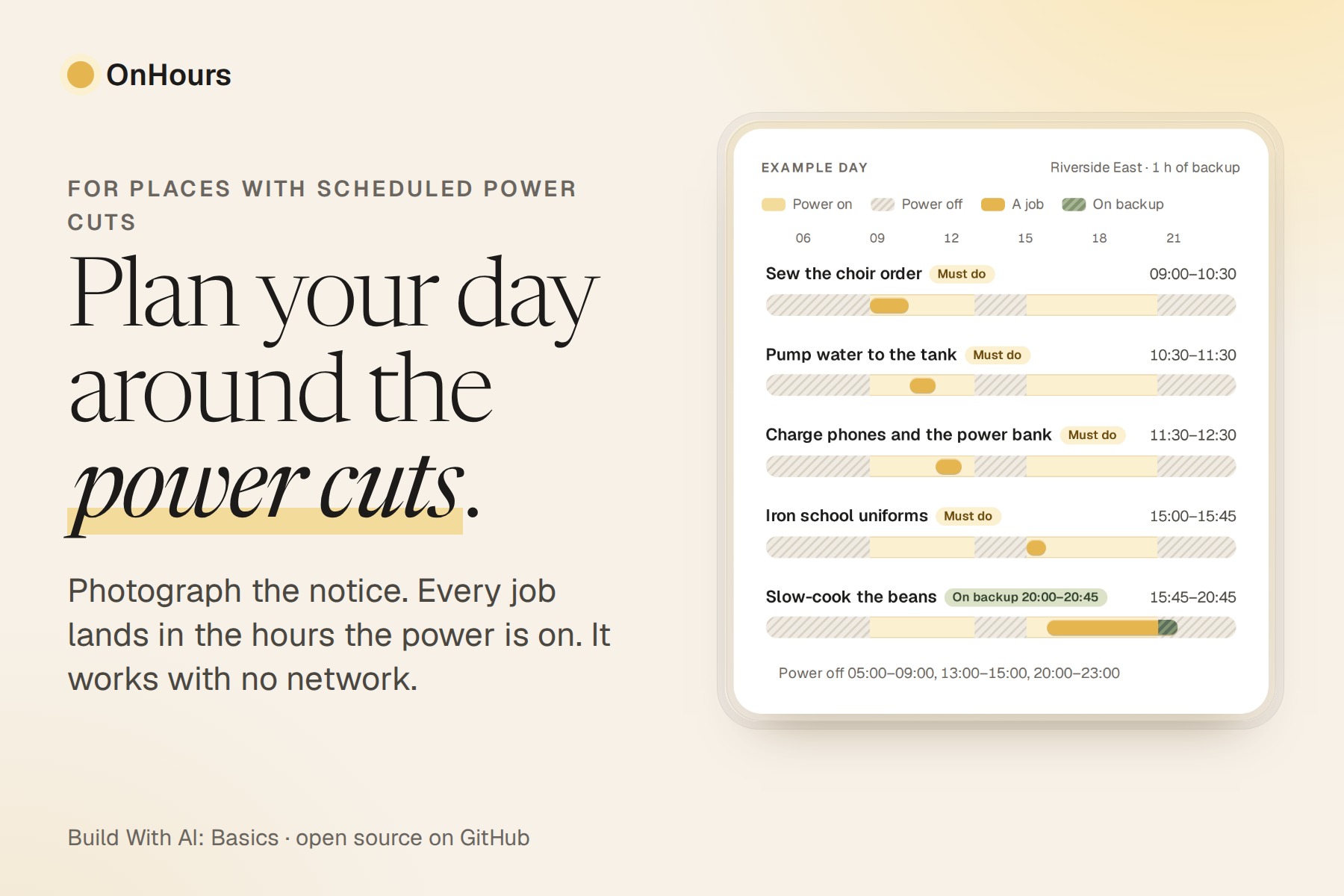
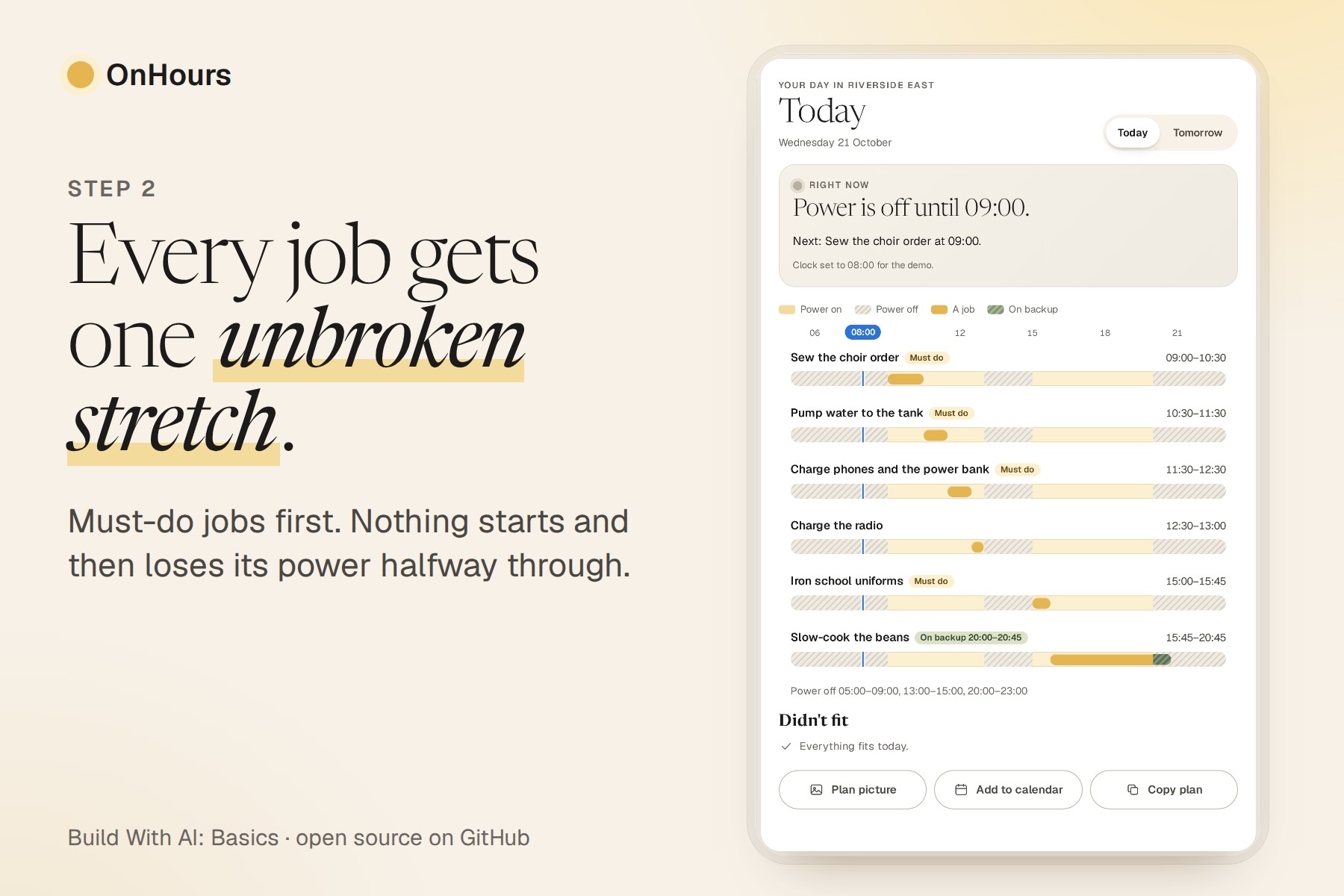
Every job gets one unbroken stretch of power, must-do jobs first, with a Right now card for the moment.
-
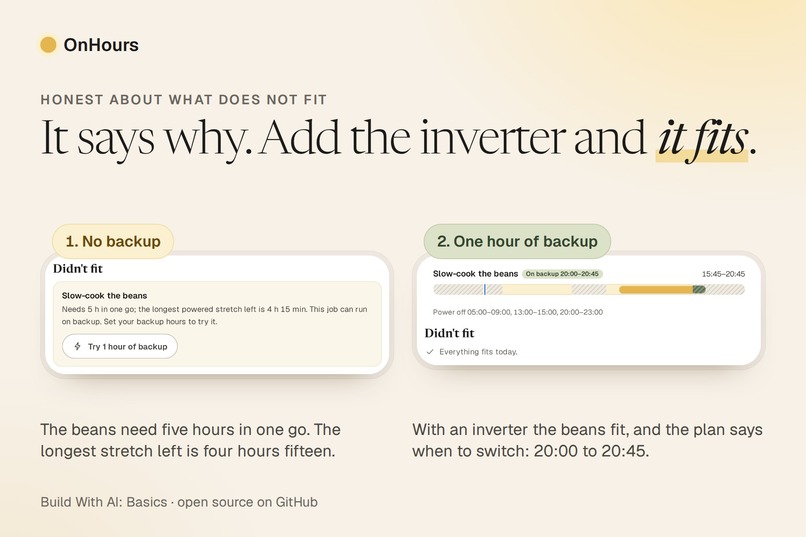
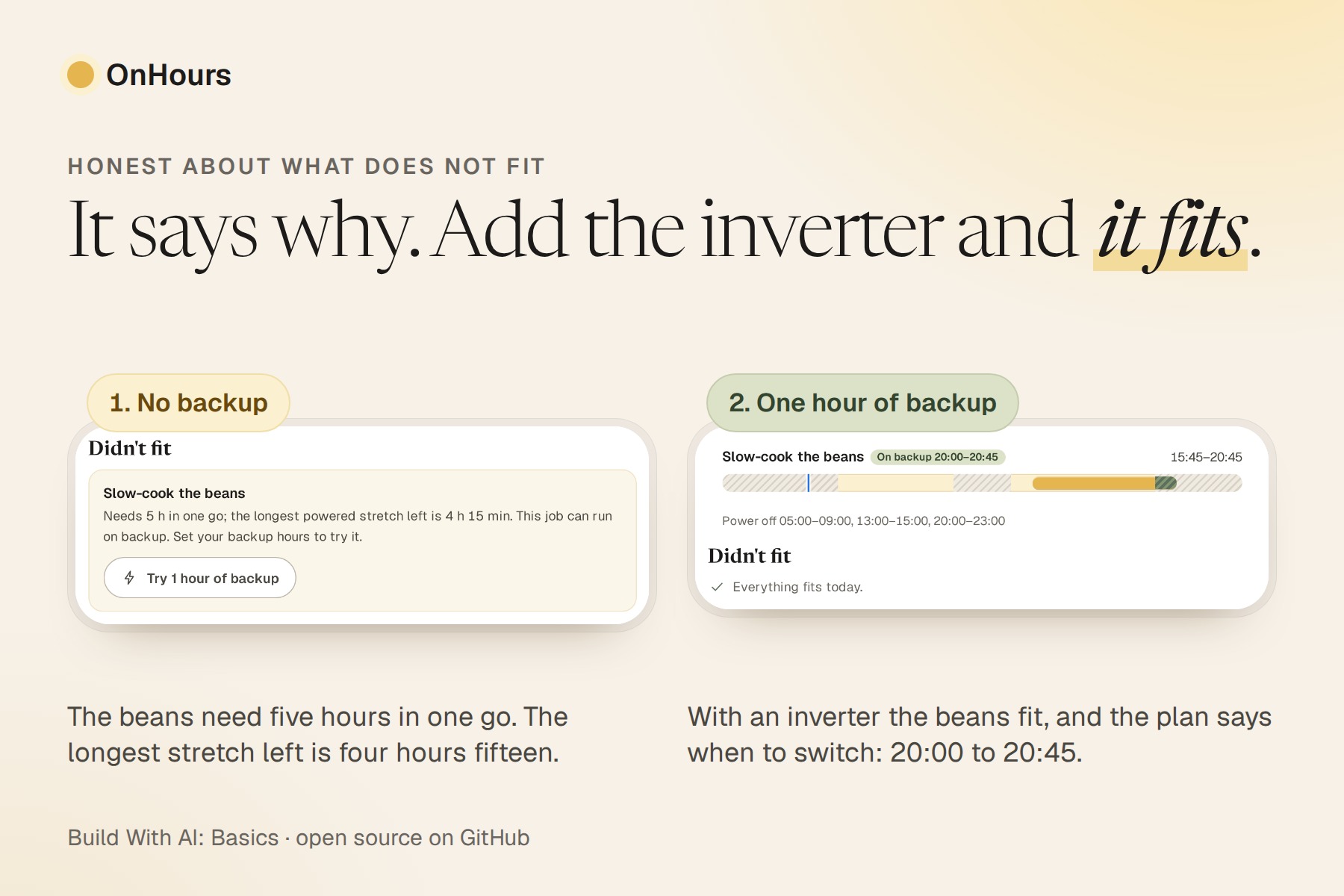
It says why a job does not fit, and with one hour of backup the beans fit and the plan says when to switch.
-
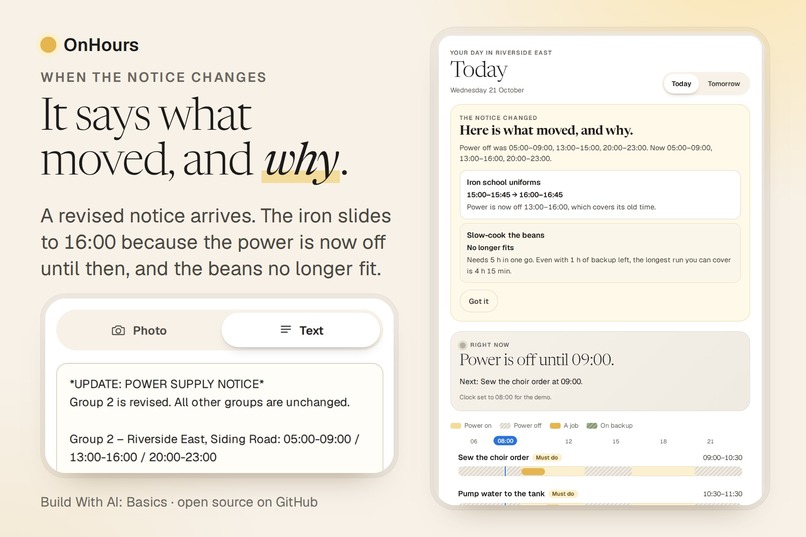
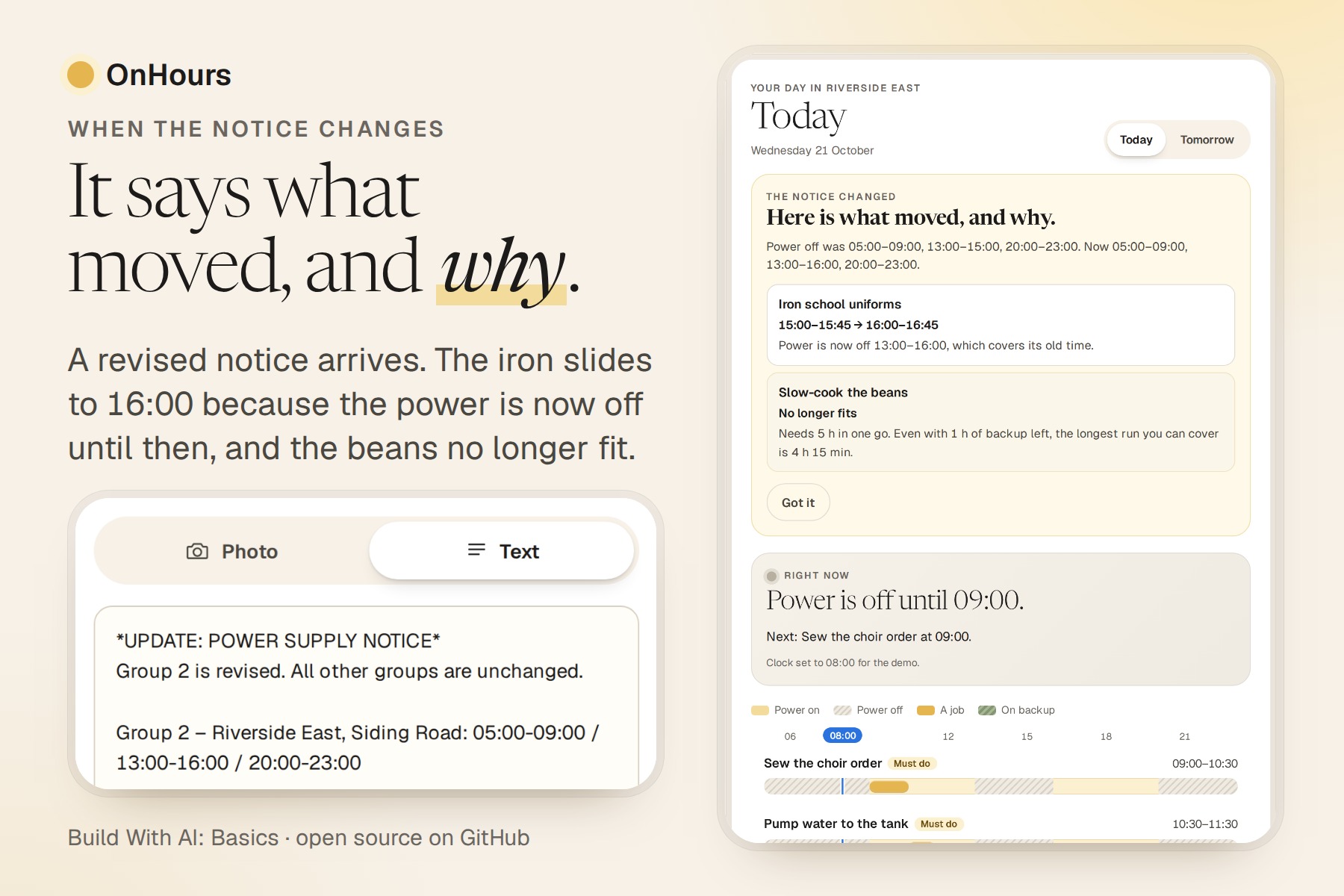
A revised notice arrives: OnHours plans the day again and says which jobs moved and why.
-
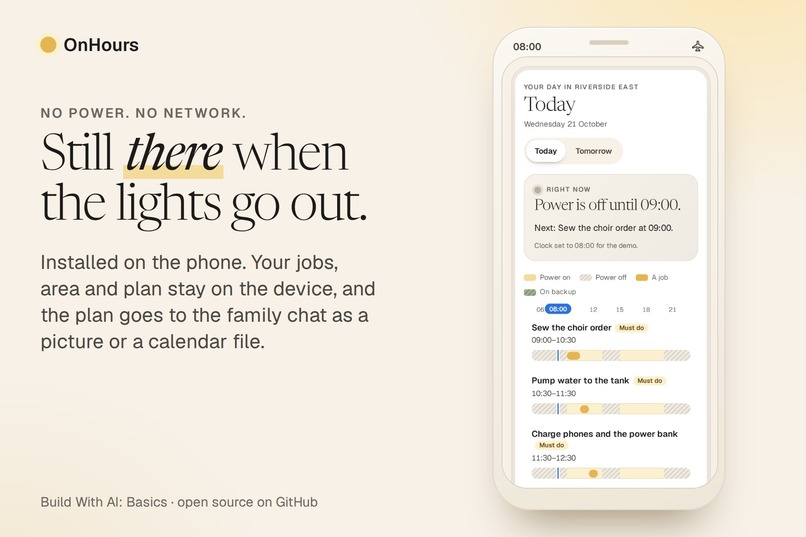
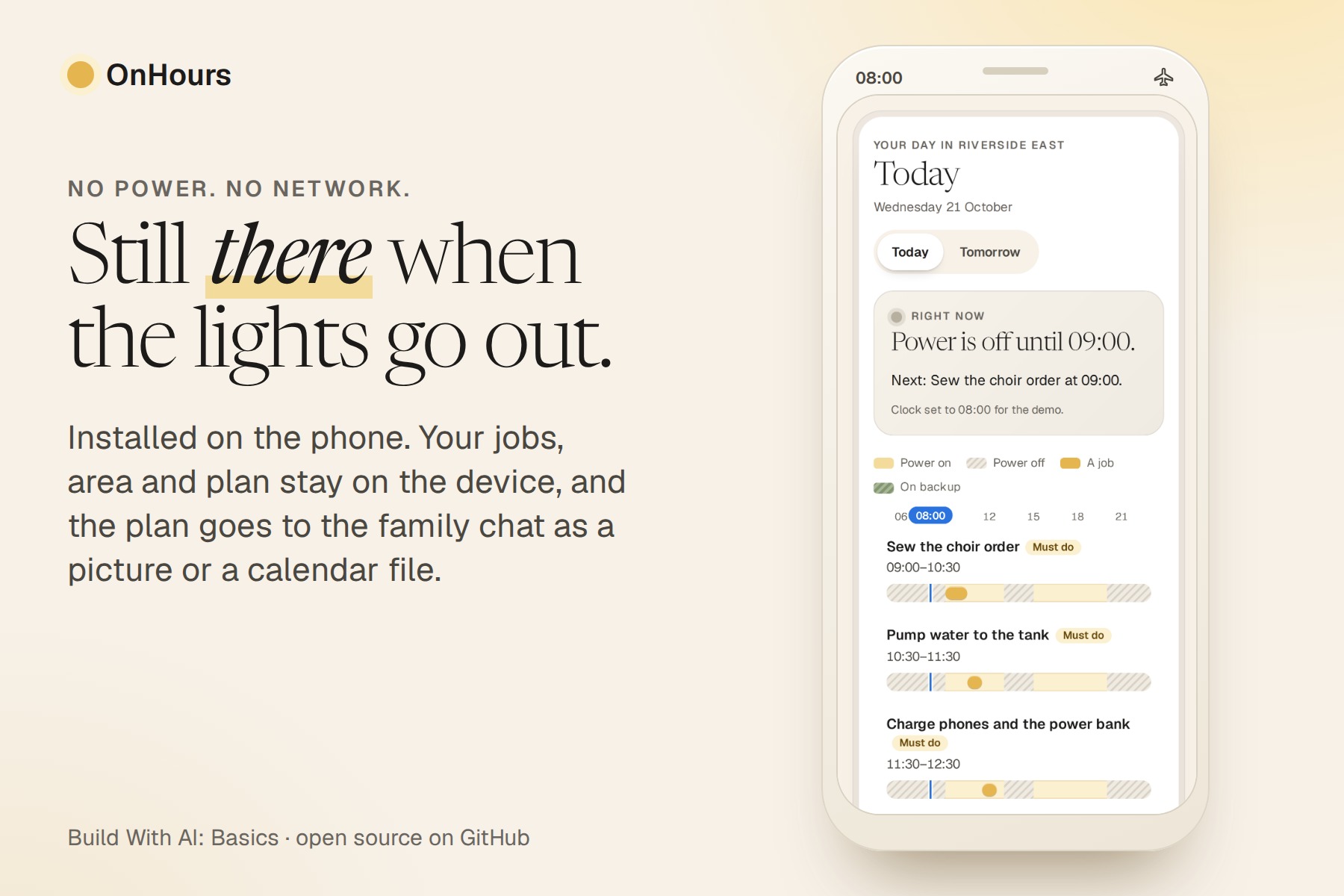
Works with no power and no network: after one visit it opens offline from the home screen.
Inspiration
In many cities power cuts are scheduled by area. When that timetable is passed around as a picture in a street or family group chat, everyone does the same sum in their head: when is my area off, and how do I fit the water pump, the iron, the sewing machine and the phone chargers around it? The jobs that go wrong are the ones started too late, when the power drops halfway through. Supply is uneven, so these notices keep coming: on 2 October 2026 Ikeja Electric in Lagos told customers that five of its Band A feeders had missed their 20-hour daily minimum on 30 September and 1 October.
The schedule apps we found tell you when the power goes off. We did not find one that takes your own list of jobs and places each in a stretch long enough for it, or one that reads the picture you were actually sent. (We searched in October 2026. That is not proof that no such app exists.)
What it does
- Reads the notice. Take a photo of it, or paste its text. An AI model that can see pictures reads every area and its outage times, from a clean photo or a messy one (tilted, laid out differently, times written in words, a cut that runs past midnight). Built-in rules read pasted text, on the phone too.
- Plans the day. Choose your area, say how many hours your battery or inverter runs, and list the jobs: how long each needs in one go, which must happen today, which can run on backup. Type them in plain words if you like ("iron 45 min, pump 1 h").
- Shows the day. Every job is a bar inside the hours the power is on. A Right now card says whether the power is on or off, what is running and what comes next.
- Says why a job does not fit. "Needs 5 h in one go; the longest powered stretch left is 4 h 15 min." A job that can run on backup may cross a cut, and the plan says when to switch: on backup from 20:00 to 20:45.
- Works with no power and no network. After one visit it opens offline and installs on the home screen. Your jobs, area and last notice stay in the browser, on that device.
- Shares the plan. As a picture for the family chat, as a calendar file with a reminder ten minutes before every job and cut, or as text.
- Shows what moved when the notice changes. Paste a revised notice and OnHours plans the day again, then says which jobs moved or no longer fit and why: "Power is now off 13:00–16:00, which covers its old time."
Who it is for
Households and home workshops in places with scheduled power cuts: the tailor with an order due, the baker with an oven, the family with a water pump. The notice arrives as a message, not as a plan.
How we built it
Plan first, with the Devpost Learn skill pack. Version 1 was built on 16 October 2026 from an empty folder: scope, product requirements, a technical spec, and a checklist of three slices, each tested and committed before the next. For version 2 we ran the same skills again (scope, requirements, spec, then a checklist of slices), so the planning documents in devpost/ describe what is built now. After the first finished version, three AI reviewers played the judges and read it cold (submission/JUDGE-SIMULATION.md). They scored the idea and the case for impact lowest, and asked to see a messier notice read live and a revised notice handled. We added a sixth slice, "what moved when the notice changes", plus a second sample photo. The code came first, and the scope, requirements and spec were amended to match straight after, so for this slice the documents followed the build. The git history shows all three rounds.
The main design decision: the AI reads, plain code decides. A vision model turns the photo into areas, times and a transcript in a fixed shape, and every field of its answer is checked. If the areas fail the check, built-in rules read the transcript. The planner is ordinary JavaScript with no model in it, so the same notice and jobs always give the same plan, and the tests check that no job overlaps another or crosses a cut (unless it runs on backup, within the hours set) on the sample day and on a few hundred random days.
Node.js 20 with no packages, plain HTML, CSS and JavaScript, a service worker and a web app manifest, and any OpenAI-compatible chat endpoint for text and photos. For the demo we used the company's own model gateway. A clean checkout runs with node server/index.js. In the film, every picture of the product is a recording of the real app, made by script (tools/video/); the narration is an AI voice (Murf) reading our script, and the group chat, the home screen, the airplane-mode panel and the three household cards are drawn for the film. The demo clock in the film is set to 08:00, and the film says so on screen.
Challenges we ran into
- A model that pads its answer. In early tests of reading the sample photo, some replies filled their transcript with endless spaces and were cut off before the JSON ended. We put the areas first in the answer, asked for single spaces, and take a finished areas list out of a cut-off reply. It then goes through the same check as any other reply. Eight reads in a row gave all six areas right.
- The fallback that invented an area. When the reply was a picture of something that is not a notice, the first version let the rules read its transcript and found an "area" in a screenshot. A reply that passes the check as "no outage times" is now trusted and never re-read.
- "Offline" is not one signal. The browser's own online flag did not change when the network was switched off, and a stopped server looks the same to the page. The page counts an unreachable server as offline and remembers the last status it saw.
- A layout that jumped. The accessibility audit found the page shifting as the example day drew in; reserving its space took the layout shift from 0.47 to about zero in our checks.
Accomplishments that we're proud of
The core journey works end to end on a fresh checkout with no key at all, in the browser and offline. With a vision model on, the sample photo is read in about three seconds. The page scores 100 in the Lighthouse accessibility, best-practices, SEO and agentic-browsing audits on a phone and on a laptop, and still scores 100 with the "notice changed" card on screen (measured on a local server on 21 October 2026). A normal planner fails in one place, the phone with no power and no network, so that is where this one is built to work.
What we learned
Give the AI one small job and keep every decision in code you can test. Planning first made that clear early: the spec said what the model may do (read), the checklist put it in its own slice, and the tests pinned what the code must never do. It also kept the scope honest. Speech input (it needs the network) was cut on the first pass because we could not make it reliable and show it on screen. "What moved when the notice changes" was cut too, then added back after the review once we saw it needed no new screen: it compares two plans the planner had already made, so every reason is something the planner can say.
What's next for OnHours
The most important step is one we have not taken: trying OnHours with real households. Everything shown here is fictional sample data, and the notices in the video were made for it. The next test is to ask a tailor or a baker to plan a day from the notice they actually received, and to change what fails. After that: a notice that covers a whole week, jobs that can pause and resume (charging), and speaking the jobs instead of typing them, once that can work with no network.
About us
Ebenworks is an AI product company for the people who keep the world running: the shop owner, the nurse, the family carer, the contractor, the organiser and the artist. OnHours is a small test of that idea for the person running a household or a home workshop around the grid.
The company's GitHub account is under review by GitHub, so the code is on GitLab, public and MIT-licensed, and a GitHub copy follows when access returns.
Built With
- computer-vision
- css3
- html5
- javascript
- node.js
- openai-compatible-api
- pwa
- service-worker

Log in or sign up for Devpost to join the conversation.