Inspiration
Shoppers guess whether a color will suit them, then wait for the parcel to find out. I wanted that answer on the product page, on the shopper’s own photo, before the order is placed.
What it does
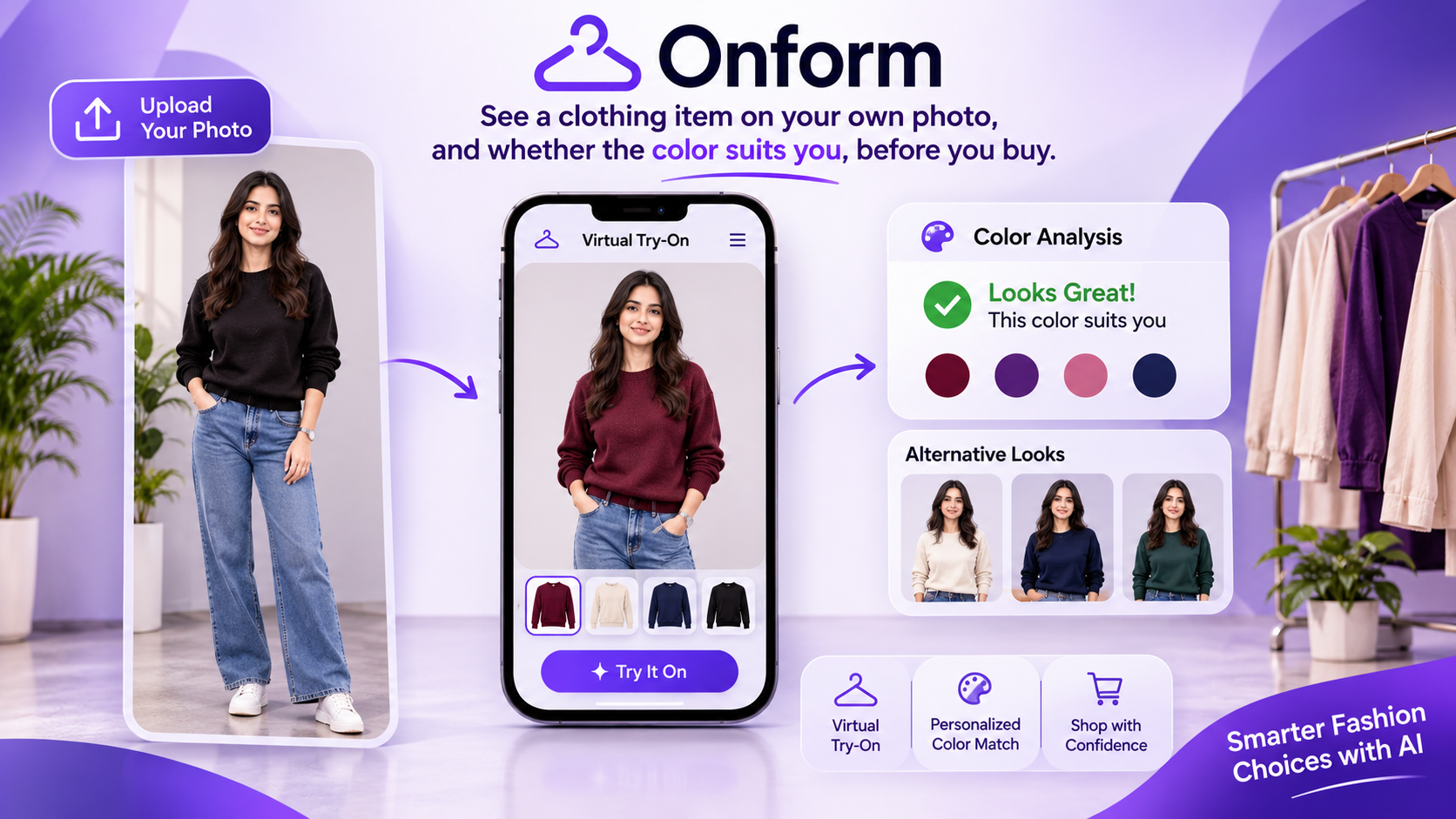
Onform is a Chrome extension and a browser demo. The shopper adds a close face photo and a standing photo. YouCam’s facial color reading becomes a simple color profile. On a clothing page, the shopper chooses the garment photo and Onform puts that piece on the standing photo with YouCam AI Clothes.
A local score then says how close the garment color sits to that profile. The score is style guidance, not a scientific measurement. The shopper can compare saved tries and delete the photos and cached results.
The recording shops are Northline and Field & Hem, two original shops. The same detector also runs on other clothing product pages. On a page with many photos, such as a shoe search, the shopper picks the photo instead of Onform choosing one.
How we built it
The extension is a Manifest V3 side panel. A content script finds the product image. A small Node server holds the YouCam key, prepares the images, polls the clothes and skin-tone tasks, and caches a successful result for 24 hours so the same try is not charged again. The face and body photos stay in the browser until the shopper asks for a profile or a try-on. The server does not keep the originals. The color score runs locally from the skin color YouCam returns. Undertone and depth are estimated, then labeled as guidance.
Challenges we ran into
YouCam’s skin reading returns hex colors, not an undertone or a palette, so the “suits you” line had to be built and labeled honestly.
Clothes try-on needs a standing photo with the face and upper body in frame. A legs-only crop fails. Lower-body flat lays and unstitched fabric are weak references.
Product pages name their photos in different ways. Some put the real image in a high-resolution attribute while the visible source is a placeholder. Search pages contain many products, so one automatic photo was the wrong choice.
The YouCam call itself sometimes could not be reached from this network, and a failed connection had to be shown as a connection problem rather than a broken photo.
Accomplishments that we're proud of
A shopper can go from two photos to a dressed picture and a color verdict without an account. The same flow works in the extension and in a no-install demo. Repeating the same try does not spend another unit. Delete all my data clears the browser and the cached results.
What we learned
A try-on picture is the proof. The product is the decision around it: which photo, which garment type, and whether that color is worth buying. The API’s limits, especially face size, body framing, and flat lays, have to be part of the interface.
What's next for Onform
After a result, tell the shopper to wear this piece or try two others from the same shop that score higher for their profile. Remember which tries they kept, and use that the next time. Pair a saved shirt and trousers into one outfit verdict.
Built With
- chromeextensions
- css
- fastify
- html
- indexeddb
- javascript
- node.js
- perfectcorp
- react
- typescript
- vite
- youcamapi
