Inspiration
We wanted it to feel like you were holding the board in your hand: tilt your palm, and the maze follows.
OneTilt started with the old-school challenge of guiding a marble through a maze. We wanted to turn it into a physical arcade game where your hand controls the board, a camera watches the ball, and your previous run becomes something you can race against.
What it does
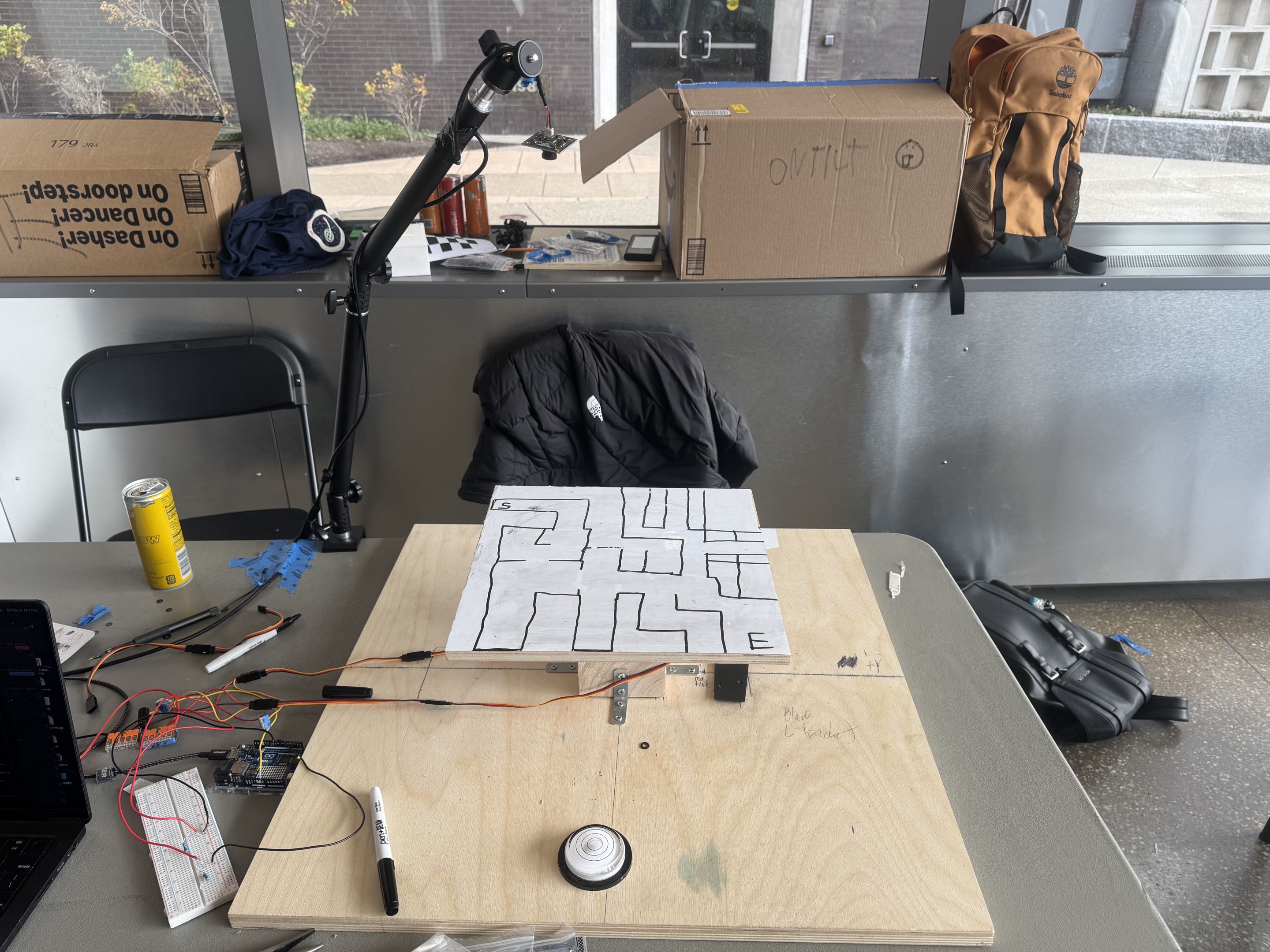
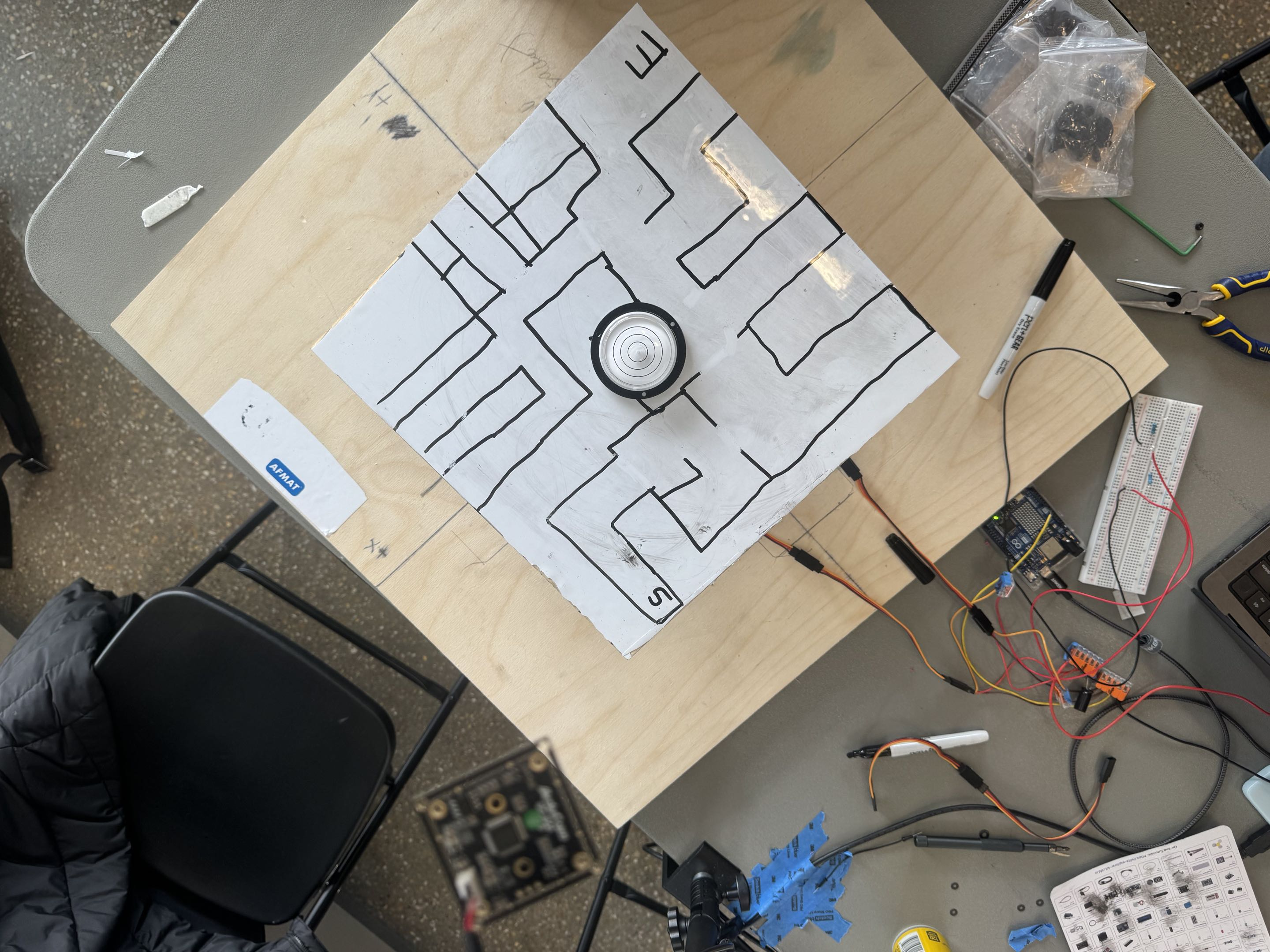
OneTilt is a real marble maze you play with your hand in the air. Hold your palm flat under the webcam, stay still while it learns your neutral position, then tilt your hand as though you’re holding the board. Two servos move the physical plate while an overhead camera tracks the ball.
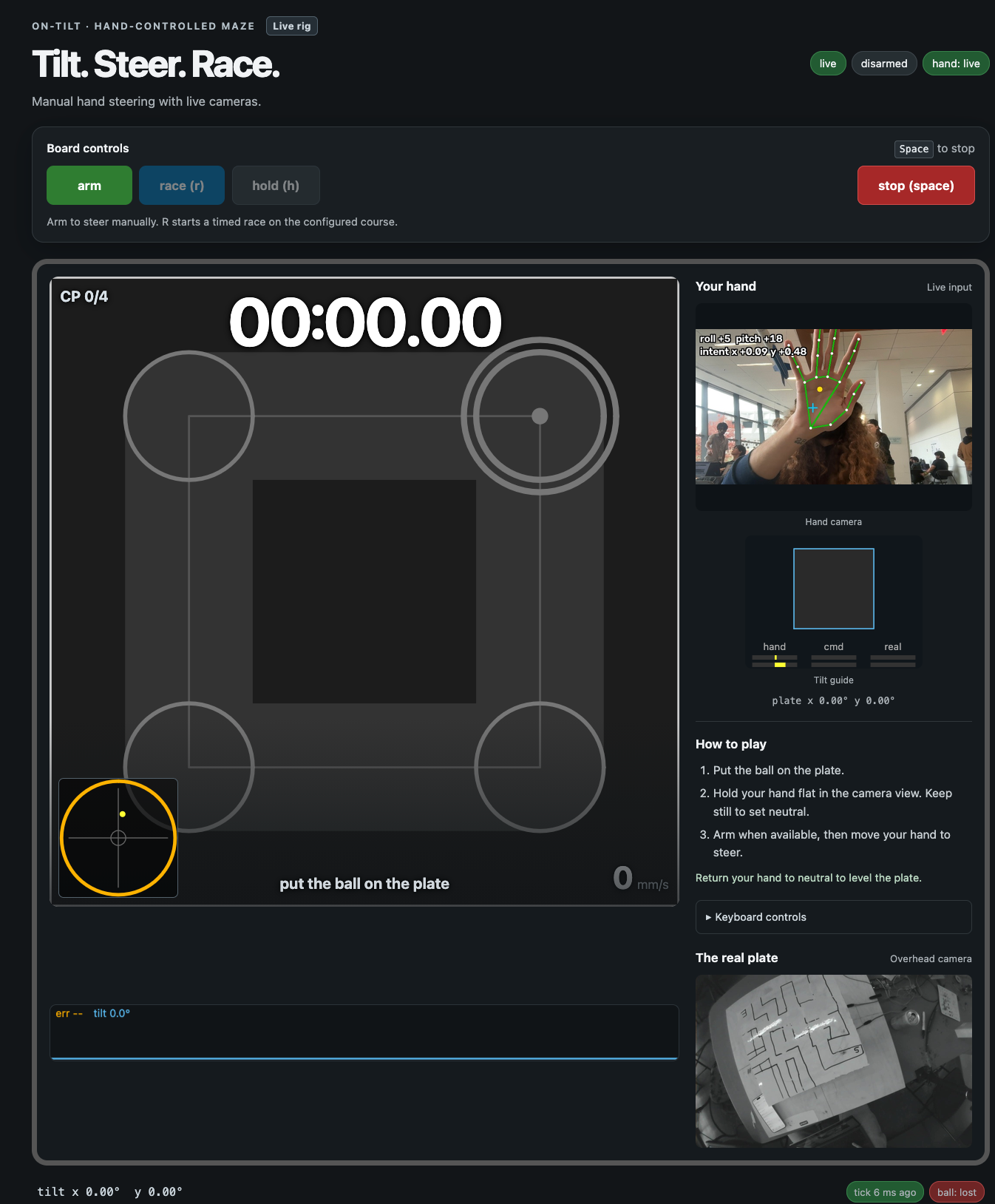
The browser shows your webcam feed with a hand skeleton and palm angles, alongside a virtual board showing your input, commanded tilt, and estimated plate tilt. An animated hand demonstrates the gesture, and the page tells you what to do next.
We also built a race mode with a start ring, countdown, checkpoints, and saved runs. Your best saved lap comes back as a ghost, with time differences at checkpoints so you can see where you’re gaining or falling behind. We’ve tested the race flow in simulation while continuing to tune physical play.
The maze itself can start as a drawing. We made a tool that takes one overhead photo of a hand-drawn maze, identifies the start and finish, extracts the walls, and generates a route with checkpoints.
How we built it
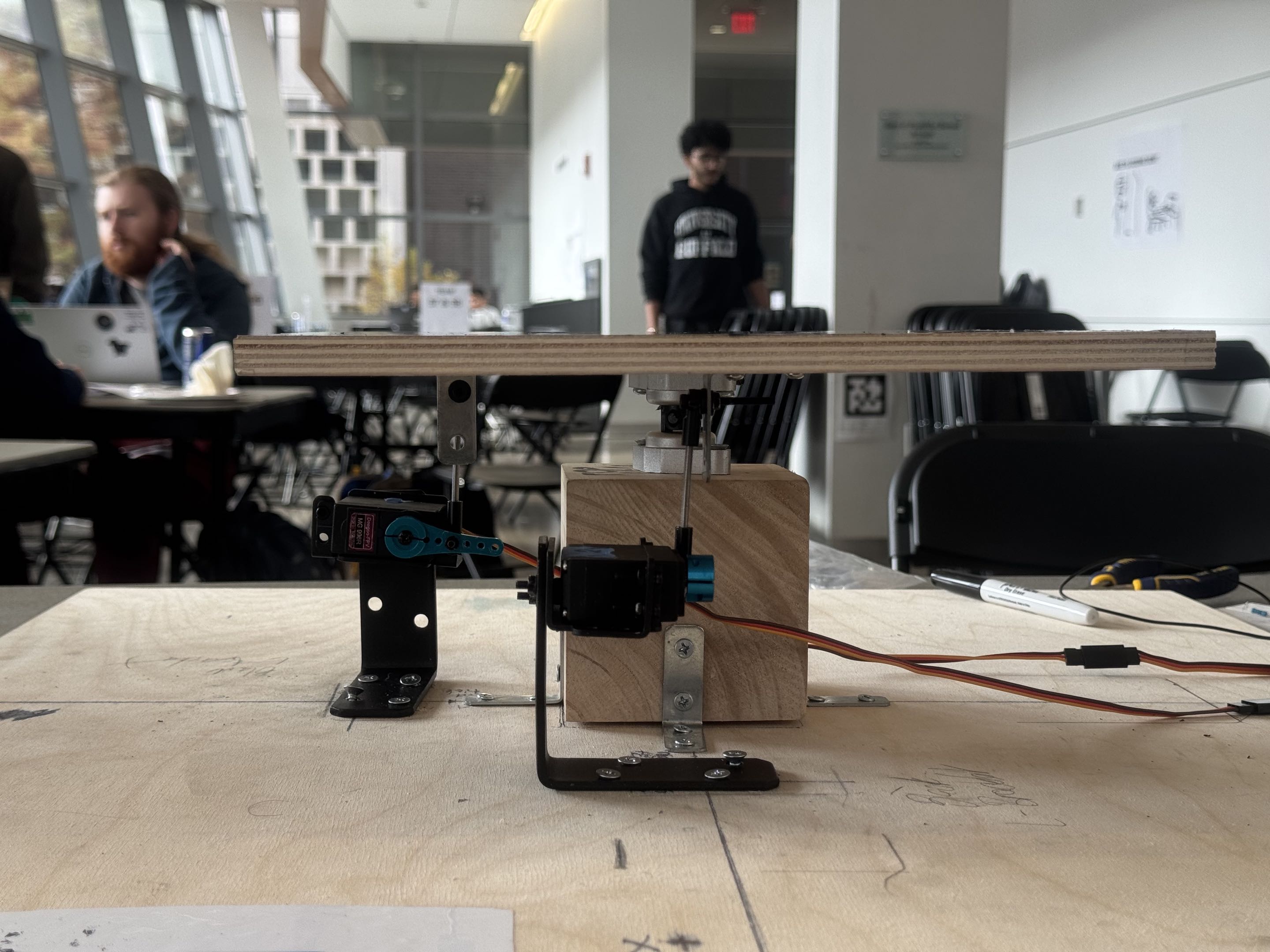
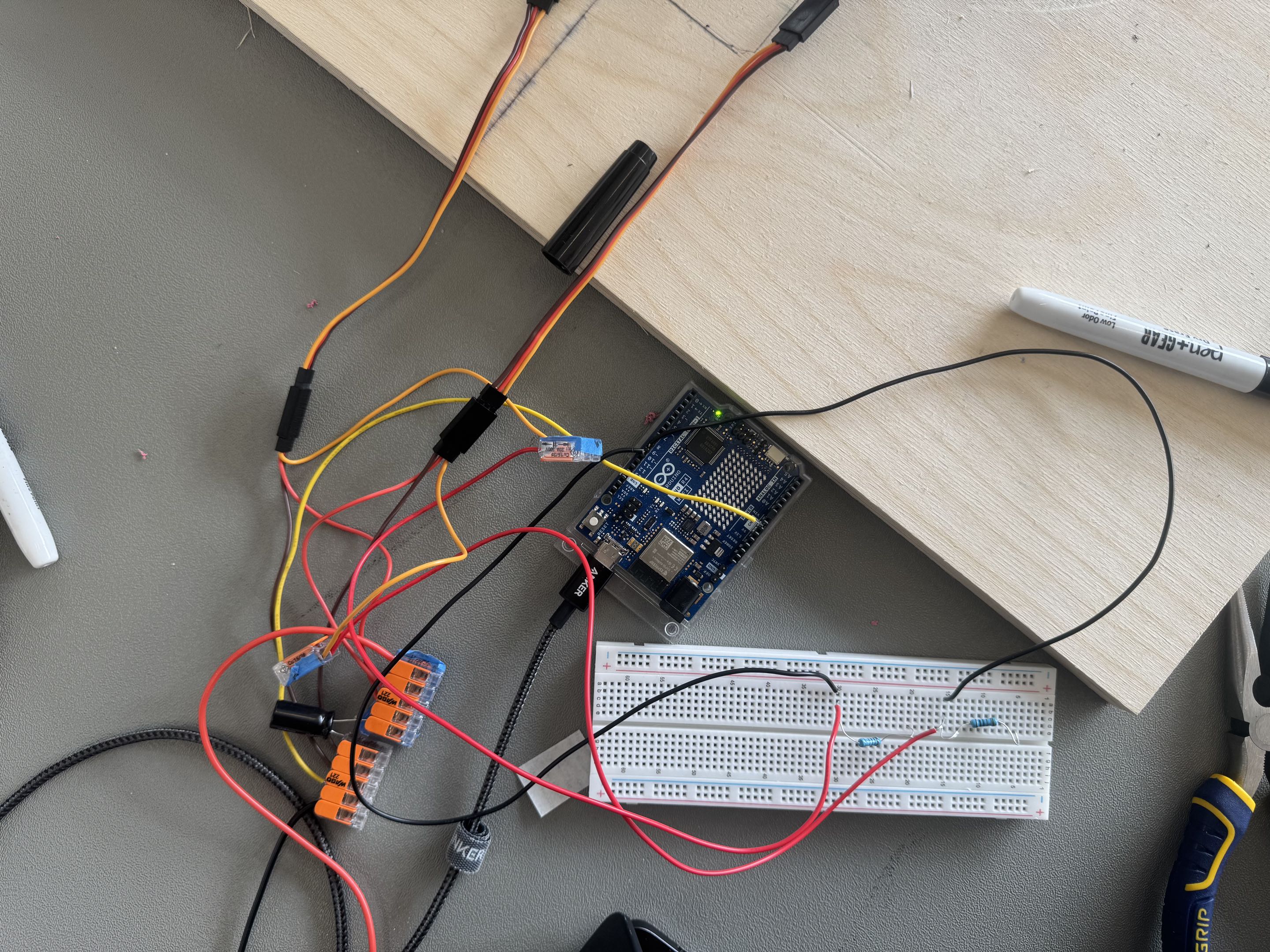
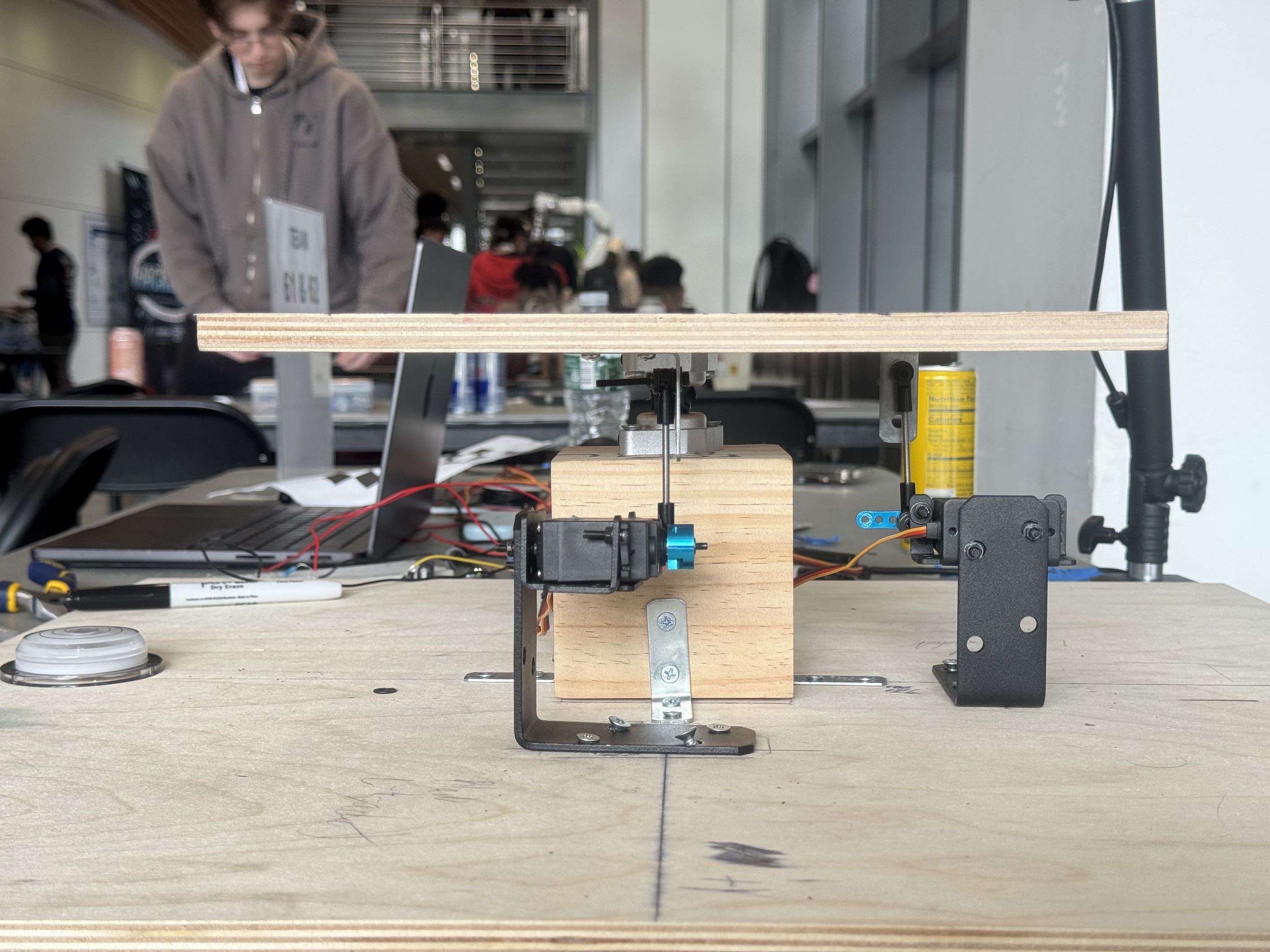
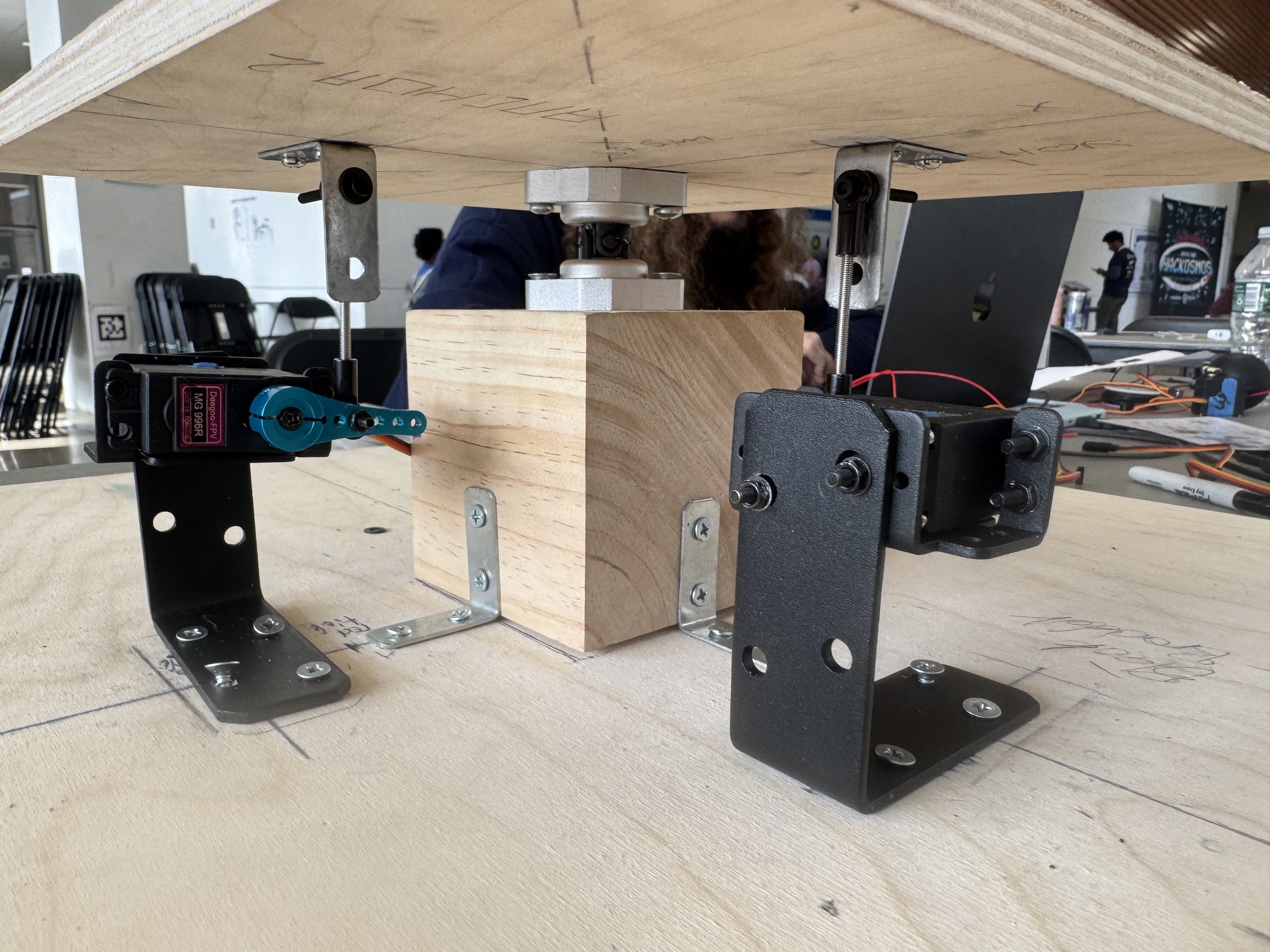
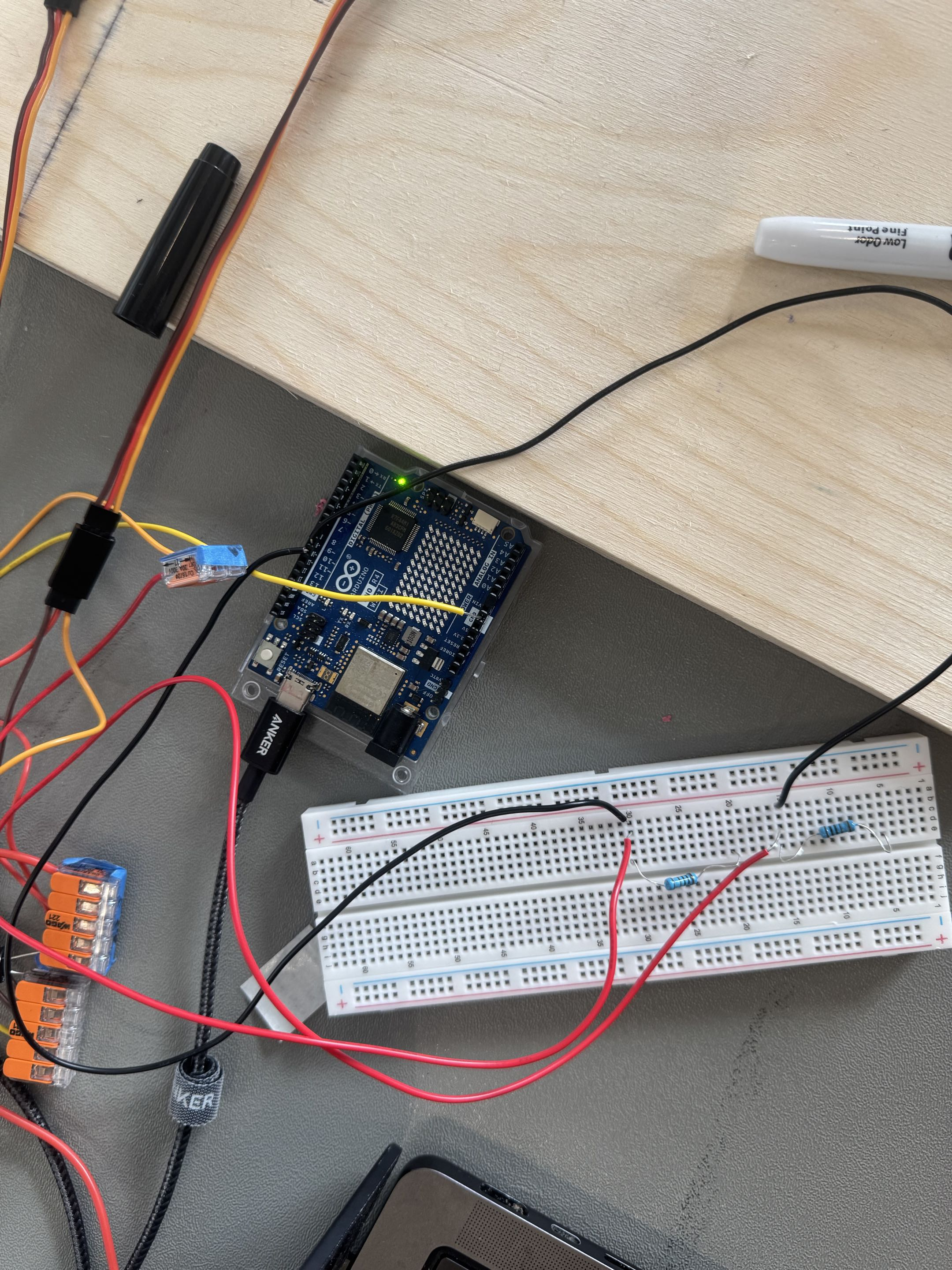
The physical rig uses a plate mounted on a pivot, two servo linkages, and an Arduino UNO R4. A small USB serial protocol handles limits, arming, movement, status, and disarming.
Python connects the system. OpenCV tracks the ball, while MediaPipe provides hand landmarks that we use to calculate palm tilt. Hand tracking runs in a separate process so a slow webcam frame doesn’t stall the control loop.
The overhead camera captures at 120 frames per second with a short manual exposure to keep the ball from blurring. Our tracker learns the stationary board background so marker lines and lettering stop competing with the ball. It protects the tracked ball during those updates, so a marble waiting at the start doesn’t disappear into the background too.
FastAPI and WebSockets connect the application to a browser interface built with HTML, CSS, and JavaScript.
We also built a physics simulator that models ball motion and servo behavior, including delay, speed limits, and dead band, the small commands a servo ignores. We developed and tested balancing, path-following, and assisted-control modes there. Getting those modes reliable on the physical plate is still ongoing.
Challenges we ran into
Building the physical rig. We were drilling wood, measuring bracket positions, and lining up servo mounts with tools we’d never used before. Getting everything straight and secure took a lot of measuring, adjusting, and measuring again. Small mistakes in the build affected how the board moved, so we had to work through the mechanical problems alongside the software. Honestly, we got held up more on the building.
Making the hand controls feel right. Small tracking errors became visible board movement, but heavy smoothing made steering feel delayed. We switched from palm-position input to palm tilt and added adaptive filtering that smooths small shakes while staying responsive to deliberate movement. Neutral locking and clear visual feedback helped make the controls easier to understand.
Seeing the ball through the drawing. Glare, marker lines, and lettering could confuse detection. Simply making the detector more sensitive created false detections. Using the ball’s learned size, previous position, and predicted movement gave us better results. Recorded clips let us compare changes against the same difficult frames.
Getting the software to agree with the hardware. Servo lag, linkage geometry, friction, and shifting level all changed how commands affected the ball. Sometimes a small command did nothing, then the ball suddenly moved. We recorded physical runs and used those logs to improve the simulator.
Making failures easier to investigate. We built a servo bench, protocol checker, camera-delay measurement tool, and recording/replay tools. That meant a problem on the table could become something we could reproduce and test in software.
We also built stopping behavior into several layers: host-side kill handling, independent firmware limits, a command timeout that starts returning the plate toward level after 250 milliseconds, a watchdog, and a physical servo-power switch.
Accomplishments that we’re proud of
- Connecting hand tracking to a physical mechanism with live ball tracking and an interface that explains what the system sees.
- Turning a photograph of a hand-drawn maze into a course with walls, a route, and checkpoints.
- Improving tracking lock from 92.5% to 95.1% in our recorded maze benchmark, with zero false detections across 453 empty-board frames.
- Reducing a representative simulator replay’s position error from approximately 15 mm to 6 mm by fitting it to real hardware logs.
- Testing changes through recorded camera clips, physical-run replays, serial-protocol checks, and simulations that exercise the actual application loop.
What we learned
Measurements matter more than assumptions. Servo specs and linkage calculations gave us a starting point, but friction, delay, and calibration changed how the real rig behaved.
We also learned how much the interface matters. Showing a hand skeleton, neutral-lock progress, and a virtual plate helps players understand how their movement is being read.
Recording failures was one of our most useful decisions. Each recording gave us a specific problem to work on and a way to check whether the fix helped.
What’s next for OneTilt
We want setup to become as intuitive as the controls: place the ball in the middle, let the system determine level and orientation, and start playing.
We’re also working toward predictive edge protection on the physical rig, reliable autonomous modes, and an easier path from drawing a maze to racing it.
Built With
- arduino
- c++
- css
- fastapi
- html
- javascript
- mediapipe
- numpy
- opencv
- pyserial
- pytest
- python
- ruff
- uvicorn
- websockets


