-
-
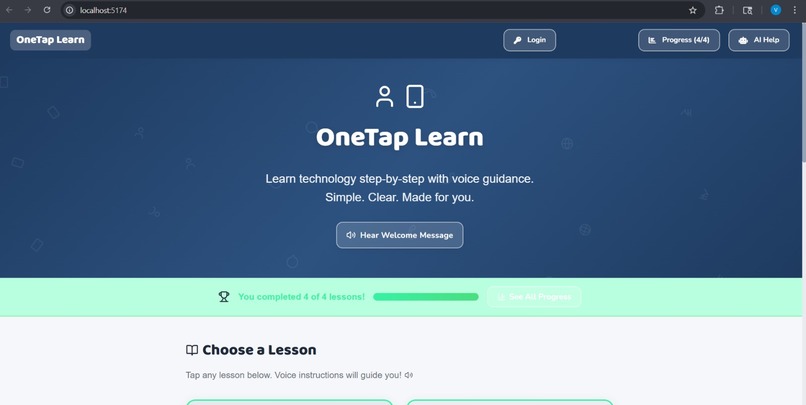
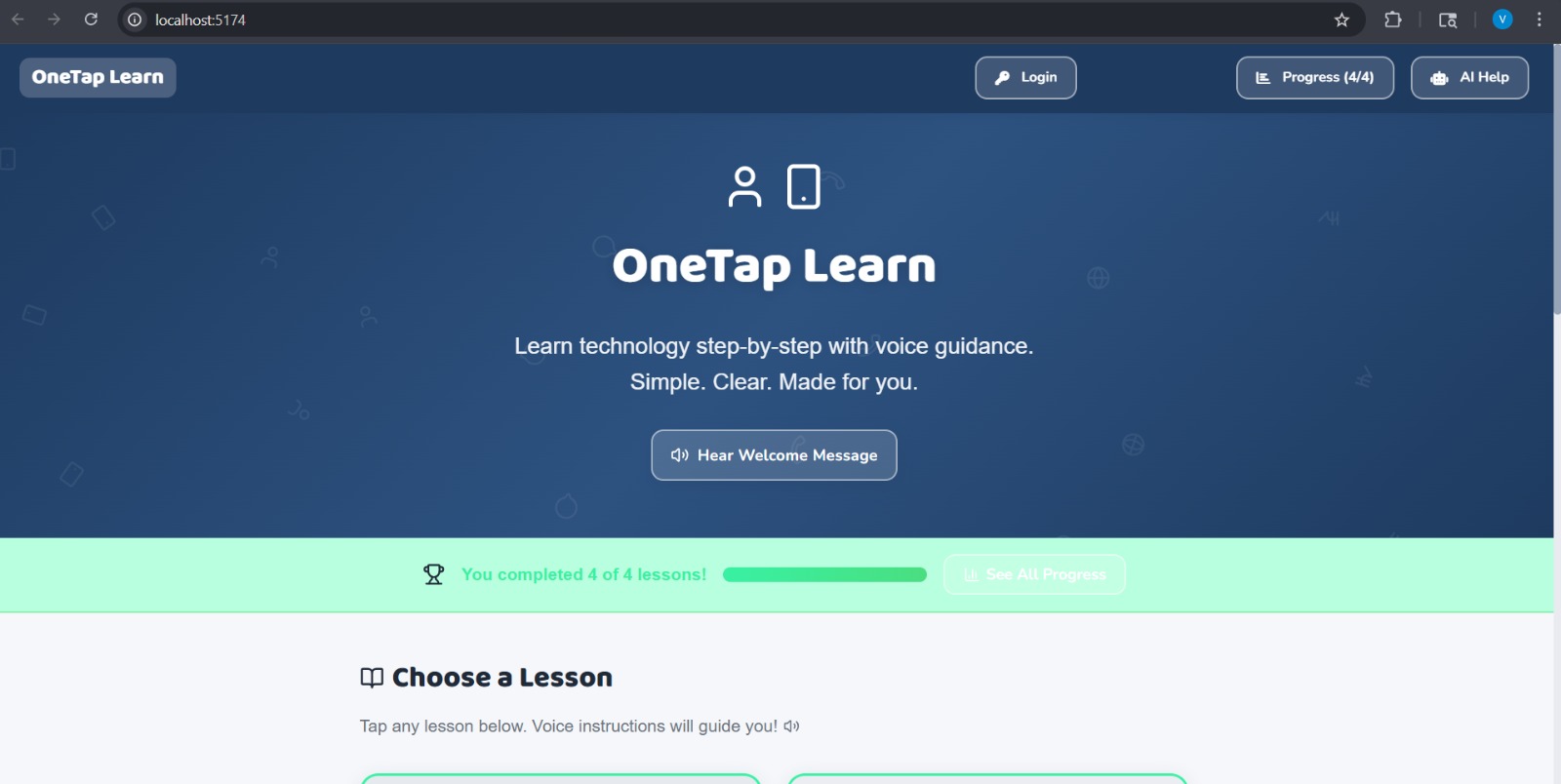
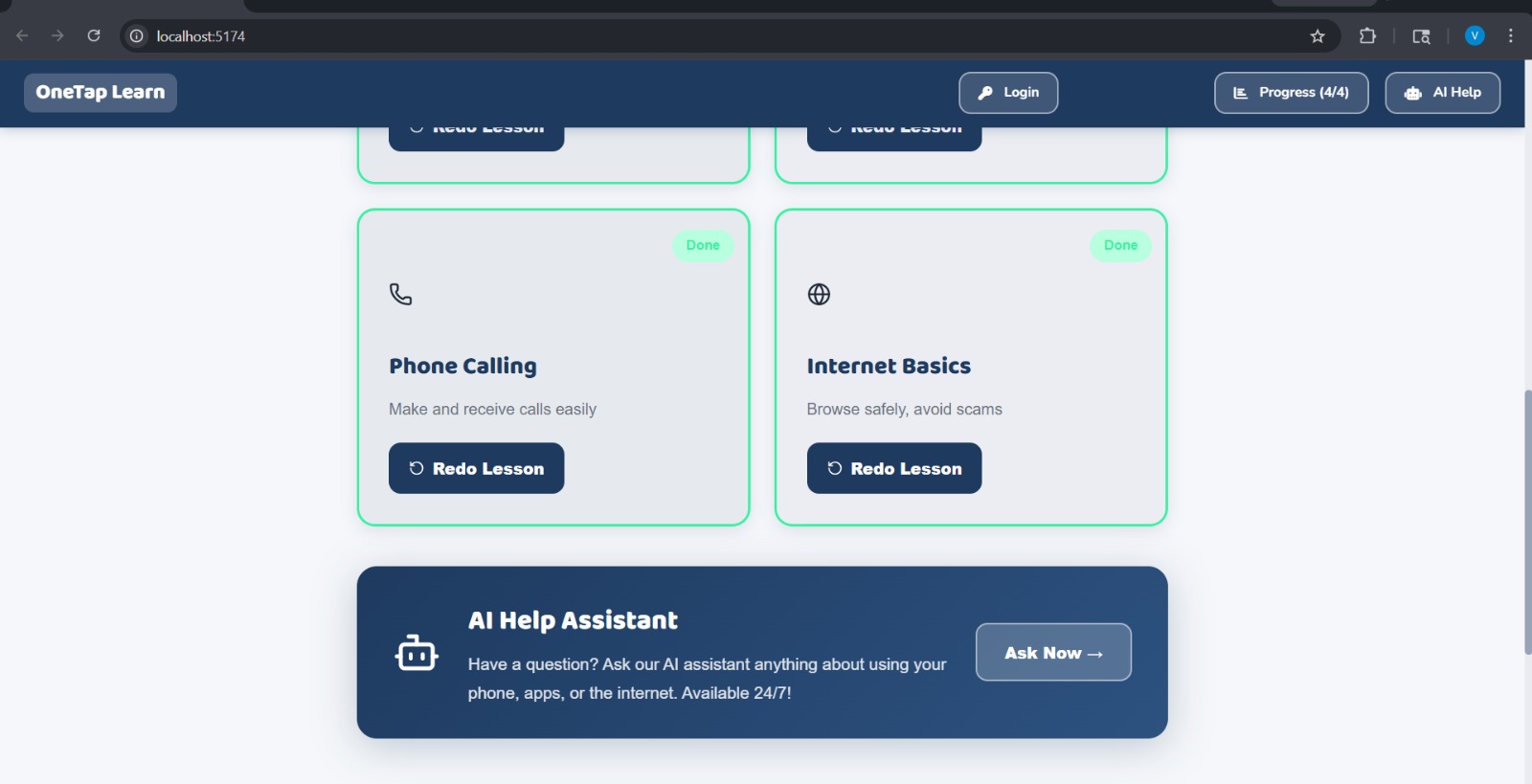
A voice-guided lesson screen where seniors easily choose and revisit digital skills with progress tracking.
-
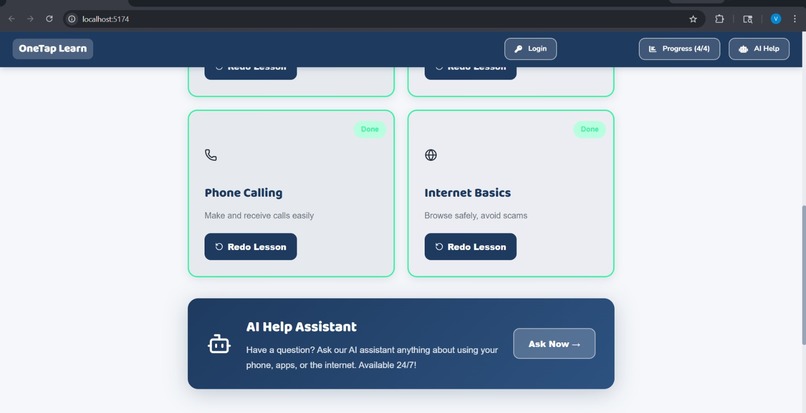
voice-guided lesson screen where seniors can easily select and revisit topics like WhatsApp, UPI, and calling with clear progress tracking.
-
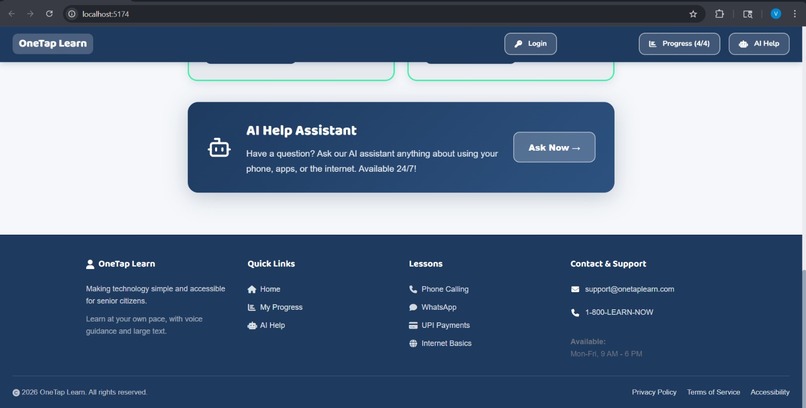
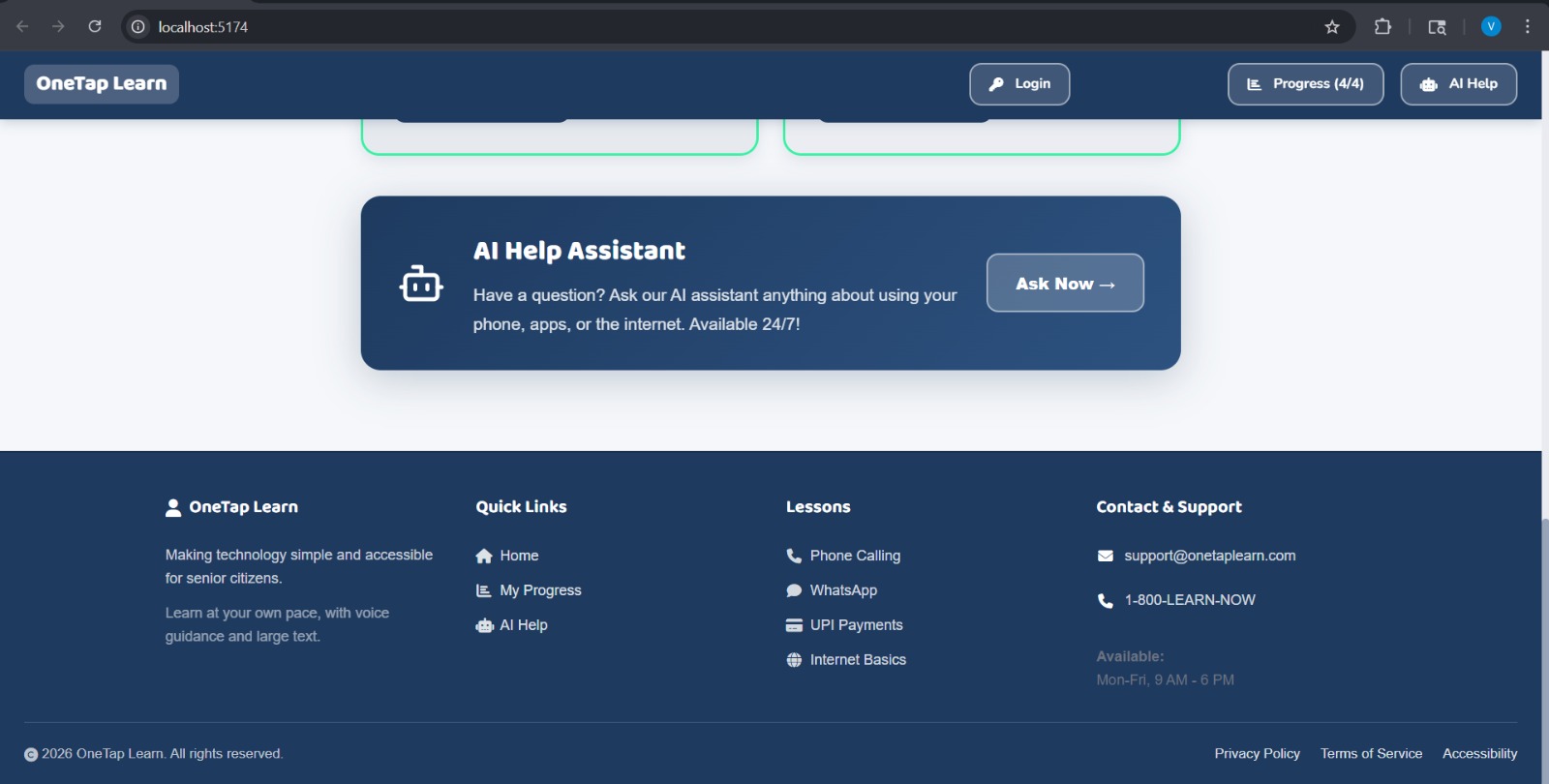
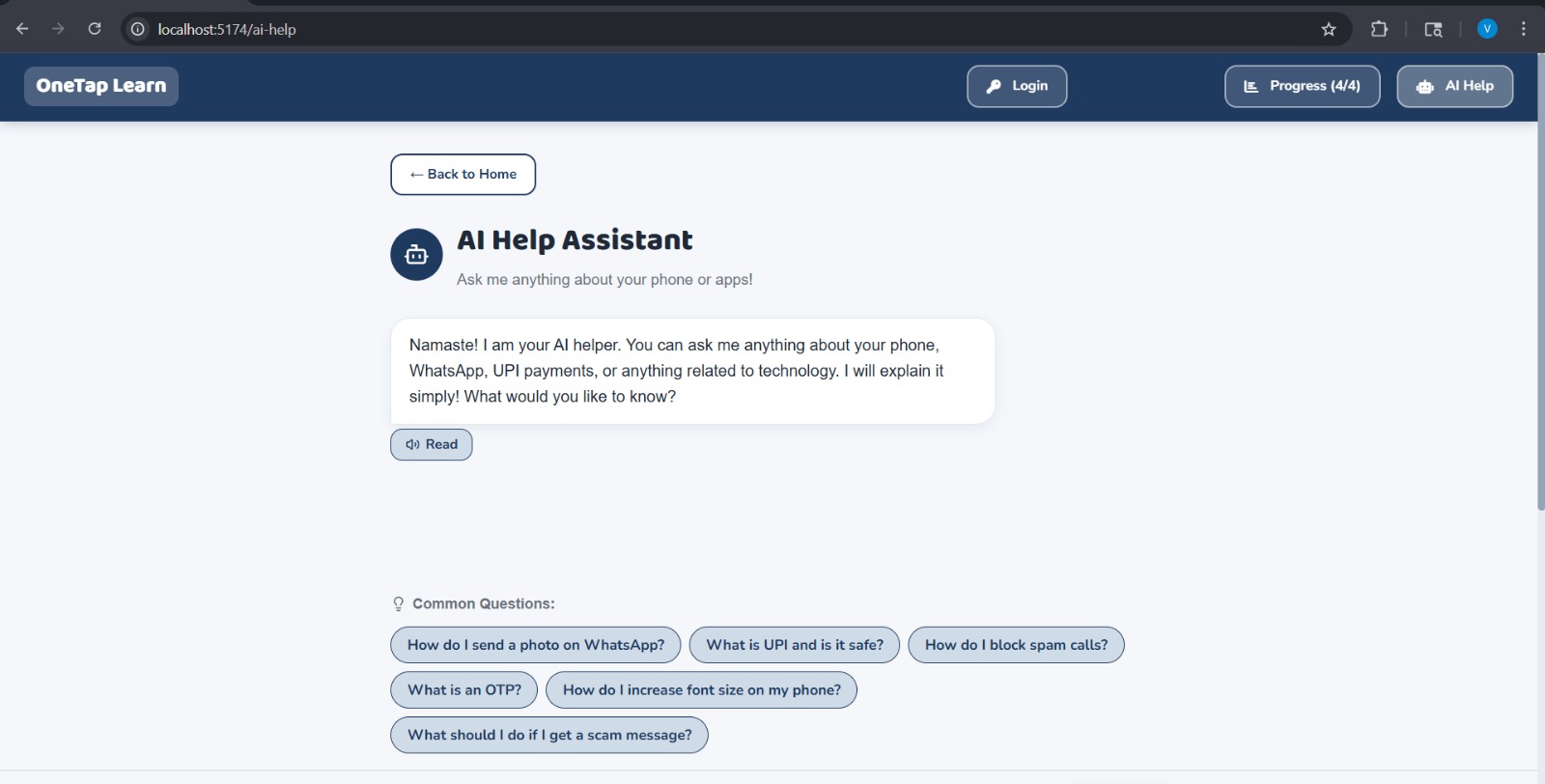
AI Assistant page and footer
-
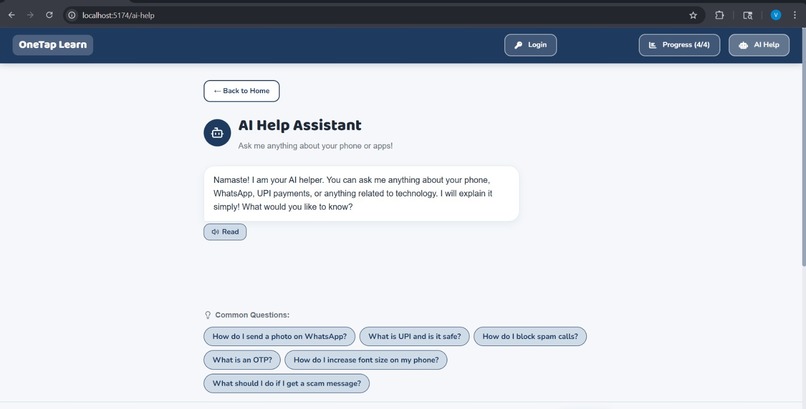
This is particular page of AI assistant
-
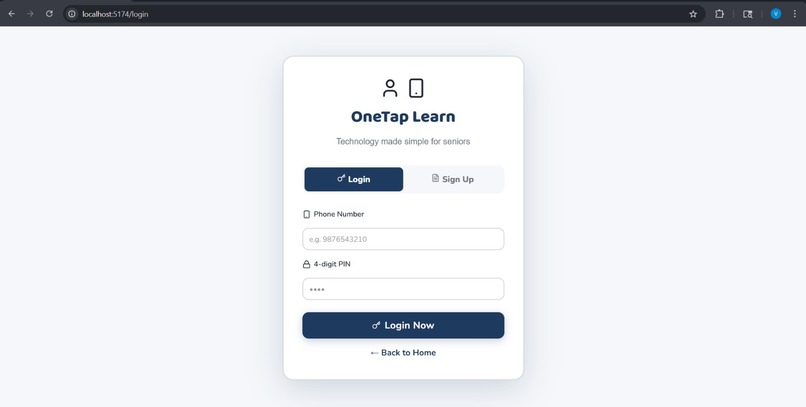
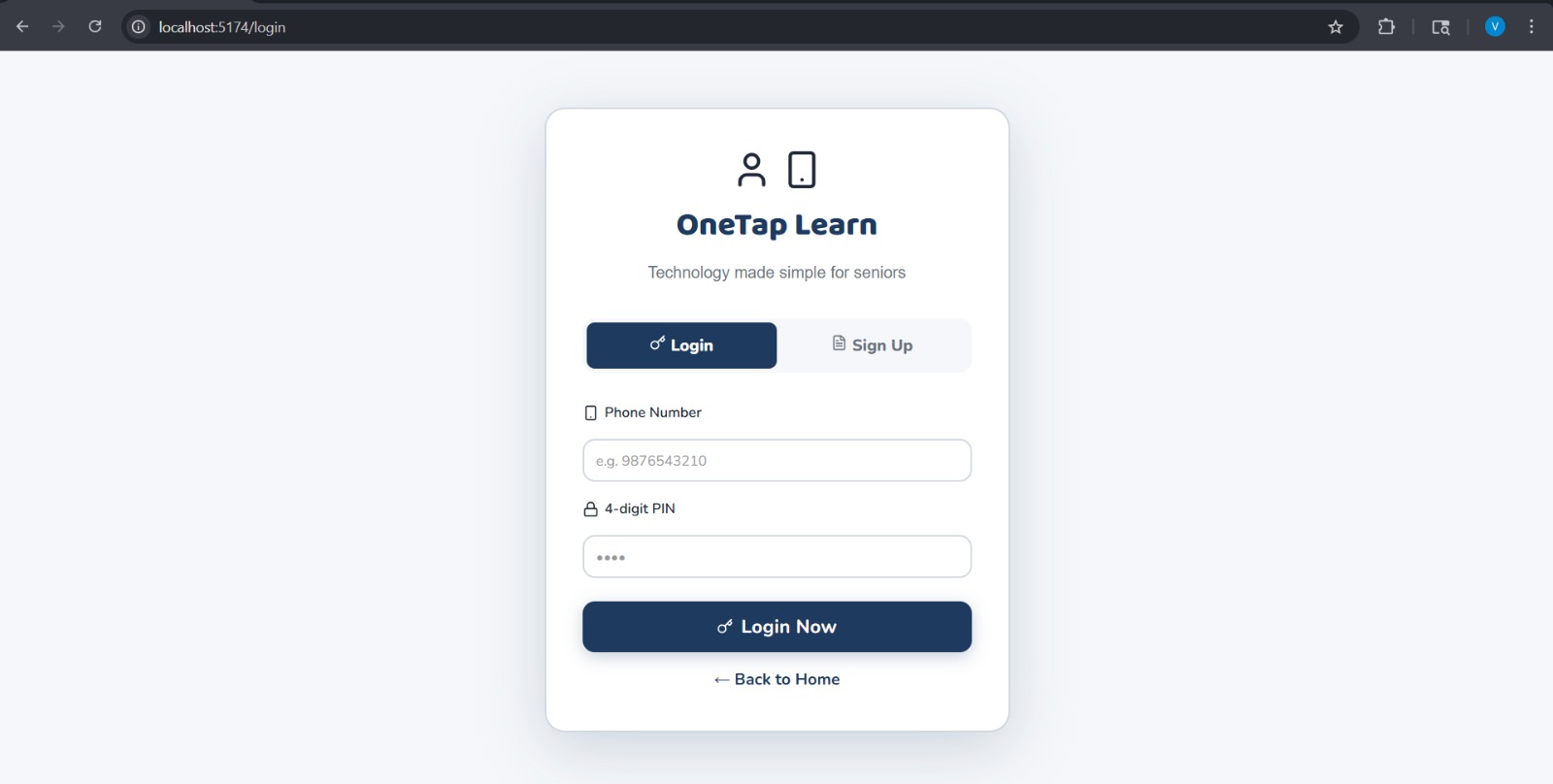
Login page
-
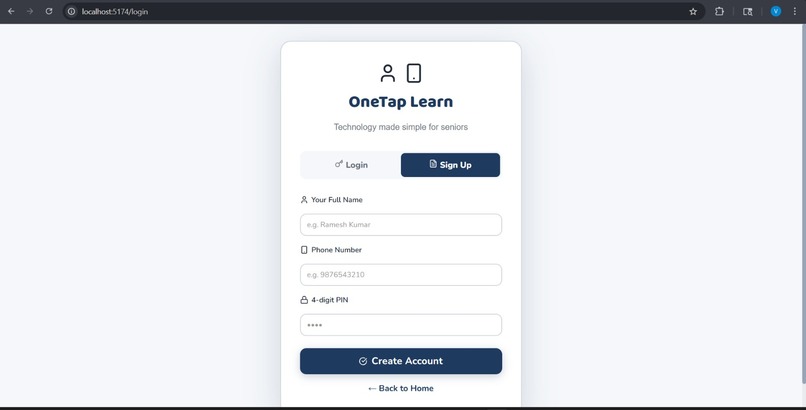
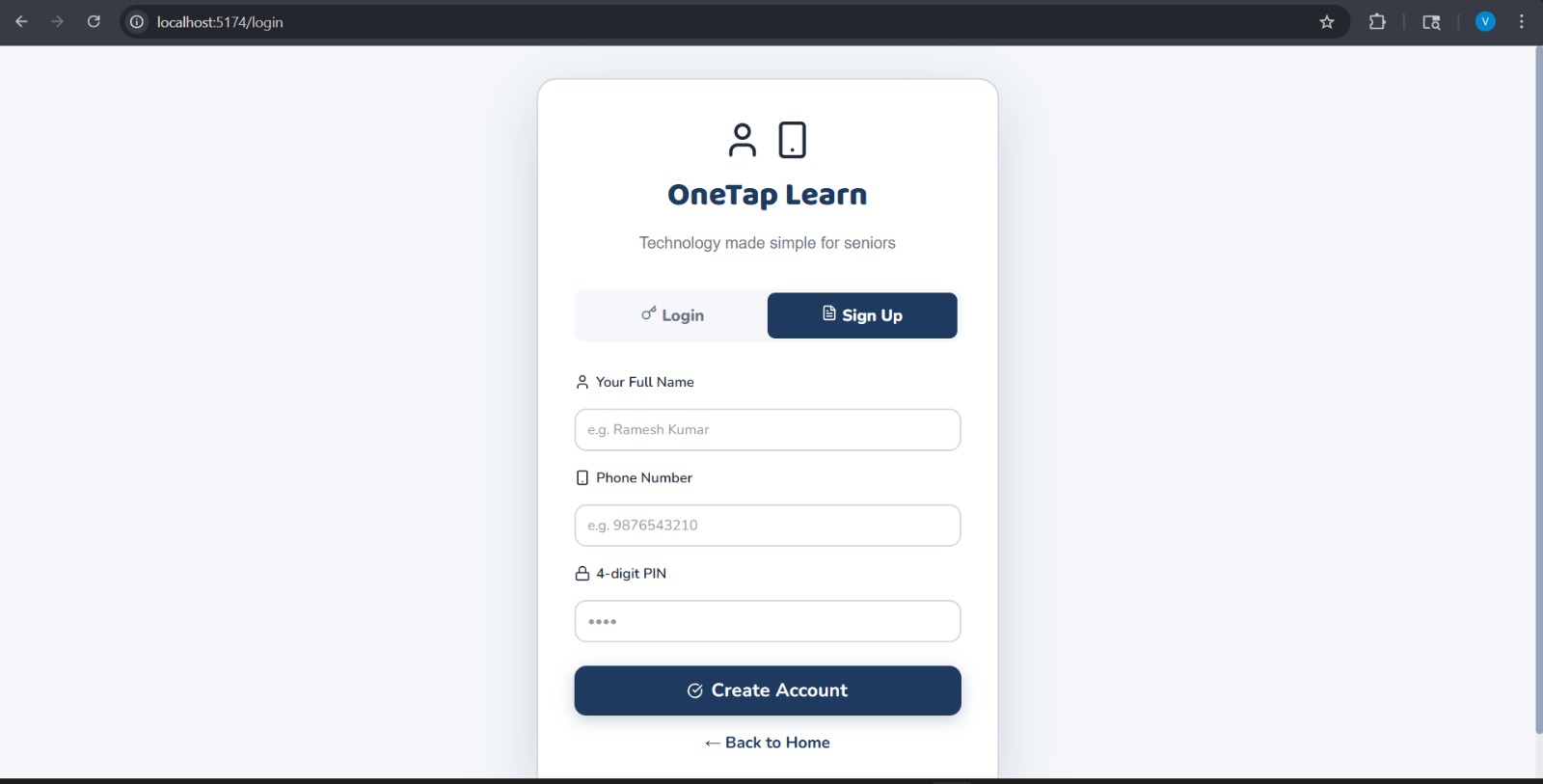
Signup page
-
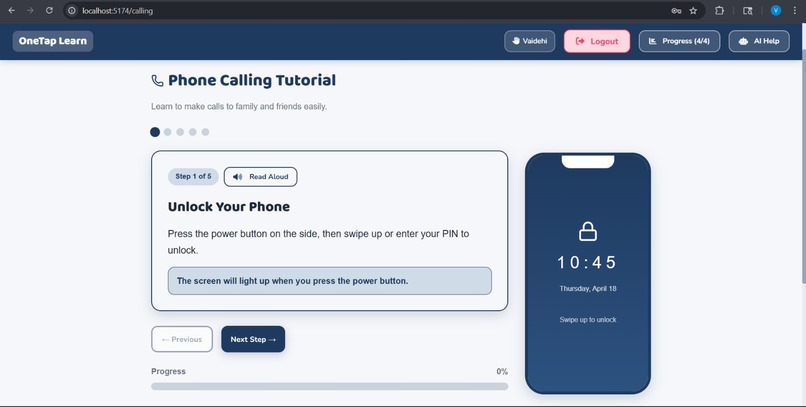
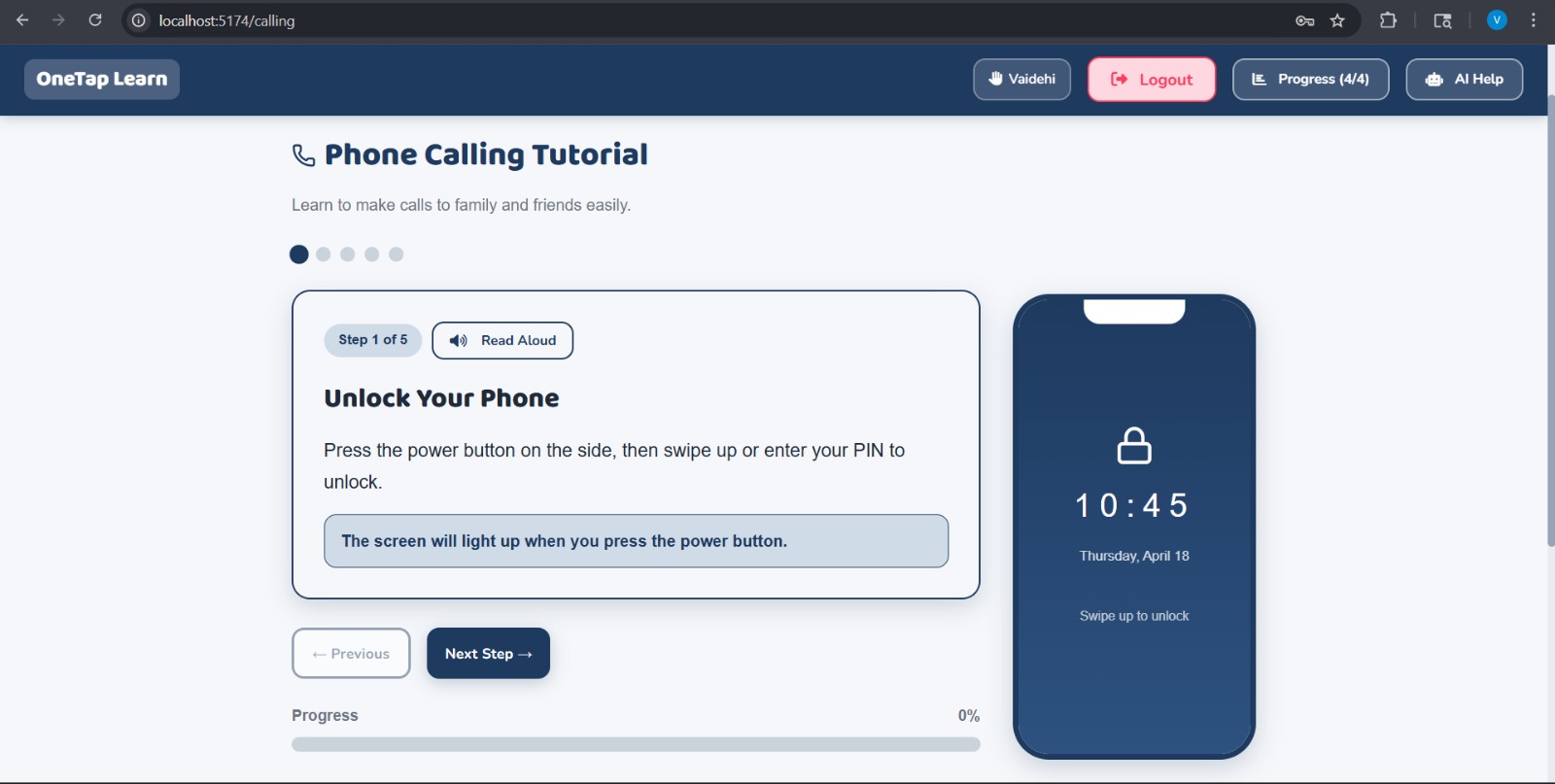
This will teach you how to make a call.
-
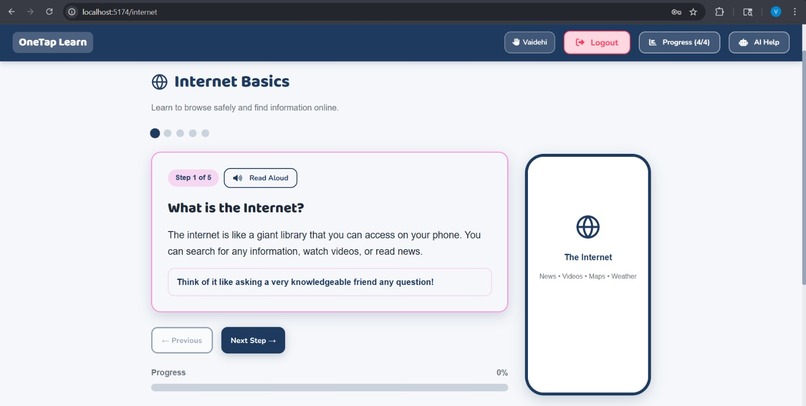
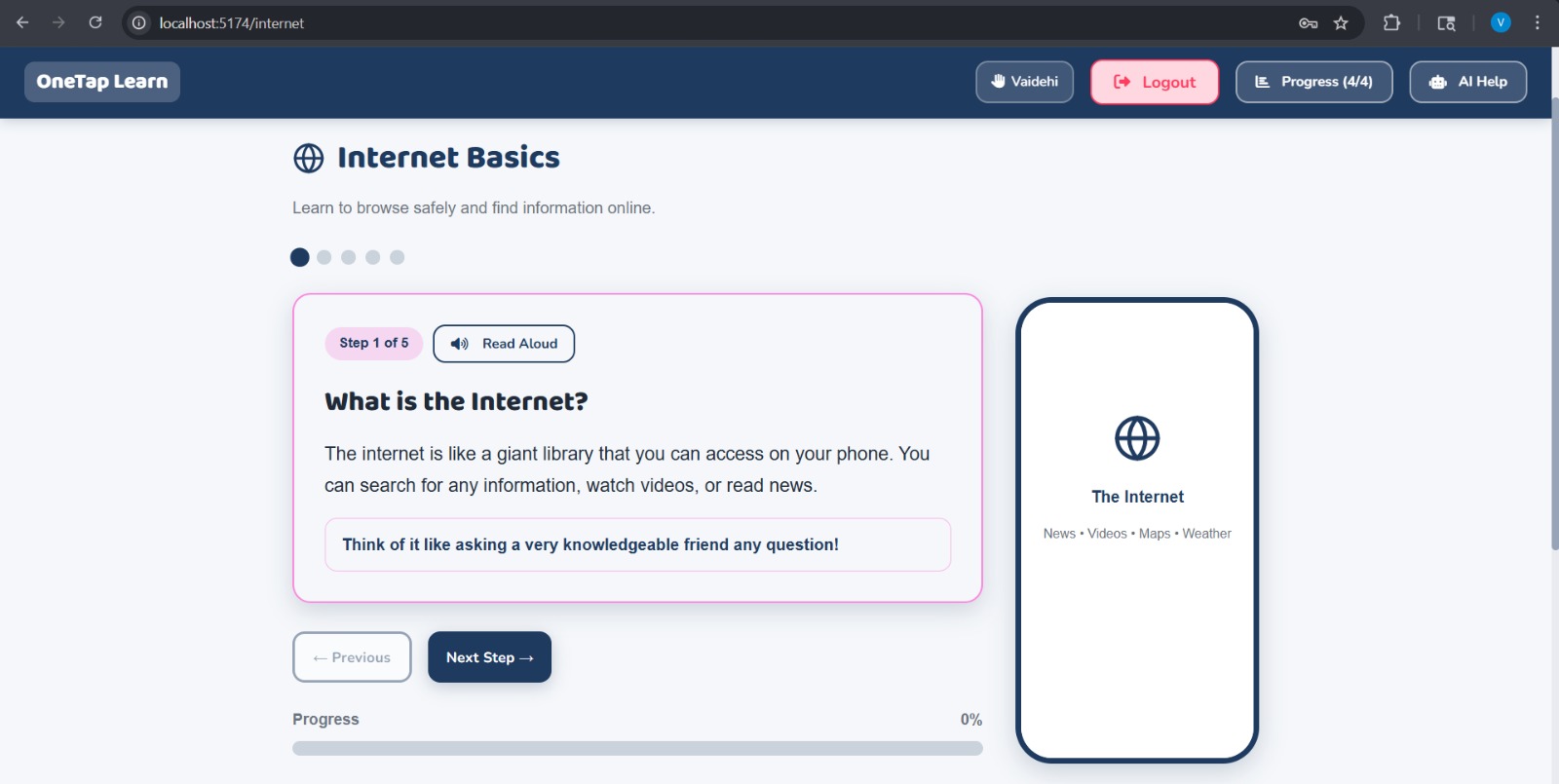
This will teach you about internet and how to browse something.
-
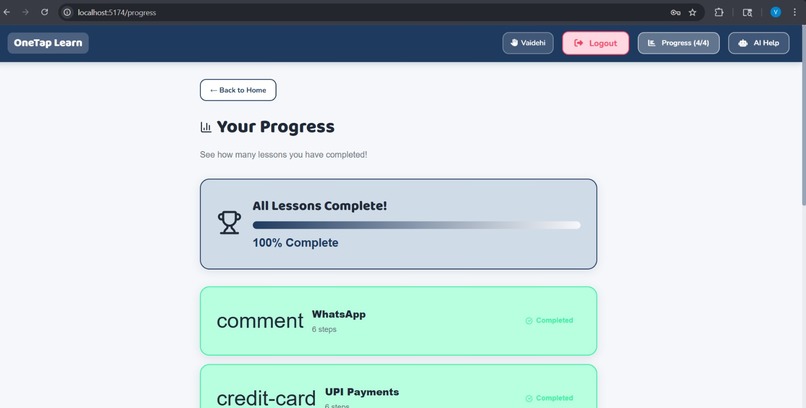
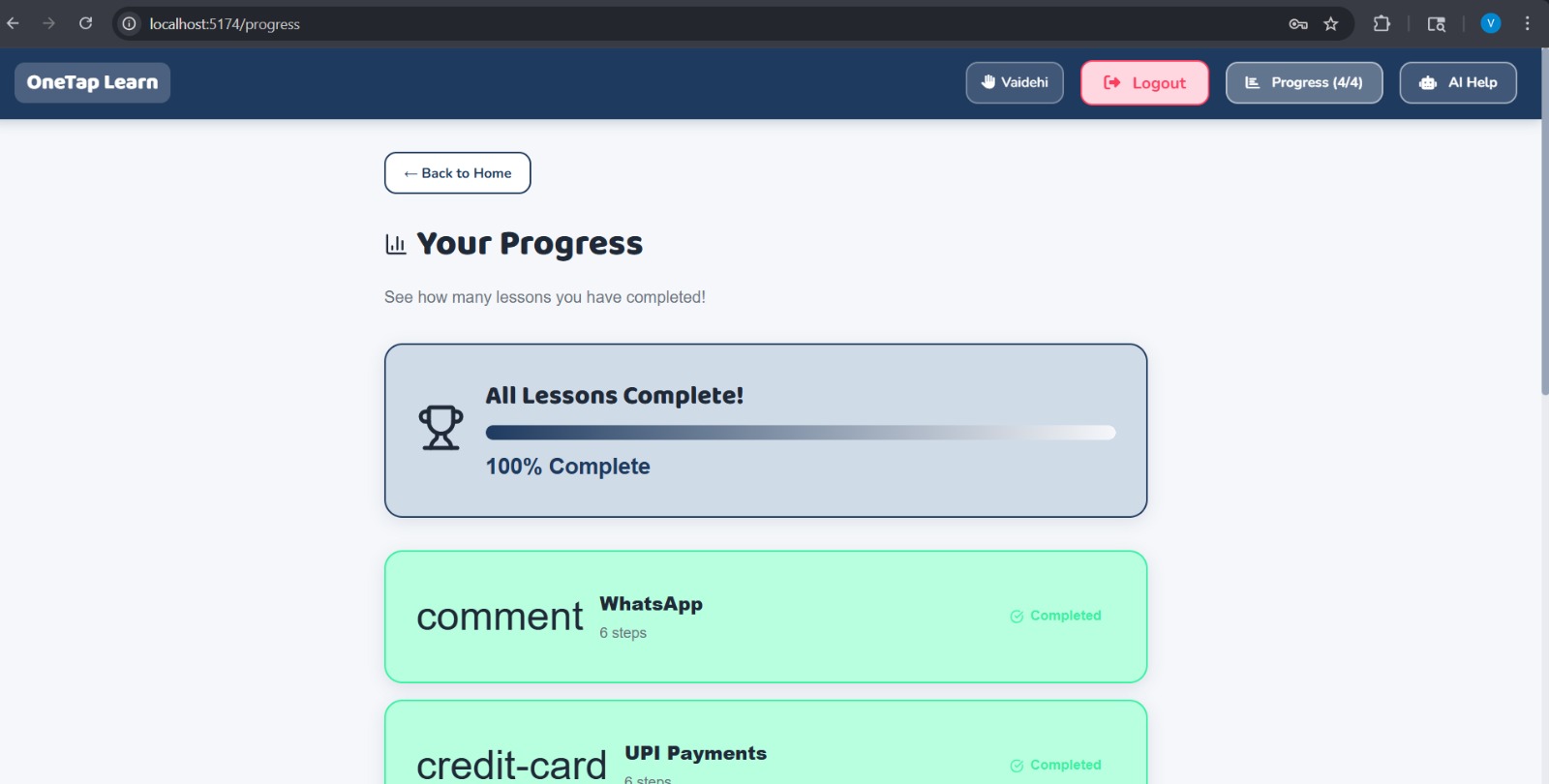
This shows your progress which lessons you completed and overall progress.
Inspiration
In today’s digital world, smartphones and online services are essential, yet many senior citizens struggle to use them due to complex interfaces, small text, and unfamiliar technology. We observed that most learning platforms are not designed for seniors, making it difficult for them to adapt. This inspired us to create a solution that simplifies technology through voice guidance and AI assistance, enabling seniors to learn independently without fear or confusion.
What it does
OneTap AI is a voice-first digital learning platform that helps senior citizens learn how to use smartphones and applications like calling, WhatsApp, and UPI. It provides step-by-step instructions in simple language and supports multilingual interaction. Users can navigate the platform entirely using voice, making it accessible even for those who are not comfortable typing or reading.
How we built it
We built the frontend using React with a clean, senior-friendly UI. The backend is powered by Node.js, where we integrated AI using an API to generate simple, human-like responses. We implemented a voice system using Web Speech API for speech recognition and text-to-speech. The application also includes language mapping for multilingual support and structured lessons for guided learning.
Challenges we ran into
We faced multiple challenges during development. Integrating AI APIs was difficult due to rate limits and inconsistent responses. Ensuring smooth communication between frontend and backend required debugging API calls and fixing CORS issues. Another challenge was making the voice assistant accurate and stable across browsers. Designing a UI that is truly senior-friendly also required careful thought and iteration.
Accomplishments that we're proud of
We successfully built a working AI-powered voice assistant that can guide users step-by-step. The system supports multiple languages and delivers responses in both text and voice. We created a simple and accessible user experience tailored for seniors. Most importantly, we transformed a complex problem into a practical and usable solution.
What we learned
Through this project, we learned how to integrate AI into real-world applications and handle API limitations effectively. We gained experience in voice technologies, frontend-backend integration, and debugging real-time systems. We also understood the importance of designing for accessibility and user-centric development.
What's next for OneTap AI – Voice-Based Digital Learning for Seniors
In the future, we plan to add more real-world simulations such as interactive banking and healthcare apps. We aim to improve voice accuracy and add more regional languages. We also want to integrate offline AI support to ensure reliability without internet dependency. Ultimately, we aim to expand this platform into a complete digital learning ecosystem for seniors worldwide.
Built With
- javascript
- mistral-ai-api
- python-(fastapi)
- react
- tailwind-css
- web-speech-api


Log in or sign up for Devpost to join the conversation.