-
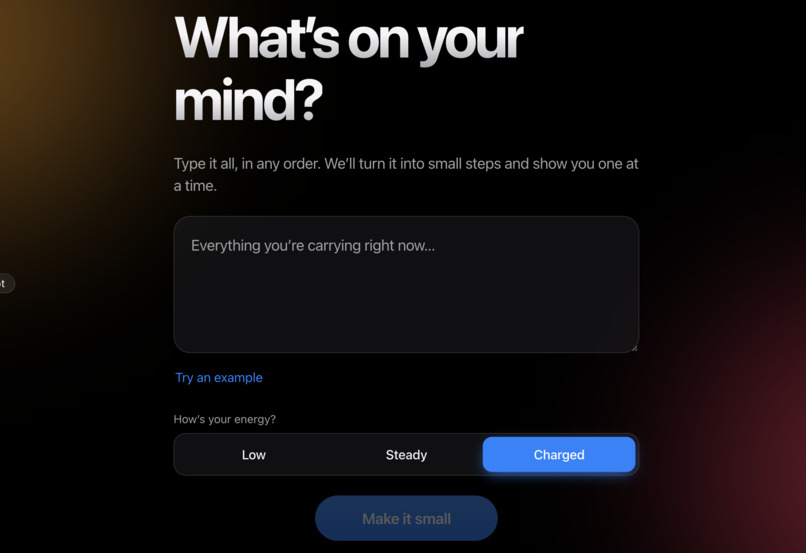
the landing page for this project.
Inspiration
Picture a student, I'll call her Maya. She has 27 things to do spread across five apps. She opens her to-do list, sees a wall of items, and closes it again without doing any of them. The list was supposed to help, but the list itself became the thing she avoids.
Maya is a made-up persona, but the pattern is real, especially for people with ADHD or executive dysfunction. The hard part is not knowing what to do. It's starting. Taskforge's theme, that work should fit people and not the other way around, is what pushed me to build this. Most to-do apps ask you to do more: sort, tag, prioritize, plan. I wanted one that asks for less.
What it does
OneStep shows you one small step at a time, and nothing else.
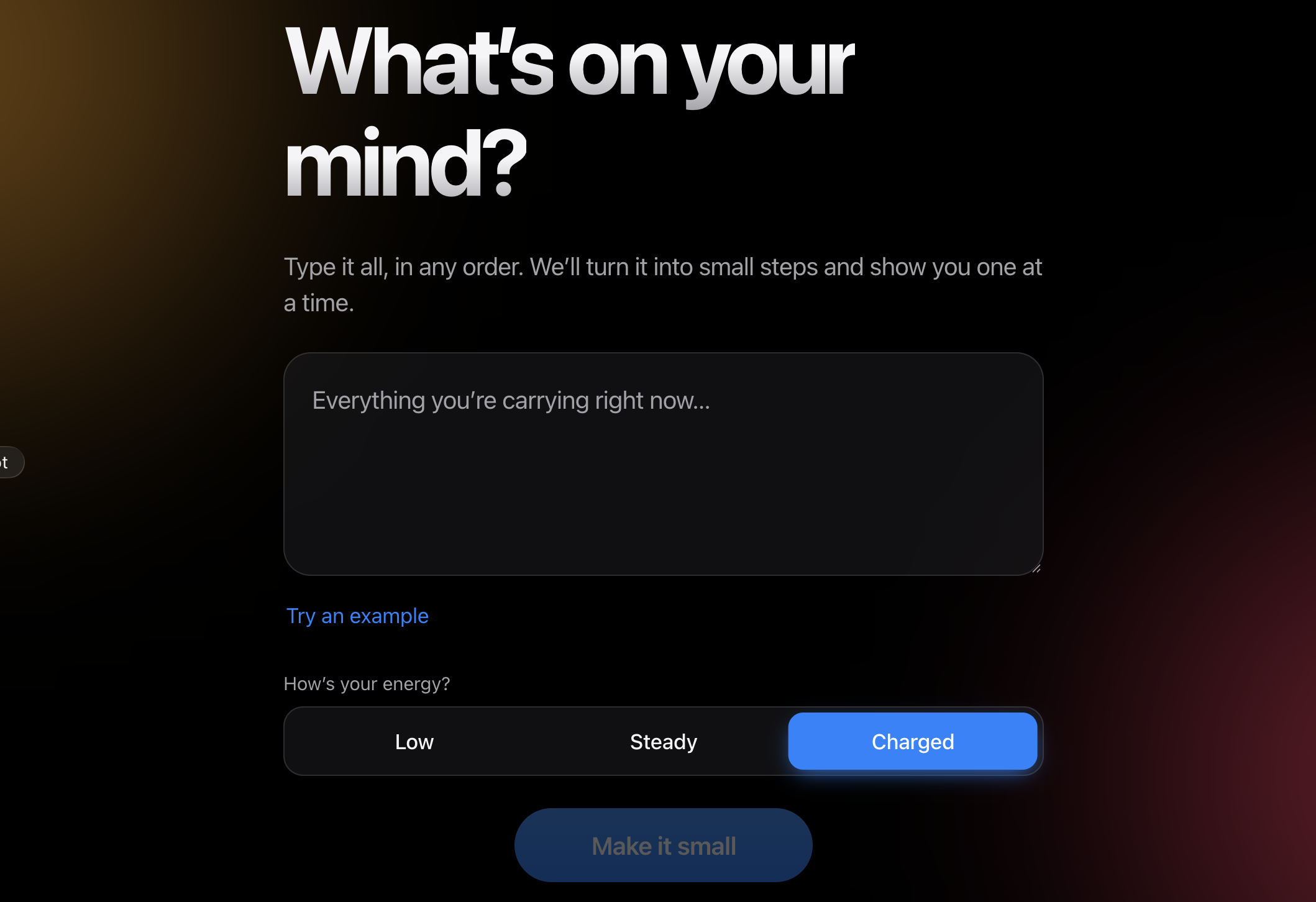
- You dump everything. Type your tasks in any order, messy is fine.
- You pick your energy. Low, steady, or charged.
- It makes the list small. Your tasks become short steps of 5 to 15 minutes. On low energy the easy ones come first. On high energy the hard ones do.
- You see one step. A big step, a gentle timer with no alarm, and a Done button.
- If you're stuck, one tap splits the step into three much smaller ones, like "open the document" or "work on it for two minutes".
- If you can't do it now, "Not now" moves it to the back of the line. There are no penalties, no red overdue labels, and no streaks to lose.
- When you stop, OneStep writes a short handoff note: what you finished, what's next, and what's still open. You can copy it for your future self or a teammate.
For Maya, the change is going from 27 visible tasks to one, and starting within a minute.
Who it's for and the barrier
It's for people who freeze when they see a long task list. The barrier is task paralysis: too many choices at once makes starting harder than doing.
How I built it
- React + Vite for the app, with all data kept in the browser's localStorage. There's no login and no server holding your tasks.
- Rule-based splitting that works offline. It cuts your text at commas and "and", then guesses a time for each step. This is the fallback, so the app never breaks.
- Optional AI breakdown through a small Netlify function that calls Claude (Anthropic's API) for better, more natural steps. If there's no key or the call fails, the app quietly uses the rule-based version.
- Plain CSS for the design: a slow, drifting background glow that changes color with your energy level, a progress ring, and headlines that appear one word at a time.
- Accessibility: full keyboard use, screen-reader labels, an easy-to-read typeface (Atkinson Hyperlegible), a higher-contrast mode, read aloud using the browser's speech tool, light and dark mode, and a switch that turns all animation off. It also respects the system's reduced-motion setting.
Challenges
Making calm feel calm. My first version worked but looked like a form. I had to learn that for this kind of user the design is part of the function. Animation can soothe or it can distract, so every movement I kept has a reason, and all of it can be turned off.
Not trusting the AI too much. AI splitting can be wrong or oddly worded. So the app has a fallback, and steps are short enough that a bad one costs the user very little.
Timers without pressure. A countdown can add stress. I made the timer a quiet ring that fills, with no sound and no "time's up" message.
Scope. I had many ideas, like calendars, reminders and syncing. I cut them, because each one adds exactly the clutter this app is trying to remove.
What I learned
- Reducing choices helps more than adding features.
- A fallback that always works matters more than a clever AI feature that sometimes fails.
- Accessibility is easier to build in at the start than to add at the end.
Testing
I tested OneStep with one friend, who agreed to try it and share his reaction. He used it with real tasks he had that day. This is a very small test, so I'm treating it as a first signal, not as proof.
What he said: the app took the pressure off. He described it as releasing his stress, because he only had to think about one small step instead of his whole list.
What I take from it: the "one step at a time" idea helped someone feel calmer, which is the main thing OneStep is for. One person can't tell me how well it works for people with ADHD or executive dysfunction, or whether it holds up over days of use.
What's next: I want to test with more people, including people who struggle with task paralysis, and measure how long it takes them to start their first step.
Limitations
- It is not clinically validated and is not a medical tool.
- The offline splitter is simple and can split a sentence in odd places.
- AI quality varies, and the AI feature needs an API key.
- Tasks are stored only in your browser, so there's no sync across devices.
- I haven't yet tested it with screen readers across different browsers and devices.
What's next
Voice input for the brain dump, syncing between devices, and testing with people who use screen readers and other assistive tools.
AI assistance and pre-existing work
- Pre-existing work: OneStep started from the Vite + React project setup of Unlinear by Beyzanur Kuyuk (MIT license, kept in the repo). I replaced the screens, design, logic and server function. The idea of showing one step at a time is shared with Unlinear and with other apps like it. What I added is the energy-based ordering, the "I'm stuck" ladder, the handoff note and the accessibility options.
- Libraries: React, Vite, and the Atkinson Hyperlegible font.
- AI assistance: I used Claude (Anthropic) to help plan the idea, write the code, and draft this page. The optional breakdown feature also calls Claude.
Built With
- anthropic
- claude
- css
- html5
- javascript
- localstorage
- netlify
- netlify-functions
- react
- vite
- web-speech-api

Log in or sign up for Devpost to join the conversation.