-
-
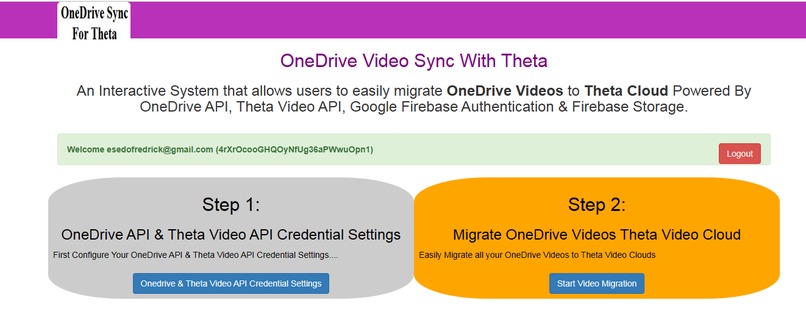
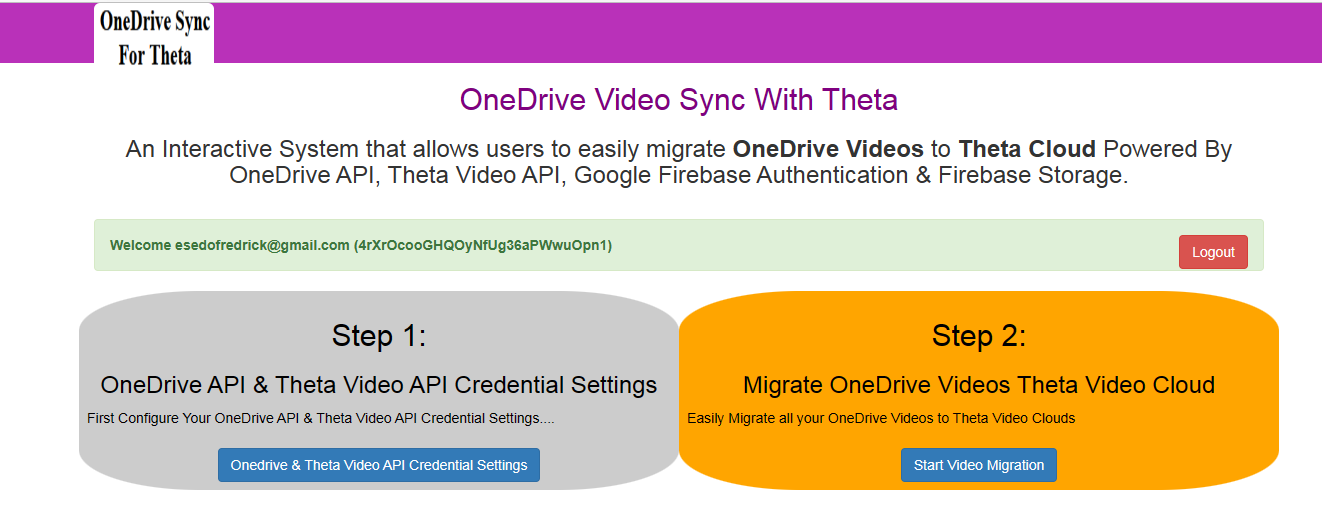
Application Dashboard
-
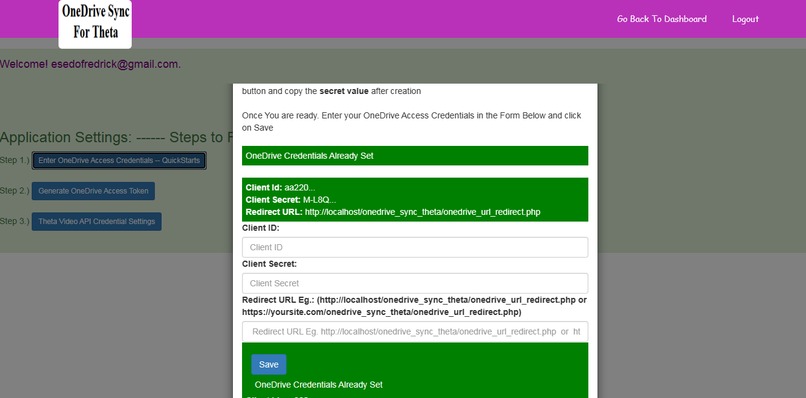
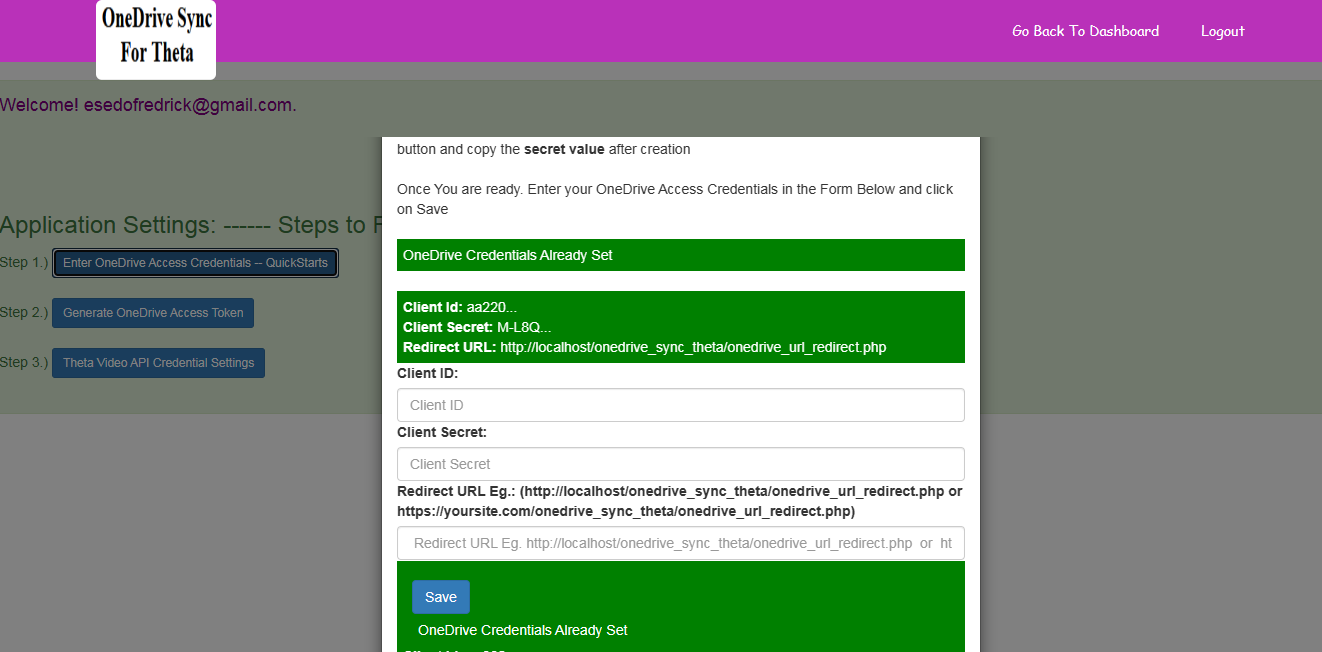
Application Settings
-
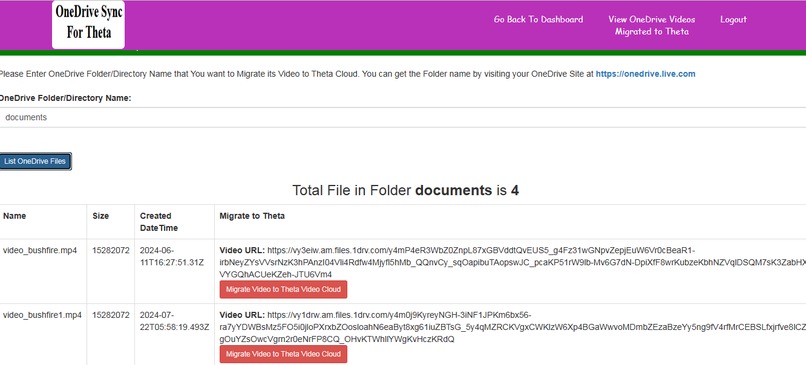
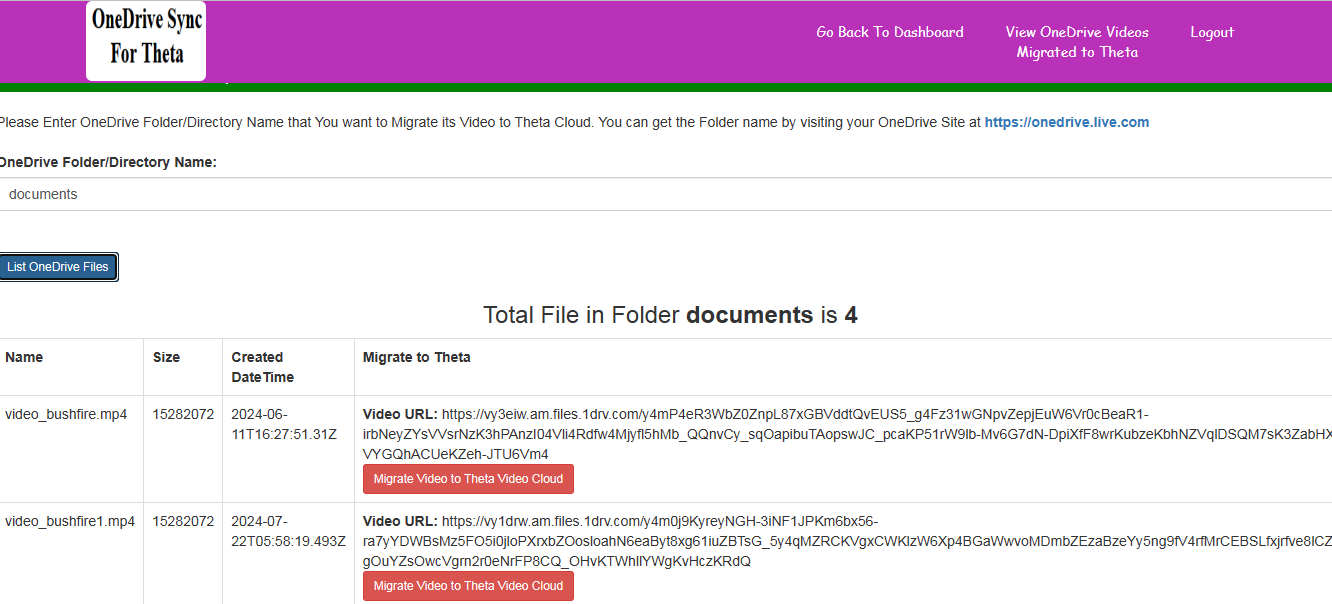
List ofVideos in OneDrive Directory Listed for Migration to Theta Cloud
-
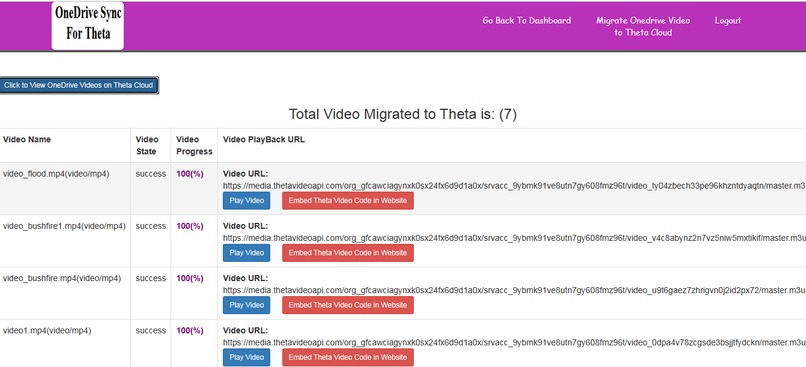
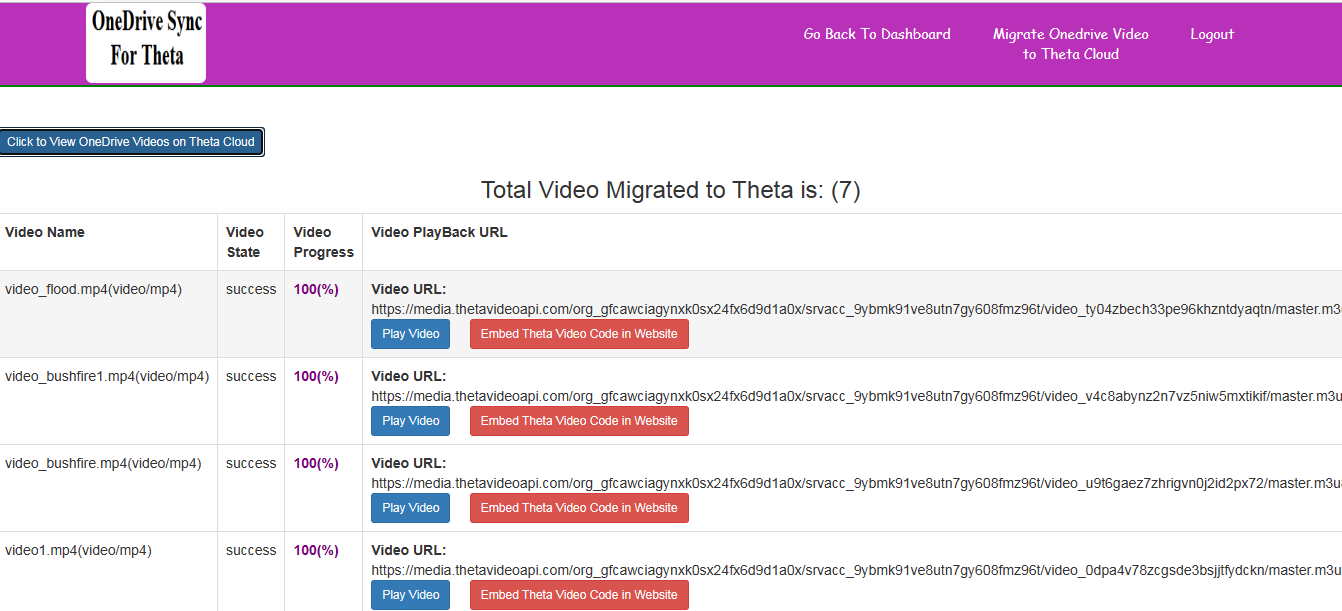
Migrated Video List
-
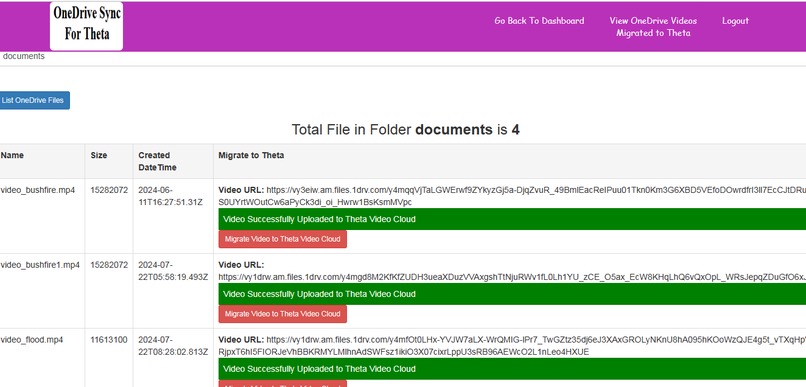
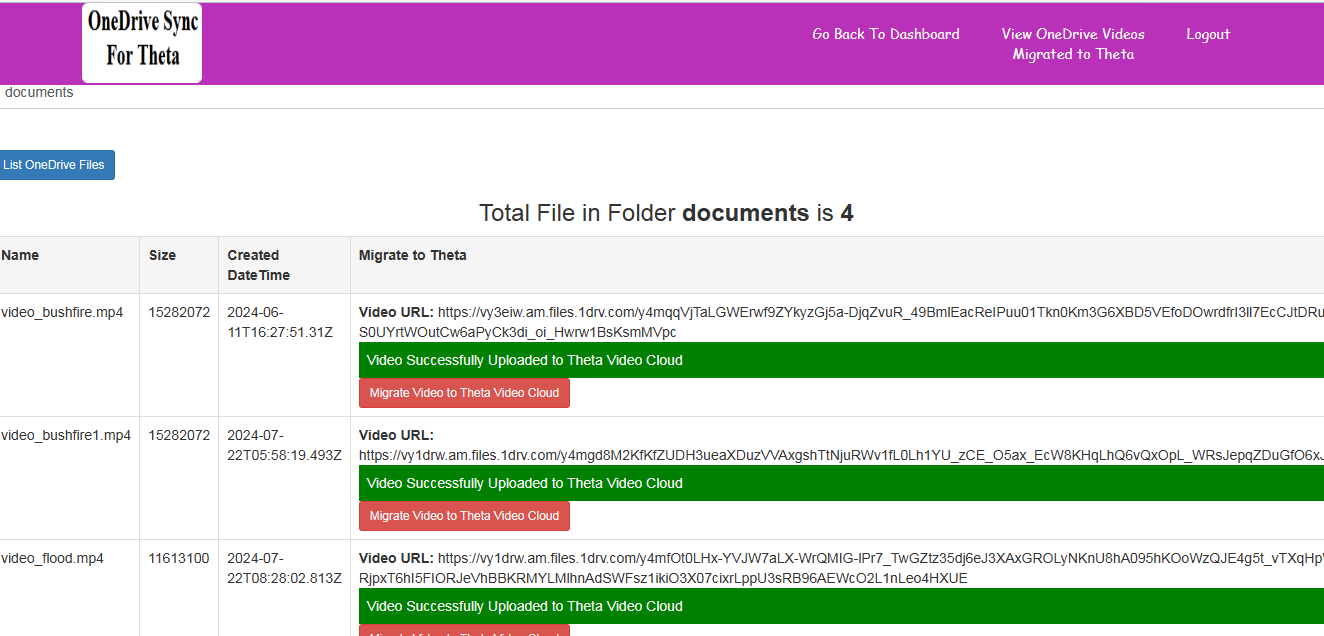
OneDriveVideo Migration to Theta Dashboard
-
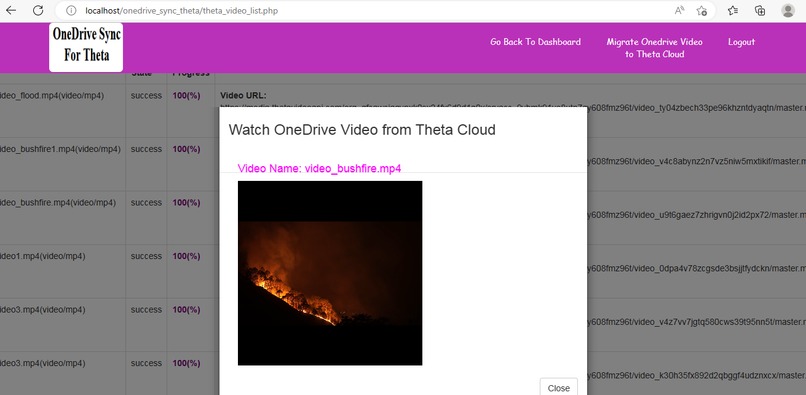
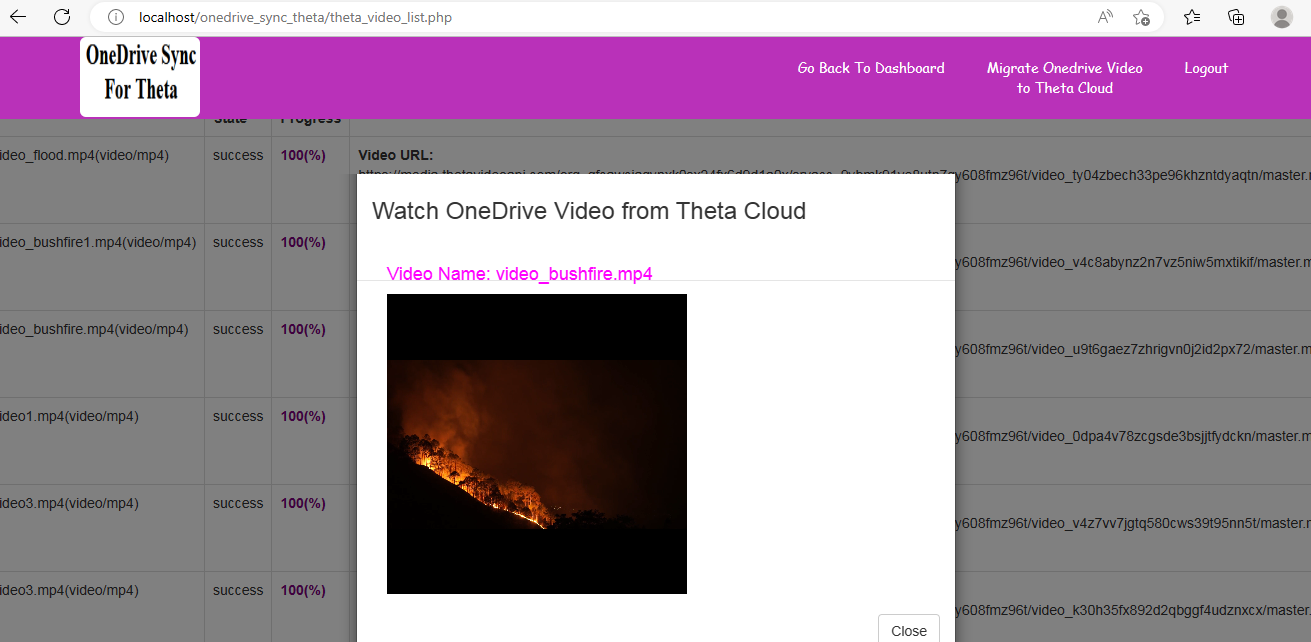
Watch Onedrive Video from Theta Cloud
Inspiration
Before Introduction of Theta Network in 2016/2017 Individuals, Organizations, Companies etc. uses various Cloud Storage System like OneDrive, Amazon S3 etc. to store their Files and Videos.
After discussing about the amazing features of Theta Video Decentralized Network with a friend of mine who works with a Video Streaming Company. He confessed that Theta Video Decentralized System is fantastic and amazing especially in terms of High performance, Scalability, good Price, Low Bandwidth Consumption, Zero Latency etc. when compared to other available Video Streaming Platform in the market. Most importantly, Theta Video Network automatically offload the heavy task of Video Uploads, Trans-coding and Streaming on behalf of their Users thus saving millions of developers, Companies etc. coding time and energy while allowing them to focus on their other areas of businesses.
Theta Video Decentralized Network is also the only way forward for WEB 2 Video Streaming but there is a problem for millions of Individuals, Companies, Organizations etc. who has previously stored their videos in other various Cloud Storage before Theta Video Network was invented in 2016/2017 as all Individuals, Companies etc. may like to keep and manage their Video Streaming all in one Cloud Network.
My Friend told me that their System has hundreds of thousands of Videos already Uploaded and Stream from OneDrive Cloud Storage. He added, Implementing Theta Video Decentralized Network in their System is not a problem. Here is the main issue?. How can individuals, Companies, Organisations etc. easily Sync or migrate their hundreds of thousands of existing videos from other Video Cloud Storage System like (OneDrive, Amazon S3 etc.) to Theta Video Decentralized Ecosystem. A Theta Video Cloud Migration Tool is needed and as a result, Amazon S3 and OneDrive Video Sync For Theta was born.
About Our Application
I wrote 2 different Applications for Video Migration to Theta
1.) Amazon S3 Sync For Theta: This allows users to migrate videos stored in Amazon S3 Buckets to Theta Cloud.
Demo Video: https://youtu.be/GojSdqGxffI
Source Code: https://drive.google.com/file/d/1NngWjz605qHl7TjTKpWPnGf72wzvlCQ2/view?usp=sharing
2.) OneDrive Sync For Theta: This allows users to migrate videos stored in OneDrive Cloud Storage to Theta Cloud.
Demo Video: https://youtu.be/Kn-GLWz4H40
Source Code: https://github.com/areaboy/onedrive_sync_theta
Both Source Code can be downloaded from Here:
https://drive.google.com/file/d/1m_hZvAbYQ9mkr00_7jwv9HCXyMmgl7bg/view?usp=sharing
What it does
Amazon S3 and OneDrive Video Sync For Theta is an Interactive System that allows Users, Companies, Organisations etc. to easily sync and migrate their videos in Amazon S3 and OneDrive Cloud Storage to Theta Video Decentralized Network respectively. .
Amazon S3 and OneDrive Video Sync For Theta automatically offload the heavy task of Video Syncing and migration from Amazon S3, OneDrive Cloud Storage etc. to Theta Video Decentralized Ecosystem thus saving millions of Users, developers, Companies etc. time and energy while allowing them to focus on their other areas of businesses.
This application is powered by Amazon S3 API, OneDrive API, Theta Video API, Google Firebase Authentication & Firebase Real-time Database.
How to use the Amazon S3 Sync For Theta:
1.) User Signup and Login
2.) User goes to Settings Page to update his/her Theta Video API Credentials, Amazon S3 API Credentials. Instructions on how to do that are there on the Settings Page.
3.) User goes to Video Migration Page and Enter the Amazon S3 Bucket Name containing the Amazon S3 Video list to be migrated to Theta Cloud.
4.) User can then Start Video Migration. The app automatically Perform Video Migration Validations and Check to prevent video migration duplicates.
5.) User can also access, view, watch and managed all the Amazon S3 Videos already migrated and sync to and from Theta Video Decentralized System.
How to use the OneDrive Sync For Theta:
1.) User Signup and Login
2.) User goes to Settings Page to update his/her Theta Video API Credentials, OneDrive API Credentials and then Generate OneDrive Access Token. Instructions on how to do that are there on the Settings Page.
3.) User goes to Video Migration Page and Enter the OneDrive Folder/Directory name containing the OneDrive Video list to be migrated to Theta Cloud.
4.) User can then Start Video Migration. The app automatically Perform Video Migration Validations and Check to prevent video migration duplicates.
5.) User can also access, view, watch and managed all the OneDrive Videos already migrated and sync to and from Theta Video Decentralized System.
Application Made Secured with Google Firebase Authentications & Firebase Real-time Database..
1.) Signup and Login System are Powered by Firebase Authentications.
2.) Theta Video API Credentials, Amazon S3 API, OneDrive API Credentials and OneDrive Access Token are stored and secured on Google Firebase Realtime Database...
How we built it
This application is coded with PHP, Bootstraps,Jquery/Ajax, Javascript etc. and its being powered by Amazon S3 API, OneDrive API, Theta Video API, Google Firebase Authentication & Firebase Storage.
For Google Firebase Authentication, I leveraged MIT Open Source Sample Code at https://github.com/SanjaySunil/firebase-login
About License
Open Source MIT Licensed.
What I learned
Building an application for the first time using the most scalable Google Firebase Realtime Database and integrating with super advance Theta Video Streaming Decentralized Network is amazing. Both tech. are very simple and easy to integrate..
What's next for Amazon S3 API and OneDrive Video Sync for Theta
Many more Video Migration Tools for Theta coming up...
Built With
- amazon-s3-api
- bootstraps
- google-firebase-authentication
- google-firebase-realtime-database
- javascript
- jquery-ajax
- onedrive-api
- php
- theta-video-api


Log in or sign up for Devpost to join the conversation.