-
-
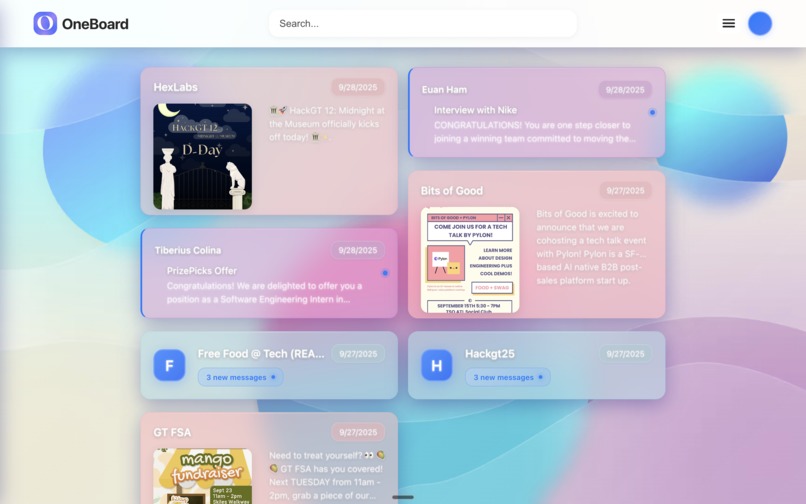
Dashboard
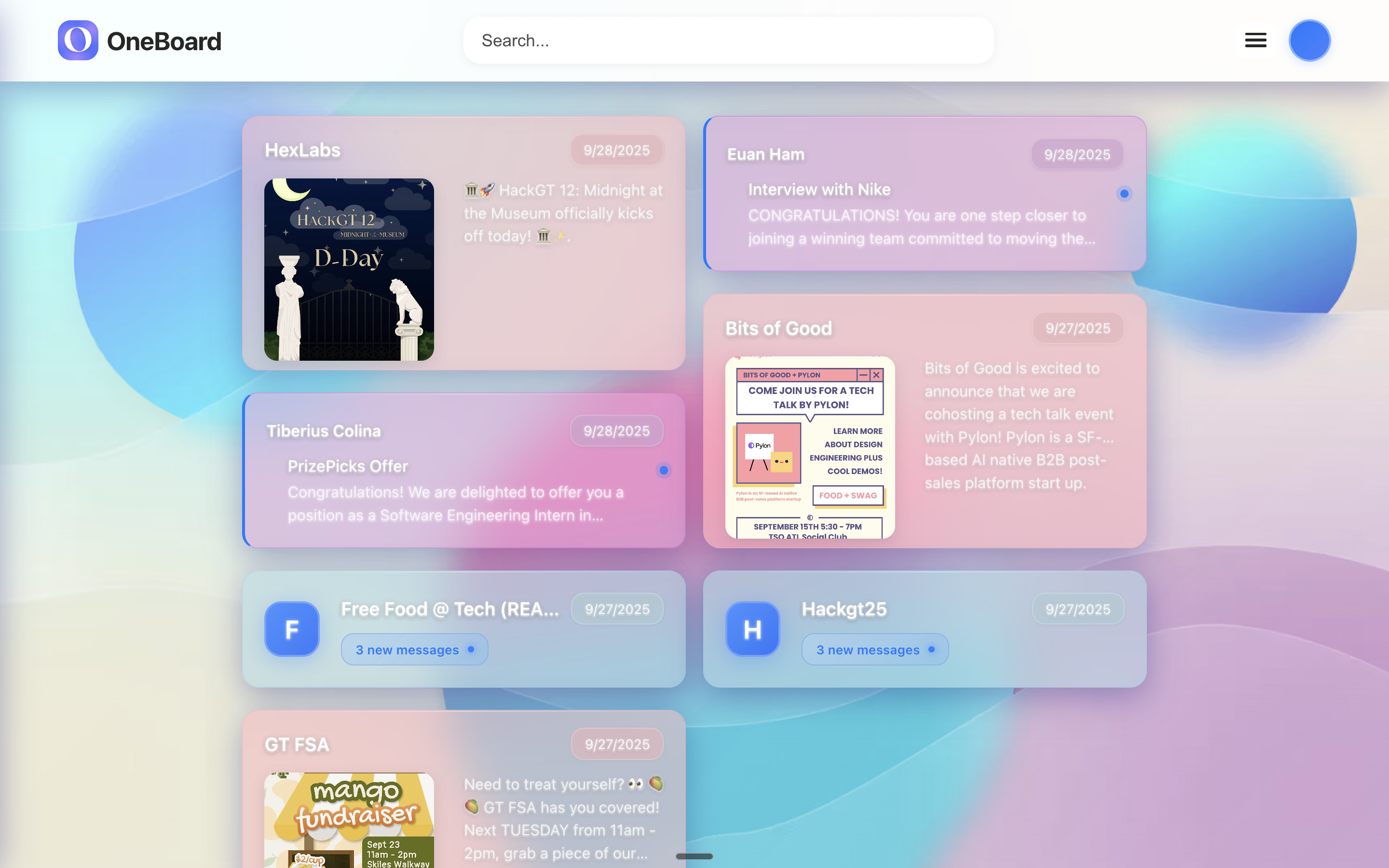
Inspiration
In the digitized era, students frequently feel overwhelmed by the deluge of information shared online. Every day, students check Email, GroupMe, Instagram, and other apps, creating fragmented experiences and many notifications. This leads to information overload, in which the volume of incoming messages makes it difficult to prioritize, stay focused, and maintain well-being. The global datasphere is projected to reach 181 zettabytes by 2025 (IDC, 2021), and 58% of employees report that searching for information to do their jobs interrupts their primary responsibilities (Sinek, 2023). Moreover, the average knowledge worker spends 28% of their workday managing email (McKinsey & Company analysis). Inspired by our lived experiences trying to navigate this fragmented ecosystem, we created OneBoard: a centralized dashboard to congregate users’ most recent emails, Instagram posts, and GroupMe messages in one place. In an era where a missed Instagram post could mean an overlooked social club meeting or a missed email could mean a lost job opportunity, we look to streamlining digital communication and information management into a single, manageable hub; we seek to reduce cognitive load, declutter notifications, and enable students to focus on what truly matters--whether that’s academics, career, or community.
What it does
Oneboard serves as a dashboard of important data sources such as Instagram, GroupMe, and Gmail, notifying users based on their own preferences. You can curate your feed to include a certain organization’s Instagram accounts, a select group on GroupMe, and emails only about job interviews, for example. Additionally, Oneboard gives users a summary of the feed as well as a recommended action, including adding events to the user’s Google Calendar, which is integrated at the bottom of the feed.
How we built it
We separated the repository into client and server side. For the client, we used Vite to initialize a React project and used TypeScript for greater scalability. We implemented the user interface using a glass morphism style using CSS to emphasize clarity for the user.
For the server side, we used the FastAPI framework to create a REST API in Python. We created routes to interact with the Gmail and GroupMe APIs, pulling email and message information from these APIs. We then used the OpenAI API to tag emails as either “education” or “career” to select the most important emails for the user to see.
Challenges we ran into
One of the biggest obstacles for this project was GroupMe’s rate-limited API. We ultimately had to hard code a sample JSON response that we received in order to test our program with a toggle to fetch live data.
Accomplishments that we're proud of
We’re very proud of our user interface which was built to be calming to the user while facilitating the user experience. Another accomplishment we were proud of was the speed at which we developed our REST API. We made the choice to use the FastAPI framework due to its ease of use, and we developed routes to fetch information from the GroupMe and Gmail APIs in a matter of hours. This left plenty of time to adjust these routes to match the needs of the frontend.
What we learned
We learned that a well-organized front end allows for seamless integration with the back end. Furthermore we learned about considerations for system design such as which RestAPI framework to use. Deciding to use FastAPI was an exercise in evaluating our use case, as we had to decide the best framework to use given the time constraint and our own abilities.
What's next for OneBoard
Currently, users of OneBoard can receive updates from Gmail and GroupMe. In the future, OneBoard users will be able to receive updates from other sources such as Instagram, Outlook, and Canvas to name a few. The OneBoard roadmap also includes developing a user login system, enabling personalized information storage so students won’t need to log into Google or Outlook each time they visit the platform. To allow for a more seamless user experience, users will be able to reply to emails and GroupMe messages from within the application in the future. In this way, users won’t need to open those applications and risk getting distracted.
Built With
- css3
- groupmeapi
- html
- javascript
- npm
- openaiapi
- react
- typescript
- vite


Log in or sign up for Devpost to join the conversation.