-
-
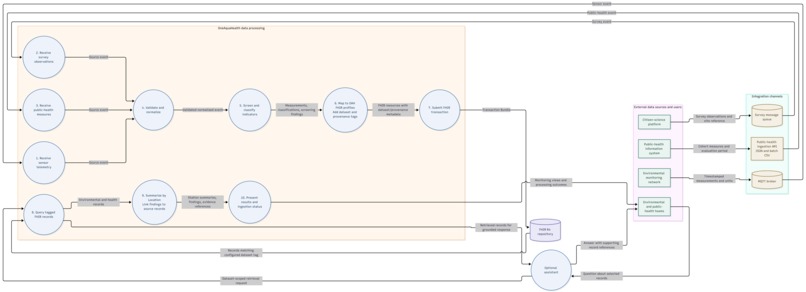
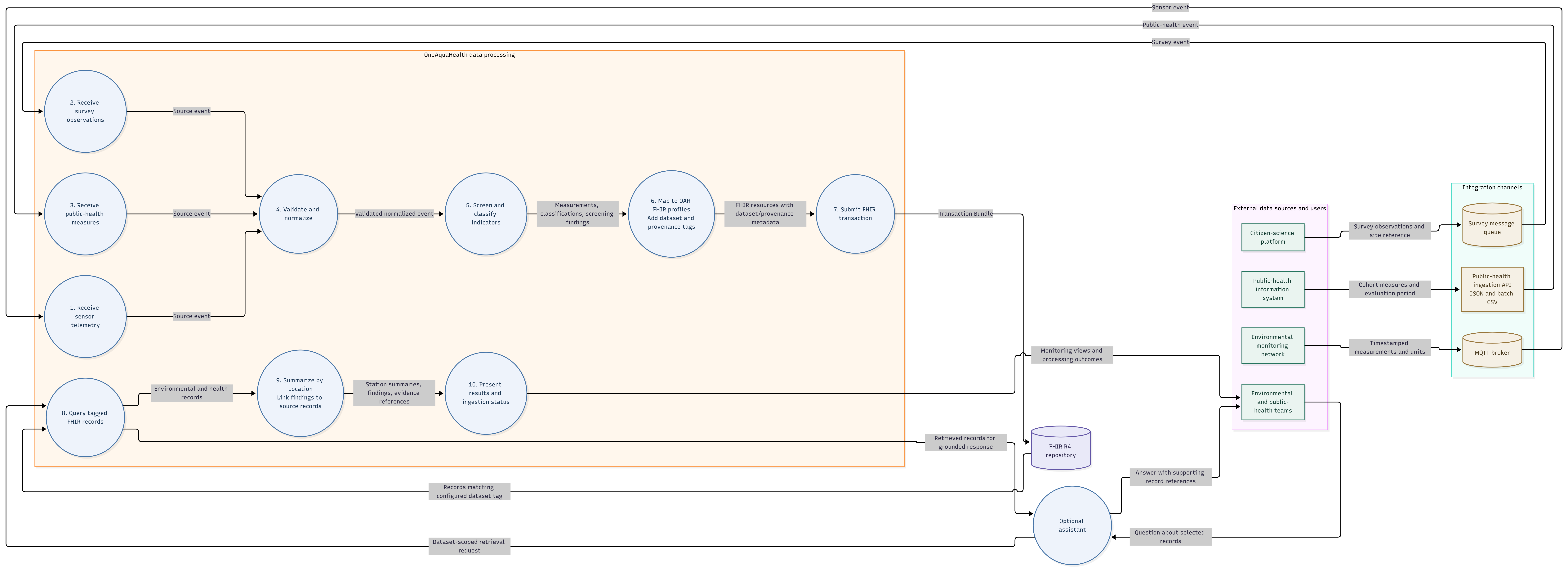
Data flow diagram
-
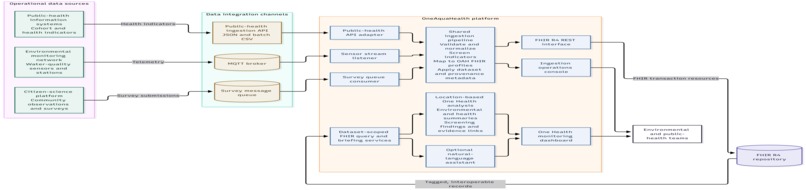
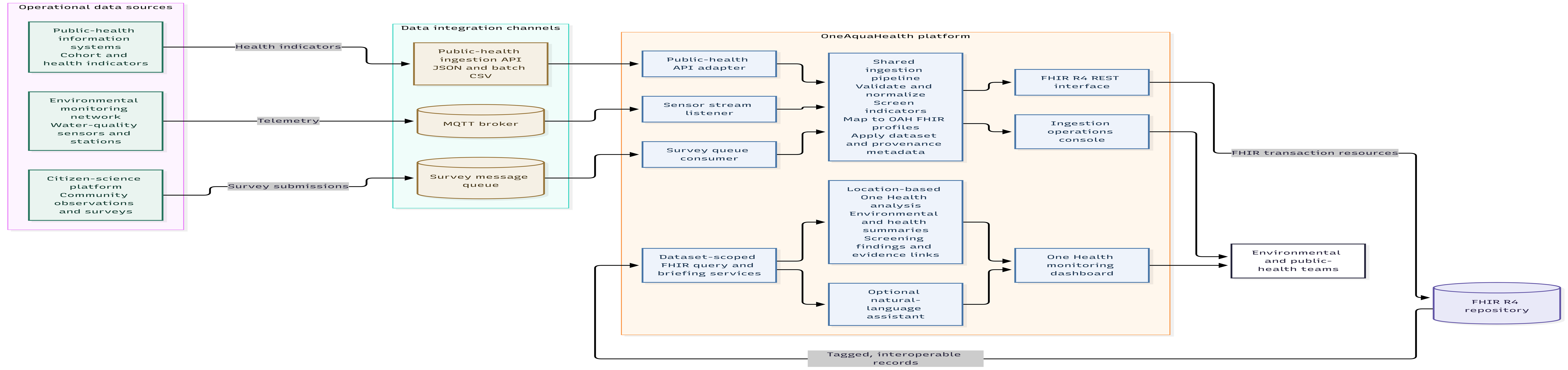
system architecture diagram
-
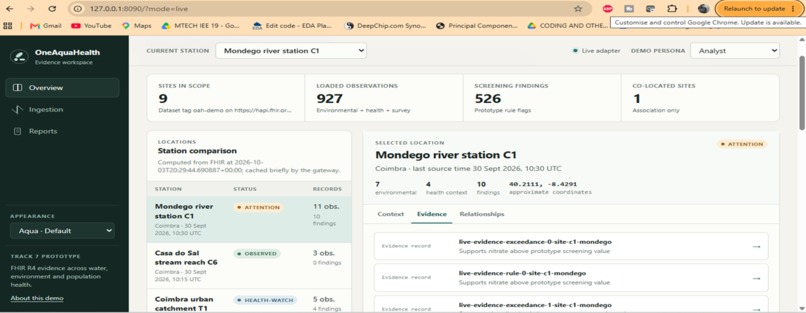
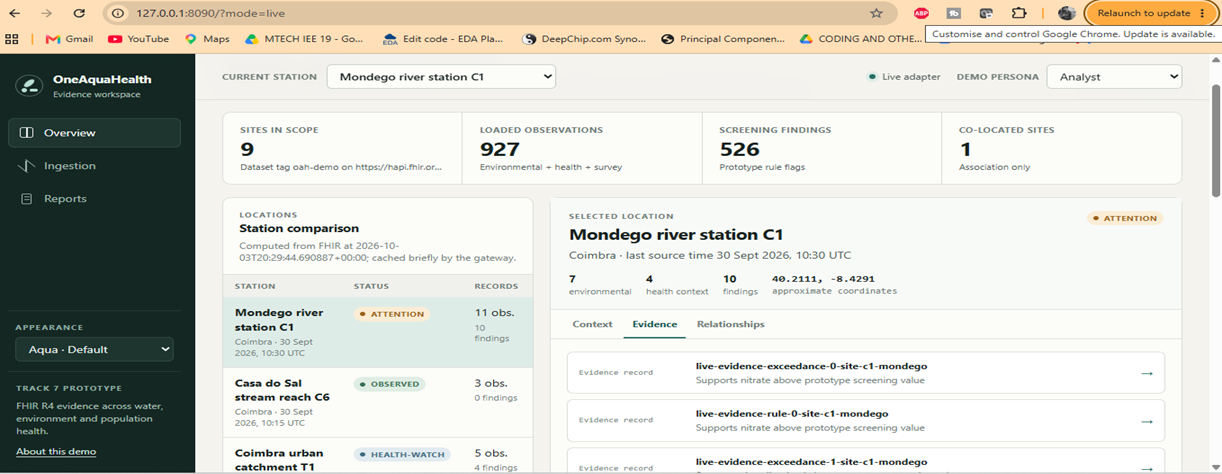
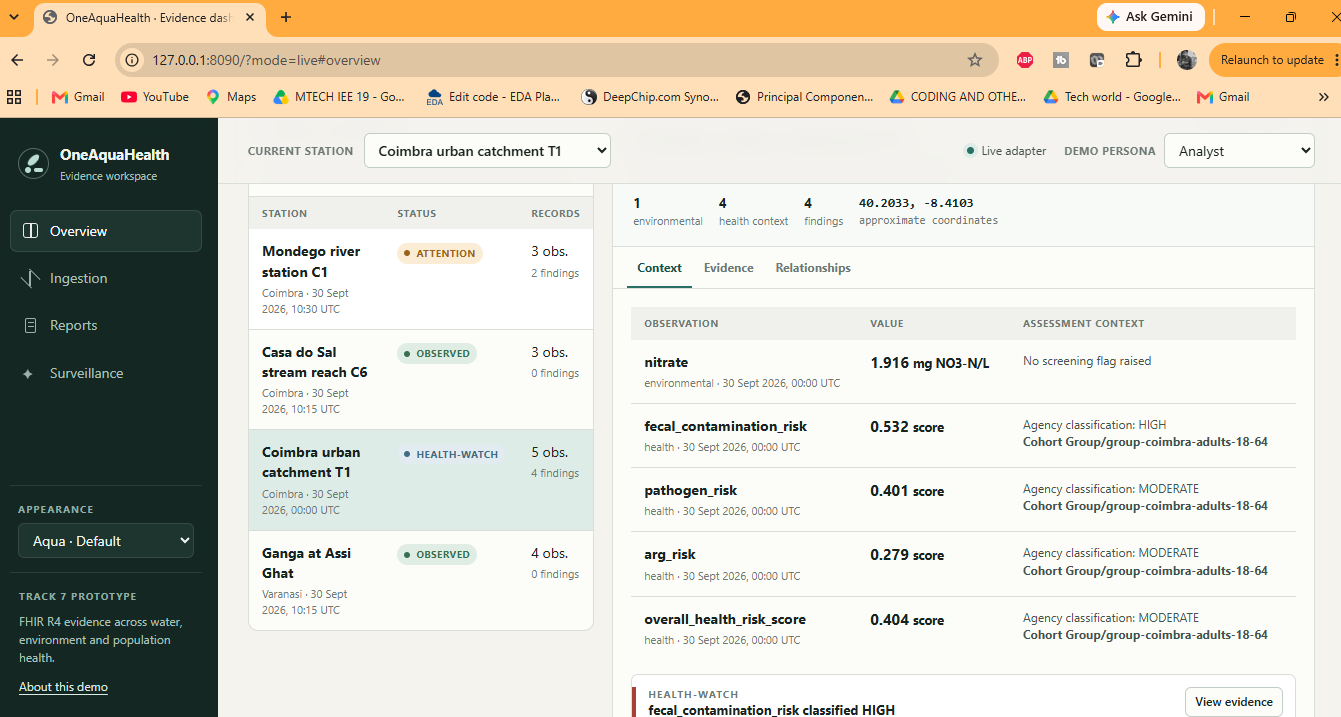
The Evidence tab lists source records supporting station findings and provides a route to inspect each item.
-
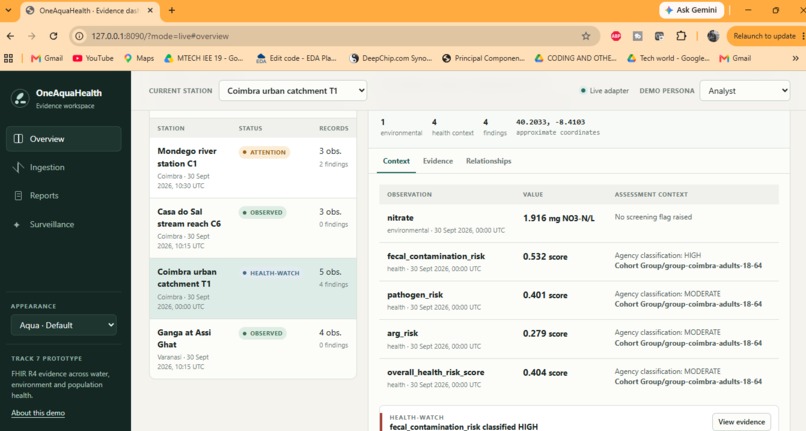
Environmental measurements and cohort-level health indicators appear together with their values, units or scores, dates, and assessment
-
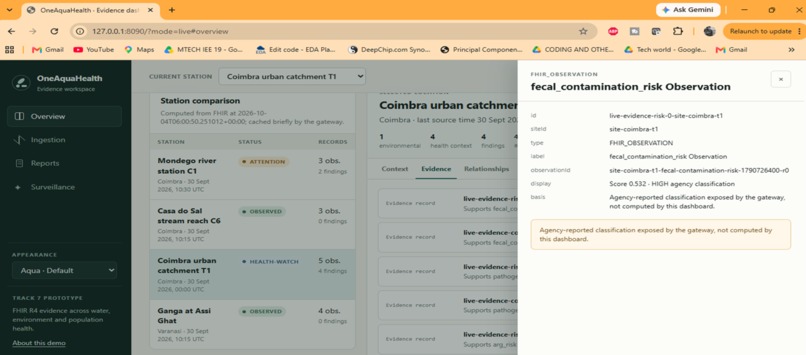
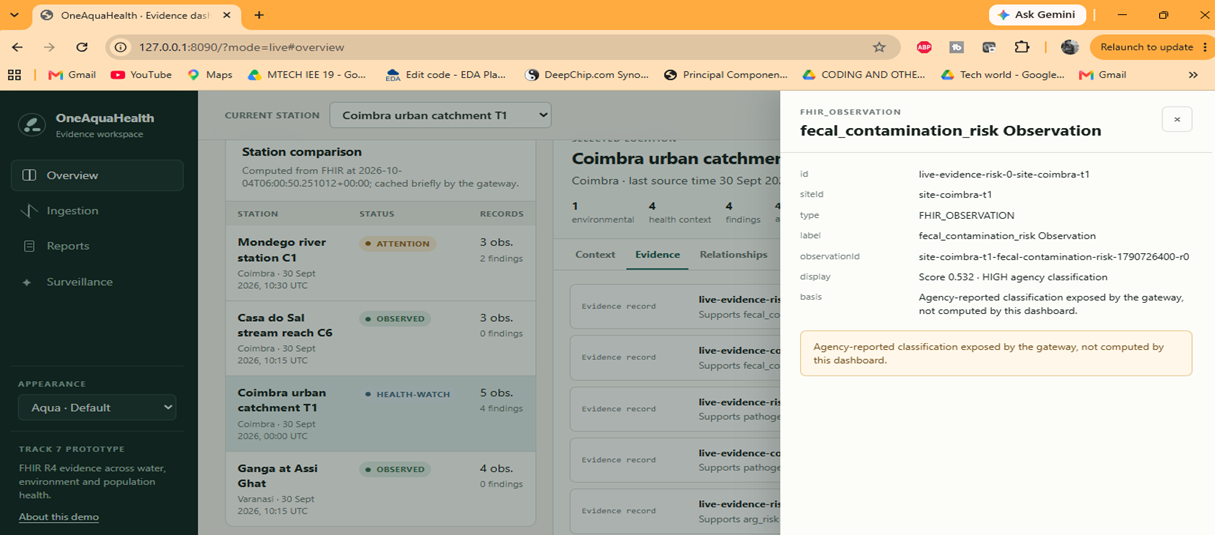
Opening an evidence item reveals FHIR Observation reference, station, reported score, and source, helping reviewers trace dashboard finding.
-
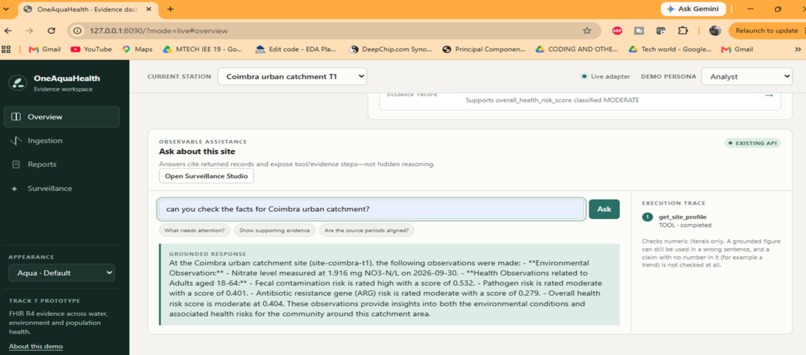
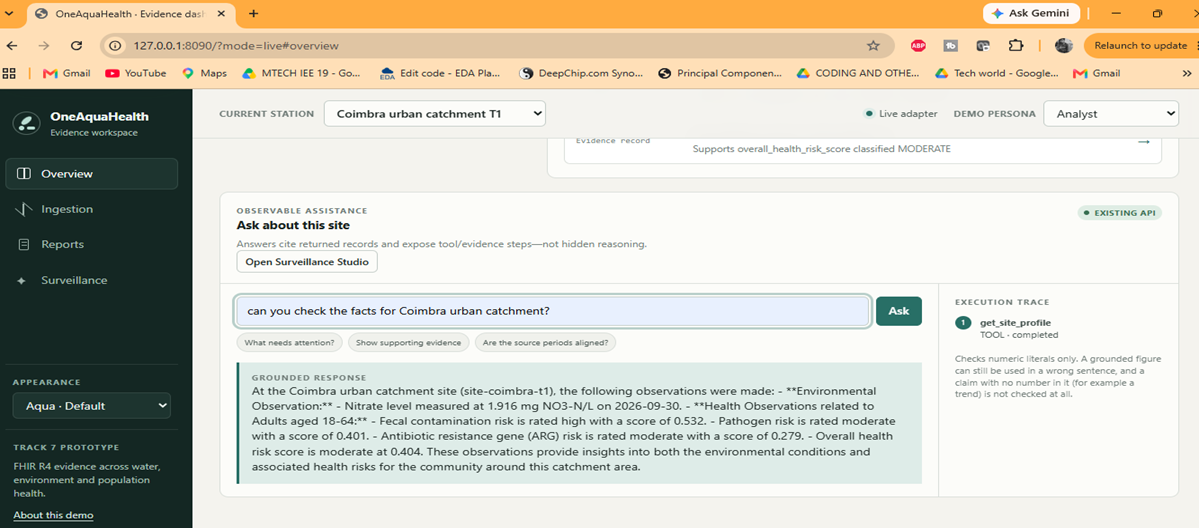
Ask a site question and view the assistant's evidence trace.
-
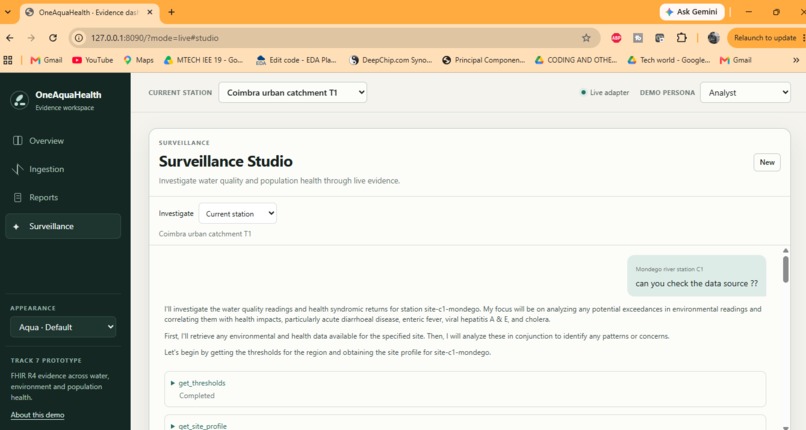
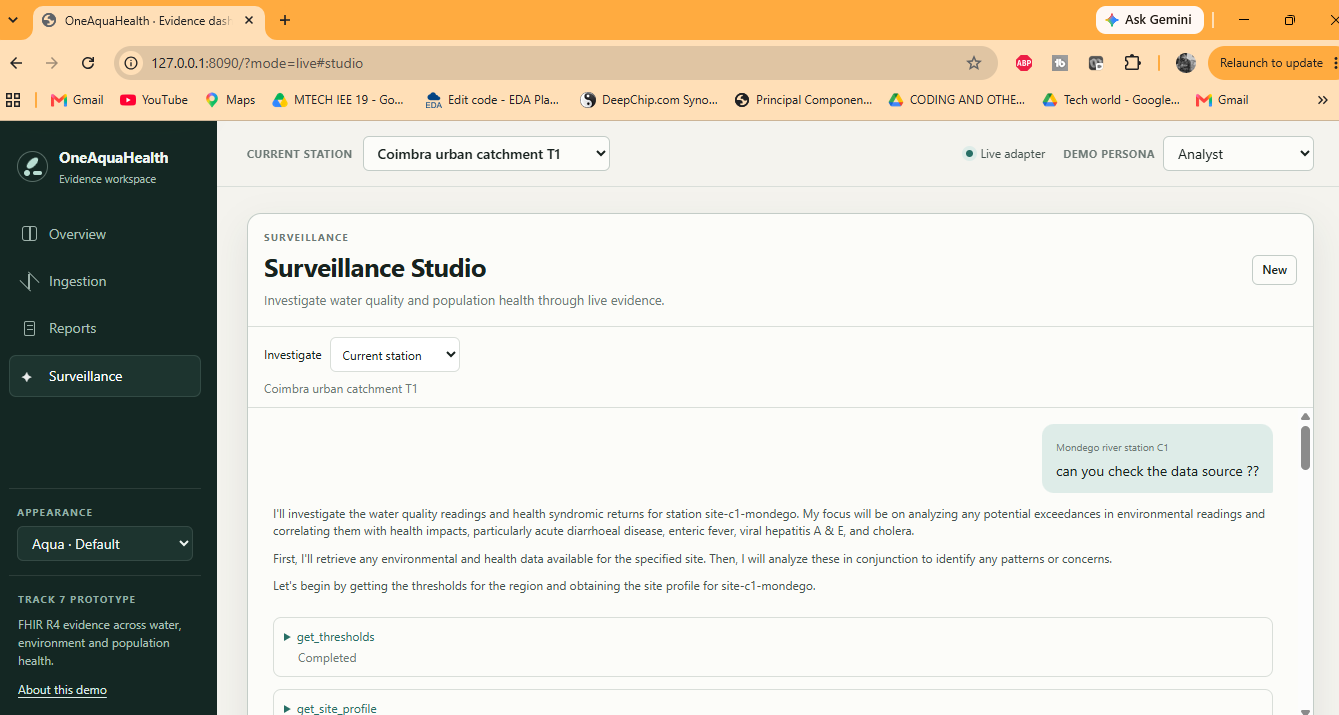
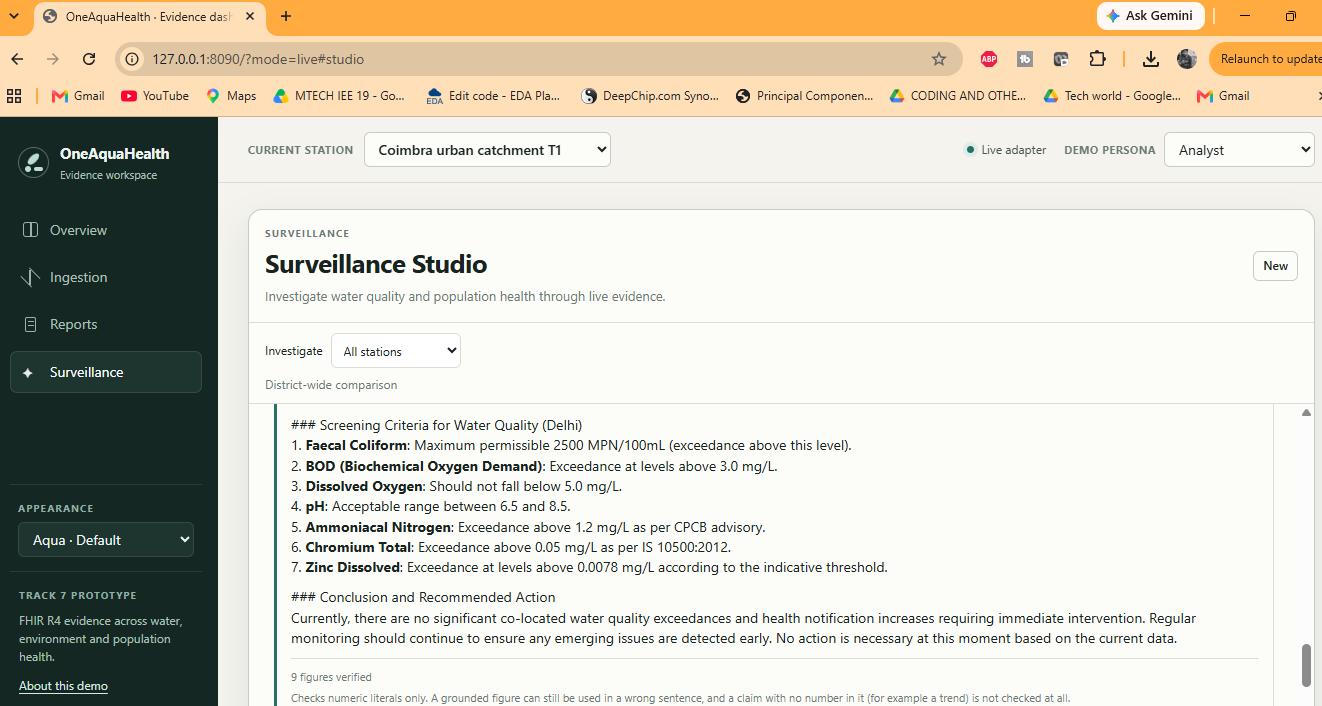
The Surveillance Studio shows a station investigation and tool activity.
-
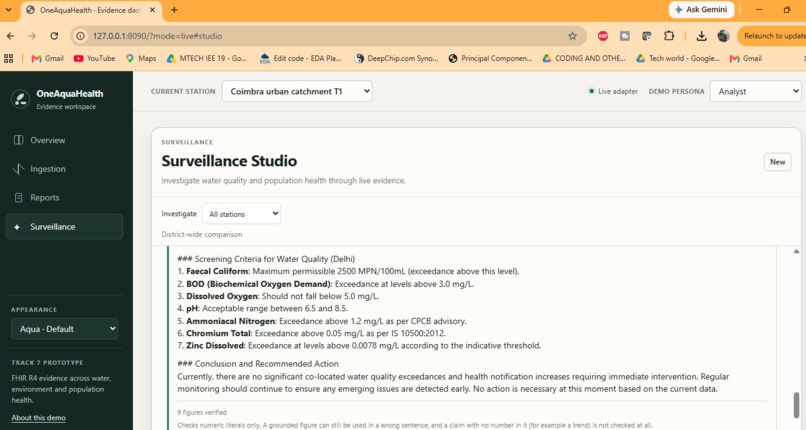
Review a generated screening summary across all stations.
-
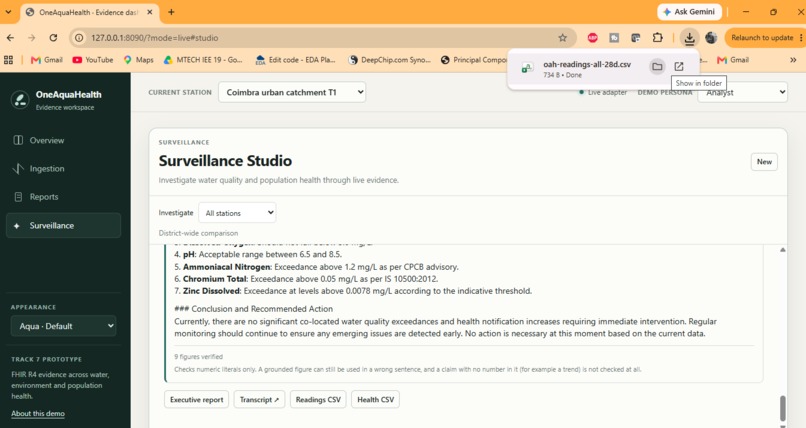
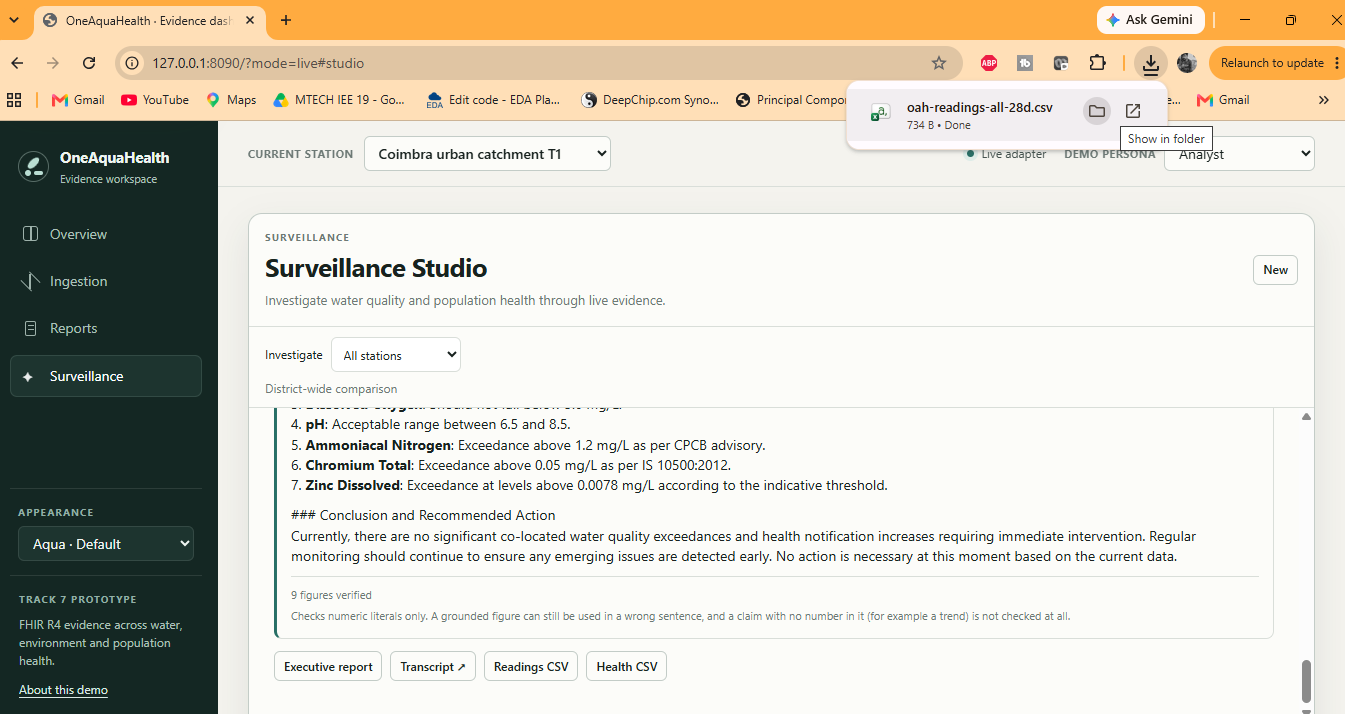
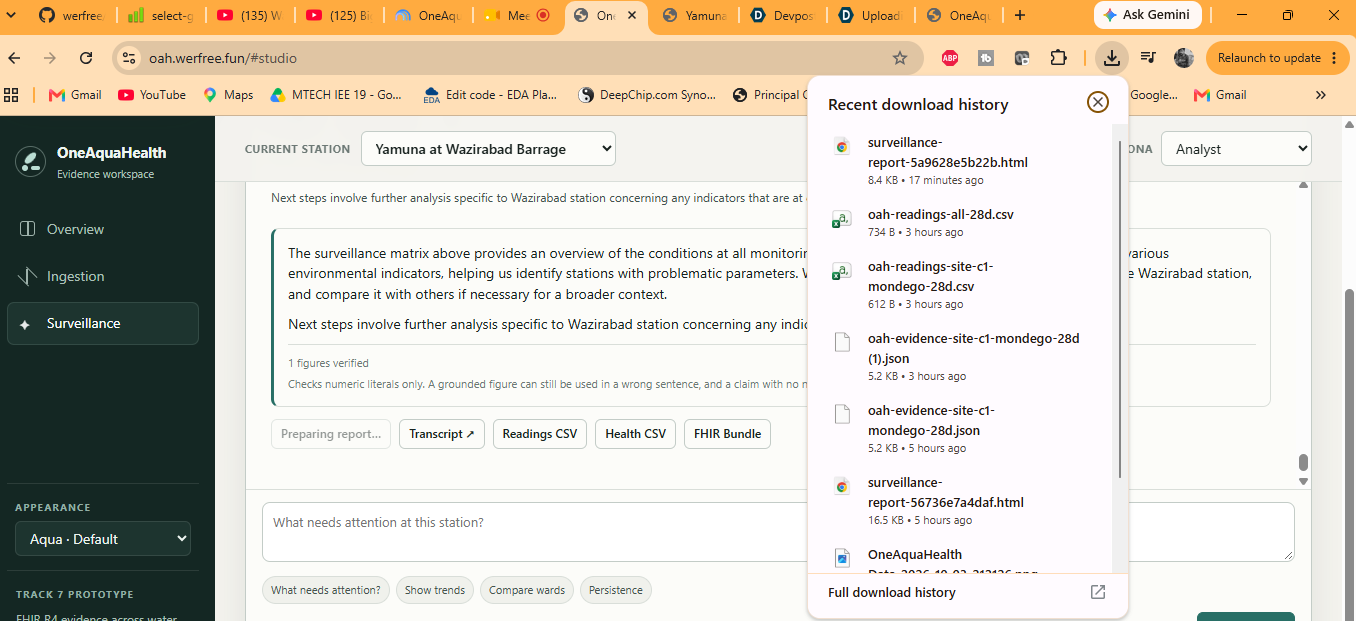
The browser confirms download of the readings CSV.
-
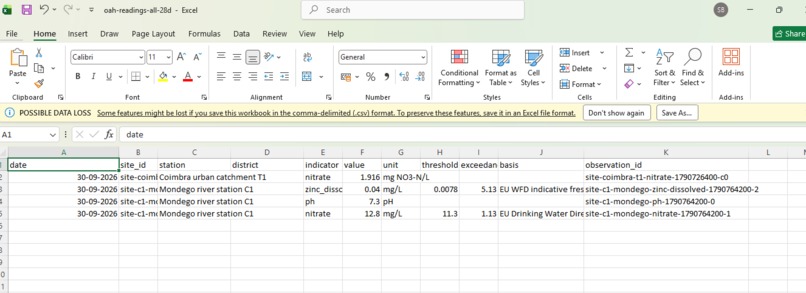
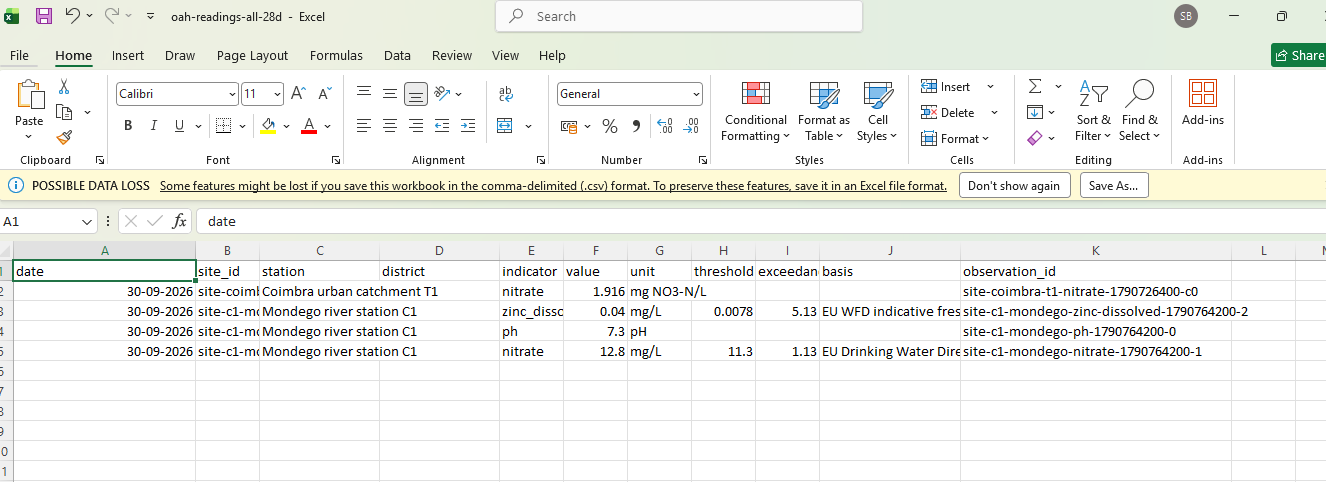
The exported readings CSV can be reviewed in a spreadsheet.
-
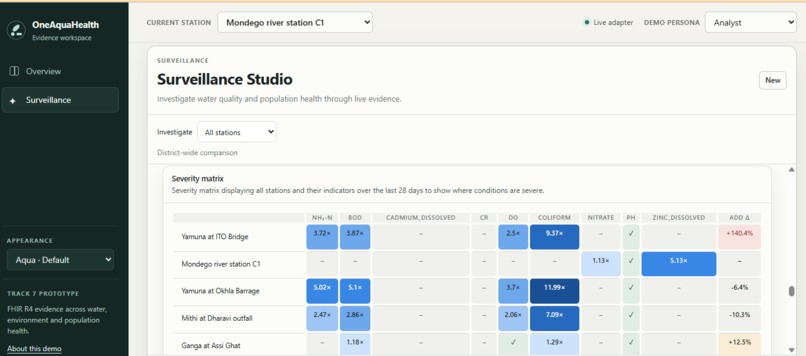
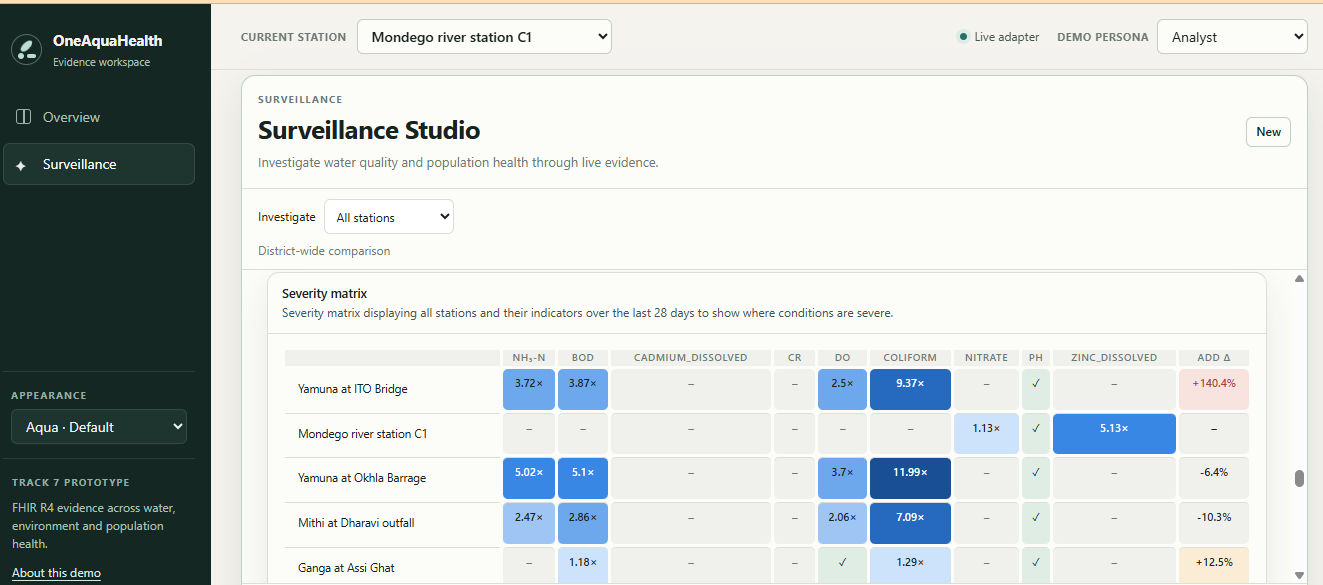
All Station seviarity matrix calculated and displayed using promt, user can compare seviarity
-
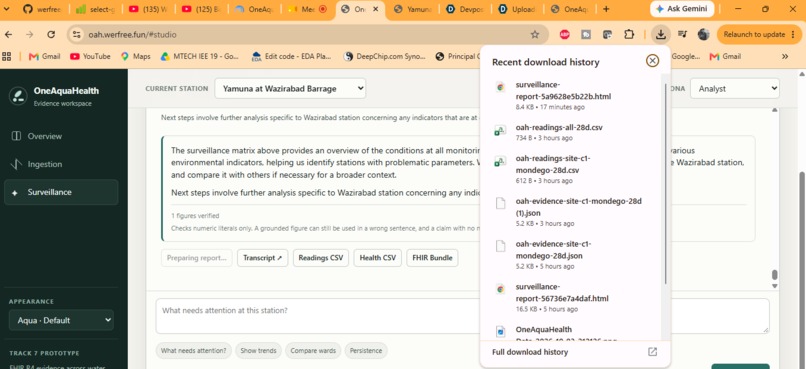
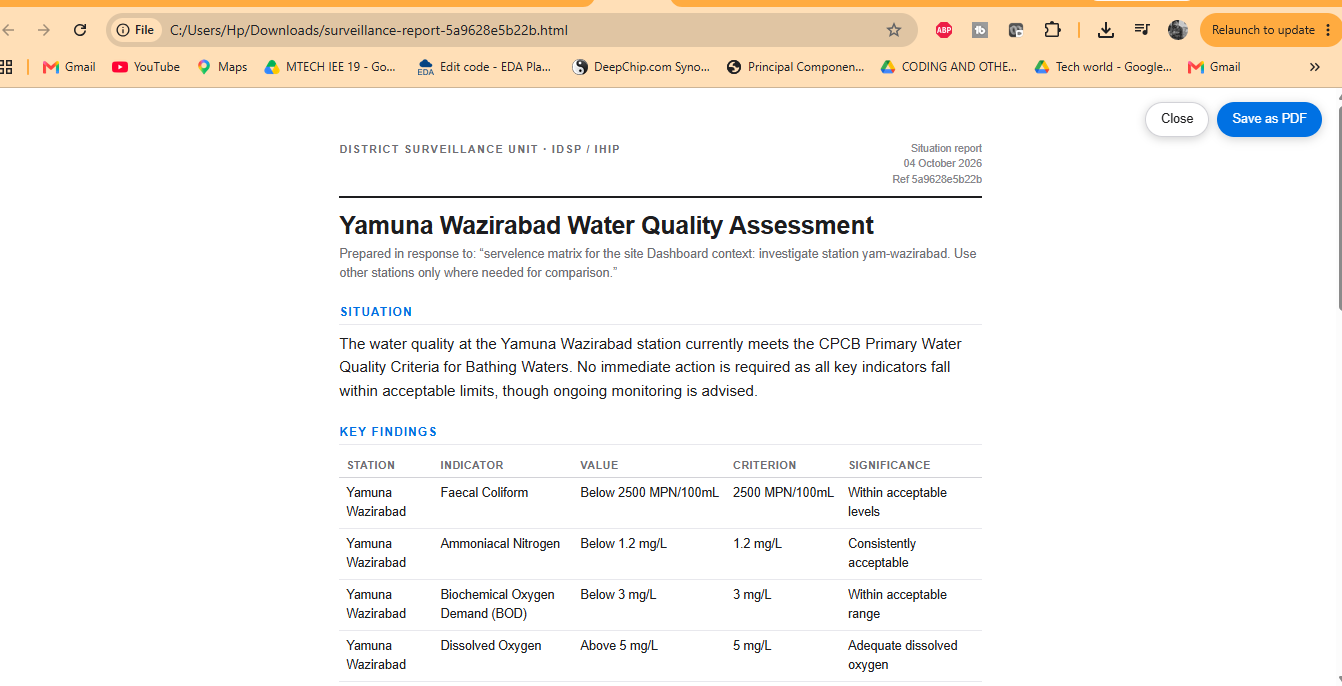
Prepared and downloaded executive report as an html format for a specific site
-
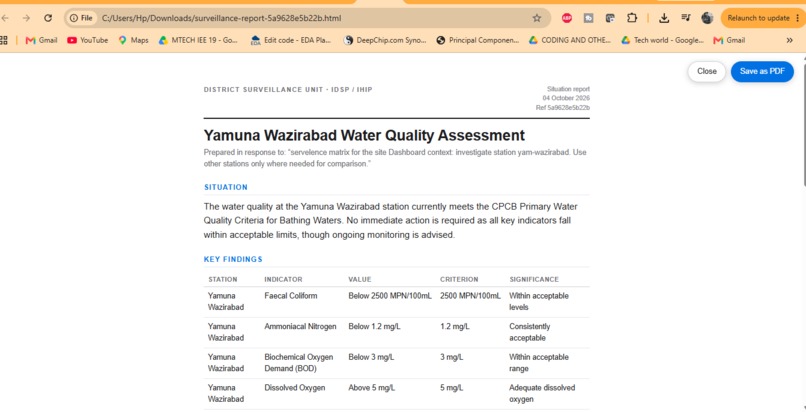
A view of executive report downloaded for yamuna
Project details
Project name
OneAquaHealth: From Streams to One Health Intelligence
Tagline
Connect water, citizen-science, and public-health data through FHIR R4 to make station-level One Health evidence easier to inspect.
Primary challenge track
Track 7: Digital Health Standards
Additional alignment
Track 2: Data-to-Insight. The project also supports resilience planning through screening and surveillance views, but it does not make predictive claims.
Short description
OneAquaHealth is an interoperability and decision-support prototype for urban freshwater monitoring. It accepts environmental sensor telemetry, citizen-science observations, and public-health indicators through MQTT, a survey message queue, and JSON/CSV APIs. A shared pipeline validates, screens, maps, and tags the records as OAH-profiled FHIR R4 resources. Dataset-scoped queries then bring environmental and health context together by station, with findings linked to their source records.
Inspiration
Water quality, community observations, and public-health signals can all describe the same place, but they are often held in separate systems. That makes it hard for the people responsible for monitoring a river or protecting a community to see the available evidence together and follow each finding back to its source. We built OneAquaHealth around a practical question: could a shared, standards-based workflow make those different kinds of evidence easier to connect and review?
The idea follows a One Health perspective: environmental conditions and human health are connected, so useful surveillance needs a way to consider both. A shared location can help teams notice where records overlap and decide what to investigate next. It cannot, by itself, show that one condition caused another, and the application makes that distinction explicit.
What it does
OneAquaHealth connects water-quality readings, citizen-science observations, and public-health indicators in a shared, location-aware workflow. Its dashboard organizes records by monitoring station, shows screening findings and reported health measures, and links findings to supporting records so users can inspect the evidence behind a summary. Dataset-scoped FHIR queries keep the view focused on the configured project dataset.
The prototype helps environmental and public-health teams find and review co-located evidence. A shared station or a screening flag is a prompt for investigation, not proof of a causal relationship or a clinical conclusion.
How we built it
We built a Python ingestion service that accepts water-sensor telemetry through MQTT, citizen-science surveys through RabbitMQ, and public-health indicators through a JSON or CSV API. A shared pipeline validates and normalizes incoming events, applies configurable screening rules, maps the information to OAH-profiled HL7 FHIR R4 resources, adds a dataset tag, and submits a transaction Bundle to a FHIR server.
The dashboard retrieves records within that dataset scope and organizes them by monitoring station. It presents environmental readings, reported health measures, screening findings, and links to supporting records so a user can inspect where a result came from. We also built an investigation workspace for station comparisons, charts, and data exports, plus an optional assistant that answers questions using retrieved records.
The repository includes synthetic sample inputs so the complete path can be demonstrated without claiming that sample readings are live operational data. The services are designed to accept operational feeds when connected to authorized sources and configured infrastructure.
Challenges we ran into
The main engineering challenge was bringing several input channels into one dependable processing path while preserving each source's meaning. Sensor messages, survey responses, and public-health summaries have different shapes and levels of detail. We addressed this by normalizing them into a common event envelope before mapping them to FHIR, while retaining source-specific information in the resulting records.
Another challenge was making the data traceable across ingestion, FHIR storage, and the dashboard. Consistent station identifiers, dataset tagging, profile-aware queries, and links to supporting observations all have to line up for a finding to be inspectable. We built the dashboard around those references rather than presenting a score without its evidence.
The prototype dataset is small, and its screening values are demonstrative reference rules. We had to make the interface useful for a demo without implying statistical validation, real-time coverage, or causal analysis. That constraint shaped both the language and the summaries: OneAquaHealth helps teams find and review co-located evidence; expert interpretation and further study remain necessary.
Accomplishments that we're proud of
We brought MQTT, RabbitMQ, and HTTP inputs into a shared ingestion pipeline and mapped the resulting records to OAH-profiled HL7 FHIR R4 resources. We also connected dataset tagging and FHIR queries to a station-oriented dashboard, so users can move from an overview to the underlying observations and health measures. The prototype includes an investigation workspace with station comparisons, charts, and exports, plus an optional assistant grounded in retrieved records.
We are especially proud that traceability and careful interpretation are part of the experience: users can inspect the records behind a finding, and the interface makes clear that co-location does not establish causation.
What we learned
The work taught us that connecting data is only one part of interoperability. Units and measurement bases need to stay clear; a FHIR resource needs enough context to be interpreted; and a dashboard summary should retain a path back to its source record. Dataset tags also matter: they let a query define which project records it is summarizing, but changing a tag does not update records already stored on a FHIR server.
We also learned to treat the boundary between observation and conclusion carefully. Environmental readings and health indicators may cover different periods and populations. Seeing them at the same station is useful context for investigation, but it is not proof of a relationship or cause. We therefore show screening references and evidence alongside explicit limits on what the prototype can conclude.
What's next for OneAquaHealthStudio: From Streams to One Health Intelligence
The next step is to connect the workflow to authorized, operational data sources and a managed FHIR service, then validate the mappings and screening references with environmental and public-health experts. We would also strengthen deployment security, access control, monitoring, and data-quality checks before any operational use.
With suitable data and governance, future work could add longer time series, richer provenance, and analytical methods that account for observation periods and population context. Any claims about relationships or causes would require a separately designed and validated study. Our immediate goal is to make the prototype easier to deploy and evaluate with real partner workflows.


Log in or sign up for Devpost to join the conversation.