-
-
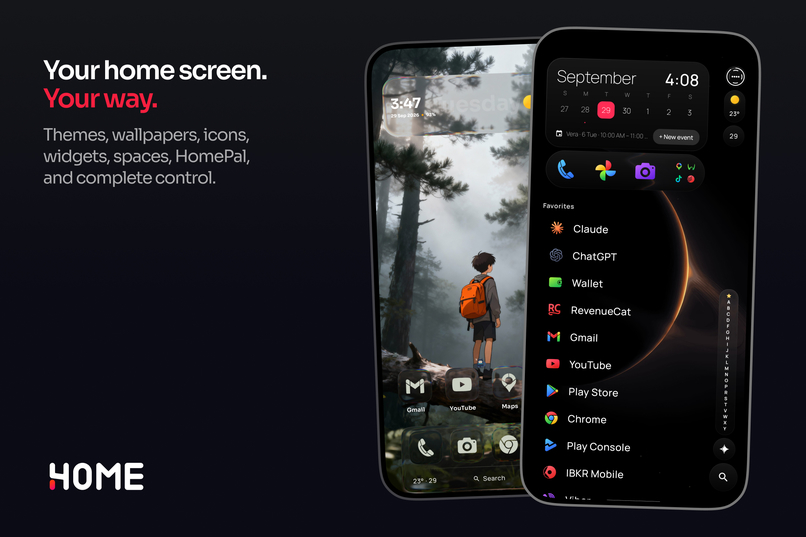
One4Home Promo
-
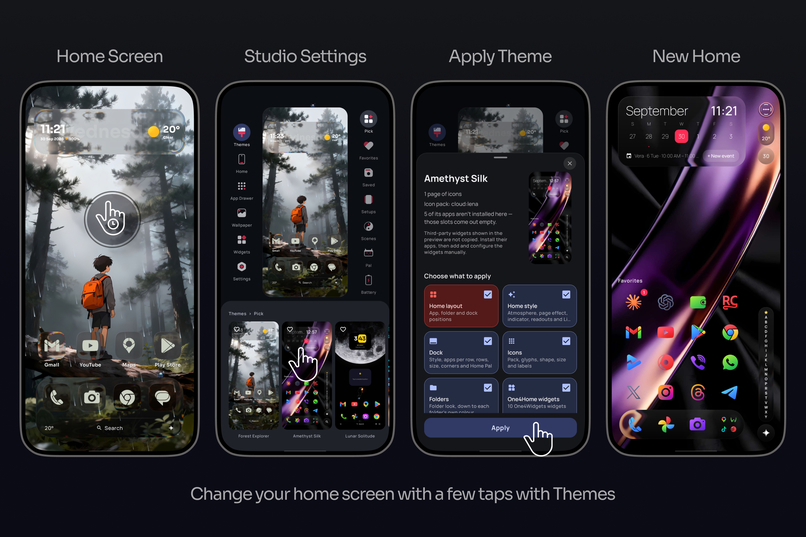
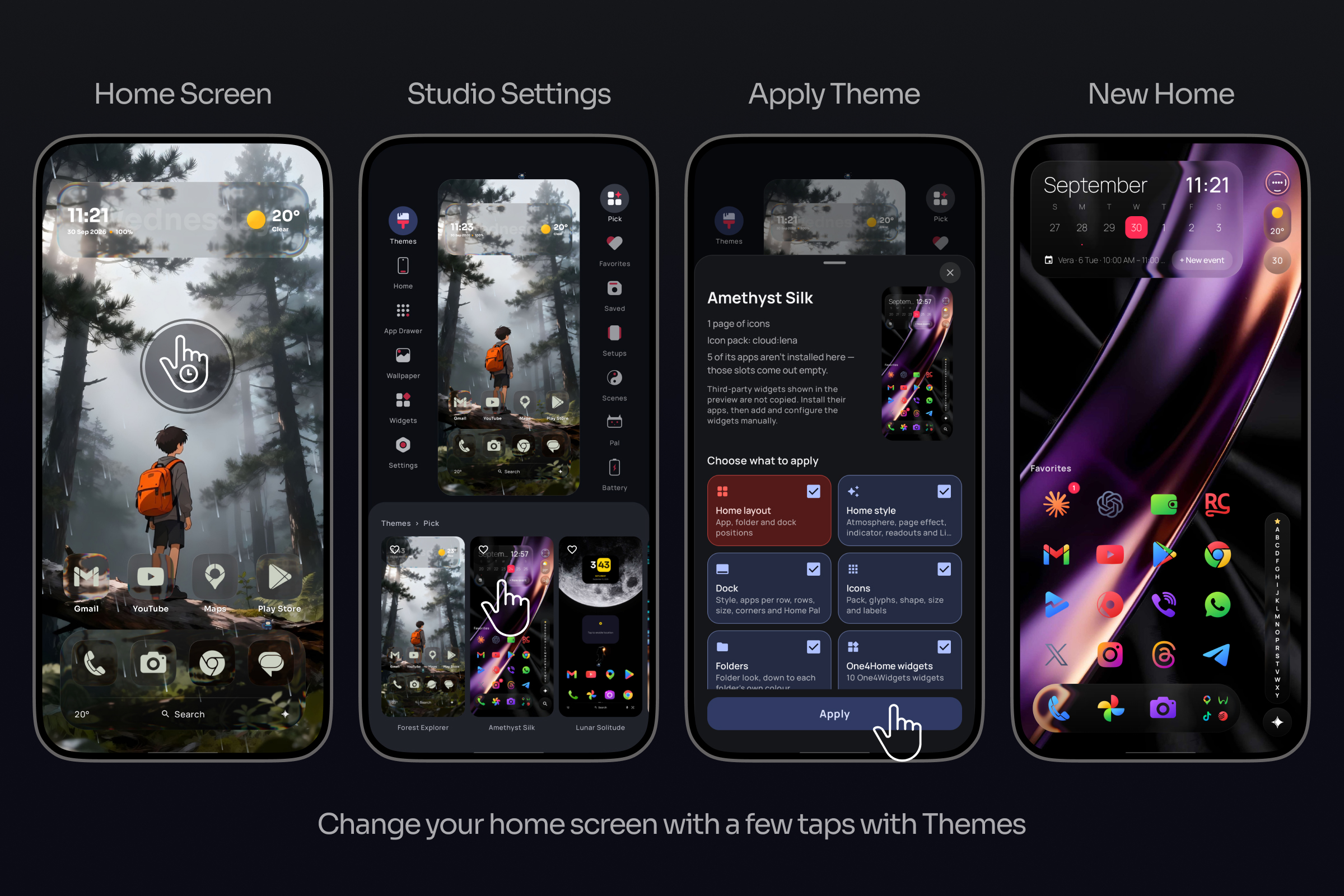
Apply a theme with a few taps
-
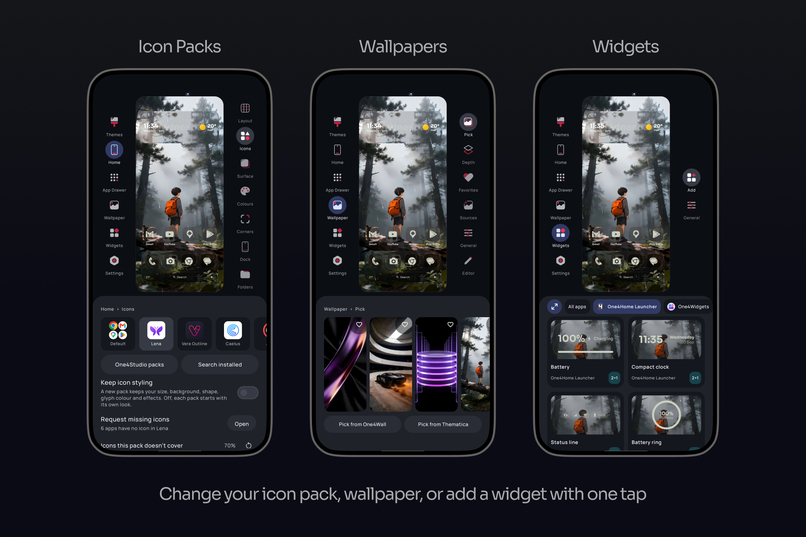
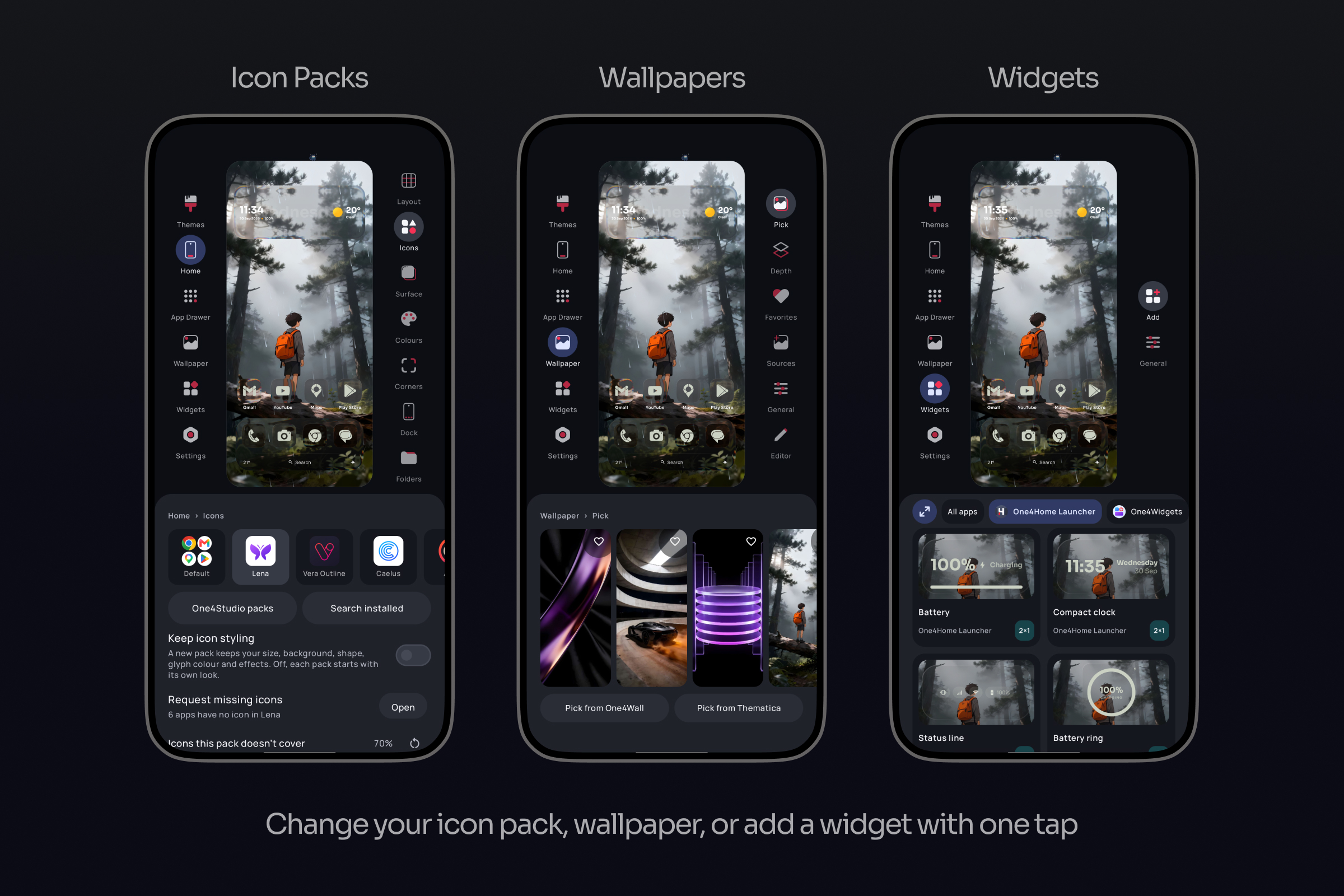
Change icons, wallpapers, and add widgets
-
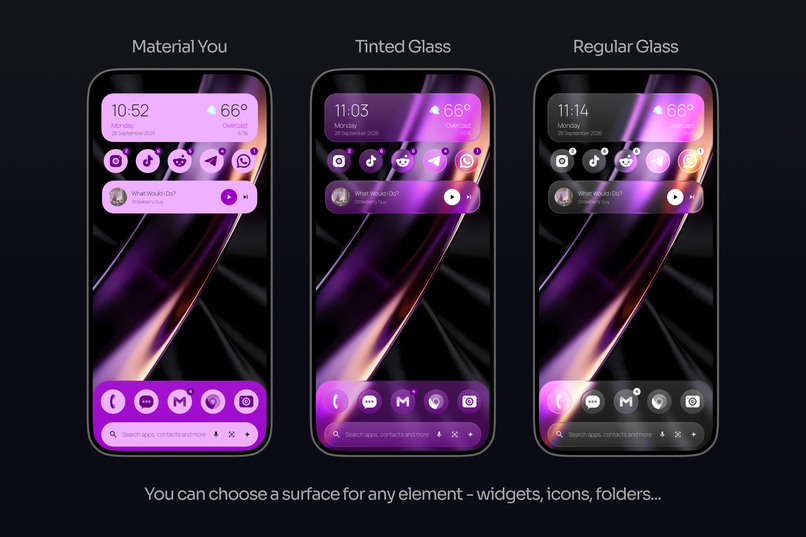
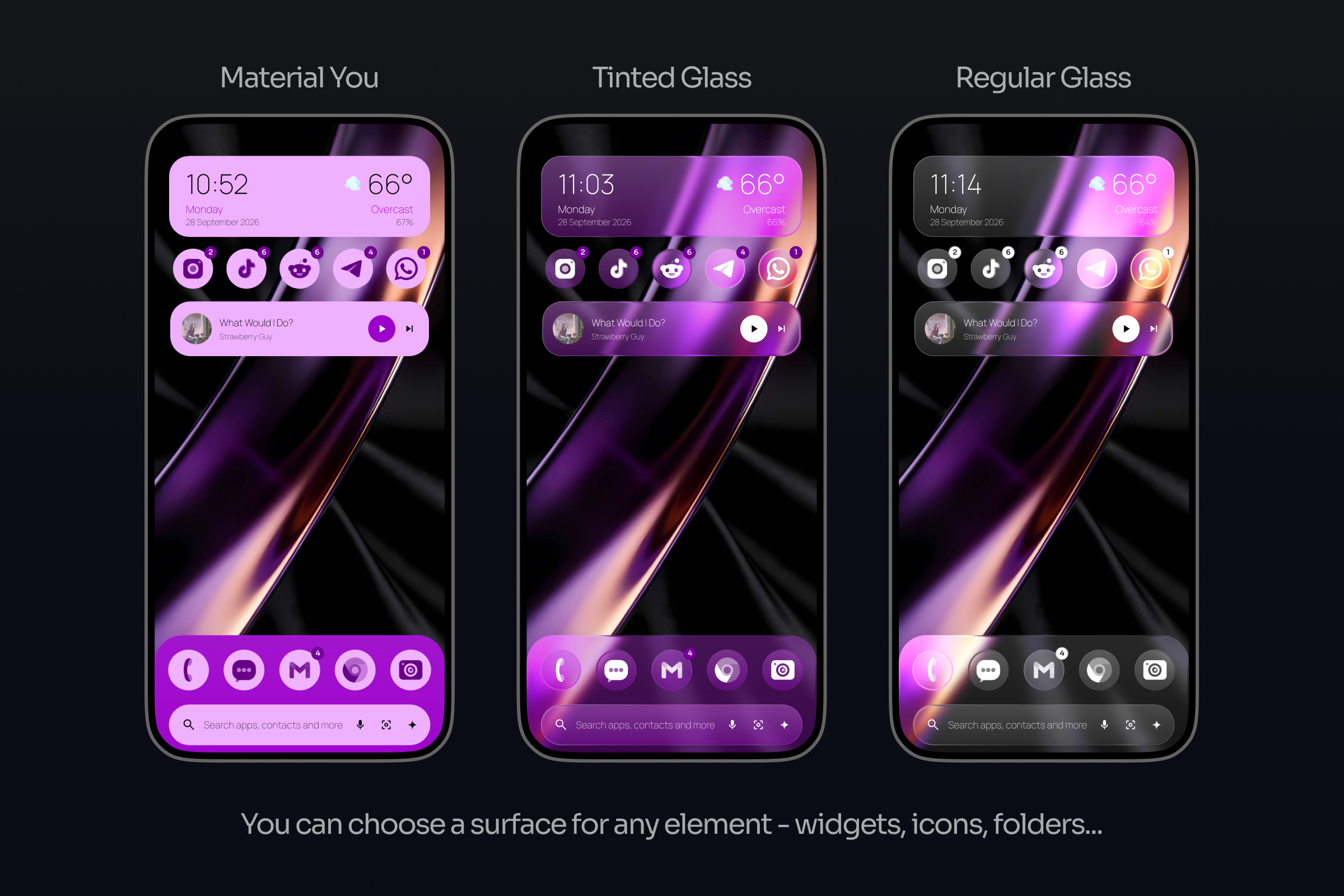
Same setup with a different surface
-
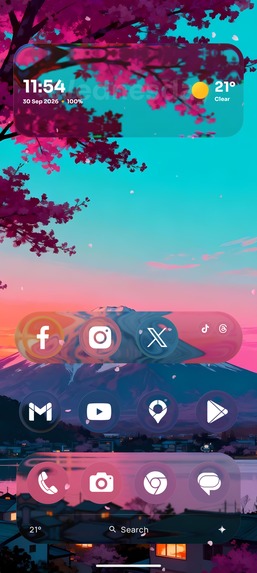
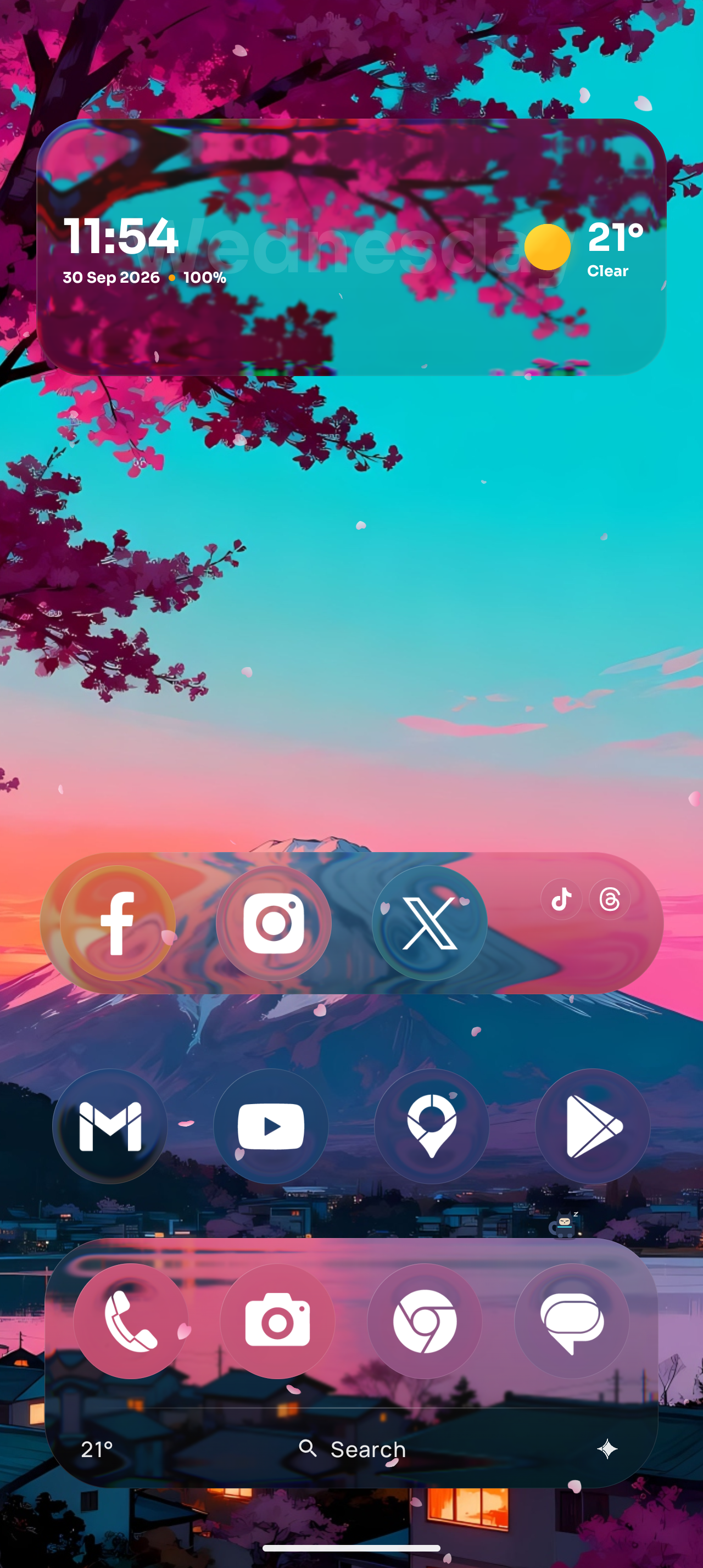
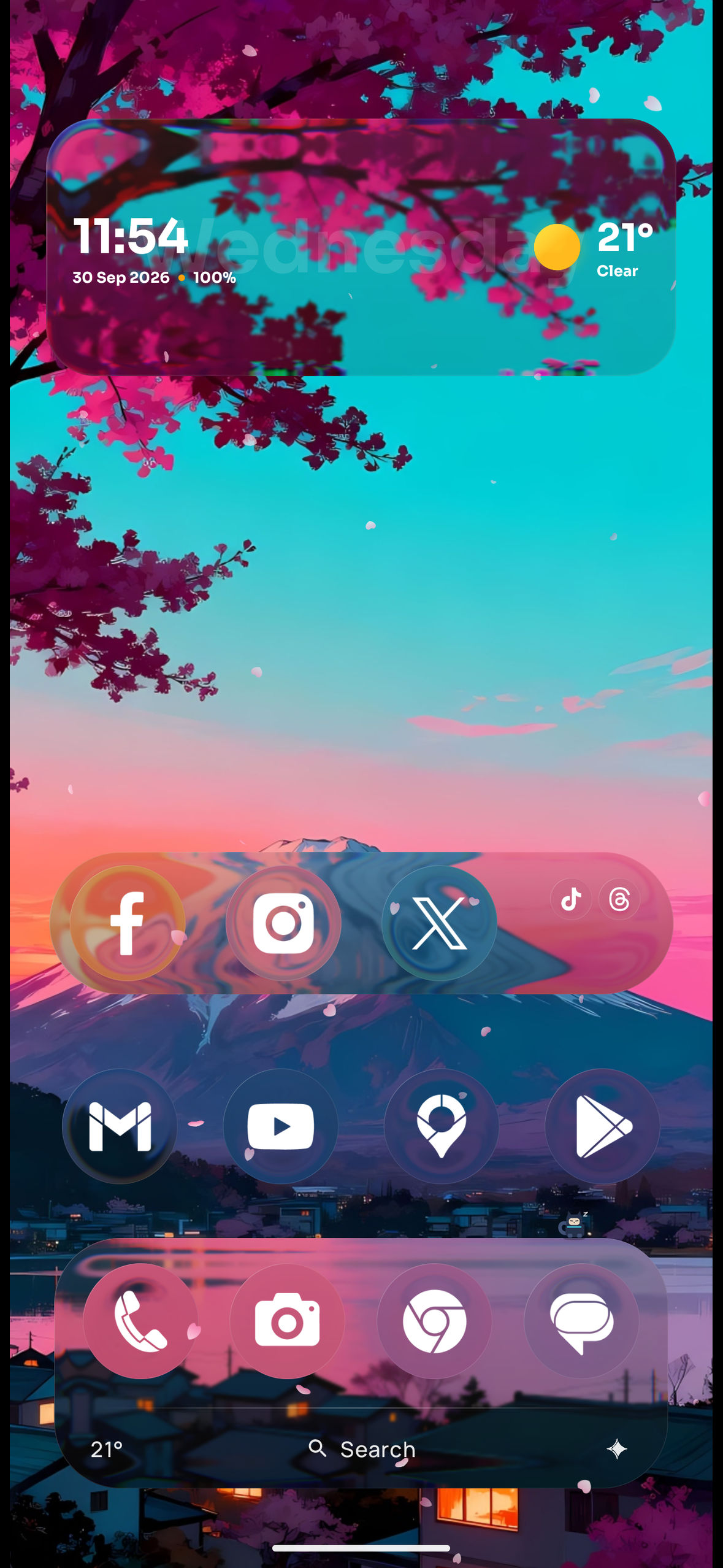
Home with a glass widget and dock
-
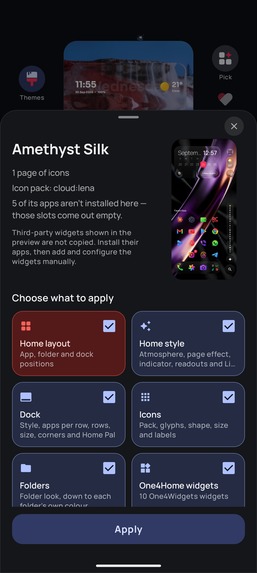
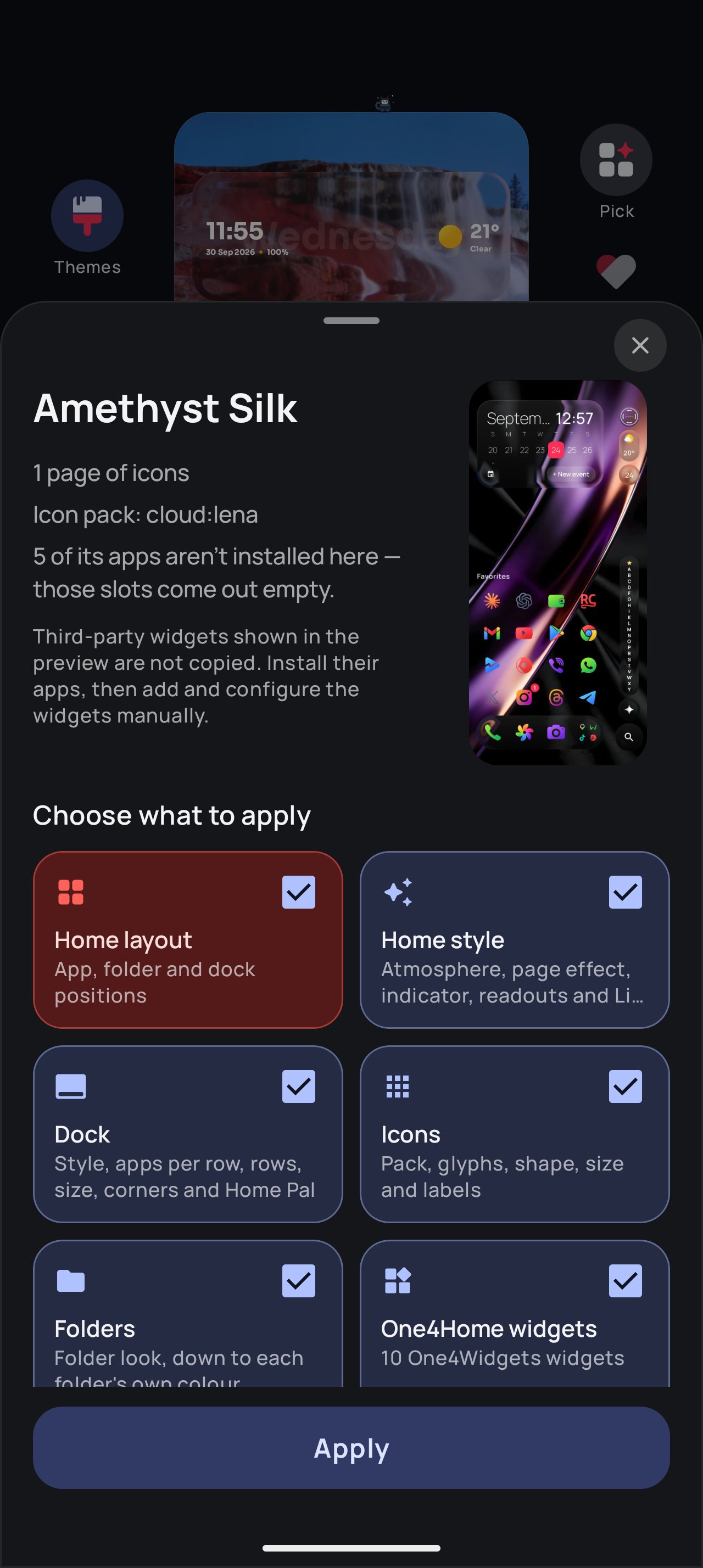
Apply a theme whole, or only the parts you choose
-
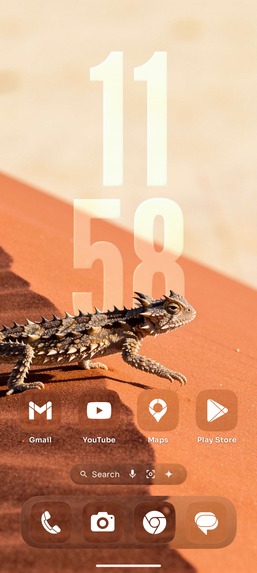
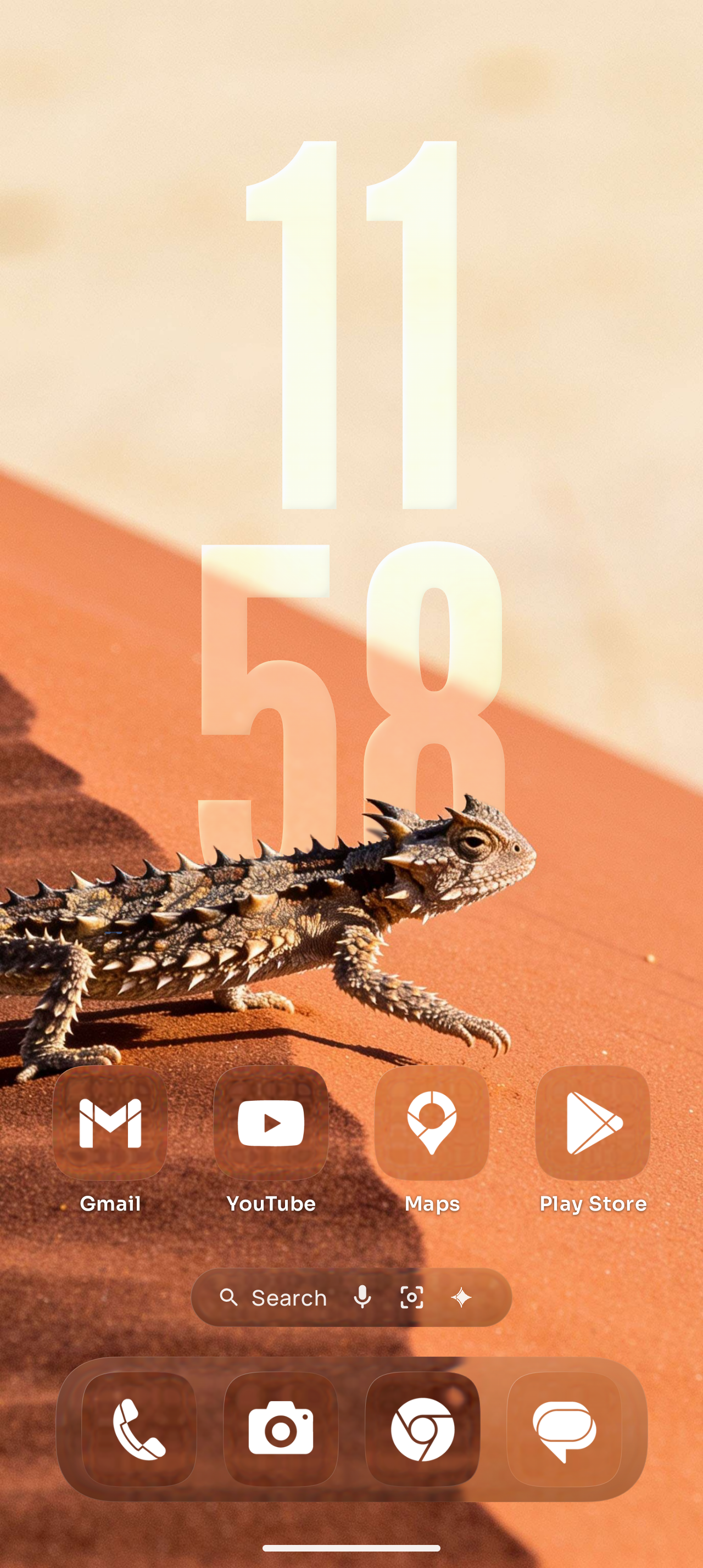
Depth wallpaper: the subject stands in front of the clock
-
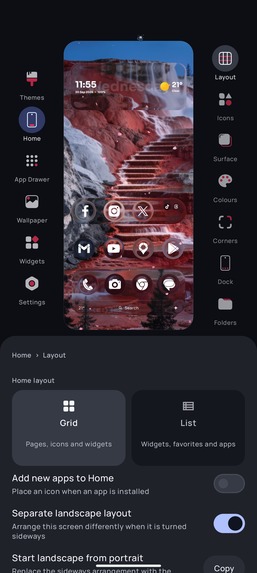
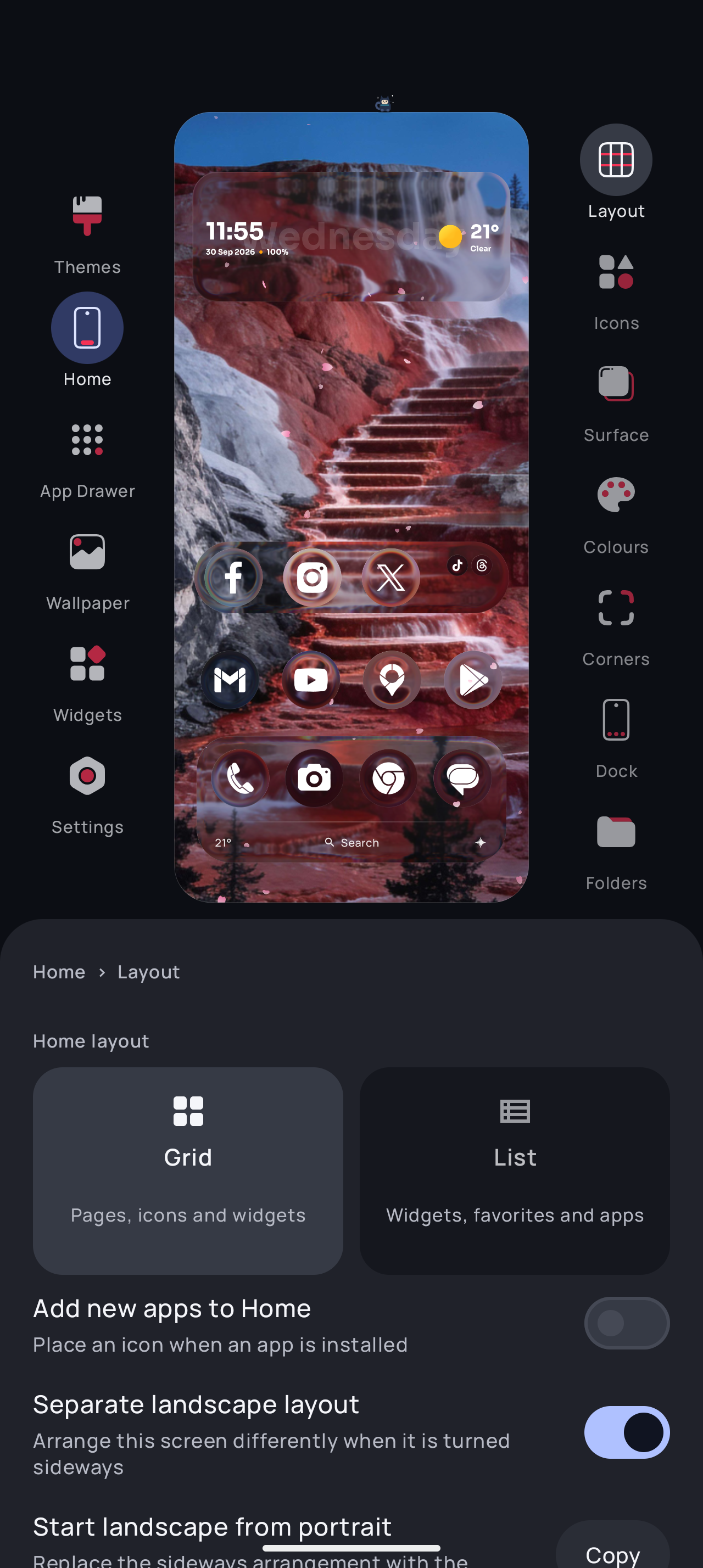
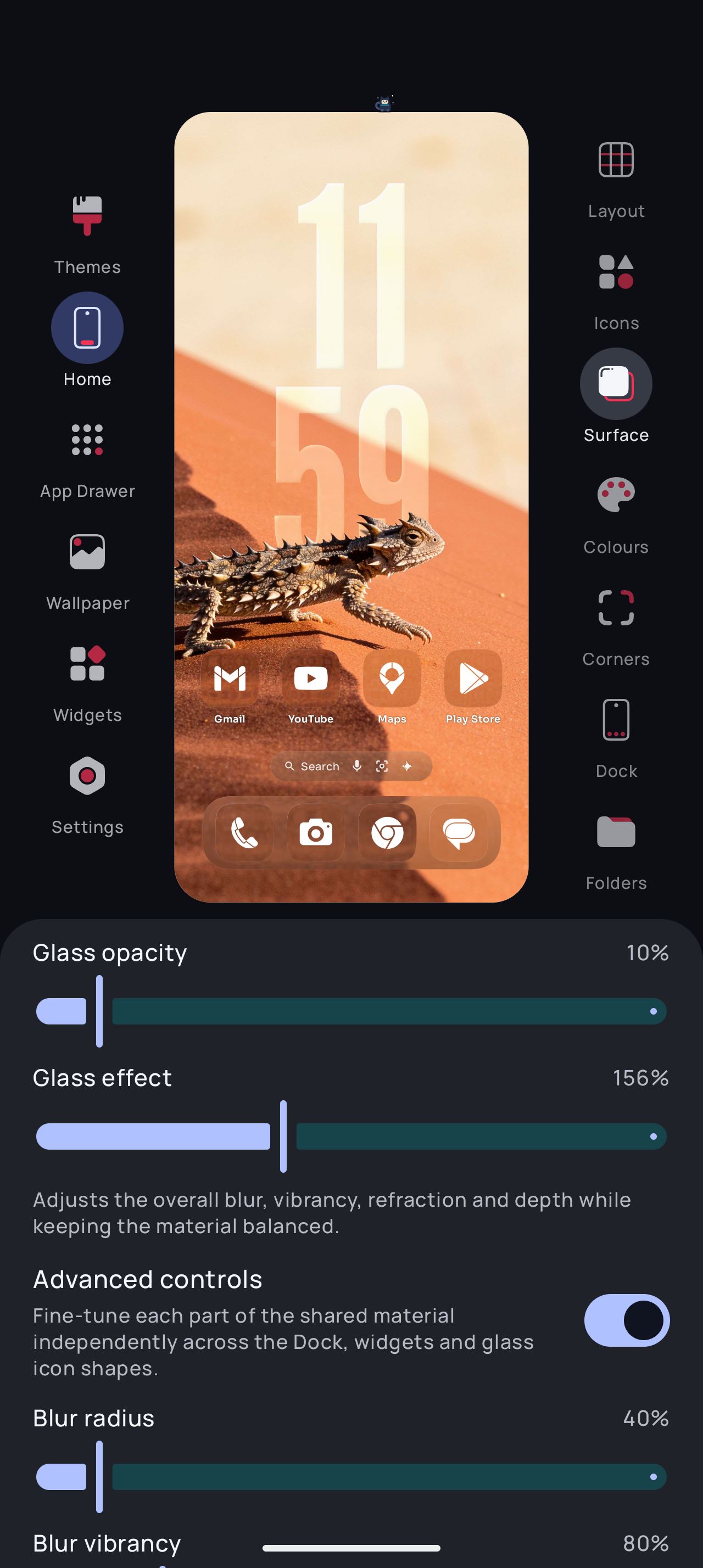
Studio Settings: every change on the real Home
-
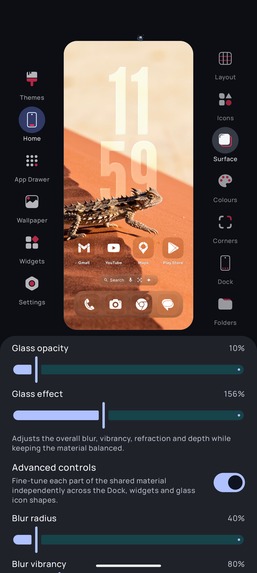
Liquid Glass controls with the live Home above
-
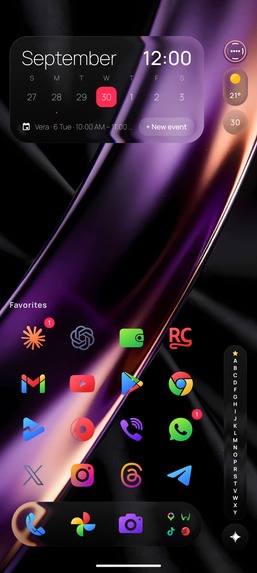
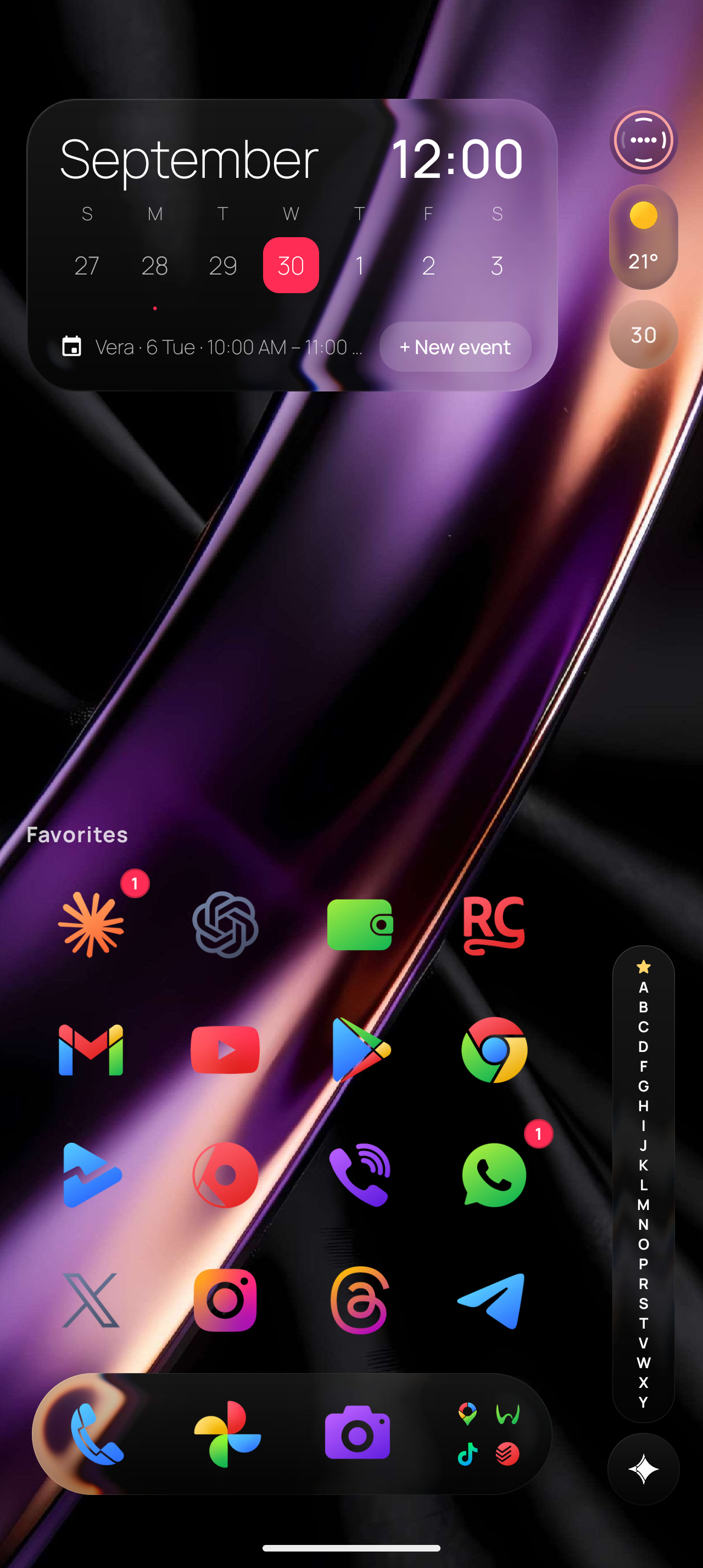
List Home: favorites and widgets on top, A-Z rail
-
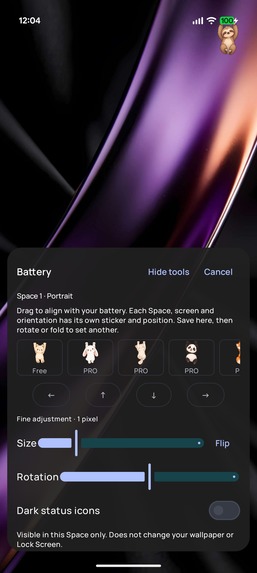
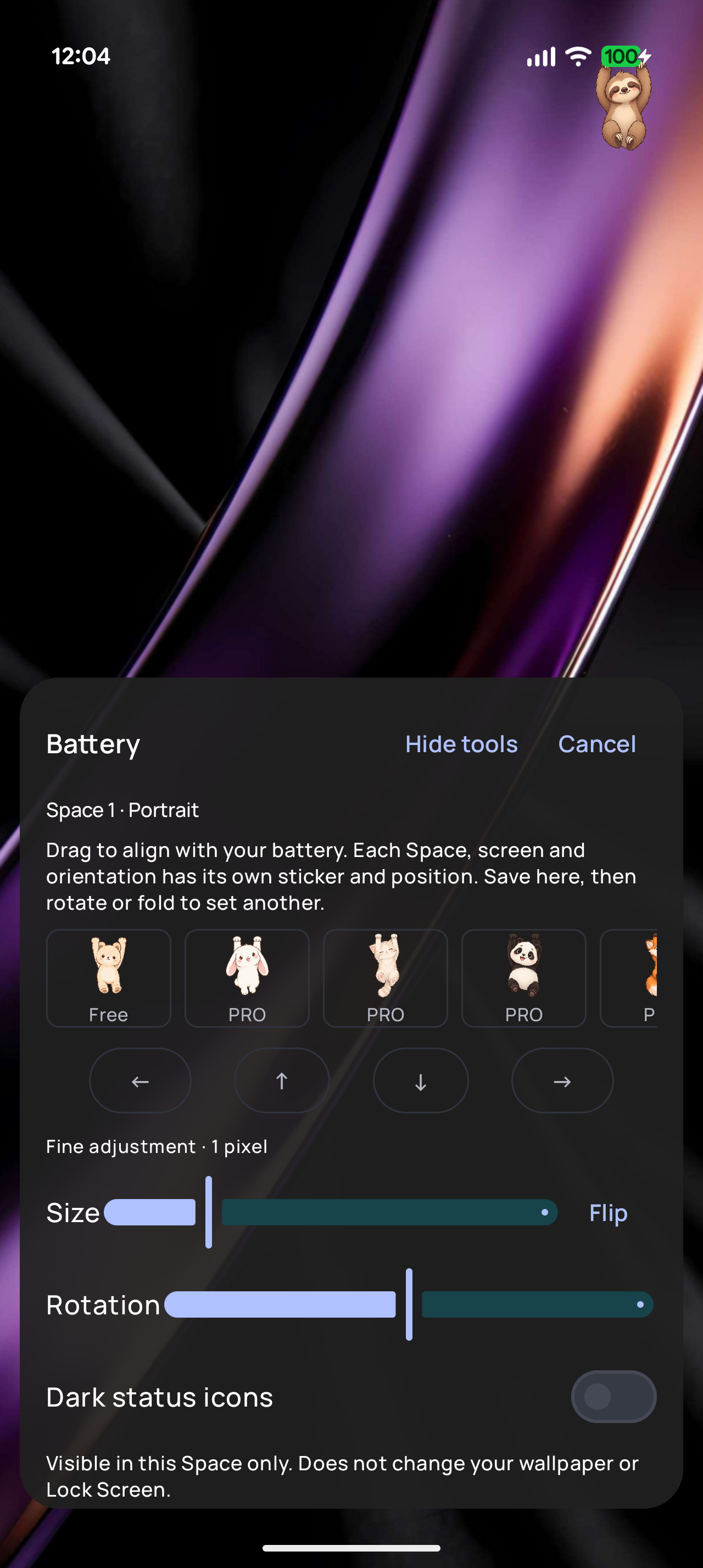
Add a cute sticker that hangs from your battery or camera cut out.
-

One4Home app icon
-
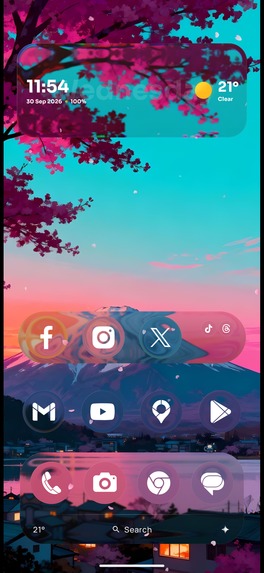
Home screen, 1179x2556, no device frame
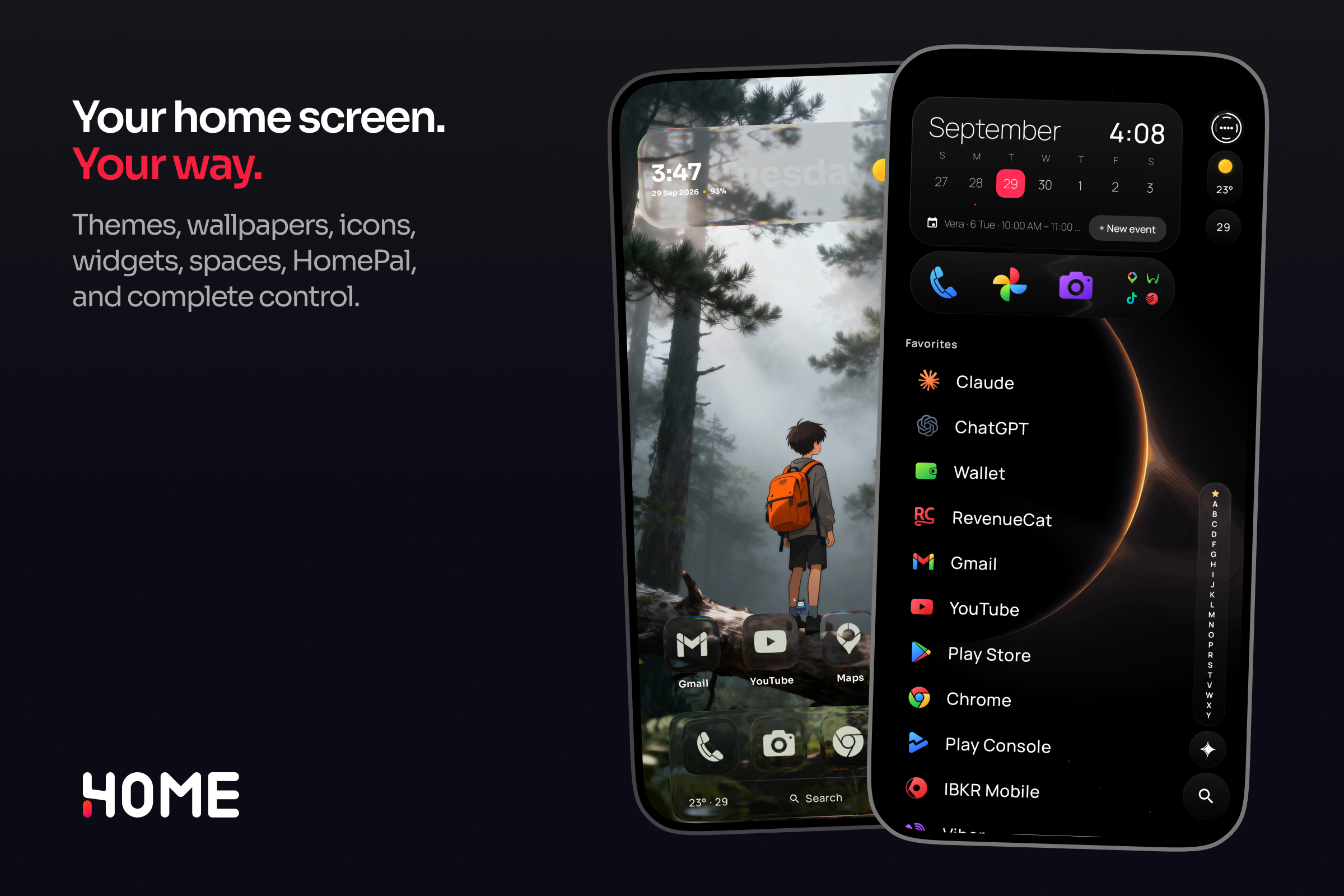

One4Home is an Android launcher where you design your home screen while looking at it.
On Android, the home screen, the first thing you see when you unlock your phone, with your apps, widgets and wallpaper, is itself an app, and you can replace it with a different one. These apps are called launchers. On iPhone you can rearrange your home screen but not replace it; on Android you can, and the launcher decides almost everything about how your phone looks and feels.
One4Home is a launcher made for people who love making their phone their own. Almost everything you see on your home screen can be changed, and you see every change live, as you make it. It's rated 4.6★ on Google Play, and the reviews say it better than we can:
"I really love this launcher. Light weight and functional."
"It's the best app I've tried." (translated from Spanish)
"It did what it promised… my rating is 10/10." (translated from Portuguese)
Inspiration
For 16 years I've made icon packs (sets of redesigned app icons), wallpapers and widgets for people who care how their phones look. Every one of those products ran into the same wall: the launcher, which decides what you can change and how easy it is. You change something in settings, go back to your home screen to see it, don't like it, go back to settings, and repeat until you give up.
I had the idea for One4Home in 2020, but I couldn't find a developer to build it with me, so it waited. This year I finally built it myself. The question behind it was simple: what if the launcher itself were the design tool, and you saw every change on your real home screen the moment you made it?
What it does
Studio Settings is where you design your home screen. Long-press an empty spot on your home screen to open it. At the top you'll see a live mini version of your home screen, and every change you make below it, like icons, wallpaper, widgets, layout or the app drawer (the full list of your apps), shows up there instantly. No more jumping between settings and your home screen to check how something looks.
Want a ready-made look? Apply a theme and the wallpaper, icons, widgets, dock (the row of favorite apps at the bottom) and folders all change together in one tap. You can take the whole theme or only the parts you like, and your apps stay where you put them.
There's much more to make it yours:
- Place things your way: use a classic grid, a finer grid with half steps, or place icons and widgets freely anywhere on the screen.
- Grid or list: show your home screen as icons, or as a clean list with your favorite apps and widgets on top and every app in A–Z order.
- Wallpapers with depth: the subject of the photo, like a person or a building, stands in front of your clock and widgets.
- Liquid Glass: widgets and the dock look like see-through liquid glass that picks up the colors of your wallpaper.
- Two home screens (Spaces): for example Personal and Work, each with its own apps, layout and wallpaper, switched with a two-finger swipe down.
- Made for every screen: separate layouts for phones, foldable phones (both the small outer screen and the large inner one), tablets and landscape.
- Home Pal: a small animated character that walks around your home screen.
It also has everything you expect from a home screen: search for apps, contacts and settings; an app drawer sorted into categories; folders; hidden apps and Android's Private Space (a locked area for private apps); notification dots; gestures; a Today page with your calendar, weather and news; built-in widgets; Scenes that change your setup automatically (at a set time, while charging or when a Bluetooth device connects); import from Nova Launcher, one of the most popular Android launchers; and backups.
The launcher is free, with no ads. Pro adds the full theme library, free placement, overlapping widgets, a second Space, Liquid Glass, depth and daily wallpapers, layout history and extra Pals with their rooms. Pro is a yearly plan with a 7-day free trial, or a one-time lifetime purchase.
How I built it
One4Home is a native Android app written in Kotlin with Jetpack Compose and Material 3. Android lets one app hold the HOME role, the right to be the phone's home screen; One4Home holds it, and widgets from other apps run inside it through Android's AppWidgetHost. Home layouts are stored as structured documents, so the classic grid, the half-step grid and free placement share one layout engine, and switching between them never loses an icon. One trusted copy of the wallpaper feeds the Studio Settings preview, Material You colors (Android's colors taken from your wallpaper), blur and Liquid Glass.
RevenueCat manages who has Pro: the 7-day trial, the yearly plan, lifetime purchases, restoring purchases and subscription changes. It starts only when a purchase screen opens or Pro needs checking, so opening your home screen never waits on billing. If Pro lapses, paid styles stay saved and the launcher falls back to free ones; restoring Pro brings the whole setup back. Pro, one-time packs for priority icon requests and collectible Pals all share one RevenueCat client and one customer record.
Challenges I ran into
A home screen can't be half-reliable: it's the first thing you see every time you unlock your phone. It has to survive apps being installed and removed, widgets from other apps reconnecting, the phone rotating, a foldable opening, and phone makers that restart it when the wallpaper changes. Android also doesn't always let launchers read the current wallpaper image, so Liquid Glass needed its own way to capture it, with fallbacks. The hardest design work was making Studio Settings itself fit every screen, from a foldable's narrow outer screen to its unfolded inner screen and tablets.
What I learned
Customization works best when it's easy to undo and to mix. People want to try a whole look, but keep the wallpaper from one theme, the layout from another and the widgets they arranged themselves. Building in public also taught me that the literal request isn't always the best answer: a tester asked for Google's Gemini assistant on a long press of the search bar, and it became a setting that can open any app, which works for everyone.
What's next
More stability work and polish for animations and transitions, new themes, wallpapers, Pals and first-party widgets, deeper Scene automation, and my first RevenueCat paywall experiment at the end of onboarding, the first-run setup.
Built With
- android
- datastore
- jetpack-compose
- kotlin
- material-design
- revenuecat


Log in or sign up for Devpost to join the conversation.