-
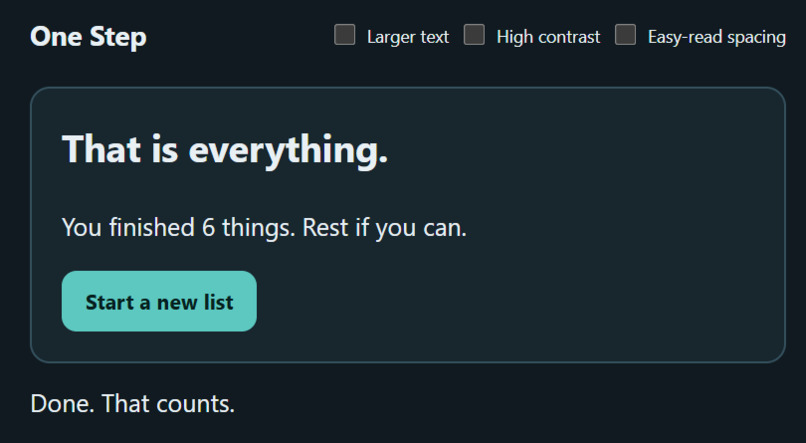
How the interface will look once after every tasks are done
-
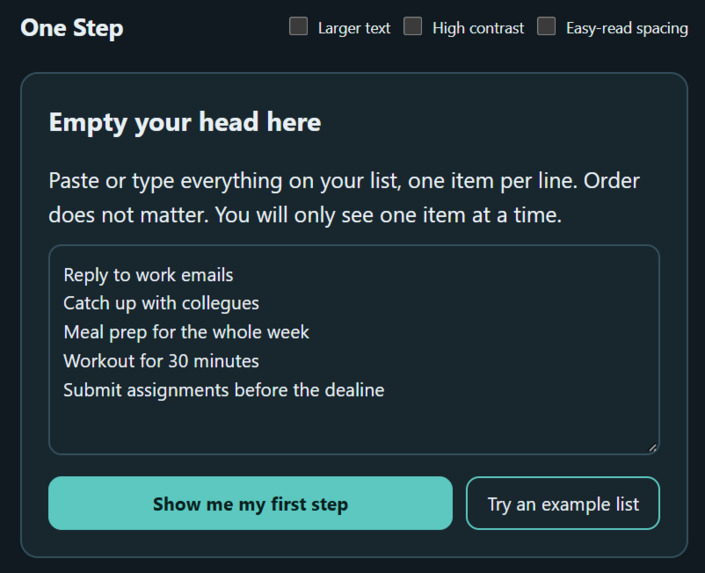
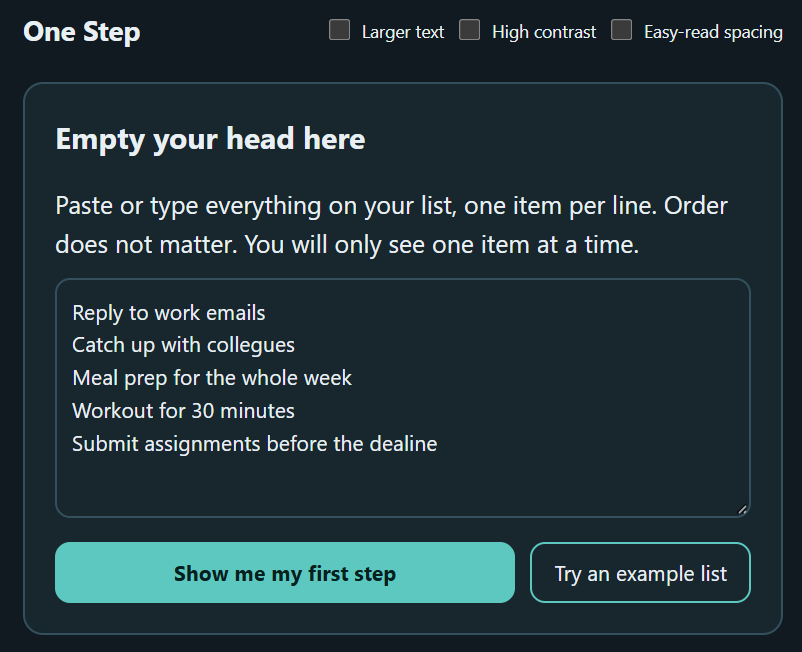
Upload all the to-do tasks in this field and empty your head. Then the application will tell you which are the task that you can focus first
-
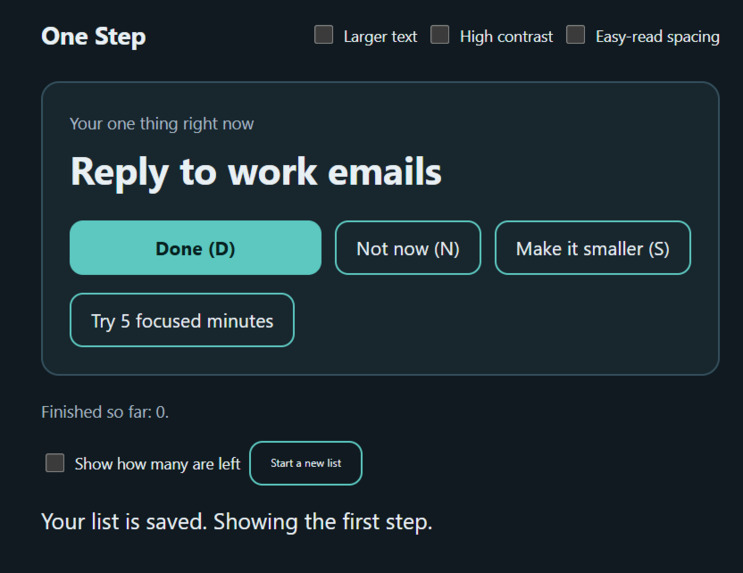
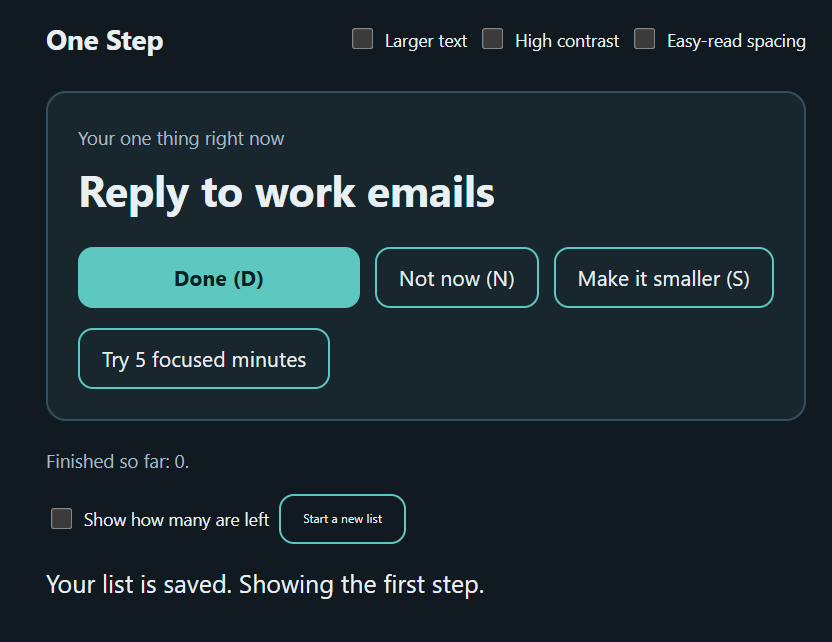
One task at a time: a calm screen with Done, Not now, and Make it smaller, so a long list never feels overwhelming.
Inspiration
A long to-do list can feel like a wall. For many people with ADHD, the problem is not laziness. Seeing 20 items at once makes it hard to choose where to start, so they freeze and nothing gets done. Most task apps make this worse by putting everything on one screen, often with a big "items left" number at the top.
I built One Step for people like myself: a student with a long task list who freezes before starting. Hence this is based on my own experience.
What it does
- The user dumps everything on their mind into one box, one item per line, in any order.
- One Step then shows only a single task. There is no list, and the count of remaining tasks is hidden by default.
- Three simple choices: Done, Not now (moves the task to the end), or Make it smaller (adds a tiny first step, like "Open the document").
- An optional 5-minute focus timer helps with starting.
- Messages are short and calm, with no streaks and no guilt. Before: a 20-item list on screen, no clear starting point, nothing gets started. After: one sentence on screen, one clear action, and a way to shrink it when it still feels too big.
How I built it
A single HTML file with plain CSS and JavaScript, with no frameworks or external libraries. Data is stored with the browser's localStorage. I chose a single file so anyone can open it by double-clicking, with no installation.
Challenges I ran into
Deciding what to leave out. Every feature I considered, such as streaks, priorities, and due dates, would add the visual noise the user is trying to escape. Keeping the tool small was the hardest design choice.
Accomplishments that I am proud of
- Built a complete, working prototype solo, in a short time. One Step runs from a single HTML file, with no installation, no sign-up, and no external libraries.
- Designed by subtraction. I left out streaks, priorities, due dates, and a visible task count, because each one adds the noise that makes a long list feel overwhelming. Keeping the tool small was harder than adding features.
- Made accessibility part of the build from the start. It has full keyboard use, screen-reader announcements, larger text, high-contrast mode, easy-read spacing, dark mode, and respect for reduced motion.
- Kept it private. Everything stays in the user's browser. No accounts, no tracking, no data sent anywhere. Tested it with a real person who said it's a very useful application for ADHD people, and that feedback shaped my thoughts.
What I learned
Accessibility is often about reducing demands on the user, not adding more options. Hiding information (like the number of remaining tasks) can help more than showing it.
What's next for One Step
Automatic task splitting, a gentle "warm-up" mode for the first task, and testing with more people who have ADHD.
Built With
- css3
- html5
- javascript
- localstorage
