-
-
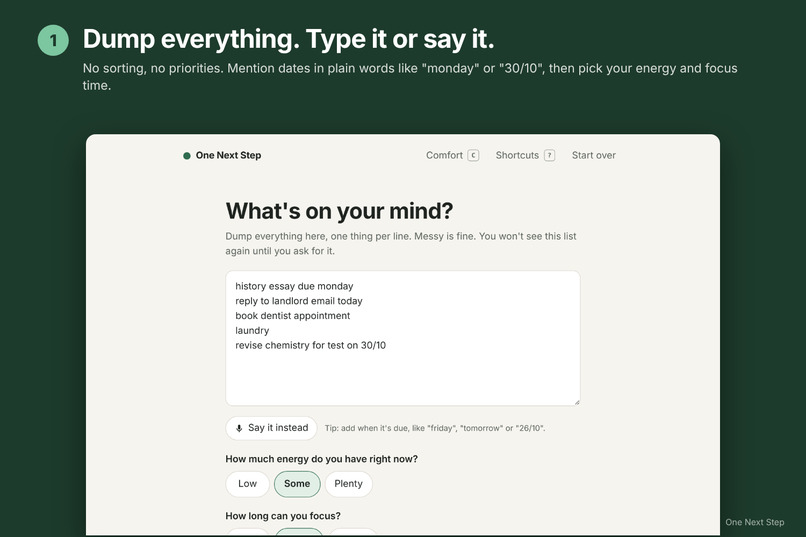
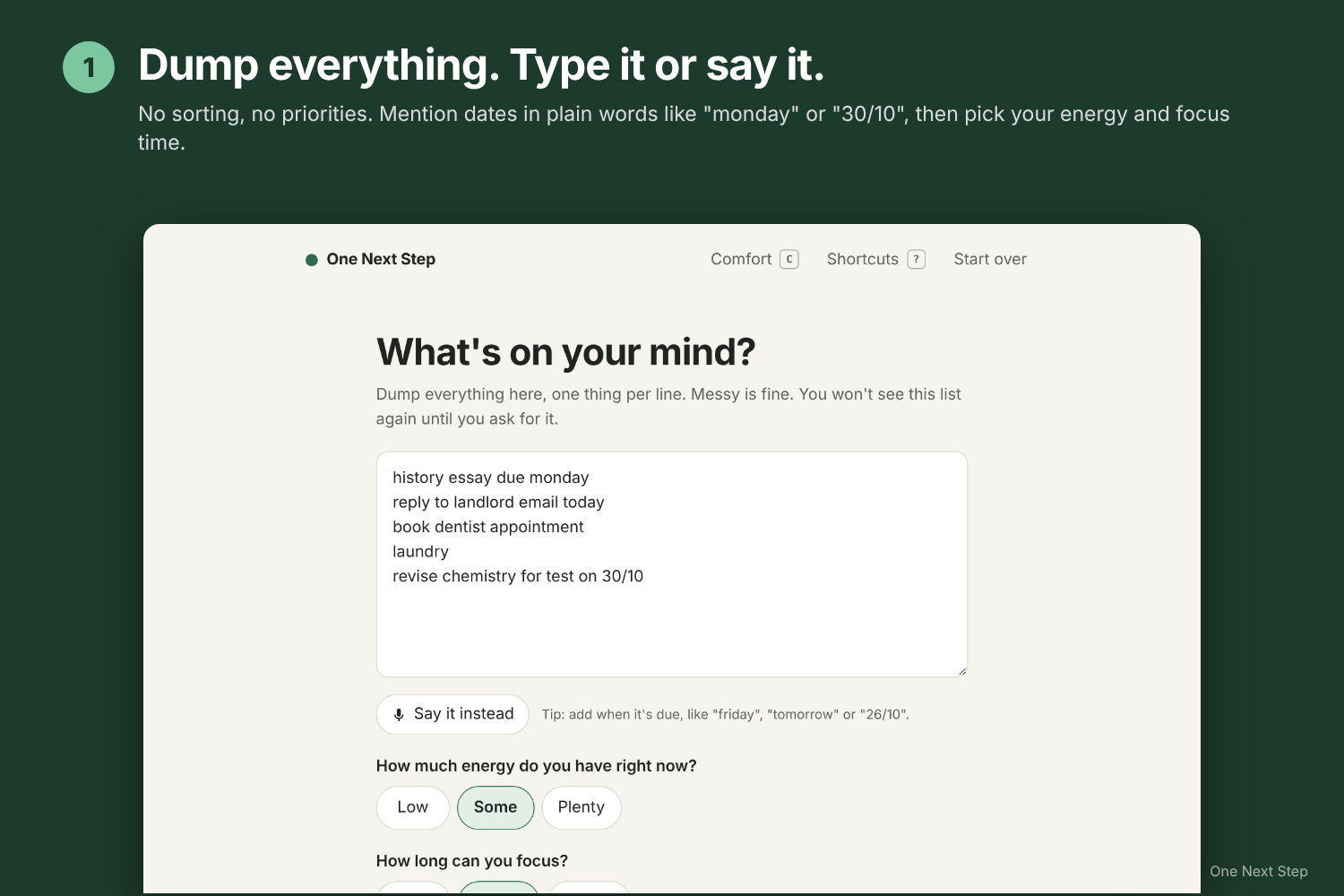
Dump everything: type it or say it, with due dates in plain words.
-
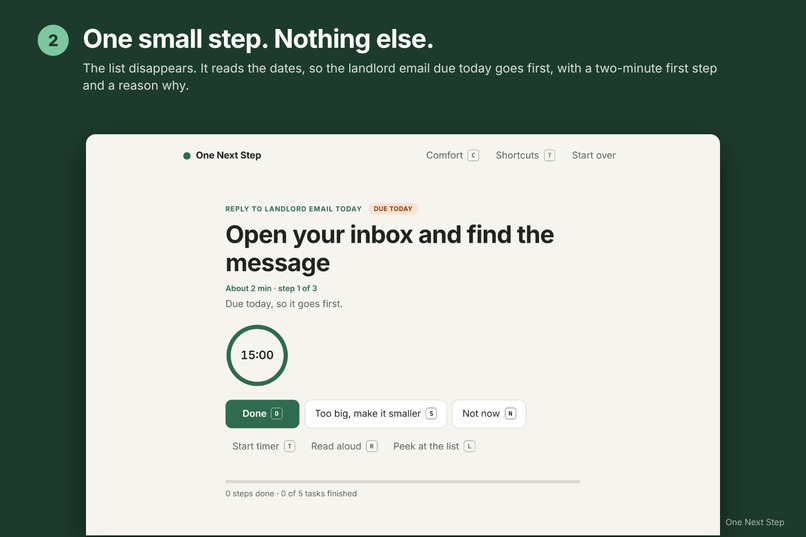
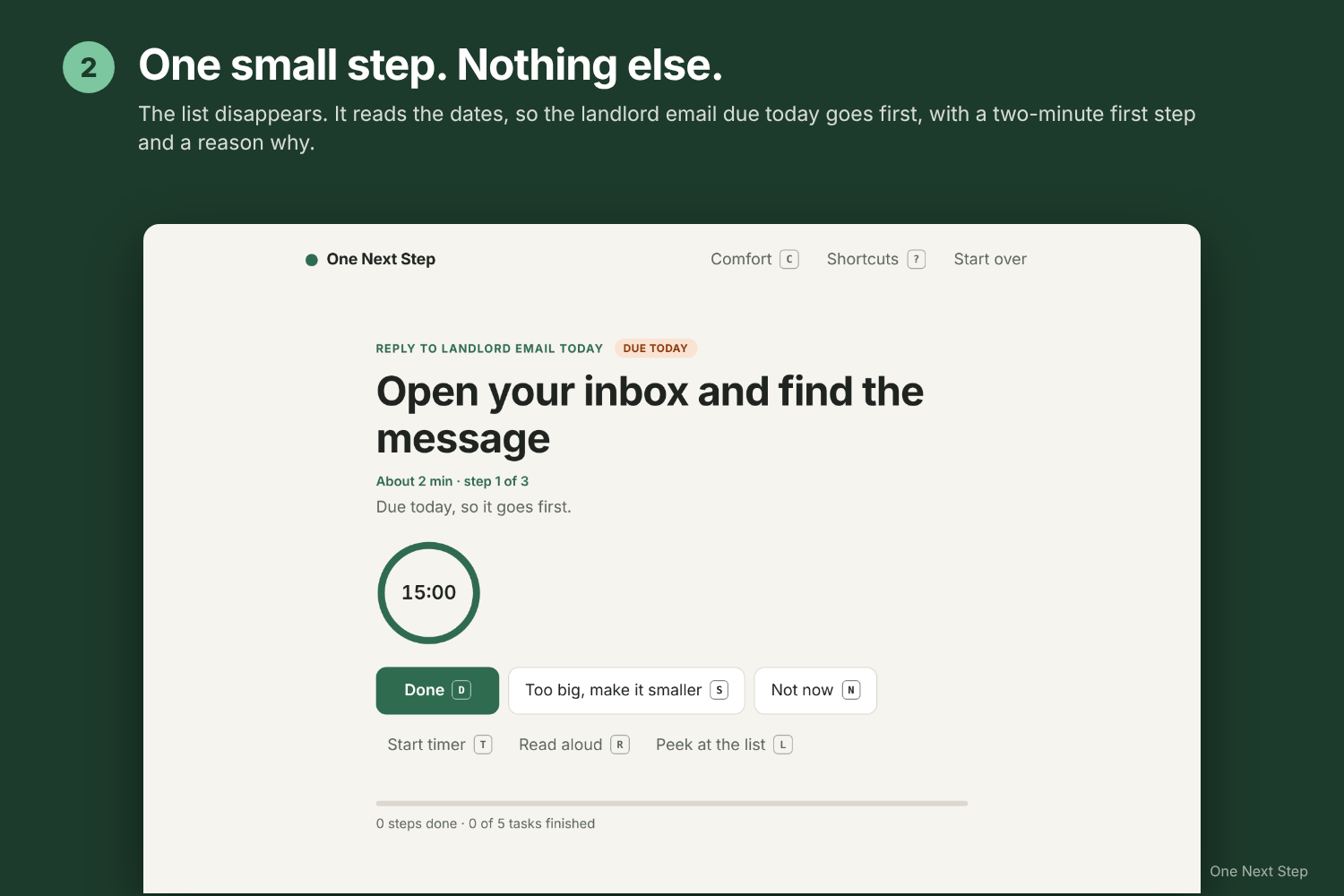
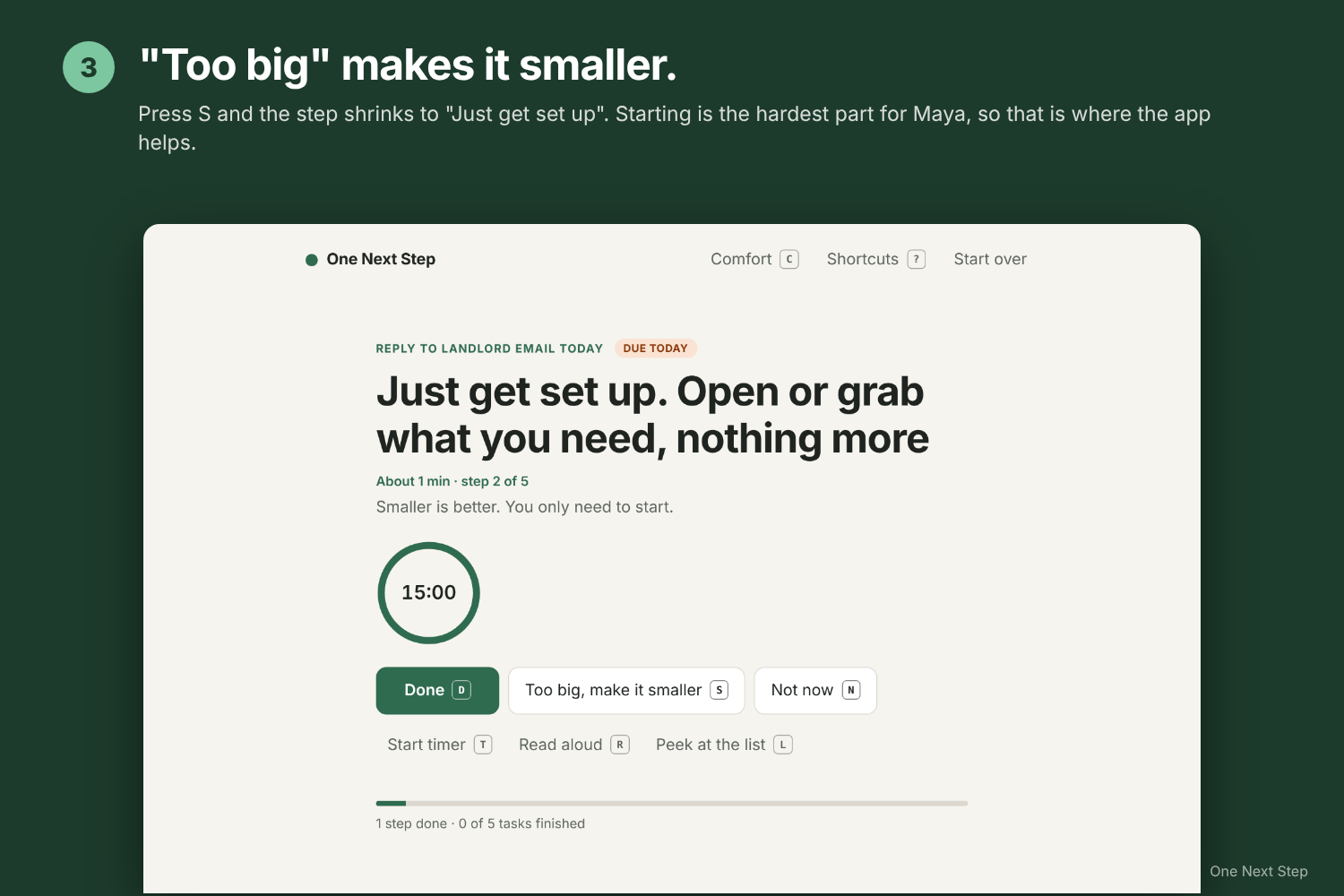
One small step, nothing else. The task due today goes first.
-
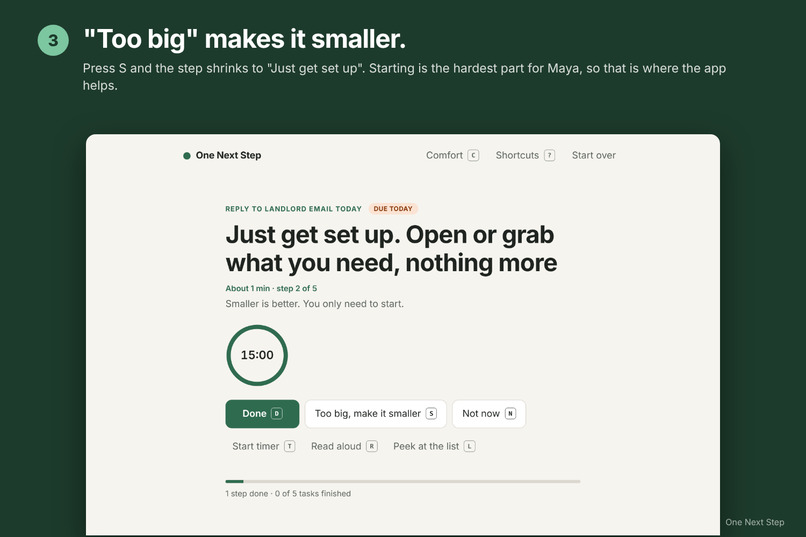
"Too big" shrinks the step until starting feels easy.
-
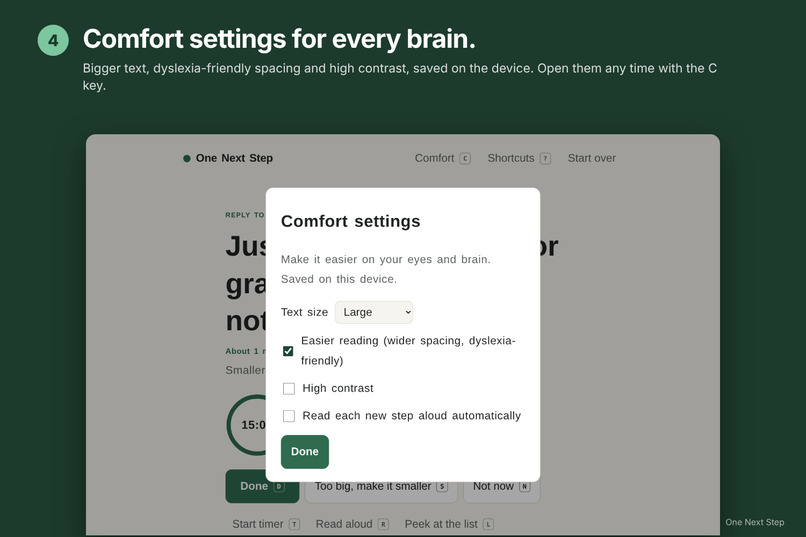
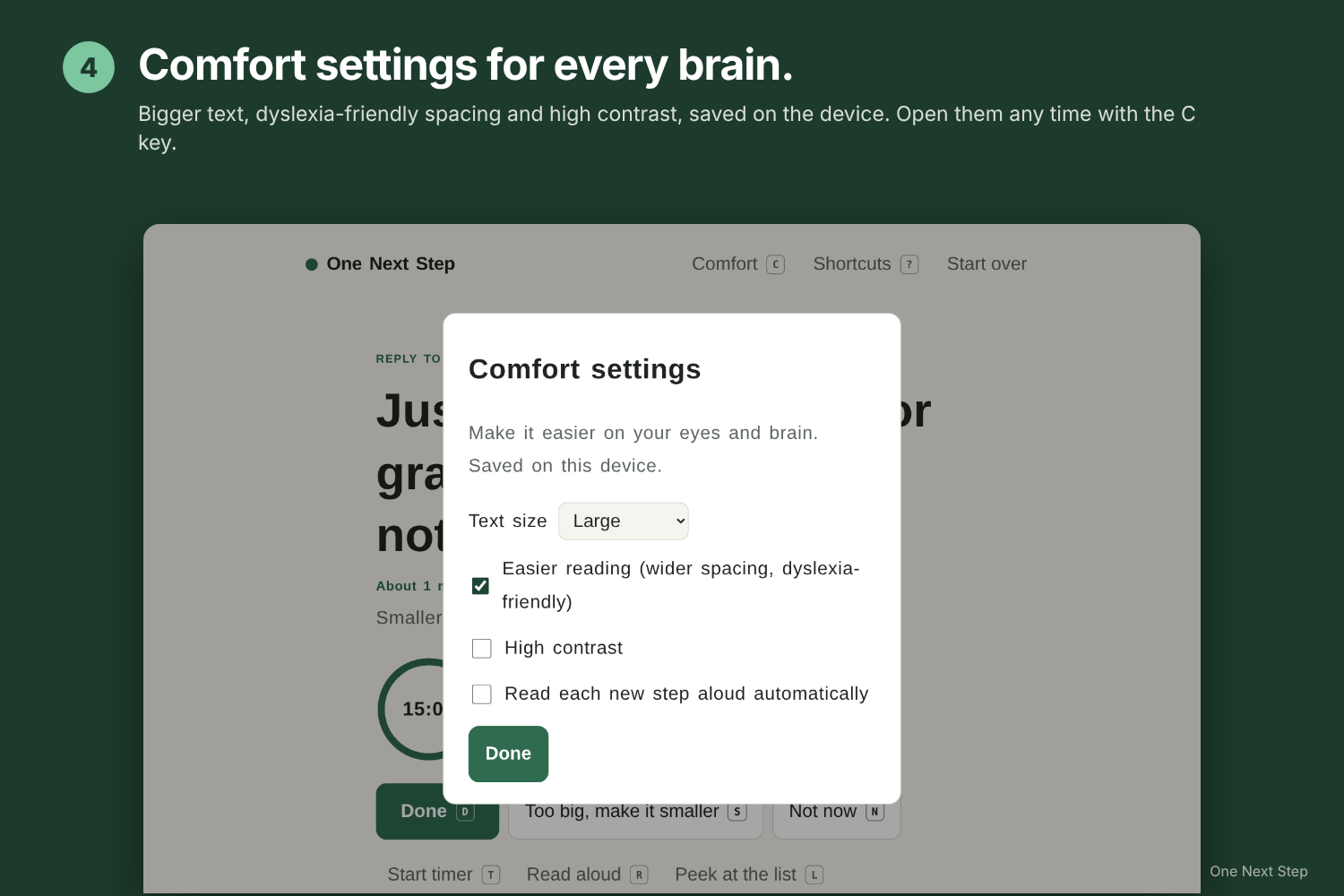
Comfort settings: bigger text, dyslexia-friendly spacing, high contrast.
-
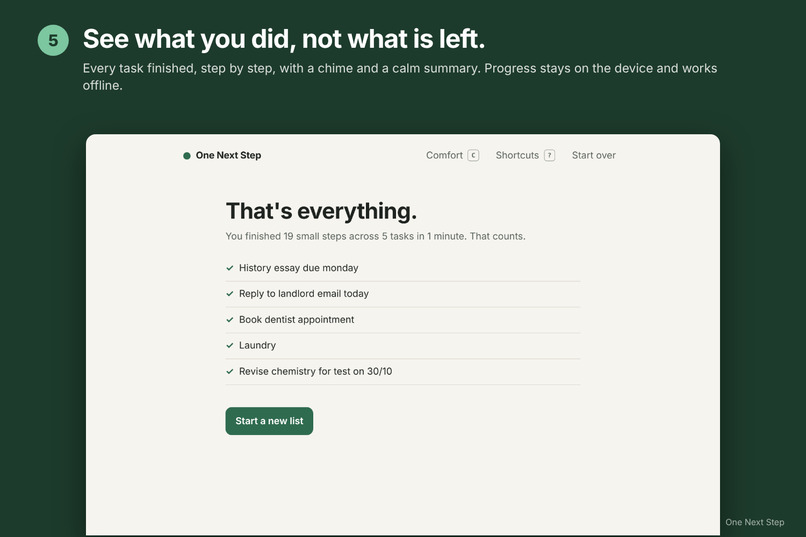
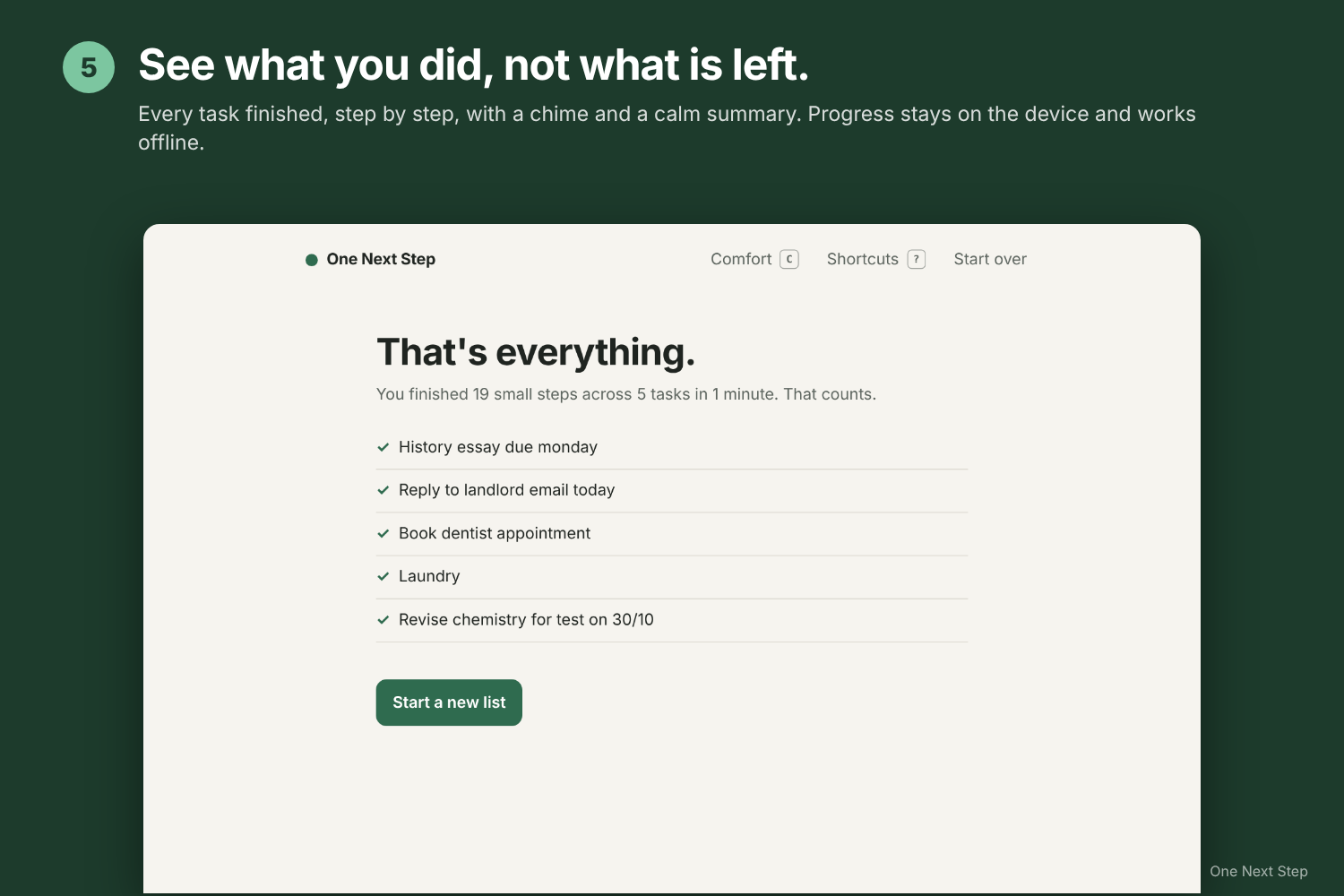
See what you finished, not what's left.
-
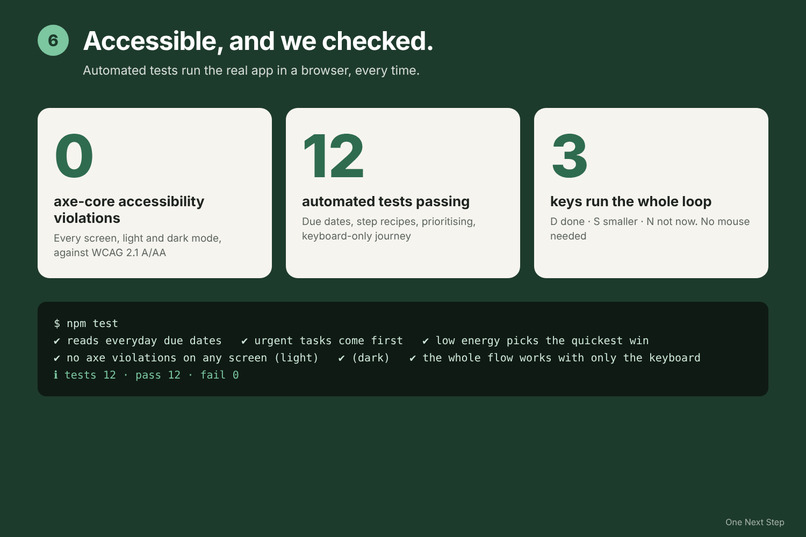
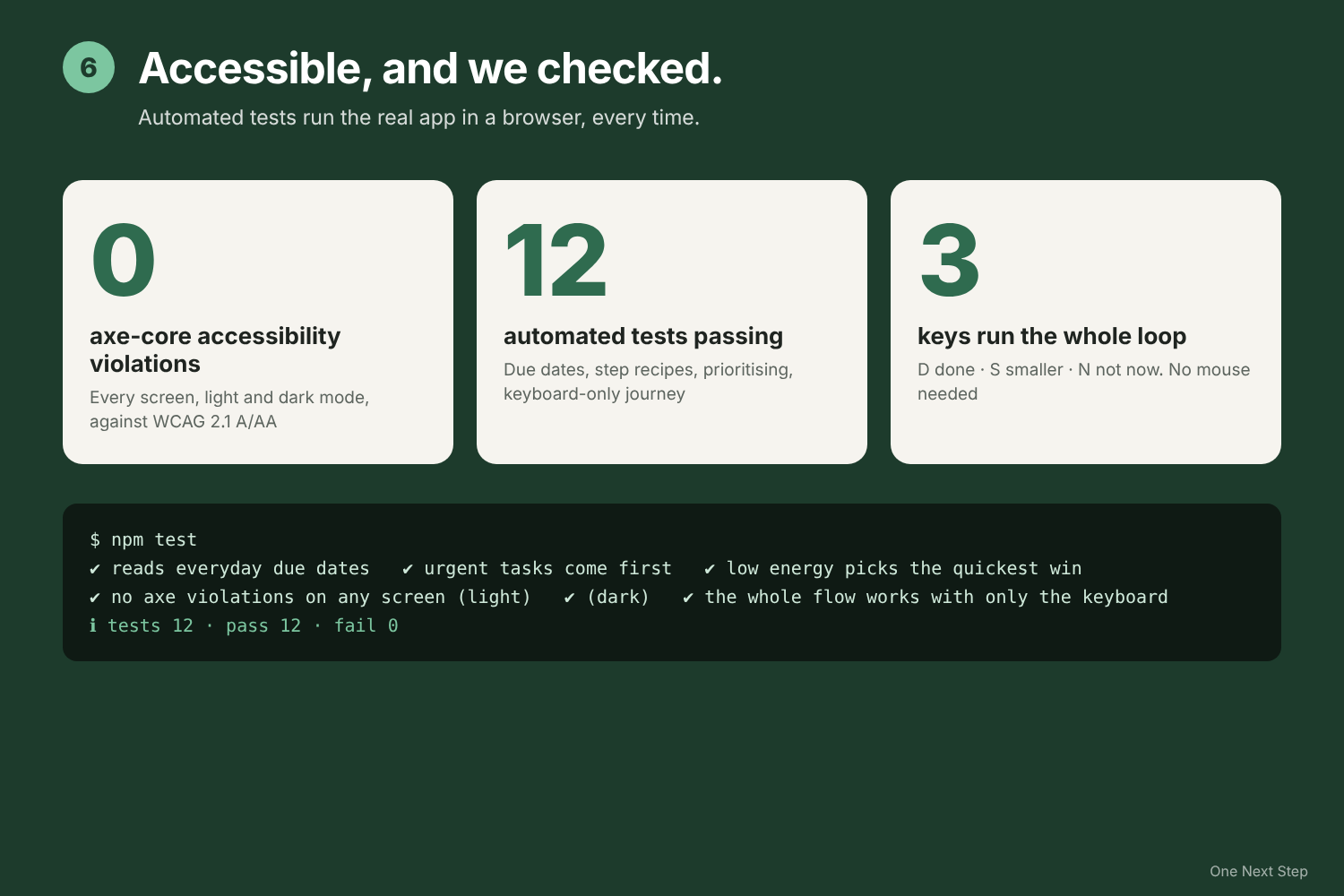
0 accessibility violations, 12 automated tests passing.
Inspiration
Maya is a university student with ADHD. She doesn't lack a to-do app; she has three. The problem is what happens when she opens one: ten items, all equally loud, and her brain refuses to choose. She closes the app and scrolls her phone instead. This is often called task paralysis, and it's one of the most common barriers people with ADHD describe. Every productivity tool we tried makes it worse by showing more: more lists, more tags, more red overdue badges.
We wanted to build the opposite: a tool that shows less.
Who it's for
One named user: Maya, a student with ADHD. One barrier: task initiation. A long list makes it impossible for her to decide where to start, so she doesn't start at all.
What it does
- Brain dump. Maya types or says everything on her mind, one thing per line, with no sorting. She can mention when things are due in everyday words ("monday", "tomorrow", "30/10"). She picks how much energy she has (low, some, plenty) and how long she can focus (5, 15 or 25 minutes).
- One next step. The list disappears. She sees one small, concrete action she can start in about two minutes, like "Open your inbox and find the message", with a time estimate, a due-date chip, and one sentence on why it was picked ("Due today, so it goes first").
- Keep momentum.
Dmarks it done and shows the next step of the same task.S("too big") splits the step into something even smaller, such as "Just get set up".N("not now") moves the task to later with no guilt. - Calm support. An optional focus timer with a soft chime, a "peek at the list" toggle for when she wants to see everything, and read-aloud for the current step.
- Finish. The last screen shows what she got done, not what is left.
Accessibility
- Fully keyboard operable with single-key shortcuts (
?shows them all), plus normal Tab and Enter. - Every new step, timer event and finished task is announced through an
aria-liveregion, and focus moves to the new step, so screen-reader users get the same one-step-at-a-time experience. - Voice input for the brain dump, and read-aloud for each step (optionally automatic).
- Comfort settings: text size up to extra large, a dyslexia-friendly easier-reading mode with wider spacing, and high contrast in light and dark mode.
- 48px targets, visible focus rings, dark mode, and
prefers-reduced-motionsupport. - Verified, not just claimed: an automated axe-core audit checks every screen against WCAG 2.1 A/AA in light and dark mode and finds 0 violations. A keyboard-only test completes the whole journey without a mouse.
- No account and nothing to set up. It installs like an app, works offline, and stores progress only on the device.
How we built it
- A static progressive web app in HTML, CSS and vanilla JavaScript, with no framework and no backend. A web manifest and a service worker make it installable and usable offline.
- All the decision logic lives in
planner.js, a pure, dependency-free module that runs in both the browser and Node:- Recipes match the kind of task (writing, messages, calls and bookings, study, chores, admin, applications, errands, projects) and turn it into 3 to 5 concrete steps with time estimates.
- A due-date parser reads everyday language: today, tomorrow, weekday names and abbreviations, "in 3 days", "26/10", "3rd nov", "overdue".
- A scoring function weighs urgency, energy level (low energy favours quick wins, high energy favours the biggest task), momentum on a task already started, and "not now" skips.
- The Web Speech API handles voice input and read-aloud, and the Web Audio API makes a soft completion chime with no audio files.
- Progress and comfort settings are saved in
localStorage, so a refresh or closed tab doesn't lose her place. - Testing: 12 automated tests with Node's built-in test runner. Unit tests cover date parsing, recipes and prioritisation. Playwright plus axe-core run the accessibility audit and the keyboard-only journey.
- The demo video was recorded automatically with Playwright, with captions and a key-press overlay, and narrated with the open-source Kokoro text-to-speech model running locally. ffmpeg mixed the final video.
Challenges
- Writing first steps that are genuinely small. "Write essay" is not a step; "Open a blank document and type a title" is.
- Making a single-focus interface work for screen readers without being noisy: one polite announcement per change, and focus moved to the step itself.
- Deciding what to leave out. Every feature we considered (tags, priorities, calendars) made the screen busier, which is the problem we're solving.
Accomplishments we're proud of
- The core loop is three keys: D, S, N.
- Zero accessibility violations across every screen, in light and dark mode, checked automatically rather than by eye.
- It runs anywhere a browser does, installs like an app, and sends zero data off the device.
What we learned
For people with ADHD, the hardest part of a task is often the first thirty seconds. Shrinking the first step and hiding everything else did more than any amount of organising features.
Limitations
- Step suggestions are keyword-based recipes, not a language model, so unusual tasks get a generic plan.
- Due dates are read from words in the task. There's no calendar integration.
- Voice input relies on the browser's speech recognition (Chrome and Edge only).
- Progress lives in one browser, with no sync between devices.
- We have not yet tested it with users with ADHD or across every screen reader; that's the next step.
What's next
- Optional on-device AI to write steps for tasks the recipes don't cover.
- Gentle reminders and calendar import.
- Testing sessions with ADHD students and screen-reader users.
AI assistance disclosure
This project was built with Claude (Anthropic) as an AI coding assistant. Claude helped write the app's code, the demo recording script and this write-up, under our direction. The demo voiceover is synthetic speech generated with the open-source Kokoro TTS model. The app itself does not use AI at runtime.
Built With
- axe-core
- css
- ffmpeg
- html
- javascript
- kokoro-tts
- localstorage
- node.js
- playwright
- pwa
- service-worker
- web-audio-api
- web-speech-api

Log in or sign up for Devpost to join the conversation.