One Moment A Day
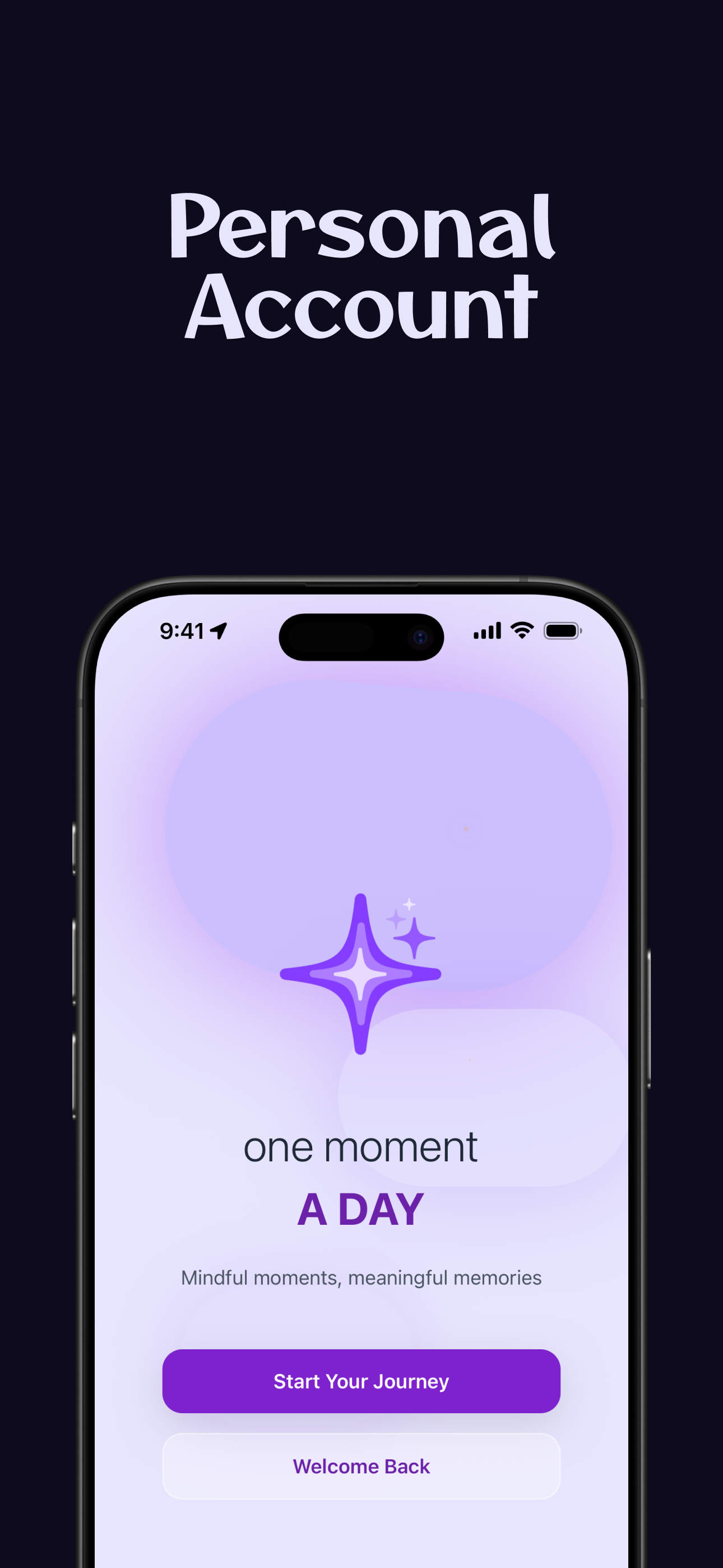
A beautifully designed mobile journaling app that helps users capture and reflect on meaningful moments from their daily lives.
Inspiration
The inspiration for "One Moment A Day" came from the desire to create a mindful, intentional journaling experience that encourages users to pause and reflect on the meaningful moments in their daily lives. In our fast-paced world, we often miss the small joys and insights that make life beautiful. This app was born from the belief that taking just one moment each day to reflect can lead to greater self-awareness, gratitude, and personal growth.
The concept emphasizes quality over quantity - rather than overwhelming users with lengthy journaling requirements, it focuses on capturing that one special moment, thought, or feeling that stood out each day. This approach makes journaling accessible and sustainable for people who might feel intimidated by traditional journaling apps.
What it does
"One Moment A Day" is a beautifully designed mobile journaling app that helps users capture and reflect on meaningful moments from their daily lives. Here's what makes it special:
Core Features:
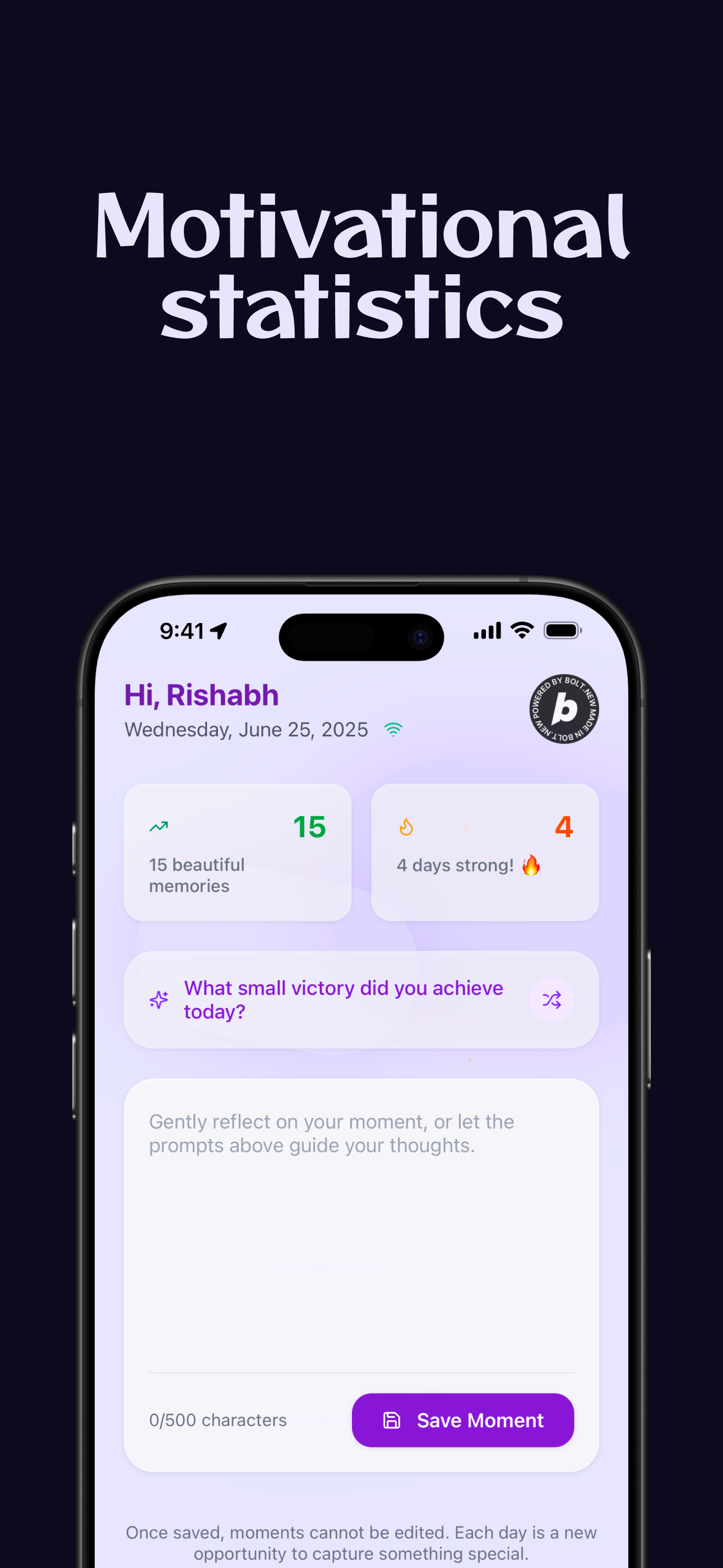
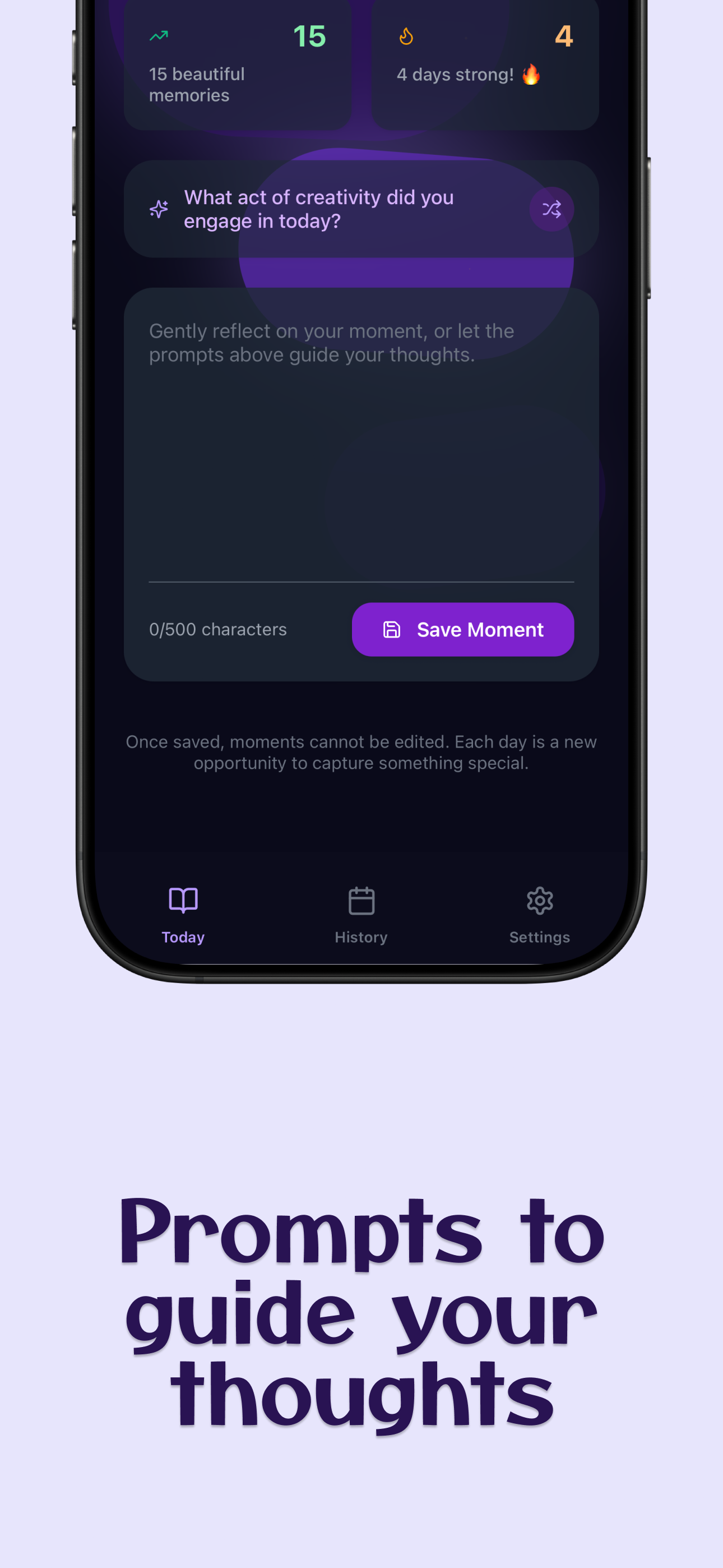
- Daily Prompts: Each day presents users with a thoughtful, randomly selected prompt to inspire reflection (e.g., "What made you smile today?", "Describe a moment that surprised you today")
- One Entry Per Day: Users can only save one entry per day, encouraging intentional reflection rather than overwhelming journaling.
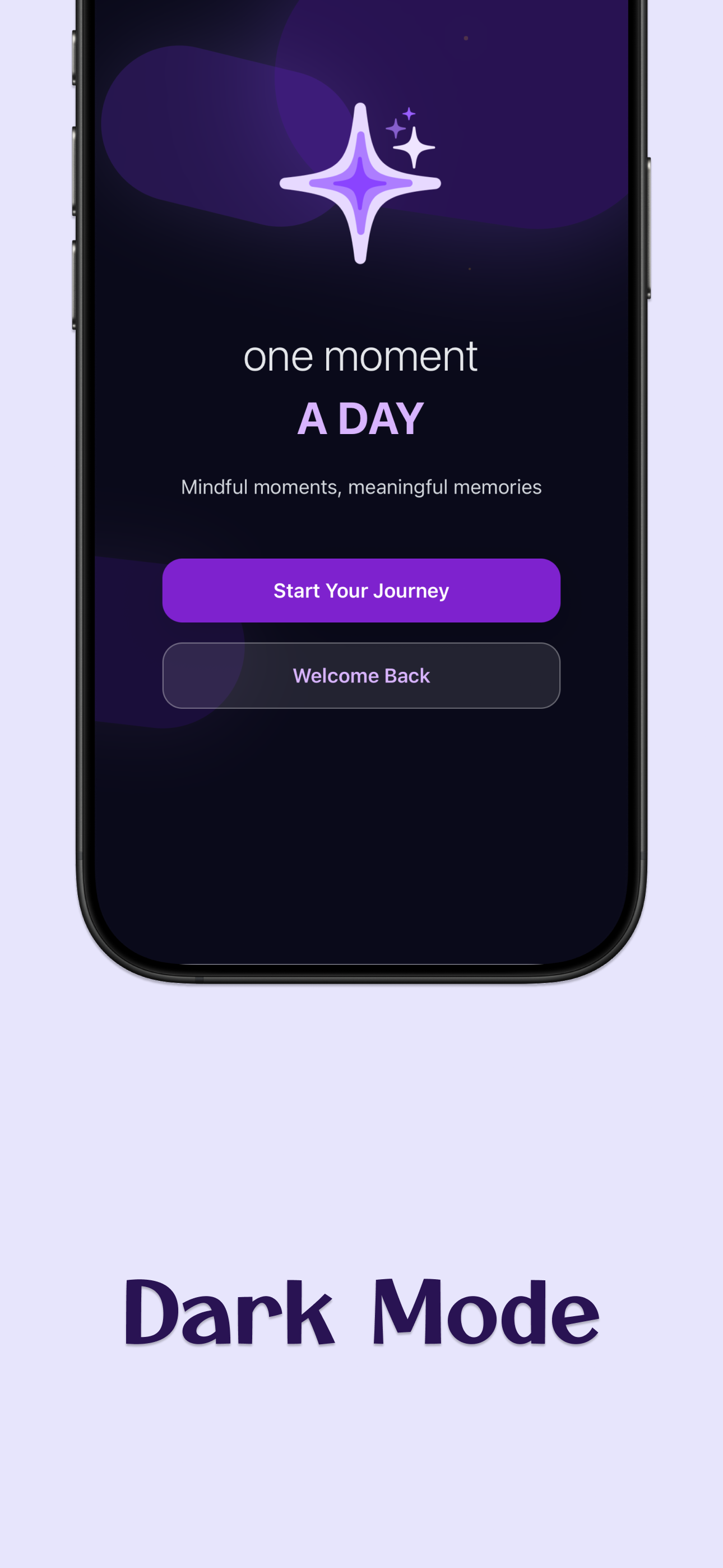
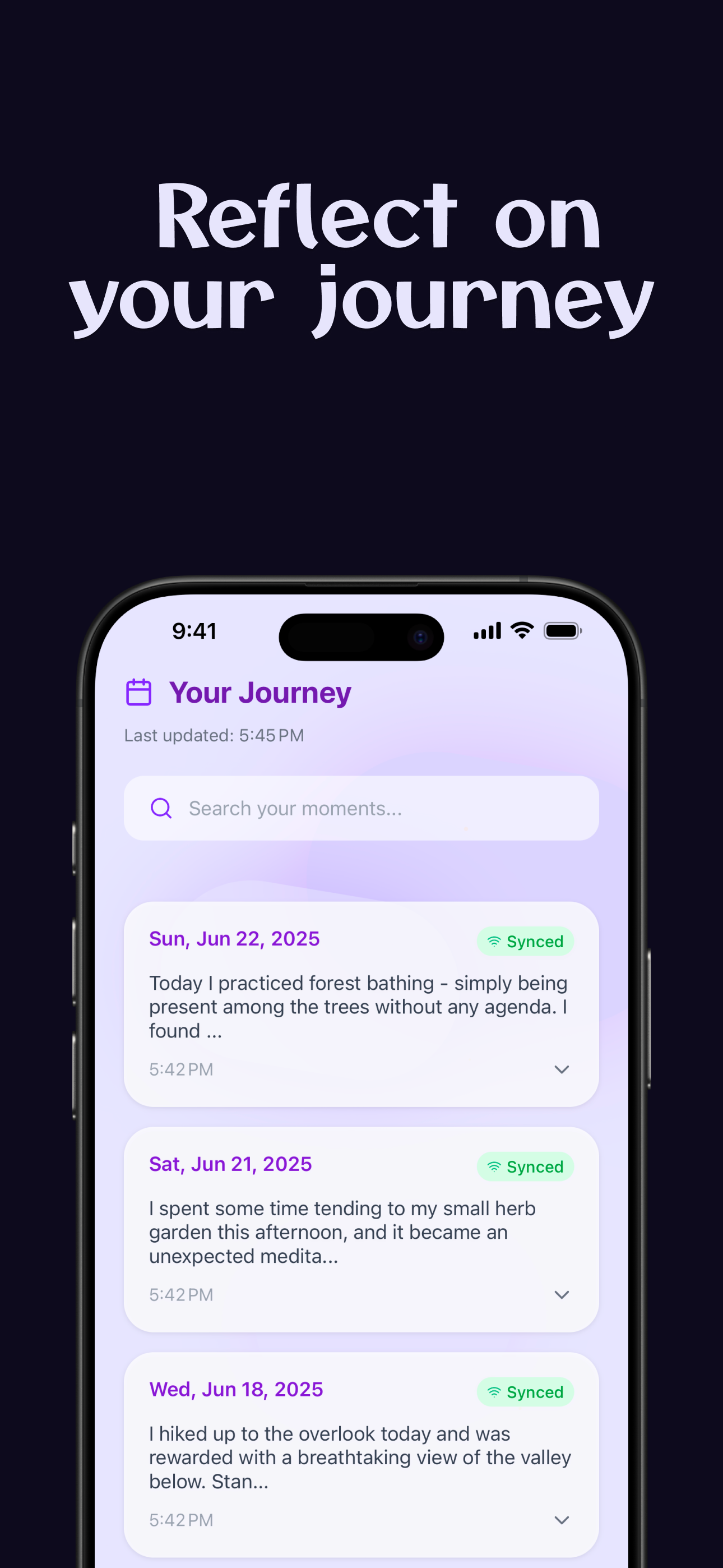
- Beautiful UI: Features an aurora-inspired background with smooth animations and a calming color scheme
- Offline-First: Works seamlessly offline with automatic sync when connection is restored
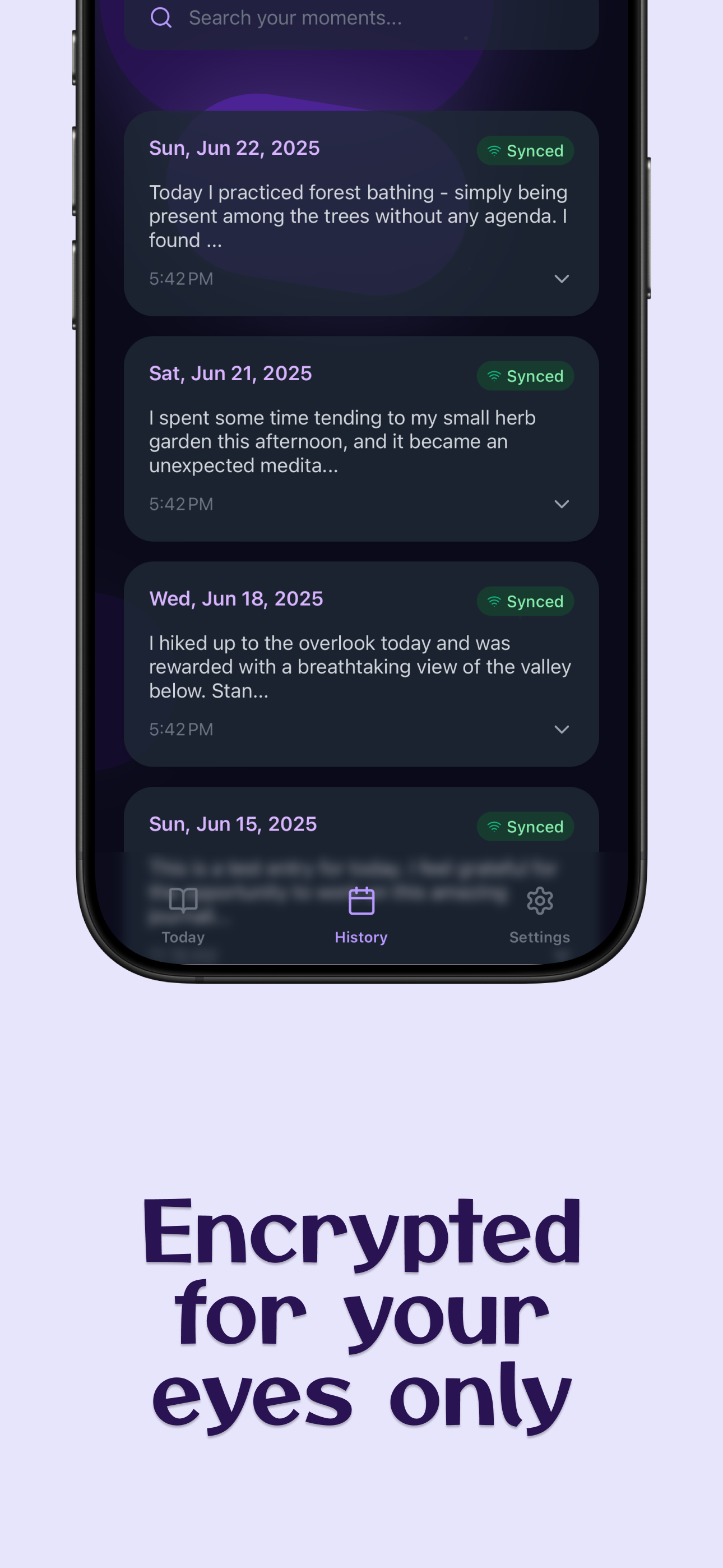
- End-to-End Encryption: All journal entries are encrypted using user-specific keys for complete privacy
- Smart Notifications: Personalized reminder notifications that adapt based on user's streak and behavior
- Streak Tracking: Motivates users with current and longest streak tracking
- Search & History: Easy access to past entries with search functionality
- Responsive Design: Optimized for various screen sizes and orientations
Technical Highlights:
- Built with Bolt.new, React Native and Expo for cross-platform compatibility
- Supabase backend for secure data storage and authentication
- Advanced encryption system using expo-crypto
- Real-time sync with conflict resolution
- Push notifications with personalized messaging
How I built it
Frontend Architecture:
- React Native + Expo: Chose for rapid development and cross-platform compatibility
- TypeScript: For type safety and better development experience
- NativeWind (Tailwind CSS): For consistent, responsive styling
- React Native Reanimated: For smooth, performant animations
- Expo Router: For file-based navigation and deep linking
Backend & Data:
- Supabase: PostgreSQL database with real-time subscriptions and Row Level Security
- Authentication: Built-in Supabase auth with email/password and session management
- Database Schema: Simple but effective
journal_entriestable with user isolation - Encryption: Custom encryption service using expo-crypto with user-specific keys
Key Libraries & Services:
- Expo Notifications: For push notifications and scheduling
- AsyncStorage: For offline data persistence
- React Native Gesture Handler: For smooth touch interactions
- Lucide React Native: For consistent iconography
Development Process:
- Started with rapid prototyping using Bolt.new and Expo's development tools
- Implemented core journaling functionality first
- Added offline capabilities and encryption for privacy
- Built notification system with personalized messaging
- Refined UI/UX with responsive design and animations
- Added advanced features like search and streak tracking
Challenges I ran into
Technical Challenges:
- Encryption Implementation: Creating a robust encryption system that preserved character count and worked across platforms was complex. I went through multiple iterations before settling on a XOR-based approach with custom base64 encoding.
- Offline-First Architecture: Implementing seamless offline functionality with automatic sync required careful state management and conflict resolution strategies.
- Cross-Platform Compatibility: Ensuring consistent behavior across iOS and Android required extensive testing and platform-specific adjustments.
- Notification Scheduling: Creating intelligent notification scheduling that adapts to user behavior and streak patterns while respecting system limitations.
UX/UI Challenges:
- Responsive Design: Making the app look great on various screen sizes from small phones to tablets required careful planning and testing.
- Animation Performance: Balancing beautiful animations with smooth performance, especially on lower-end devices.
- Dark Mode Implementation: Creating a cohesive dark mode experience that maintained the app's calming aesthetic.
Data Management:
- State Synchronization: Keeping local state, offline storage, and cloud database in sync was challenging, especially during network transitions.
- User Experience During Sync: Providing clear feedback about sync status without being intrusive.
Accomplishments that I am proud of
Technical Achievements:
- Robust Encryption System: Successfully implemented end-to-end encryption that preserves data integrity while ensuring user privacy
- Seamless Offline Experience: Created an app that works perfectly offline and automatically syncs when connection is restored
- Performance Optimization: Achieved smooth 60fps animations and fast load times across all platforms
- Cross-Platform Consistency: Delivered a consistent, high-quality experience on iOS and Android.
User Experience:
- Beautiful, Calming Design: Created an interface that feels more like a meditation app than a traditional journal
- Intelligent Notifications: Built a notification system that adapts to user behavior with personalized, poetic messaging
- Accessibility: Ensured the app is accessible to users with different abilities and preferences
- Privacy-First Approach: Made privacy a core feature, not an afterthought
Code Quality:
- Type Safety: Comprehensive TypeScript implementation with proper type definitions
- Modular Architecture: Clean separation of concerns with reusable components and services
- Error Handling: Robust error handling with graceful degradation
- Testing Strategy: Comprehensive testing approach for critical user flows
What I learned
Technical Insights:
- Bolt.new an amazing tool: Realized that Bolt.new has completely changed the game when it comes to building products like my app. Going 0 to production in a matter of few days is unbelieveable. Having little insights on where to begin didn't stop me from achieving my goal. All Bolt.new needed was my vision in a prompt and everything came to life.
- React Native Best Practices: Learned the importance of proper state management and performance optimization in mobile apps
- Security Implementation: Gained deep understanding of encryption, authentication, and data privacy in mobile applications
- Offline-First Development: Discovered the complexities and benefits of building apps that work without internet connectivity
- Cross-Platform Development: Learned to balance platform-specific features with consistent user experience
Product Development:
- User-Centric Design: The importance of focusing on user needs rather than feature completeness
- Iterative Development: How rapid prototyping and user feedback can lead to better products
- Privacy by Design: Why privacy should be considered from the very beginning of product development
Team Collaboration:
- Version Control: The importance of proper Git workflow and code review processes
- Documentation: How good documentation can accelerate development and reduce bugs
- Testing Strategy: The value of comprehensive testing in maintaining app quality
What's next for One Moment A Day
Short-term Goals (Next 3-6 months):
- Social Features: Add optional sharing capabilities for users who want to share moments with trusted friends or family
- Export Functionality: Allow users to export their journal entries in various formats (PDF, JSON, etc.)
- Advanced Analytics: Provide insights into writing patterns, mood trends, and personal growth metrics
- Custom Prompts: Allow users to create and save their own journaling prompts
- Voice-to-Text: Add voice input for users who prefer speaking over typing
Medium-term Vision (6-12 months):
- AI-Powered Insights: Integrate gentle AI analysis to help users identify patterns and growth areas
- Community Features: Create a supportive community where users can optionally share anonymous insights
- Integration Ecosystem: Connect with other wellness and productivity apps
- Advanced Notifications: Implement location-based and context-aware reminders
- Multi-language Support: Expand to serve users in different languages and cultures
Long-term Vision (1+ years):
- Research Platform: Partner with mental health researchers to study the benefits of daily reflection
- Enterprise Version: Develop a version for workplaces to promote employee wellness
- Family Accounts: Create family-friendly features for parents and children to journal together
- Advanced AI Features: Develop AI that can provide personalized journaling guidance and insights
- Global Expansion: Make the app available worldwide with culturally appropriate prompts and features
Technical Roadmap:
- Performance Optimization: Continue improving app performance and reducing battery usage
- Advanced Security: Implement additional security features like biometric authentication
- Platform Expansion: Explore opportunities for desktop applications and smartwatch integration
- API Development: Create public APIs for third-party integrations
- Scalability Improvements: Optimize backend infrastructure for growing user base
The vision is to make "One Moment A Day" the go-to app for mindful daily reflection, helping millions of people cultivate gratitude, self-awareness, and personal growth through the simple practice of capturing one meaningful moment each day.
Built With
- android
- android-studio
- appstore-connect
- bolt.new
- eas
- expo-router
- expo.io
- figma
- ios
- ipados
- react
- react-native
- supabase
- testflight
- visionos
- vscode
- xcode

Log in or sign up for Devpost to join the conversation.