Inspiration
A watch listing makes it easy to inspect a design for as long as you like. Everyday time reading is much quicker. We wanted to give shoppers a small, personal experiment before they decide which dial they prefer, then let them explore the watch’s appearance on their own wrist.
Our target user is someone choosing between a few analog watches online. One Glance turns that shortlist into two practical questions: “What did I read?” and “Do I like this style on me?”
What it does
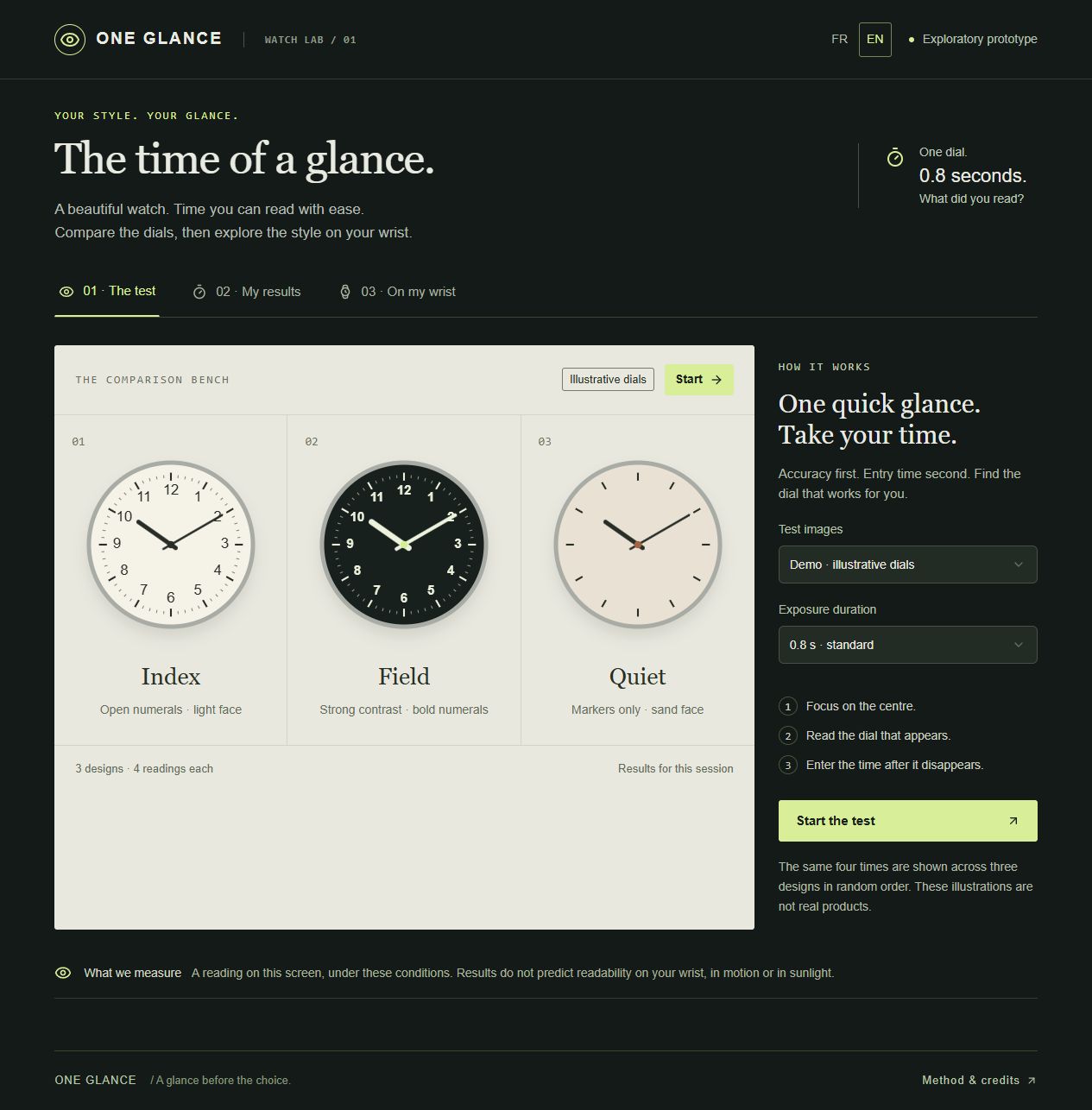
The interface is available in French and English. One Glance has three steps: a brief reading test, a session report and a wrist try-on screen.
The built-in demonstration compares three illustrative dials over twelve randomized readings. Users can select a requested exposure of 400, 800 or 1,500 milliseconds. After each image disappears, they enter the time or say they could not read it.
The original-photo mode accepts three distinct photographs at three different times for each of three watches. It rejects duplicate images and repeated times within a watch, and randomizes the nine trials. Ideally, another person prepares and labels the photographs so the reader has not studied them in advance.
The report shows accuracy within a two-minute tolerance and median response-entry time for correct answers. It handles ties and exports the session without embedding the photographs.
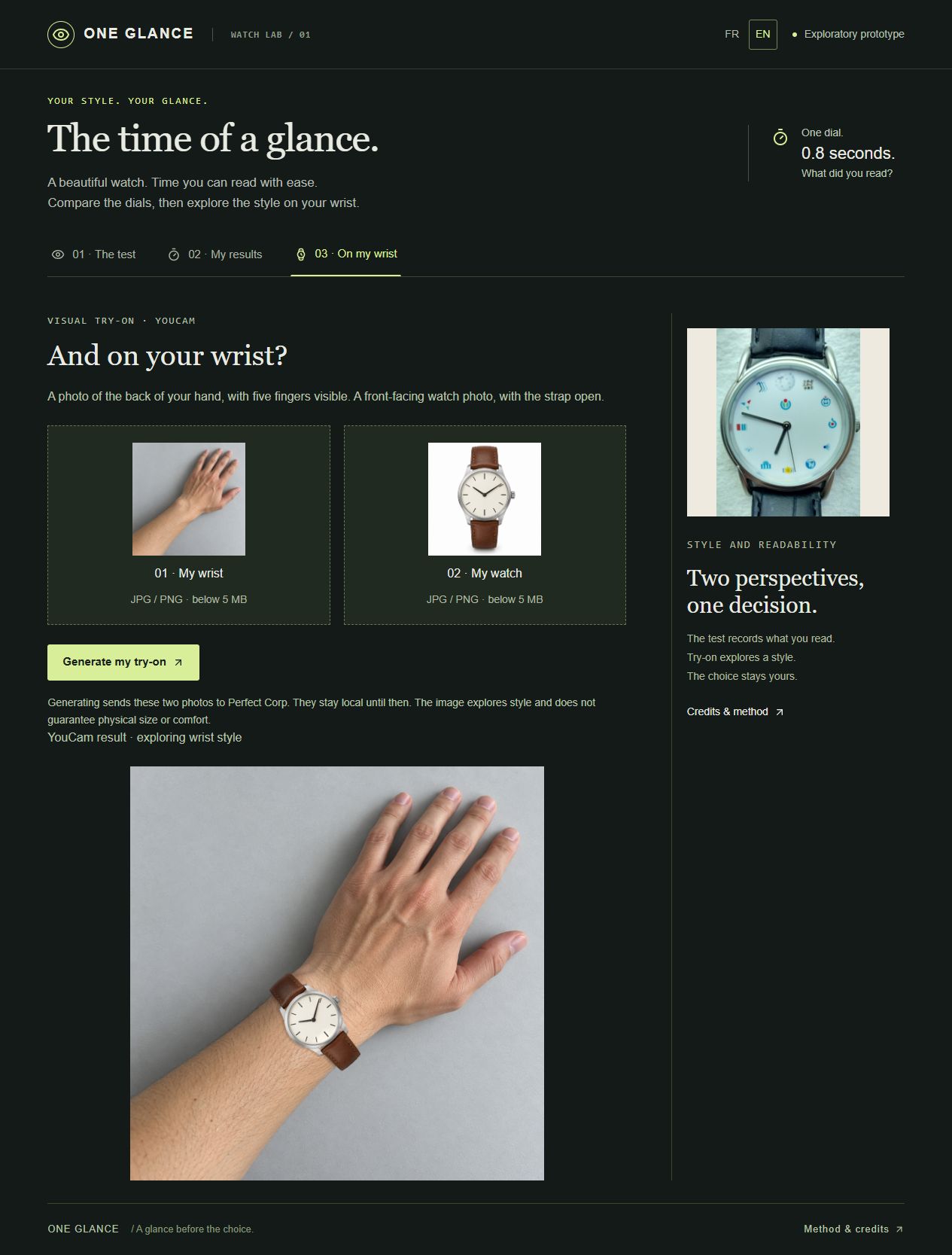
The try-on screen accepts a wrist photo and a watch photo. Its server uploads those images to Perfect Corp., creates a Watch Virtual Try-On task and polls for its generated result. Live generation is enabled with a server-side key. A first end-to-end rendering succeeded using synthetic input images created for testing.
How we built it
The prototype uses React, TypeScript and Vinext, with a Cloudflare Worker API route. The browser keeps comparison photos and session state in memory. Try-on photos are sent for processing only when the user requests generation. The API key belongs on the server; it is never provided to the browser.
The YouCam adapter implements signed file transfers, asynchronous task creation, polling, input validation and error handling. Automated tests cover the comparison protocol and simulated provider responses, including rejecting storage redirects. We also exercised a full nine-image session and checked its export in the browser, and verified a live YouCam try-on separately.
Challenges
An attractive generated image must not change the reading result. We therefore use original photos for personal comparisons and keep generated try-on imagery separate from scoring.
Small samples, chosen times, screen size and photograph framing affect the results. Measured response time includes thought and typing. Browser exposure is approximate and its observed duration is included in the export. Resuming an interrupted trial can introduce a memory effect.
What we learned
The useful product story is the connection between a practical comparison and a visual choice. The current evidence establishes that the comparison flow and a live try-on work; it does not establish purchase outcomes or real-world readability. The generated image altered the hands of the reference watch, reinforcing why original photos must be used for reading trials.
What’s next
Test additional poses with authorized watch photos and real users, and validate the judge testing experience. The first live rendering placed the watch on the wrist but altered its hands; generated try-on images are excluded from readability trials. A later study could improve framing and trial design. No clinical assessment, physical fit guarantee or validated accessibility score is offered.
About the demonstration
The video assembles real application screenshots with synthetic English narration. The illustrated twelve-trial session was operated by an AI assistant; its scores and entry times demonstrate software behavior, not human readability evidence. The YouCam result shown was previously generated using synthetic wrist and watch input images.

Log in or sign up for Devpost to join the conversation.