-
-
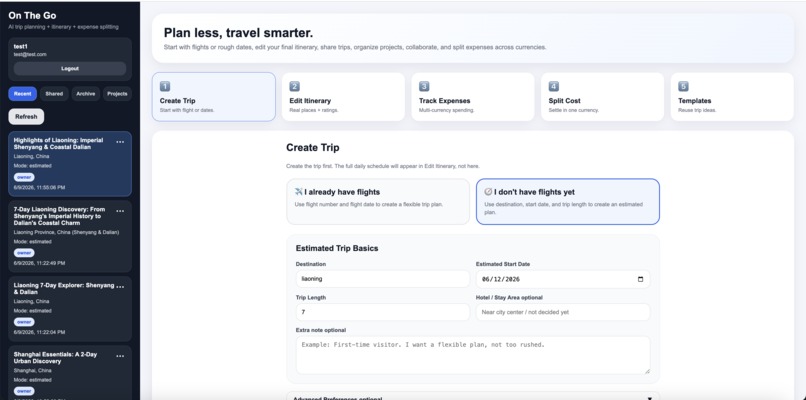
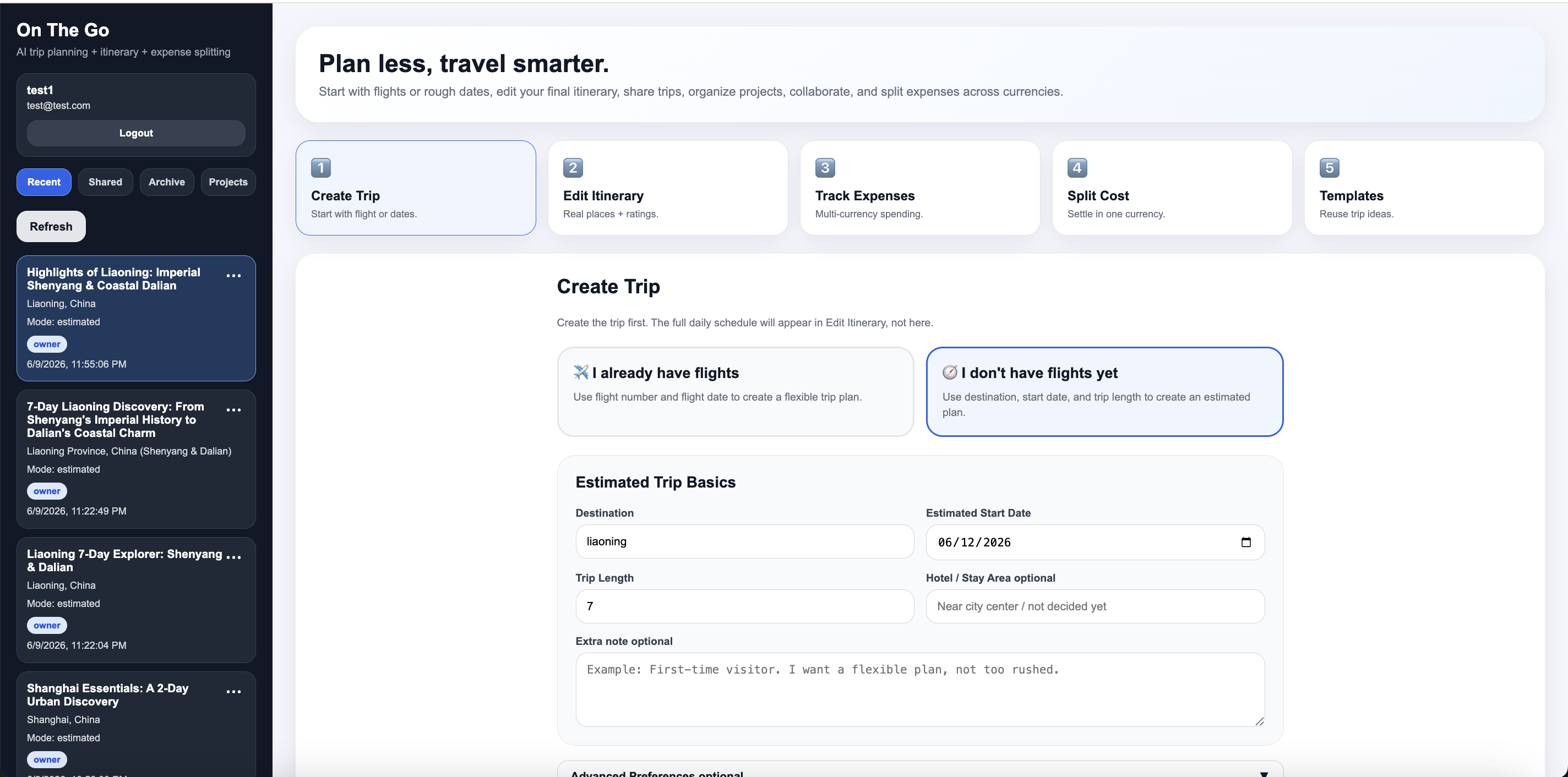
On The Go dashboard showing the main travel workflow: create trip, edit itinerary, track expenses, split cost, and templates.
Inspiration
Group travel planning is messy. Travelers often need to manage flights, daily routes, restaurant and attraction recommendations, shared notes, collaborators, expenses, currency conversion, and final settlement across many different apps.
We built On The Go because we wanted a single AI travel operations agent that does more than answer travel questions. Instead of only generating a text plan, it creates a structured trip workspace that users can edit, share, print, and use to manage real group travel logistics.
What it does
On The Go helps users plan and manage a trip from start to finish.
Users can create a trip in two ways:
Confirmed flight mode
If the user already has a flight number and flight date, the agent creates a flexible itinerary around the arrival day. If exact arrival time is missing, the first day stays light and realistic.Estimated trip mode
If the user has not purchased flights yet, the agent creates a flexible itinerary based on destination, estimated start date, trip length, travel style, budget, pace, food preferences, must-see places, and things to avoid.
After the trip is generated, users can:
- View and edit a full daily itinerary
- Add, update, and delete activities in a modal editor
- Print flight information as PDF
- Print the final edited itinerary as PDF
- Track group expenses
- Convert expenses across currencies
- Calculate final settlement automatically
- Create user accounts and log in securely
- Save trips under each user
- Rename, pin, archive, restore, and delete trips
- Organize trips into projects
- Invite collaborators as editors or viewers
- Create public read-only share links
- Save trips as reusable community templates
How we built it
The app uses a Node.js and Express backend with a MongoDB Atlas database. The frontend is a single-page web app built with HTML, CSS, and vanilla JavaScript.
The AI trip generation uses the Gemini API. The latest version is configured to use Gemini 3 Pro Preview through the @google/genai SDK. The app sends a structured prompt to Gemini and asks for valid JSON containing flight strategy, destination analysis, daily itinerary, budget advice, transit logistics, food and local experiences, safety notes, packing checklist, and next steps.
The backend then stores the generated trip in MongoDB and converts the AI-generated daily itinerary into editable itinerary items. This allows the itinerary to become an actual working trip document instead of just a static AI response.
The project is deployed on Google Cloud Run. Environment variables are used for API keys, database connection strings, JWT secrets, and model configuration. MongoDB Atlas stores users, trips, expenses, itinerary items, templates, and projects.
Google Cloud usage
We used Google Cloud Run to deploy the full-stack web application. The app runs as a containerized Node.js service and is accessible through a public HTTPS Cloud Run URL.
We also used the Gemini API for AI planning. The current backend supports switching models through an environment variable, and the latest configuration uses Gemini 3 Pro Preview for higher-quality travel planning and structured itinerary generation.
Challenges we ran into
One challenge was turning AI output into reliable structured data. A travel plan is useful only if the app can save it, edit it, print it, and reuse it. We solved this by requiring Gemini to return valid JSON and then converting the daily itinerary into MongoDB itinerary records.
Another challenge was balancing simplicity and power in the UI. Travel planning can easily become overwhelming, so we separated the workflow into clear sections: Create Trip, Edit Itinerary, Track Expenses, Split Cost, and Templates.
We also ran into deployment and API configuration issues, including model switching, environment variables, API key setup, and Google Places API errors. We made the app more robust by allowing Google Places enrichment to be skipped when the Places API key is unavailable, so the core Gemini-powered planning still works.
Accomplishments that we're proud of
We are proud that On The Go became more than a chatbot. It is a working travel operations app with authentication, persistent trip memory, editable itineraries, project organization, collaborators, share links, PDF printing, multi-currency expenses, and final settlement.
We are also proud that the app supports two realistic travel planning situations: users who already bought flights and users who only know approximate dates.
What we learned
We learned how to connect AI generation with real application state. The hardest part was not just calling an AI model, but designing the data structure, saving the results, letting users edit them, and keeping the workflow useful after the first AI response.
We also learned how to deploy a Node.js app on Google Cloud Run, manage environment variables, connect MongoDB Atlas, and upgrade from the older Gemini SDK to the newer @google/genai SDK.
What's next
Next, we want to improve real place enrichment, add stronger Google Maps route integration, support live flight data, improve collaborative editing, and make community templates searchable so users can browse and reuse public trip plans.
Built With
- css
- docker
- express.js
- frankfurter-exchange-rate-api
- gemini-api
- google-cloud-run
- google-places
- html
- javascript
- jwt
- mongodb-atlas
- mongodb-node.js-driver
- node.js


Log in or sign up for Devpost to join the conversation.