-
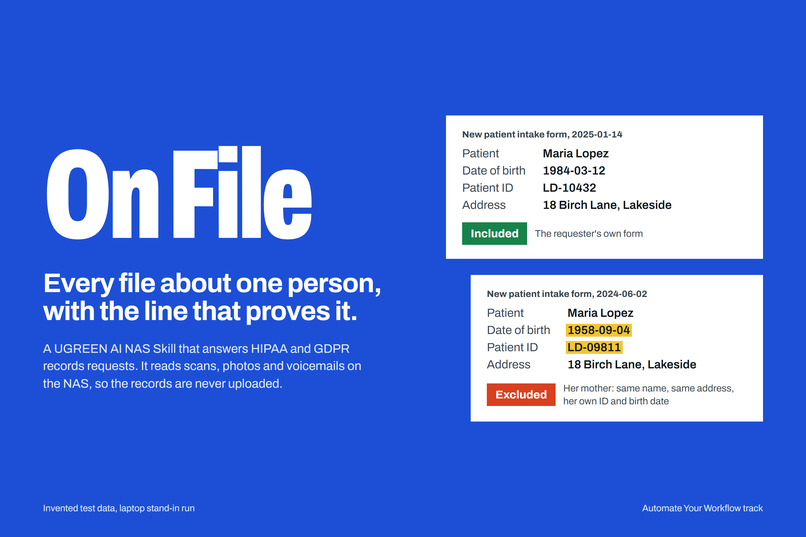
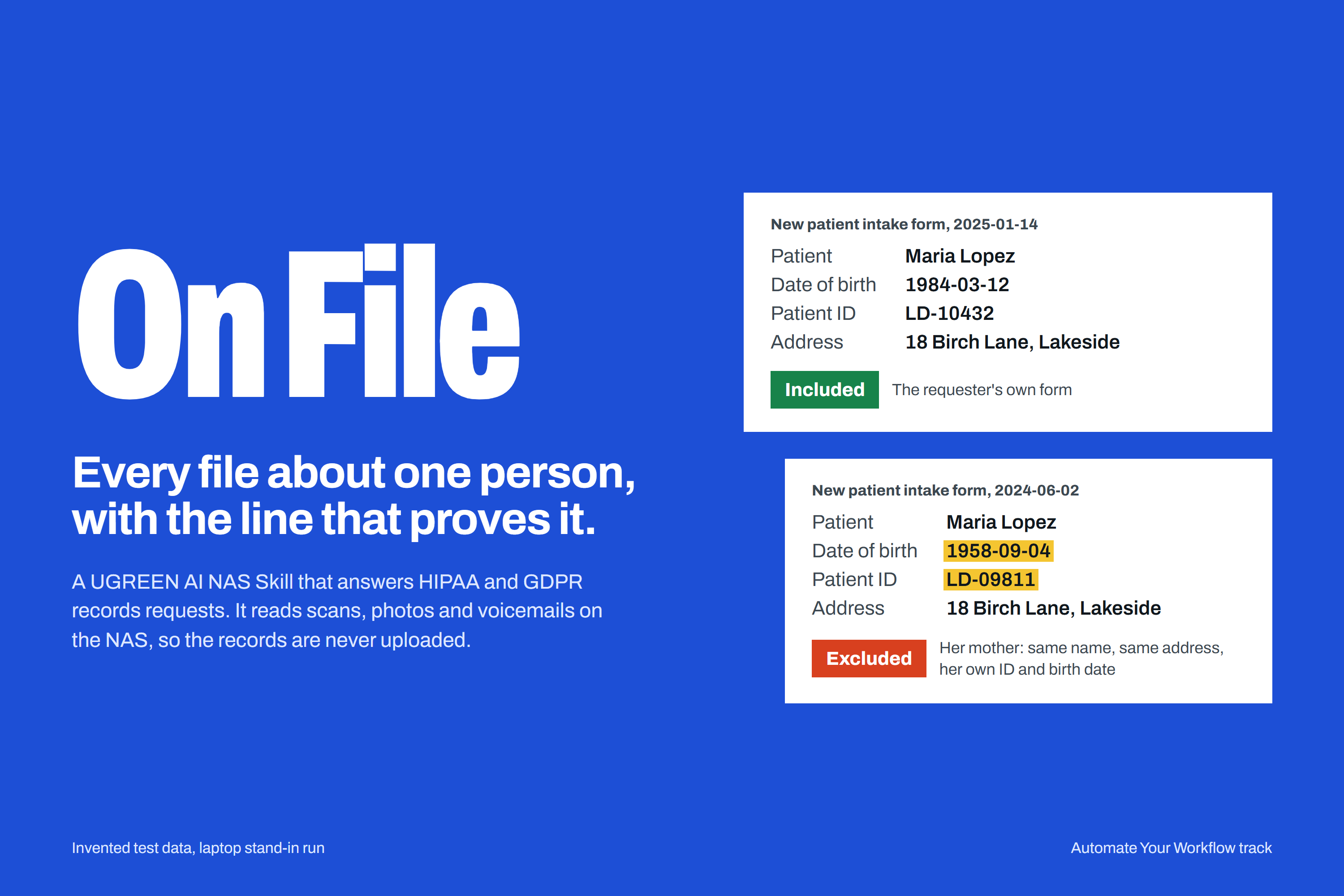
On File: two intake forms for two Maria Lopezes, one included, her mother's excluded (invented data)
-
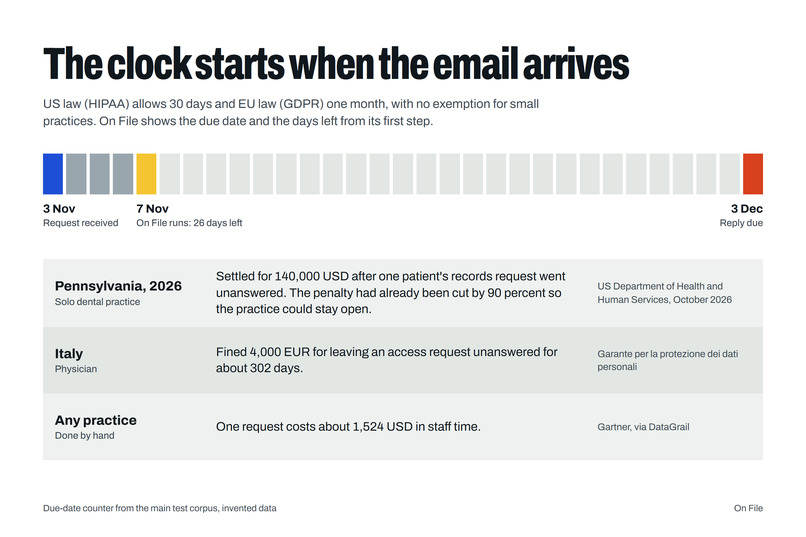
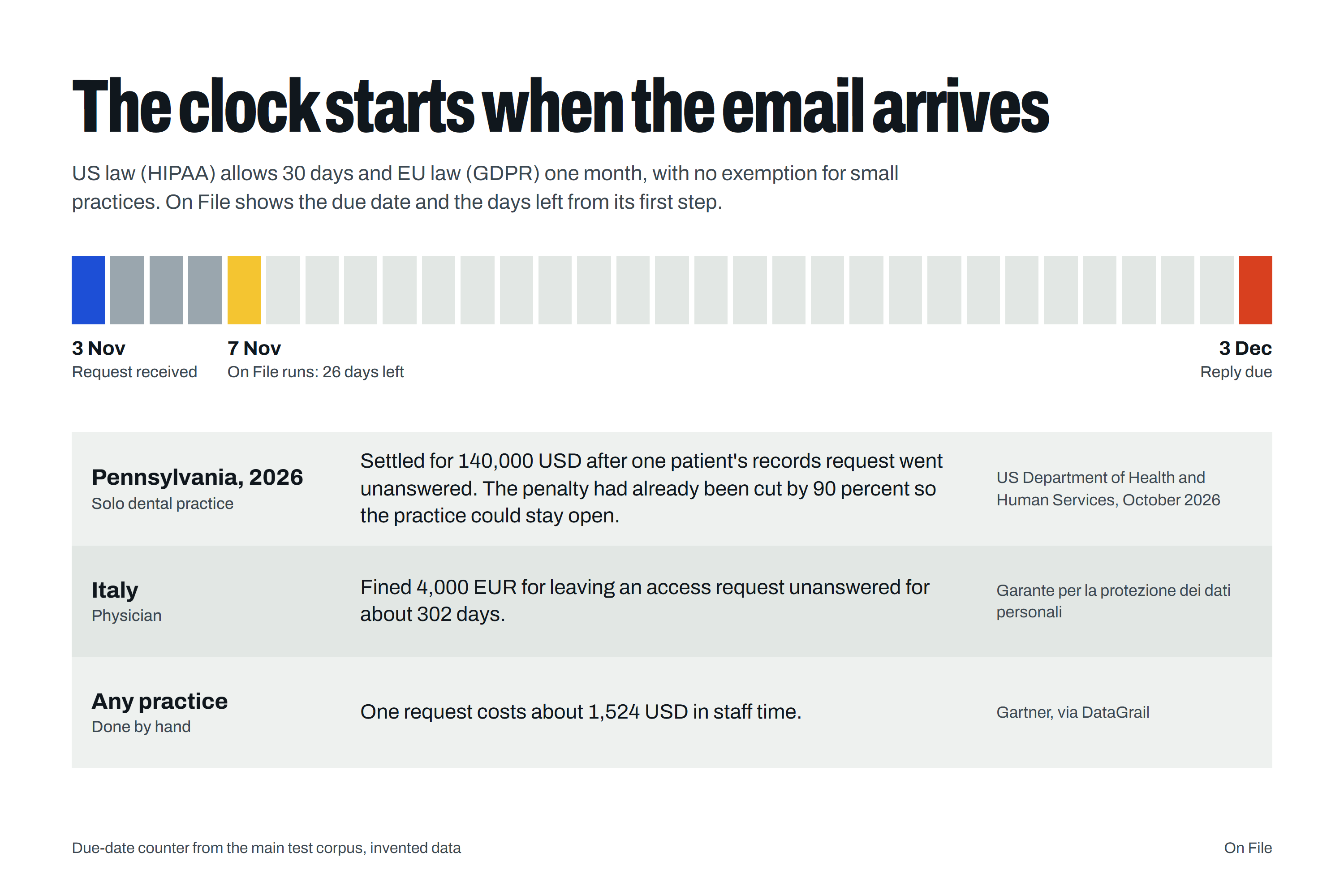
Why it matters: 30 days under HIPAA, one month under GDPR, and what an unanswered request has cost (sources cited)
-
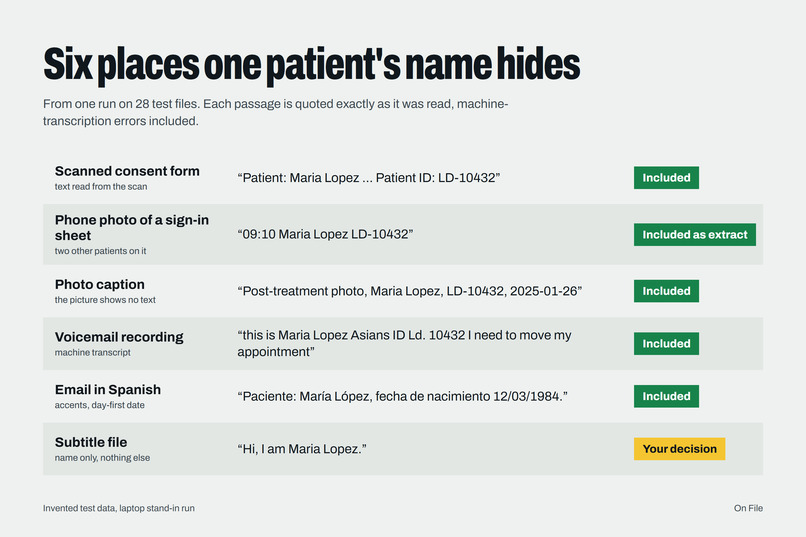
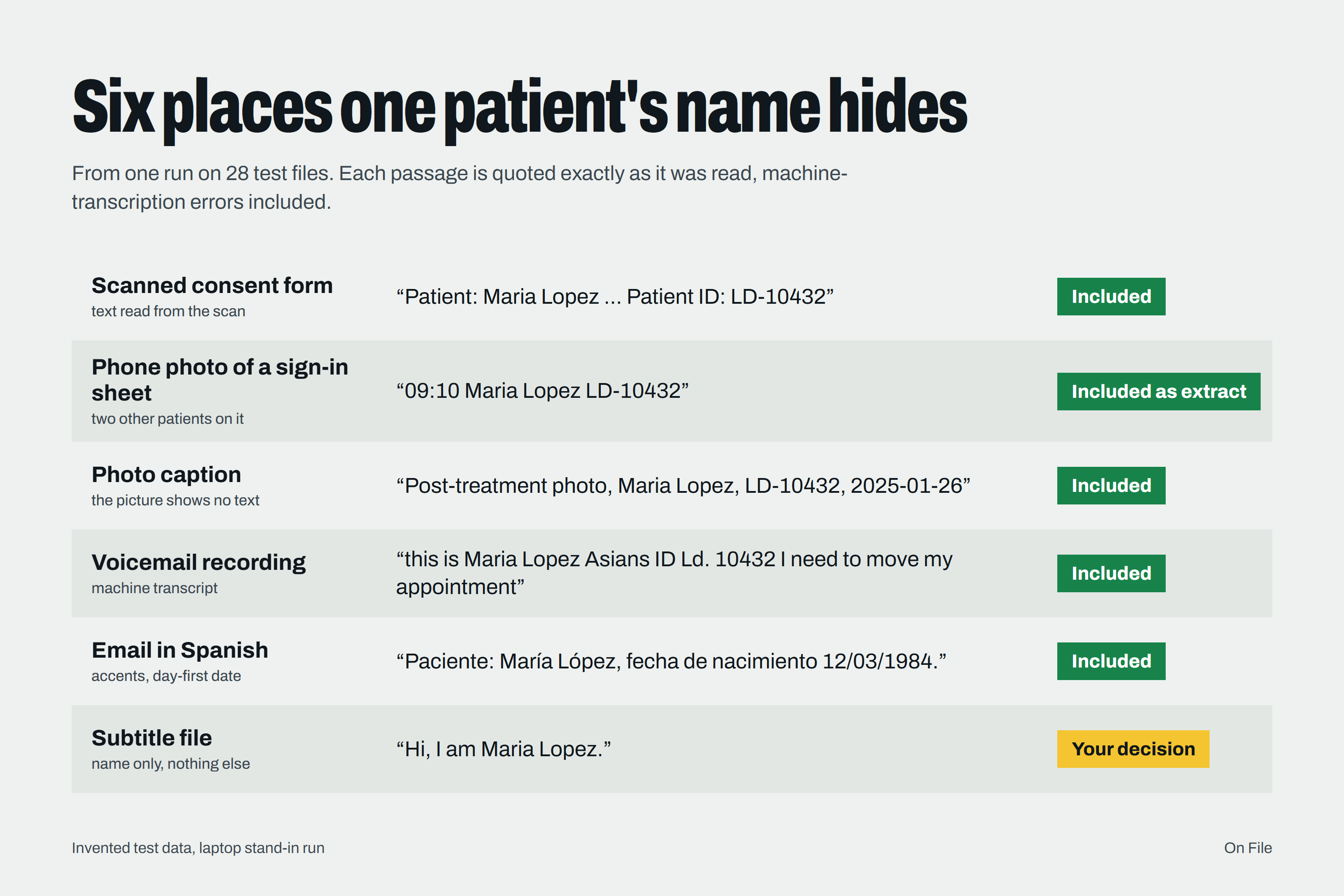
Six places one patient's name hides, quoted as read (laptop stand-in run, invented data)
-
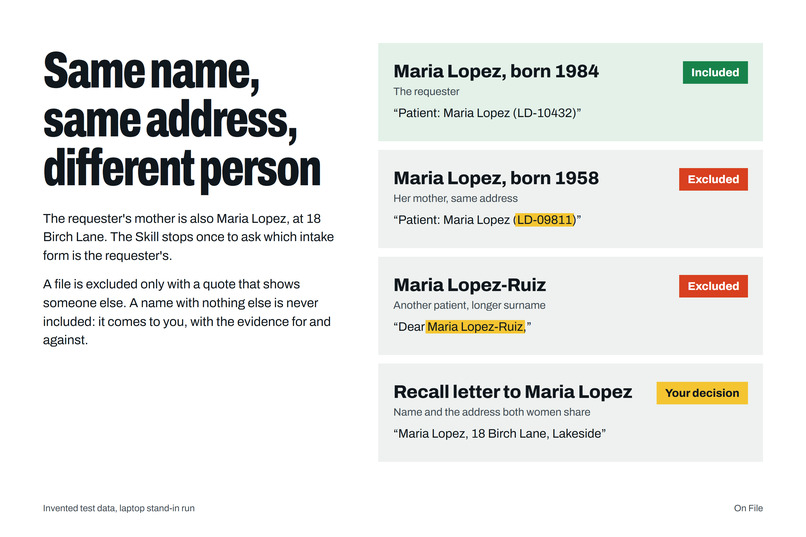
Same name, same address, different person: how the household is told apart
-
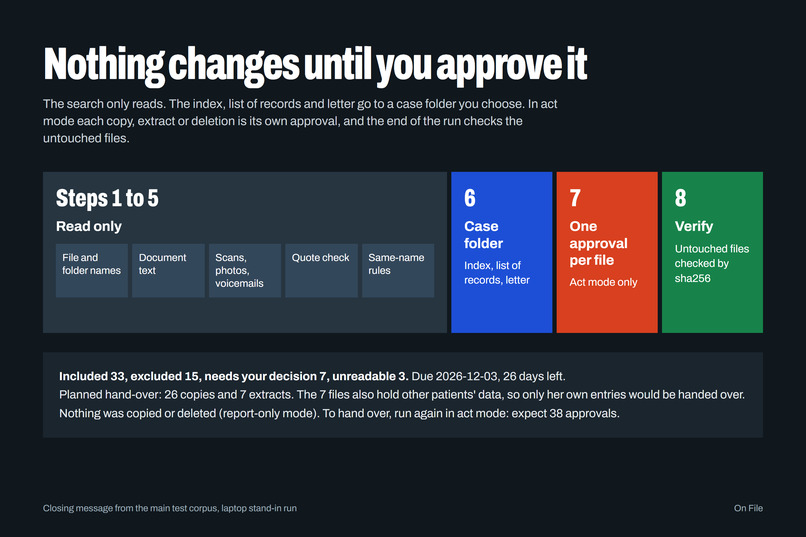
Nothing changes until you approve it: read-only search, one approval per file
-
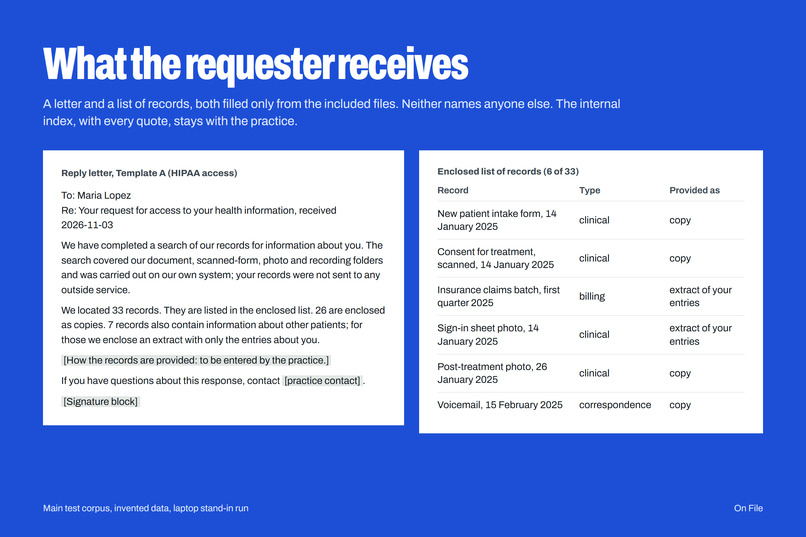
What the requester receives: a letter and a list of records that name no one else (invented data)
-
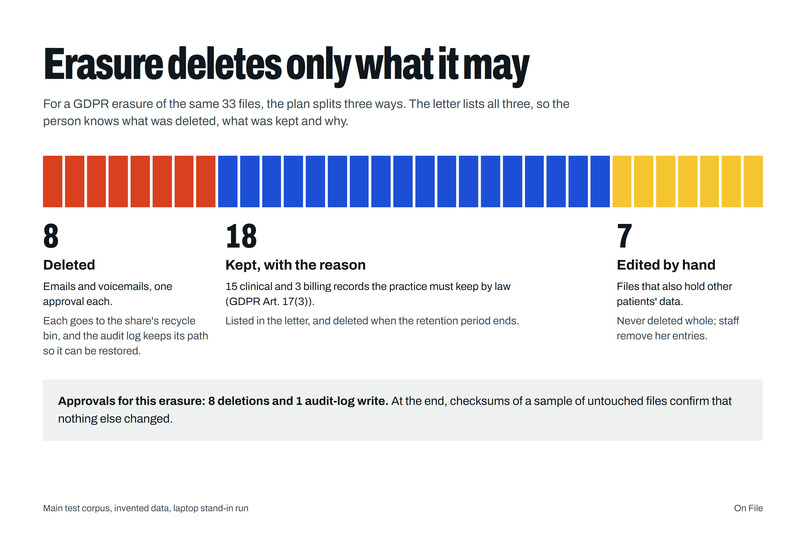
GDPR erasure: 8 deleted with one approval each, 18 kept with the legal reason, 7 edited by hand (invented data)
-
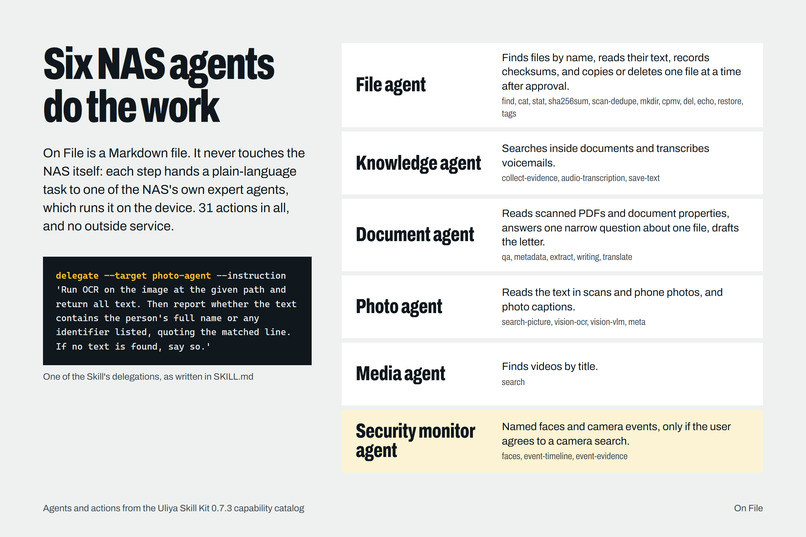
How it runs: one Markdown Skill directing six UGOS expert agents through 31 actions, no outside service
-
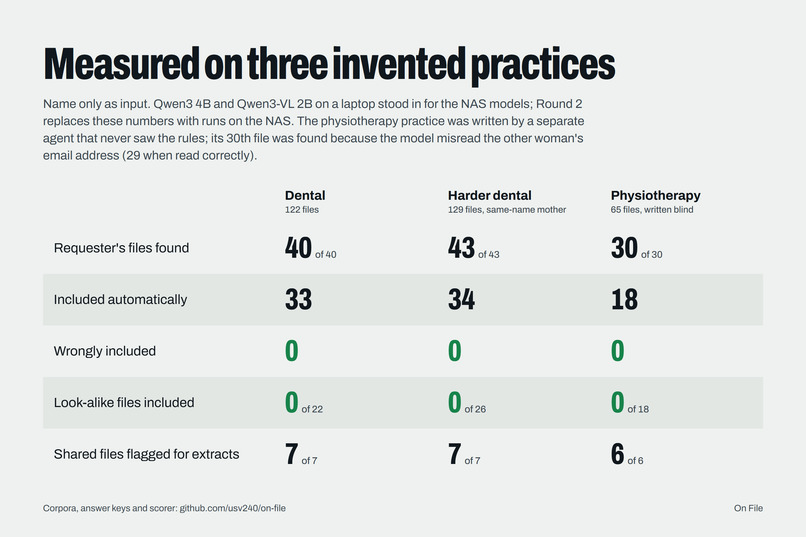
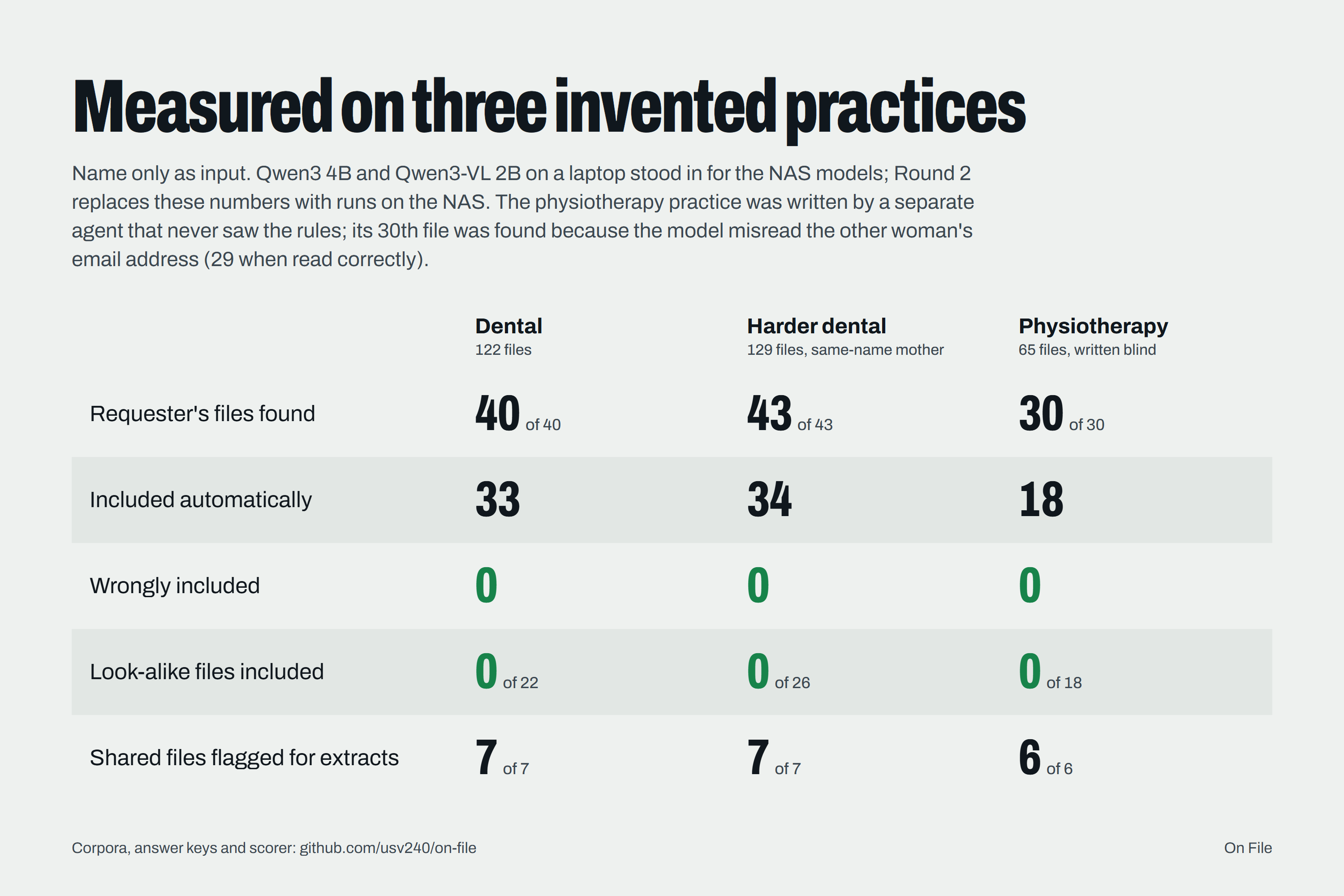
Measured on three invented practices, one written blind (laptop stand-in models)
Inspiration
A patient emails a small dental practice: "Please send me everything you hold about me." US law gives the practice 30 days (HIPAA, 45 CFR 164.524) and EU law one month (GDPR Art. 12(3), Art. 15), with no exemption for small businesses. The chart sits in the practice software, but the rest is spread across the NAS: scanned forms, phone photos of sign-in sheets, voicemails, spreadsheets and emails. Nobody knows every place one name appears.
Getting it wrong is costly:
- In 2026 a solo dental practice in rural Pennsylvania settled for 140,000 USD after one patient's records request went unanswered. The US regulator found the practice had no right-of-access policies, and had already cut the penalty by 90 percent so the practice could stay open (HHS, October 2026).
- In Italy a physician was fined 4,000 EUR for ignoring an access request for about 302 days (Garante).
- Done by hand, one request costs about 1,524 USD in staff time (Gartner, via DataGrail).
Uploading the records to a cloud assistant to search them would itself be a disclosure. So we built a Skill that answers the request where the records already live.
What it does
You tell Uliya, for example: "Maria Lopez asked for all her records on 3 November. Search the Records folder." On File asks for whatever is missing, such as the request type (HIPAA access, GDPR access or GDPR erasure) and a case folder for its own files. Then it:
- Searches everywhere a name can hide. File and folder names, documents, spreadsheets, emails, text in scanned forms and phone photos, voicemails, subtitle files, photo captions and document properties. If you agree, it also checks named faces and events in the camera system. Credential files, such as keys and certificates, are never opened.
- Quotes the proof. Every match comes with the exact passage, and each quote is checked against the file, so the AI cannot add a file by inventing a quote.
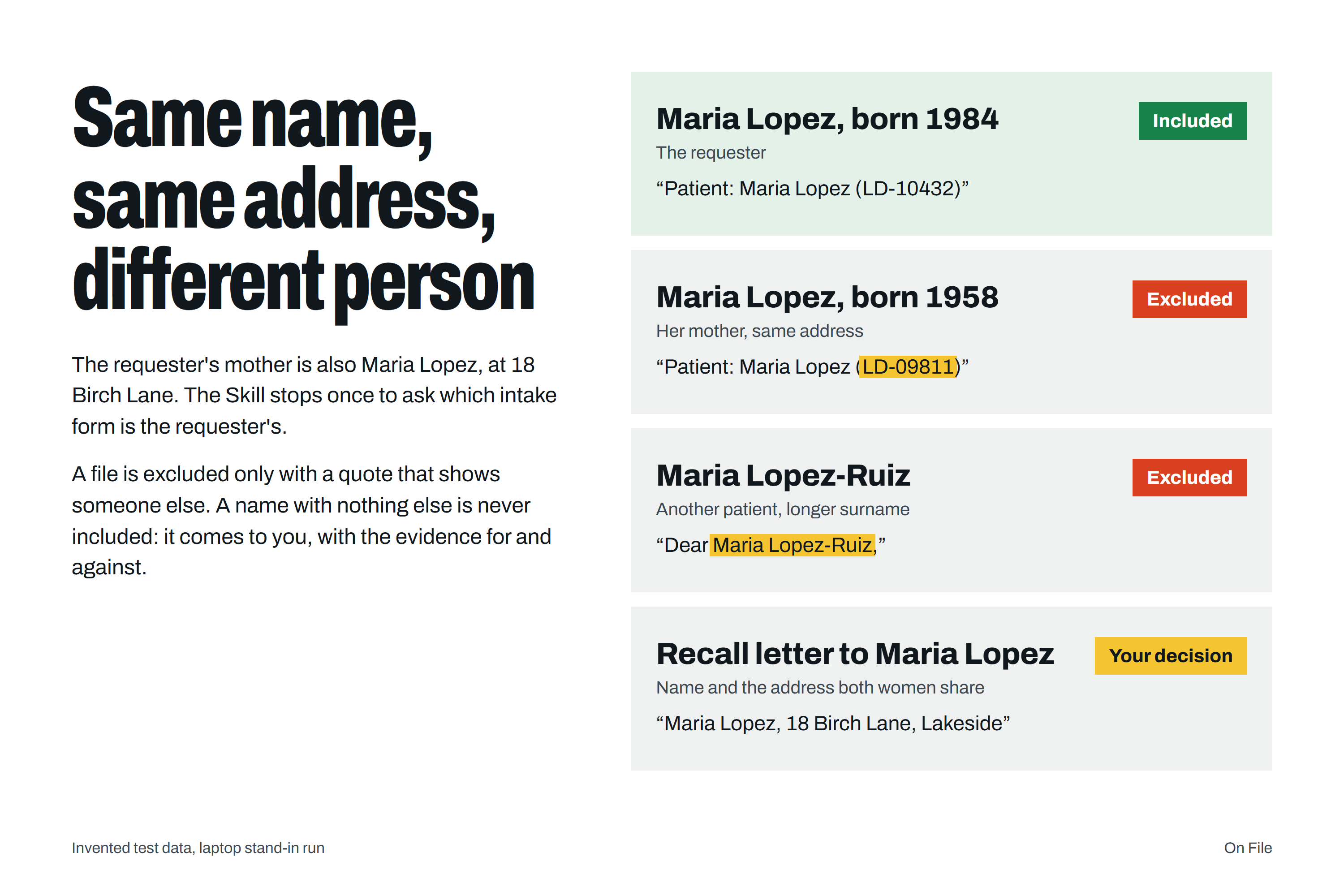
- Tells same-name people apart. A mother and daughter with the same name at the same address are separated by their own patient ID, email or date of birth. A name alone never includes a file: either a quote shows it is someone else, or it comes to you with the evidence for and against.
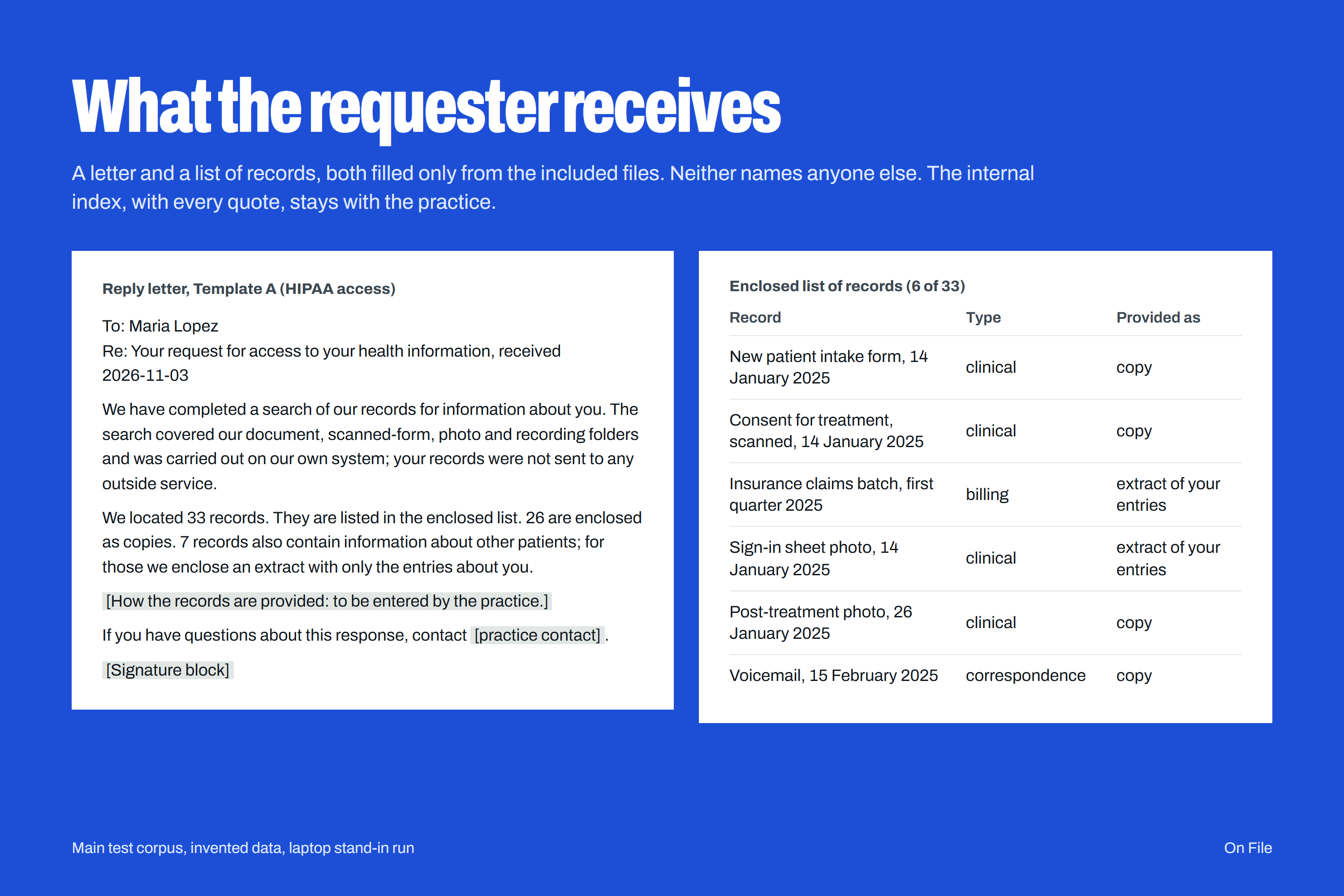
- Protects everyone else's data. If a file also lists other patients, like a sign-in sheet or a shared spreadsheet, it plans an extract of the person's own entries instead of handing over the whole file.
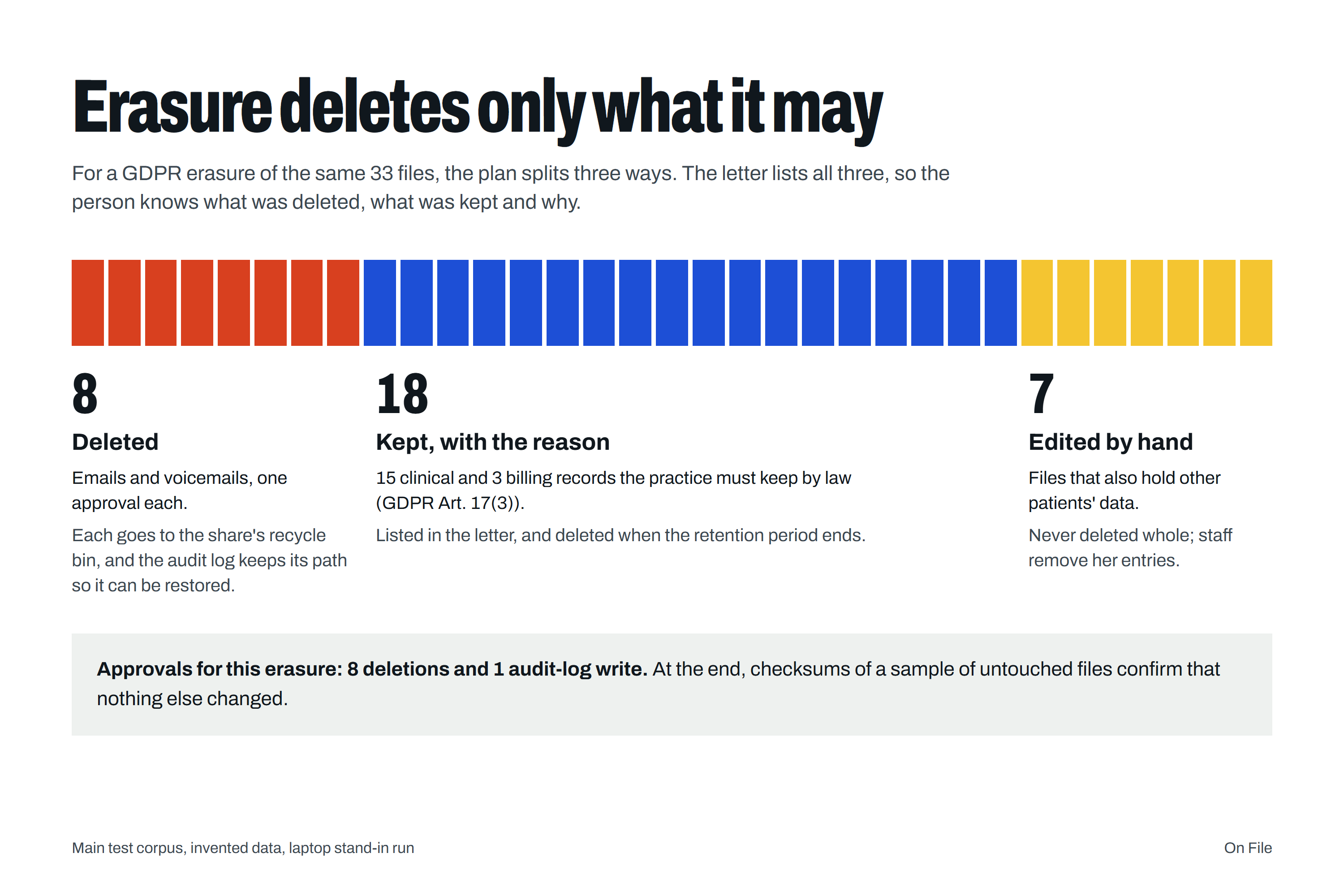
- Knows what an erasure must keep. Clinical and billing records the law usually requires are kept and listed in the letter with the reason.
- Writes the reply. A draft letter, a list of records that names no one else, the legal due date and the days left.
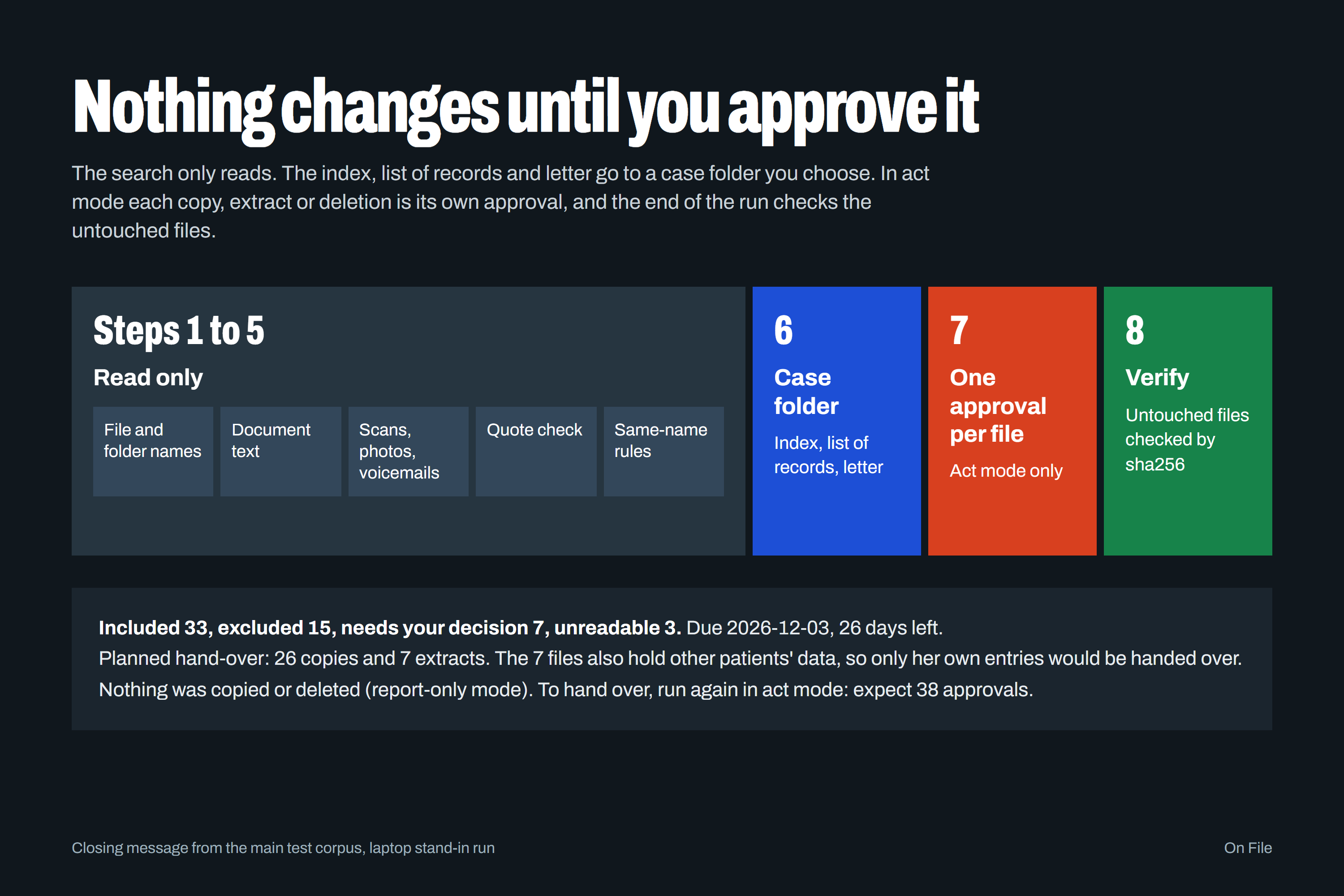
- Changes nothing until you approve. It runs in report-only mode by default. In act mode each copy, extract or deletion is its own approval, you are told how many approvals to expect before the first one, an audit log records each step, and checksums confirm the other files are unchanged.
- Sends nothing. The practice delivers the records its own way. Closing the case deletes the working copies and quoted passages and keeps a record of what was done.
Everything runs on the NAS. Nothing is uploaded. The worked example shows every output for one invented case.
How we built it
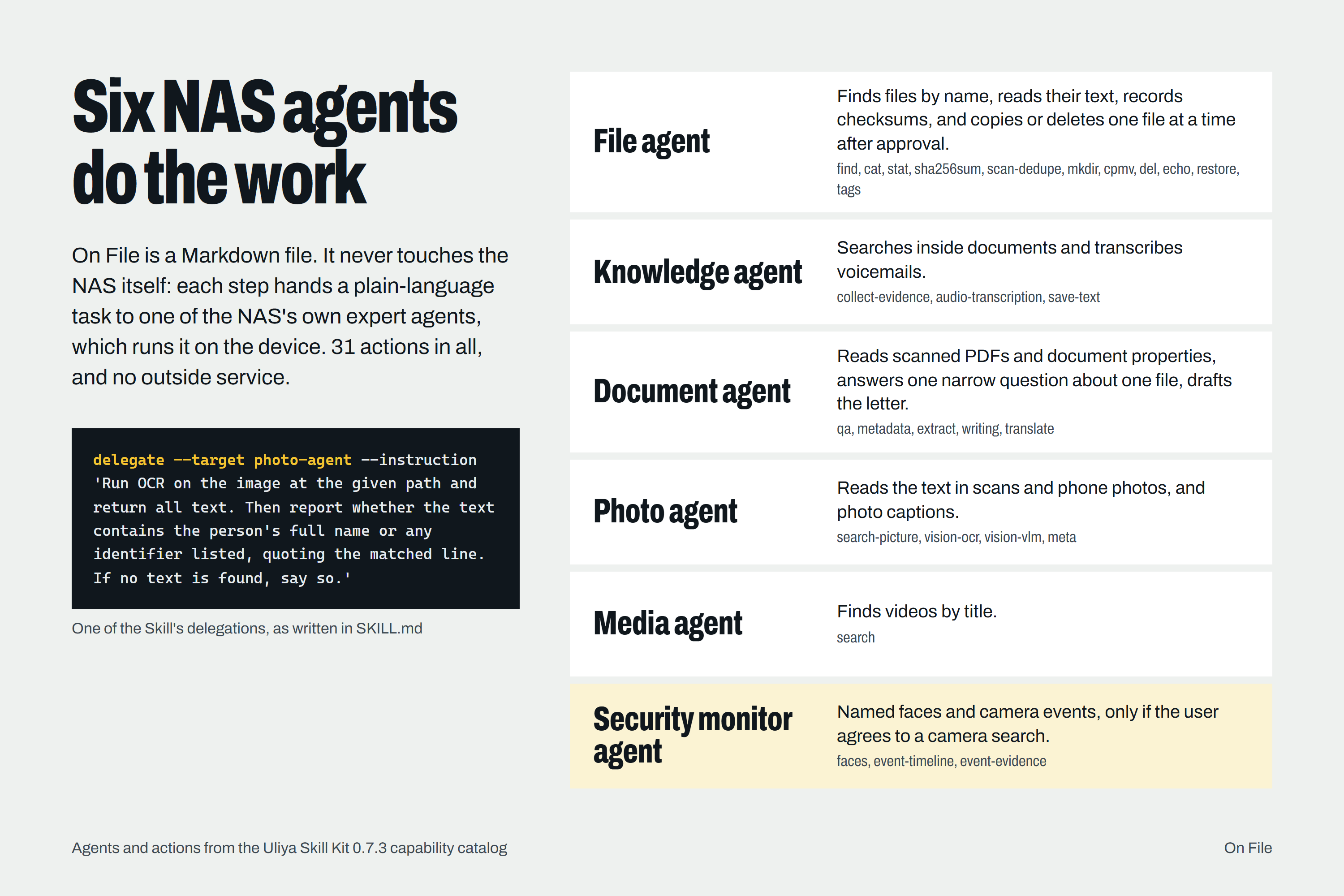
On File is Markdown only: one SKILL.md and eight reference files, with no code and no outside service. It directs six UGOS expert agents (file, knowledge, document, photo, media and security monitor) through 31 actions, including text extraction, OCR on photos, audio transcription and file checksums.
The steps are in a fixed order. Steps 1 to 5 only read, and save progress to a case folder, so a stopped run resumes without searching again. Step 6 writes the index, the list of records and the letter to that folder. Step 7 is the only step that touches the person's files. Step 8 checks the result.
Reviews of the UGREEN AI NAS report that it runs a 4-billion-parameter Qwen3 model on the device (XDA Developers). A model that small should read and quote, not make legal calls. So every decision is a fixed rule: only the person's own ID or email, or the name together with the date of birth, includes a file automatically. Everything less certain goes to a person.
Challenges we ran into
- Same name, same home. A name with a home address also matches a parent with the same name at that address. So a name with only a phone number or address never includes a file on its own.
- Yes-or-no questions. Asked whether a sign-in sheet named other patients, a small model said no, for a sheet with three other names. Asked to list everyone named, it found all three. The Skill always asks for a list.
- Approvals. On the NAS, "Always allow" covers a whole parent folder. The Skill asks for "Allow once" on every file action, so every copy and deletion is approved on its own.
Accomplishments that we're proud of
- No AI answer alone can put a file in a reply. Only the person's own identifiers can.
- The requester never sees anyone else's data: not in the copies, the extracts, the list of records or the letter.
- The whole Skill is plain Markdown that a practice can read before it runs it.
What we learned
- The hard part of a records request is not finding files. It is proving which ones belong to the person, and showing that proof.
- For legal decisions, the AI should read and quote, and fixed rules should decide.
What's next
Round 2: run On File on the iDX6011 Pro with the NAS's own agents and models, and record one full case, from the request email to the signed letter.
On File drafts the response; a person reviews and signs it. It is not legal advice.
