-
-
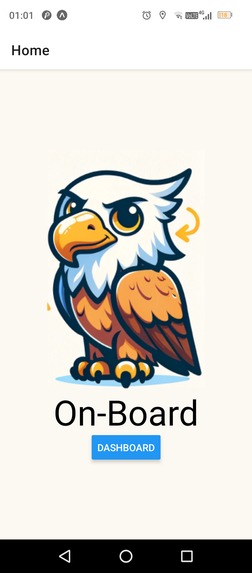
Home page
-
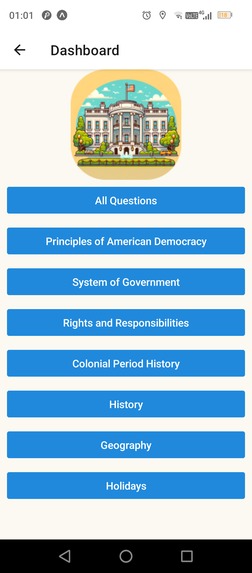
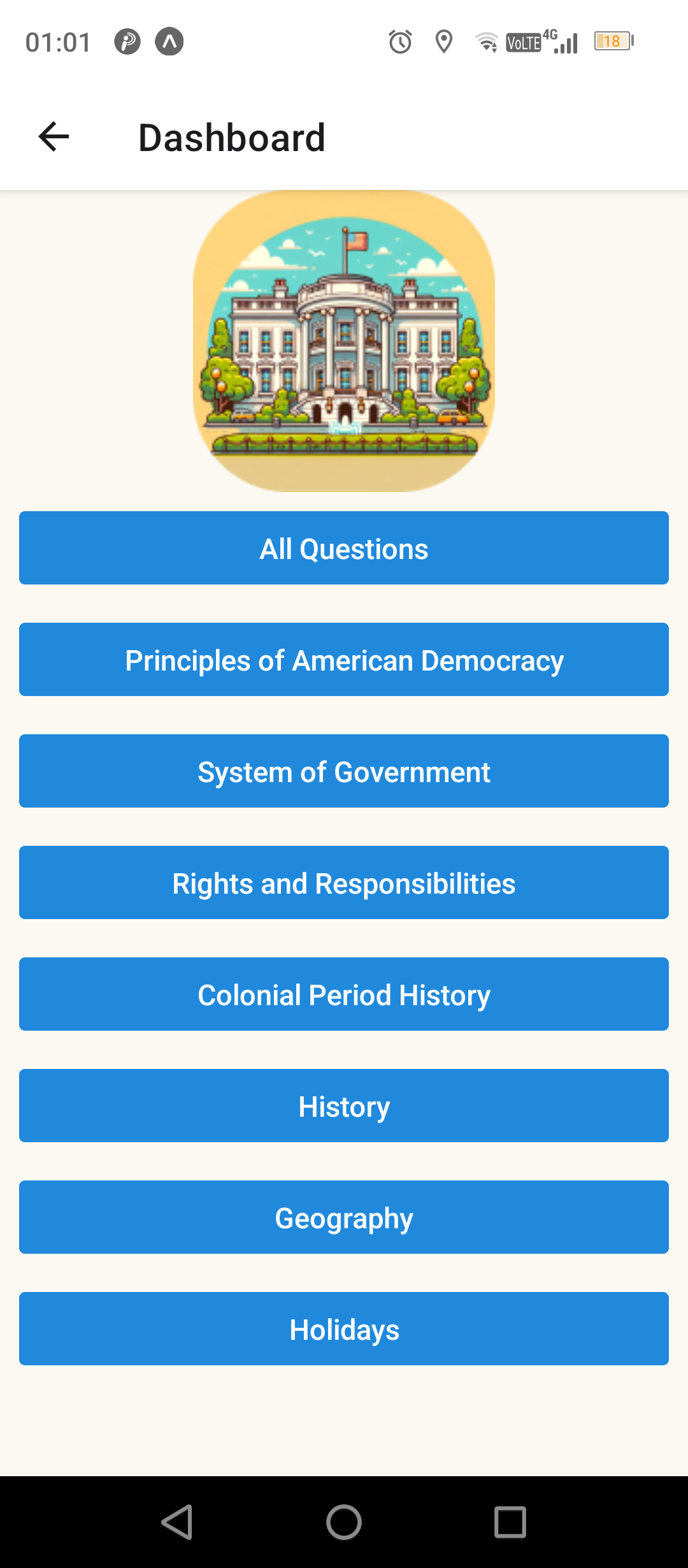
Dashboard
-
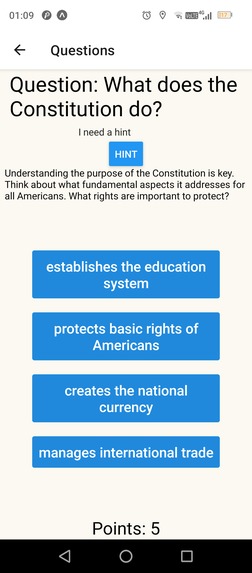
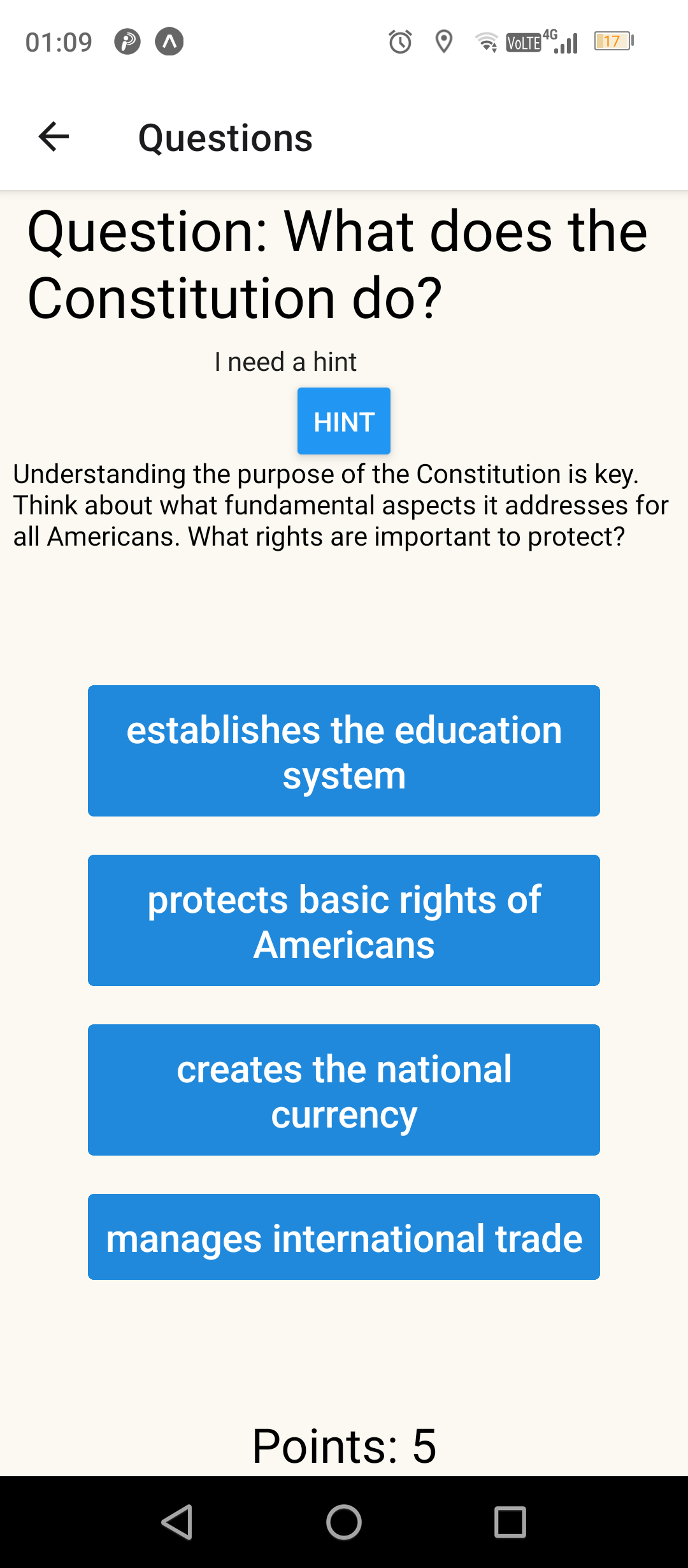
Using a hint
-
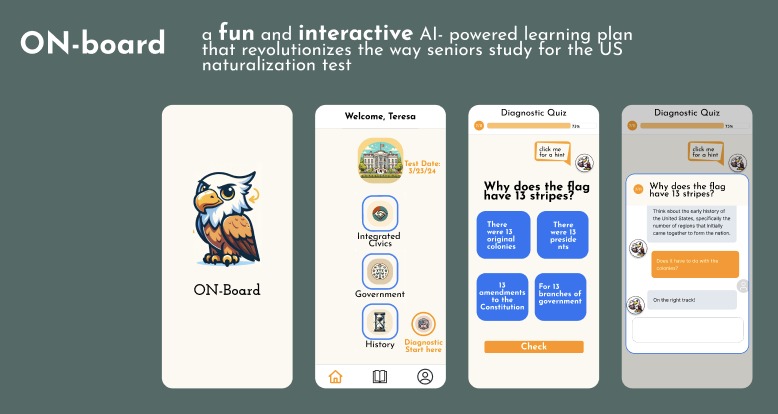
On-Board pitch
-
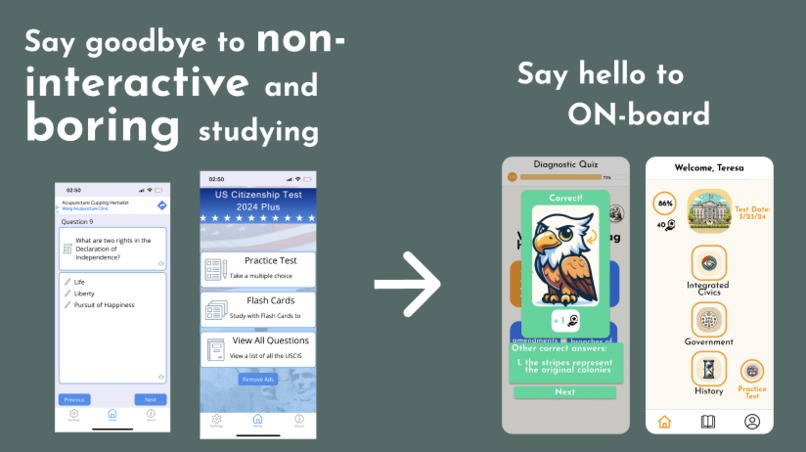
status quo of naturalization practice exams
-
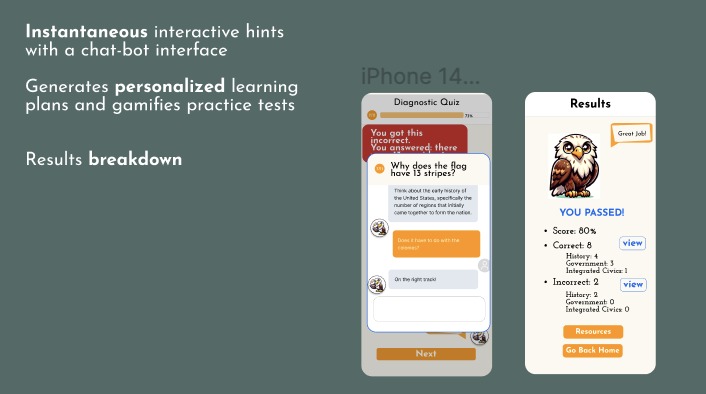
Onboard features
-
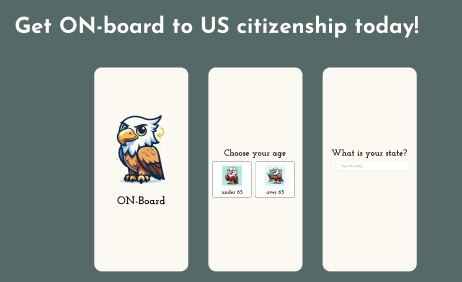
more app welcome screens
-
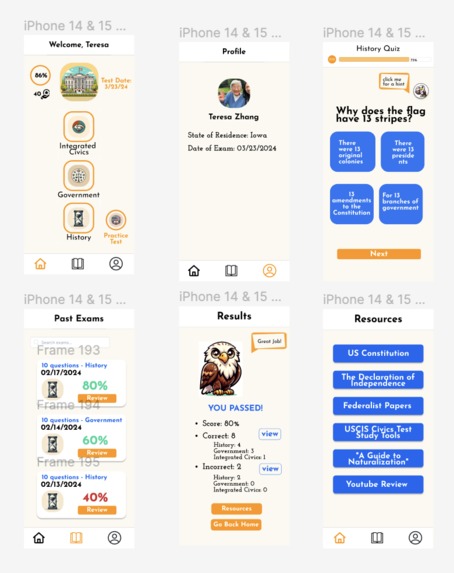
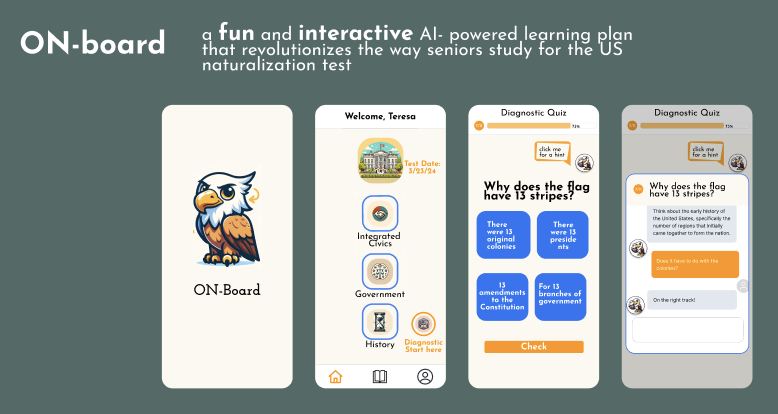
Figma planning
Inspiration
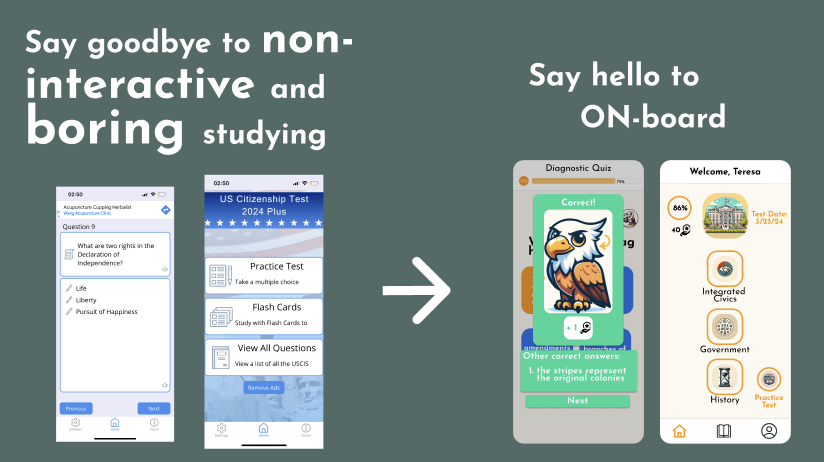
As children of immigrant parents, we have witnessed the many challenges that senior citizens face when studying for the naturalization exam. From seeing our grandparents and relatives struggle to memorize through paper flashcards and not having people to practice with due to the busyness of their children, we felt inspired to create an app that offers a fun way to help seniors to learn. While there exists a multitude of resources for gamified language learning or AI- powered SAT learning plans, seniors are *constantly left out * of this digital and educational revolution. Existing mobile applications that offer naturalization exam practices are bleakly designed and not interactive (only showing questions and solutions without an interactive way for users to keep track of their progress or truly engage with the correct answers). To this end, we hope to close the gap and offer more fun, direct and resourceful access for senior citizens to study for the naturalization exam without having to read the 40-page long tutorial on the Internet.
What it does
Our app offers an interactive, AI-powered, and creative way of helping senior citizens familiarize themselves with the naturalization process and ace the exam. With ON-Board, naturalization is made easier, and more grandparents (whose children are busy at work) can find a community, learn about the history of the country, and more quickly become accepted to the country legally.
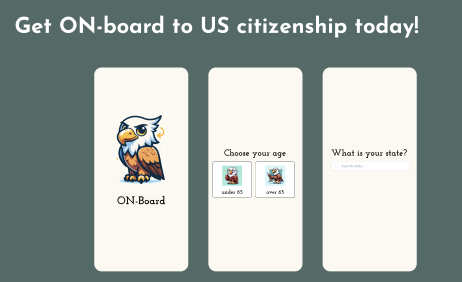
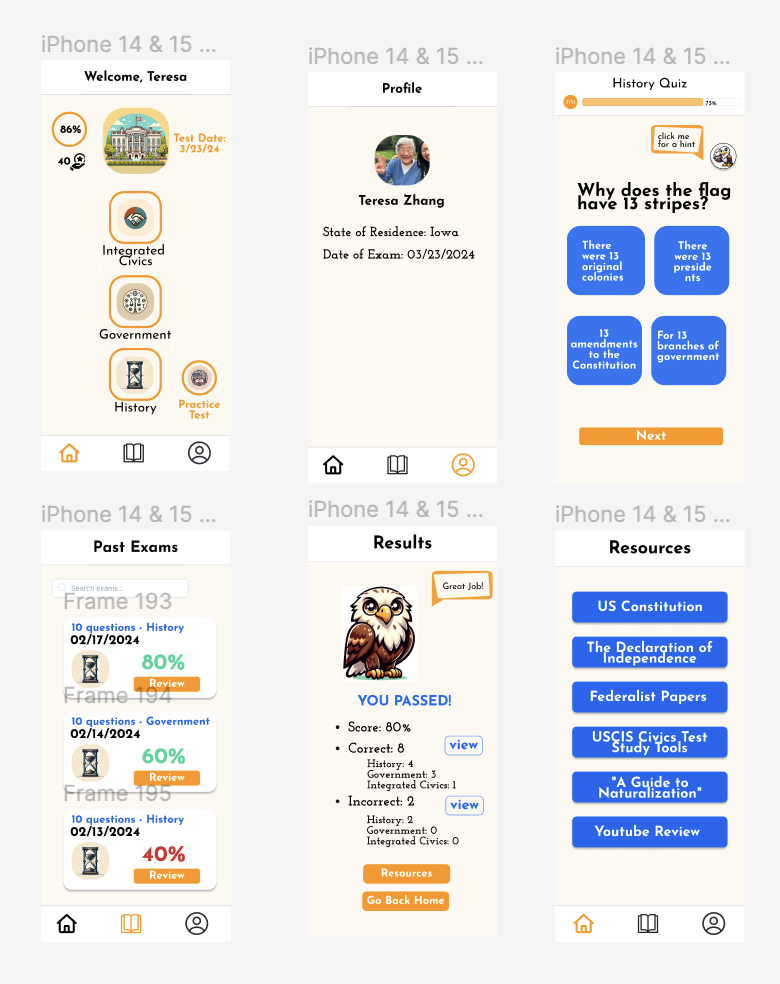
Our app offers a customized learning and practicing experience for the naturalization exam. Users first put in their age and state, and depending on their responses, get a specific list of practice questions (citizens over 65 years old and have been in the US for more than 20 years only need to study for a subset of questions). On the home page, users can take a practice test resembling the actual exam (with 10 randomly selected questions), or tests in specific categories of government, integrated civic, and history.
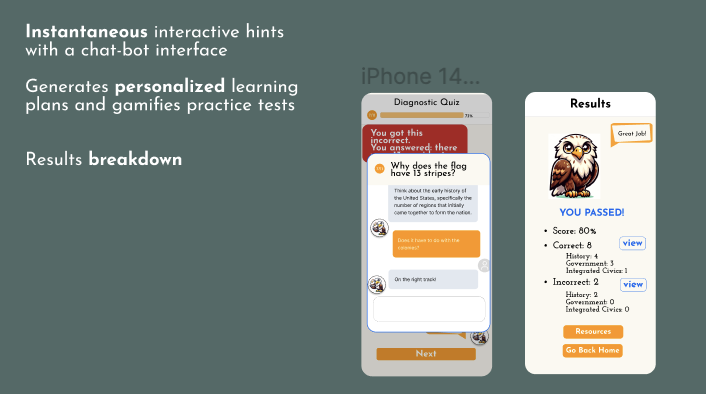
Users can access their past exam history as well. For each question, the user can interact with an AI-agent to get unlimited hints on the question. Once they answer the question, explanations of the correct and incorrect responses are also provided. Once the user finishes the practices, the results page offers additional resources and provides access to the incorrect answers.
How we built it
We began by collecting the 100 naturalization exam questions and feeding them into GPT4 to get incorrect answers for each question to make the questions all multiple-choice-based. Then, we cleaned the data into json format and used React Native to build the app. We prompt-tuned GPT 3.5 to provide hints for each question, and after arriving at a optimal prompt, we created a function to make API calls to the model within the app.
Challenges we ran into
With three of the team members having little/no experience in app development, we faced many difficulties installing the programming environment Expo. Simply setting up the environment took us several hours, but we were eventually able to push it through. We experienced difficulties with prompt engineering, creating the server, as well as using the React Native framework to call the GPT model continuously. Even after implementing the React Native code, we had trouble with how text was appearing on the app. However, through these difficulties, we believe we accomplished something we never thought we could have done before TreeHacks!
Accomplishments that we're proud of
We are very proud of how we were able to embed an "AI agent" inside our app. Traditionally, quiz-styled applications are hard-coded and do not offer an interactive interface where the users can directly interact with each question dynamically. Our app helps to resolve this issue by including a chatbot that users can interact with to have a better experience answering and understanding the questions.
What we learned
With a team of 3 first-time hackathon participants and 1 beginner hackathon participant, we were very inspired by the power of teamwork. Each member made unique contributions and worked collaboratively to make the project happen. Kevin wrote the React Native code for the front-end. Evy created the JSON test bank of answers for 100 questions as well as designed the app and the task-flows using Figma. Nathan and Sokserey focused on prompt-tuning GPT and worked with Kevin to embed the model into the app.
What's next for On-Board
Our main next focus will be including options for users of many different languages. We plan on implementing a community tab to help senior citizens find friends who are also preparing for the naturalization test. We also plan on conducting more research on what educational methods enhance learning for senior citizens, incorporating these strategies to our gamification / system design. We also plan on improving personalized dialogues and finding some way to include the writing and speaking portions of the naturalization test in our app as well.
Built With
- expo.io
- gpt
- javascript
- node.js
- openai
- react-native


Log in or sign up for Devpost to join the conversation.