-
-
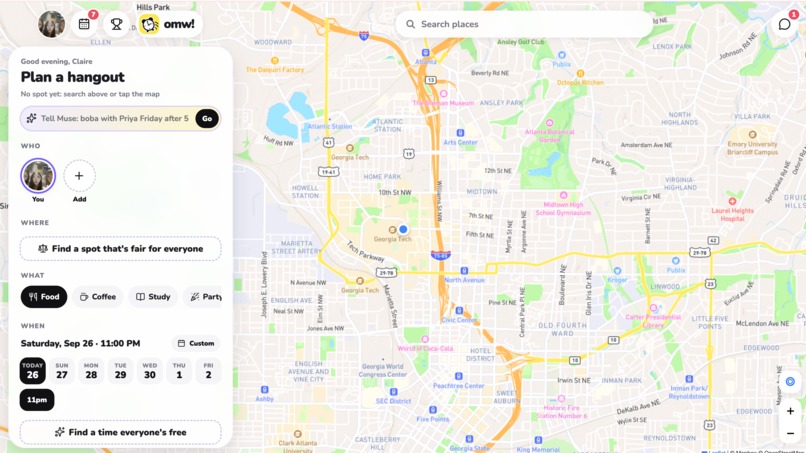
graphical user interface
Inspiration
Everyone's schedule that's all over the place, the one person that never responds, and the plans that never make it out of the group chat. It's hard to find the perfect time and location that works for everyone in a large group, and it's hard to prevent people from always arriving late. We wanted to build something that, instead of all the invitation messages getting ignored in a group chat, directly lets you select who to invite and add it to a list of scheduled activities once you accept. Additionally, we also wanted to be able to see if everyone arrived: a location tracker -- but one that only runs when needed.
What it does
After connect with your friends, you are now able to plan a hangout easily.
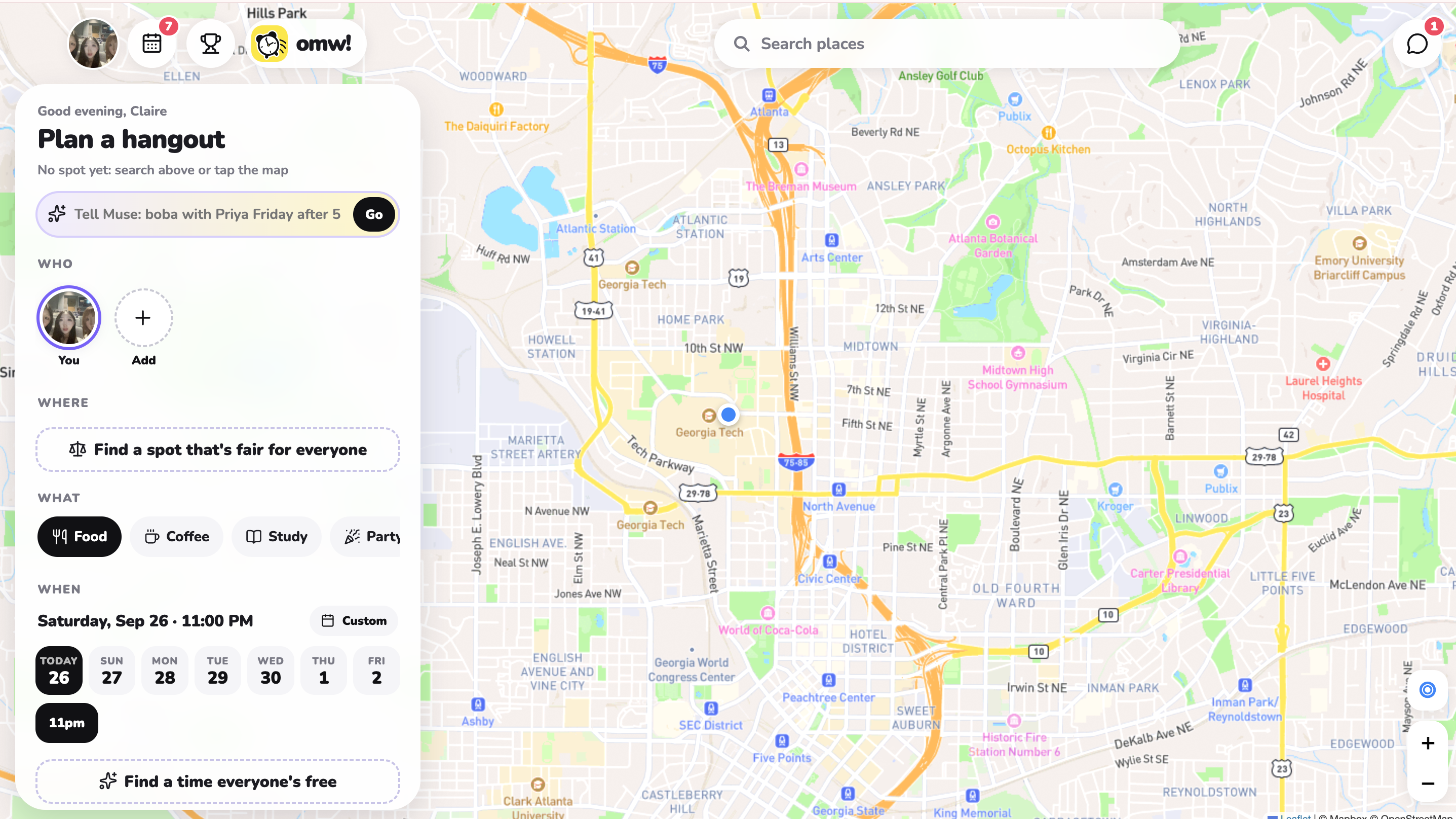
Manually: Manually enter a date, time, and location to meet, while the app provides you input on how many people are likely to be late based on the predicted traffic conditions and weather that day. Find a spot that's fair for everyone: Not sure where to go? Want a place that's not too far for everyone? Simply enter the type of location you are looking for -- whether its a library, cafe, or food spot -- into this feature, and it will simplify planning by finding the fairest spot that's accessible to everyone. Find a time everyone's free: "What time?", "Whenever." But when is whenever? Enter your schedule (even very briefly!) and let our system read it. Then, whenever you or your friends try to plan, you can use the tool "Find a time everyone's free" to simplify the task of finding the perfect time slot. Auto: Describe a plan. "Boba with Claire on Friday." "Cafe to take cute pictures." It generates a whole plan for you, with date, time, AND location. Choose who you want to invite (if you didn't tell it who in your description), wait for them to hit accept, and now a plan is made in seconds.
The app sends a notification whenever you are supposed to leave. The first time a user uses the app, the app gives a time based on Google Maps. Starting the second time, the time is personalized using past records on user habits (early, on-time, late) and travel speeds compared to the Google maps estimate, providing a more accurate recommended departure time the more you plan.
At the time of departure for each person, their icon will appear in the map. So instead of having to share your location 24/7 or EVERYONE share it manually every time there's a meetup, omw! automatically turns share location on only when it's needed. Not only does this help status check the members and motivate to be on time, it also makes finding each other at the destination a lot easier. The app automatically checks you in once you arrive, and a leaderboard with you and your friends are created based on your "arrive on time" percentage.
Lastly, after everyone has made it to the destination, you have the option to upload a group selfie, which will go in this tab called memories. The memories tab gives an overview of your past hangouts, making it a cute social feature.
How we built it
Technical-wise, omw! is built using Python, Javascript, and HTML/CSS, with icon and graphics design made in Canva. We built omw! as a mobile friendly app, combining several APIs and custom features into one platform. We used Google API for directions, general vs personalized time comparisons, and collected our own traffic data to personalize departure time predictions. We used ChatGPT API for best destination and time finder. Lastly, we used the Muse API to assist in making a structured plan with a description. On the social side, we connected account linking options such as Facebook to help users easily find their friends.
Challenges we ran into
The first challenge that we ran into was our Google Maps API disconnecting on the first night. We tried manually collecting traffic data by writing a collector that repeated prompts a set of routes every 5 minutes into Google Maps. However, the API disconnected around midnight, and no amount of troubleshooting solved this problem. However, it suddenly came back to life in the morning.
Another challenge we ran into is a lot of formatting issues when we tested the mobile web app initially. Having built the whole project on desktop, we did not account for user touch interfaces and to account for the differences in layout. This was an issue and took us a while to test and fix everything.
What's next for omw!
Getting real user feedback to further improve app features.

Log in or sign up for Devpost to join the conversation.