-
-
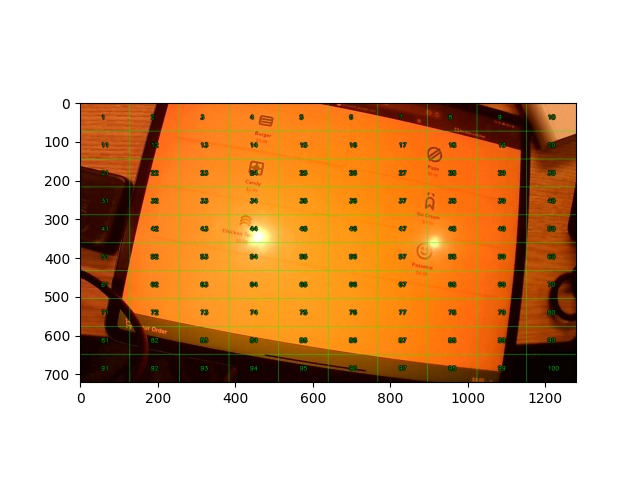
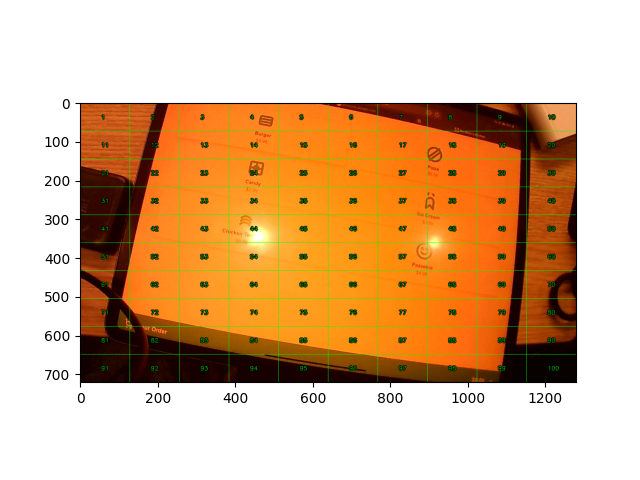
ipad control state machine screenshot
-
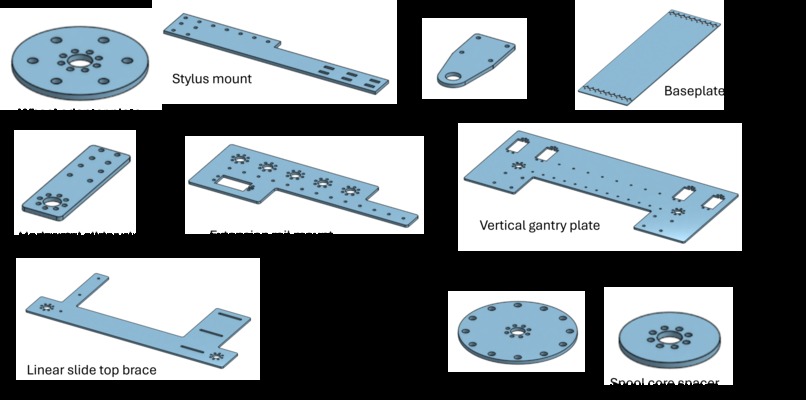
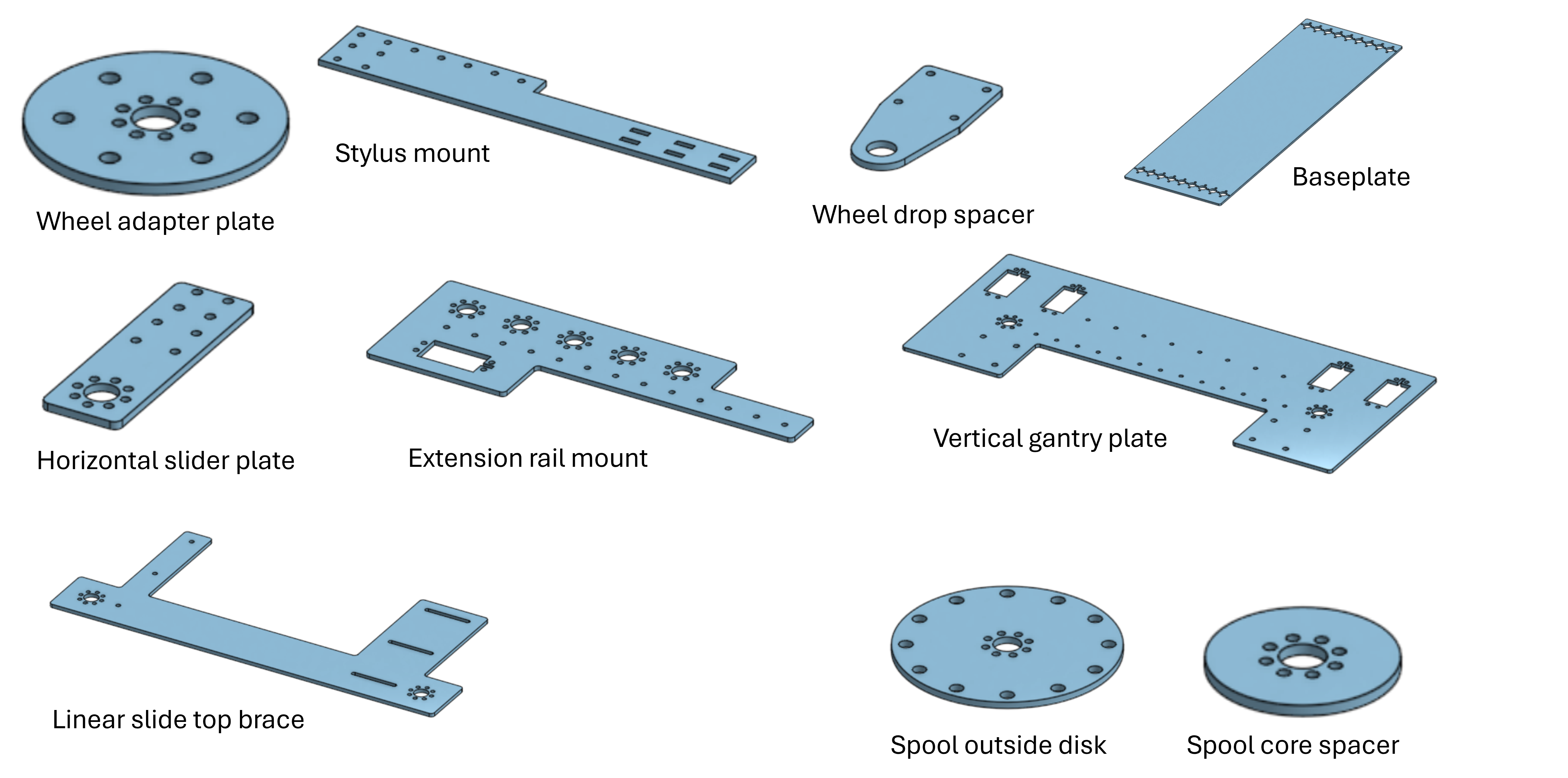
a fraction of our custom laser cut parts
-
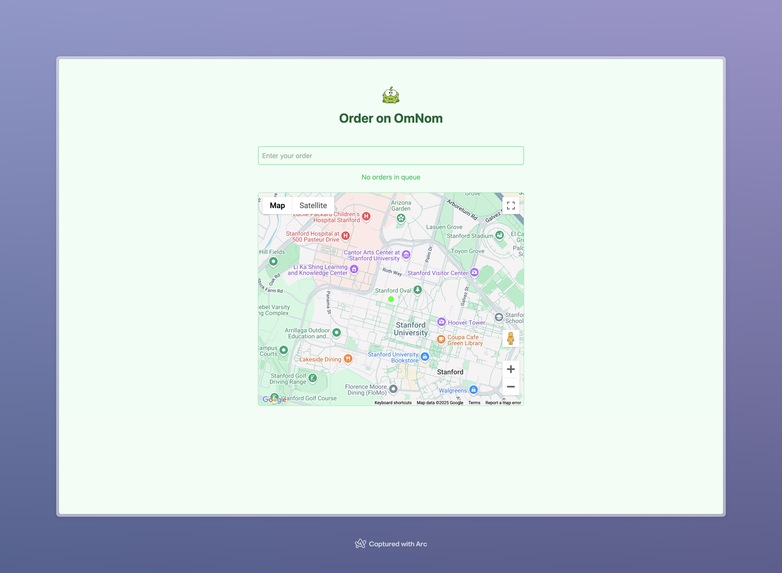
frontend web app
-
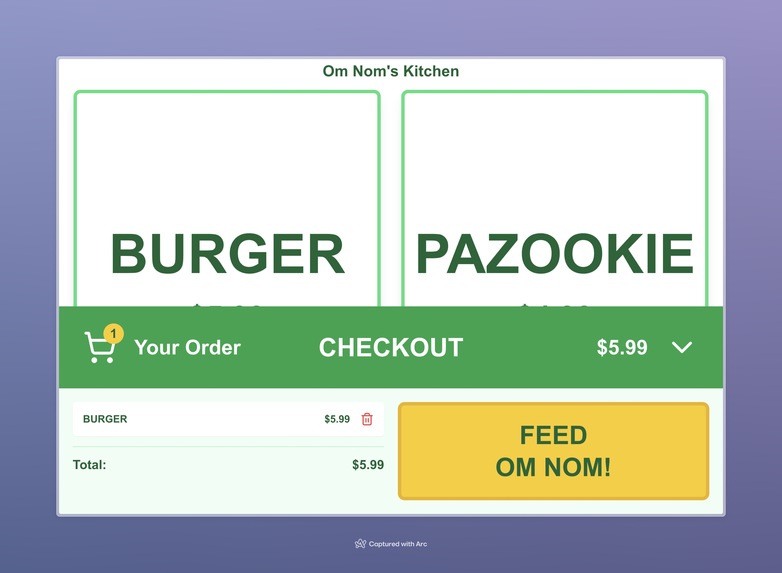
food ordering simulation app
-
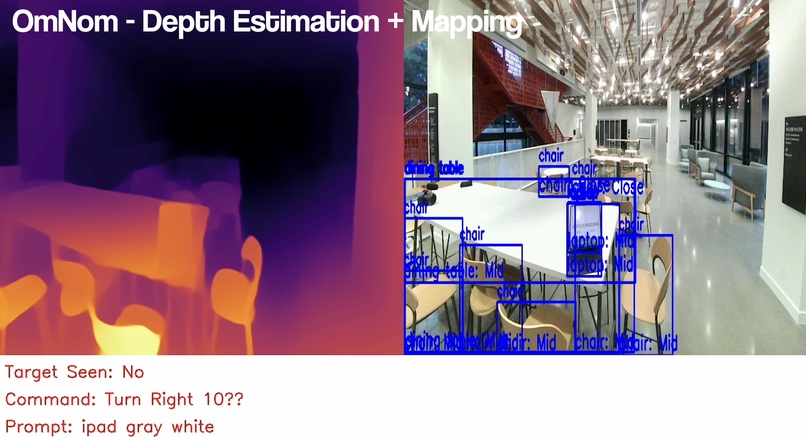
depth mapping
-
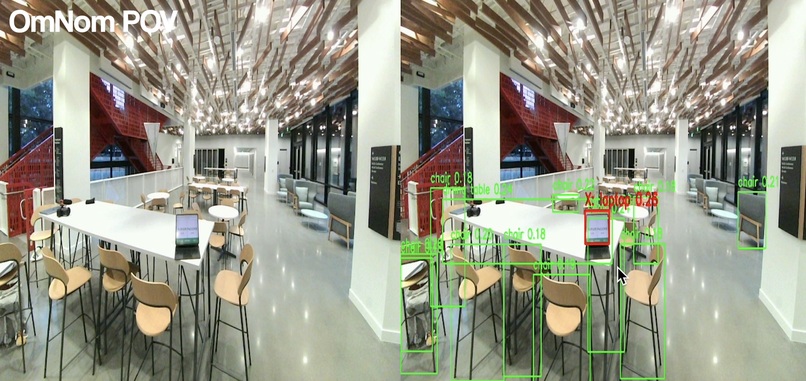
mapping and object classification
-
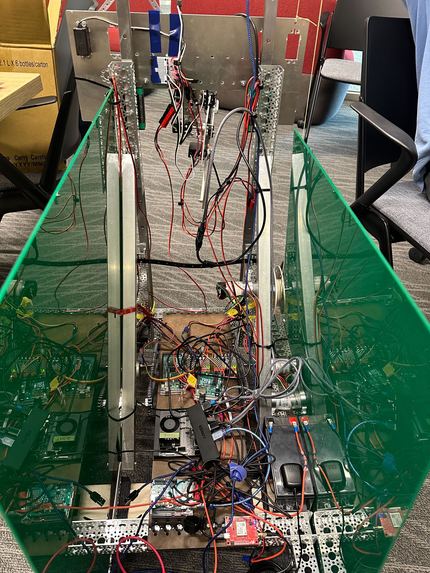
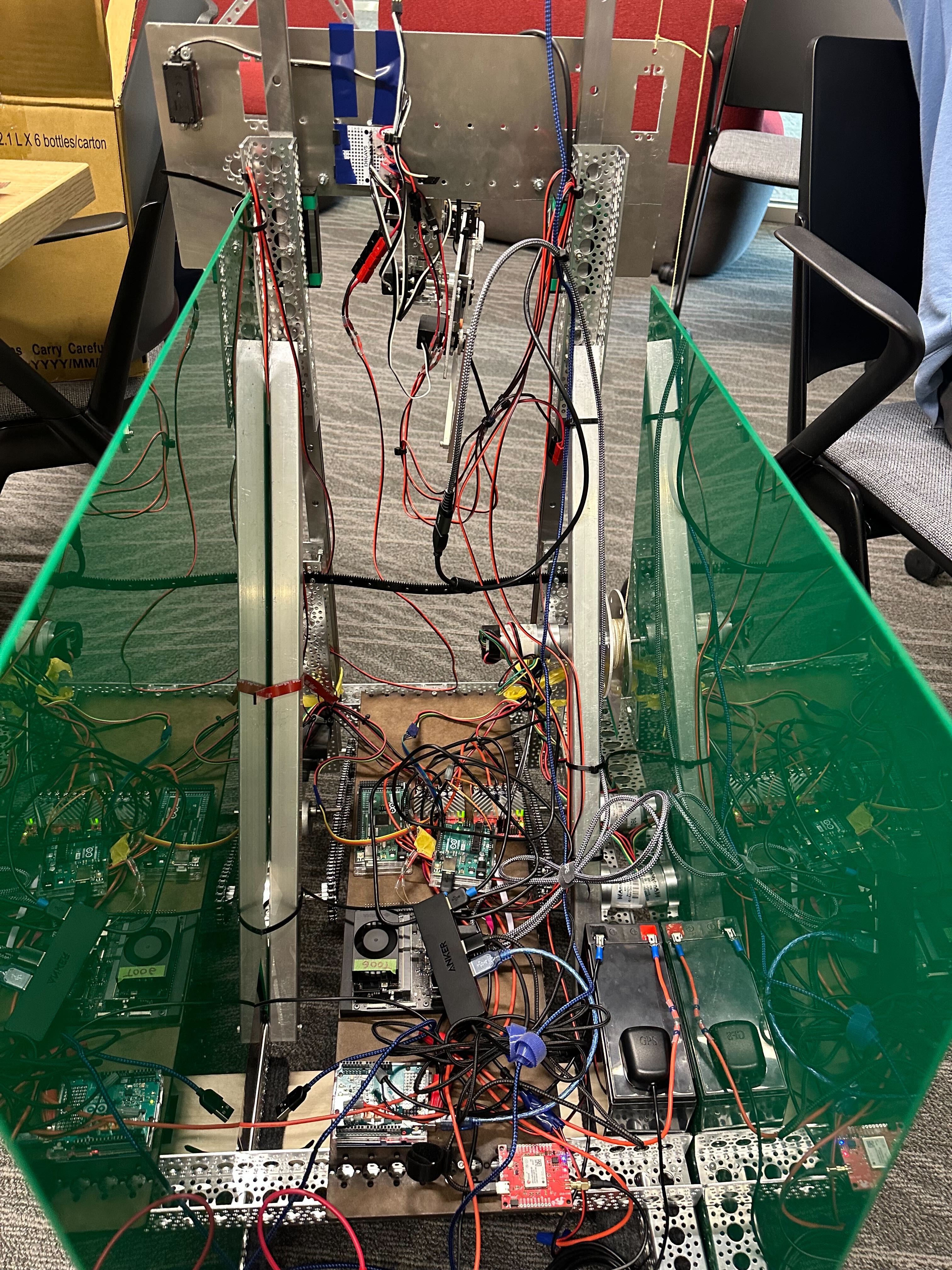
electrical wiring
-
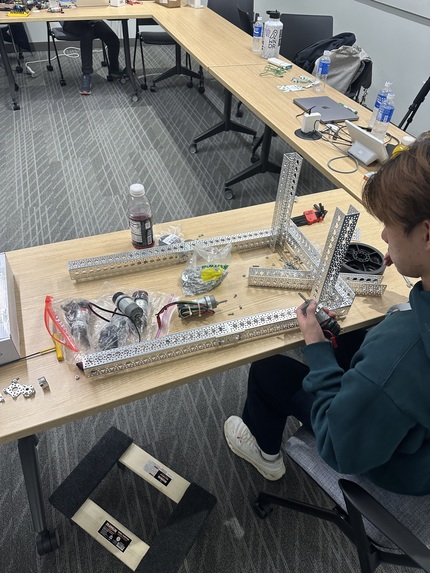
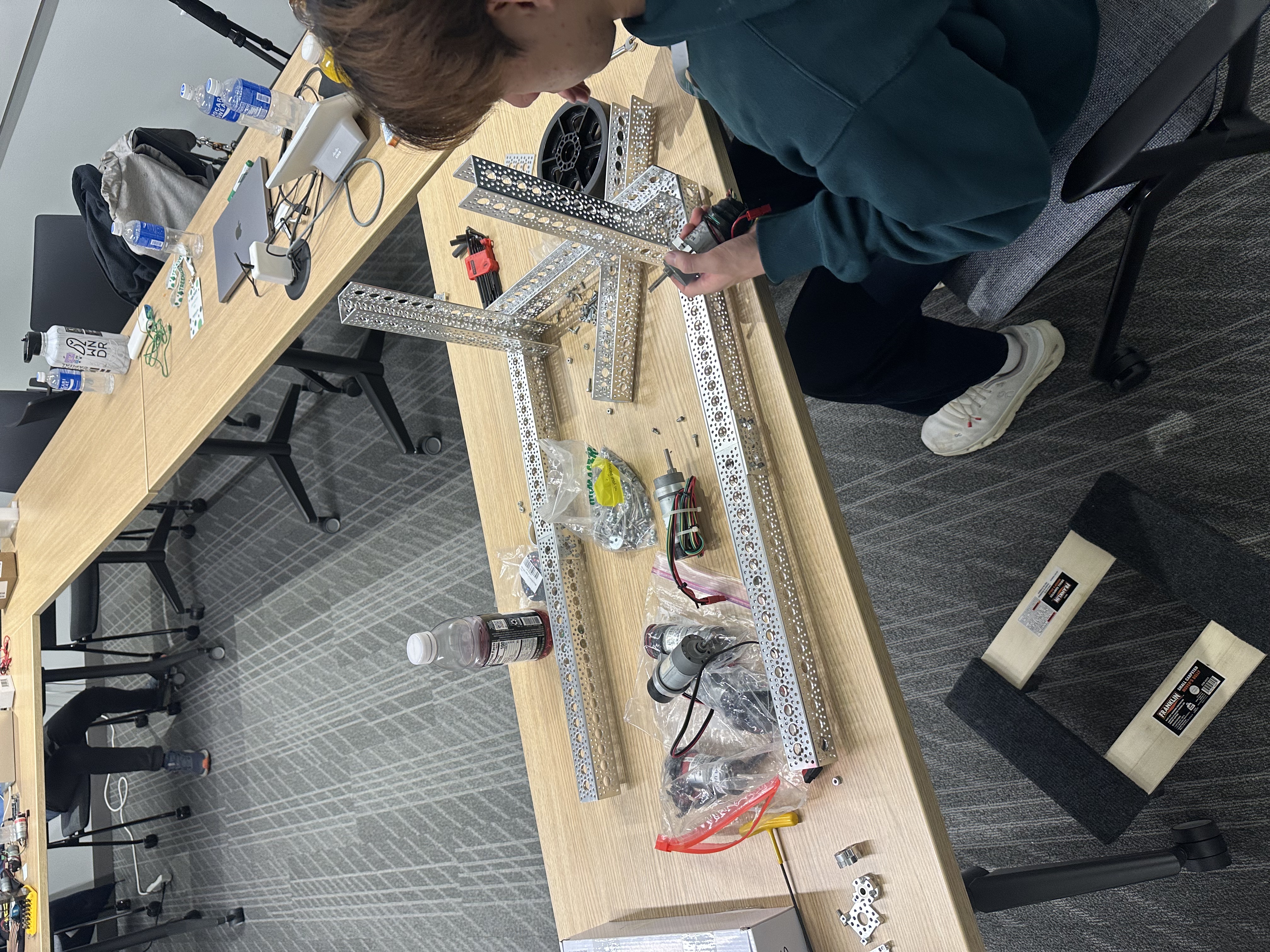
early building process
-
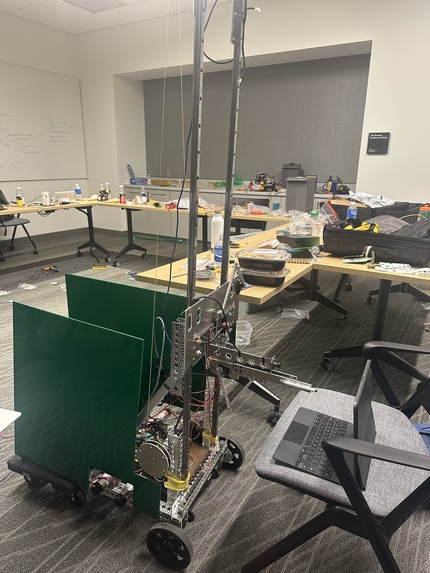
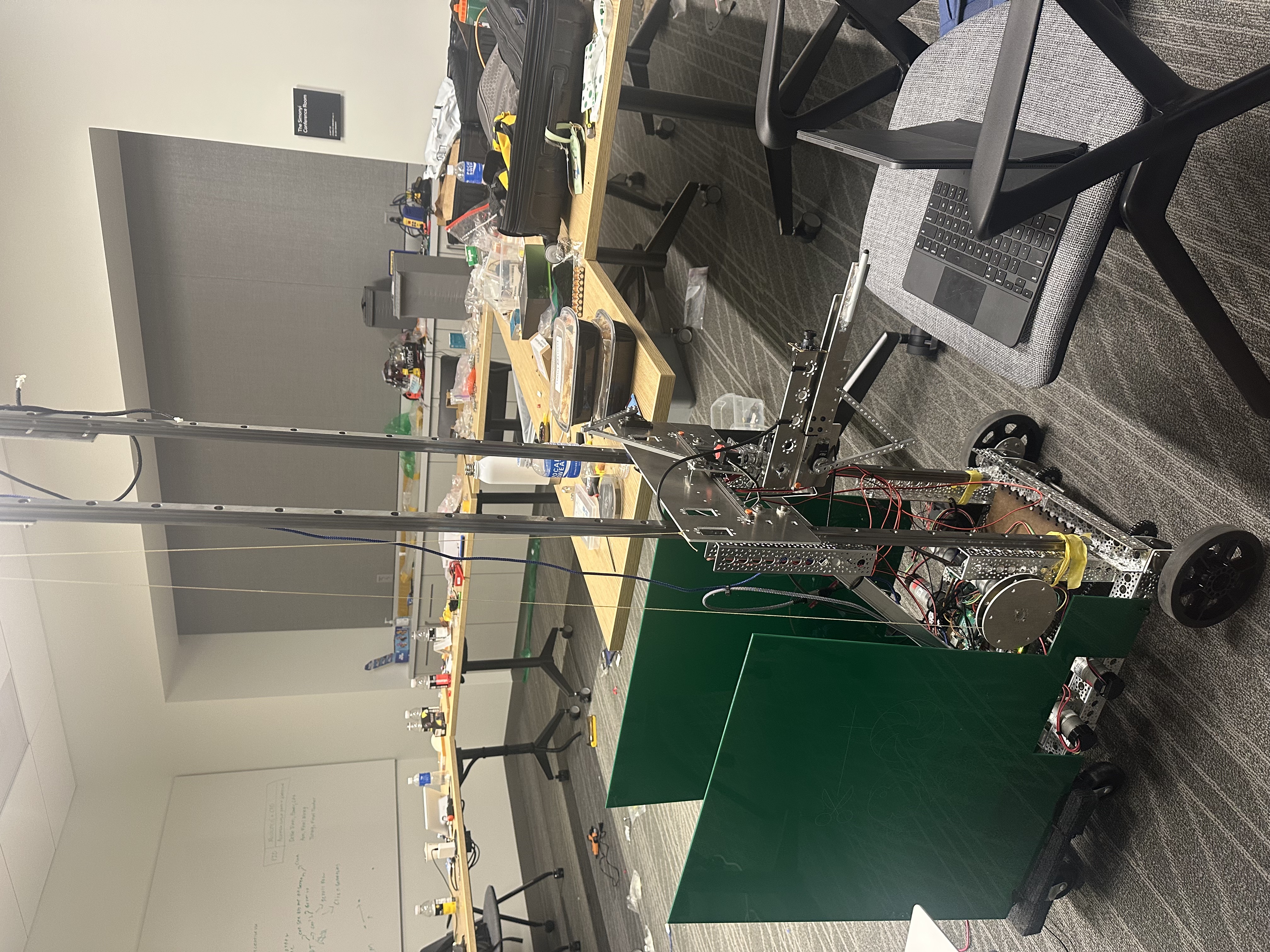
full body robot shot
-
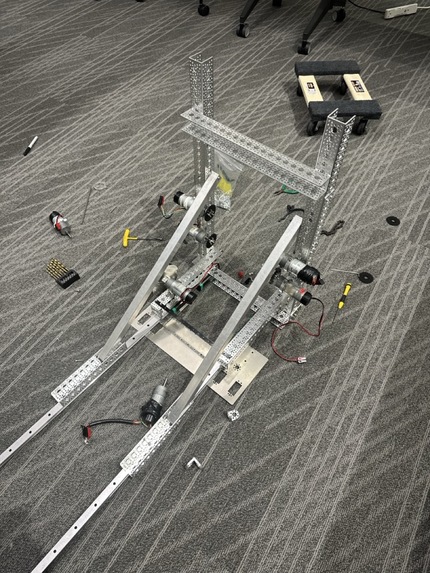
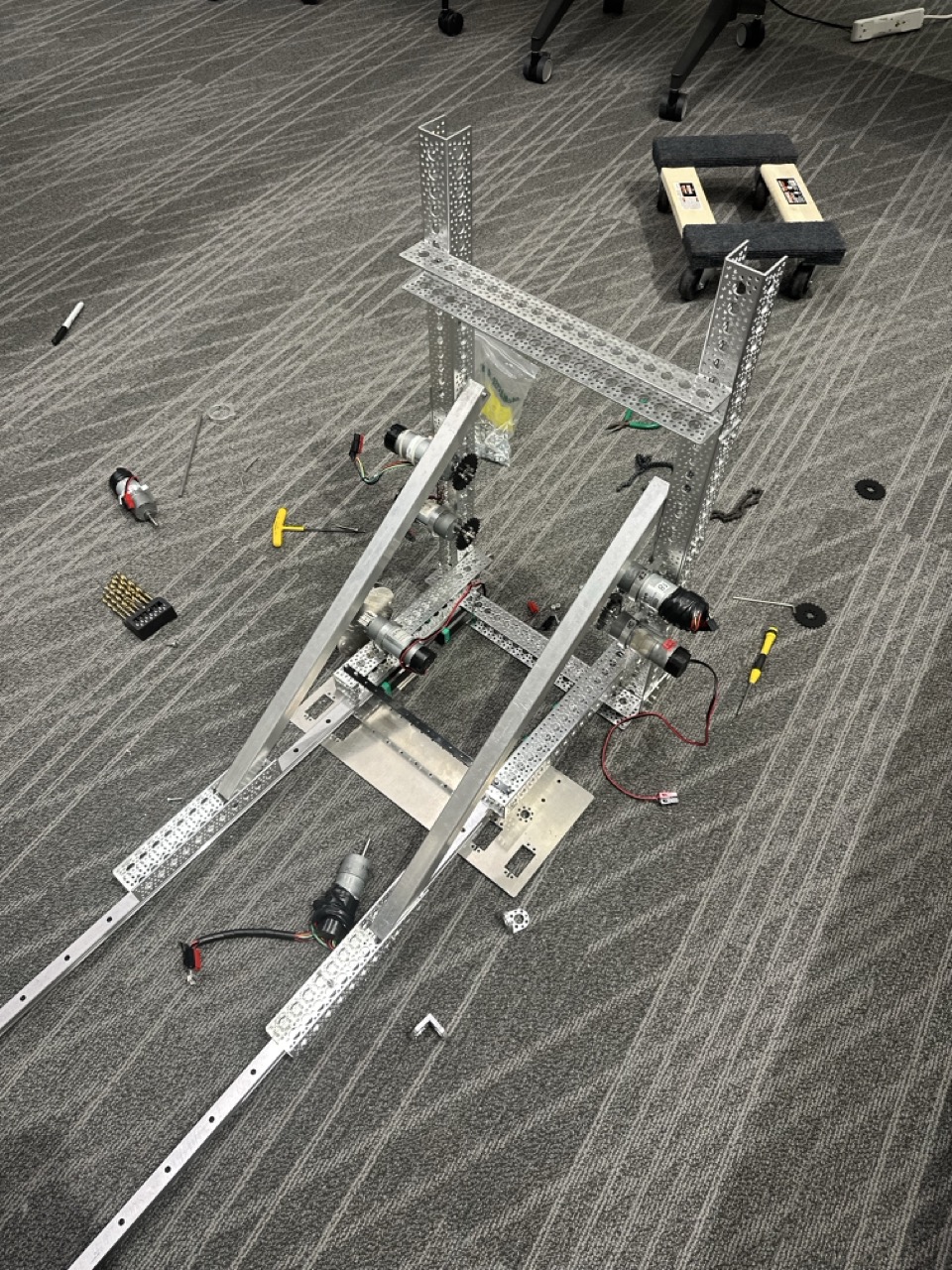
mid building process
Inspiration
Stanford students are always busy late into the night cramming for PSETs while playing too much poker. You're craving a late night snack, but it's a little too cold, and Late Night is a little too far away. If only you could get food without walking across campus and waiting in line...
Meet OmNom, a 6ft tall robot that fetches your food for you. We were inspired by Om Nom from the popular mobile game Cut The Rope. Like in the game, you have to cut a rope to get your food from OmNom.
What it does
OmNom is a 6ft tall robot that fetches food for you. He can navigate both outdoors and indoors. OmNom can find the front door, get in line, and even use self-order booths on your behalf.
All you have to do is go to OmNom's website, and put in your order in natural language.
OmNom then autonomously traverses across campus to Late Night, navigates inside, places your order for you, and brings back your food.
How we built it
OmNom was not easy to build, and our journey took us across almost the entire tech stack...
Mechanical design
Fabrication
Om nom was built from scratch, with no pre existing assemblies or electronics used. A lot of Om nom is built from laser cut sheet metal, and we made 10 different sheet metal lasercut parts (22 total on the robot).
Om nom's drivetrain uses 6" wheels and repurposes a moving dolly. It has single loop chain wraps on each side
5 degree of freedom arm
Om nom uses a kevlar rope driven lift for vertical lift, and a horizontal lift with a servo and a 2 bar linkage. Om nom has a pan and tilt for more fine alignment, and a 250mm extension driven by a 2 bar linkage with a stylus on the end to be able to interact with touchscreens. On the extension is a wide angle camera, to be able to more precisely align with screens and center the stylus on what to order.
Rope
Om nom holds food by tying it to a rope attached at the top of the lift. The user has to "cut the rope" in order to get their food.
Electrical System
Electronic modules
Om nom's electrical system is the integration of a variety of modules: Jetson Nano Orin - Om nom's brains Arduino Mega - PWM Servo Control Custom servo power injector board Arduino UNO - IMU interface 2x Roboclaw 2x15A - Motor controllers 10 sensors
We opted to have mostly everything interface with the Jetson Nano Orin via USB - enabling easier development and testing of interfaces on a laptop. For the cases where USB wasn't possible, we gave Om nom a dedicated microcontroller for each interface, and programmed the microcontroller to convert the interface to USB.
Sensors
We have 10 sensors onboard: -3 quadrature motor encoders (left drive, right drive, lift) -3 current sensors (one per motor) -1 IMU (BNO055) -1 GPS with RTK Dead Reckoning (Ublox Zed F9R) -1 Stereoscopic camera (spatial recognition) -1 wide angle camera (ordering and interaction)
power management
Making a safe power management solution for a robot of this size was a significant challenge. The motors and Jetson board run off of 12 volts, and we needed to be able to supply ~30 amps to be able to run the drive motors and lift concurrently. We settled on using 3 sealed lead acid batteries in parallel - allowing a nominal max peak current draw of 30 amps, and being very safe. In addition, each of our servos can draw up to 2 amps each (4 total servos). Initially we made a custom servo power distribution board using linear regulators (what the PRL had available) to step down 12V to 5V, with a max current rating of 7 amps. This ended up dissipating too much heat (since it was burning ~50W into heat),and melted its own solder, so we were forced to scrap the board. We decided to use AA batteries as an alternative with a different custom servo power distribution board.
Software
We opted against using an existing robot control scheme like ROS, and instead wrote every driver for every interface and electronic module. This gave us more control over each module, but also added significant complexity and development time - since each module has its own quirks which weren't represented in the datasheets. A bulk of our time was spent just writing, validating, and testing these interfaces to get the electronics talking to each other.
robot control
We chose to build our own robot controls from scratch, writing and tuning our own closed loop control. We use motor encoders, IMU, and GPS to localize the robot. For outdoor navigation, we use the GPS and IMU to follow waypoints, and indoors our robot reacts more responsively to the environment through a stereoscopic camera used to simulatneously measure depth, and wide angle camera on the arm of OmNom.
outdoor path finding
Workflow:
- User inputs order
- Parsed by open ai -> start and end points, order information extracted
- Waypoints generated from start and end points (open route service api)
- Waypoints sent to the Jetson Nano.
indoor navigation
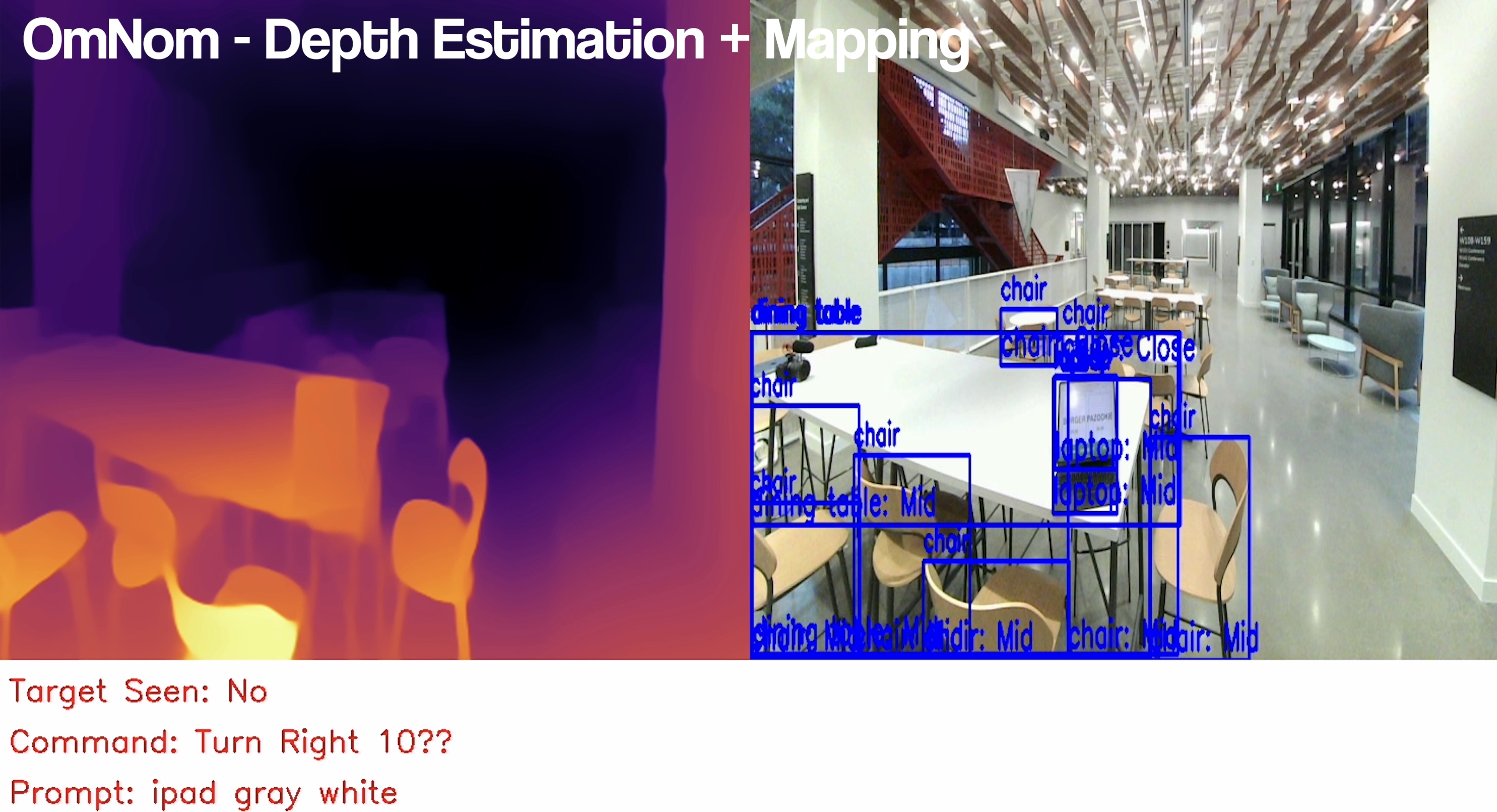
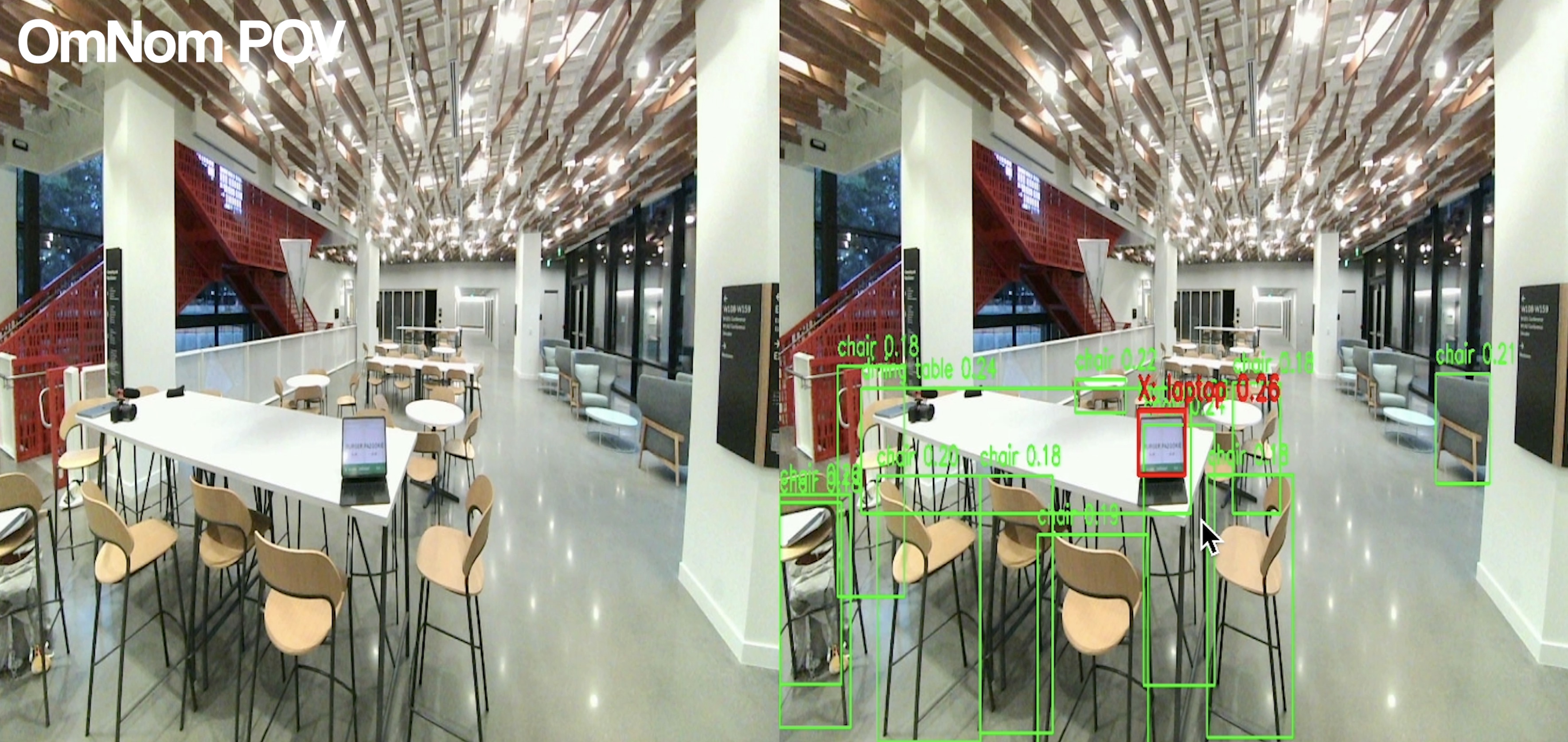
StereoCamera: Frame Capture Object Detection: YOLOv8 Similarity Mapping & Image Embedding: CLIP (contrastive language image pretraining) Depth Estimation + Mapping: DPT (Dense Prediction Transformer) Semantic Search: sentence transformers + convex database
Scene Analysis: ViT GPT
StereoCamera captures frames
- DPT performs depth estimation on each frame
- Generates normalized depth map
- Correlates ROIs in depth map with bounding boxes
- Computes average depth for each bounding box
- Classifies bounding box as Far, Mid, or Close
- Signals direction to turn or move based on classification
User enters target prompt
- CLIP generates vector embedding of the text prompt
- StereoCamera captures frames
- YOLOv8 detects objects in each frame
- DPT performs depth estimation, producing normalized depth map
- Semantic search:
- Compares CLIP embeddings of detected objects with text prompt embedding
- Ranks/determines closest related object to target prompt
- If present, recognizes/tracks target object
ipad interaction
To work with general ordering interfaces, we created a state machine.
It works by taking frames from the wide angle camera, overlaying them with a grid, and then feeding them to gpt-4 with a detailed prompt of the order. We use gpt-4 to determine the state of our interation (in progress vs. complete), and where / whether we should click the screen.
simulated ordering app
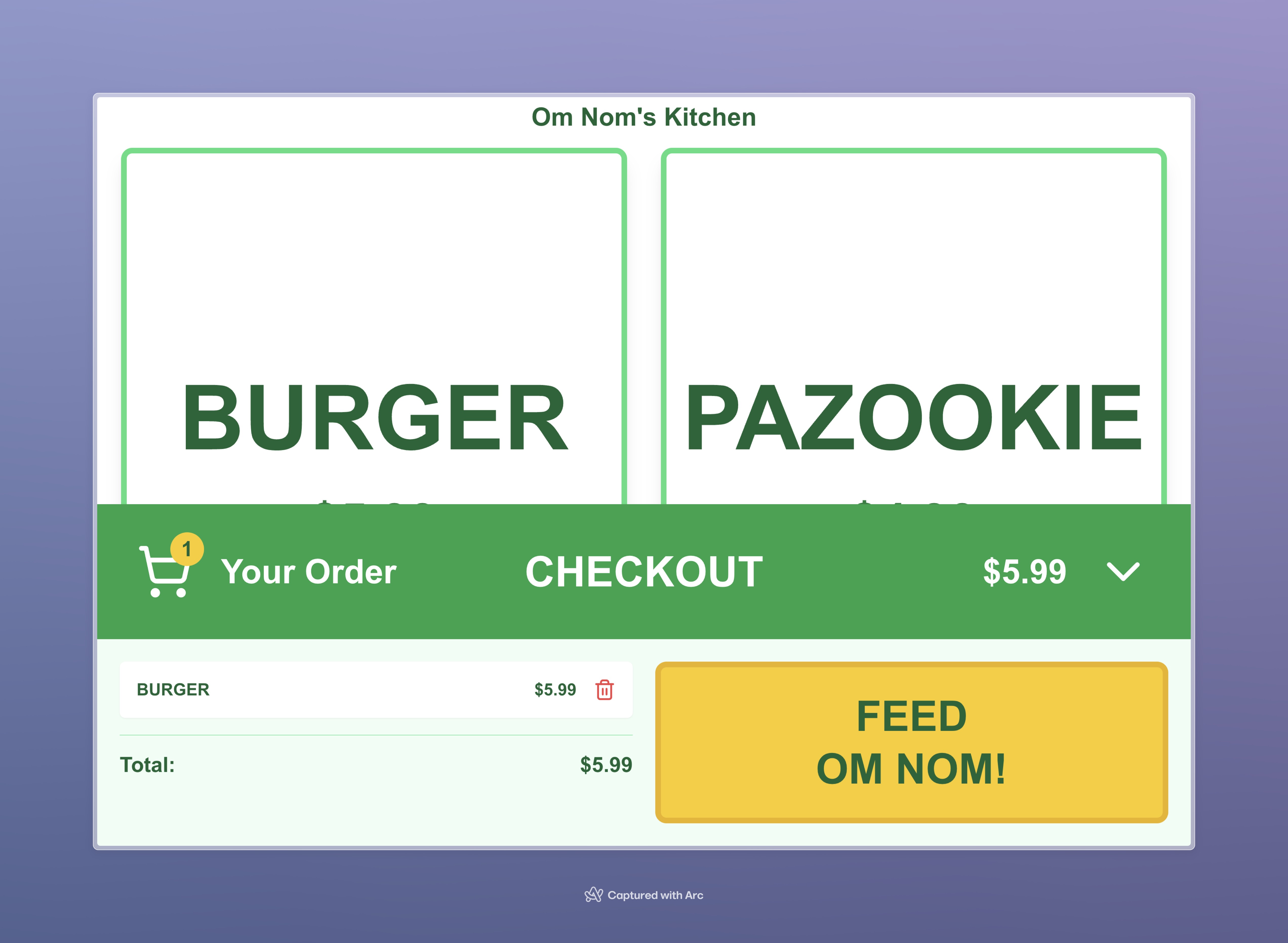
To test our state machine, we created a prototype ordering app. Fully AI generated using v0.dev and Windsurf. Deployed using Vercel. Coded this thing in english lol. Simple app ordering interface to represent common interfaces.
frontend website
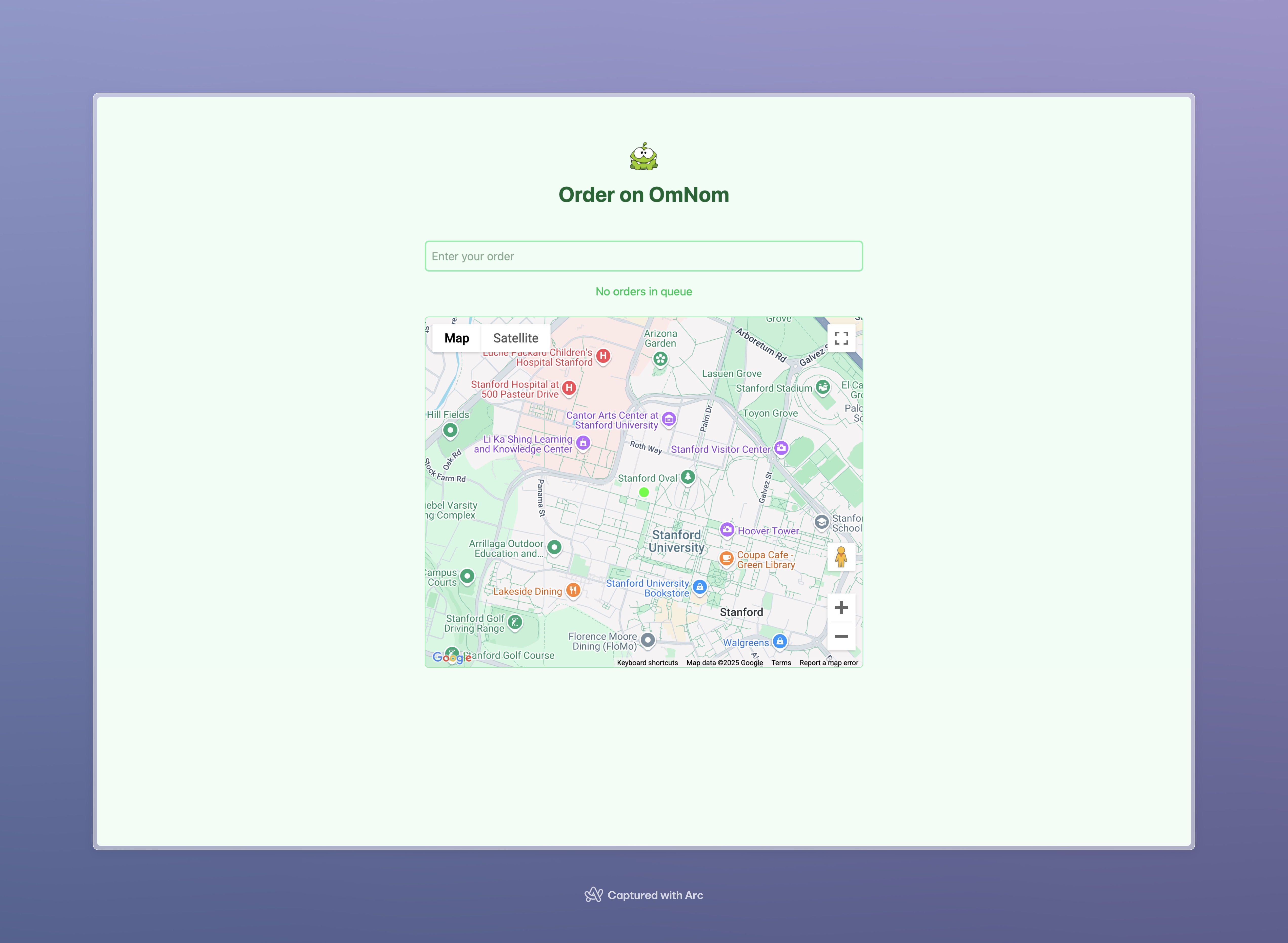
Built with Vite.js + React + Typescript + TailwindCSS. Communicates with OmNom via Websockets API and Fast API. Stream's OmNom's live location to you via Google Maps API so you can rest assured OmNom is on his way.
Challenges we ran into
Motor controllers: Our decision to use the roboclaw motor controllers and do a custom interface made our work quite hard - the USB interface made it a challenge to do simple things like set a power to a single motor. We had quite an ordeal just getting the motors spinning.
GNSS Drift: The RTK module we used advertised precision to within 1 foot, but we found it drifted quite a bit. This was one of the key things that made our navigation unreliable outside - preventing us from having a reliable demo which did the whole sequence of events.
Power Management: Making a custom 12 volt to 5 volt converter was a time sink which proved to be fruitless - since it was too inefficient it melted its own solder. We ended up having to switch to AA batteries for our 5V servo power after enough attempts to get it to work all off of our 12V batteries.
Langchain
DeepSort
Depth Estimation
Accomplishments that we're proud of
Taking on this project was extremely ambitions. Building a robot of this complexity, and programming it to effectively interface with the world in only 36 hours was an uncertain task, and at many points we weren't sure if we were even going to have a moving robot.
The hardware. Learning new hardware platforms and tuning PID loops for drivetrain and stable movement of the pulley took an extensive amount of effort and time. Coming up with creative solutions on the software to overcome hardware blockages was quite rewarding as well - we originally were planning to implement SLAM and generate a 3D visual ming of the environment but had to pivot our indoor navigation solution after realizing SLAM was not performant due to vibrations. After some research and talking with other hackers, we came up with a solution completely based on stereovision and depth perception.
What we learned
Arjun: I learned about mechanical design in creating this type of robot. Lessons I learned include the age old lesson of measure twice cut once, as one wrong measurement in my CAD resulted in half an hour of rework on a metal plate.
Nils: I learned a lot about distributed systems while integrating the different sensors together on the robot. I didn't have much experience in robotics before, so I also learned a lot about PID loops and the long and arduous process of tuning them.
Robert: Coming in I wanted to do something blending both hardware and software for a more interactive experience. Only after our team spent the first 14 hours building the robot did I realize the vast challenges of learning new frameworks and integrating different hardware together. While hardware definitely needs to be quality and tuned for effective use, I see significantly more impact and potential of software enabling hardware than I did before. TreeHacks this year has inspired me to pursue more experiences across both hardware and software to build incredible software that has real impact through effective hardware.
Johnathan: I learned a lot about the mechanical side this year, which I didn't expect, especially coming in as a software person. Working on the web app taught me a lot about websockets and RESTful APIs. Finally, designing the ipad interaction state machine was a good lesson on thinking step-by-step, as well as implementing python image libraries.
What's next for OmNom
OmNom is just getting started. We were focused on food delivery during TreeHacks - trying to solve a relatable problem for Stanford students. This technology has applications beyond just food delivery for students - most directly connected is delivery for peaople who can't go to restauraunts, but the technology test bed and algorithms we've implemented will work for other applications that require a physical presence - being able to interface with the world almost as well as a human.
In the future, OmNom will have improved hardware for more diverse interactions and much better navigation capabilities. By reinforcing our linear rail system and building a stable vertical gain tree, we will install an IMU and LiDAR enabling SLAM 3D mapping and navigating novel environments. We also would like to work more with VLMs and vision models to generate robot navigational instructions based on user navigation prompt and retrieval of destination floorplan images. We would also combine tracking, recognition, and localization and mapping to map objects to specific locations within buildings for detailed object retrieval and interaction. Say you forgot your charger in a classroom, OmNom could remember where you left it and retrieve it for you, then deliver a Valentine's message on its way back to you.
Built With
- arduino
- clip
- dpt
- fast-api
- google-maps-places-api
- jetson-nano-c++
- lasercutting
- matplot-lib-v0.dev
- metal
- next.js
- open-cv
- open-route-service
- openai-api
- python
- react
- roboclaw
- soldering
- tailwindcss
- typescript
- vercel
- vit
- vite.js
- websockets-api


Log in or sign up for Devpost to join the conversation.