-
-
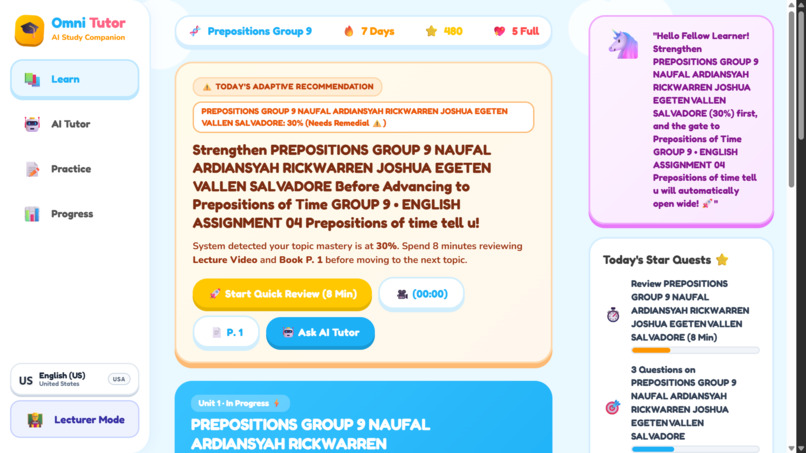
Roadmap to get started with learning
-
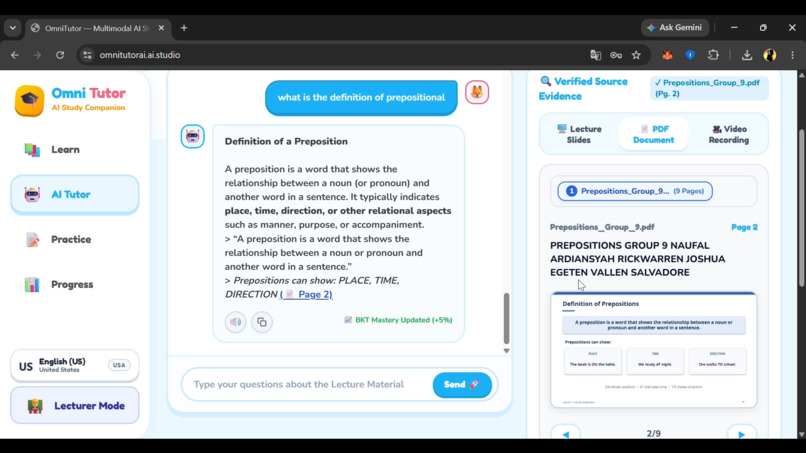
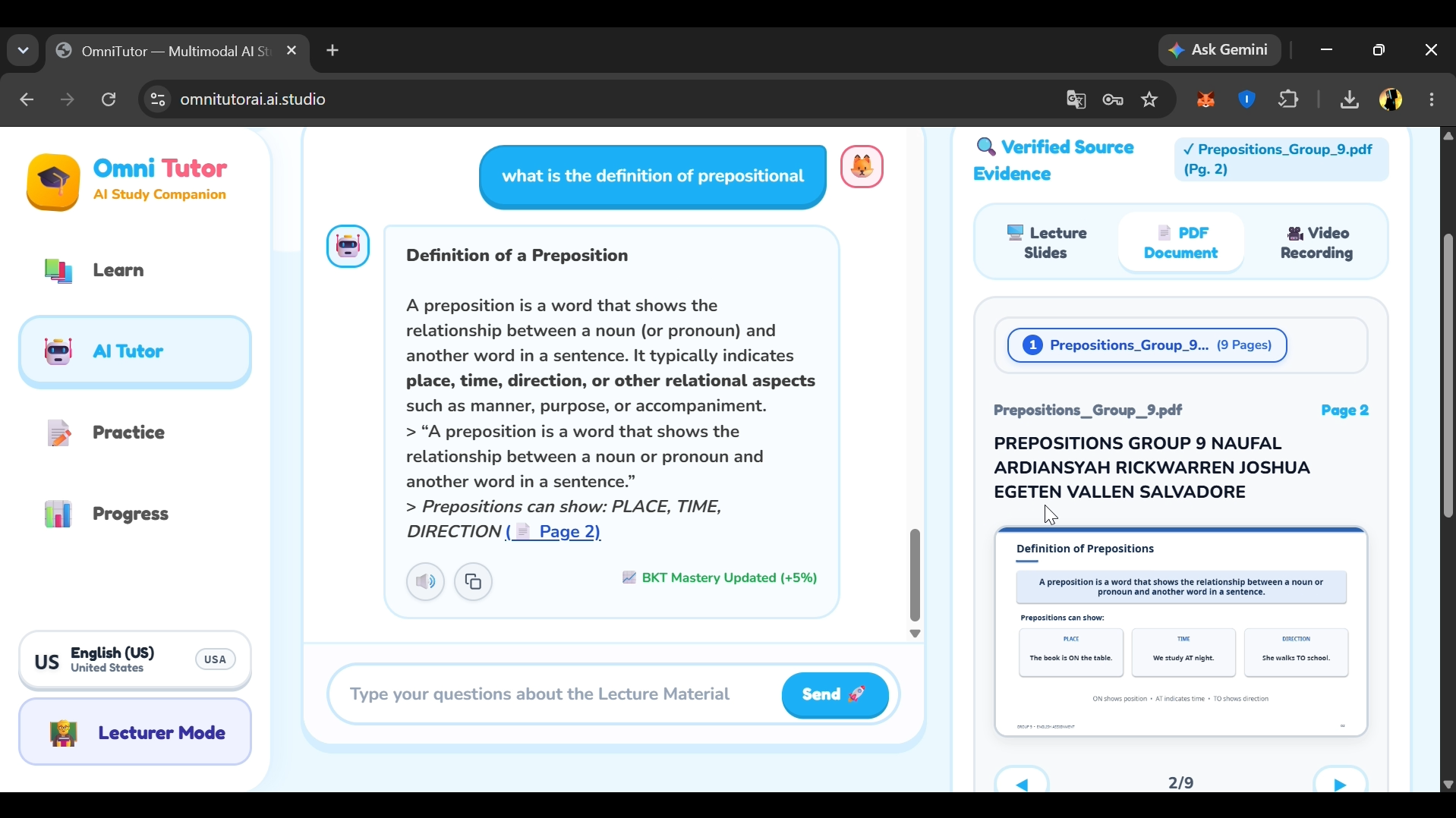
Asking questions about the material using the Groq API
-
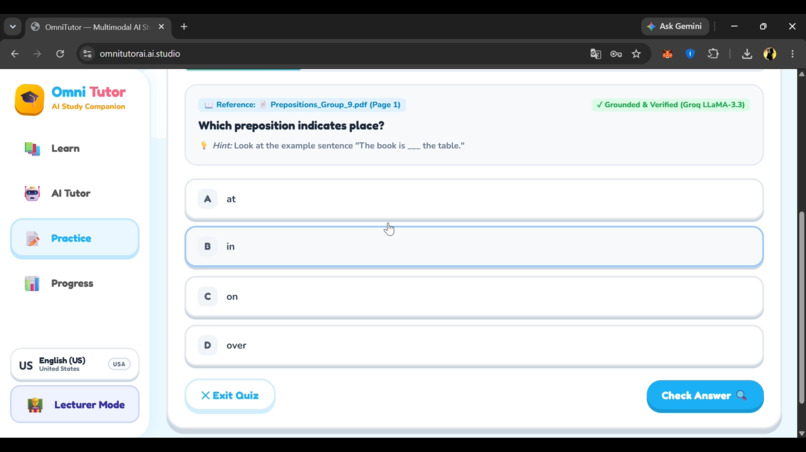
Adaptive quizzes: MCQ, short answer & numerical
-
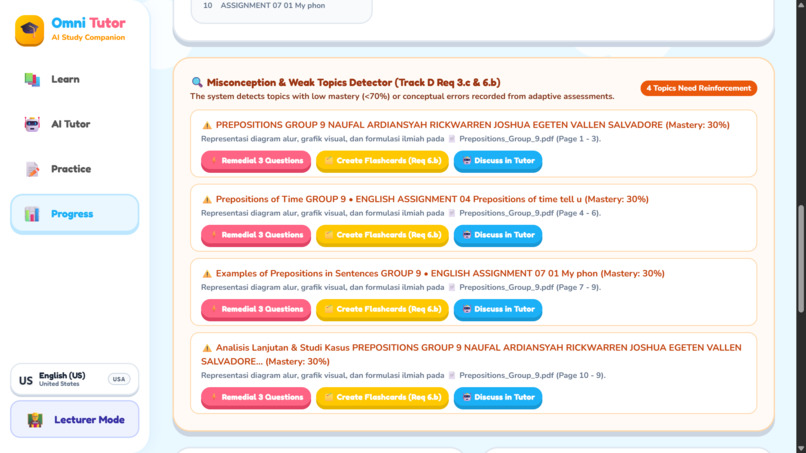
Learning progress and evaluation
-
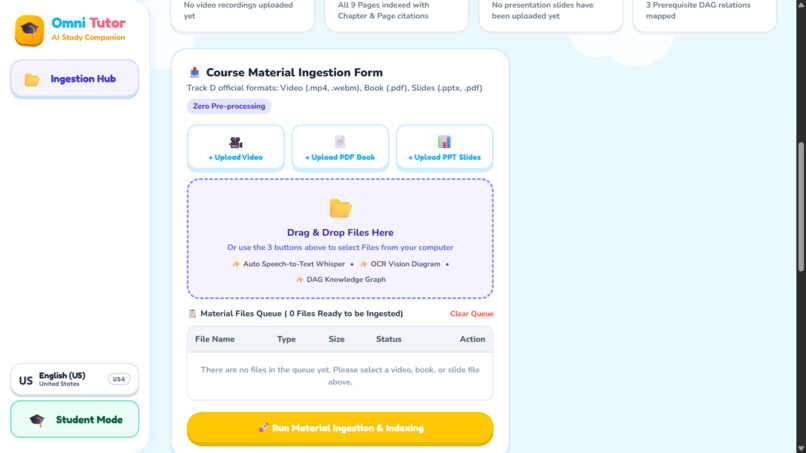
Ingest lecture videos, textbooks, and slides
-
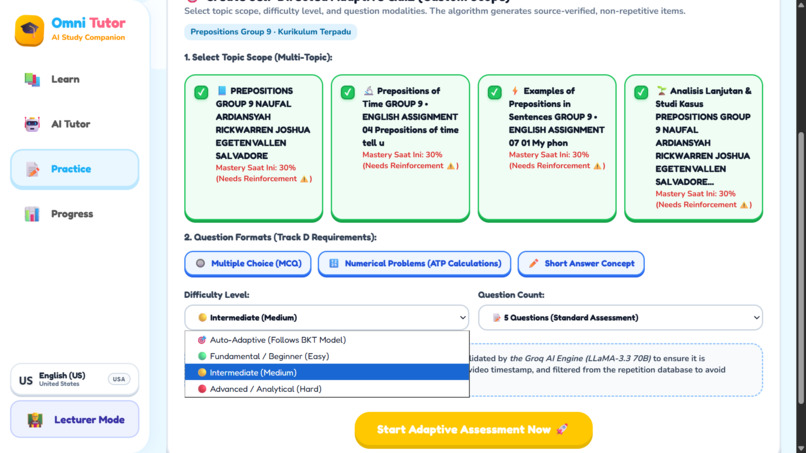
Adaptive quizzes: MCQ, short answer & numerical
Inspiration
Today’s high school and university students are constantly inundated with information. In just a single course, they are often confronted with a mix of lecture recordings, PDF textbooks, and presentation slides. When exam season arrives, they end up wasting hours sifting through various files, all in an effort to locate the specific moment where a lecturer explains a particular formula or concept.
Also, standard AI tools don't show you exactly where they got their answers from. When studying for exams, students need to verify facts instantly by looking at the exact slide or textbook page.
What it does
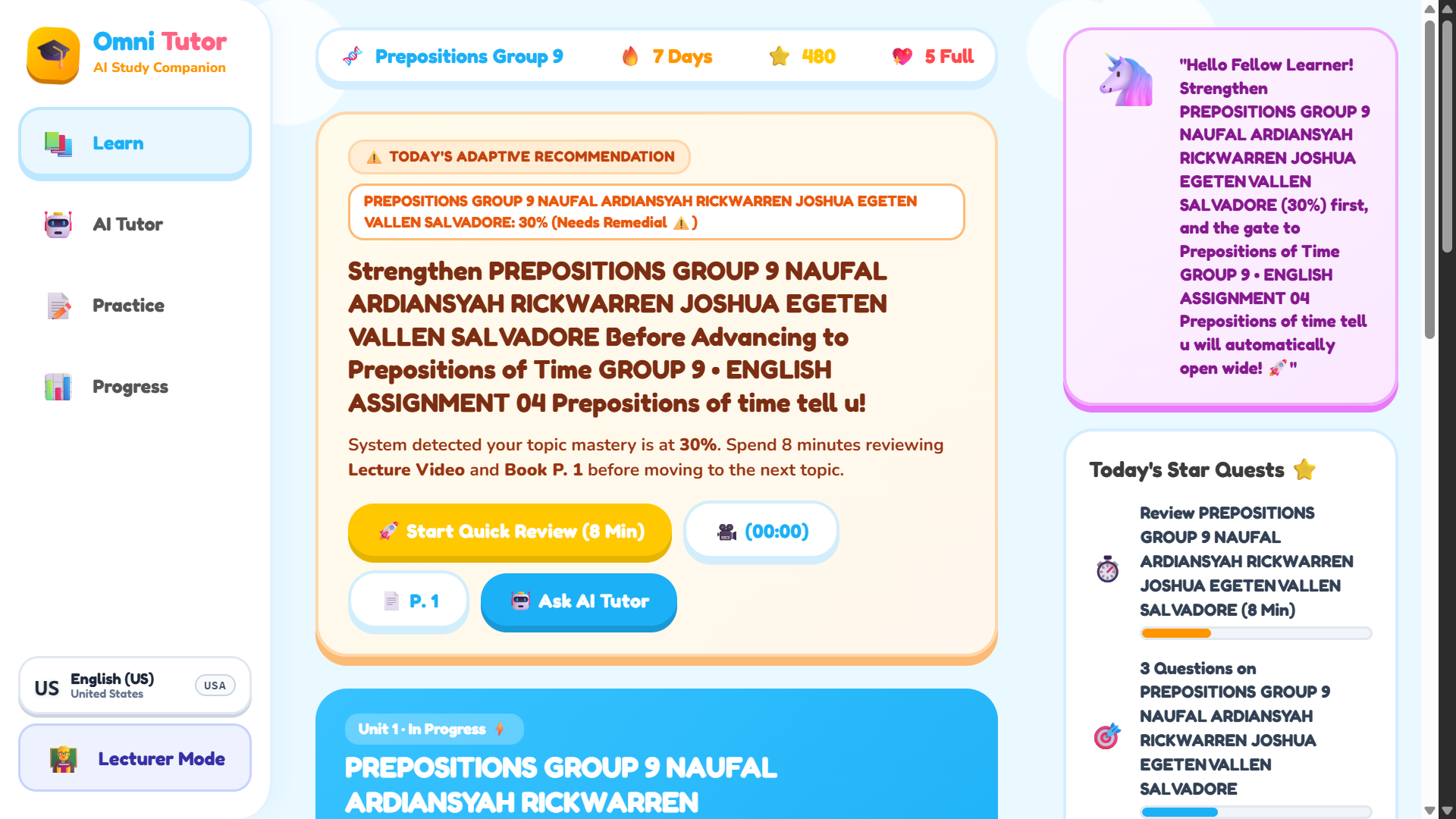
OmniTutor AI is a comprehensive study companion and teaching dashboard designed around two clear perspectives: Lecturer Mode and Student Mode.
The platform breaks down into three core features:
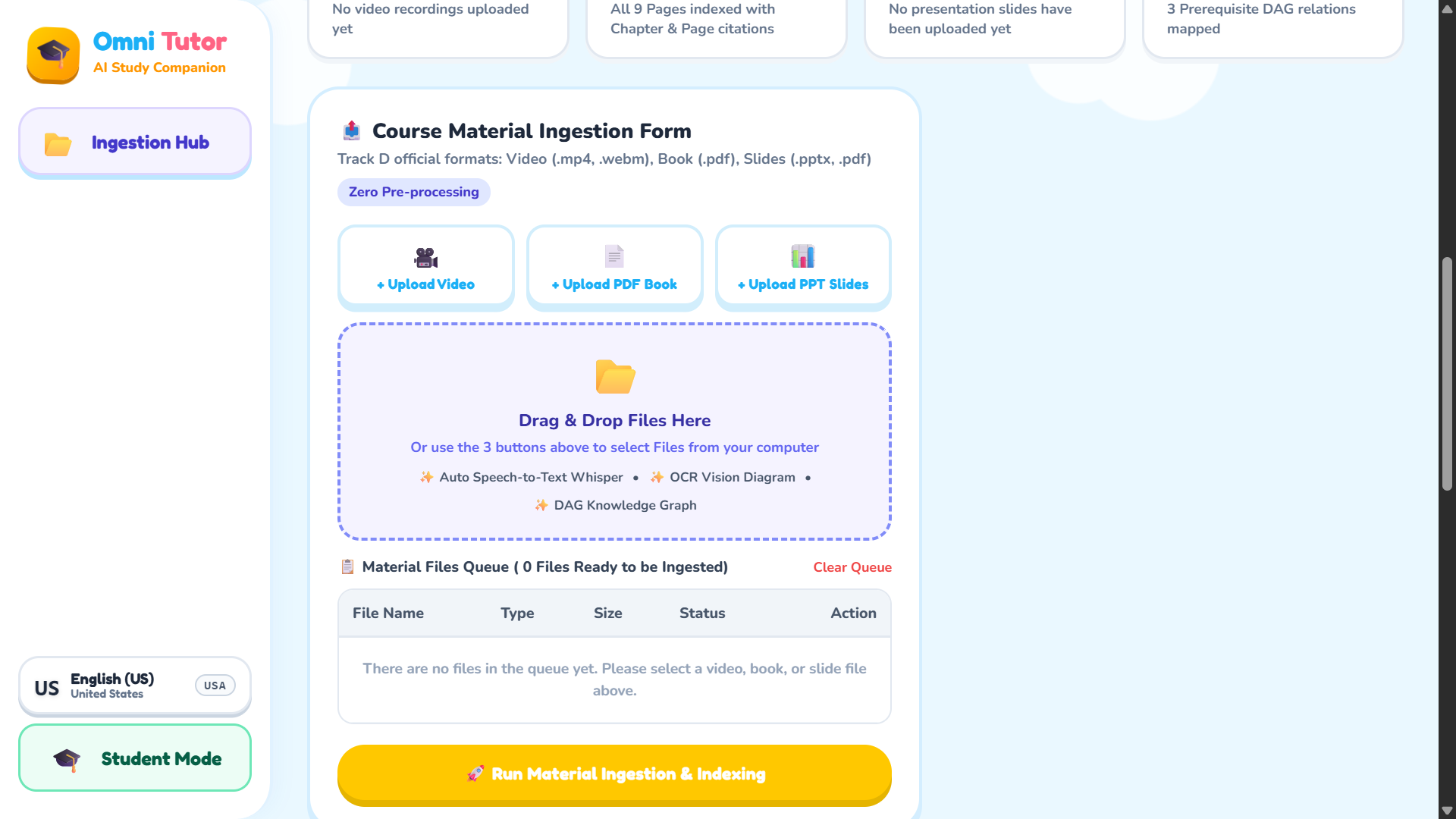
• Autonomous Knowledge Ingestion & Concept Graph: You can drop PDF textbooks, presentation slides, and lecture videos directly into the app. OmniTutor instantly transcribes the audio, automatically chunks the heavy content into organized syllabus topics, and builds an interactive learning roadmap.
• Source-Grounded AI Academic Tutor: Students can chat with an AI tutor that answers questions using only the uploaded materials. To ensure total honesty, it cites exact sources in real-time using format tags like [🎥 MM:SS] for videos, [📄 Page X] for PDFs, and [📊 Slide Y] for slides. It also uses LaTeX to render flawless math formulas and chemistry equations, while politely blocking off-topic queries outside the curriculum.
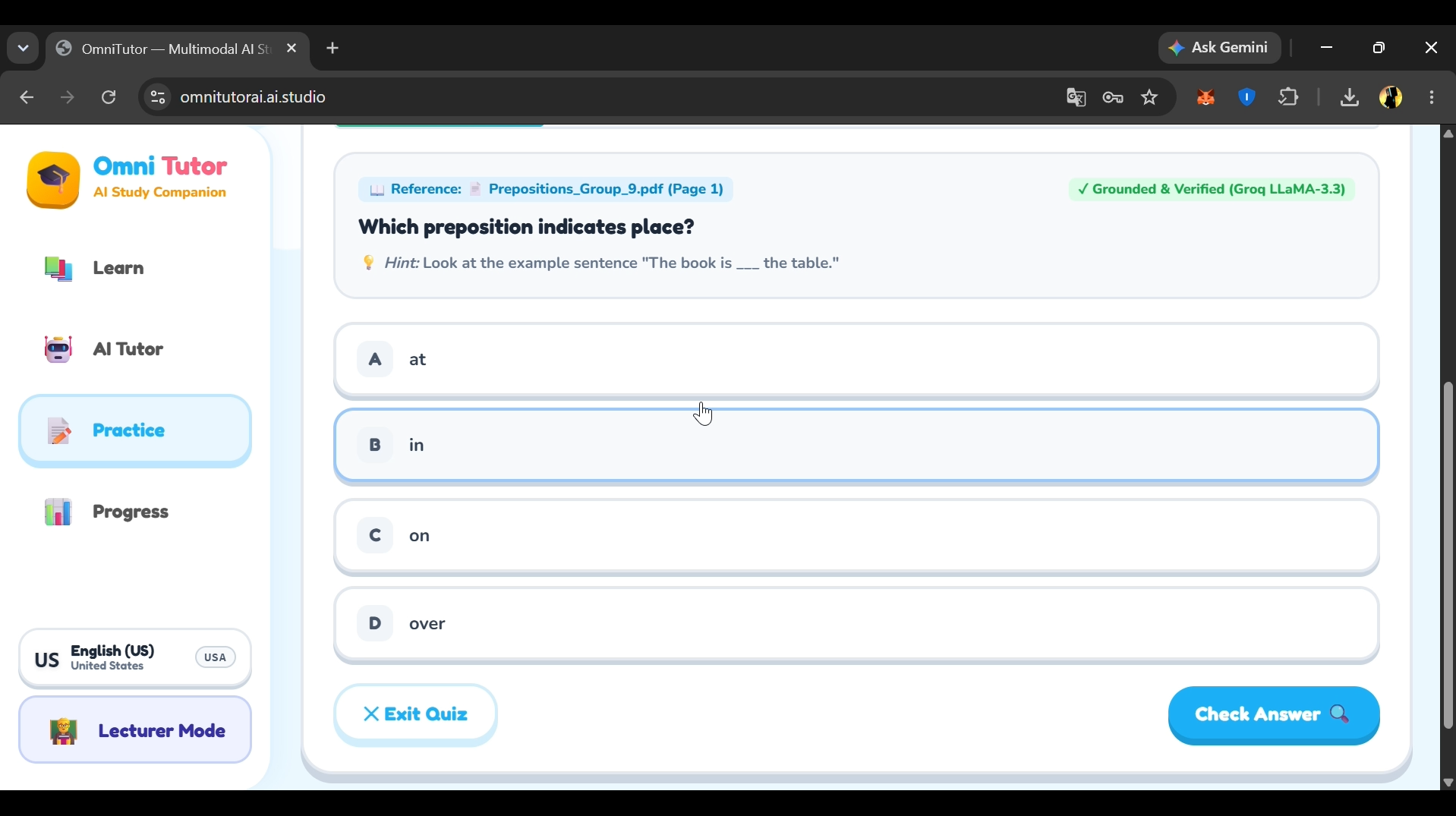
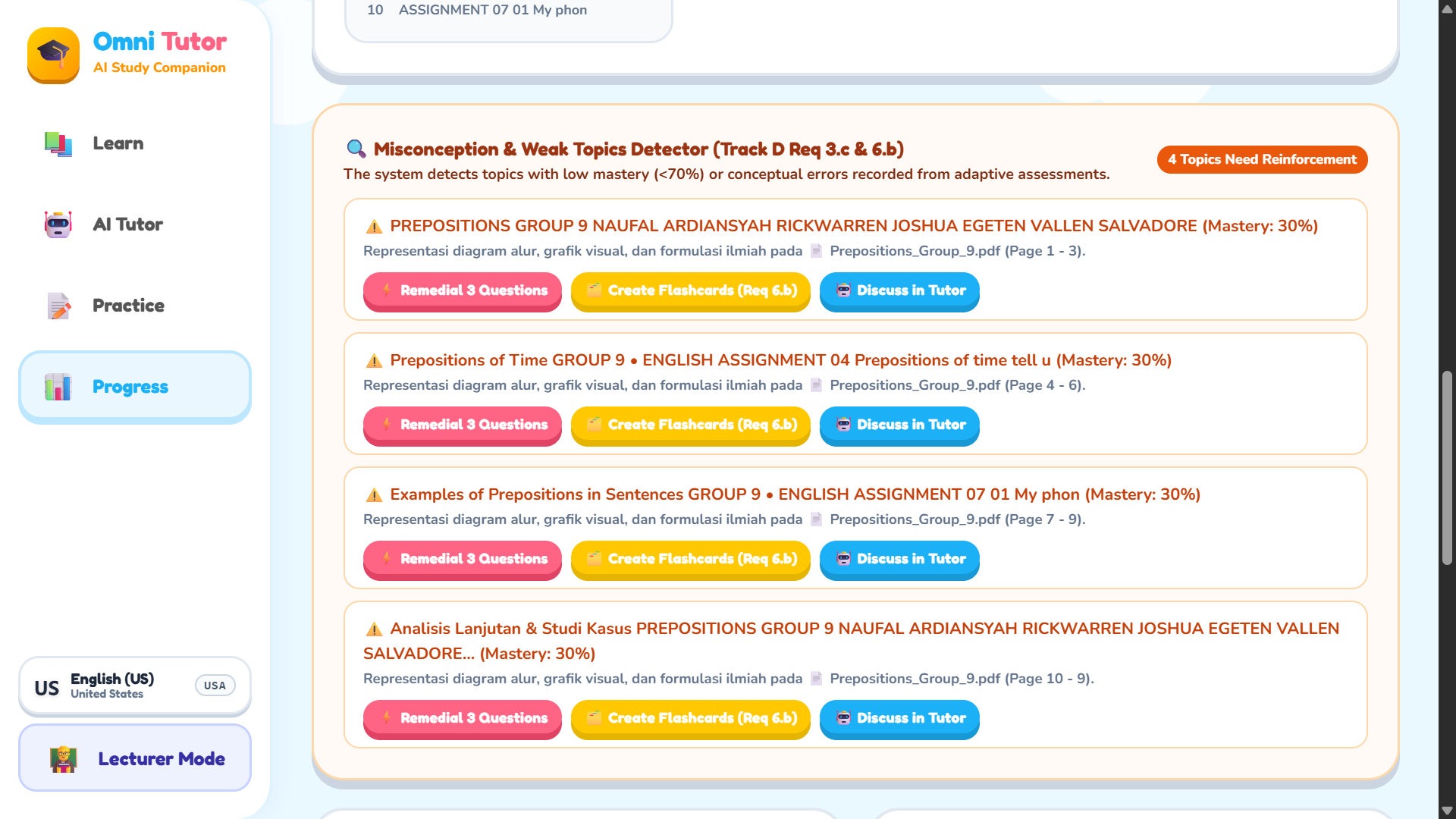
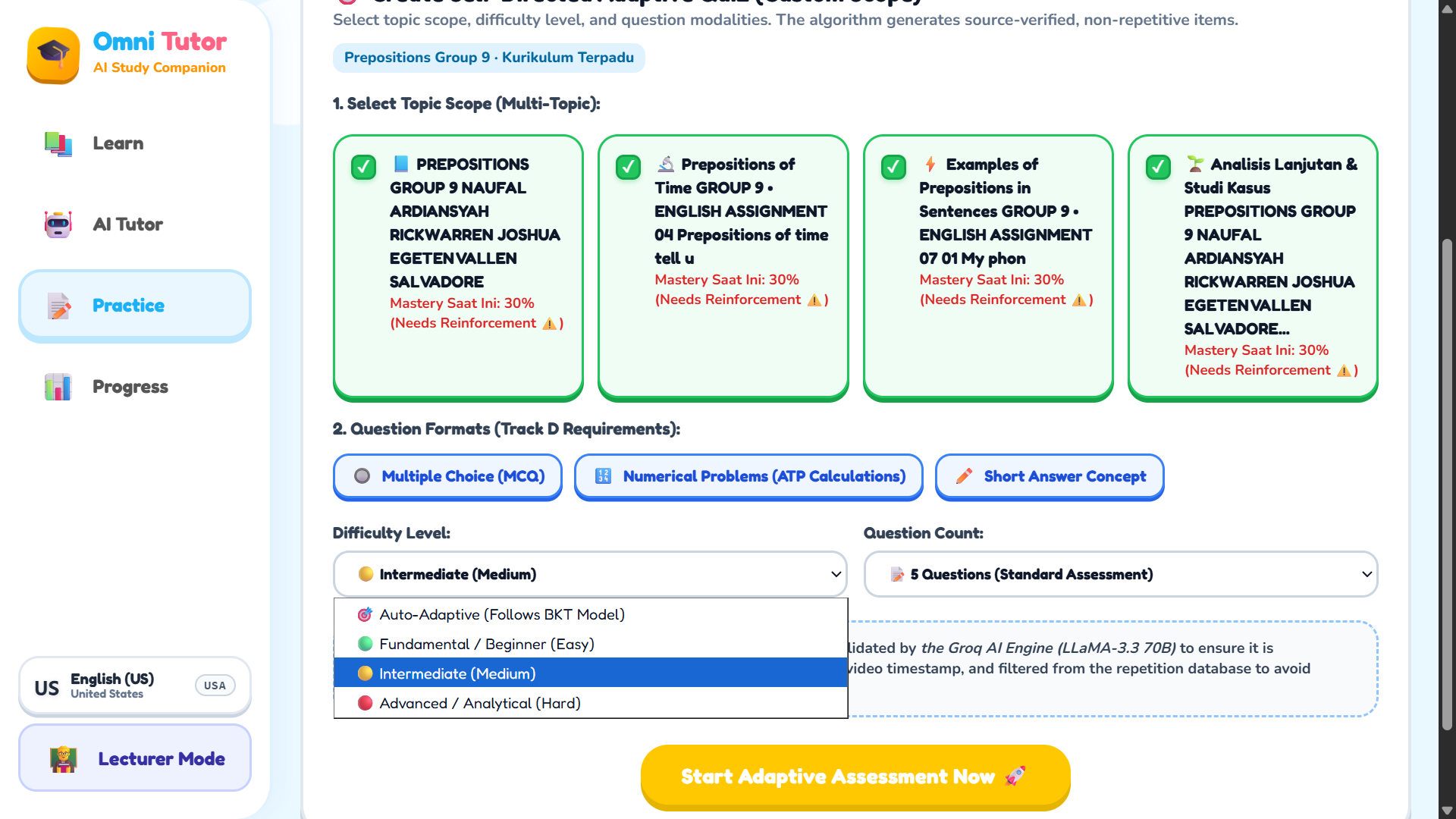
• Cognitive Adaptive Assessment Engine: Instead of standard static tests, it generates smart quizzes (multiple-choice, calculations, and short answers). If a student gets a question wrong, the app analyzes the mistake and highlights exactly which weak topics they need to review.
How i built it
• AI & Deployment: Built with modern JavaScript, HTML5, CSS3, and Vite. The entire setup is deployed seamlessly using a lightweight Node.js production server hosted on Google Cloud Run via Google AI Studio, making the live app available globally 24/7.
• Smart Content Parsing: We used PDF.js for zero-leak document processing on the client and server sides, JSZip for unpacking slide structures, and Whisper Large V3 for highly precise per-second speech-to-text alignment on videos.
• Resilient Multi-Key Failover Engine: To handle strict rate limits (TPM/RPM) on free-tier APIs, we engineered an automatic API key rotation and failover system across server.js and groq-handler.js to ensure zero downtime during testing.
• Flawless Math Typography: We integrated KaTeX combined with custom string sanitizers so that advanced calculus, physics vectors, and chemical formulas render beautifully on screen.
Challenges i ran into
• Fixing Broken JSON from Math Symbols: AI models often output raw scientific backslashes (like \frac or \sqrt) inside JSON strings, which completely breaks native JavaScript parsing. We solved this by writing a custom parser function (repairJsonMathStrings) that automatically finds and safely escapes these characters without breaking the math syntax.
• Stopping Page Citation Hallucinations: When a user uploaded only a video file, the AI would sometimes guess or hallucinate a random PDF page number out of habit. We fixed this by setting strict prompt guardrails and regex filters, forcing the AI to strictly use pure [🎥 MM:SS] video timestamps when no documents are present.
• Handling Large Text Volumes: Fitting multi-chapter textbook context into standard token limits was tricky. We built a smart context selector (selectRelevantContext) that scores and grabs only the most relevant text chunks based on the user's question.
Accomplishments that i'm proud of
• True Zero-Hallucination Grounding: Every single answer gives students verifiable timestamp or page references that they can trust completely.
• Fast and Smooth Experience: The platform delivers complete, mathematically rich answers in a matter of seconds.
• Mixed Asset Ingestion: Users can drag-and-drop a video, a slide deck, and a PDF all at once, and see them merge into a single connected learning map instantly.
• Bulletproof Stability: The app easily survives heavy user testing thanks to the automated API failover and JSON auto-repair routines.
What i learned
• How to structure highly accurate RAG (Retrieval-Augmented Generation) applications without relying on heavy external database setups.
• The absolute necessity of deterministic text parsing pipelines when handling complex scientific symbols and mathematical equations.
• How to design empathetic, pedagogical feedback loops that actually explain why a student made a mistake, rather than just marking their answer as wrong.
What's next for OmniTutor AI
• Real-Time Voice Tutoring: Adding low-latency streaming audio so students can chat out loud with the tutor hands-free while watching their lecture videos.
• LMS Integrations: Creating one-click sync buttons for Canvas LMS, Google Classroom, and Moodle so teachers can import full courses instantly.
• Collaborative AI Study Rooms: Allowing groups of students to share a single AI tutor that can moderate group study sessions based on the professor's official slides.
Built With
- aistudio
- cloudrun
- css3
- edtech
- google-cloud
- groq
- html5
- javascript
- katex
- node.js
- pdf.js
- qwen
- restapi
- vitte
- whisper

Log in or sign up for Devpost to join the conversation.