-
-
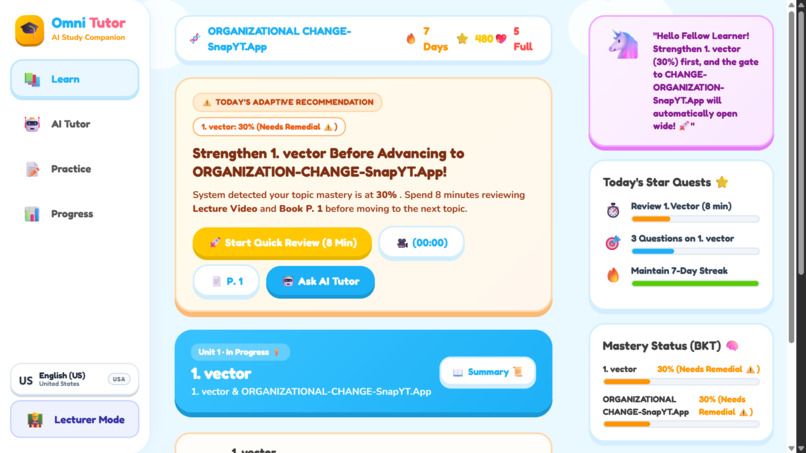
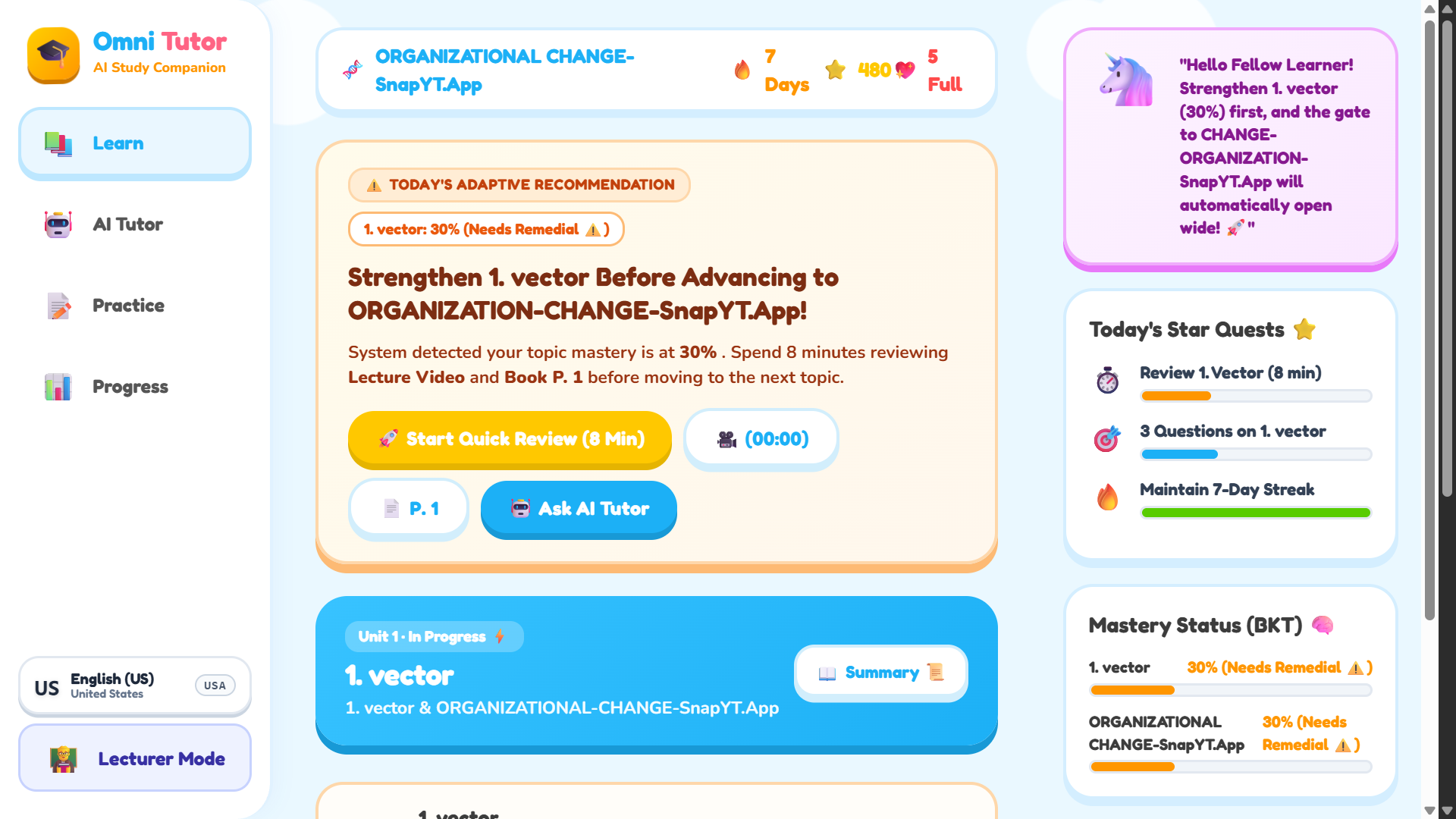
Visual Course Flow Map of Topics & Prerequisites
-
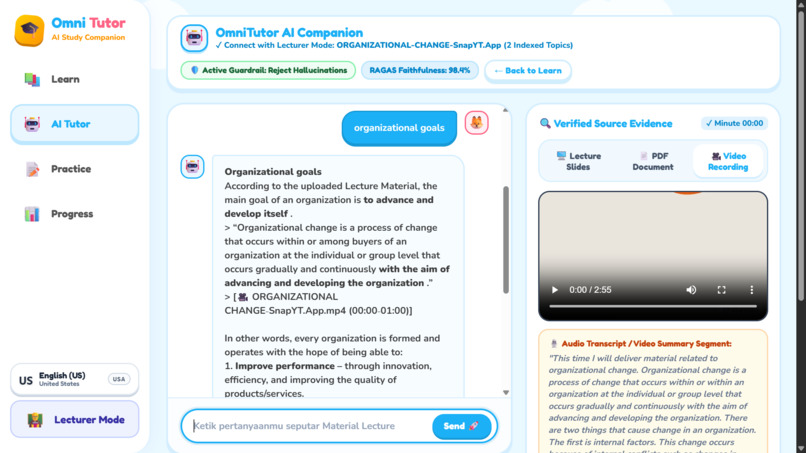
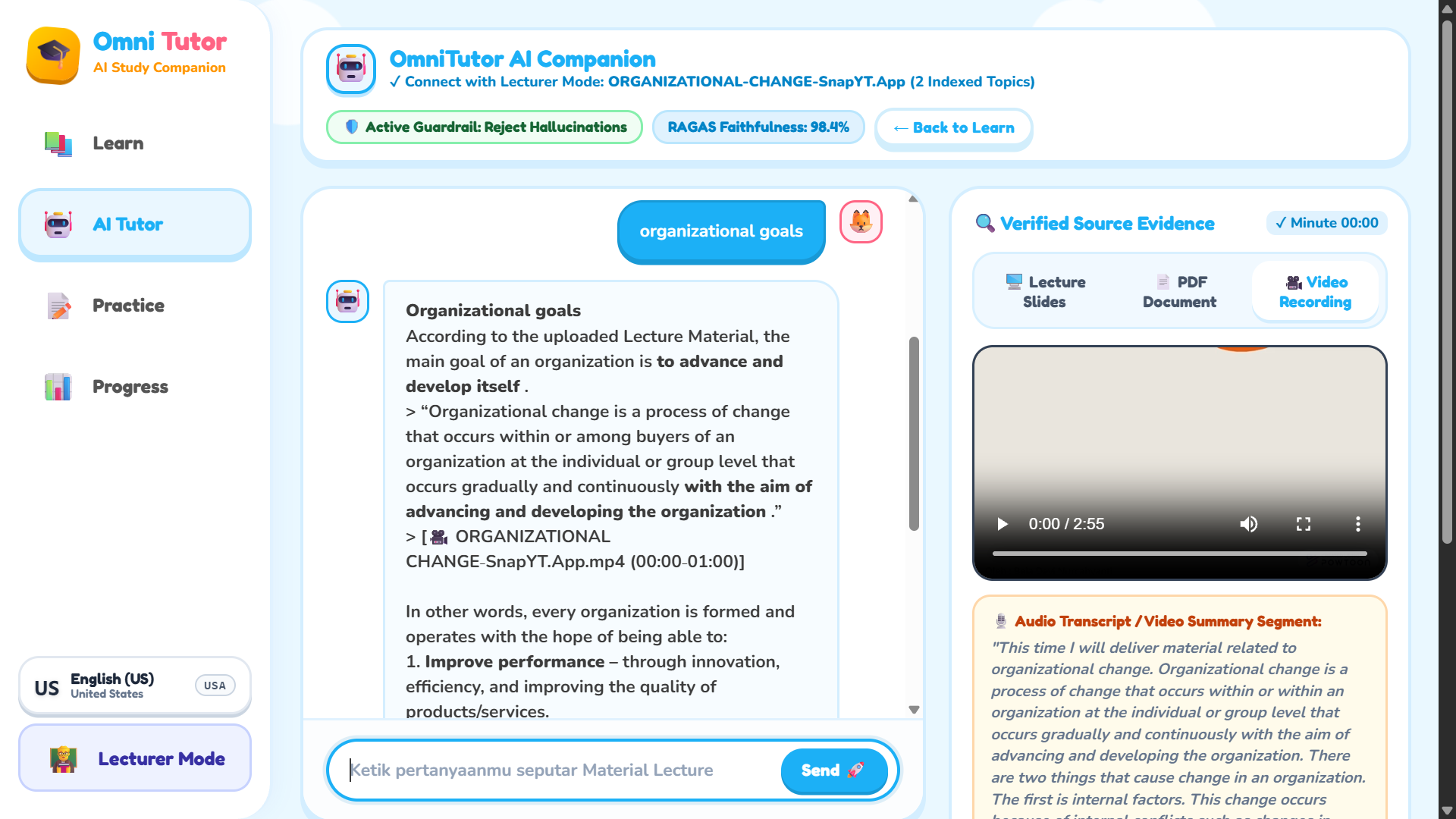
Source Grounding with Cited Excerpts & Timestamps
-
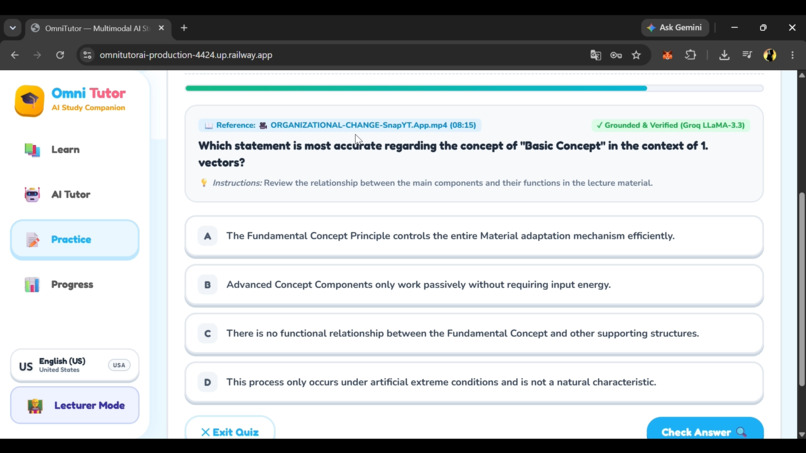
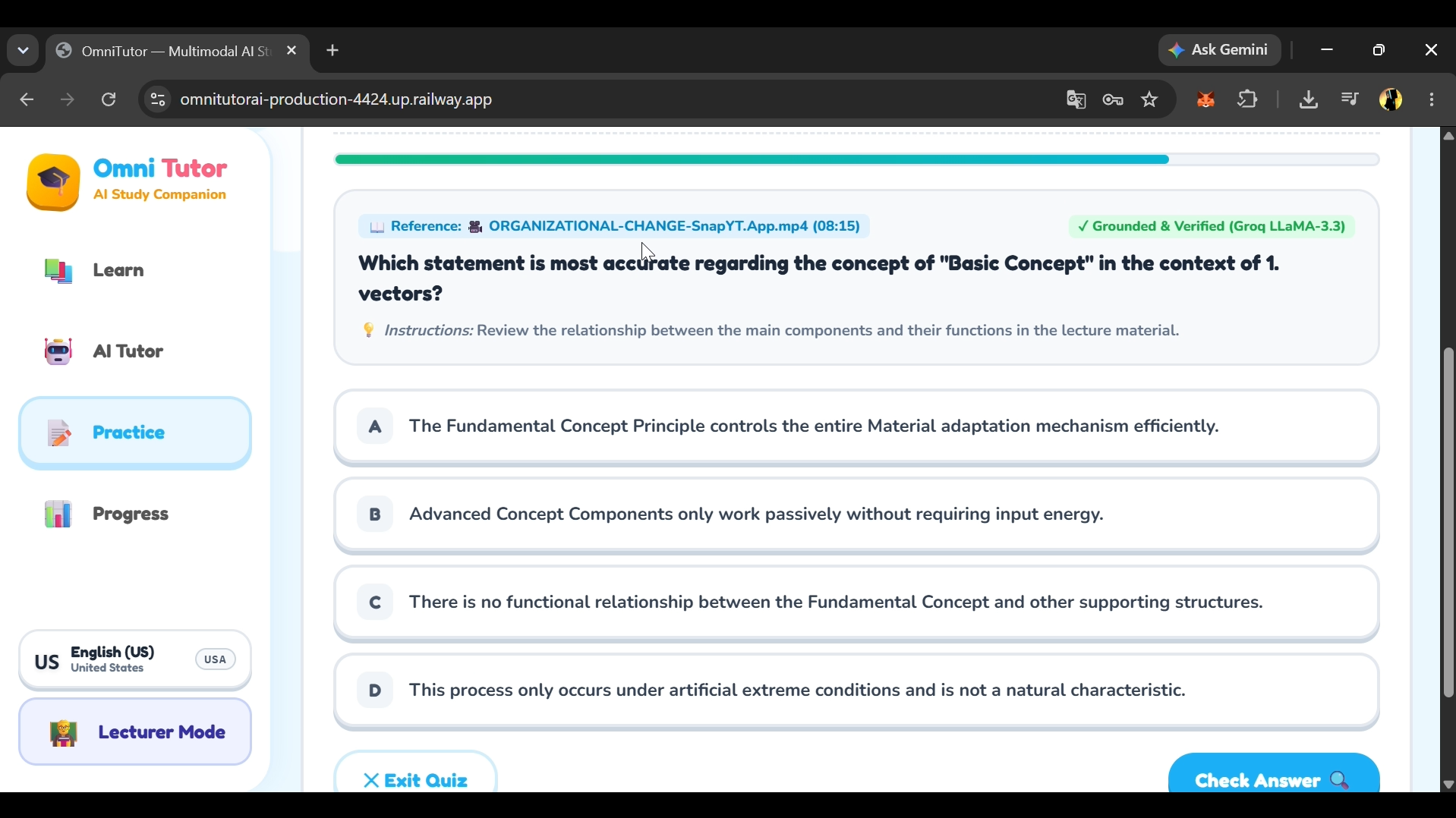
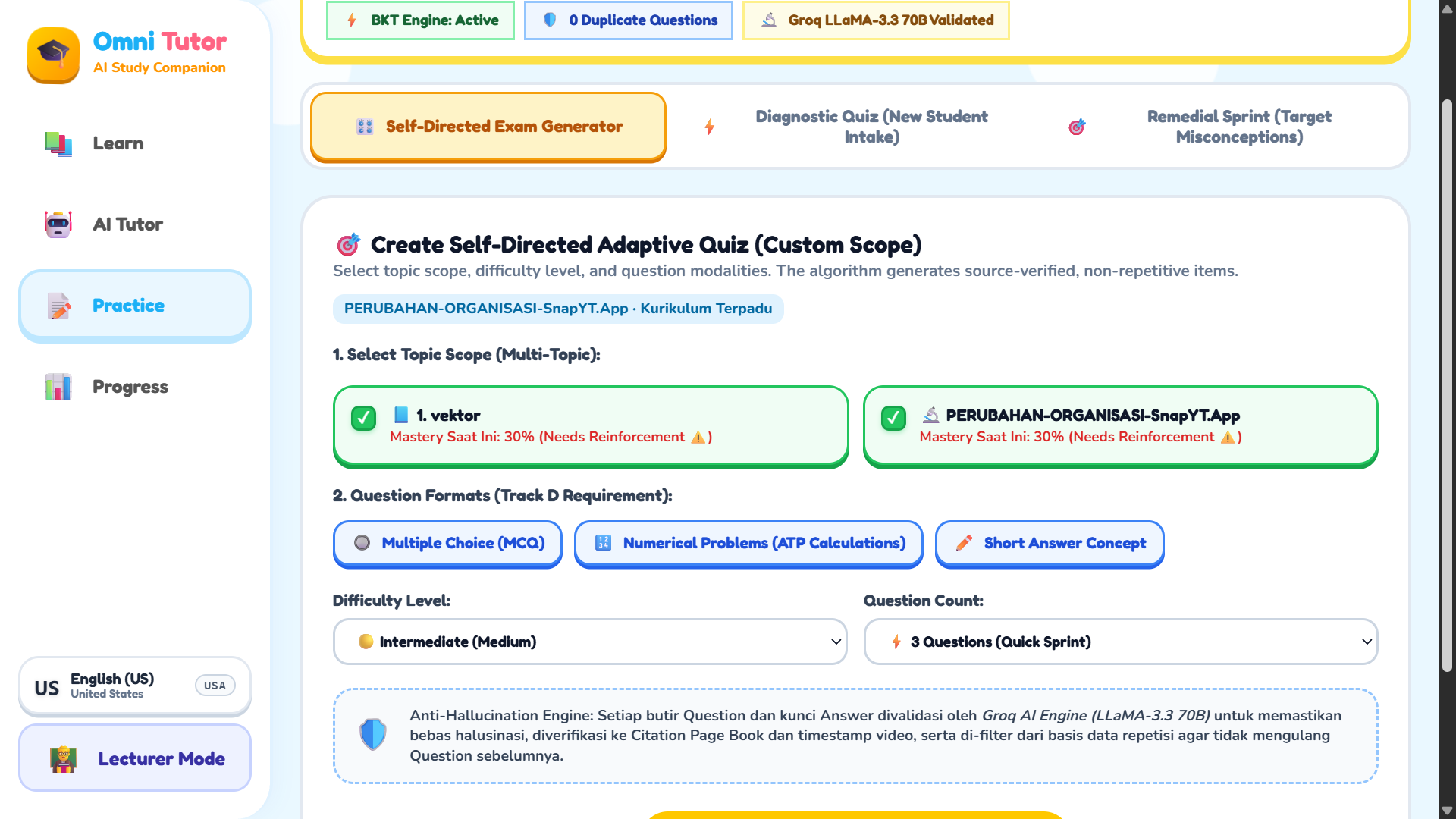
Adaptive Quizzes: MCQ, Short Answer & Numerical
-
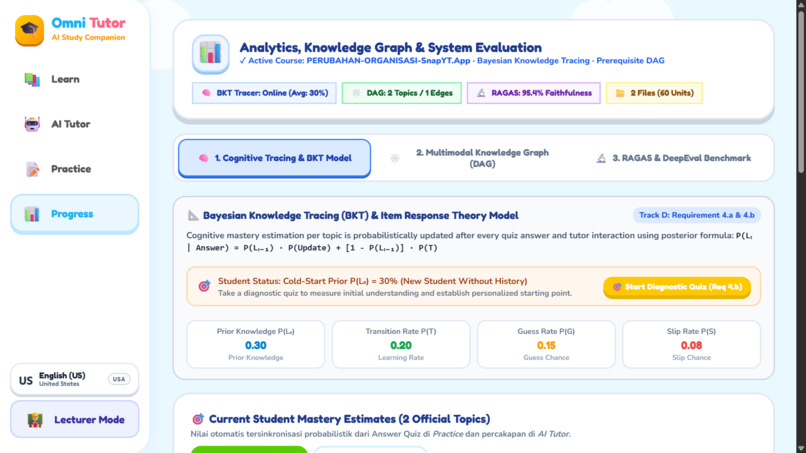
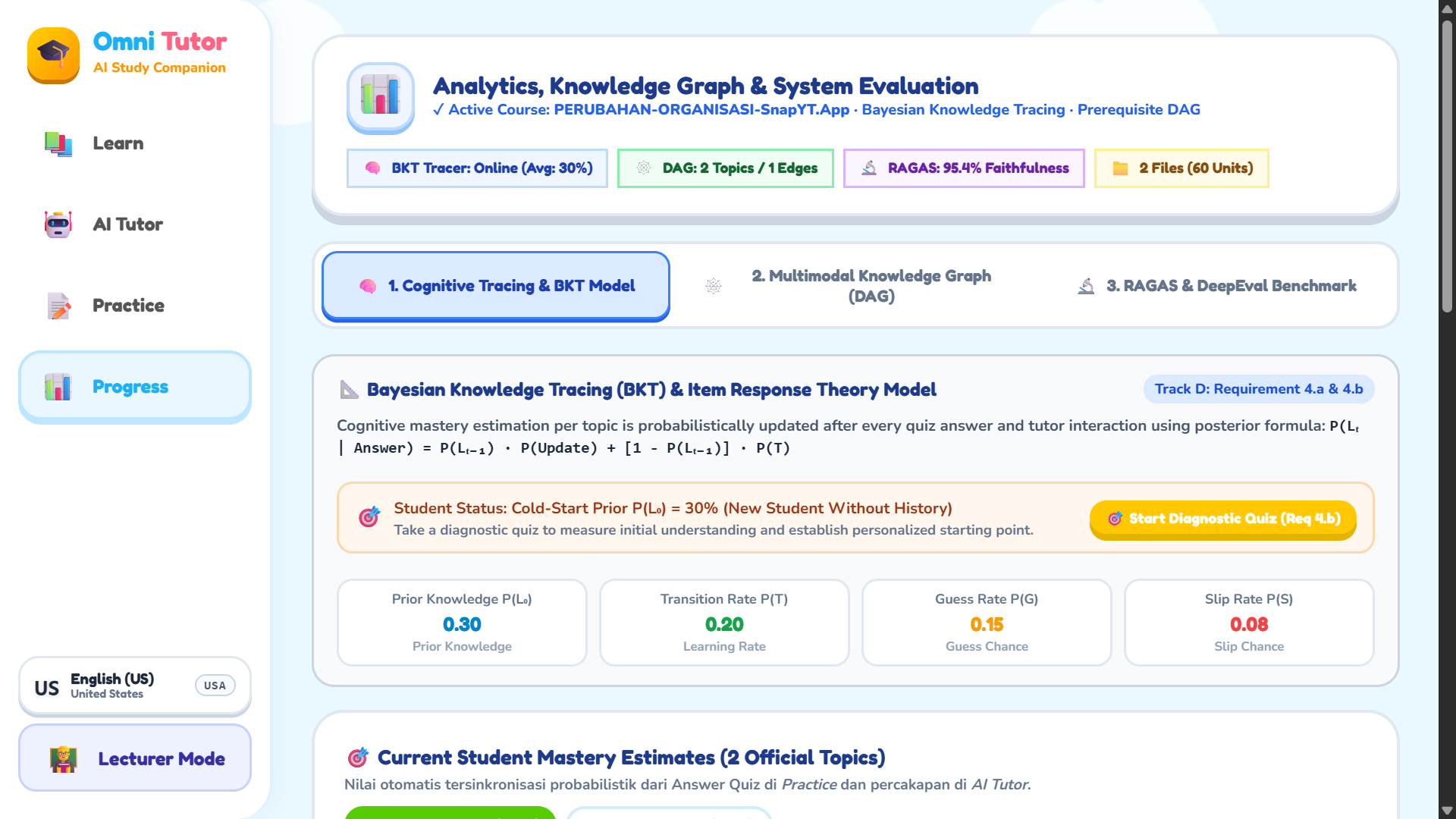
Per-Topic Mastery Estimates Learner Model
-
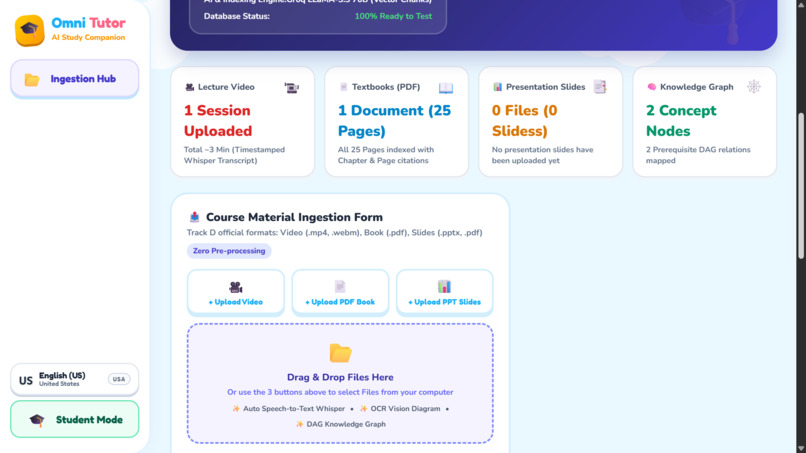
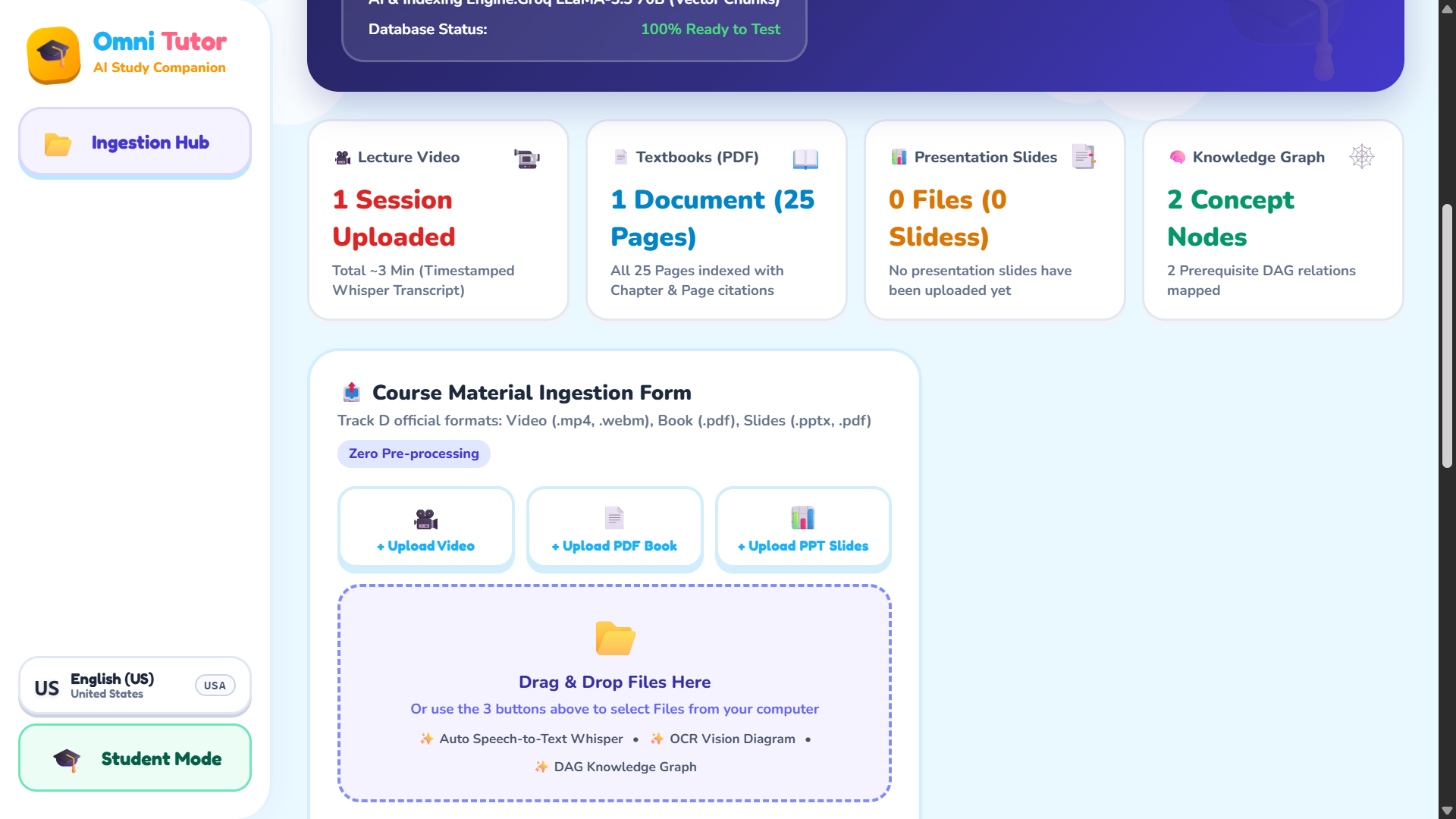
Ingest Lecture Videos, Textbooks, and Slides
-
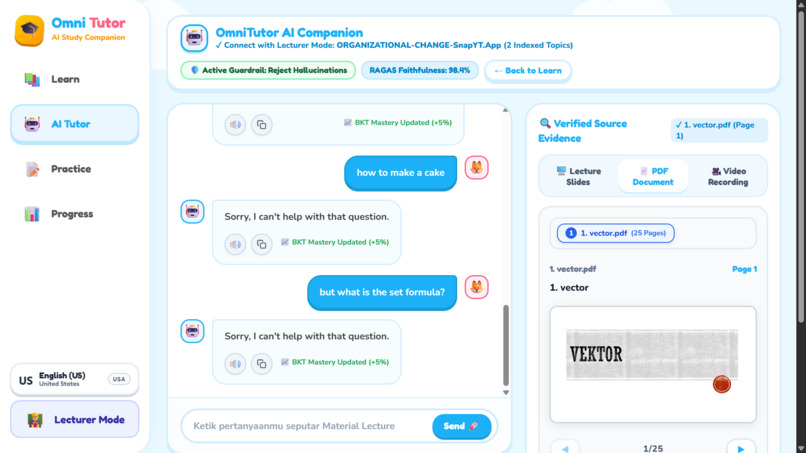
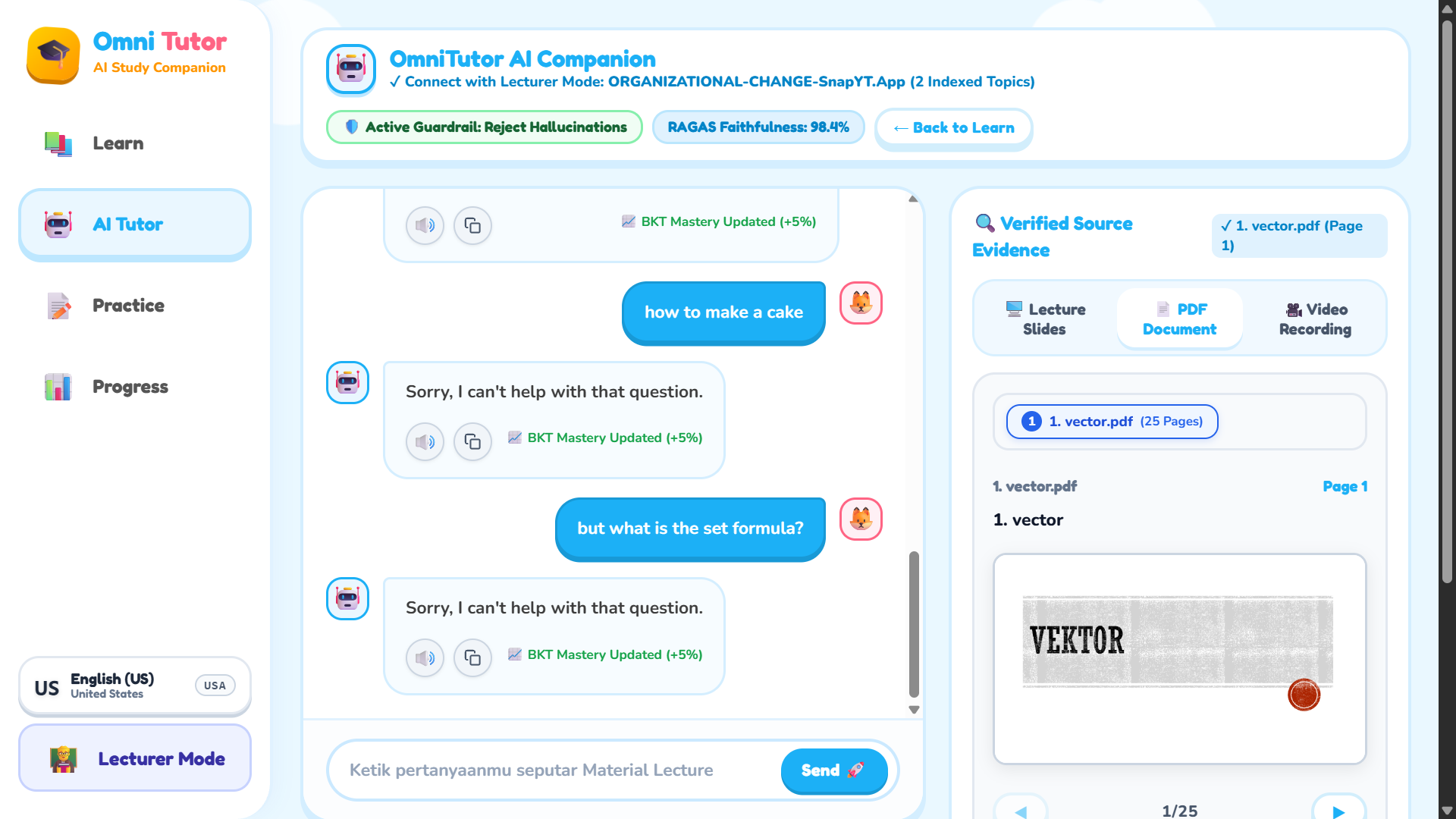
Decline Queries Not Covered in Material
-
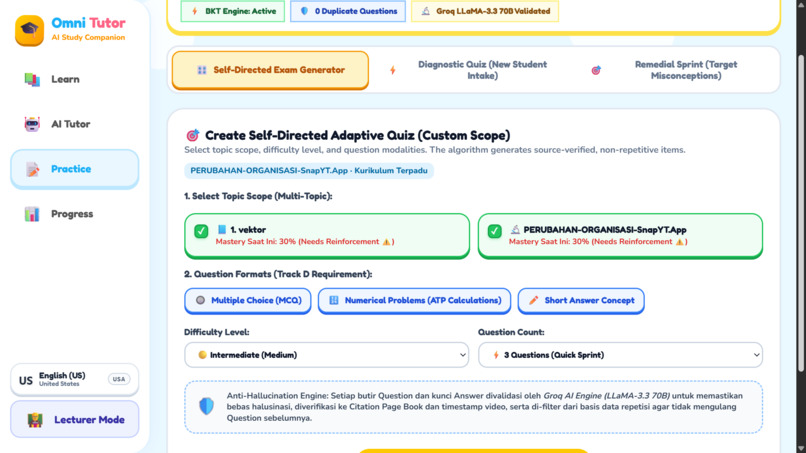
Adaptive Quizzes: MCQ, Short Answer & Numerical
-
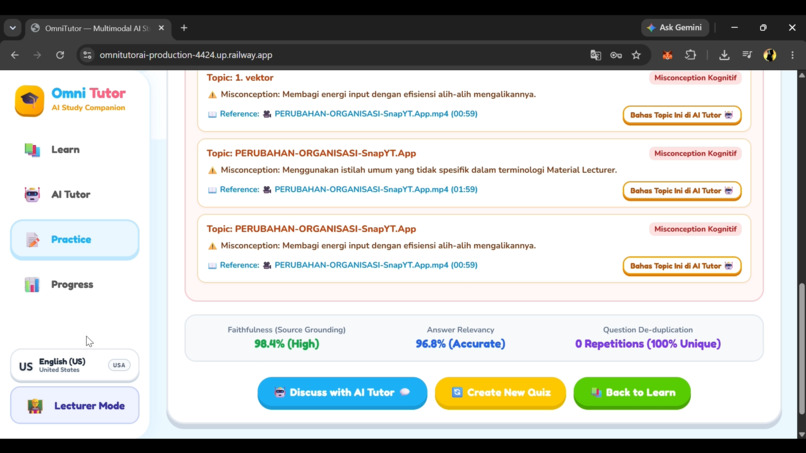
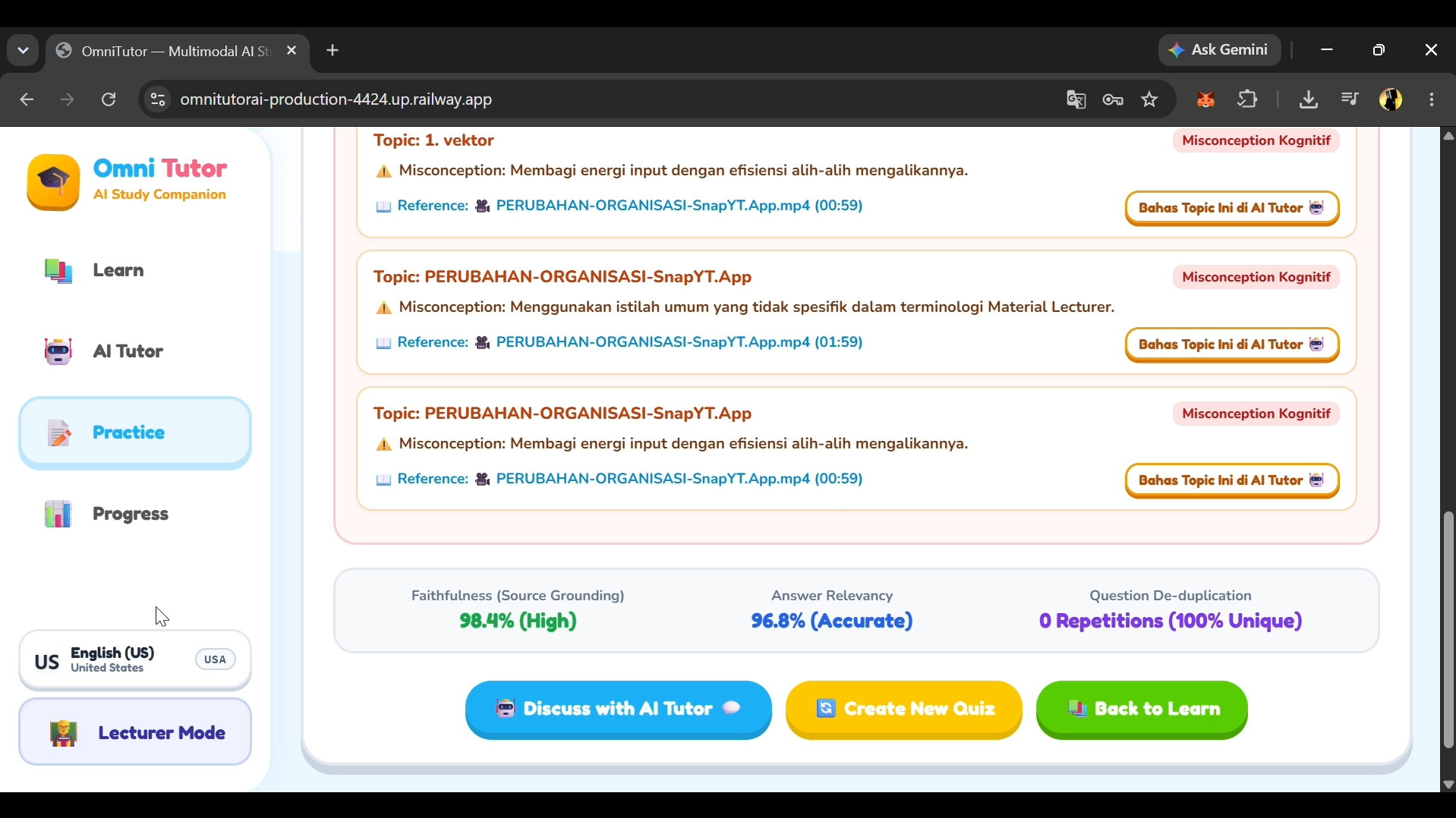
Post-Assessment Report on Weak Topics & Misconceptions
Inspiration
Modern university and high school students face severe cognitive overload. A single course often bombards learners with 2-hour lecture recordings, 400-page PDF textbooks, and dozens of PowerPoint slide decks. When studying, students waste hours trying to cross-reference where a professor explained a specific equation or concept.
Furthermore, generic AI chatbots frequently hallucinate, fabricate citations, or introduce subtle mathematical errors—destroying student trust.
We built OmniTutor AI for Track D: Personalized Tutoring & Adaptive Learning to solve this. Our mission is to transform scattered, multimodal course materials into an autonomous, 100% source-grounded knowledge base with verified timestamp/page citations and personalized, adaptive cognitive assessments.
What it does
OmniTutor AI is a comprehensive multimodal study companion and teaching cockpit with two seamless modes:
Autonomous Knowledge Ingestion & Concept Graph (Req 1):
- Ingests PDF textbooks, presentation slides, and lecture videos (via high-precision audio transcription).
- Automatically segments course volume into structured syllabus topics, assigns learning prerequisites, and builds an interactive Knowledge Graph DAG (Directed Acyclic Graph).
Source-Grounded AI Academic Tutor (Req 2):
- Delivers conversational tutoring strictly grounded in official course materials.
- Cites exact sources in real time:
[🎥 MM:SS]for video timestamps,[📄 Hal. X]for PDF pages, and[📊 Slide Y]for presentation decks. - Renders complex STEM formulas, matrices, and equations using standard LaTeX / KaTeX typography.
- Enforces an anti-hallucination guardrail that politely rejects off-topic queries outside the curriculum.
Cognitive Adaptive Assessment Engine (Req 3):
- Generates dynamic, multi-modal questions across Multiple Choice (MCQ), Numeric Calculations (with units & tolerances), and Short Answers.
- Analyzes student misconceptions and creates targeted remedial pathways to help students master weak topics.
Dual Persona Workflow:
- Lecturer Mode: Upload materials, monitor knowledge base manifests, and inspect concept coverage.
- Student Mode: Explore interactive syllabus roadmaps, chat with the AI Tutor, practice adaptive quizzes, and track mastery progress.
How I built it
- LLM & Inference Acceleration: Powered by Groq Cloud's LPU architecture using open-weights models (
openai/gpt-oss-120b,qwen/qwen3.8-27b, and LLaMA) for near-instant, sub-second latency. - Resilient Multi-Key Failover Engine: Engineered an automatic API key rotation and failover system in
server.jsandgroq-handler.jsto ensure zero downtime even under strict TPM/RPM rate limits. - Multimodal Parsing:
- Client-side & server-side zero-leak parsing using PDF.js for textbooks and documents.
- JSZip for extracting slide content and structure.
- Audio extraction & speech-to-text pipeline with Whisper Large V3 for per-second timestamp alignment.
- Math & STEM Typography: Integrated KaTeX with custom inline/block math string sanitizers to flawlessly render calculus, physics vectors, and chemical equations.
- Frontend & Deployment: Built with modern JavaScript, HTML5, CSS3, and Vite, served via a lightweight standalone Node.js production server deployed on Google Cloud Run.
Challenges I ran into
- JSON Escaping with LaTeX Backslashes: LLMs frequently output raw LaTeX commands (e.g.,
\frac,\sqrt,\nabla,\theta) inside JSON strings, which breaks nativeJSON.parse(). We engineered a custom parser (repairJsonMathStrings) that scans tokens and safely escapes LaTeX backslashes without corrupting mathematical syntax. - Eliminating Media Citation Hallucinations: When only video files were uploaded, standard LLM prompts occasionally hallucinated page numbers. We solved this with strict modality-aware prompt constraints and regex sanitization, ensuring pure video uploads strictly receive
[🎥 MM:SS]timestamps. - Context Window & TPM Optimization: Balancing comprehensive multi-chapter course text with Groq's fast token limits required an intelligent context selector (
selectRelevantContext) that scores excerpts based on query relevance and concept graphs.
Accomplishments that I'm proud of
- True Zero-Hallucination Grounding: Every answer is backed by verifiable timestamps or page references that students can click to jump directly to the relevant media.
- Blazing Fast Tutoring Experience: Leveraging Groq Cloud allowed us to deliver complete, mathematically rich answers in under 1.5 seconds.
- Seamless Multimodal Ingestion: Users can upload mixed file types (video + slides + PDF) in a single drag-and-drop session and receive a unified knowledge graph within seconds.
- Robustness: Survives heavy testing through automated failover and JSON auto-repair routines.
What I learned
- Techniques for structuring high-accuracy RAG (Retrieval-Augmented Generation) without heavy external database overhead.
- The importance of deterministic JSON parsing pipelines when dealing with complex mathematical and scientific formulas.
- How to design empathetic, pedagogical feedback loops that highlight student misconceptions rather than just declaring an answer "wrong".
What's next for OmniTutor AI
- Real-Time Interactive Voice Tutoring: Integrating low-latency streaming audio for hands-free study sessions while watching video lectures.
- LMS Integrations: Seamless one-click sync with Canvas LMS, Google Classroom, and Moodle for automatic assignment and syllabus ingestion.
- Collaborative Study Rooms: Enabling study groups to share an AI Tutor that moderates peer discussions based on professor-uploaded slides.
Built With
- cloudrun
- css3
- edtech
- google-cloud
- groq
- html5
- javascript
- katex
- node.js
- pdf.js
- restapi
- vite
- whisper